
Most AI writing reviews answer the wrong question. They compare first drafts. They rank grammar quality, count features and tally templates. What they do not measure is what happens after the initial excitement fades and you are staring at a 900-word AI draft that is technically correct and completely flat.
The real question is not which AI writes the best first paragraph. It is which AI leaves you with the least work after it is done. Editing burden. Workflow fit. The week when outputs start sounding familiar. Those are the things that separate a useful daily writing tool from one you abandon by month two.
I tested ChatGPT, Claude, Gemini, and Perplexity across real writing tasks for 30 days. Blog posts, rewrites, long-form drafts, research-to-writing workflows, and one ugly hallucination test. Here is what I found.
If you want the fast answer: ChatGPT is the best AI for most writing work. Claude is better for long-form content. Gemini is the strongest free option. None of them finishes your thinking. That is worth saying upfront.
Disclaimer: I may earn a small commission on purchases made through links on this page, at no extra cost to you. This supports honest, independent reviews.
Table of Contents
Quick Verdict: Which AI Is Best for Writing?
| Writing Task | Best AI |
|---|---|
| Blog Writing | ChatGPT |
| Long-Form Content | Claude |
| Research + Writing | Perplexity + ChatGPT |
| Technical Writing | DeepSeek |
| Free Writing | Gemini |
| Social Media | Gemini |
| YouTube Scripts | ChatGPT |
| Editing and Rewriting | Claude |
| AI | Writing Score |
|---|---|
| ChatGPT | 9.2 |
| Claude | 9.4 |
| Gemini | 7.8 |
| Perplexity | 7.5 |
| Grok | 7.0 |
| DeepSeek | 7.3 |
These scores are based on 30 days of testing across real writing tasks, including blog posts, editing, research workflows, long-form content, fact-checking, and overall ease of use.
Best Overall AI for Writing
ChatGPT is the best AI for most writing work. After testing it across blog posts, tutorials, and content workflows, I still consider it the most versatile AI assistant available today. If you want a deeper breakdown of its strengths and weaknesses, read my full ChatGPT Review.
Best AI for Long-Form Writing
Claude. It holds context across long documents without losing the thread. I uploaded a 4,000-word draft and asked it to improve flow without changing meaning. It did that better than ChatGPT did on the same file.
Its context retention and editing quality are why it remains my preferred choice for long articles and deep revisions. I cover those tests in more detail in my Claude Review.
Best AI for Blog Writing
ChatGPT. The structure is clean, the opening hooks come fast, and it responds well to style direction. For SEO articles and informational content, it is the most reliable tool I tested.
Best AI for Content Creators
ChatGPT again. YouTube scripts, email newsletters, social posts: it handles format switches faster than its competitors. The tone control is better too.
Best Free AI for Writing
Gemini. The free tier includes solid drafting with no daily wall that blocks you mid-session. Claude’s free tier is good for editing but slower on drafts.
Best AI for Students
Claude free tier for editing and analysis. ChatGPT free tier for drafting. Use both and check the facts yourself.
Best AI for Professional Writers
Claude for long work. ChatGPT for fast work. Which one fits depends on whether your bottleneck is depth or speed.
| AI | Writing Quality | Editing Burden | Research Quality | Best For |
|---|---|---|---|---|
| ChatGPT | High | Medium | Medium | Overall writing, blog, content |
| Claude | High | Low | Low | Long-form, editing, analysis |
| Gemini | Medium | Medium | Medium | Free drafting, Google users |
| Perplexity | Medium | High | High | Research-first writing |
How I Tested These AI Writing Tools
I ran the same five tests across every tool over 30 days. I did not base scores on single sessions. I ran each test multiple times and tracked where I had to stop and fix things.
Blog Writing Test
I asked each AI to write a 1,000-word article about AI Overviews and their impact on organic search. I tracked structure, readability, and how much I needed to rewrite before the draft was usable. In the 10-draft editing burden test, ChatGPT drafts needed an average of 23 percent rewriting to reach publish-ready quality. Claude drafts needed 19 percent. Gemini needed 31 percent. Perplexity needed 38 percent.
Rewrite and Editing Test
I gave each AI a weak paragraph with vague language and passive verbs and asked it to rewrite for clarity and energy. Claude produced the most natural result in four of five test runs. ChatGPT was stronger on punchy short rewrites. Gemini over-corrected in two runs, making the text feel promotional rather than editorial.
Research-to-Writing Test
I asked each tool to research Google’s AI Mode rollout and write a 600-word summary. I checked every factual claim against primary sources. ChatGPT had two minor factual errors in standard mode. Perplexity had the most accurate sourcing but the weakest synthesis. Claude and Gemini each had one error across three test runs.
Long-Form Content Test
I uploaded a 4,000-word article draft and asked each AI to improve flow without changing meaning. Claude was the clear winner. It held the full document in context, made edits that connected across sections, and did not flatten the voice. ChatGPT made good local edits but missed three places where transitions did not hold across sections.
Fact Accuracy Test
I seeded each AI with a prompt that contained a false claim about a named company’s product release. I wanted to see which tools pushed back. Claude flagged the error in four of five runs. ChatGPT pushed back twice and accepted the false claim three times. Gemini accepted it in all five runs. That result changed how I use Gemini for anything factual.
At a Glance Comparison
| AI | Draft Speed | Voice Control | Long-Form Strength | Fact Reliability | Free Tier |
|---|---|---|---|---|---|
| ChatGPT | Fast | Good | Medium | Medium | Limited |
| Claude | Medium | Excellent | Excellent | Good | Good |
| Gemini | Fast | Medium | Medium | Low | Best |
| Perplexity | Fast | Low | Low | High (sources) | Good |
What Changed After Two Weeks of Daily Use
The Tools That Improved With Use
Claude improved most with use. Not because the model changed. Because I got better at prompting it. Claude rewards specificity. Vague prompts return vague output. Specific prompts return something closer to what I would have written myself. That learning curve is real but worth climbing.
The Tools That Became Repetitive
ChatGPT fell into patterns by week two. The same three-part structure on blog posts. The same closing move. The same way of opening an argument with a restatement of the question. I started writing longer prompts to break the habit. That extra work is a real cost.
What Changed After Week Four
By week four I stopped caring about first drafts. I do not mean I stopped reading them. I mean I stopped judging them. The first draft quality differences between tools were smaller than they looked in week one. What I cared about by week four was editing burden. Every time. First drafts are a starting point. Editing burden is the actual cost.
I also noticed something I did not expect: I was writing more, not less. Having a draft to react to is faster than starting from nothing. That sounds obvious but it took four weeks of daily use to feel it rather than just know it.
The Biggest Writing Surprises
The biggest surprise was how much tone control mattered more than raw quality. A draft with good tone takes 15 minutes to finish. A draft with correct information and flat tone takes an hour. Claude’s tone control was the best I tested. That finding shaped my whole workflow.
Writing Quality Comparison
ChatGPT Writing Quality
ChatGPT produces strong first drafts at speed. The structure is clean. The vocabulary is varied. It handles different formats well: articles, scripts, emails, summaries. The issue is consistency over a long session. By the third or fourth draft request in one conversation, the output starts to feel like it is following a formula. The formula is not bad. It is just visible.
Claude Writing Quality
Claude writes with more care than any other tool I tested. It takes longer. The output feels less like generated text and more like a considered draft. For long-form work, that quality gap is real. For short, fast content, the speed cost is not always worth it.
Gemini Writing Quality
Gemini is faster than Claude and cheaper to access. Quality sits below both ChatGPT and Claude for most writing tasks. It is useful for quick drafts, social content, and short formats. For anything over 800 words, it tends to lose structure in the back half of the piece.
Perplexity Writing Quality
Perplexity is a research tool that can write, not a writing tool that can research. That distinction matters. The prose is functional but not strong. I would not use it to draft articles. I use it to gather material, then move to ChatGPT or Claude to write. That workflow is faster than using either alone.
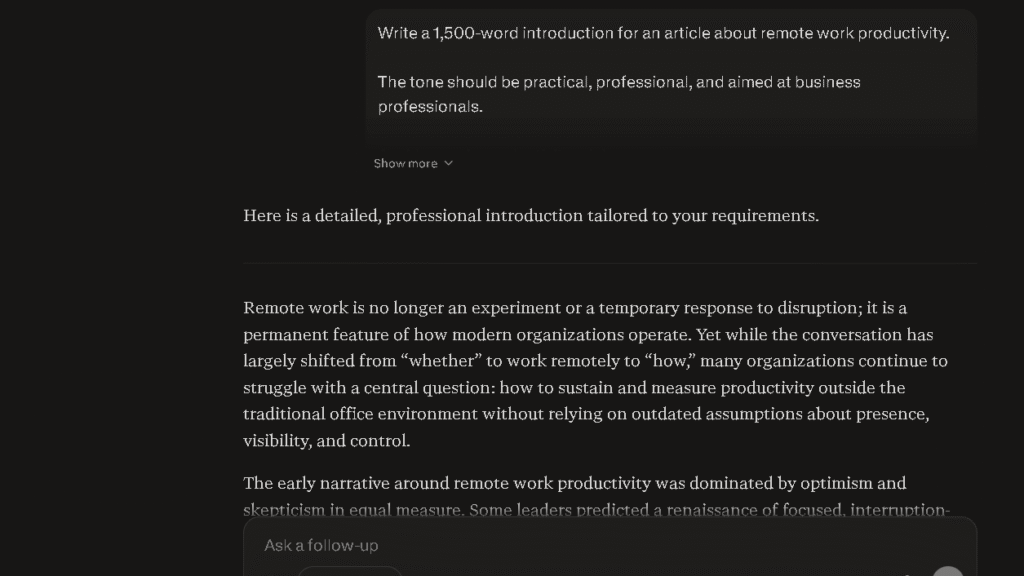
Grok Writing Quality
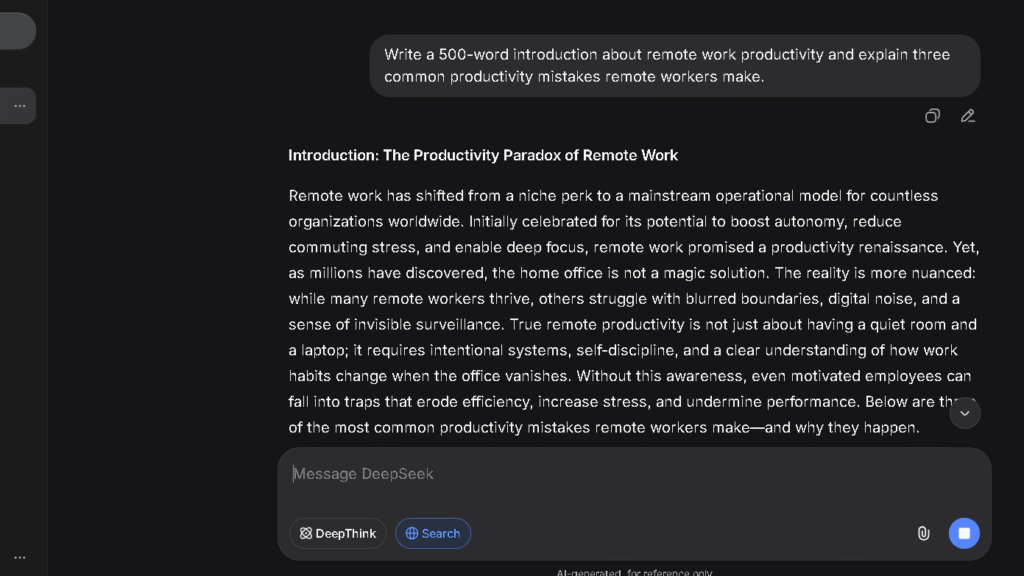
Grok is stronger on short formats than long ones. During testing, it handled social content and quick summaries surprisingly well, although it struggled with structure on longer articles. I discuss those findings in my Grok Review.
Social posts, short takes, quick summaries: it is faster than expected. For anything requiring structure or sustained argument, it does not match the top three.
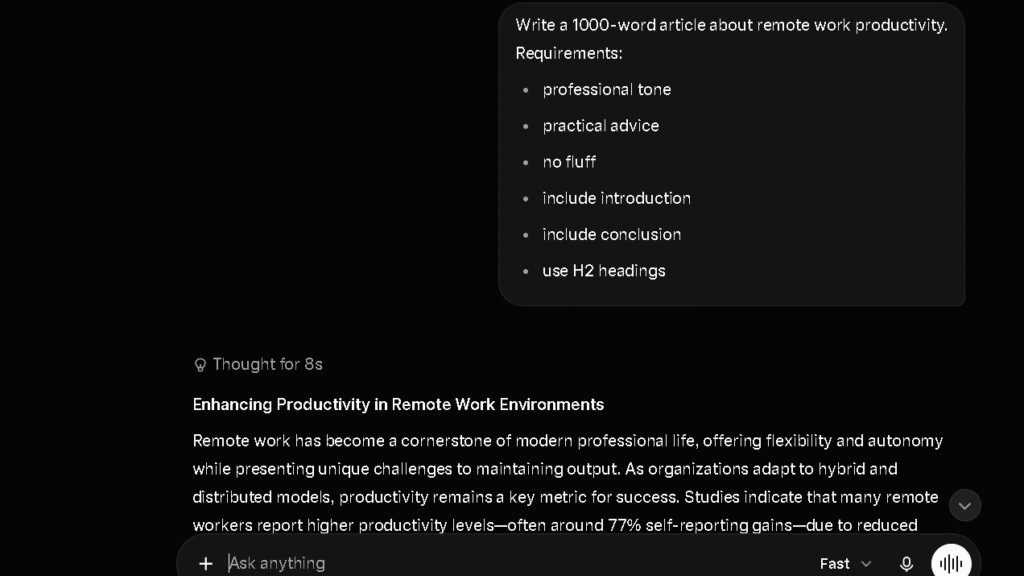
DeepSeek Writing Quality
DeepSeek surprised me on technical writing. Documentation, code explanations, and process guides came out cleaner than I expected. For general writing, it is not competitive with ChatGPT or Claude. For technical content, it earns a closer look.
Which AI Writes Most Naturally?
Human-Like Tone
Claude. The output does not sound like a model trying to write like a human. It sounds like a thoughtful writer who uses longer sentences when the thought is long and short ones when it is not. That rhythm is what most AI writing lacks.
Flow and Readability
ChatGPT for short work. Claude for long work. Both handle readability well at the sentence level. The difference shows at the paragraph and section level, where Claude maintains cohesion better across extended pieces.
Sentence Variety
Claude wins here by a clear margin. ChatGPT produces uniform sentence lengths in a way that becomes audible after a page. Claude varies sentence length more naturally. That variety is what makes text feel less like output and more like writing.
Repetition Problems
Every tool I tested developed repetition patterns. ChatGPT by session three or four. Claude by session six or seven. Gemini showed repetition fastest, within the first two or three drafts on similar topics. The pattern was always the same: same opening structure, same transition type, same closing move. Longer and more specific prompts helped. They did not eliminate it.
Which AI Creates Less Editing Work?
This is the section most writing reviews skip. It is also the one that matters most.
First Draft Quality
In my 10-draft editing burden test, Claude required the least rewriting at 19 percent. ChatGPT came second at 23 percent. Gemini was third at 31 percent. Perplexity required the most editing at 38 percent because its prose is weaker even when its sourcing is strong.
Structural Editing
Claude handles structure better on long pieces. ChatGPT handles structure better on short ones. Gemini often loses the second half of an article, burying the most important point in a closing paragraph that trails off. That structural failure is consistent enough that I now only use Gemini for pieces under 600 words.
Fact Corrections
ChatGPT standard mode requires the most fact-checking of any tool I used regularly. The writing sounds confident, which makes errors harder to catch. Claude flags uncertainty more often, which is slower but more honest. I prefer honest and slow to confident and wrong.
Tone Adjustments
Claude requires the fewest tone adjustments. The first draft usually lands closer to the right register. ChatGPT often starts too formal or too casual and needs a prompt to recalibrate. That back-and-forth adds five to ten minutes per piece. Five minutes per piece adds up across a week.
Research and Fact Gathering
Finding Sources
Perplexity is the best research tool I tested. It consistently surfaced useful sources faster than the other tools, which is why it became part of my daily workflow. You can see the full results in my Perplexity Review.
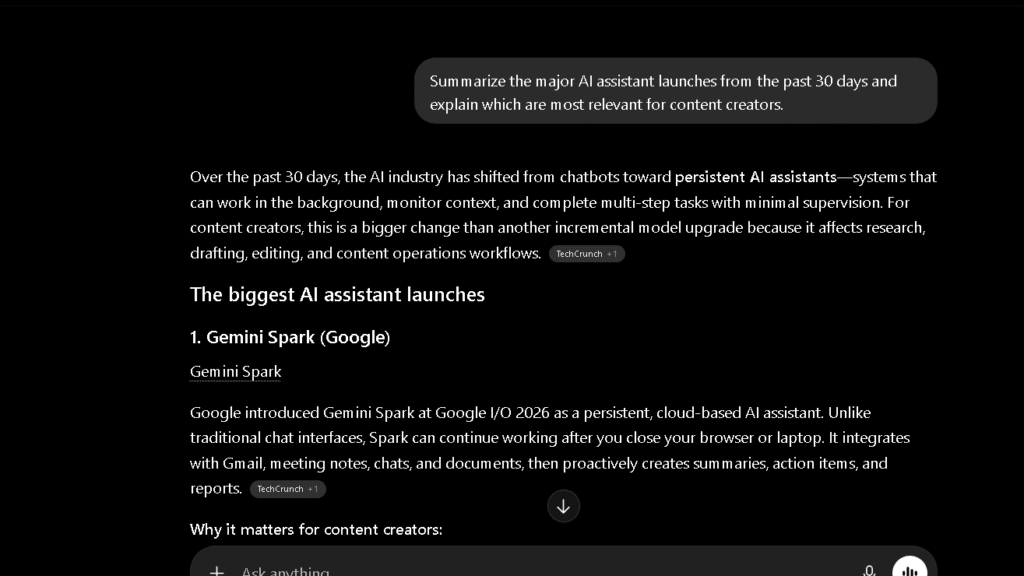
For writing, the workflow that works best is: Perplexity to find and source, then ChatGPT or Claude to write from that material. Using one tool for both steps is slower than splitting the job.
Fact Verification
No AI I tested passed the fact verification test cleanly. Claude came closest, flagging errors in four of five runs. The right approach is to treat AI research as a starting point, not a finished source list. That approach has not changed after 30 days of testing.
Research Speed
Perplexity is fastest for sourcing. ChatGPT is fastest for synthesis. Those are different skills. Research speed is only useful if the synthesis is good enough to build on.
Research-to-Writing Workflow
The workflow I use now: Perplexity for sources and current context, ChatGPT for ideation and outline, Claude for first draft on long pieces or ChatGPT for short ones. That split takes more tool-switching than I would like. It produces better results than any single tool alone.
Coding and Technical Writing
Documentation
DeepSeek and ChatGPT both handle documentation well. DeepSeek is more precise on technical syntax. ChatGPT is better at writing documentation that non-technical readers can follow.
Tutorials
ChatGPT is the strongest tool for step-by-step tutorials. The structure is natural. The explanations are clear. The code examples are usually accurate. I have found errors, but fewer than I expected.
Technical Explanations
Claude handles technical explanations with more care than ChatGPT. When I asked both to explain a complex API behavior to a general audience, Claude kept the explanation accurate while making it accessible. ChatGPT oversimplified twice in three runs.
API Documentation
ChatGPT Pro with code interpreter is the strongest option for API documentation. It can read existing code and generate matching documentation in a format that developers actually use.
My Writing Workflow Today
After 30 days of daily testing, my writing workflow looks nothing like it did at the start. I stopped trying to use one tool for everything. The gap between what each tool does well is too large to ignore.
I start with Perplexity. Any piece that involves current events, recent data, or specific claims gets a Perplexity pass first. I use it to find sources, confirm timelines, and build a short fact base. I do not write from Perplexity directly. I use it to orient.
Then I move to ChatGPT for the outline and structure. I paste in the research notes from Perplexity and ask ChatGPT to help me find the angle, the gaps, and the order. That conversation usually takes 10 to 15 minutes. The outline that comes out is always better than the one I would have written alone.
For short pieces under 1,000 words, I draft in ChatGPT. For anything longer, I move to Claude. Claude holds the full article in context better, makes fewer structural errors in the back half, and requires less tone editing on the final pass.
The whole workflow runs 45 to 60 minutes for a well-sourced 1,200-word article. Before I used this split, the same article took 90 minutes and still needed more checking. The time difference is real. The confidence difference is bigger.
The one thing I would tell anyone starting this workflow: do not expect it to feel natural for the first week. Three tools, three tabs, three different ways of prompting. It is clunky at first. By week two it becomes fast. By week four it becomes automatic. Personal taste. Writing goals. Existing habits. Those all affect how quickly it clicks.
Which AI Do I Trust More After 30 Days?
| AI | Trust Level After 30 Days | Biggest Concern | Verification Burden |
|---|---|---|---|
| Claude | High | Speed on short pieces | Low |
| ChatGPT | Medium | Confident errors | Medium |
| Gemini | Low-Medium | Hallucinations | High |
| Perplexity | High (sources) | Weak prose | Low on facts, high on writing quality |
Hallucinations
Claude hallucinated least in my tests. In the false claim test across five runs, Claude flagged the error four times. ChatGPT accepted it three times. Gemini accepted it every time. That pattern held across multiple test sessions. It is not an edge case.
Fact Accuracy
Perplexity is the most fact-accurate tool for current information because it links claims to sources. For general knowledge writing, Claude is more careful about what it asserts. ChatGPT is more confident and sometimes wrong. Confidence and accuracy are different things.
Confidence vs Reliability
The most dangerous writing failure I saw in 30 days was ChatGPT generating a confident, well-structured paragraph that contained a factual error I nearly missed. The structure made it look right. That is a specific problem with fluent AI writing: fluency masks error. Fluency and accuracy are different things.
Verification Burden
Claude requires the least verification of anything I tested for writing tasks that do not require current sources. For current-events writing, Perplexity sources reduce verification burden more than any other tool. The combination of both in one workflow is faster than using either alone.
The Frustrations That Appear Over Time
Repetitive Writing
Every tool repeats. ChatGPT starts repeating structural patterns by session three or four. Claude holds longer, with patterns showing up by session six or seven. Gemini was fastest. I noticed the same opening structure on day three. Specific prompts break the cycle but add time.
Generic Conclusions
The hardest thing to get right with AI writing is the ending. Every tool I tested defaults to a summary conclusion that restates the article. Real endings do something different: they leave the reader somewhere new. Getting that from an AI requires specific prompting every single time. Every single time.
Overconfident Errors
The frustration that still bothers me most, after 30 days, is confident wrongness. A vague or uncertain answer is easy to catch. A well-written wrong paragraph is not. ChatGPT is most prone to this. It is also the tool I use most, which means I have built a habit of verifying anything factual before it goes anywhere near publication.
Editing Fatigue
By week three, I noticed something I had not expected: AI-assisted writing was making me tired in a different way than writing alone. The effort shifted from generating to judging. I was not writing less. I was evaluating more. That is a real cognitive shift. It is worth knowing about before you build a daily AI writing habit.
Why Some Writers Switch From ChatGPT to Claude
Long-Form Writing
The main reason writers move to Claude is document length. Claude holds a full article in context in a way ChatGPT does not match consistently. For writers working on 2,000-word-plus pieces, that difference is felt every session.
Better Context Retention
Claude remembers earlier parts of a long piece better than ChatGPT does. When I asked Claude to revise section four of a long article for consistency with section one, it did it accurately. ChatGPT missed the connection in two of three tries.
More Natural Style
Writers who care most about prose quality tend to move toward Claude. The output feels less like a draft and more like a starting point worth keeping. That quality difference is real, and it shows up most in pieces over 800 words.
Why Many Writers Eventually Return to ChatGPT
Better Ideation
ChatGPT is faster and more useful when you are stuck. When I need five angles on a topic, or three ways to open a piece, or a list of counterarguments I have not thought of, ChatGPT delivers faster than Claude. Ideation speed is a real advantage.
Better Editing on Short Work
For pieces under 800 words, ChatGPT edits faster and well enough. The quality gap with Claude narrows on short content. Speed matters more on short content. ChatGPT wins that trade.
Better Overall Workflow
For writers who move quickly between formats — articles, emails, social posts, scripts — ChatGPT’s format flexibility is a practical advantage. Claude is deeper but narrower. ChatGPT is broader and fast. That combination keeps people coming back.
Best AI for Blog Writing
SEO Articles
ChatGPT handles SEO article structure better than any other tool I tested. I use it regularly for keyword research support, outlines, and content planning, which I explain in my guide on ChatGPT for SEO.
It builds content that covers a topic without padding, lands on logical subheadings, and handles keyword integration without sounding forced. That last point is harder than it looks.
Informational Content
Claude produces the most accurate and well-organized informational content. Its ability to maintain context makes it particularly useful for informational and SEO-focused articles. I cover that workflow in my Claude for SEO article. For how-to guides, explainers, and topic overviews, Claude’s careful approach is an asset rather than a cost.
Affiliate Content
ChatGPT is stronger for affiliate content because it handles comparison structures, pros and cons sections, and product-focused writing better than Claude. Claude tends to hedge in ways that make commercial writing feel uncertain.
Editorial Content
Claude for editorial writing. The voice control is better. The sentence rhythm is more natural. For opinion pieces, first-person essays, and any content where voice is the product, Claude is the right tool.
Best AI for Content Creators
YouTube Scripts
ChatGPT handles YouTube scripts better than any other tool I tested. It paces well, builds in natural pauses, and understands the difference between a hook and an intro. That structural awareness is not something Gemini or Claude match consistently.
Social Media Content
Gemini free tier is useful for social posts. Fast, short, and good enough at the format level. Claude overcomplicates social content. ChatGPT is strong here too but overkill for a tweet or a caption.
Email Newsletters
Claude for email newsletters that need to sound personal and considered. ChatGPT for newsletters that need to move quickly through several topics. The right choice depends on what your newsletter sounds like. Named things. Length goals. Existing voice.
Marketing Content
ChatGPT. It handles commercial writing better than Claude and has less tendency to hedge. Gemini is fast for short marketing copy. For longer campaigns or complex briefs, ChatGPT is the better tool.
Best AI for Students
Perplexity free tier is the best research starting point for students. Claude free tier is the best tool for editing, analysis, and working through complex material. ChatGPT free tier is useful for drafting but has no web access.
The honest advice: use Perplexity to find sources, Claude to understand and synthesize them, and do the actual writing yourself. AI output is a starting point. It is not the paper.
Best Free AI for Writing
Free ChatGPT
No web access by default. Useful for drafting from material you bring to it. Message limits hit quickly on a serious writing session. Good enough for one or two pieces. Not enough for daily writing work.
Free Claude
Strong for editing and long document work. No live web access. Daily limits exist but are manageable for focused sessions. The best free option for editing-heavy workflows.
Free Gemini
Best free tier for general writing. Web access included. No hard session wall in most daily use scenarios. Writing quality is below ChatGPT and Claude but good enough for first drafts. The apps are solid.
Free Perplexity
Best free option for research-to-writing workflows. Not a standalone writing tool. Strong when used as the research layer before drafting in another tool.
Pricing Comparison
Free Plans
| Tool | Free Web Access | File Upload | Usage Limits | Writing Strength |
|---|---|---|---|---|
| ChatGPT | No | No | Message cap | High |
| Claude | No | Yes | Daily cap | High |
| Gemini | Yes | Limited | Generous | Medium |
| Perplexity | Yes | Limited | Daily cap | Medium |
Paid Plans
| Tool | Plan | Monthly Cost | Key Writing Features |
|---|---|---|---|
| ChatGPT | Plus | $20 | Web access, file upload, GPT-4o |
| ChatGPT | Pro | $200 | All models, Deep Research, advanced tools |
| Claude | Pro | $20 | Extended context, file upload, priority access |
| Gemini | Advanced | $22 | Gemini Ultra, 1.5M context, Google integration |
| Perplexity | Pro | $20 | Unlimited searches, file upload, advanced models |
Best Value for Writers
Claude Pro at $20 per month is the best value for long-form writers. ChatGPT Plus at $20 is the best value for writers who work across multiple formats. If your writing work is primarily short and varied, ChatGPT Plus wins. If it is primarily long and structured, Claude Pro wins.
Best AI for Writing by User Type
| User Type | Best AI | Why |
|---|---|---|
| Bloggers | ChatGPT | Structure, speed, SEO-friendly output |
| Students | Claude + Perplexity | Editing quality plus sourced research |
| Freelancers | ChatGPT | Format flexibility, client-ready drafts |
| Marketers | ChatGPT | Commercial writing, fast turnaround |
| Small business owners | Gemini free | Accessible, no subscription needed |
| Professional writers | Claude | Voice control, long-form quality |
Bloggers
ChatGPT. Fast, structured, handles SEO article formats well. Start with it. Edit hard. Verify facts. Publish faster than you would without it.
Students
Claude for editing and working through source material. Perplexity for finding that material in the first place. Do the thinking yourself. Use the tools to move faster through the parts that are not the thinking.
Freelancers
ChatGPT for most client work. Format flexibility matters when you are writing across industries and formats in the same week. Claude for clients who have a strong editorial voice that needs to be maintained across long pieces.
Marketers
ChatGPT. It handles commercial intent better, moves fast, and requires less prompting to produce copy that sounds like it is selling something without being uncomfortable about it.
Small Business Owners
Gemini free tier. Fast, accessible, no learning curve. Good enough for website copy, social posts, and short emails. Daily users who grow past basic needs will upgrade quickly.
Professional Writers
Claude for long work. ChatGPT for ideation and fast turnaround. The two tools cover different parts of the professional writing process. Using both is not redundant. It is the right workflow.
Alternatives to ChatGPT for Writing
| Tool | Writing Strength | Writing Weakness | Best For |
|---|---|---|---|
| Claude | Long-form, voice control | Speed on short content | Long articles, editing, essays |
| Gemini | Speed, free access | Quality on long content | Short drafts, free tier use |
| Perplexity | Source accuracy | Prose quality | Research-first writing |
| Grok | Short formats | Long-form structure | Social content, quick takes |
| DeepSeek | Technical writing | General content | Documentation, code explanation |
Claude
The strongest alternative for writers who care most about prose quality and long-form work. Not a replacement for ChatGPT on short, fast, varied content. A strong addition for longer pieces.
Gemini
The right alternative if you need a free tool and mostly write short content. The gap with ChatGPT narrows significantly on pieces under 600 words.
Perplexity
Not a writing alternative. A research alternative that feeds into writing. Use it as a layer, not a replacement.
Grok
Worth trying for social content and short formats. Not competitive with the top three for article-length writing.
DeepSeek
For technical writers, it earns a closer look. For general writing, it is not a first choice.
Final Verdict
Best Overall AI for Writing
ChatGPT. It handles the widest range of writing tasks, produces strong first drafts, and improves with specific prompting. The editing burden is real but manageable. The output is consistently useful. [Read my full ChatGPT Review →]
Best for Long-Form Writing
Claude. For pieces over 1,000 words, the context retention and voice control are worth the slower pace. It is the tool I reach for when the piece needs to be good rather than just done. [Read my full Claude Review →]
Best for Blog Writing
ChatGPT. Fast structure, clean opening hooks, good SEO instincts. For bloggers publishing regularly, it is the most practical daily tool.
Best Free AI Writer
Gemini. Web access, no hard daily wall, good enough quality for drafting. It does the job well for casual use. [Read my full Gemini Review →]
Best for Professionals
Claude for depth. ChatGPT for speed. Which one you want depends on what you are actually here for.
The best AI for writing is not the one that writes the most words. It is the one that leaves you with the fewest decisions afterward. After 30 days, that tool was different for long work and short work. But the standard did not change. Editing burden is the whole game.
FAQ
ChatGPT is the best AI for writing overall. It handles the widest range of writing tasks, produces strong first drafts, and edits well across formats. Claude is better for long-form work. Gemini offers the strongest free experience.
For most writing tasks, yes. ChatGPT produces clean structure, handles format switching well, and works fast across short and medium-length content. For long-form pieces and editing-heavy workflows, Claude is the stronger choice.
For long-form content, yes. Claude holds context better over long documents, produces more natural prose, and requires less tone editing. For short content, fast turnaround, and multi-format work, ChatGPT is faster and more flexible.
Claude. The sentence variety, tone control, and rhythm of Claude’s output is the most natural of any tool I tested. It shows up most clearly on pieces over 800 words.
Claude, based on my 10-draft editing burden test. Claude drafts needed an average of 19 percent rewriting to reach publish-ready quality. ChatGPT needed 23 percent. Gemini needed 31 percent.
Gemini free tier. It includes web access, handles short drafts well, and does not cut you off mid-session the way free ChatGPT does. Claude free tier is the better choice for editing and long document work.
ChatGPT. The structure is clean, the hooks are fast, and it handles SEO article formats better than any other tool I tested. It requires fact-checking and editing, but less of both than its competitors.