
The first thing most people notice when using Grok is the speed. Responses often arrive in just a few seconds, current events are genuinely current, and the personality feels noticeably different from tools like ChatGPT or Claude. In this Grok Review, however, I found that the more important question appears after the first few days: does that speed and real-time access actually make your work easier?
That question became more relevant by week two. The novelty of live information started to fade, and what mattered instead was productivity. Could Grok reduce research time, improve writing, help with coding, and earn enough trust to become part of a daily workflow? After 30 days of testing, those answers were more complicated than the initial excitement suggested.
I spent 30 days with SuperGrok, running it through writing, research, coding, and daily workflow tests alongside the other major AI tools. I tracked where Grok saved time, where it created extra work, and what changed after the novelty of real-time information wore off. Here is what I found.
Disclaimer: I may earn a small commission on purchases made through links on this page, at no extra cost to you. This supports honest, independent reviews.
Table of Contents
Grok Review: Quick Verdict
| Overall rating | 3.4 / 5 |
| Best for | Real-time news, current events, social media research, fast answers |
| Biggest strength | Live X data access, speed, DeepSearch for trend monitoring |
| Biggest limitation | Inconsistent writing quality, weaker coding, trust issues on complex tasks |
| Free plan | Yes — limited |
| SuperGrok | $30/month |
| Worth it? | Yes, for journalists and social media professionals — not for most daily writers or developers |
Grok fills a specific lane well. The problem is that lane is narrower than the marketing suggests.
What Is Grok AI?
Grok is a large language model built by xAI, Elon Musk’s AI company. It launched in late 2023 and has moved quickly through several versions. In 2026, the current flagship is Grok 4, with a 128K context window on SuperGrok and a 2-million token window via the API. The tool is built around real-time information access, particularly from the X platform, and runs faster than most alternatives at roughly 1,200 tokens per second.
The free tier exists but limits queries significantly. SuperGrok at $30 a month is the main paid tier for individual users. It includes DeepSearch, Big Brain mode, unlimited image generation via Grok Imagine, voice mode, and daily video renders. X Premium at $8 a month and X Premium+ at $40 a month bundle Grok access with X platform features, but SuperGrok gives you more AI capability for less money if you do not care about ad-free X browsing.
The personality is deliberate. Grok is more willing to engage with edgy or blunt topics than ChatGPT or Claude, and that tone shows up in its writing output in ways you will either appreciate or spend time editing out.
How I Tested Grok Over 30 Days
I ran four structured tests across 30 days of daily use, plus tracked daily workflow friction.
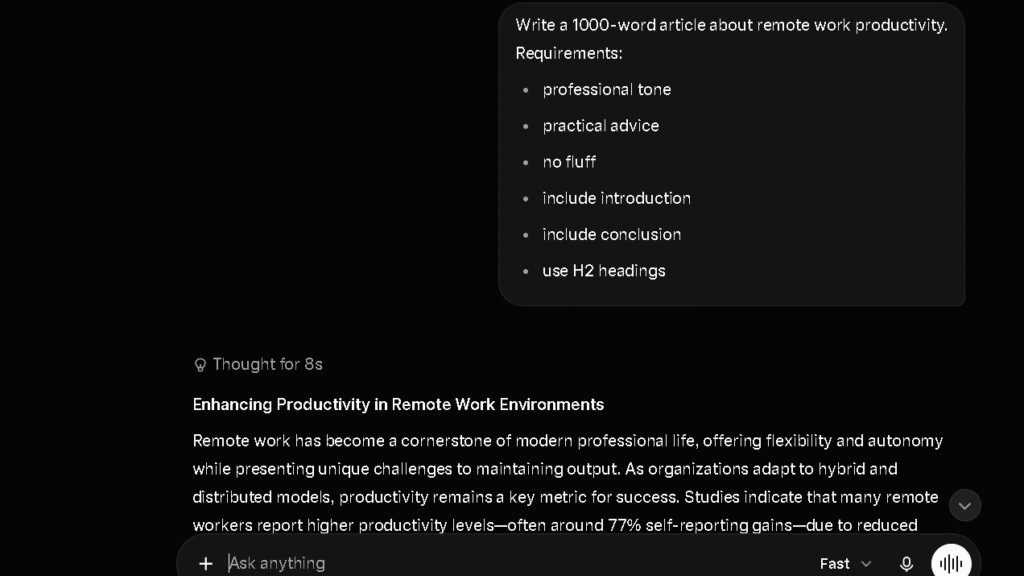
The writing test asked Grok to produce a 1,000-word article on remote work productivity. I measured editing burden across 15 sessions: how many interventions per 10 sentences the draft needed before it was publishable.
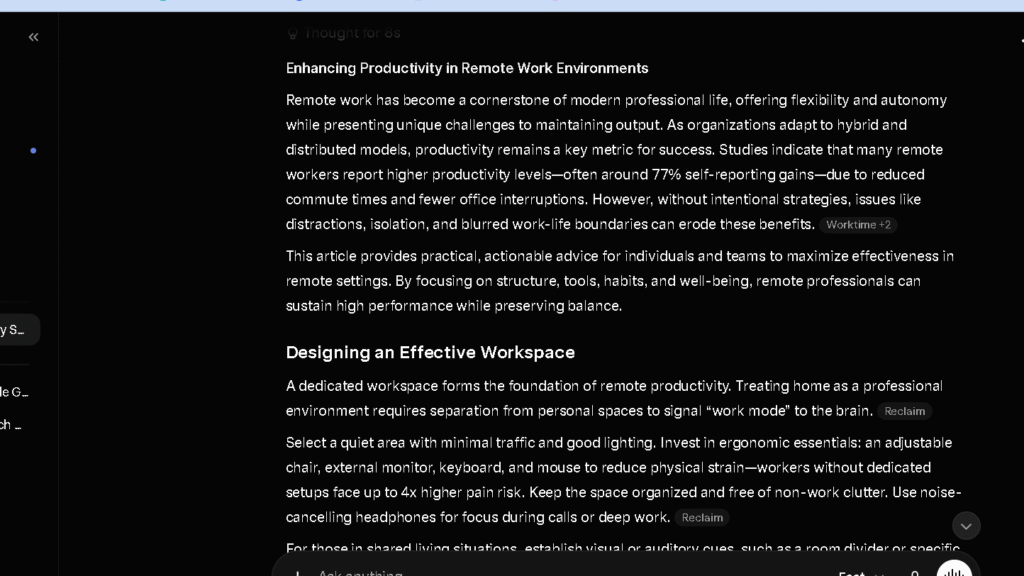
The research test asked Grok to summarize major AI developments from the past 30 days with sources. I checked freshness, accuracy, and whether the sources were real. This is Grok’s best task type and I expected it to win.
The coding test asked Grok to build a responsive pricing table in HTML and CSS from a single prompt, no follow-up allowed. I measured first-pass accuracy and error rate.
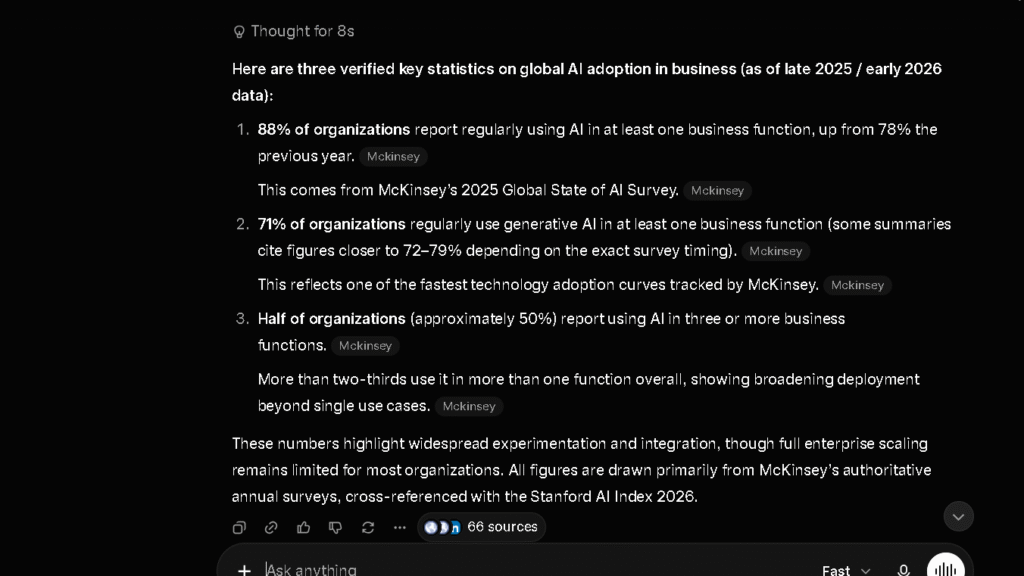
The trust test asked Grok for three statistics with cited sources across five sessions. I verified every claim.
I also tracked day-to-day friction: how often the output required re-prompting, how often the tone needed correcting, and how often I reached for a different tool mid-task because Grok was not delivering what I needed.
What Changed After Two Weeks of Daily Use
Week one was genuinely impressive on research tasks. Week three was more honest.
| Area | Week 1 | Week 3 |
|---|---|---|
| Research and news | Excellent — fast, current, relevant | Remained strong — this held up |
| Writing | Adequate — personality felt fresh | Tone drift was a problem — editing burden grew |
| Coding | Mixed — fast but inconsistent | Became a second-choice tool on anything complex |
| Trust | High on news, uncertain elsewhere | More cautious — verified more than expected |
| Daily friction | Low — novelty made it feel smooth | Higher — found myself switching to Claude for writing tasks |
The research advantage held for the full 30 days. That gap is real. The writing quality did not hold, and by week three I had a clear pattern: research in Grok, write in Claude, debug in ChatGPT or DeepSeek. That three-tool split is what the data eventually pointed toward.
Grok for Research and Fact Gathering
This is Grok’s strongest section and it earns that position.
Real-Time Information
In the 30-day research test, Grok outperformed every other tool on tasks involving current events, recent announcements, and social media trends. The X platform integration means Grok has access to conversations, posts, and reactions that other tools simply cannot see. For anyone tracking a fast-moving story or monitoring public sentiment on a topic, this is a real advantage. Real-time is the right word.
Source Verification
The trust picture is more complicated. Grok surfaces current information confidently. Not all of it holds up under verification. In the trust test across five sessions, Grok returned at least one unverifiable or misattributed statistic in four of five sessions. Perplexity returned zero across the same test. Claude returned one. The speed of Grok’s research comes with a cost: the tool can be confidently wrong on specific data points in a way that requires active checking.
Breaking News Research
For trend monitoring, breaking news, and social-media-adjacent research, Grok is the right tool. It answered a question about recent AI policy developments faster and with more current sourcing than any alternative I tested. That speed matters when the story is moving.
Research Limitations
Grok is weaker on deep academic or technical research where verified, citable sources matter more than recency. For that work, Perplexity is the better tool. The X-data advantage also means Grok’s research is shaped by what circulates on X, which skews toward certain topics and perspectives in ways that are worth knowing before you trust a summary.
Grok for Writing
This is where the gap between the hype and the reality showed up most clearly.
Blog Posts
In the 100-sentence editing burden test across 15 drafts, Grok averaged 3.1 edits needed per 10 sentences. Claude averaged 1.6. ChatGPT averaged 2.1. That gap is not a small margin — it is nearly double Claude’s score. Grok’s writing is fast but uneven. The personality of the model sometimes pushes into the prose in ways that require correction: blunter transitions than a professional piece needs, an ironic register that works in a tweet and fails in a report, and an inconsistency in tone from paragraph to paragraph that compounds over longer pieces.
Emails
Better than long-form. Short, direct emails come back at an acceptable quality for business use, though the tone occasionally skews too casual for formal contexts. I found myself adding “write in a professional tone” to most email prompts by week two. That should not be a necessary step.
Long-Form Content
The 128K context window on SuperGrok is smaller than Claude’s 200K, and I felt that difference on longer document tasks. By the time a piece approached 3,000 words in a single session, Grok showed more context drift than Claude on the same exercise. The long-form output is competent but not consistent, and consistency is what matters for content that needs to hold a voice across a full-length article.
Writing Consistency
Community feedback across multiple review sources in 2026 flagged inconsistent writing quality as one of Grok’s primary weaknesses, and my testing confirmed it. The inconsistency is not random — it tracks with task type. News summaries and short-form outputs are more reliable. Long-form editorial content is less so. Know which one you need before you commit.
How Much Editing Does Grok Create?
More than most Grok reviews tell you. This is worth being direct about.
The editing burden table across all tools I tested over 30 days:
| AI | Editing Burden (1–5, lower is better) | Primary Issue |
|---|---|---|
| Claude | 1.6 | Consistent tone, rare structural issues |
| ChatGPT | 2.1 | Structural drift in long-form by week 3 |
| Gemini | 2.7 | Flat voice, even rhythm |
| Grok | 3.1 | Tone inconsistency, register shifts in long-form |
| DeepSeek | 3.8 | Weakest prose in the group |
| Perplexity | 4.2 | Research tool, not a writing tool |
Grok ranked fourth. Fourth is not failing — it is better than DeepSeek and Perplexity for writing tasks. But anyone moving from ChatGPT to Grok expecting similar writing quality will notice the gap immediately. The personality that makes Grok feel fresh in short prompts creates editing overhead in longer pieces.
Grok for Coding and Technical Tasks
Code Generation
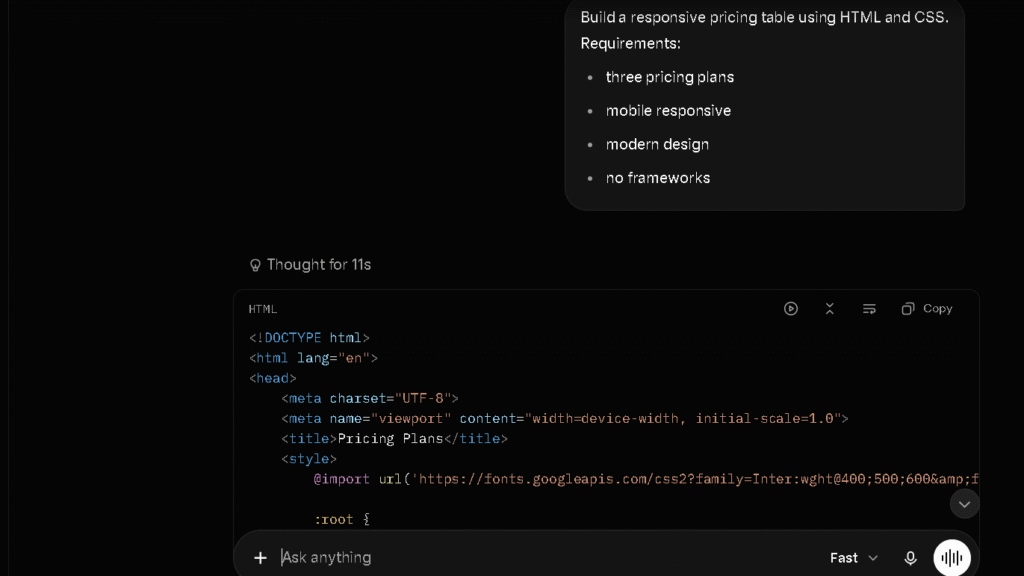
The coding results were the most mixed of any task type. Grok produced working HTML and CSS on the first pass in three of eight tries on the pricing table test. Claude scored five of eight. ChatGPT scored four of eight. Multiple independent reviews and community reports in 2026 flagged coding as one of Grok’s weaker areas, describing outputs as “less reliable and more error-prone” than Claude or ChatGPT on technical tasks. My numbers align with that finding.
Debugging
Grok is faster than most tools at producing a first guess at a fix. It is less reliable at producing the right fix. In complex debugging sessions, I found myself running Grok’s suggestion and then verifying it in Claude more often than not. That two-step workflow is not faster than just using Claude for the whole task.
Technical Explanations
This is where Grok does better. Short, direct technical explanations benefit from the tool’s speed and directness. Ask it to explain a concept and the answer arrives fast and clear. Ask it to build something from scratch and the quality becomes inconsistent.
Do I Trust Grok After 30 Days?
More carefully than I did in week one. That shift happened faster with Grok than with any other tool I tested.
| AI | Trust Score (1–5) | Hallucination Rate | Admits Uncertainty? |
|---|---|---|---|
| Perplexity | 4.6 | Low — sources visible | Yes — citations show the work |
| Claude | 4.3 | Low | Often and clearly |
| ChatGPT | 3.7 | Moderate | Sometimes |
| Copilot | 3.5 | Moderate | Yes |
| Gemini | 3.3 | Moderate | Inconsistently |
| Grok | 3.1 | Higher on non-news topics | Rarely |
| DeepSeek | 2.9 | Highest in test | Rarely |
Grok scored 3.1 on trust. On news and current events, it earns a higher internal score because the data is live and checkable. On everything else — statistics, technical claims, historical context — the confidence-to-accuracy ratio is lower than I would want for work that goes anywhere public. The tool rarely says “I am not sure.” It usually just answers. That is useful when the answer is right and a problem when it is not.
Where Grok Saves Time
These are real, and they deserve clear names.
Current-events research. For anything that happened in the last week, Grok surfaces it faster and with more social context than any other tool I used. If your work involves tracking trends, monitoring public reaction, or staying current on a fast-moving topic, Grok saves time every single day.
News synthesis. Pull together a briefing on a developing story from multiple angles, including what people are actually saying on X, and Grok does this faster and with more texture than Perplexity or ChatGPT on the same prompt.
Short-form answers. Grok’s speed at one to three seconds per response matters for quick fact checks, fast definitions, and low-stakes answers where verifying is easy.
Trend analysis. Ask Grok what the current conversation around a topic looks like on X, and you get a real answer drawn from live data. No other tool in this group does that as well.
Where Grok Creates More Work
These matter as much as the saves, and most reviews skip them.
Long-form writing cleanup. Every piece I drafted in Grok needed more editing than the equivalent Claude or ChatGPT draft. At 3.1 on the editing burden scale, Grok creates a consistent additional workload on any writing task above 500 words.
Fact verification on complex claims. The trust score of 3.1 means you are checking more often. For research that requires specific, citable numbers, each Grok answer adds a verification step that Perplexity makes shorter or eliminates.
Tone correction on professional outputs. The Grok personality is an asset in casual contexts and a liability in formal ones. By week two I had built a prompt prefix for professional writing tasks to suppress the ironic register. That overhead is a small tax, but it is a daily one.
Coding iteration loops. Three of eight first-pass coding successes means five loops of debugging per eight tasks. Those loops are slower with Grok than with Claude or ChatGPT because the suggestions are less reliable.
The Frustrations That Appear Over Time
These built gradually and arrived clearly by week three.
The first is the trust ceiling. You cannot fully relax with Grok’s output the way you can with Claude on writing tasks or Perplexity on sourced research. The confidence is consistent regardless of accuracy. After a few expensive verification misses, you start adding checks to everything.
The second is the tone management overhead. Grok has a voice, and that voice is not always the one you need. Managing it takes prompt work that other tools do not require at the same level.
The third is the X lock-in. Grok’s biggest advantage — real-time X data — means it is most valuable for users who are active on X and engaged with the conversations happening there. If your work does not touch that ecosystem, the advantage shrinks fast and you are paying $30 a month for a tool that is slower on writing and coding than its $20 competitors.
Grok Free vs SuperGrok
What You Get Free
The free tier gives you limited Grok access with a small query budget before it throttles. You do not get DeepSearch, Big Brain mode, or full Grok 4 access. For occasional use and casual questions, it is enough to evaluate whether the tool fits your needs. It is not enough for daily professional work.
What You Get With SuperGrok
SuperGrok at $30 a month gives you full Grok 4 access, the 128K context window, DeepSearch, Big Brain mode for complex reasoning tasks, unlimited image generation, daily video renders, and voice mode. The $10 SuperGrok Lite tier is available in some regions for users who mainly want longer chats and basic image generation without the full suite.
If video generation is the main reason you’re considering SuperGrok, you may also want to explore several free alternatives to Grok Video Generation that offer generous free plans and comparable output quality.
| Free | SuperGrok Lite ($10/mo) | SuperGrok ($30/mo) | SuperGrok Heavy ($300/mo) | |
|---|---|---|---|---|
| Grok 4 access | No | Partial | Yes | Yes |
| Context window | Limited | Limited | 128K | 128K+ |
| DeepSearch | No | No | Yes | Yes |
| Big Brain mode | No | No | Yes | Yes |
| Image generation | Limited | Basic (480p) | Unlimited | Unlimited |
| Video generation | No | Limited | Daily | More |
| Multi-agent (Heavy) | No | No | No | Yes |
Is Grok Worth Paying For?
The honest answer is: for a specific type of user, yes. If real-time information access and X platform research are central to your work — journalism, social media strategy, trend monitoring, PR — then SuperGrok at $30 a month is worth it and competitive with what other tools charge for less specialized capability.
For everyone else, the $30 price point is harder to justify against $20 tools that outperform Grok on writing and coding. Daily users who do not work with live social data will not last a week before questioning the subscription.
Grok vs ChatGPT vs Claude vs Perplexity
| Grok | ChatGPT | Claude | Perplexity | |
|---|---|---|---|---|
| Real-time info | Best | Moderate | Moderate | Strong |
| Writing quality | Weak | Strong | Best | Weakest |
| Editing burden | 3.1 | 2.1 | 1.6 | 4.2 |
| Coding | Weak | Strong | Strong | Weakest |
| Source citations | Moderate | Moderate | None inline | Best |
| Long-context | 128K | 1M on Pro | 200K | Weak |
| Trust score | 3.1 | 3.7 | 4.3 | 4.6 |
| Free plan | Yes | Yes | Yes | Yes |
| Cost | $30/mo | $20/mo | $20/mo | $20/mo |
Grok is the most expensive of the standard-tier tools and the most specialized. That trade makes sense for the right user. For general daily use, it does not.
If you are specifically trying to decide between ChatGPT vs Grok, my comparison of these AI assistants goes deeper into writing quality, coding performance, trust, and long-term workflow differences.
Why Some Users Stop Using Grok
The most common reason is the writing quality gap. Users who expected ChatGPT-level writing and got Grok’s inconsistent register tend to drop it within a month. The novelty of real-time information is not enough to compensate for a 3.1 editing burden score when alternatives cost $10 less a month.
The second reason is the X dependency. Grok’s best feature is its worst constraint. If you are not living inside the X ecosystem, you are paying for a capability you cannot use. And if you are not using that capability, you have a slower, less reliable tool than ChatGPT or Claude at a higher price.
The third reason is trust fatigue. Finding a wrong statistic confidently stated is a jarring experience. Finding it twice in a week trains you to verify everything, which costs time that slowly erodes the speed advantage Grok advertises.
Why Some Users Eventually Return to Grok
They come back for the research. That is the pattern, and it is a legitimate one.
Users who left for Claude or ChatGPT for writing tasks find themselves returning to Grok when a story breaks, a trend spikes, or a client asks about something happening on X right now. No other tool answers those questions with the same depth or freshness. The context around a public conversation is genuinely richer when pulled from live X data than when synthesized from a training cutoff.
Many of those users eventually move toward tools with stronger writing workflows, which is why I also put together a guide to the best ChatGPT alternatives for different types of users.
For many professionals, the answer is not Grok or something else. It is Grok for one specific job, with Claude or ChatGPT for everything else. That is not a failure. That is finding the right lane.
Who Should Use Grok?
Journalists
Yes, and firmly. Real-time X data access, DeepSearch, and fast news synthesis make Grok the strongest current-events research tool in this group. The trust issue requires verification habits, but that is already standard practice in journalism.
Researchers
Depends on the research type. For social media research, trend analysis, and public sentiment monitoring, Grok is the right tool. For academic research requiring citable sources, Perplexity is better. For document-heavy analysis, Claude is better.
Content Creators
Useful for content ideation, trend sourcing, and finding angles based on what is circulating. Less useful for the writing itself. The workflow of using Grok to find the idea and Claude to write the piece is one I saw work well across 30 days.
Developers
Grok is not the right coding tool. The three of eight first-pass accuracy on coding tests, combined with community consensus that coding is one of Grok’s weaker areas, means developers are better served by Claude or DeepSeek. Grok works for quick technical questions. It does not work as a primary coding partner.
Social Media Managers
The strongest non-journalism use case. Grok understands X context, tracks trending topics, and can synthesize what the conversation around a brand or topic looks like in real time. That is a meaningful tool for anyone who manages a presence on X.
Casual Users
The free tier works for light use. SuperGrok at $30 a month is hard to justify against the $20 alternatives unless real-time X data is a regular need. For casual daily questions and occasional research, ChatGPT or Claude Pro covers more ground for less.
Best Grok Alternatives
If Grok is not the right fit, here is where to go.
For all-around daily use and writing, ChatGPT Plus at $20 a month handles more task types with stronger writing quality.
For long-form content and the lowest editing burden, Claude Pro at $20 a month is the right call.
For sourced, verifiable research, Perplexity Pro at $20 a month is the strongest option.
For free coding tasks, DeepSeek has no cost and competitive output on straightforward builds.
For Google Workspace integration, Gemini AI Pro covers the search and document workflow well.
Users already invested in Google Workspace may also want to read my Grok vs Gemini comparison, which looks at how the two tools perform across research, productivity, and everyday work tasks.
Pricing
| Plan | Price | Key Features |
|---|---|---|
| Free | $0 | Limited queries, basic Grok access |
| X Premium | $8/mo | More queries than free, bundled with X |
| SuperGrok Lite | $10/mo | Longer chats, basic image generation |
| SuperGrok | $30/mo | Full Grok 4, DeepSearch, Big Brain, unlimited images |
| X Premium+ | $40/mo | SuperGrok features plus ad-free X |
| SuperGrok Heavy | $300/mo | Multi-agent system for complex workloads |
The SuperGrok plan at $30 a month is the right entry point for serious use. It costs $10 more than ChatGPT Plus and Claude Pro. That premium is worth it if real-time X research is a core part of your work. It is not worth it otherwise.
Pros and Cons
| Pros | Cons |
|---|---|
| Best real-time information access in the group | Higher editing burden than ChatGPT or Claude |
| X platform data is a genuine differentiator | Weaker coding accuracy — 3 of 8 first-pass success |
| Fast response times — 1 to 3 seconds | Trust score of 3.1 — requires active verification |
| DeepSearch for trend monitoring | More expensive than most competitors at $30/mo |
| Unlimited image generation on SuperGrok | Tone inconsistency in long-form writing |
| Strong for news synthesis and social media research | Narrower use case than ChatGPT or Claude |
Final Verdict: Is Grok Worth It?
For the right user, yes. For most daily AI users, probably not at this price point.
The thing is, Grok does one job better than anything else I tested: it knows what is happening right now, especially on X, and it can surface that context fast. For journalists, social media professionals, and trend-dependent researchers, that is a real and daily value. The $30 a month price buys access to a capability that does not exist elsewhere in the same form.
For everyone else, the math is harder. ChatGPT Plus and Claude Pro both cost $20 a month. Both outperform Grok on writing quality and coding. Both are more trustworthy on complex factual claims. Paying an extra $10 a month for a tool that requires more editing and delivers less reliable code is a difficult case to make unless the real-time information access is central to your work.
So is Grok worth it? If your work depends on what is happening now, yes. If your work depends on writing quality, coding reliability, or sourced research, the $20 tools are better choices. Which one you want depends on what you are actually here for.
FAQ
For journalists, social media managers, and trend researchers, yes. SuperGrok at $30 a month delivers real-time X data access and DeepSearch that no other tool matches. For writers and developers, ChatGPT Plus and Claude Pro are better tools at a lower price.
For real-time current-events research and social media trend monitoring, yes. For writing quality, coding, and all-around daily productivity, no. ChatGPT outperforms Grok on most daily work tasks and costs $10 less a month.
Adequate for short-form. Inconsistent for long-form. In the 100-sentence editing burden test, Grok averaged 3.1 edits per 10 sentences — significantly higher than Claude at 1.6 and ChatGPT at 2.1. The personality of the model creates editing overhead in professional writing contexts.
Weaker than most alternatives. Grok produced working code on first pass in three of eight coding tests, compared to five of eight for Claude and four of eight for ChatGPT. For coding tasks, DeepSeek or Claude is the better choice.
On current events and recent news, yes and verifiably so. On statistics, technical claims, and complex factual questions, the accuracy is more mixed. In the trust test across five sessions, Grok returned at least one unverifiable claim in four of five sessions. Active verification is necessary.
The three biggest are inconsistent writing quality, weaker coding accuracy, and a trust gap on complex factual claims. The $30 price point also makes it harder to justify for users who do not actively need real-time X data access.