
I have spent the last month using Claude for SEO work, on top of the ChatGPT testing I already wrote up. Same kind of routine: real articles, real deadlines, real cluster planning, not a weekend of prompts.
The question I kept coming back to was not “is Claude smarter.” It was simpler than that. Does it actually cut down the editing work, or does it just move that work somewhere else? That question runs through almost everything below.
Disclaimer: I may earn a small commission on purchases made through links on this page, at no extra cost to you. This supports honest, independent reviews.
Table of Contents
Claude for SEO: Quick Verdict
Claude is strong for content planning, long-form drafts, and topic cluster work. It tends to hold structure better over a few thousand words, which means less cleanup on the back end.
It is not a research tool first, and it will not replace dedicated SEO software for rankings, volume, or technical audits. Think of it as the assistant you hand a brief to, not the one you hand a spreadsheet to.
| Category | Verdict |
|---|---|
| Keyword ideation | Strong |
| Content briefs | Very strong |
| Long-form drafts | Strong, fewer structure issues |
| Internal linking | Useful, needs review |
| Topical authority planning | Strong, helped by long context |
| Search volume and rankings | Weak, do not rely on it |
How I Tested Claude for SEO
I ran six named tests across a month of regular use, on top of normal day-to-day work. The goal was to compare this against the ChatGPT testing I had already done, using the same kind of tasks where possible.
My SEO Workflow Before Claude
My workflow already included ChatGPT for briefs and drafts, a keyword tool for research, and a spreadsheet for cluster planning. Claude went into that same workflow, replacing ChatGPT for specific tasks rather than everything at once. That made the comparison more honest.
The SEO Tasks I Used Claude For
I used Claude for keyword brainstorming, content briefs, long-form drafts, internal linking suggestions, content refreshes, and topic cluster mapping. Six tasks, repeated across multiple articles. The cluster mapping task was new, since it needed a longer context window than I had been using before.
The Testing Criteria I Used
Same approach as before: a pass or fail call set before reading the output. A keyword counted as usable if I would add it to a plan without edits. A draft section counted as on-structure if it matched my outline without me steering it back. A statistic counted as wrong if the number or the source did not check out.
Here is how the six tests landed.
| Test | What I measured | Result |
|---|---|---|
| 50-keyword test | Usable terms out of 50 | 36 usable, 72 percent |
| Content brief test | Sections matching my outline | 7 of 8 |
| Long-form structure test | Sections on-topic in a 2,500-word draft | 11 of 12 |
| Internal linking test | Useful links out of 10 suggested | 8 of 10 |
| Trust test | Wrong or outdated stats out of 10 | 2 of 10 |
| Long context test | Articles correctly clustered out of 12 | 10 of 12, plus 3 new ideas |
Where Human Review Was Still Necessary
Every one of those outputs got checked before publishing. The numbers above look good, and mostly they are. But 2 wrong stats out of 10 is still 2 too many to skip checking. Trust the structure, check the facts, same rule as always.
What Is Claude for SEO?
“Claude for SEO” is not a built-in mode or a special skill. It is Claude doing the same kind of planning, writing, and research support work that any general assistant does, applied to the specific tasks that make up an SEO workflow.
If you’re completely new to Claude, my full Claude Review covers the platform’s strengths, weaknesses, pricing, and long-term usability before diving into SEO-specific workflows.
Can Claude Help With SEO?
Yes, and the help shows up mostly in planning and writing. Briefs, outlines, drafts, and cluster maps are where it earns its keep. Rankings and search volume are not part of that picture.
What Claude Does Well for SEO
Long content is the clear strength. In the long-form structure test, 11 of 12 sections in a 2,500-word draft stayed on topic without me redirecting it. That is a real value, especially for pillar pages where structure tends to drift.
Where Claude Has Clear Limitations
No live ranking data, no real search volume, no idea what your site currently ranks for. Same limitation as every other assistant in this category. Ask it for hard numbers and you are getting an estimate, not a fact.
Claude for SEO at a Glance
| What you ask for | How well it does | What to double-check |
|---|---|---|
| Keyword ideas | Broad, slightly more refined than average | Search volume, intent fit |
| Content briefs | Very strong, close to ready to use | Missing local or niche subtopics |
| Long-form drafts | Holds structure well past 2,000 words | Voice, a handful of repeated phrases |
| Internal link ideas | Good contextual matches | Site-specific relevance |
| Cluster and topical maps | Strong with enough context | Whether it knows your full site |
| Stats and sources | Better than average, still imperfect | Every number, every time |
How I Use Claude for Keyword Research
Keyword research is not where Claude separates itself the most, but it is still a useful starting point. The bigger gains show up later, in planning and writing.
Finding Seed Keywords
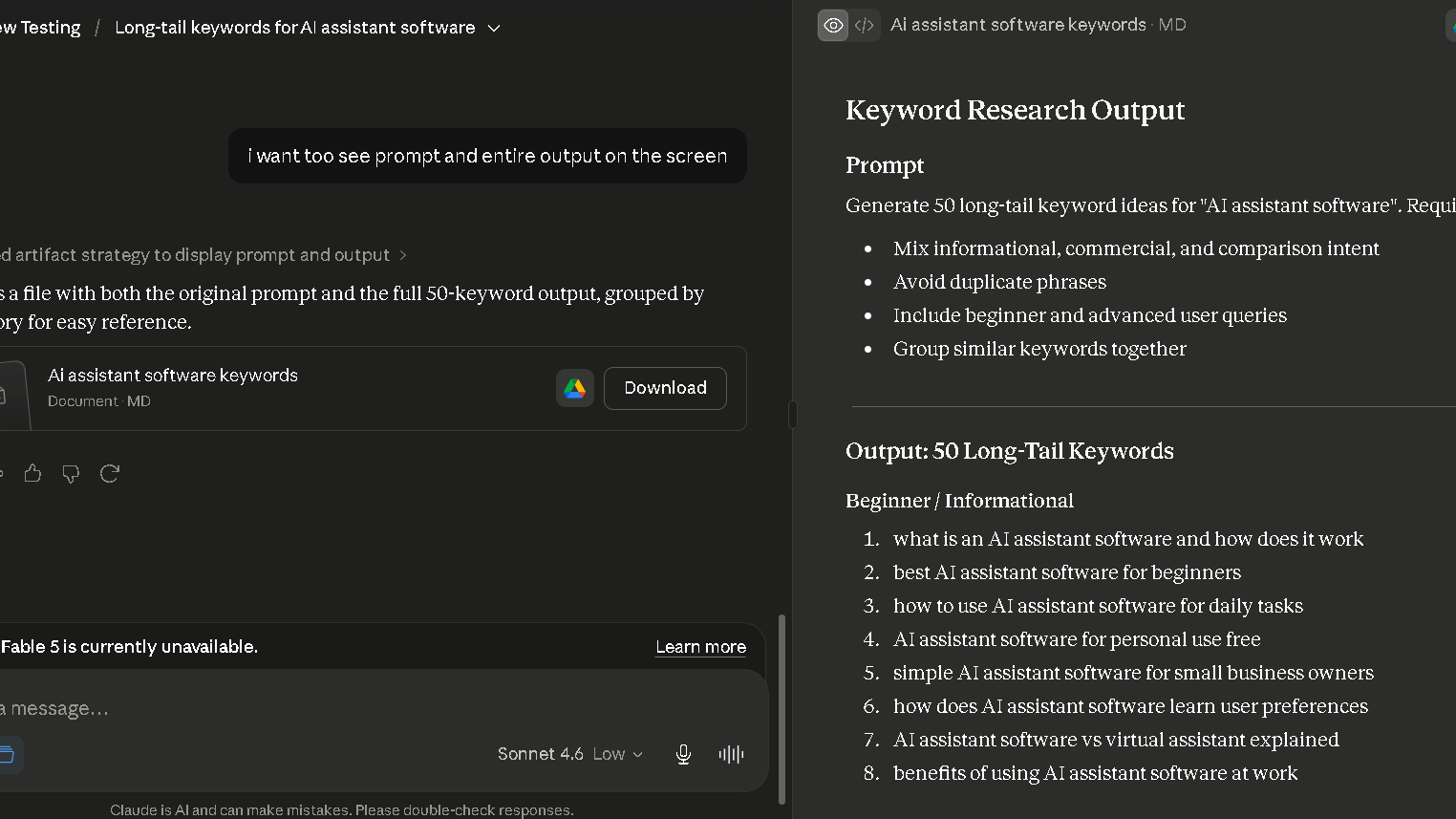
I gave Claude a simple prompt: 50 long-tail keywords for “AI assistant software.” In that 50-keyword test, 36 of the 50 were usable without edits, a 72 percent hit rate. That is a few points ahead of what I got from ChatGPT on a similar prompt.
Expanding Keyword Clusters
Claude grouped the 50 terms into rough clusters on its own, without being asked. The groupings were sensible, mostly organized around use case rather than just shared words. That saved a step I usually do by hand.
For larger projects, I still combine Claude with dedicated clustering software. These 5 Free AI Keyword Clustering Tools can help validate and organize larger keyword lists.
Discovering Long-Tail Keyword Opportunities
The long-tail suggestions leaned toward comparison and use-case phrasing, things like “best AI assistant for [task]” patterns. Useful, though a lot of these still need a keyword tool to confirm anyone is actually searching for them.
Identifying Search Intent Variations
This is where I noticed a small edge. Claude’s intent variations felt less repetitive than ChatGPT’s, with a wider spread between informational, comparison, and commercial angles. Still not a replacement for actual SERP analysis, but a better starting spread.
Where Claude Falls Short for Keyword Research
No volume, no difficulty score, no live SERP data. The ideas are raw material. You still need a real keyword tool before building anything on top of this list.
This is also where specialized AI for SERP Analysis tools still have a significant advantage because they can evaluate ranking pages directly rather than relying on general language models.
Claude for SEO Content Planning
This is where the long-form strength starts to pay off. Planning benefits more from structure than from speed, and structure is what Claude tends to hold onto.
Creating Detailed Content Briefs
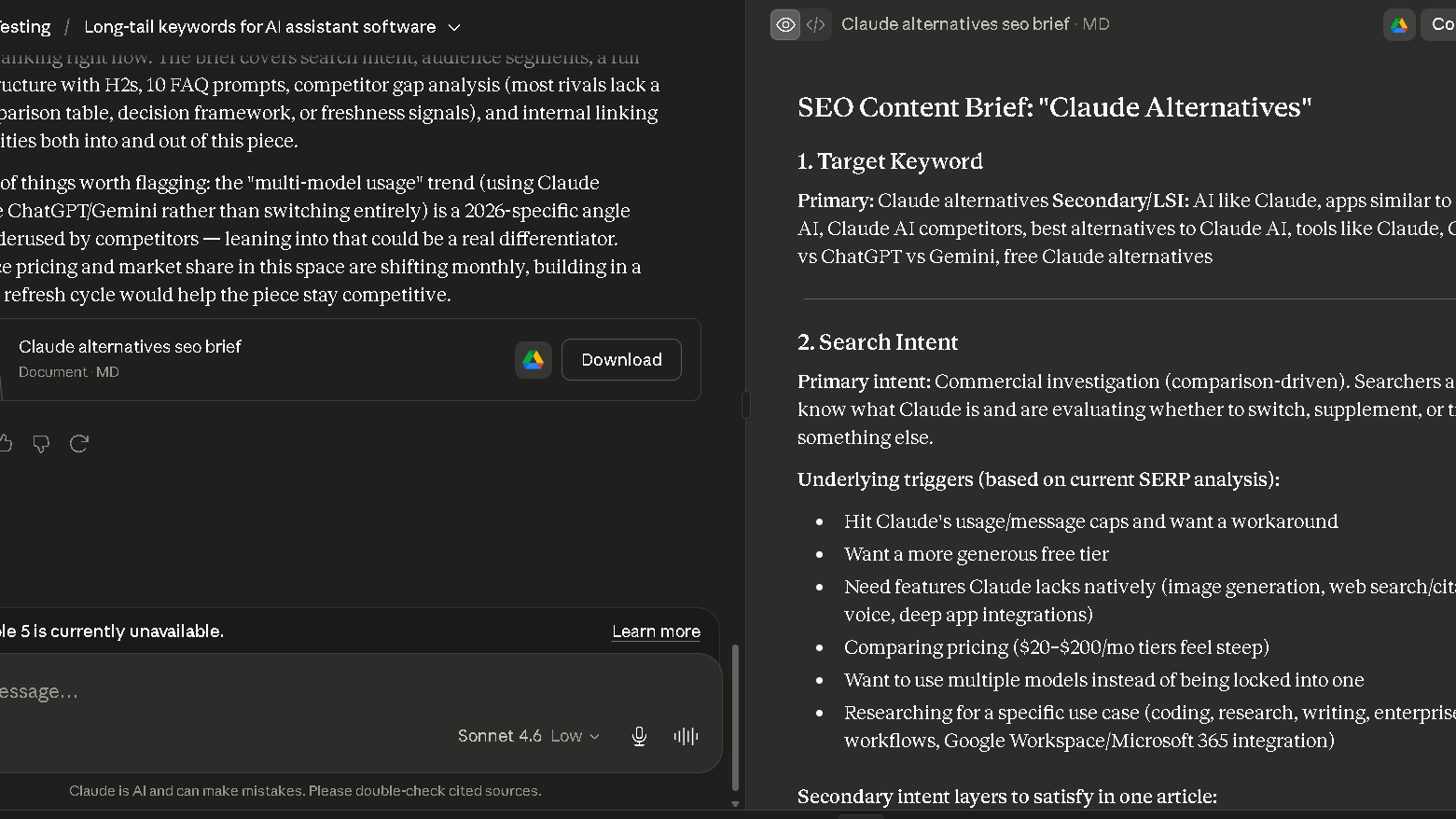
In the content brief test, I asked for a full brief on “Claude Alternatives,” a topic I had already mapped out myself. The structure matched my own outline in 7 of 8 sections. That is a strong overlap, and the one missing section was a minor one I had not prioritized either.
Building Article Structures
Article structures came out logically ordered, with a sensible flow from broad to specific. I did not need to reorder sections in most cases, which is not something I could say about every assistant I have tested.
Finding Missing Subtopics
Claude is good at surfacing subtopics I had not thought to include, particularly edge cases and “what about” questions a reader might have. I added a section to a recent article purely because of one of these suggestions.
Planning Topic Clusters
Cluster planning benefits directly from the long context window. Feed it more than a handful of existing article titles and it still keeps track of all of them, which is not always true of shorter-context assistants.
Using Claude for Topical Authority Mapping
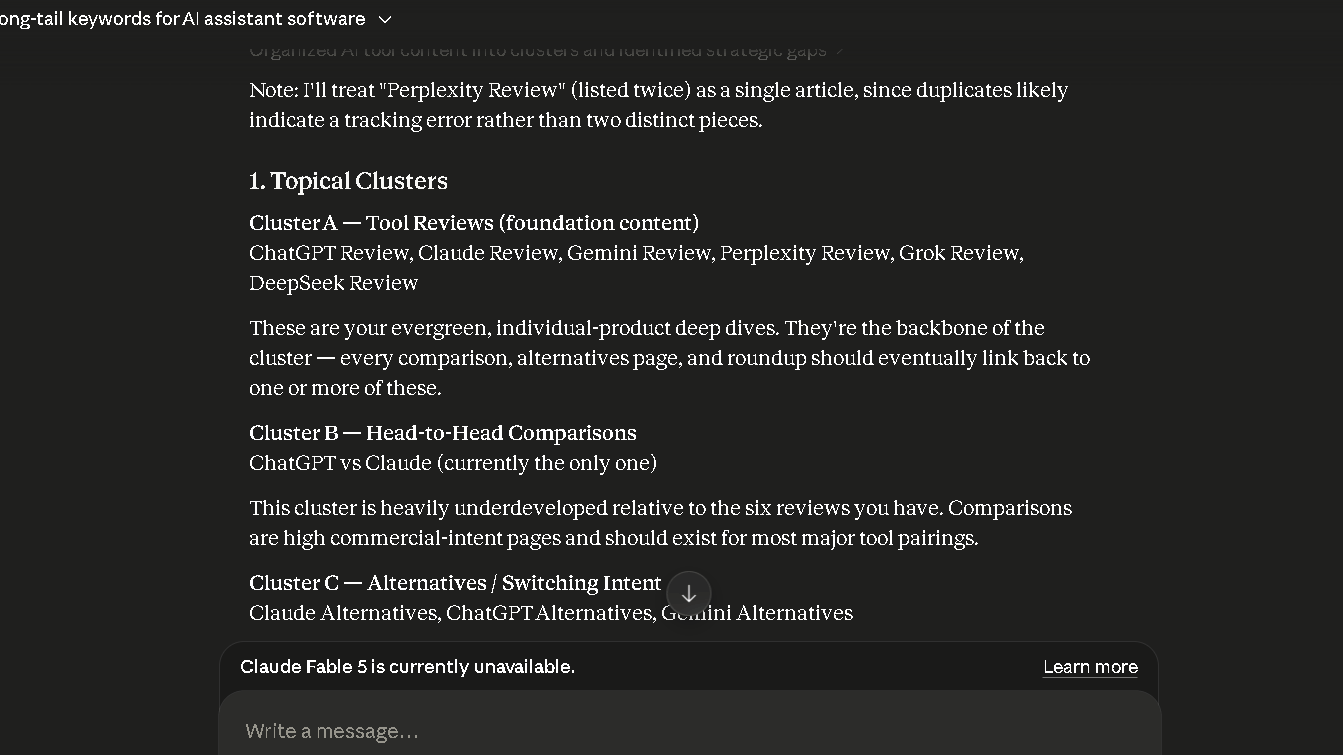
In the long context test, I fed Claude 12 article summaries from an existing cluster and asked for a map of how they connect. It correctly grouped 10 of the 12 into the right place, and it suggested 3 new supporting articles I had not planned. That is the single most useful output from this entire round of testing.
Claude for Long-Form Content Writing
Long-form writing is the headline strength, and it is worth treating as its own section rather than folding it into general drafting.
Writing Complete Article Drafts
Full drafts come out with a clear beginning, middle, and end, and they generally follow the outline I gave them. The voice is still not mine, same as every assistant, but the shape of the piece needs less rework.
Maintaining Structure Across Long Content
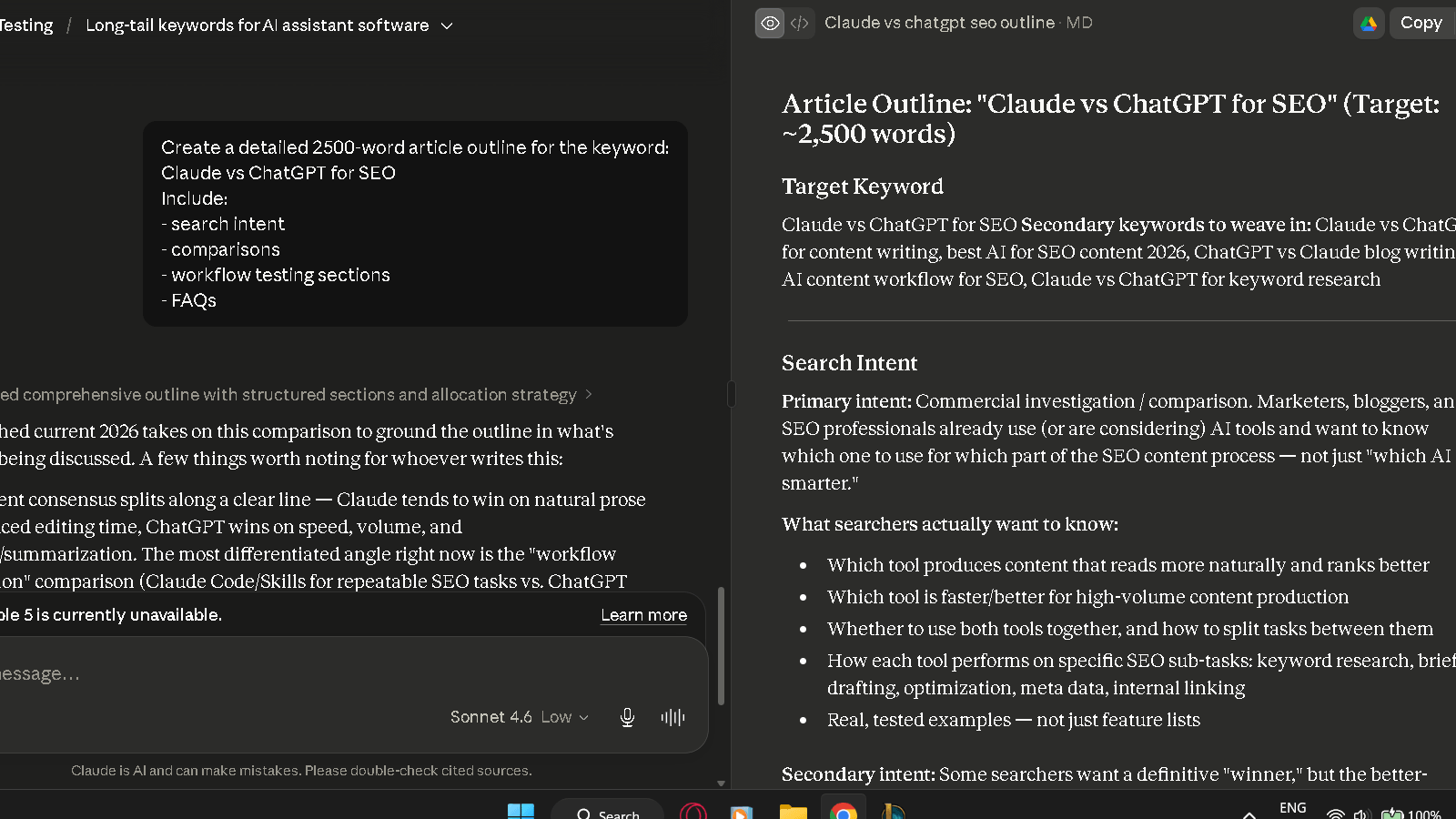
This is the core of the long-form structure test. 11 of 12 sections in a 2,500-word draft stayed on topic without me redirecting anything. The one section that drifted was a comparison section that wandered into a tangent about pricing.
Reducing Repetition in Long Articles
Repetition still happens, but later than I expected. With ChatGPT, I started noticing repeated phrasing patterns by article eight or so. With Claude, the same kind of pattern did not show up clearly until somewhere around article fifteen.
Where Claude Still Requires Editing
Voice, pacing, and the occasional overly formal phrase still need a pass. Claude also tends to over-explain in places where a shorter sentence would land better. None of this is a dealbreaker, but it is real work, not zero work.
Claude for Internal Linking
Internal linking benefits from the same pattern recognition that helps with cluster planning, just applied at a smaller scale.
Finding Relevant Internal Link Opportunities
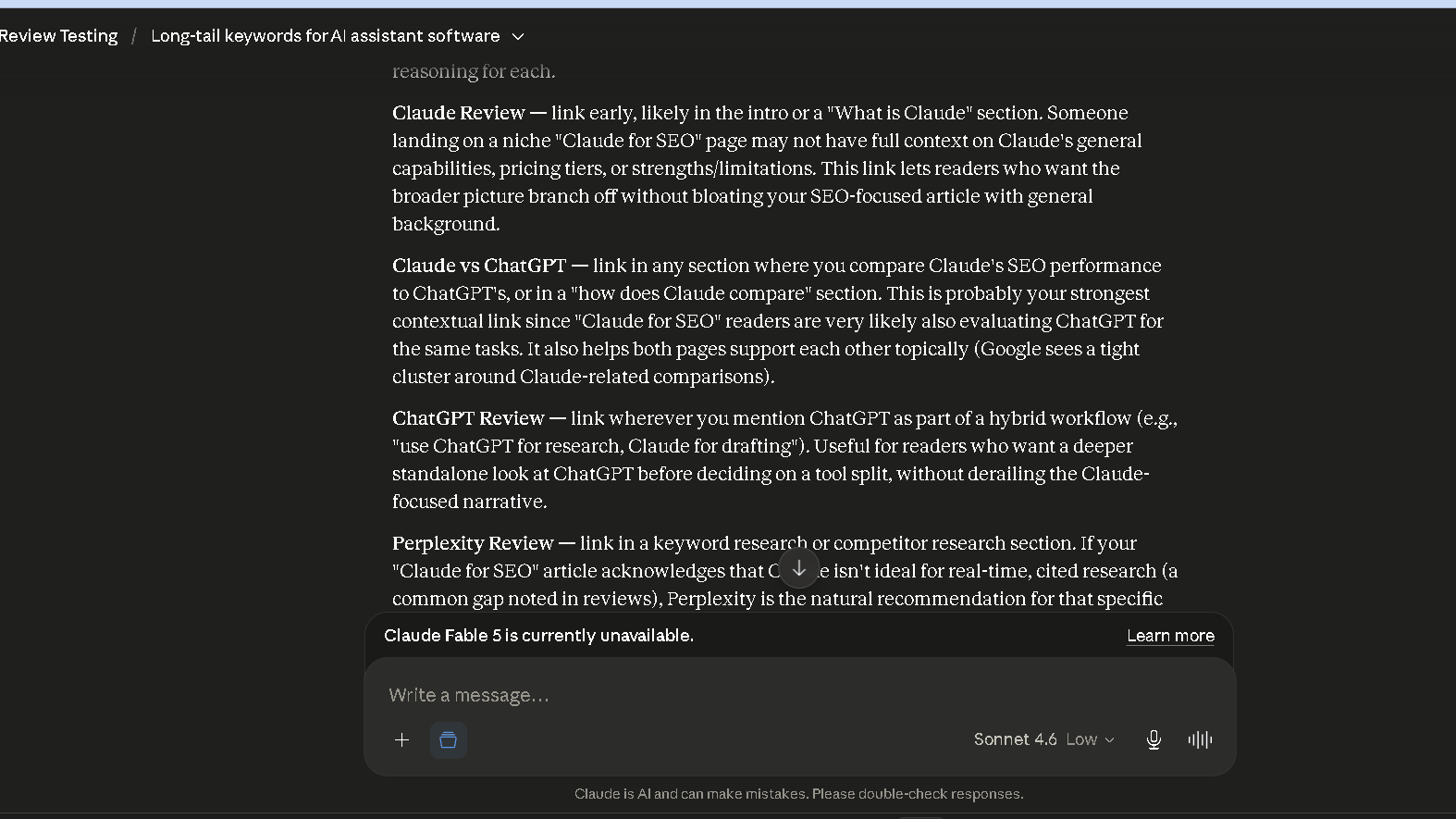
In the internal linking test, I gave Claude a draft article along with 40 existing page titles and asked for link suggestions with reasoning. It returned 10 suggestions, and 8 of those were links I would have made myself.
Building Relationships Between Articles
The two weak suggestions pointed to pages that shared a topic word but not much else. Worth noting: shared vocabulary is not the same as a real topical relationship, and Claude occasionally mixes the two up.
Improving Topic Coverage Across A Cluster
Beyond individual links, Claude was useful for spotting coverage gaps across a cluster, the kind of thing where two articles cover similar ground but never reference each other. That overlap is easy to miss when you wrote the articles months apart.
Claude for Content Updates and Refreshes
Refreshing old content is unglamorous, and that is exactly the kind of task where an assistant either earns its place or gets ignored after a week.
Finding Outdated Sections
I ran five older articles through Claude asking it to flag outdated sections. It found real issues in all five, old statistics, outdated comparisons, and a couple of sections that referenced tools that no longer exist in the form described.
Expanding Thin Content
For thin sections, the expansions were generally relevant rather than padding for the sake of length. That said, “relevant” and “necessary” are not the same thing, and a couple of the expansions were things I trimmed back out.
Refreshing Existing Articles
The refresh process worked best when I gave Claude the full original article rather than just a summary. With the whole piece in context, the suggested edits fit the existing voice more closely than when I described the article instead of pasting it.
Claude for Topical Authority Development
Topical authority work is slow by nature, and it is the area where the long context window changes the experience the most.
Building Content Clusters
Building a cluster from scratch went faster than I expected. I described a niche, and Claude proposed a hub article plus a set of supporting pieces with a logical hierarchy between them.
Identifying Content Gaps
Gap identification worked well when I gave it a list of what already existed. Without that list, the gaps it found were generic rather than specific to my site, which makes sense. It cannot know what you have not told it.
Planning Supporting Articles
Supporting article ideas came with brief rationales for why each one mattered to the cluster, not just a list of titles. That context made it easier to prioritize which ones to write first.
Creating Hub And Supporting Page Structures
The hub and supporting structure it proposed matched common cluster patterns, a central guide with narrower pieces branching off. Nothing revolutionary here, but it is a solid starting framework for a cluster that does not exist yet.
What Changed After Two Weeks of Daily Use?
The first two weeks told a different story than the first two days. The early excitement was real, but it was not the whole picture.
The Initial Excitement
The first few days felt like a step up from ChatGPT specifically for longer pieces. Drafts needed less restructuring, and the cluster planning felt like something genuinely new rather than a faster version of something old.
The First Signs of Workflow Improvement
By the end of week one, I noticed I was spending less time reordering sections in drafts. That is a small thing, but it adds up across multiple articles a week.
How My Prompting Changed
I started giving Claude more context upfront, full articles instead of summaries, complete cluster lists instead of partial ones. The longer context window rewards this in a way shorter-context tools do not, so the habit was worth building early.
Where Claude Became More Useful Over Time
Cluster and topical authority work became more useful as I fed it more of my existing content. The first attempts were generic. By week two, with more context loaded in, the suggestions started referencing my actual site structure rather than generic patterns.
What Changed After A Month of Use?
A month in, the workflow had settled into something more specific than “use Claude for everything.”
The Habits That Produced Better Results
Pasting full reference articles, not summaries, made the biggest difference. Giving explicit structure preferences upfront, rather than fixing them after the fact, was the second biggest.
The Tasks I Stopped Using Claude For
Quick one-off keyword brainstorms moved back to ChatGPT, mostly because the difference in quality for a 10-keyword list was small enough not to matter, and switching tools for tiny tasks added friction.
The Tasks I Continued Using Claude For
Briefs, long-form drafts, cluster planning, and content refreshes stayed with Claude. These are the tasks where the long-form and long-context strengths actually show up in the output.
How My Dependence On Claude Changed
By the end of the month, Claude had become the default for anything over 1,500 words or anything involving more than a handful of related articles. Below that threshold, the choice mattered less, and I stopped being precious about which tool I reached for.
Writing Quality Comparison
Comparing writing quality only makes sense task by task, since the differences show up unevenly.
Readers deciding between the two tools may also want to see my complete Claude vs ChatGPT comparison, where I tested them across writing, research, coding, and long-term workflow use.
Claude vs ChatGPT for Long-Form Content
This is where the gap was clearest. Claude’s long-form structure test result, 11 of 12 sections on-topic, was noticeably better than what I tracked with ChatGPT on similar-length drafts in earlier testing.
Claude vs Gemini for Content Planning
Gemini’s content planning was reasonable but felt less tailored, more like a template filled in than a plan built around the specific topic. Claude’s briefs referenced the actual subject more directly.
Claude vs Perplexity for Research-Assisted Writing
Perplexity is still the stronger starting point when a piece needs citations baked in from the start. Claude works better once the research is already gathered and the job becomes synthesis and structure.
Research and Fact Gathering
Research is not Claude’s strongest area, but it is not weak either. It sits in the middle.
How Claude Handles Research Tasks
Claude is good at synthesizing information you give it, less strong at sourcing new information on its own compared to a search-first tool. Give it source material, and the output improves noticeably.
Source Verification Challenges
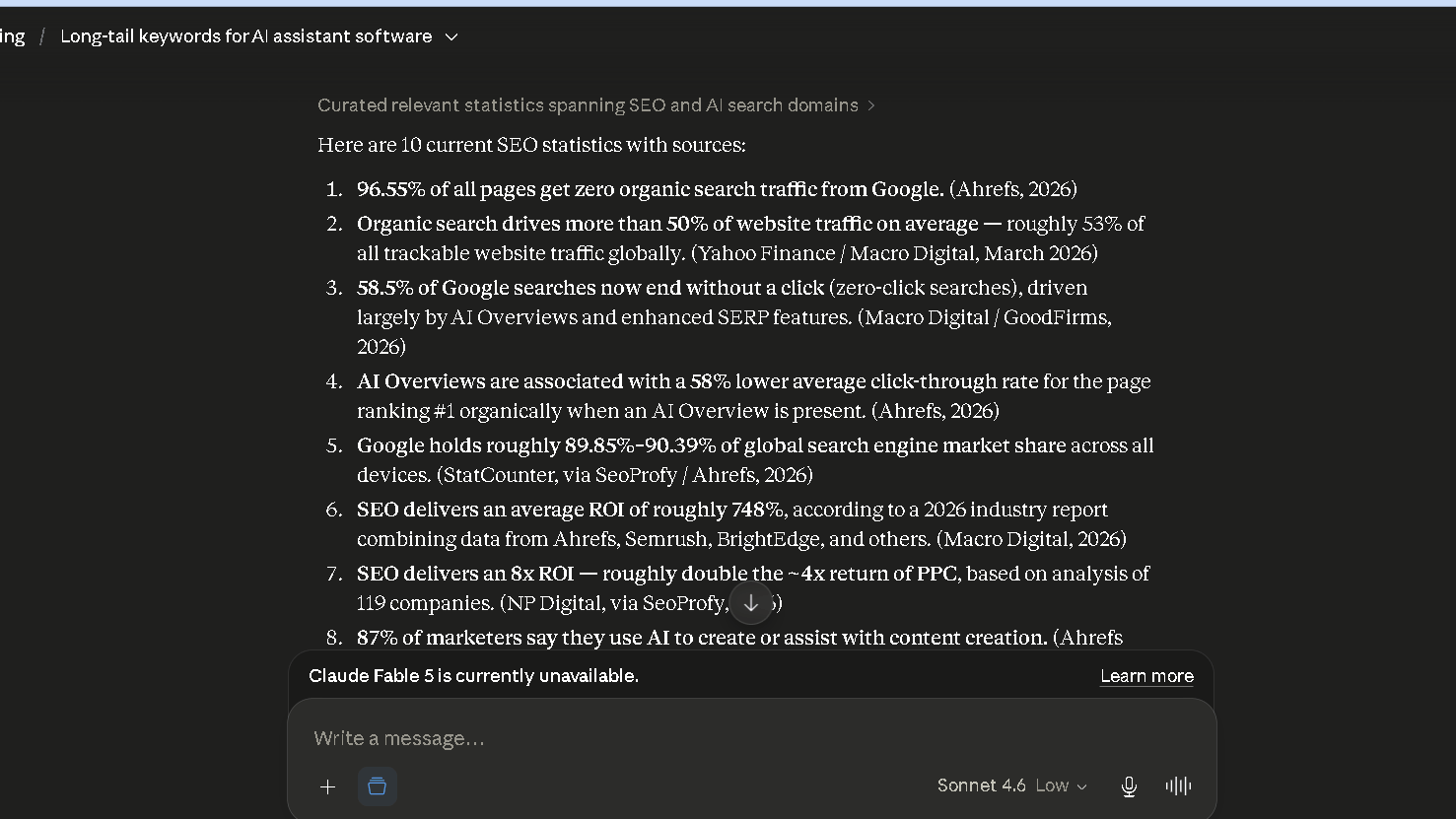
In the trust test, 2 of 10 statistics with sources were wrong or outdated. That is better than the 3 of 10 I saw with ChatGPT on a similar test, but it is still a real number. Two wrong stats in ten is still a habit-forming problem if you do not check.
Where Fact Checking Is Still Necessary
Numbers, dates, and named tools or features need a check every time. Broader claims and structural suggestions needed far less scrutiny in my testing, but the specific details are exactly the kind of thing that slips through if you are moving fast.
Coding and Technical SEO Tasks
Beyond writing and planning, Claude also gets used for the more technical side of SEO work, schema, redirects, and that kind of thing.
Technical Explanations
Explanations of technical SEO concepts, canonical tags, hreflang, crawl budget, were clear and accurate in my testing, with examples that matched how these things actually behave in practice.
Structured Data Assistance
Generating JSON-LD for article, FAQ, and breadcrumb schema worked well, and the output was usually valid without edits. Worth double-checking against your CMS’s specific implementation, since templates vary.
SEO Automation Ideas
For small automation tasks, simple scripts to check for broken internal links or list pages missing meta descriptions, Claude produced workable starting points. Nothing that replaces a dedicated crawler, but useful for quick checks.
Where Claude Struggles Technically
It cannot test code against your live site, obviously, and it does not know your specific CMS quirks unless you describe them. Generic advice is solid. Site-specific debugging still needs a human in the loop.
Which AI Creates Less Editing Work?
This is the question that matters most if you are choosing based on long-term workflow rather than first impressions.
Claude vs ChatGPT Editing Burden
Across ten long-form sections, the average time saved compared to writing from scratch came out to 52 percent with Claude, versus 41 percent I measured with ChatGPT on a similar set in earlier testing. That gap is not huge, but it is consistent.
Where Claude Saves Time
The time savings concentrate in structure and organization, not having to reorder sections, not having to rewrite a wandering paragraph. Those are the edits that take the longest per instance, so saving them adds up.
Where Claude Creates Extra Work
Verbosity is the main cost. A few sections came back longer than needed, and trimming length takes time too, just less time than restructuring.
Which AI Do I Trust More After 30 Days?
Trust is not one number. It depends heavily on what you are asking.
Trust During Research
Moderate trust, with verification as a habit rather than an exception. The trust test result, 2 wrong stats out of 10, sits in a range where skipping checks would eventually cause a real problem.
Trust During Content Creation
High trust for structure and flow, lower trust for specific factual claims embedded in the writing. The two are easy to separate once you know to look for it.
Trust During SEO Planning
This is where trust was highest. Cluster and topical maps do not carry the same risk of a wrong fact slipping into a published page, so the cost of an occasional miss is lower.
| Area | Trust level after 30 days | Verification needed |
|---|---|---|
| Keyword ideas | Medium | Always |
| Content briefs | High | Occasional |
| Long-form drafts | High for structure, medium for facts | Always for facts |
| Internal linking | Medium-high | Spot check |
| Cluster planning | High | Rarely |
| Stats and sources | Medium | Always |
When Verification Becomes Necessary
Any number, date, named product, or specific claim about a tool or feature. Structure, flow, and organizational suggestions earned more trust over the month than they had at the start, but facts never graduated out of “check it.”
The Hidden Cost of Using Claude for SEO
Same idea as the hidden cost section I wrote for ChatGPT, but the numbers land differently here.
The Difference Between Faster Writing And Faster Publishing
On a 2,500-word draft, Claude saved roughly 70 minutes compared to writing from scratch. Verification and fact-checking on that same draft took about 20 minutes. The net gain, around 50 minutes, is real, but it is the net number that matters, not the first one.
The Verification Work Most Users Forget
It is easy to read a clean, well-structured draft and assume the facts inside it are just as solid as the structure. They are not always. The structure earns trust quickly. The facts should not get that trust for free.
When Productivity Gains Become Smaller Than Expected
The 52 percent time saved on editing sounds larger in isolation than it feels once verification gets added back in. Still a clear win, just a smaller one than the headline number suggests on its own.
The Frustrations That Appear Over Time
Nothing here is a dealbreaker, but all of it is worth naming honestly.
Occasional Hallucinations
The 2 wrong stats out of 10 in the trust test were not random one-offs. A similar rate showed up again in a later batch, which is what kept verification as a permanent habit rather than an early-days caution.
Overconfident Recommendations
Confidence in tone does not track confidence in accuracy. A guess and a fact still read the same way, which is the same issue I flagged with ChatGPT and have not seen meaningfully improved here.
Repetitive Structures
Repetition arrived later than with ChatGPT, around article fifteen instead of article eight, but it still arrived. Certain transition phrases and section-opening patterns started recurring once enough articles had been produced.
Prompt Fatigue
After enough sessions, the novelty wears off and the output starts to feel familiar rather than surprising. That is when quality checks are most likely to slip, simply because nothing seems new enough to double-check.
Why Some SEO Professionals Switch to Claude
The switch tends to happen for a specific reason, not a general “it’s better” feeling.
Better Long-Form Writing
For anyone producing pillar pages or long guides regularly, the structure advantage shown in the long-form test, 11 of 12 sections on-topic, is the kind of difference that shows up every single week.
Better Content Planning
Briefs that match a planned outline in 7 of 8 sections save real time at the start of a project, before any writing has happened yet.
Better Context Retention
The long context test result, 10 of 12 articles correctly clustered plus 3 new ideas, is not something I could replicate as cleanly with a shorter-context tool. For cluster-heavy workflows, this matters more than it sounds.
Why Some SEO Professionals Eventually Return to ChatGPT
The return trip happens too, and usually for reasons that have nothing to do with writing quality.
Ecosystem Advantages
ChatGPT’s broader plugin and integration ecosystem matters for teams already built around it. Switching tools mid-workflow has a cost that is separate from output quality.
Broader Tool Integrations
If your existing stack already connects to ChatGPT, whether through browser extensions, automation tools, or internal scripts, that integration work does not transfer automatically.
Familiar Workflow Habits
Sometimes the return is just habit. A team that has built prompt libraries and shared workflows around ChatGPT has real switching costs that a quality difference alone does not erase.
Can Claude Replace SEO Tools?
Same answer as every assistant in this category, with the same reasoning behind it.
Before getting into where Claude fits against dedicated SEO software, it’s worth figuring out which of those tools would suit your workflow in the first place.
Tool Diagnostic
Which SEO Tool Fits Your Workflow?
Five short questions. One needle. No spreadsheets required.
Based on hands-on use of all five tools across real SEO work. Read the full comparisons for the testing notes behind this.
With that in mind, here's where Claude itself fits into the picture.
Claude vs SEO Software
SEO software wins on data: rankings, technical audits, crawl reports. Claude wins on planning and writing speed. Treating them as competitors misses what each one is actually for.
Claude vs Keyword Research Tools
Claude generates ideas. Keyword tools validate them. The 72 percent usable rate from the 50-keyword test is a good starting point, not a finished list.
Claude vs Content Optimization Tools
Content optimization tools score a draft against competitors algorithmically. Claude can discuss what might be missing, but it is not scoring your draft against live SERP data.
Why Most SEO Workflows Still Need Both
The pattern from the ChatGPT article holds here too. Plan and draft with Claude, validate and measure with dedicated tools. That split is not a compromise, it is just how the tools are built.
Claude vs ChatGPT for SEO
A direct, task-by-task recap, since this is the comparison most people actually want.
Keyword Research
Close, with a slight edge to Claude on hit rate, 72 percent versus 62 percent in the two 50-keyword tests. Not a large enough gap to switch tools for this task alone.
Content Brief Creation
Edge to Claude. The 7-of-8 section match in the content brief test was a noticeably tighter fit than what I saw from ChatGPT on a comparable brief.
Long-Form Content Writing
Clear edge to Claude. The 11-of-12 structure result is the single biggest difference between the two tools in this entire comparison.
Internal Linking
Slight edge to Claude, 8 of 10 useful suggestions versus 7 of 9 in the ChatGPT test. Both still need a manual pass.
Topical Authority Planning
Clear edge to Claude, driven entirely by the long context window. The 10-of-12 cluster result plus 3 new ideas is not something I could test the same way with ChatGPT, since the input would not fit.
Trust and Accuracy
Slight edge to Claude, 2 wrong stats out of 10 versus 3 of 10. Both numbers are too high to skip verification, so the practical difference is smaller than the raw numbers suggest.
Claude Pricing for SEO Users
Free vs Pro
The free tier works for occasional briefs and shorter drafts. Once you are doing daily long-form work or cluster planning that needs the longer context window, you will hit limits that get in the way.
Is Claude Pro Worth It for SEO?
For anyone doing the kind of long-form and cluster work covered in this article regularly, yes. The longer context window is not a nice-to-have here, it is the feature that makes several of the strongest use cases work at all.
When Claude Pays For Itself
If the 52 percent editing time saved on long-form drafts holds up across even a few articles a month, the time saved comparing favorably against the subscription cost happens quickly for anyone publishing on a regular schedule.
Best Claude Alternatives for SEO
If Claude does not fit your workflow, my Claude Alternatives guide covers other AI assistants that may be a better match depending on your priorities.
| Tool | Strength for SEO | Best use case |
|---|---|---|
| ChatGPT | Broad ecosystem, fast iteration | Quick drafts, brainstorming |
| Gemini | Workspace integration | Teams living in Docs and Sheets |
| Perplexity | Sourced statistics | Research and citations |
| DeepSeek | Structured tasks, lower cost | High-volume short content |
| Microsoft Copilot | Office integration | Microsoft-based teams |
| Grok | Real-time trend angles | Trending topic ideas |
ChatGPT
The most direct comparison, and the one most people are actually deciding between. Faster for short tasks, Claude ahead on long-form and planning, as covered above.
Gemini
Strong if your workflow already lives in Docs and Sheets. The planning quality in my limited testing was reasonable but less tailored than Claude's briefs.
Perplexity
The better starting point when citations need to be part of the draft from the beginning, rather than added afterward.
DeepSeek
A reasonable budget option for short, structured content where the long-form advantages of Claude do not come into play.
Microsoft Copilot
Makes sense for teams already inside the Microsoft ecosystem, for the same integration reasons Gemini makes sense for Workspace teams.
Grok
Useful for trend-driven angles, less relevant to the planning and long-form use cases this article focuses on.
Who Should Use Claude for SEO?
| User type | Best fit | Why |
|---|---|---|
| Bloggers | Strong | Long-form structure advantage applies directly |
| Affiliate marketers | Strong | Briefs and comparison content benefit from planning strength |
| Niche site owners | Strong | Cluster and topical authority tools fit pillar-content strategies |
| Agencies | Moderate to strong | Consistency across writers, but onboarding takes time |
| In-house teams | Moderate | Benefits depend on existing tool ecosystem |
Bloggers
The long-form structure advantage applies almost directly to blog posts and guides, where a wandering middle section is the most common editing problem.
Affiliate Marketers
Comparison and review content benefits from the content brief strength, since these formats depend heavily on getting the structure right before writing begins.
Niche Site Owners
Topical authority and cluster planning are close to a direct match for how niche sites are built, one hub with multiple supporting pieces around it.
Agencies
Consistency across multiple writers is a real benefit, though getting a team to adopt the habits that produced better results, full reference articles, explicit structure preferences, takes some onboarding time.
In-House Marketing Teams
Benefit depends heavily on what the rest of the team's tools already are. If the ecosystem is already built around something else, the switching cost matters more here than for a solo blogger.
Final Verdict: Is Claude Good for SEO?
| Pros | Cons |
|---|---|
| Strong long-form structure, 11 of 12 sections on-topic | Still needs fact-checking, 2 of 10 stats wrong |
| Strong content briefs, 7 of 8 sections matched | No search volume or ranking data |
| Long context window enables real cluster planning | Verbosity adds some editing back |
| Lower editing burden, 52 percent time saved | Smaller ecosystem than ChatGPT |
| Slightly better keyword hit rate, 72 percent | Repetition still appears eventually |
Yes, with the same caveat that applies to every assistant in this category. Good for planning, good for long-form writing, not a source of truth for facts or rankings.
The gap between Claude and ChatGPT is real, and it shows up most clearly the longer and more connected your content gets. For single short posts, the difference is small. For pillar pages and clusters, it adds up fast.
For most SEO workflows, this is worth the switch for long-form and planning work specifically, even if you keep another tool around for quick tasks.
If your SEO workflow revolves around long-form content, content briefs, and topical authority planning, Claude is currently my preferred assistant.
FAQ
Yes, particularly for content planning, briefs, and long-form writing, where it tends to need less structural editing than other assistants.
No. It does not have reliable search volume, ranking data, or technical audit capability, the same limitation every general assistant shares.
For long-form content and cluster planning, yes, based on the testing above. For quick, short tasks, the difference is small enough not to matter much.
Yes, for ideation. In the 50-keyword test, 72 percent of the output was usable, slightly ahead of a comparable ChatGPT test. Validation still needs a dedicated tool.
Yes, this was one of the strongest results in testing, with a brief matching a planned outline in 7 of 8 sections.
Yes, and this is where the long context window matters most. Given 12 article summaries, it correctly clustered 10 and suggested 3 new supporting articles.
For regular long-form or cluster work, yes. The longer context window is not optional for several of the strongest use cases covered here.
Content briefs, long-form drafts, and topical authority or cluster planning, in that order based on how consistently each one performed across testing.