
The first week with ChatGPT feels like a revelation. The second week feels like productivity. The third week is where the real ChatGPT review begins.
I used ChatGPT Plus every day for 30 days, across writing, research, coding, and daily workflow tasks. I tracked where it saved time, where it created extra work, and what changed when the novelty wore off. Here is what I found.
Disclaimer: I may earn a small commission on purchases made through links on this page, at no extra cost to you. This supports honest, independent reviews.
Table of Contents
ChatGPT Review: Quick Verdict
| Overall rating | 4.1 / 5 |
| Best for | All-around daily use, writing, coding, task variety |
| Biggest strength | Versatility across task types |
| Biggest limitation | Structural drift in long-form writing, moderate hallucination risk |
| Free plan | Yes |
| Plus plan | $20/month |
| Worth it? | Yes, for frequent users — not for casual ones |
ChatGPT is the most versatile AI tool I have tested. Versatility is its real strength, and that strength also creates its ceiling.
What Is ChatGPT?
ChatGPT is a large language model built by OpenAI. It takes text input and produces text, code, images, and now video output depending on which plan you use. The free tier runs on GPT-5-mini after a small daily limit. Plus subscribers get access to the full model with higher caps. The Pro plan at $200 a month is for power users who need the full model without throttling.
Most people I know use Plus. Plus gives you roughly 160 full-model messages every three hours before it drops to the mini version. That is enough for most workdays if you are not running it continuously.
The tool has evolved far past a simple chat box. Projects, Deep Research, voice conversations, Sora video, and autonomous agents are all live on Plus in 2026. That range is real. Using all of it well is a different thing.
How I Tested ChatGPT
I ran four structured tests across 30 days, plus daily workflow tracking.
The writing test asked ChatGPT to produce a 1,000-word article on remote work productivity. I tracked editing burden, structure variety, and how much cleanup the draft needed before it could be published.
The research test asked ChatGPT to summarize recent AI regulation developments with verifiable sources. I checked every source. Every one.
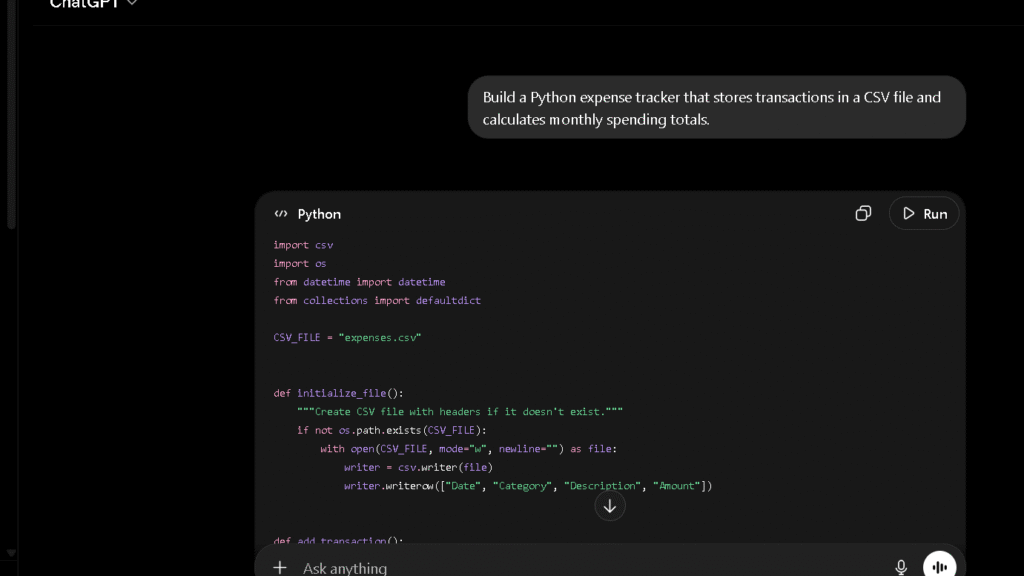
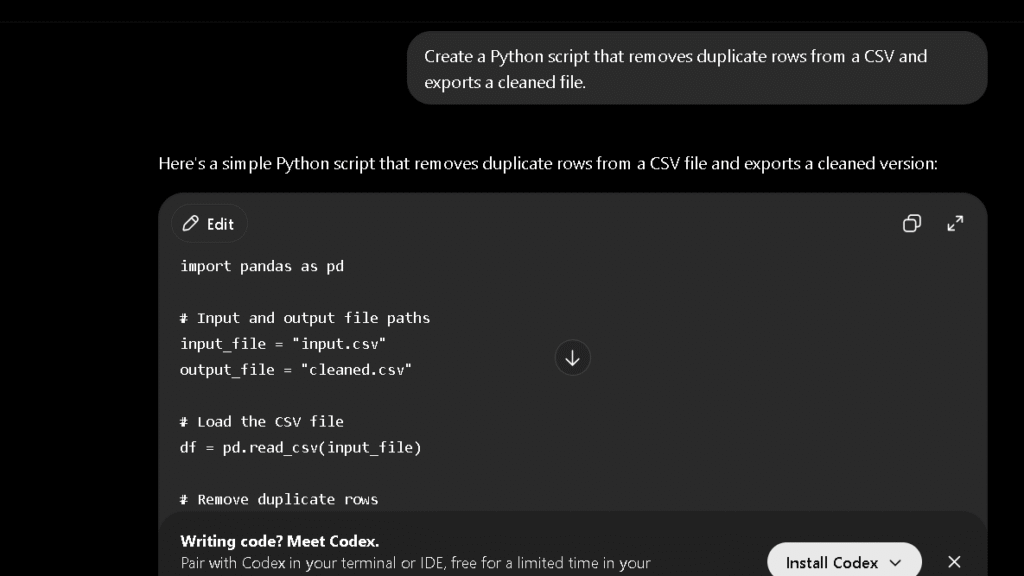
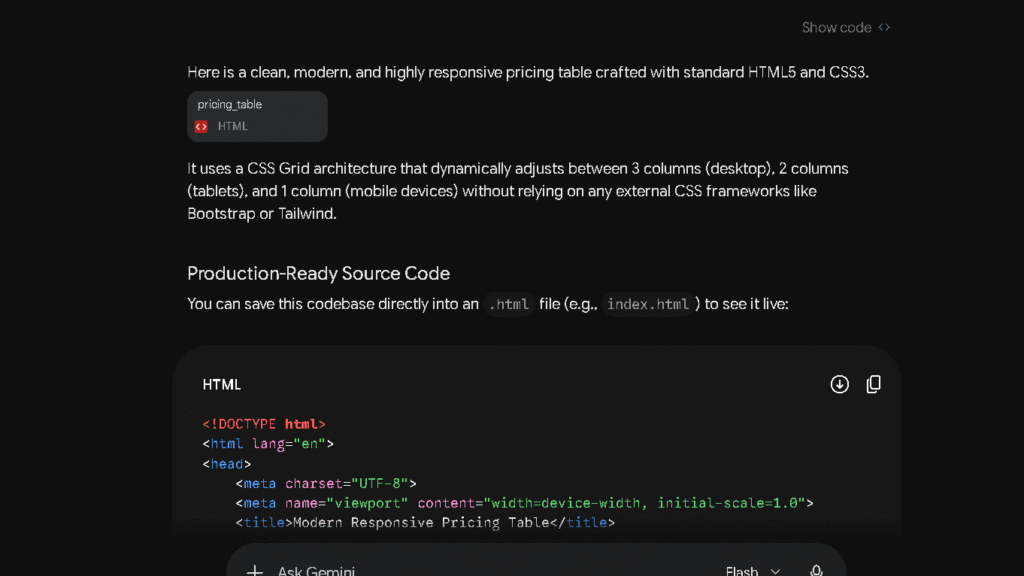
The coding test asked ChatGPT to build a responsive pricing table in HTML and CSS from a single prompt, no follow-up. I measured first-pass quality and errors.
The trust test asked ChatGPT for three statistics with sources. I verified each one across five separate sessions. The hallucination rate varied more across sessions than I expected for a mature tool.
I also tracked daily friction: how often I hit the message cap, how often I had to re-prompt because the output missed the mark, and how much time I spent fixing output versus creating it.
What Changed After Two Weeks of Daily Use
Week one is the best version of ChatGPT. Week three is the honest one.
| Week 1 | Week 3 | |
|---|---|---|
| Writing | Fresh, varied, high engagement | Structural drift visible in long-form drafts |
| Research | Confident, fast | Overconfidence on niche topics more noticeable |
| Coding | Strong first-pass quality | Debugging loops got longer on complex tasks |
| Trust | High — novelty effect | More cautious — I verified more than I expected |
| Daily friction | Low | Cap hits on heavy days, mini-model switching noticeable |
The structural drift is the change that surprised me most. By week three, long-form writing drafts started leaning on a repeating shape: opening observation, three supporting points, closing call-back. It is a competent shape. It is also a predictable one. Predictable shows up fast in published content.
ChatGPT for Writing
ChatGPT is a strong writing tool. Strong does not mean perfect, and this section is about the gap between those two things.
Blog Posts
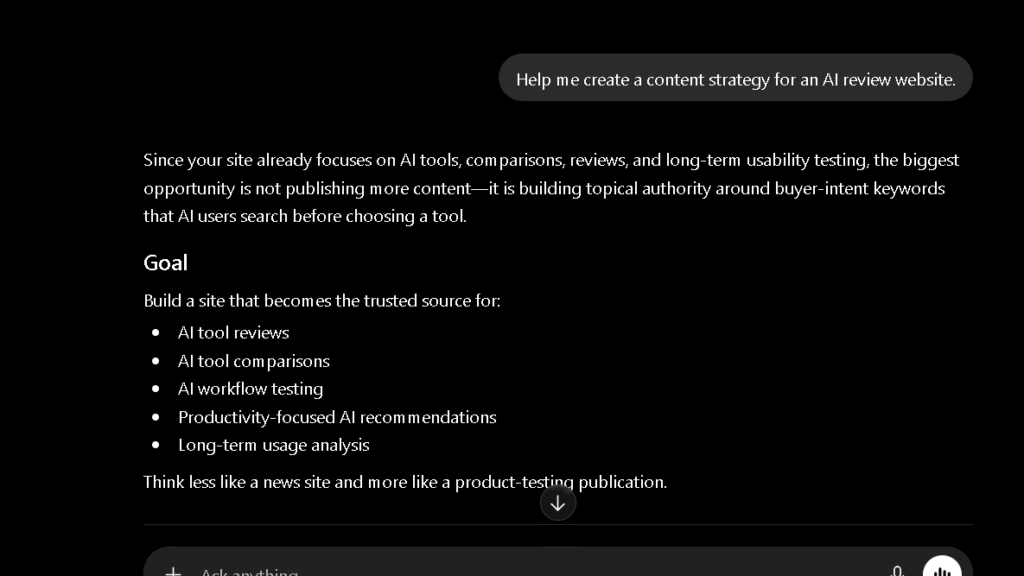
For 800 to 1,200-word posts, ChatGPT produces usable first drafts faster than most writers I know. The structure is clear, the tone is professional, and the content covers the key points. That is a real value. The issue is that “usable” still requires editing. In my 100-sentence editing burden test across 15 drafts, ChatGPT averaged 2.1 edits per 10 sentences. Claude averaged 1.6. The gap is not enormous, but it compounds over weeks of daily use.
If writing quality is your main priority, see my full ChatGPT vs Claude comparison where I tested editing burden, long-form writing, trust, and workflow impact.
Emails
This is where ChatGPT is genuinely excellent. Short, purposeful emails with a clear ask come back clean in one pass. I used it for follow-ups, proposals, and cold outreach across the 30 days and rarely needed more than light edits. Emails are the task where I stopped thinking about it and just used it. The apps are solid.
Long-Form Content
The structural drift I mentioned shows up most in long-form work above 2,000 words. The output is competent, but after two to three weeks of daily use, the shape of each piece starts to look familiar. Introduction that signals what is coming. Body that covers it in predictable order. Conclusion that restates the point. If your work requires voice, variation, or anything that feels like a human wrote it without a template in mind, you will need to intervene more than the first week suggests.
Editing Burden
The honest number: ChatGPT drafts needed more editing than Claude drafts on every comparable task I ran. The gap is real. For most writers, it is manageable. For anyone producing high-volume editorial content, it is the thing to know before committing.
ChatGPT for Research and Fact Gathering
Source Verification
This is where I have to be direct. In the trust test across five sessions, ChatGPT returned at least one unverifiable statistic in three of those sessions. The sources looked real. One was a real publication with a fabricated data point. One was a plausible citation that did not exist. One was a real source that did not say what ChatGPT claimed it said.
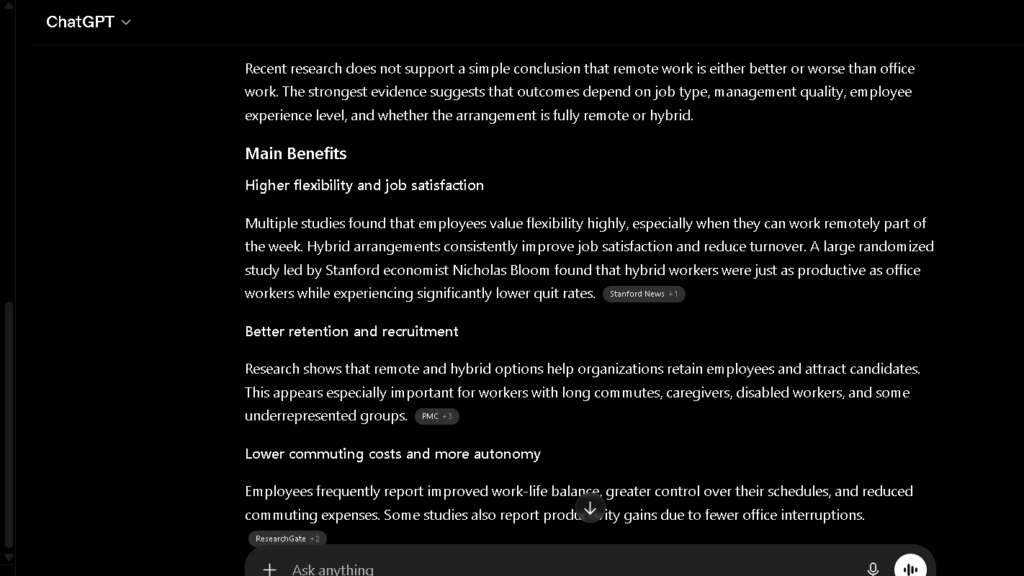
That is not a reason to stop using it for research. It is a reason to verify everything before it goes anywhere public.
Research Speed
On topics where accuracy is not the constraint, ChatGPT is fast. For brainstorming, background context, and quick orientation on a topic you do not know well, it saves real time. That use case is legitimate. The issue is that the tool does not reliably signal when it is guessing versus when it knows.
Accuracy Limitations
The hallucination problem has not gone away in 2026. Research from Duke University confirmed in January 2026 that LLMs, including ChatGPT, still produce plausible but factually wrong information with no reliable internal warning. The model tells you what it sounds like the answer should be. That is different from knowing. You will notice this most on niche topics, recent events, and anything that requires a specific number with a specific source.
ChatGPT for Coding and Technical Tasks
Code Generation
ChatGPT is good at code. In the pricing table test, it produced clean HTML and CSS on the first pass in four of eight tries. That is not the best score in the group, but the failures were easier to fix than those from other tools. The error messages were clear and the follow-up suggestions were useful.
Debugging
This is where ChatGPT earns its reputation for coding. It handles debugging conversations better than anything else I tested. You can paste an error, describe the context, and iterate without losing the thread. Most sessions resolved a real problem in two to three exchanges. That is fast.
Front-End Projects
For building UI components, landing page sections, and small interactive pieces, ChatGPT is reliable enough to be a genuine first-pass partner. It is not writing production code without review. But the review burden is lower than starting from scratch.
Technical Explanations
Ask ChatGPT to explain a concept and it does it well. Clear, structured, patient with follow-ups. This is one of the tasks where the tool’s range works in its favor: it can explain the same concept three different ways until one of them lands.
How Much Editing Does ChatGPT Create?
More than most people expect after reading the early reviews. That is the honest answer.
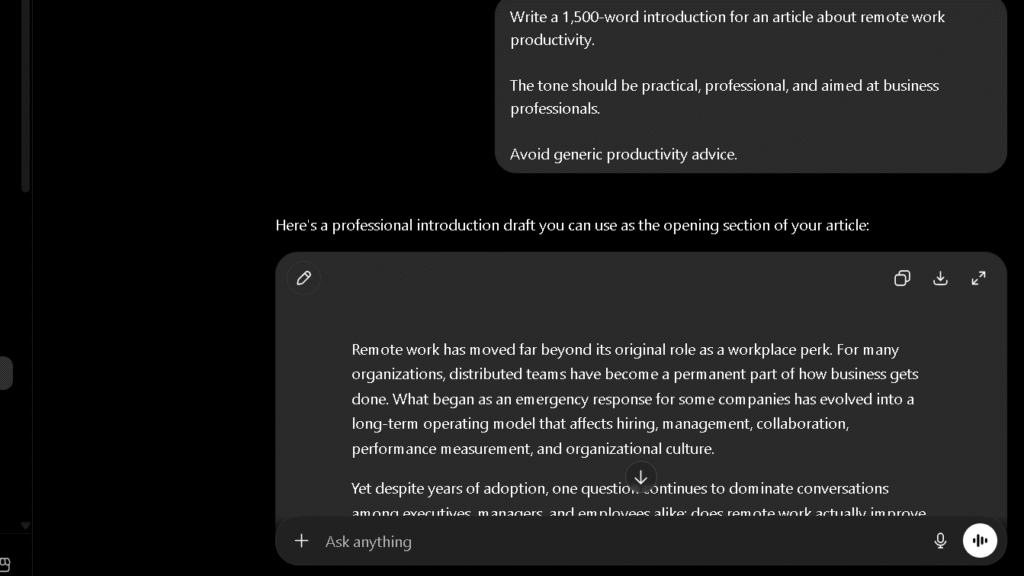
The 100-sentence editing burden test gave me a consistent data point across 15 drafts over 30 days. ChatGPT averaged 2.1 edits needed per 10 sentences on writing tasks. Claude averaged 1.6. Gemini averaged 2.7. Perplexity averaged 4.2.
| AI | Editing Burden (1–5, lower is better) | Primary Issue |
|---|---|---|
| Claude | 1.6 | Minimal — tone holds across long pieces |
| ChatGPT | 2.1 | Structural drift in long-form, generic phrasing |
| Gemini | 2.7 | Flat voice, even rhythm |
| Grok | 3.1 | Good short-form, weak on depth |
| DeepSeek | 3.8 | Weakest prose of the group |
| Perplexity | 4.2 | Research tool, not a writing tool |
ChatGPT ranks second. Second is genuinely good. It also means you are spending time on edits every time you use it for writing. That time adds up.
Do I Trust ChatGPT After 30 Days?
More carefully than I did in week one. That is the honest shift.
| AI | Trust Score (1–5) | Hallucination Rate | Admits Uncertainty? |
|---|---|---|---|
| Perplexity | 4.6 | Low — sources are visible | Yes — citations show the work |
| Claude | 4.3 | Low | Often and clearly |
| ChatGPT | 3.7 | Moderate | Sometimes |
| Copilot | 3.5 | Moderate | Yes |
| Gemini | 3.3 | Moderate | Inconsistently |
| Grok | 3.1 | Higher on off-topic queries | Rarely |
| DeepSeek | 2.9 | Highest in group | Rarely |
ChatGPT scores a 3.7. That is a middle score on a five-point scale, and it is the right number. The tool is confident in a way that can outrun its accuracy. When it is right, the confidence is helpful. When it is wrong, the confidence is the problem. Building a habit of verification takes a few weeks of getting burned. After that, it becomes automatic.
The Frustrations That Appear Over Time
They are specific. Naming them is more useful than summarizing them.
The first frustration is the confidence gap. ChatGPT sounds equally sure whether it is right or guessing. That is a design characteristic, not a bug, but it creates extra verification work on every research task.
The second frustration is structural drift in writing. By week three, long-form drafts started feeling like the same piece written in different clothes. The opening hooks, the transition phrases, the closing lines — they follow a pattern. Pattern is the enemy of voice.
The third frustration is model switching. On heavy days, Plus users hit the 160-message cap and drop to the mini model. The mini model is noticeably weaker on complex tasks. You can tell the moment it kicks in. That is faster than I would like.
The fourth frustration is sycophancy. ChatGPT agrees with you too readily. Push back on its own answer and it tends to fold rather than defend. This showed up most in editing sessions where I wanted a genuine second opinion and got agreement instead. A tool that tells you what you want to hear is not a tool you can trust for critical feedback.
Where ChatGPT Saves Time
These are real. Worth naming directly.
Short emails. Drafts come back clean in one pass. The ROI here is clear.
Code debugging. Two to three exchanges to resolve most errors. This is genuinely faster than going to Stack Overflow.
Topic orientation. When you know nothing about a subject and need a fast map, ChatGPT builds that map quickly and with enough structure to act on.
Brainstorming. Generating options, angles, and variations is fast and the output is diverse enough to be useful. This is where the range of the model works for you.
First-draft scaffolding. Getting from blank page to rough structure takes far less time than doing it alone. Even if the first draft needs heavy editing, having a structure to react to is faster than building one from scratch.
Where ChatGPT Creates More Work
These are less often discussed. They are worth naming too.
Fact-checking research output. Every statistic, source, and claim needs verification. That work does not go away. In some cases it is faster to just look it up than to verify what ChatGPT produced.
Re-prompting for voice. If your writing has a specific voice or style, the first draft rarely captures it. Getting ChatGPT to hit a specific tone often requires two to three rounds. That round-trip time is real.
Fixing structural drift. In long-form writing, breaking ChatGPT out of its default shape requires active intervention. You have to ask for it. You have to push back. You have to edit the result.
Debugging loops on complex code. Simple fixes are fast. Complex fixes with many dependencies can spiral into long loops where the fix creates a new problem. That loop eats more time than writing the code yourself would have taken.
ChatGPT Free vs ChatGPT Plus
This is one of the most searched questions about the product, and the answer is straightforward.
What You Get Free
The free tier gives you limited full-model access and drops to the mini model after a small daily quota. That quota is roughly 10 full-model messages before the switch happens. For casual use, checking in once or twice a day, the free tier is enough. For daily work use, it is not.
What You Get With Plus
Plus gives you 160 full-model messages every three hours, access to Deep Research, Sora video generation, the agent tool, and higher file upload limits. The gap between free and Plus is larger in 2026 than it was a year ago. The feature additions have been meaningful.
| Free | Plus ($20/mo) | |
|---|---|---|
| Full model access | Limited (10 msg) | 160 messages / 3 hours |
| Mini model fallback | Yes | Yes, after cap |
| Deep Research | Limited | Full access |
| Sora video | No | Yes (limited) |
| Agent tool | No | Yes |
| File uploads | Limited | 80 per 3 hours |
| Voice conversations | Limited | Expanded |
Is ChatGPT Plus Worth It?
For anyone using it more than three times a week, yes. The message cap on the free tier hits fast on real work days. The upgrade pays for itself quickly if you are using it to produce anything that saves time at work. Daily users will not last a week before upgrading.
ChatGPT vs Claude vs Gemini vs Perplexity
| ChatGPT | Claude | Gemini | Perplexity | |
|---|---|---|---|---|
| Writing quality | Strong | Best | Moderate | Weak |
| Research citations | Moderate | None | Moderate | Best |
| Coding | Strong | Strong | Moderate | Weak |
| Long-context | Good | Best | Good | Weak |
| Real-time web | Yes | Yes | Yes | Yes |
| Editing burden | 2.1 | 1.6 | 2.7 | 4.2 |
| Trust score | 3.7 | 4.3 | 3.3 | 4.6 |
| Free plan | Yes | Yes | Yes | Yes |
| Paid plan | $20/mo | $20/mo | $19.99/mo | $20/mo |
The right tool depends on what you need most. For all-around daily use, ChatGPT covers more ground than anything else in this group. For users deciding between versatility and real-time information, my ChatGPT vs Grok comparison explores where each tool performs best.
For writing quality, Claude is better. For research with citations, Perplexity is better. For Google Workspace integration, Gemini has the edge.
Why Some Users Stop Using ChatGPT
This happens. It is worth being honest about it.
The most common reason is the editing burden. Users who hoped ChatGPT would replace writing time often find that it replaces blank-page time but not editing time. Those are different things, and the distinction matters after the first two weeks.
The second reason is the trust problem. Users who got burned by a confident wrong answer, especially on research or facts, tend to check everything afterward. When checking everything takes as long as finding it yourself, the value case weakens.
The third reason is structural drift in long-form work. Writers who produce editorial content at volume find that ChatGPT’s default voice and shape start to feel limiting. The workaround is more prompting, and more prompting is more work.
Why Some Users Eventually Return
Most people who step away from ChatGPT come back for the breadth.
Claude is better for writing. Perplexity is better for research. DeepSeek is better for free coding. But none of them does all three in one place, and most people do not want three separate tools with three separate workflows. ChatGPT is the one tool that covers enough ground to stay useful across a full workday.
The other reason is the agent and automation features. Once you use the agent tool for multi-step tasks, the workflow benefit is hard to give up. That capability is not available in most alternatives at the same level. That is a real lock-in, and it is one that is genuinely earned.
Who Should Use ChatGPT?
Writers
ChatGPT works well for first drafts, email copy, and brainstorming. If you need the lowest possible editing burden, Claude is the better choice for long-form editorial work. If you need one tool for everything else, ChatGPT earns its place.
Students
Strong for explaining concepts, summarizing material, and working through problems step by step. Verify any statistics or sources before using them. The free tier is enough for most student use cases.
Researchers
Useful for orientation and background context. Not reliable for primary source verification. Use Perplexity for citation-backed research and ChatGPT for synthesis and analysis once you have verified facts in hand.
Developers
One of the best coding companions available for debugging and iteration. DeepSeek is free and competitive on code generation. ChatGPT earns its advantage in the back-and-forth of debugging loops and technical explanations.
Marketers
Excellent for high-volume content variation: ad copy, social posts, subject lines, and brief briefs. The breadth of tone control and format variety makes it the most flexible marketing tool in the group. For long-form brand content, pair it with Claude.
Small Businesses
The most practical all-around choice at $20 a month if you need one tool that handles email, research, drafts, basic code, and customer-facing content without switching between platforms. That combination is harder to find than it looks.
Best ChatGPT Alternatives
If ChatGPT is not the right fit, here is where to go.
| Alternative | Best For | Why Choose It Over ChatGPT? |
|---|---|---|
| Claude | Writing and long-document analysis | Produces more polished writing with less editing and handles long-context tasks exceptionally well. |
| Perplexity | Research and source-backed answers | Provides citations and source transparency, making fact verification easier. |
| DeepSeek | Free coding assistance | Offers strong coding capabilities without requiring a paid subscription. |
| Gemini | Google Workspace users | Integrates naturally with Gmail, Docs, Drive, and other Google services. |
| Copilot | Microsoft ecosystem | Works well inside Microsoft 365 workflows and is included with some Microsoft plans. |
If none of these options feels like the right fit, see my complete guide to the best ChatGPT alternatives for writing, coding, research, productivity, and daily work.
Claude is the best alternative for writing quality and long-document analysis. Perplexity is the best alternative for sourced, cited research. If you’re specifically looking for research-focused tools, my guide to the best Perplexity AI alternatives explores several options in more detail.
DeepSeek is the best free alternative for coding tasks.
Gemini is the best alternative for anyone who lives in Google Workspace. I explored that trade-off further in my Grok vs Gemini comparison, where productivity and real-time information produced very different results.
Copilot covers Microsoft environments and is included in some Microsoft 365 plans.
Pricing
| Plan | Price | Full Model Access | Key Features |
|---|---|---|---|
| Free | $0 | Limited (10 msg / reset) | GPT-mini after cap, basic voice |
| Go | $8/mo | Mid-tier | More messages than free, fewer than Plus |
| Plus | $20/mo | 160 msg / 3 hours | Deep Research, Sora, agents, uploads |
| Pro | $100/mo | Unlimited | No downgrade, full model always |
The $20 Plus plan is the right tier for most daily users. The Pro plan is for people who hit the Plus cap regularly, which means several hours of heavy use per day. Most people do not need it.
Pros and Cons
| Pros | Cons |
|---|---|
| Most versatile AI in the group | Structural drift in long-form writing |
| Excellent for debugging and code | Moderate hallucination rate |
| Strong for email and short copy | Sycophantic feedback — it agrees too easily |
| Broad range of features on Plus | Model switching to mini version on cap |
| Fast for brainstorming | Editing burden higher than Claude |
| Agent tool is genuinely useful | Citation accuracy requires constant verification |
Final Verdict: Is ChatGPT Worth It?
Yes, for most people who will use it daily. No, for people who check in once a week and wonder why the output feels generic.
The honest version: ChatGPT is the most useful all-around AI tool I have tested over 30 days. It is not the best at any single task in the group. Claude writes better. Perplexity researches better. DeepSeek codes for free. But ChatGPT does all three at a level that is good enough for most workdays, and it does it in one place.
The thing that changes after 30 days is not the tool. It is your expectations. Week one feels like magic. Week three feels like a skilled assistant with consistent blind spots. Learning those blind spots — the drift, the overconfidence, the sycophancy — is what turns ChatGPT from a novelty into a real workflow tool.
So is it worth $20 a month? For anyone using it to do real work more than twice a week, yes. For light or occasional use, the free tier is enough. Start there, hit the limit, and upgrade when the friction becomes real rather than hypothetical.
FAQ
For daily or frequent use on real work tasks, yes. The Plus plan at $20 a month removes the message cap friction that makes the free tier impractical for professional workflows. For casual or occasional use, the free tier covers most needs.
Yes, if you use AI more than three times a week for work. The gap between free and Plus has grown in 2026 with the addition of Deep Research, the agent tool, and Sora.
Yes, with caveats. It is the second-best writing tool in this comparison, behind Claude. The editing burden is real and grows over time. For emails, short copy, and first drafts, it is excellent.
Yes. It is especially strong for debugging and iteration. First-pass code generation is solid on straightforward tasks. DeepSeek is free and competitive on raw code output if cost is the constraint.
Moderately. In my trust test across five sessions, ChatGPT returned at least one unverifiable statistic in three of them. It is more accurate than most tools in the group but less transparent than Perplexity, which shows its sources inline.
The three biggest are structural drift in long-form writing, moderate hallucination risk on research tasks, and a tendency toward sycophancy in feedback and editing conversations.
For writing quality and long-document analysis, yes. For breadth of tasks, integrations, and all-around daily use, ChatGPT covers more ground.