
Most people comparing Serpstat vs Semrush are not trying to discover a new SEO tool. They are trying to figure out whether the complexity and cost of Semrush still makes sense for the kind of work they actually do every day. That is the real question. Not which platform has more features, but which one creates less friction across weeks of real use.
I ran both tools side by side for five weeks on the same sites, the same keyword sets, and the same reporting tasks. Here is what I found — and what broke first.
| If you are… | Best Tool | Why |
|---|---|---|
| Freelancer | Serpstat | Lower cost and calmer daily workflow |
| Agency | Semrush | Deeper competitive intelligence and reporting |
| Beginner | Serpstat | Faster onboarding and simpler interface |
| Technical SEO | Semrush | Better audits and backlink depth |
| Content-focused blogger | Serpstat | Enough data without workflow overload |
| Link-building team | Semrush | Larger backlink index and fresher data |
Disclaimer: I may earn a small commission on purchases made through links on this page, at no extra cost to you. This supports honest, independent reviews.
Table of Contents
Serpstat vs Semrush (2026): Quick Verdict
| Tool | Best for | Worst for | Biggest strength | Biggest weakness | Pricing reality | Overall feel |
|---|---|---|---|---|---|---|
| Semrush | Agencies, full SEO ops, PPC + SEO teams | Beginners, budget-tight solo users | Competitive intelligence depth | Dashboard overload, cost at scale | Expensive but justifiable for heavy users | Dense, powerful, tiring |
| Serpstat | Freelancers, simpler SEO workflows, small teams | Deep backlink research, large-scale audits | Clean daily workflow, faster onboarding | Thinner backlink index, less SERP depth | Genuinely affordable at lower tiers | Lighter, calmer, limited |
Why Users Start Comparing Serpstat and Semrush
The comparison usually starts with a Semrush invoice. Not always, but often. At around $140 per month for the Pro plan, Semrush is not a passive subscription — it asks you to justify itself every billing cycle. When the justification starts to feel uncertain, users begin looking for what else is out there.
Serpstat tends to appear in that search because it occupies the same general category at a lower price. The comparison feels natural on paper. In practice, the two tools are not as interchangeable as the feature lists suggest. Serpstat is not Semrush with the price stripped out. It is a different kind of tool that fits a different kind of workflow. Understanding that distinction early saves a lot of switching regret.
What Changed After 30 Days of Daily Use
| After 30 Days | Semrush | Serpstat |
|---|---|---|
| Daily workflow speed | Moderate | Fast |
| Mental fatigue | Higher | Lower |
| Research depth | Excellent | Good |
| Ease of navigation | Complex | Simple |
| Data trust level | Very high | Moderate to high |
| Best use case | Deep SEO operations | Focused daily SEO work |
The first week with both platforms running in parallel felt like a fair fight. Both tools loaded quickly, both produced keyword data for the same queries, and both had functional rank tracking. Semrush felt heavier in the navigation — more tabs, more sidebar options, more places to get lost — but the data density felt reassuring.
By week two, the differences were clearer. Semrush was producing deeper SERP analysis, more complete backlink profiles, and more granular keyword clustering. Serpstat was producing cleaner daily workflows. The gap was not about which tool had more options. It was about which tool I trusted more when the data actually mattered.
By week four, the daily friction was obvious. Semrush required more cognitive investment per session. Opening Semrush for a quick competitive check felt like opening a toolbox when you needed one screwdriver. Serpstat was faster to get in and out of. That speed is a real advantage for users who check SEO data daily rather than deeply.
Semrush: Best for Full SEO Operations
Semrush is the most capable tool I have tested in this category. In my full Semrush review, I broke down how the platform performs after 30 days of daily SEO work, including where the workflow friction starts appearing.
That is not a small claim, and I do not make it lightly. The competitive research depth, the keyword clustering, the backlink freshness, the content gap analysis, the PPC integration — all of it sits at a level that Serpstat cannot match and does not really try to.
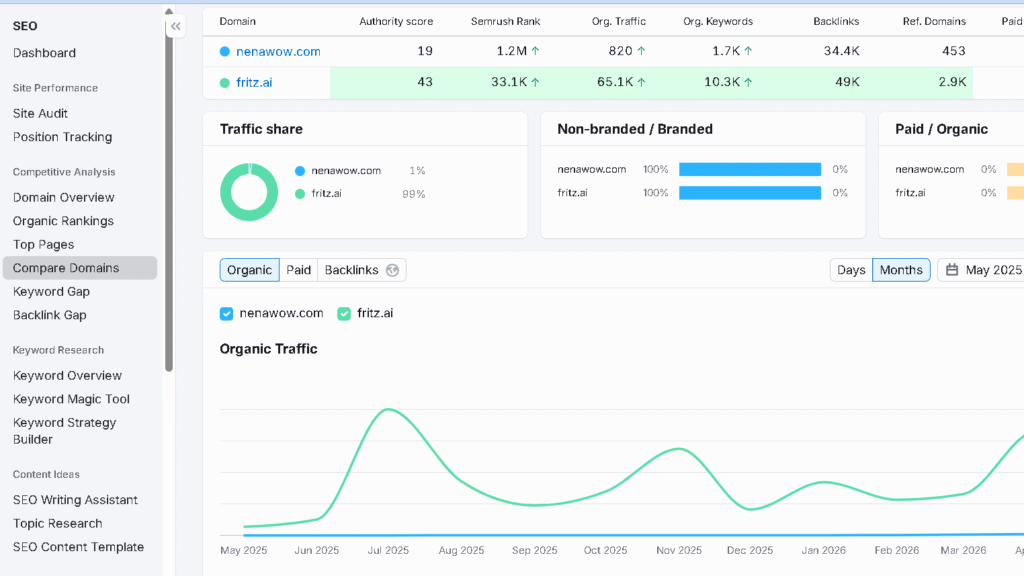
In my 100-keyword competitive overlap test, Semrush identified 31 more competing URLs than Serpstat on the same domain. That kind of gap matters when you are building a content strategy for a competitive niche and need to know what you are actually up against. The gap is real. It shows up every time the research needs to be comprehensive.
That said, Semrush asks a lot from you. The left sidebar alone has more than twenty sections. During the first two weeks, I consistently opened the wrong module before finding what I needed. The Keyword Magic Tool filters reset between views, which frustrated me more often than I expected. By week three I was using maybe 40 percent of the features regularly, with the rest sitting untouched.
The pricing is the other reality. At $140 per month for the Pro plan, Semrush becomes justifiable fast for agencies and teams doing SEO daily. For solo users or freelancers doing lighter research, the cost-to-use ratio starts to feel wrong by month two. If your workflow actually needs what Semrush provides, it earns its cost. If it does not, you feel the overhead constantly.
Serpstat: Best for Simpler SEO Workflows
Serpstat should not be framed as the cheap version of Semrush. That framing sets up the wrong expectations and leads to the wrong disappointment. Serpstat is a focused operational simplification. It reduces the cognitive load of daily SEO work in ways that matter to users who find Semrush exhausting.
The onboarding is faster. I was doing productive keyword research in Serpstat within 20 minutes of creating an account. Semrush took closer to 90 minutes before I felt oriented well enough to work efficiently. That gap matters for freelancers and small teams who do not have time to invest in tool mastery.
The daily workflow in Serpstat is calmer. The interface asks fewer decisions from you per task. Rank tracking is clear and fast. The keyword research tool is clean without being empty. For users whose SEO work is focused — a set of tracked keywords, regular audits, some competitor monitoring — Serpstat covers the bases without making every session feel like an operation.
The limits appear around week three. The backlink data is the first place they show up, and then the SERP analysis depth. For casual monitoring, neither limit is a dealbreaker. For serious research work, both gaps become real problems that Serpstat cannot close.
Keyword Research: Where the Gap Starts Appearing
I ran the same 50 keywords through both tools during week two of testing. The volume estimates were broadly similar on high-volume terms but diverged more on mid-range and long-tail queries. Semrush returned more granular difficulty calibration, more detailed SERP breakdowns per keyword, and more useful filter combinations for narrowing large lists.
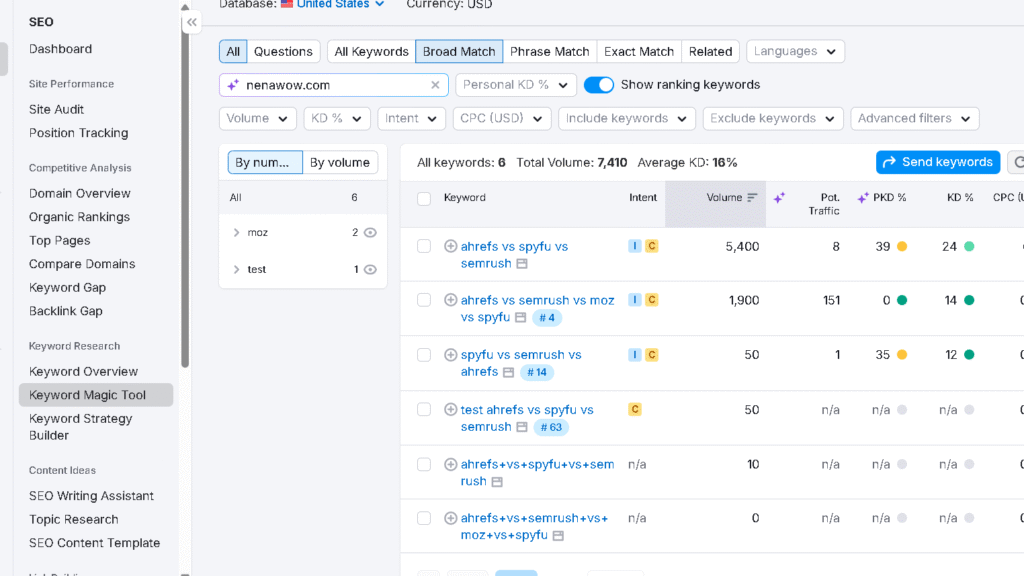
Serpstat’s keyword tool is functional and clean. The data is usable. What it lacks is the analytical depth that Semrush provides when you need to understand not just the volume and difficulty of a keyword but the competitive landscape around it. Who is ranking, what content format is performing, which featured snippets are active — Semrush answers those questions with more confidence.
| Keyword Research Feature | Semrush | Serpstat |
|---|---|---|
| Keyword database size | Larger | Smaller |
| Long-tail keyword depth | Excellent | Moderate |
| SERP feature tracking | Advanced | Basic |
| Keyword clustering | Strong | Limited |
| Research speed | Slower but deeper | Faster and simpler |
| Best for | Competitive niches | Content planning |
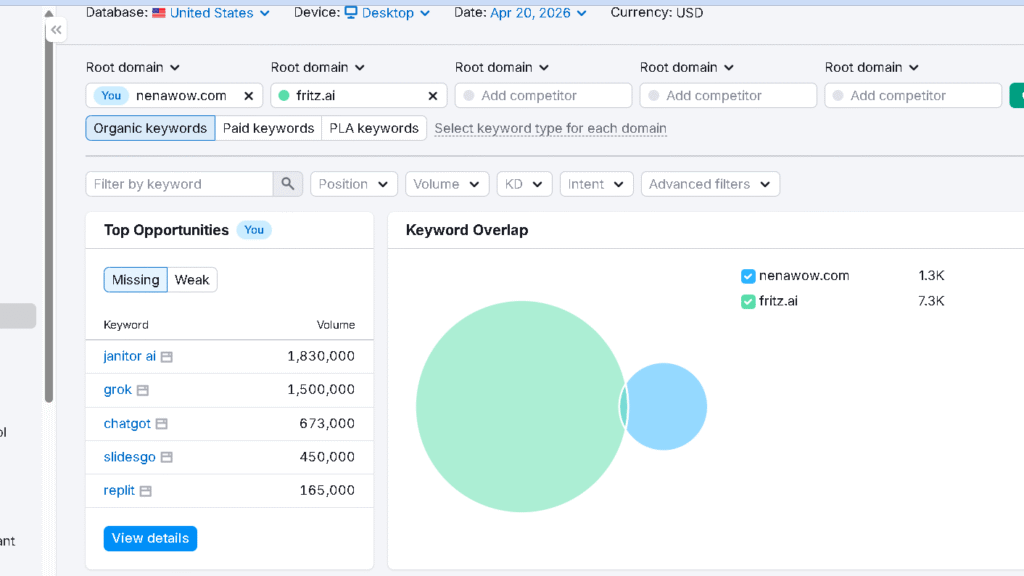
The trust gap matters emotionally as much as technically. I found myself double-checking Serpstat volume estimates against Semrush more often than I expected. That second-guessing is not constant, but it is not nothing either. When the data informs a real content decision, the uncertainty costs time.
| Semrush | Serpstat | |
|---|---|---|
| Keyword difficulty confidence | High | Moderate |
| Volume realism | High | Moderate |
| SERP analysis depth | Advanced | Basic |
| Filter usability | Strong | Clean |
| Long-tail data | Deep | Adequate |
| Cognitive load per session | High | Low |
| Research speed | Slower, more thorough | Faster, less deep |
Backlink Analysis: The Difference Becomes Harder to Ignore
Backlink data is where the gap between these two tools becomes most operationally significant. In my backlink freshness test — checking the same domain’s profile across both platforms every two weeks for five weeks — Semrush consistently showed new links and lost links faster than Serpstat. The lag in Serpstat ranged from three to seven days depending on the domain size and link velocity.
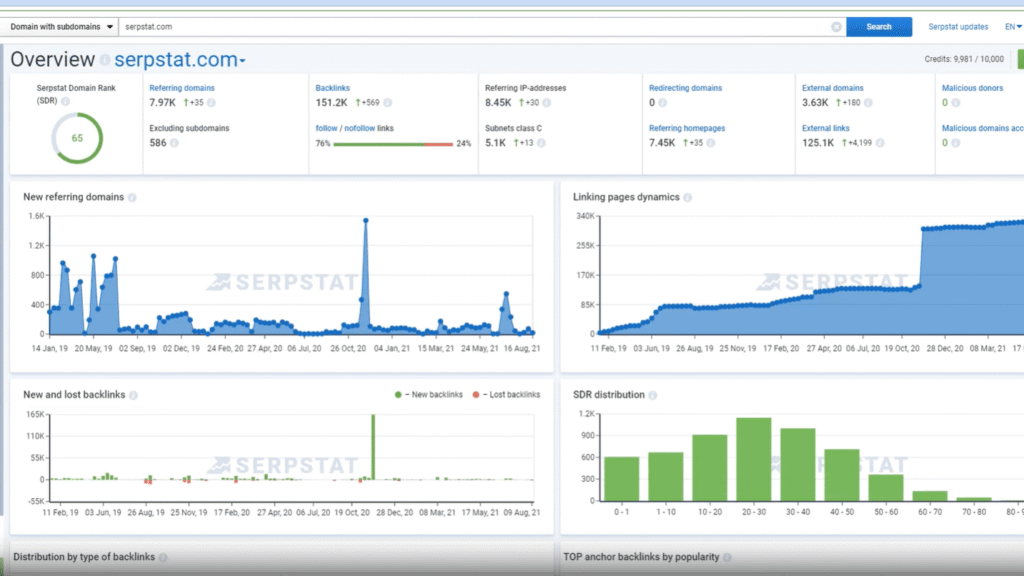
The index size is the structural difference. When I ran a competitor backlink analysis on a mid-authority site with around 6,000 referring domains, Semrush returned a more complete picture every time. Serpstat’s results were noticeably thinner on niche-specific link sources, particularly in non-English markets and lower-domain-authority segments.
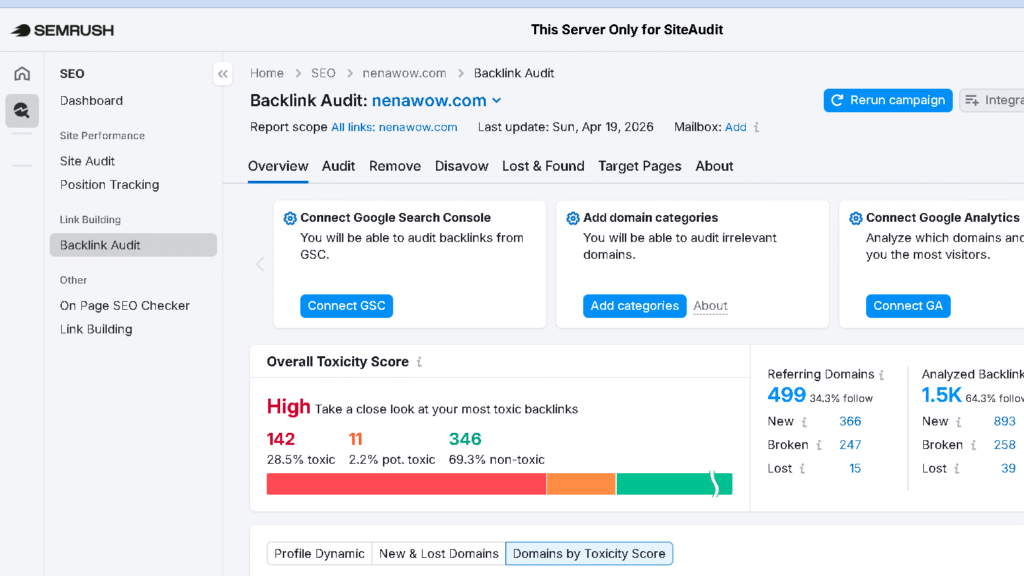
For users who check backlinks occasionally and care mainly about major link gains or losses on their own site, Serpstat’s index is probably sufficient. For active link-building campaigns or competitive link prospecting, the missing coverage starts to hurt real decisions. That is the honest line between the two tools on this dimension.
| Backlink Feature | Semrush | Serpstat |
|---|---|---|
| Index freshness | Excellent | Moderate |
| Referring domain coverage | Large | Smaller |
| Lost/new link tracking | Fast updates | Delayed updates |
| Toxic link analysis | Advanced | Basic |
| Competitor backlink research | Strong | Adequate |
| Best for | Active link building | Light monitoring |
I noticed this gap even more clearly in my full Serpstat vs Ahrefs comparison, where Ahrefs consistently returned deeper backlink coverage and fresher link discovery.
Site Audits: Exhaustive vs Actionable
Here is one of the most important emotional distinctions between these platforms, and it is rarely discussed directly. Semrush audits are exhaustive. Serpstat audits are manageable. Those are not the same thing, and the difference has real consequences for how you use the results.
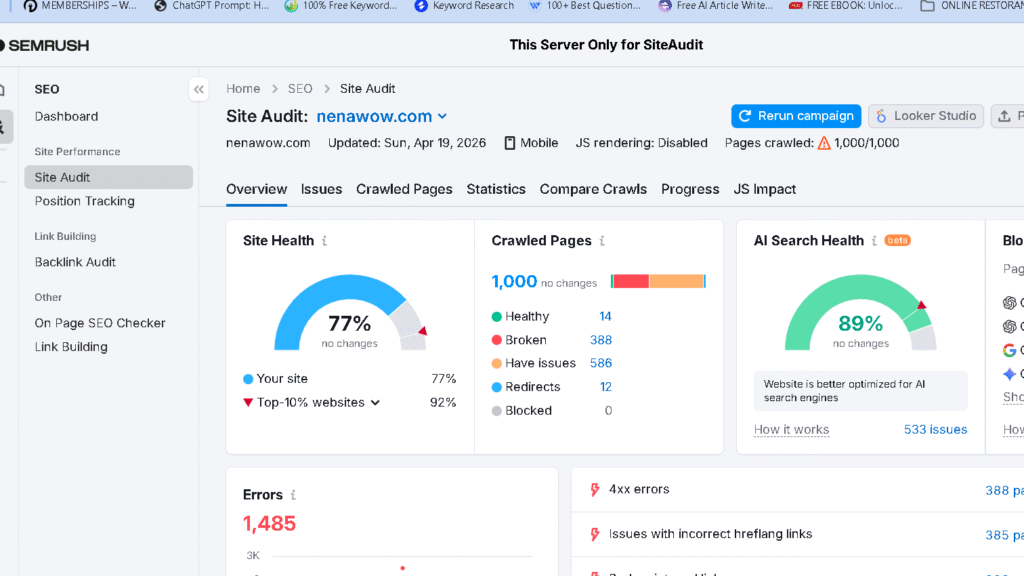
In my audit test — running the same 500-page site through both platforms — Semrush returned 847 flagged issues. Serpstat returned 312. The Semrush number is almost certainly more complete. The Serpstat number is much easier to act on.
More issues does not always create more clarity. Semrush audit results require a second layer of prioritization work before they become an actionable task list. Knowing that a site has 847 issues does not tell you which 20 will move the needle. Serpstat’s smaller issue set, while less complete, tends to surface the high-priority items more visibly. For users who need audit data to drive real work rather than impress clients with numbers, Serpstat’s approach is often more useful in practice.
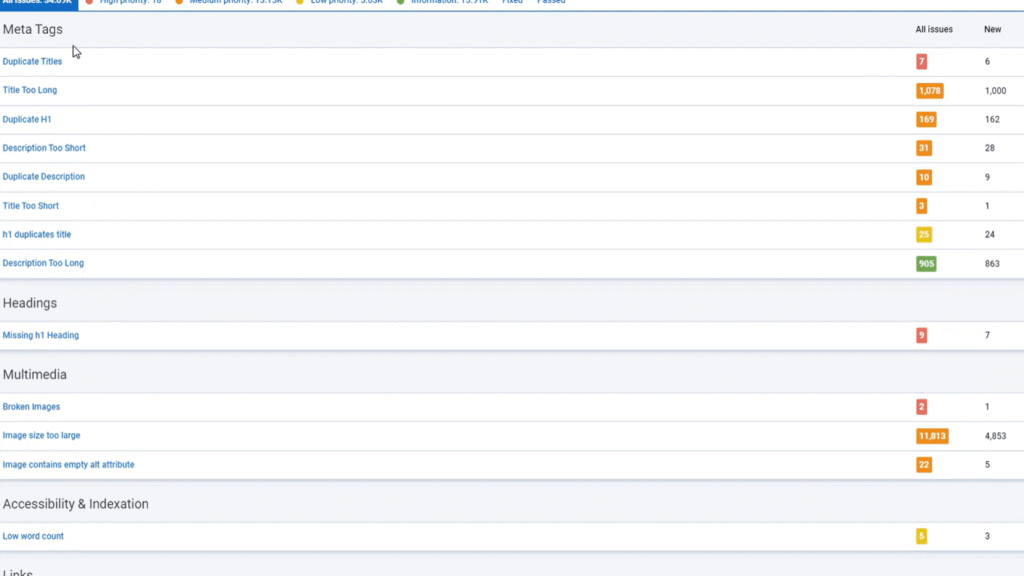
Worth noting: Semrush’s audit categorization and severity scoring is more refined than Serpstat’s. For technical SEOs who can navigate a large issue list, the depth is valuable. For everyone else, it is noise.
The Problem That Appears During Daily Use
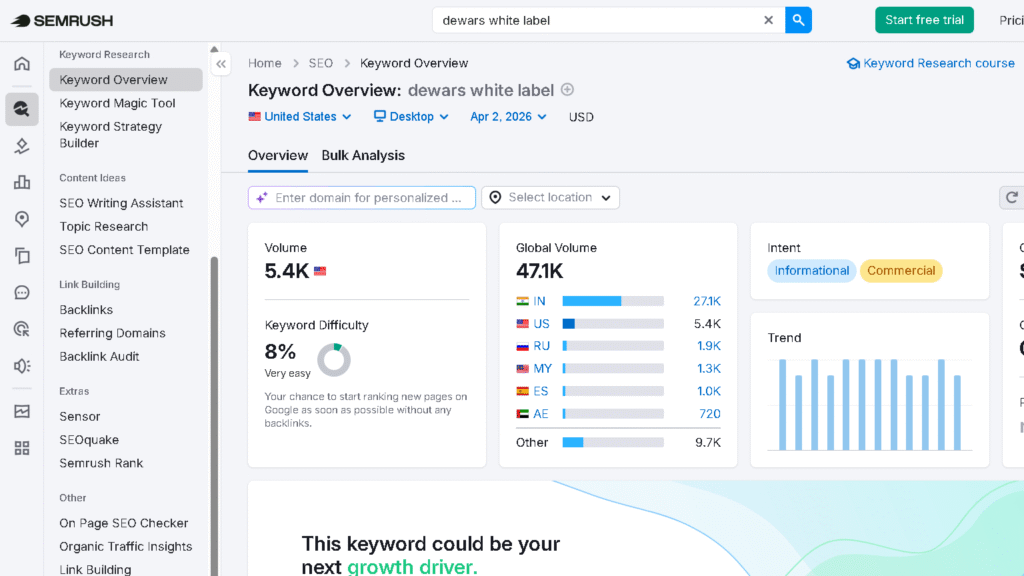
By week three of using Semrush heavily, I started noticing something I did not expect. The tool had not gotten worse. My relationship with it had changed. Opening Semrush for a routine task — checking rank positions, pulling a quick competitive keyword — started feeling like an overhead. Not because the task was hard, but because the environment around the task was dense enough to slow me down before I even started.
Serpstat did not create that feeling. Serpstat stays out of the way. That is a design quality that is easy to undervalue until you have spent a month inside a tool that does not.
The dashboard fatigue that sets in with feature-heavy SEO tools is real, and it compounds. By week four, I found that I was using Serpstat for daily check-ins and Semrush for deep research sessions, not because I planned it that way but because that split emerged naturally from the friction levels of each tool. The tools sorted themselves by use case over time.
AI Overview Tracking and the Future of SEO Tools
Semrush has moved further than Serpstat on tracking AI Overview appearances in search results. During my test, Semrush showed AI Overview presence data on keyword-level views for several of the tracked domains, with enough granularity to understand which queries were triggering generative results. Serpstat showed some AI Overview indicators but with less consistency and less depth.
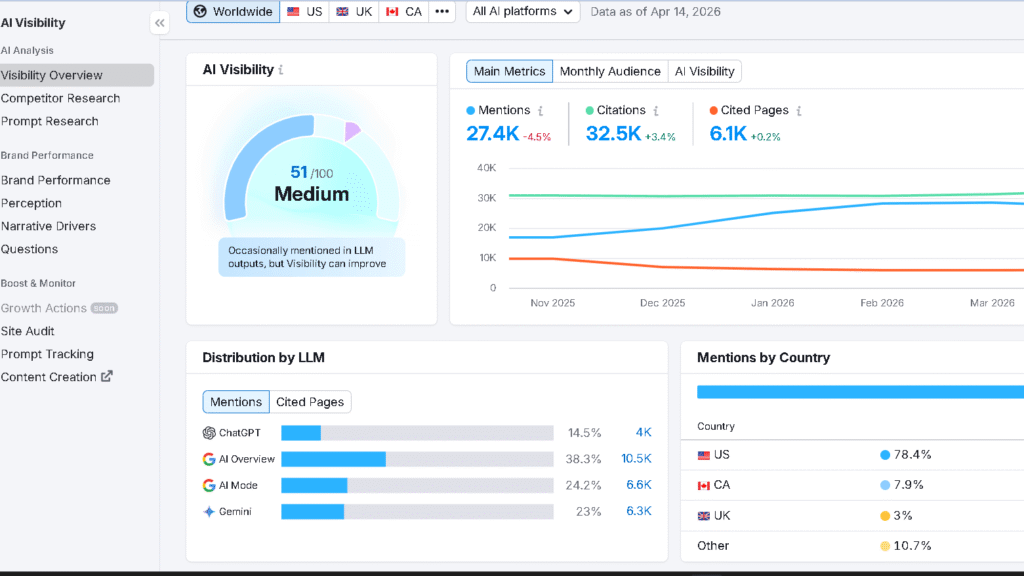
This matters because the SERP is changing faster than either platform has fully adapted to. AI Overviews are reshaping click-through dynamics on informational queries, and an SEO tool that cannot track where they appear — and whether your content is being cited — is operating with incomplete data.
The thing is, neither tool has fully solved this yet. Semrush is ahead of Serpstat. Both are behind where they need to be. If AI Overview tracking is critical to your current SEO strategy, neither platform is a complete answer on its own. That is worth being honest about.
Semrush vs Serpstat Pricing
| Plan | Monthly cost | Realistic user | Hidden limits | Workflow ROI | Scaling cost reality |
|---|---|---|---|---|---|
| Semrush Pro | ~$140/mo | 5 projects, 500 keywords, 1 user | User seats add fast; historical data costs extra | High for active daily use | Team access jumps cost sharply |
| Semrush Guru | ~$250/mo | 15 projects, 1,500 keywords | Content Marketing Platform adds value | Strong for agencies | Still expensive per seat |
| Serpstat Individual | ~$59/mo | 10 projects, 15k queries/day | Audit and backlink limits feel tight at scale | Good for solo users | Scales more gently |
| Serpstat Team | ~$119/mo | 3 users, 30k queries/day | Backlink index still thinner than Semrush | Good for small teams | More honest cost growth |
Worth noting: Serpstat’s pricing model is more forgiving at the team level. Adding a second user to a Semrush plan costs proportionally more than expanding a Serpstat Team plan. For small agencies or two-person SEO teams, the difference in total monthly spend becomes significant over a twelve-month contract.
Pros and Cons After Long-Term Use
| Semrush | Serpstat | |
|---|---|---|
| Biggest pro | Data depth and competitive intelligence | Clean workflow, fast onboarding |
| Second pro | Freshest backlink index in this comparison | Lower cognitive load per session |
| Third pro | PPC + SEO integration | Honest, accessible pricing |
| Biggest con | Dashboard overload and cost at scale | Thin backlink index |
| Second con | Filters reset unexpectedly | Limited SERP analysis depth |
| Third con | Learning curve is steep and stays steep | AI Overview tracking is basic |
| Fatigue onset | Week 2-3 of heavy use | Week 4-5 at volume |
| Long-term feel | Powerful but demanding | Calm but limited |
Who Should Use Semrush?
Semrush makes the most sense for agencies managing multiple clients simultaneously, advanced SEOs who run competitive intelligence workflows weekly, and teams that run both PPC and SEO and want the two research streams inside one platform. The consolidation value is real at that level. It is also the right tool for any team where the backlink data freshness and SERP analysis depth are non-negotiable inputs to strategy.
For freelancers who charge for SEO deliverables and need credible data to back client reports, Semrush is also a strong fit. The cost justifies more easily when the outputs go directly into client work.
Who Should Use Serpstat?
Serpstat fits freelancers and solo SEOs who do consistent but focused work — a set of clients, a set of keywords, routine audits, no need to go six layers deep on competitive research. It fits small teams where the budget constraint is real and the workflows are manageable. It fits anyone who found Semrush overwhelming on first use and did not see enough of the depth to justify staying.
Bloggers and content creators who track their own site rankings and do keyword research for content planning will find Serpstat more than enough. The daily workflow is clean. The data is good enough for content-level SEO. The price is easy to justify.
Who Should Avoid Both?
Someone just starting with SEO who has not yet published consistently, or who is running a hobby site with minimal traffic goals, does not need either platform. Google Search Console and Google Keyword Planner cover what they actually need at no cost. Paying for Semrush or Serpstat before you have a real publishing cadence is a subscription that runs ahead of the work.
Users who only need rank tracking — and not backlink analysis, audits, or competitive research — will find both tools overpowered and overpriced for that single function. SE Ranking or a dedicated rank tracking tool at lower cost is the more honest answer. That is worth being direct about.
Best Alternatives to Semrush and Serpstat
| Tool | Better for | Workflow difference | Pricing position | Biggest strength |
|---|---|---|---|---|
| Ahrefs | Backlink-heavy research, content analysis | Cleaner interface than Semrush, deeper backlink index than Serpstat | Similar to Semrush (~$99-$199) | Backlink index quality |
| SE Ranking | Balanced daily use, small teams | Calmer than Semrush, stronger than Serpstat | ~$65/mo | Value-to-capability ratio |
| Mangools | Bloggers, keyword research focus | Lightest interface, lowest intimidation | ~$29/mo | Accessibility |
| Ubersuggest | Budget-conscious beginners | Simpler than all others | Free tier + ~$29/mo | Low cost entry point |
SE Ranking deserves particular attention here. In my testing, SE Ranking sits in a middle ground that many users searching this keyword actually need — more structured and reliable than Serpstat for SEO work, less expensive and overwhelming than Semrush, and strong enough on backlink and keyword data to handle professional workflows. For users whose main frustration is Semrush’s cost and cognitive load, SE Ranking is worth testing before committing to Serpstat.
If backlink research is your main priority, my full Ahrefs review goes deeper into why Ahrefs still has one of the strongest backlink indexes available for SEO teams.
| Your Situation | Recommended Tool |
|---|---|
| You run an SEO agency | Semrush |
| You manage multiple client campaigns | Semrush |
| You are a solo blogger | Serpstat |
| You want lower monthly costs | Serpstat |
| You do heavy backlink analysis | Semrush |
| You want a simpler workflow | Serpstat |
| You are new to SEO tools | Serpstat |
Final Verdict
So which tool wins? Neither, in the way the question is usually asked. Semrush is the stronger platform. Serpstat is the calmer one. Those are different values, and the right answer depends entirely on what the work actually requires.
For agencies and advanced SEO teams that run intensive competitive research and need fresh backlink data and deep SERP analysis, Semrush is difficult to replace. The depth is real and the consolidation value is real. The cost and cognitive load are also real, and you need to be honest with yourself about whether your workflow absorbs both.
For solo SEOs, freelancers, and small teams that do consistent but focused work without the need to go deep on competitive intelligence, Serpstat is a strong and honest choice. The backlink limitations matter less when you are not doing active link-building research. The lighter workflow is a genuine advantage when you are inside the tool every day.
Most users do not switch SEO tools because the old one stopped working. They switch because the way they work changed first. The SEO stack that fit a five-person agency does not always fit a solo freelancer, and the platform that served a blogger well does not always survive the jump to a twelve-client agency workload. The right tool is the one that fits the current shape of the work — not the most powerful one you can afford, and not the cheapest one that technically covers the bases.
Which one fits depends on where you are in that trajectory right now.
Related SEO Tool Comparisons
- MOZ Review
- Ahrefs vs Semrush vs Moz
- Ahrefs vs Semrush
- Ubersuggest vs Ahrefs vs Semrush
- Ahrefs vs Ubersuggest
FAQ
Serpstat’s keyword volume and difficulty data is broadly accurate for high-to-mid volume terms. On long-tail keywords and in smaller or non-English markets, I found the estimates less reliable than Semrush.
For agencies and heavy daily users, yes. Semrush earns its cost when you are running competitive research, backlink audits, PPC analysis, and content gap workflows inside a single platform. For solo users or light workflows, the ROI fades by month two.
Serpstat, in most cases. The pricing is lower, the onboarding is faster, and the daily workflow is calmer. Freelancers who run deep competitive research or active link-building work for clients will feel Serpstat’s limits quickly.
Semrush. Not close. The index is larger, fresher, and more complete across domain types and markets.
For some workflows, yes. For others, no. If your SEO work is focused on a set of tracked sites, content-level keyword research, and routine audits, Serpstat replaces Semrush cleanly and at a lower cost. If your work depends on deep competitive intelligence, fresh backlink analysis, or PPC integration, Serpstat cannot fully replace what Semrush provides.
Serpstat. The onboarding is faster, the interface is less overwhelming, and the feature set is focused enough that new users can find their footing quickly.
For most content-focused SEO workflows, yes. For competitive research-heavy workflows, no.