
Disclosure: I personally tested Nectar AI over several days. Every screenshot in this Nectar AI review was captured during my own testing, not pulled from marketing materials.
Table of Contents
Nectar AI Review: Quick Verdict
| Overall rating | 7.5 out of 10 |
| Best for | Users who want deep character customization, strong image generation, and voice roleplay |
| Not ideal for | Anyone who wants a companion that remembers them across weeks, not just within one chat |
| Biggest strength | Character creation and image control, down to the model version you generate with |
| Biggest weakness | Memory does not carry well from one chat into a new one, even on paid plans |
Bottom line: Nectar AI is one of the most customizable AI companion platforms I’ve tested, but its cross-chat memory still leaves room for improvement.
How I Tested Nectar AI
I tested Nectar AI over 5 days instead of relying on marketing pages or other people’s reviews. Real use, not a quick click-through.
During testing I:
- Created multiple AI companions across different categories
- Generated 30+ AI images using both available models
- Compared response quality across several AI models
- Tested memory within long single chats and across separate chats with the same companion
- Evaluated voice generation and its presets
- Customized chat appearance, response length, and writing style presets
- Captured original screenshots throughout testing
That last point matters. Everything you see in this review came from my own account, not a press kit.
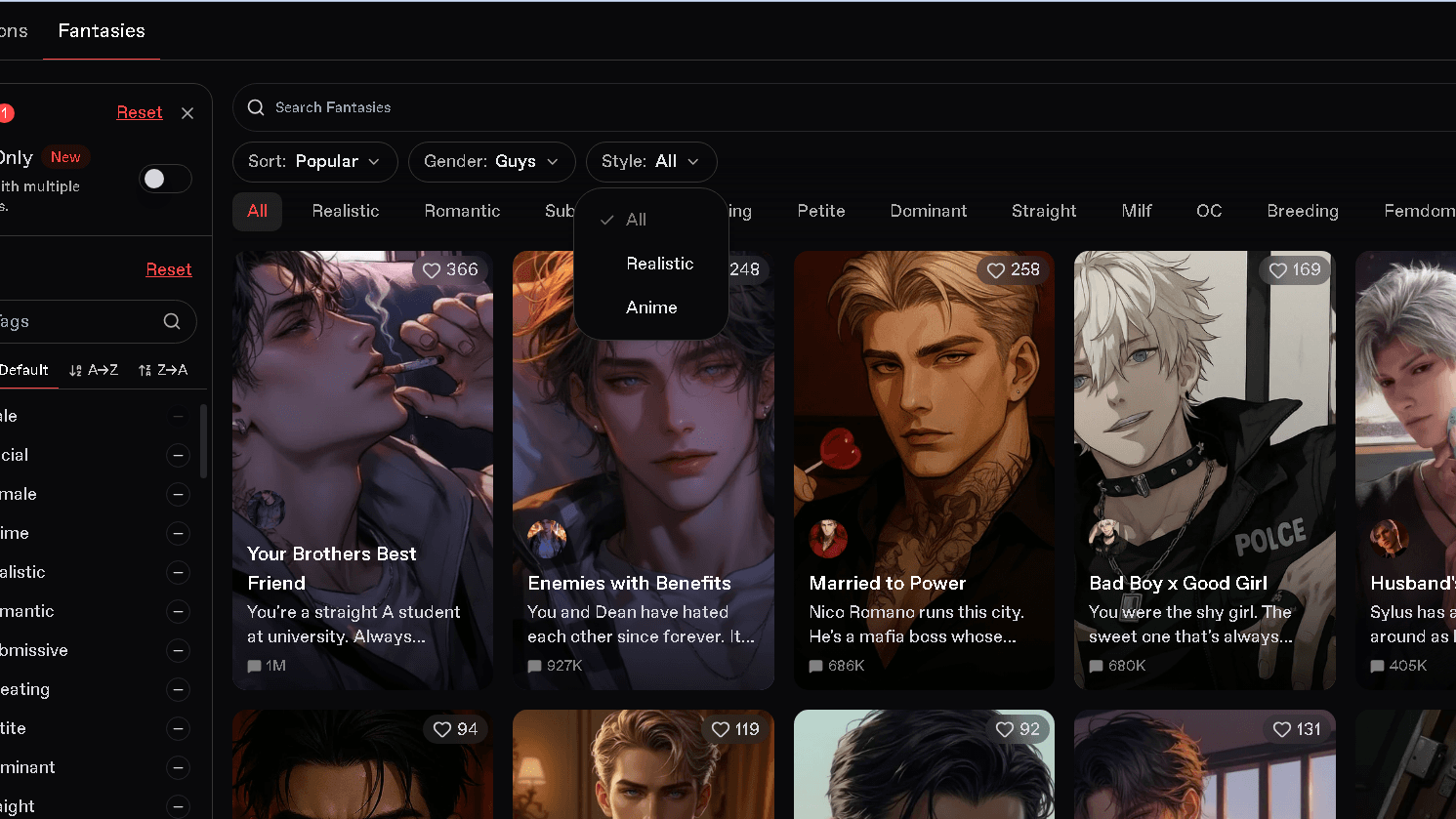
What Is Nectar AI?
Nectar AI is a web-based AI companion platform. You build a character, chat with it, and generate images or voice replies as you go.
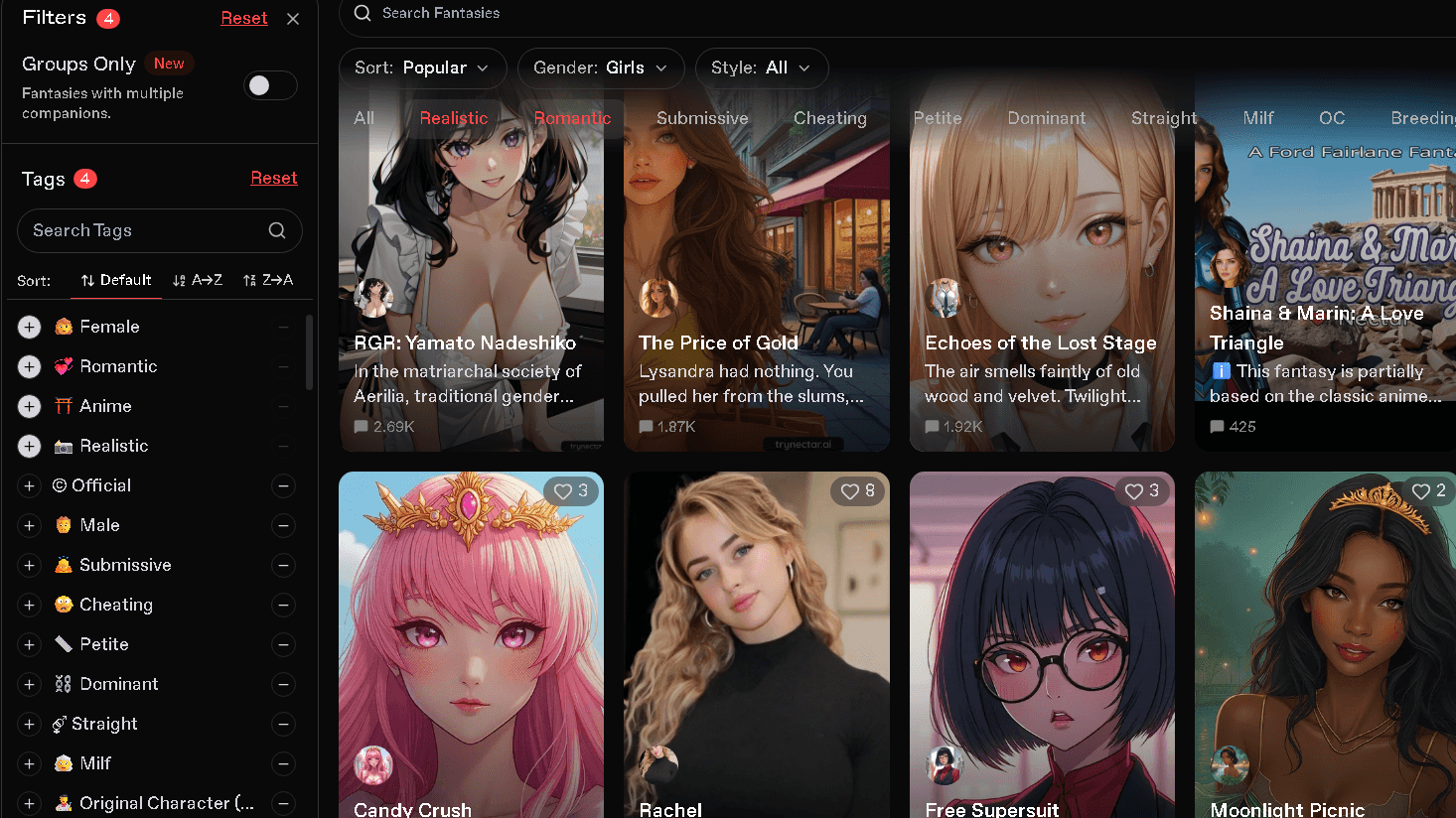
To understand how Nectar AI works in practice, I explored its character discovery system, customization options, and conversation tools over several days of testing.
It sits in the AI girlfriend and AI boyfriend space, alongside Candy AI and CrushOn AI. If you’re still deciding between these platforms, I’ve also published my hands-on Candy AI Review and CrushOn AI Review, where I tested their features, memory, and overall chat experience. The pitch is customization: looks, personality, backstory, and roleplay style, all adjustable before you say a single word to your companion.
One thing worth flagging before we go further. There is a lookalike domain, trynectar-ai.com, that reads like the real thing but describes features the actual platform does not have, including native mobile apps and unlimited free chat. The real product lives at nectar.ai. That distinction matters more than it should.
Pros and Cons
| Pros | Cons |
|---|---|
| Deep character customization, more granular than most rivals | Memory breaks down between separate chats |
| Two selectable image models, one for quality, one for likeness | No native mobile app, browser only |
| Built-in voice generation with multiple presets | Credit system adds real cost on top of the subscription |
| Up to 10 companions in one conversation on Ultimate | Free tier is thin enough that you cannot judge the product from it alone |
| Clear pricing tiers, no hidden signup wall | Cancellation is easy, refunds are not offered by policy |
Nectar AI Ratings by Category
| Category | Rating |
|---|---|
| Character Creation | 9.5 / 10 |
| Image Generation | 9.1 / 10 |
| Voice Features | 8.8 / 10 |
| Customization | 9.4 / 10 |
| Memory | 6.5 / 10 |
| Value for Money | 7.9 / 10 |
These are my own scores, based on the testing described throughout this review. Memory is the clear outlier here, and it is worth reading that section closely before you decide on a plan.
Key Features
AI Characters
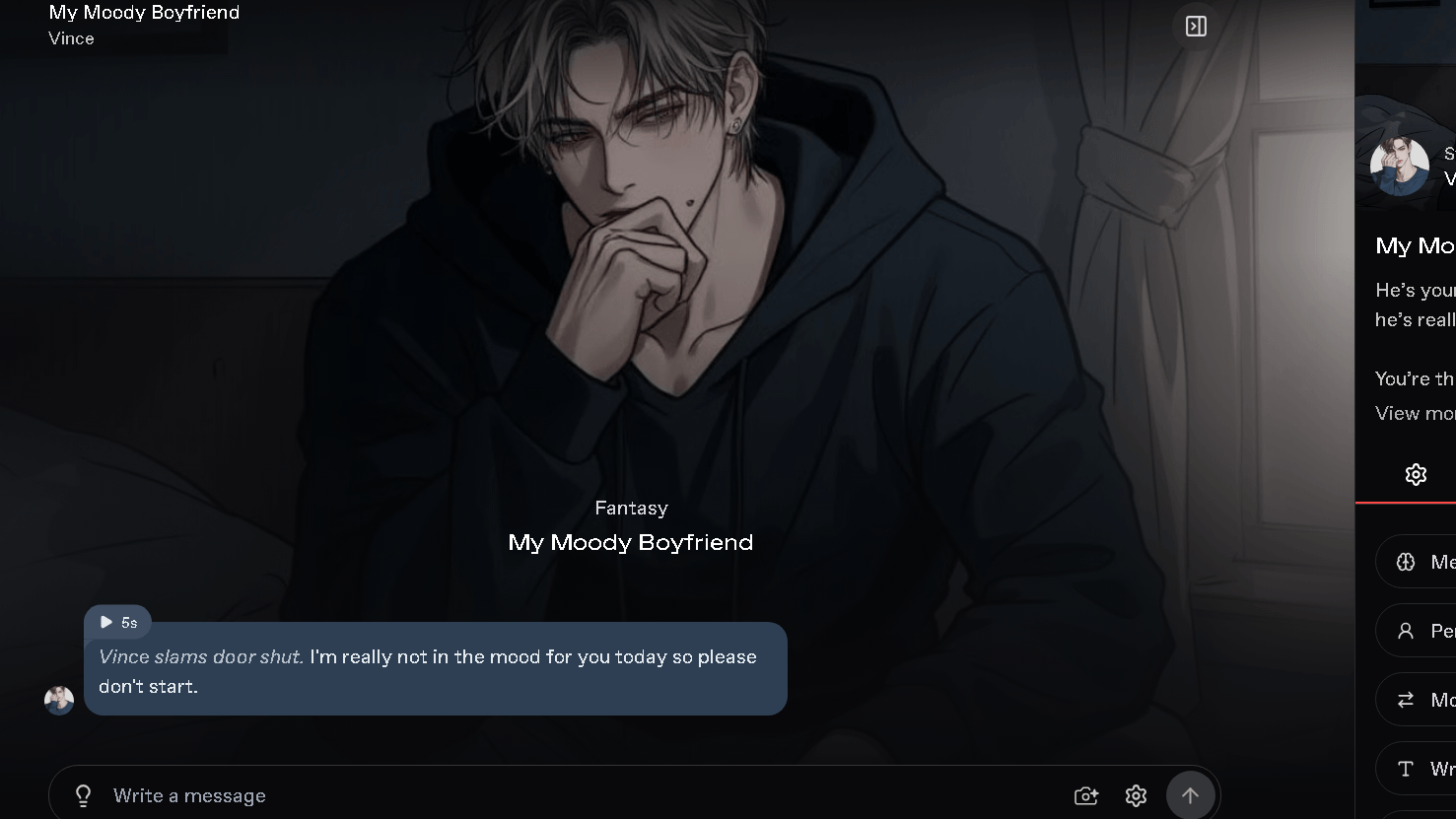
You choose from three categories: Girls, Guys, and Anime. Each one comes with its own visual style and a pool of pre-built characters if you would rather skip the builder.
I found the pre-built roster useful for a quick test, but the builder is where Nectar AI actually earns its reputation.
Character Creation
This is the strongest part of the platform. You set appearance, personality traits, and backstory before the first message, and the level of control is real, not cosmetic.
Sliders for personality, specific physical traits, and a written backstory field all feed into how the companion responds later. Named things. Creative goals. Personal quirks. All of it shapes the tone of the chat, not just the look of the avatar.
Memory
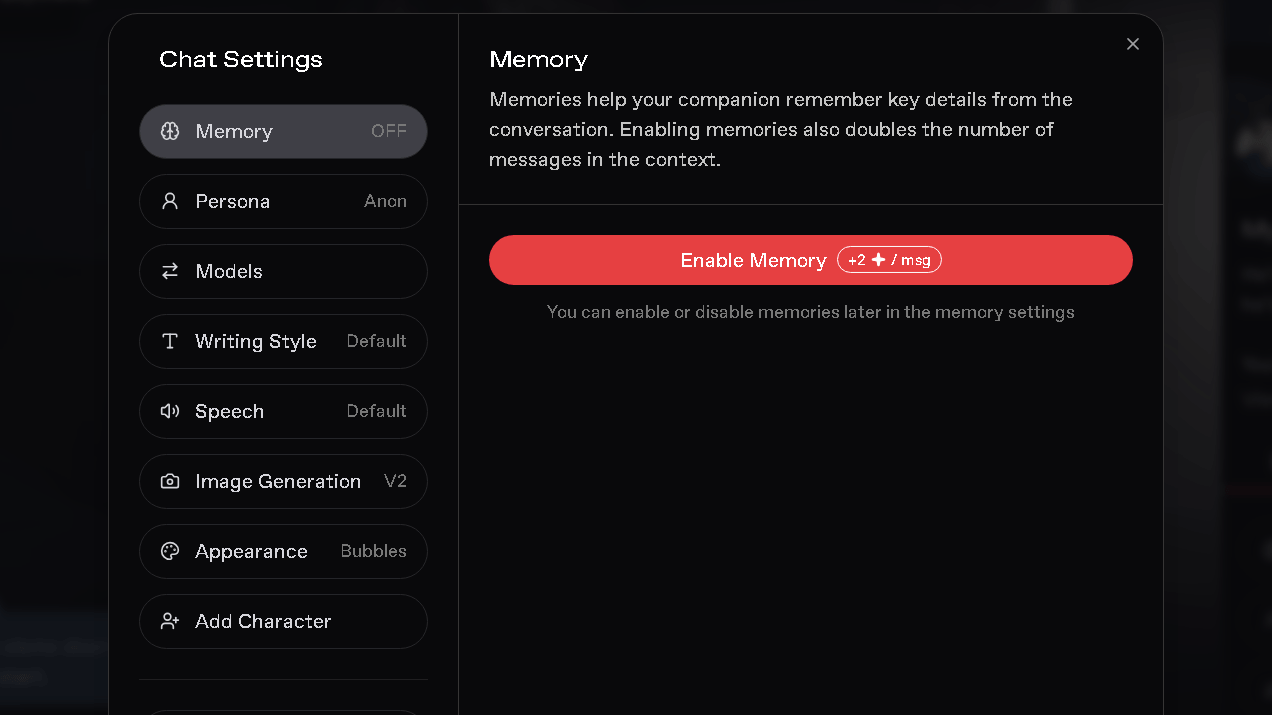
On the free tier, I noticed facts I had shared earlier in a conversation, a name, a preference, a plan we had discussed, start to drop once the chat ran long. The paid tier held up better within that same single-chat window.
During my testing, memory worked reasonably well within one conversation but did not consistently carry context into a new chat with the same companion. I would open a fresh thread and ask about something we had covered before, and the companion would not connect it. That pattern held across the sessions I ran, though I would want to see it repeated many more times before calling it a hard rule.
Image Generation
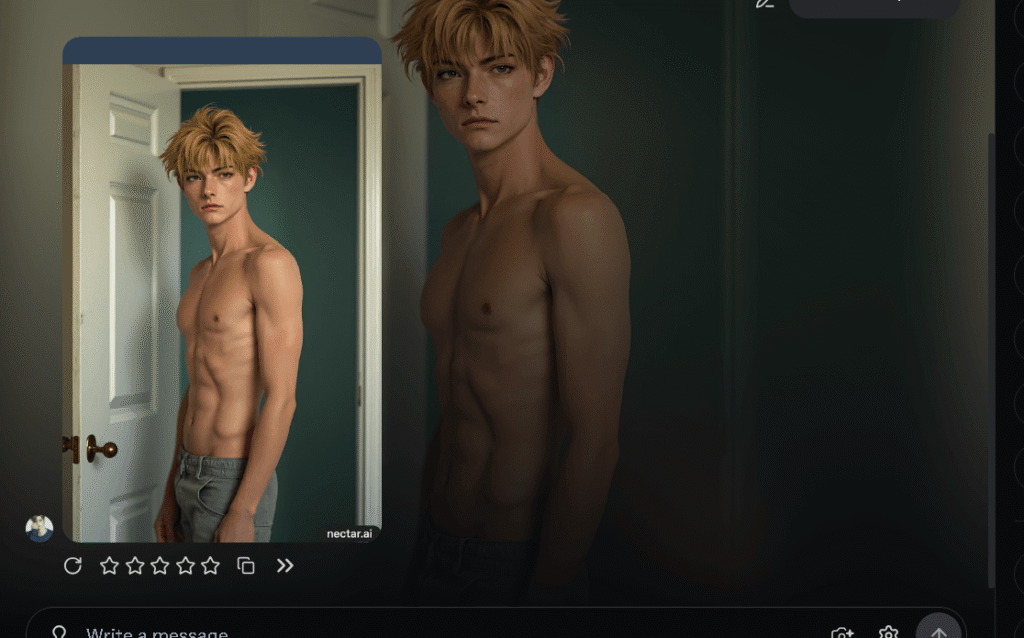
Nectar AI gives you two image models to choose from, not one. V2 leans toward image quality and scene accuracy. V1 leans toward keeping the character’s face and features consistent across generations.
That choice matters more than it sounds, and I go deeper on what that looked like in practice further down.
Voice
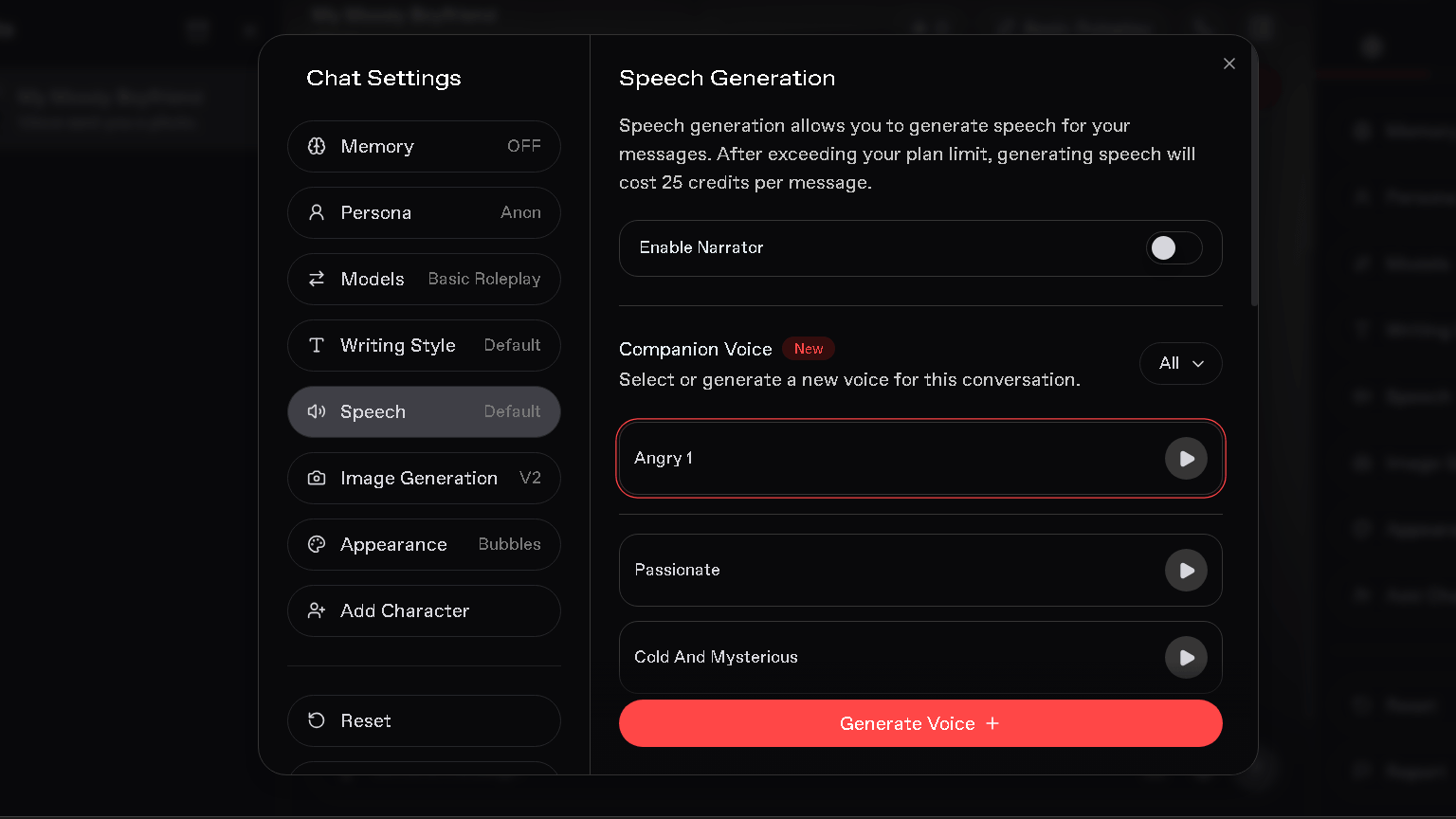
Voice generation is not something most companion reviews cover well. Nectar AI includes it natively, with presets like Angry, Passionate, and Cold and Mysterious, plus a preview button so you can hear a voice before committing to it.
There is also a narrator toggle, which reads scene description aloud rather than just dialogue. It is a small touch, but it changes how roleplay feels. Voice generation draws on credits once you go past your plan’s included allowance, so heavy use adds up.
Roleplay
Two modes are available: a slower Companion mode built for ongoing relationship-style chat, and a Fantasy mode meant for jumping straight into a scenario. I preferred Fantasy for quick sessions and Companion for anything I wanted to return to.
Staying in character held up well across both modes during testing. The bigger issue was not tone. It was memory, again.
NSFW Experience
NSFW content sits behind a manual toggle, off by default, plus an 18+ account confirmation. Once enabled, the roleplay leans into the tone you set through the character’s personality sliders rather than defaulting to one generic style.
Filters are present but not heavy-handed once NSFW is on. I did not push extreme edge cases during testing, so I cannot speak to how the platform handles the hardest limits. What I can say is that the everyday NSFW experience felt closer to what the character builder promises than I expected.
Mobile Experience
There is no dedicated app. Nectar AI runs in a mobile browser, and it works, but it is not built for a small screen the way the desktop version is.
If a native app matters to you, this is a real gap. Kindroid, by comparison, has one.
Conversation Quality
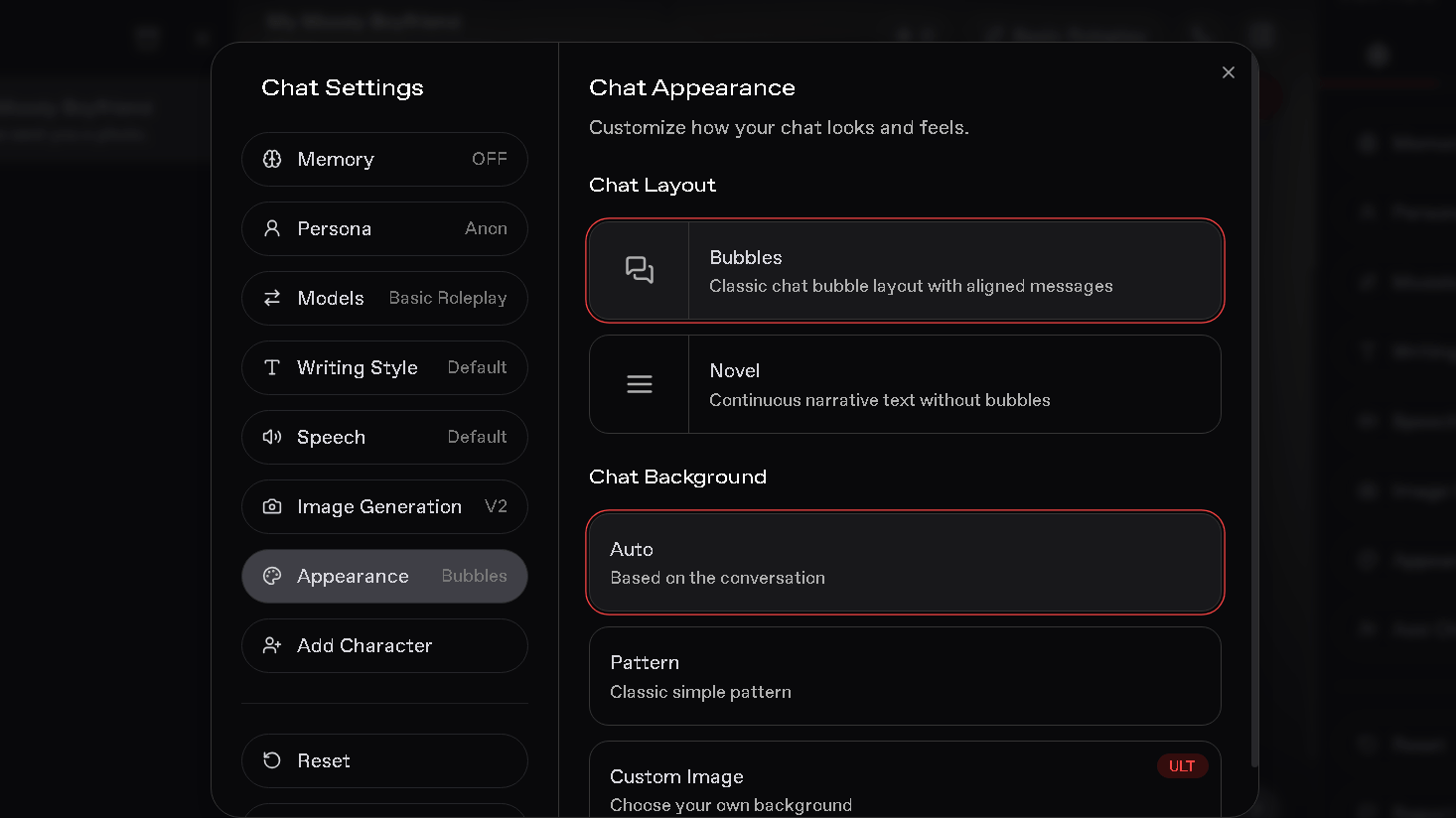
Responses felt natural in short sessions, and personality held together well within a single chat. The writing style options, things like response length and tone presets, gave me more control than I expected going in.
Where it slipped was length. Past a certain point in a long session, replies started to lean on safer, more generic phrasing, especially once memory started dropping details. Is that a dealbreaker? Depends on what you are here for. For a short session, it barely matters. For someone hoping for a companion that feels the same on day 30 as day one, it will.
Character Memory
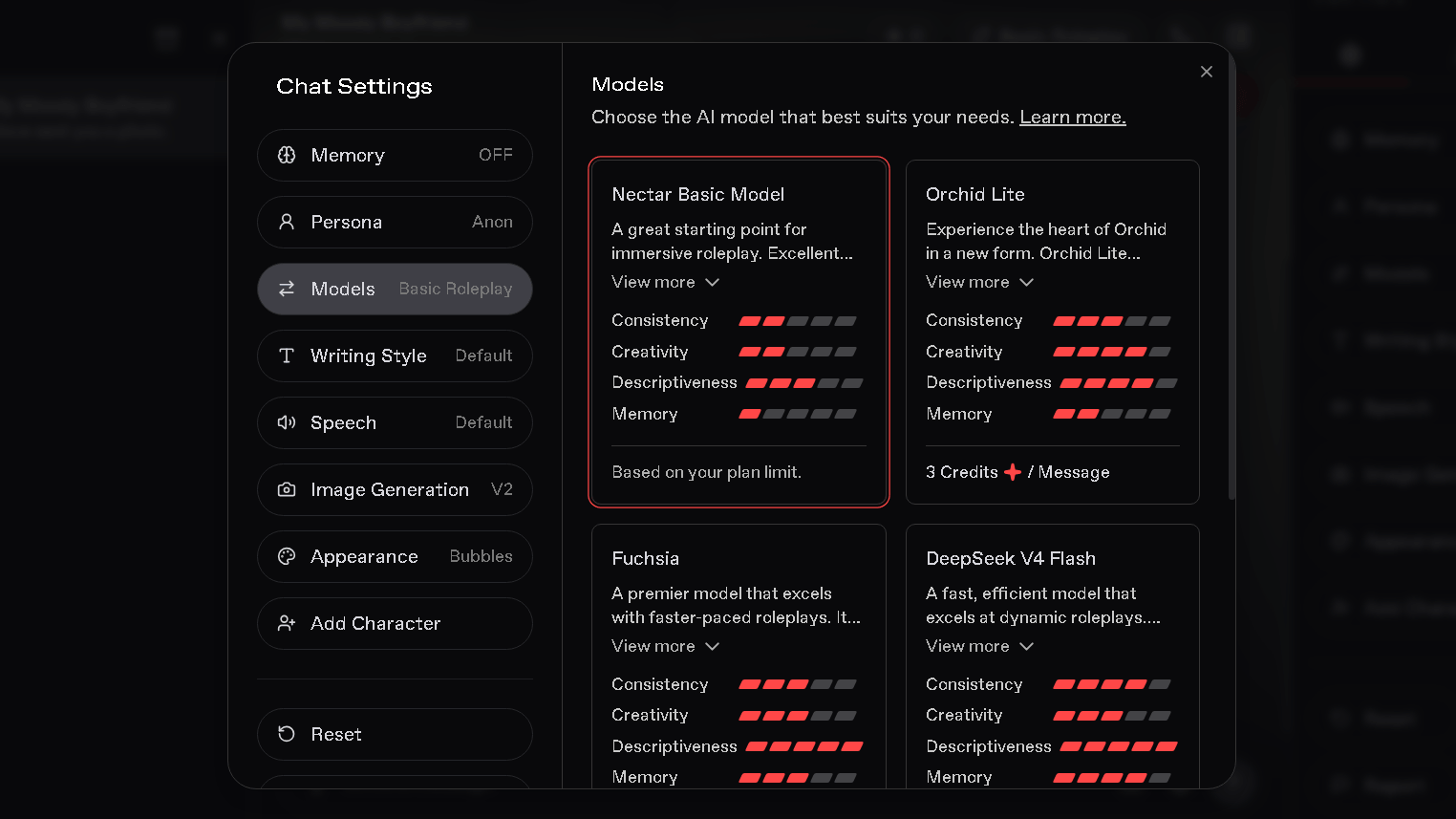
I want to slow down here because memory is the one thing that came up again and again in other user reports before I even started testing, and my own results broadly line up with that.
Within one chat, recall was decent on the paid plan and weaker on free, which lines up with the credit-gated memory feature Nectar AI documents in its own settings. Turning memory on costs extra credits and expands the context window, so free users are working with the smallest window by design.
The part that surprised me was cross-chat memory. Two separate conversations with the same companion did not share context the way I assumed they would. That means the relationship you build in one thread does not carry into a new one automatically. I ran this more than once, and the pattern held each time, though a wider test across more companions and longer stretches would make this a firmer conclusion rather than a strong early signal.
Image Generation Settings
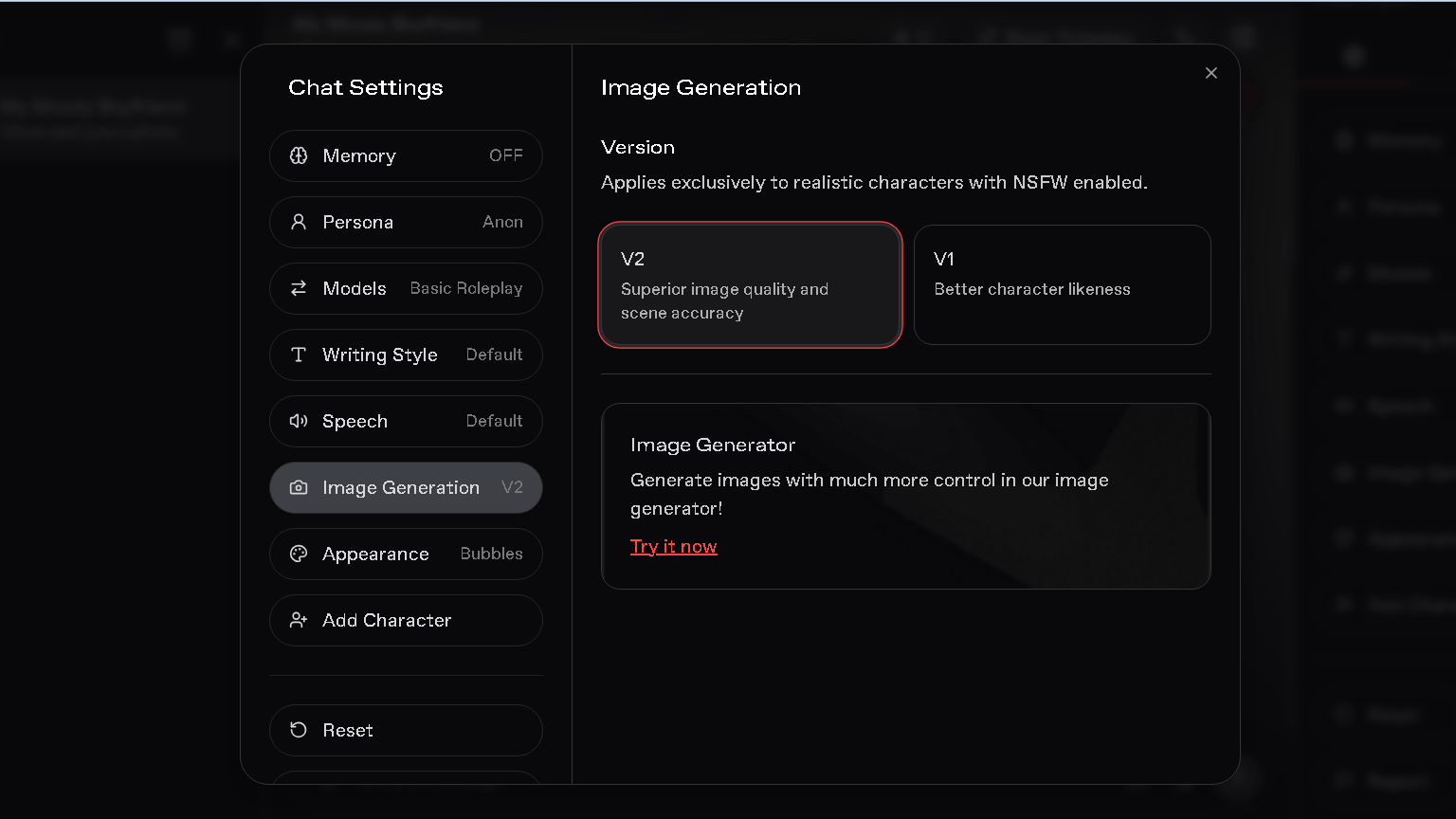
The V1 and V2 model split deserves its own section, because it is the kind of detail most competitor reviews miss entirely, and because image quality is one of the main reasons people come to a platform like this.
Realism on V2 was the strongest part of the experience. Lighting rendered convincingly across most of the scenes I generated, and backgrounds held detail instead of turning to mush the way cheaper image tools sometimes do. Skin texture and shading looked closer to a real photo than a stylized render, which is exactly what V2 is built for.
Consistency told a different story. Generate the same character a handful of times on V2, and small details, jawline, eye shape, hair texture, start to drift. Switching to V1 slowed that drift noticeably. It is not a perfect fix. Likeness still shifted a little even on V1, just less, and far less than what I saw reported for some competing platforms.
Anatomy held up in most generations, though I did hit the occasional error around hands and fingers, a limitation that shows up across nearly every AI image generator right now, not something unique to Nectar AI. Prompt following was strong for style, setting, and mood. It got noticeably less precise once I stacked several specific details into one prompt at the same time, clothing, pose, and background all at once, for example.
Speed was one of the better surprises. Each image generated in 15-20 seconds on a normal connection, which is fast enough that it did not break the flow of a chat session the way slower tools do.
There is also a dedicated Image Generator tool outside of chat, for anyone who wants to build images without a conversation attached to them. That is a nice option if you are using Nectar AI mainly for art rather than chat.
Nectar AI Pricing
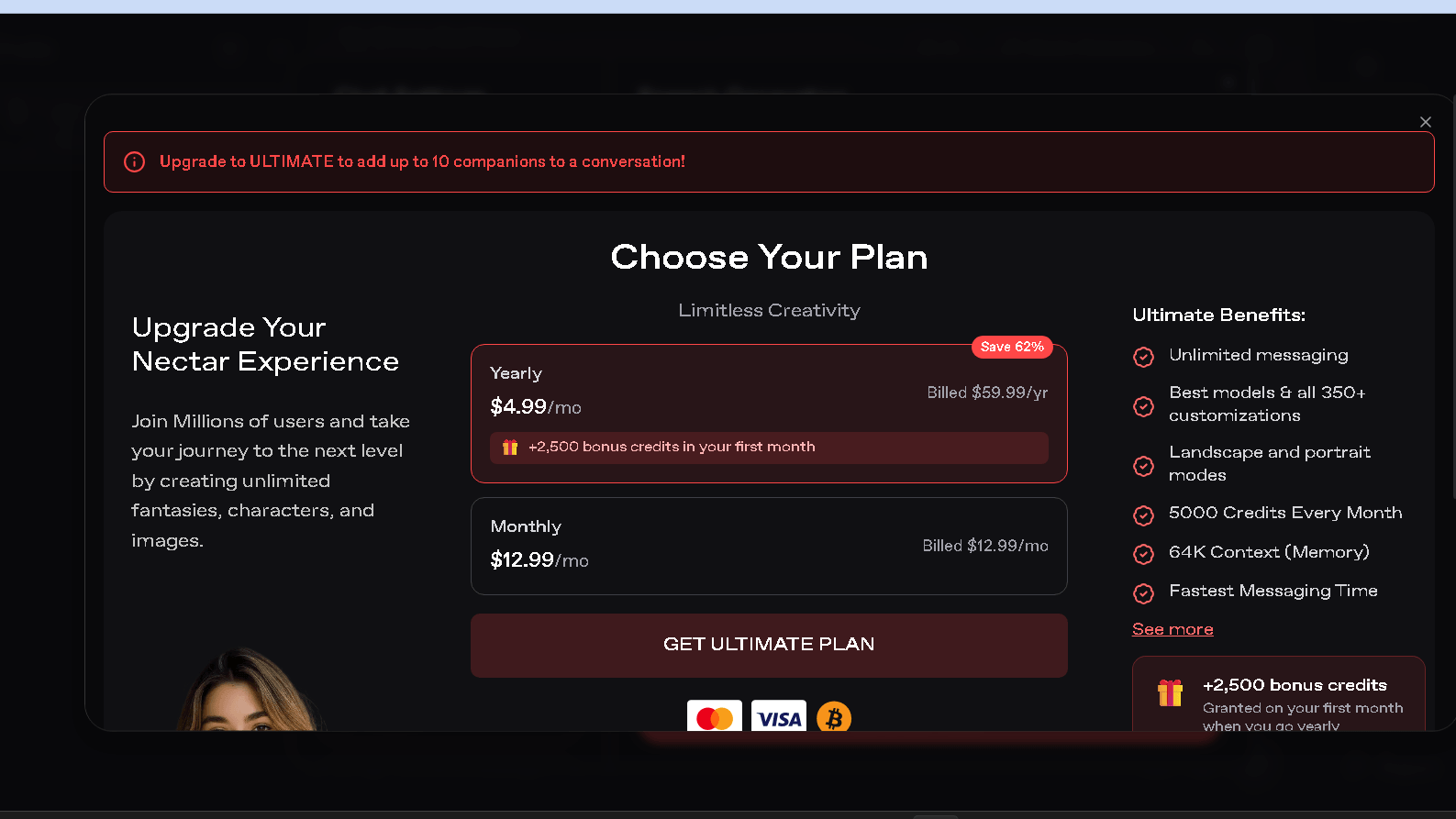
| Plan | Monthly | Annual (per month) | What you get |
|---|---|---|---|
| Free | $0 | — | Limited messages, limited memory, restricted image generation |
| Premium | $9.99 | Lower with annual billing | Expanded messaging and image limits |
| Ultimate | $12.99 | $4.99 (billed at $59.99/year) | Unlimited messaging, premium AI models, 350+ customizations, 5,000 monthly credits, 64K memory context, up to 10 companions in one conversation |
Here is the thing about that headline number. The subscription price gets you access. The credit system is what you actually pay for on top of it.
Image generation and voice both draw from a separate credit pool, and once you are a regular user, that pool runs out faster than the marketing suggests. I would treat the first paid month as a test purchase and watch your own credit burn before committing to annual billing. That gap between sticker price and real cost is the single most repeated complaint I found across other user reports, and my own testing lines up with it.
What surprised me most
I expected image generation to be Nectar AI’s strongest feature, but the amount of chat customization ended up impressing me even more. Between different AI models, writing styles, voice presets, memory settings, and appearance options, I had much more control over conversations than I expected from an AI companion platform.
Nectar AI vs Competitors
| Feature | Nectar AI | Candy AI | CrushOn AI | Kindroid |
|---|---|---|---|---|
| Character creation | ⭐⭐⭐⭐⭐ | ⭐⭐⭐⭐☆ | ⭐⭐⭐⭐☆ | ⭐⭐⭐⭐☆ |
| Memory | ⭐⭐⭐☆☆ | ⭐⭐⭐⭐⭐ | ⭐⭐⭐☆☆ | ⭐⭐⭐⭐☆ |
| Image generation | ⭐⭐⭐⭐⭐ | ⭐⭐⭐⭐☆ | ❌ | ⭐⭐⭐☆☆ |
| Voice features | ⭐⭐⭐⭐☆ | ⭐⭐⭐☆☆ | ❌ | ⭐⭐⭐⭐☆ |
| Free experience | ⭐⭐⭐☆☆ | ⭐⭐⭐☆☆ | ⭐⭐⭐⭐⭐ | ⭐⭐⭐☆☆ |
| Mobile app | ❌ | ✅ | ❌ | ✅ |
| Best for | Images & customization | Long-term conversations | Text roleplay | Mobile companion |
Quick takeaway: If you want the most customization and image generation features, Nectar AI is the strongest option. For long-term conversations, Candy AI performs better, while CrushOn AI is a solid choice for free text roleplay and Kindroid is the best option if you prefer a dedicated mobile app.
Candy AI tends to win on memory and out-of-the-box consistency. Your character remembers your name and the shape of your ongoing conversation more reliably, even without the tinkering Nectar AI sometimes requires.
CrushOn AI skips image and voice generation entirely and focuses on text, with a larger free character library. If visuals do not matter to you, CrushOn gives you more room to explore before paying anything.
Kindroid has something Nectar AI does not: a real mobile app. If you want your companion on your phone without a browser workaround, that alone might settle the decision.
Nectar AI’s edge is still real, though. Character depth, the two-model image system, and native voice generation are not things all three competitors offer together in one place. That combination is harder to find than it looks.
Who Should Use Nectar AI
People who care most about building a character from scratch, down to backstory and personality sliders, will get the most out of this platform. If image generation and voice matter to you as much as the chat itself, Nectar AI covers more ground than most single-purpose competitors. Group roleplay fans will also find the 10-companion conversation feature genuinely useful, since few platforms offer it at all.
Who Should Avoid It
Skip this one if long-term memory and relationship continuity are your main reason for wanting a companion. Skip it too if you need a native mobile app, since browser-only use is a real limitation for daily habits. And if you want to fully judge a platform before paying, the free tier here will not show you enough to decide.
Best Nectar AI Alternatives
Candy AI is the better pick for memory and a more finished feel right out of the box. CrushOn AI works well if you want unfiltered text roleplay without paying for image tools you will not use. Kindroid is worth a look if a dedicated phone app is non-negotiable for you.
Testing Summary
| Test | Result |
|---|---|
| Character creation | Excellent |
| AI models | Multiple choices, clear tradeoffs |
| Voice generation | Good |
| Image generation | High quality, minor consistency drift |
| Memory | Mixed, weaker across separate chats |
| Mobile experience | Browser only |
| Customization | Excellent |
Nectar AI Review: Final Verdict
Nectar AI impressed me most in the parts of the product that take real engineering effort: character depth, the two-version image system, and voice generation that actually adds something instead of feeling bolted on.
Memory was the one area that gave me pause. During my testing, it worked reasonably well within a conversation but did not consistently carry context into new chats with the same companion. For a platform built around the idea of an ongoing companion, that is worth knowing before you commit to a plan.
So is it worth it? If you are here for creative control, images, and voice, yes. If you are here for a companion that remembers you the way the marketing implies, temper your expectations before you pay for Ultimate.
Related Reading:
Frequently Asked Questions
Is Nectar AI free to use?
There is a free tier, but it is limited enough that you will not get a full sense of the platform from it. Messaging, memory, and image generation are all more restricted than on paid plans.
Does Nectar AI have a mobile app?
No. It runs in a mobile browser, but there is no dedicated iOS or Android app as of this review. Watch for the lookalike site trynectar-ai.com, which claims app support the real platform does not have.
Is Nectar AI safe and private?
Nectar AI uses standard account and payment protections and states that private conversations are not used for AI training. That said, no AI companion platform should be treated as fully private, and I would avoid sharing sensitive personal or financial details in any chat here.
Can I cancel my Nectar AI subscription anytime?
Yes, cancellation is handled through account settings and takes effect at the end of your current billing period. Refunds for unused time are not offered under Nectar AI’s terms of service.
Does Nectar AI’s memory actually work?
Partially. Within one chat, paid users get noticeably better recall than free users. Across separate chats with the same companion, memory did not carry over consistently during my testing, which is worth knowing before you count on long-term continuity.