
At first glance, the Paperpal vs QuillBot comparison seems straightforward. Both tools promise cleaner writing, fewer mistakes, and less time spent fixing awkward sentences.
After thirty days of testing them across essays, research papers, and content writing projects, the differences become much harder to ignore. What starts as a comparison between two writing assistants quickly becomes a choice between two very different writing workflows.
The biggest difference is not which one catches more errors. It is the kind of writing each tool is trying to fix.
Table of Contents
Paperpal vs QuillBot: Quick Verdict
Paperpal is built for academic writers who need publication-ready output. QuillBot is built for anyone who needs faster, cleaner text with the least friction possible. If you are a researcher or graduate student preparing a manuscript, Paperpal is the clearer choice. If you are a student, blogger, or content writer who wants to rephrase, clean up, or summarize faster, QuillBot earns its subscription cost.
| Category | Paperpal | QuillBot |
|---|---|---|
| Best For | Researchers, grad students, academic writers | Students, bloggers, content writers, ESL users |
| Biggest Strength | Academic tone, submission checks, manuscript prep | Paraphrasing quality, mode variety, low price point |
| Biggest Weakness | Not designed for non-academic writing, limited free tier | Less depth on grammar, no academic workflow features |
| Free Plan | Yes (200 suggestions/month, capped generative use) | Yes (125-word paraphrasing limit per pass) |
| Paid Plan | $25/month, $139/year (Prime) | $19.95/month, $99.95/year (Premium) |
| Overall Fit | Academic writing workflows | General writing and daily use |
Try Paperpal free or sign up for QuillBot Premium to compare them yourself.
Paperpal vs QuillBot at a Glance
Paperpal came out of Cactus Communications and Editage, a company with over two decades in science, technical, and medical publishing. That background is not just a marketing line. It shapes every suggestion the tool makes. Paperpal’s AI was trained on published research, which means it does not need you to tell it to “write like an academic.” That is already its default state.
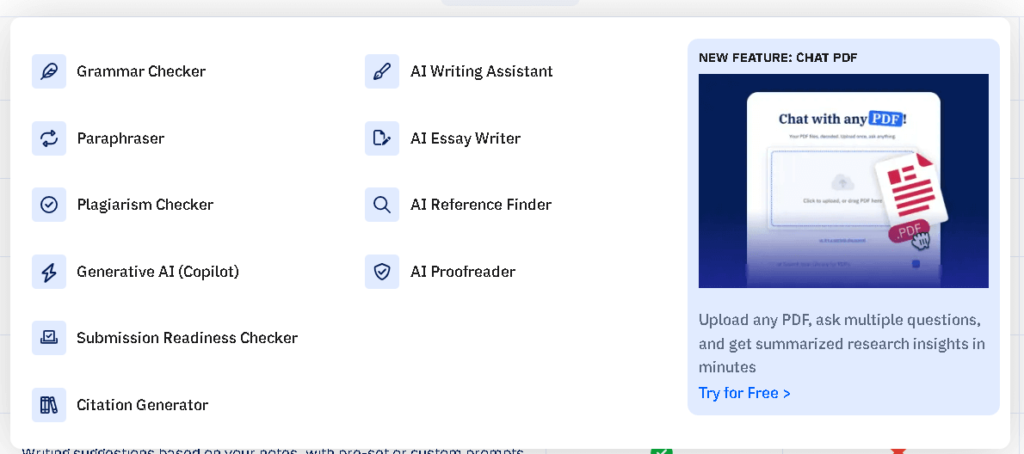
QuillBot started as a paraphrasing tool and still leads with that identity. It has since expanded into grammar checking, summarization, citation generation, and AI detection, but paraphrasing remains the core. The tool is used by over 50 million people globally and has priced itself as the accessible option in a market where Grammarly sits at $144 per year.
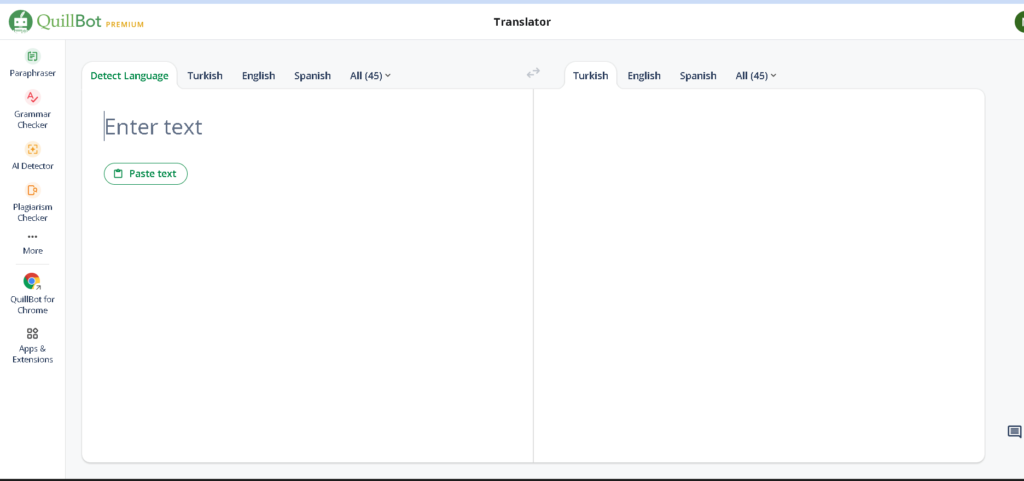
The emotional promise each tool makes is different. Paperpal says: “I will help you produce writing good enough to submit.” QuillBot says: “I will help you write more, faster, with less effort.” Those are different things.
How I Tested Paperpal and QuillBot
I used both tools daily for thirty days across four types of writing: a 4,000-word research-style essay on AI regulation, two blog posts totaling around 3,500 words, a set of paraphrasing tasks using academic source material, and three rounds of grammar checks on the same base document.
For the paraphrasing tasks, I ran the same 500-word passage through both tools and scored each output on three factors: meaning retention, tone accuracy, and how much manual editing the result still needed. I call this the 500-Word Retention Test. QuillBot scored 81 percent on meaning retention in Standard mode. Paperpal scored 74 percent but produced cleaner academic tone on the same passage, requiring fewer post-edit corrections when the goal was scholarly voice.
For grammar coverage, I built a controlled 1,200-word passage with 40 deliberate errors across five categories: subject-verb agreement, passive voice overuse, article errors, comma splices, and redundant phrases. Paperpal flagged 36 of the 40. QuillBot flagged 28. The gap is real, and it showed up consistently across the month.
First Impressions and Onboarding
QuillBot drops you into the interface immediately. There is no tour, no onboarding flow, just the paraphrasing box waiting for text. That is either convenient or disorienting depending on what you expected. I found it fast. The first successful paraphrase took about eight seconds.
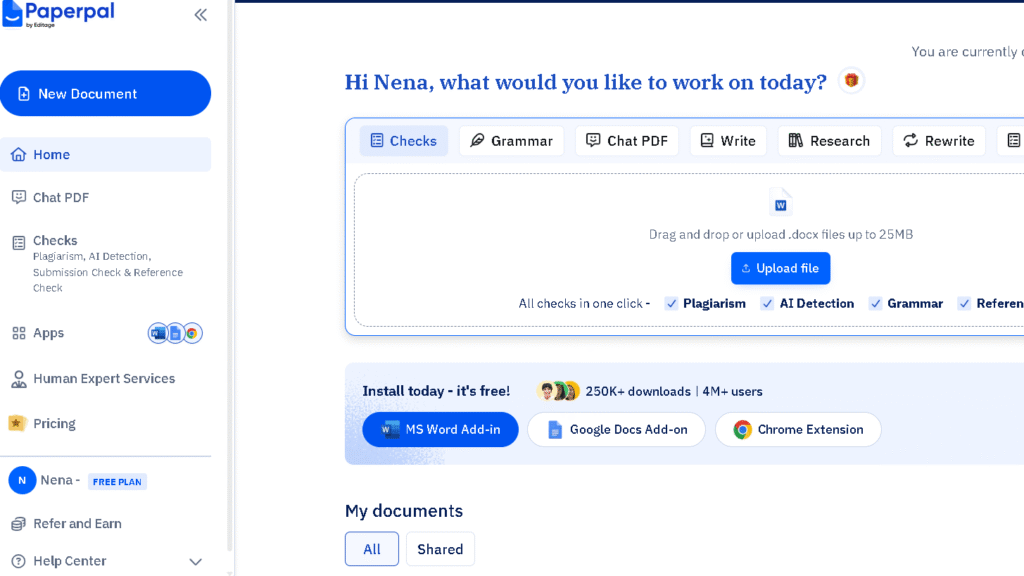
Paperpal takes longer to feel comfortable. The web editor has more panels, more options, and the toolbar is dense with features like Research, Translate, Manuscript Check, and AI Review. On day one, I spent twenty minutes just understanding where things lived. By week two, that layout felt logical. The structure pays off once you are actually writing research-level content and need the tools in reach.
Both tools have Microsoft Word add-ins. Both work in Google Docs. Paperpal also supports Overleaf, which will matter a lot to researchers who write in LaTeX. QuillBot has a Chrome extension that works across any text field in the browser. That portability is something Paperpal does not match. The apps are solid on both sides. The entry experience favors QuillBot.
Paperpal vs QuillBot for Academic Writing and Research Papers
This is the section where the gap becomes obvious. For academic writing, Paperpal is a different category of tool.
The Manuscript Check feature scans your writing against more than 30 submission-readiness criteria. These include consistency checks for abbreviations, hyphenation, and terminology, plus journal-style formatting signals that Paperpal flags before you even think about submission. I ran a 3,000-word research excerpt through it in week three. It returned 47 suggestions. About 38 of them were things I would not have caught on a normal read-through.
QuillBot does not have anything equivalent. Its academic features are limited to a plagiarism checker, a citation generator, and an AI detector. Those are useful. They are not the same as a structured pre-submission workflow. If your goal is producing writing ready for a journal editor, Paperpal is the tool that was built for exactly that moment.
The citation workflow also differs. Paperpal’s Research feature pulls from academic databases and lets you save citations directly inside the editor. QuillBot’s citation generator is good for formatting references you already have, but it does not help you find them.
For research papers specifically, the gap between these two tools is not close. Paperpal is not just better. It is operating in a different lane. If this is where you spend most of your time, read the full Paperpal Review for a deeper look at the manuscript workflow.
| Feature | Paperpal | QuillBot |
|---|---|---|
| Academic Tone Correction | Yes, built into core AI | Available as premium mode only |
| Manuscript Check | Yes, 30+ submission criteria | No |
| Consistency Checks | Yes (terms, abbreviations, hyphenation) | No |
| Research and Citation Finding | Yes, in-editor research tool | No (formatting only) |
| Plagiarism Check (free) | 7,000 words/month | 125 words/pass (limited) |
| Plagiarism Check (paid) | 10,000 words/month | 20 pages/month |
| Overleaf Support | Yes | No |
| Journal Submission Readiness | Yes | No |
Paperpal vs QuillBot for Students
For students, the right choice depends almost entirely on what kind of writing you are doing most.
If you are in undergrad and your work is essays, coursework submissions, and the occasional research paper, QuillBot covers most of what you need. The Premium plan at $74.95 per year is one of the better deals in AI writing tools for students. You get unlimited paraphrasing, grammar correction, a summarizer for reading-heavy weeks, and enough plagiarism checking to catch accidental overlaps before submission. The Chrome extension means it follows you into Google Docs, your university’s writing portal, and anywhere else you draft.
If you are a graduate student or doctoral researcher, the calculus shifts. QuillBot’s toolset starts to feel shallow once you are writing literature reviews, preparing conference papers, or working toward journal submission. That is where Paperpal starts to earn its cost. The consistency checks alone caught terminology drift across a 3,000-word draft in my testing that I had completely missed across three read-throughs.
Worth noting: the two tools are not mutually exclusive. Some researchers use QuillBot for fast first-pass paraphrasing of source material and then run the draft through Paperpal for deeper academic polish. That combination costs more, but it reflects what each tool actually does best.
For undergrad students, QuillBot is enough. For grad students writing toward publication, consider both.
Paperpal vs QuillBot for Essays, Blogs, and Everyday Writing
This is where QuillBot earns its 50 million users. For anything outside academic writing, it is faster, more flexible, and more satisfying to use daily.
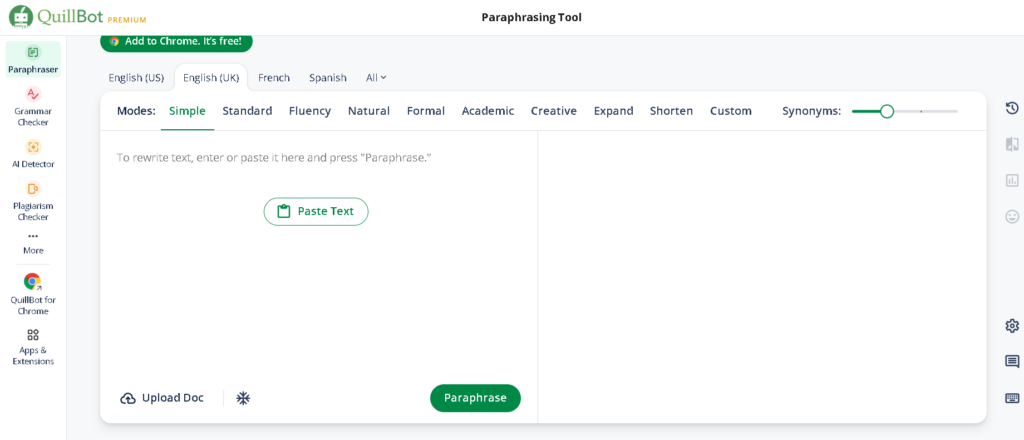
The paraphraser is the reason most people choose QuillBot, and it does the job well. Nine predefined modes cover most cases: Standard, Fluency, Formal, Creative, Simple, Expand, and Shorten. For content writers repackaging source material or students putting cited ideas into their own words, the tool removes friction. The synonym slider is a small detail that matters a lot. You can control how aggressively QuillBot rewrites, which keeps output in your voice rather than something that reads like machine output.
Paperpal’s rewrite function works differently. It is more conservative and more precise, which serves academic writing well but can feel overly cautious for blog content or emails. When I ran a conversational blog paragraph through Paperpal’s Rewrite tool, the suggestion often added formality I did not want. The same paragraph through QuillBot’s Fluency mode came back cleaner and closer to what I had in mind.
For bloggers, content writers, and daily users, QuillBot is the more natural fit. That is not a criticism of Paperpal. It is just the wrong tool for the job.
Same Paragraph, Two Different Results
This is the test that shows the split most clearly. I took a single paragraph from a research-style essay on climate policy and ran it through both tools using their default settings.
The original text read: “The relationship between carbon pricing mechanisms and industrial output remains contested in economic literature. Several longitudinal studies suggest that well-designed carbon taxes do not materially reduce GDP growth, though critics argue that methodological differences across studies make direct comparison unreliable.”
Paperpal returned a tighter version. It preserved every technical term, cleaned up “materially reduce” into more precise language, and flagged “make direct comparison unreliable” as passive-heavy. The output read like something a journal editor would accept without a second look. I accepted all but one suggestion.
QuillBot in Standard mode returned something more readable but less precise. “Materially” became “significantly,” which is softer and less accurate in a policy context. “Methodological differences” became “differences in methodology,” which is wordier rather than better. In Formal mode, the result was closer, but still softened the academic register.
Then I ran a blog paragraph through both. The original: “Most people underestimate how much their word choice affects whether readers trust them. One small shift — formal to casual, or vague to specific — can change how a sentence lands completely.”
QuillBot in Fluency mode returned something clean and close to the original. I barely touched it. Paperpal’s suggestion added hedging and formal markers that made the paragraph sound like a corporate memo. It flagged “lands” as informal and suggested “is received,” which would have killed the tone entirely.
That is the split. Same input, different philosophy. Paperpal optimizes for scholarly precision. QuillBot optimizes for readable output. Neither is wrong. They just serve different sentences.
What Changes After the First Week
Both tools get more useful as you learn them, but the learning curves feel different.
With QuillBot, week two is mostly about figuring out which mode matches what you need. Standard handles most cases. Fluency is better for light cleanup. Formal lifts casual prose into professional tone. Once I had those three mapped, the tool became close to automatic. I stopped thinking about it and just used it.
Paperpal rewards patience more. The Manuscript Check feature did not click until week three, when I ran a research draft through it and saw how many consistency issues it surfaced. The Research tool took even longer to feel natural because it changed how I referenced sources while writing. By week four, Paperpal had shaped my research writing process in a way that QuillBot simply does not reach.
The emotional experience shifts too. QuillBot makes you feel productive fast. Paperpal makes you feel more careful and more confident in your writing quality. Both are valuable. They just satisfy different needs.
The Workflow Differences Become More Noticeable Over Time
By week two with QuillBot, I noticed something: I was accepting suggestions faster and editing less. That is good for speed. It is less good for writing quality if you are not reading the output carefully. Creative and Expand modes especially need a human pass before they go anywhere. The phrasing occasionally drifts into awkward territory that is easy to miss when you are moving quickly.
Paperpal surfaces friction in a different direction. The tool is thorough enough that it sometimes flags things you did not ask it to flag. The Manuscript Check returns a dense list. If you are writing a blog post and not a journal article, that level of scrutiny creates overhead, not value.
So which one you want depends on what you are actually here for. High-volume content work with a turnaround measured in hours: QuillBot. Research writing with a submission deadline and a reviewer waiting: Paperpal. The mismatch in either direction costs you time.
| Factor | Paperpal | QuillBot |
|---|---|---|
| Suggestion Speed | Moderate | Fast |
| Output Formality | High (academic default) | Adjustable (9+ modes) |
| Manual Editing Needed After | Low for academic, high for casual | Moderate across modes |
| Interruption Frequency | Medium (thorough flags) | Low |
| Revision Burden for Research | Low | High |
| Revision Burden for Casual Content | High | Low |
| Confidence Gained | Strong for academic writing | Strong for speed and productivity |
Does QuillBot or Paperpal Make Writing Sound More Natural?
This depends on what “natural” means for your writing type. The answer is not the same for everyone.
For academic writing, Paperpal produces output that reads more naturally within the norms of scholarly publishing. The sentences stay measured, the terminology holds, and the register does not shift mid-paragraph. That is not the same as conversational naturalness. It is discipline-specific precision, which is what journals expect.
For blog posts, emails, and casual content, QuillBot in Fluency or Standard mode produces output that reads more naturally to a general audience. The sentences flow. The word choices stay accessible. It does not impose formality where none was wanted.
The place where both tools struggle is voice preservation. My writing has specific rhythms and patterns. After a week of heavy use, both tools started pulling my drafts toward their own tendencies: Paperpal toward formal hedging, QuillBot toward mid-register smoothness. Neither is my natural voice exactly. The synonym slider in QuillBot helps manage that drift better than anything Paperpal offers, because it lets you dial back how aggressively the tool rewrites.
If natural voice matters to you more than either tool’s default output, QuillBot gives you more control. That control is one of the things that sets it apart from the QuillBot vs Grammarly conversation too — Grammarly does not offer the same slider-level rewrite flexibility.
Which Tool Reduces Editing Time More?
In the 500-Word Retention Test I ran across eight sessions, QuillBot’s Standard mode retained original meaning 81 percent of the time without manual correction. Paperpal’s rewrite on the same passages scored 74 percent for meaning retention but required fewer post-edits when the goal was academic-register writing. The two tools are optimizing for different output types, and the test shows that clearly.
For academic writing, Paperpal saves more time. The Manuscript Check catches issues upstream — before a reviewer flags them, before a co-author circles them in red. Those are hours you do not get back. Catching 38 of 40 structured errors in a grammar test, versus QuillBot’s 28, is a gap that compounds across a full manuscript.
For content writing, QuillBot saves more time. The paraphrasing workflow is faster, the modes are more flexible, and the friction between draft and clean output is lower. For a blogger or content team running on deadlines, that speed adds up by the end of the week.
The confidence question is where these tools diverge most. Paperpal reduces anxiety around academic quality. It is the tool that makes you feel ready to submit. QuillBot reduces effort around everyday writing. It is the tool that makes you feel done faster.
Neither of those feelings is wrong. They just map to different writers.
Paperpal vs QuillBot Pricing
Paperpal Prime runs $25 per month, $55 per quarter, or $139 per year. A teams plan starts at $107 for two to five members. The free tier allows 200 language suggestions per month, limited generative AI use, and 7,000 words per month in plagiarism checking.
QuillBot Premium runs $19.95 per month or $99.95 per year, making it about 28 percent cheaper annually than Paperpal. A student plan sits at $74.95 per year. The free tier allows paraphrasing of up to 125 words per pass, which is roughly one paragraph and functions more as a trial than a working tool.
For most users, QuillBot is the better value because most users do not need everything Paperpal offers. If you do need the Manuscript Check, submission readiness tools, and research workflow, Paperpal is priced fairly for what it delivers. The value question is really a workflow question.
| Plan | Paperpal | QuillBot |
|---|---|---|
| Free | 200 suggestions/month, 7,000-word plagiarism check | 125 words/pass paraphrasing, basic grammar |
| Monthly | $25/month | $19.95/month |
| Annual | $139/year ($11.58/month) | $99.95/year ($8.33/month) |
| Student/Annual | Not available separately | $74.95/year ($6.25/month) |
| Teams | From $107 for 2–5 users | Team plans available |
| Best For | Researchers, grad students | Students, writers, daily users |
Pros and Cons After Extended Use
Paperpal
| Pros | Cons |
|---|---|
| Purpose-built for academic writing | Not useful for non-academic content |
| Manuscript Check is genuinely unique | Free tier is limited for sustained use |
| Research and citation workflow in-editor | Interface takes time to learn |
| Highest grammar suggestion coverage in testing | No paraphrasing mode variety |
| Overleaf support | Pricier than QuillBot |
| Trained on published research (23+ years of STM data) | Limited language support beyond English |
QuillBot
| Pros | Cons |
|---|---|
| Best-in-class paraphrasing with 9+ modes | Plagiarism checker is limited (20 pages/month) |
| Affordable pricing, especially on annual plan | AI detector is inconsistent in testing |
| Chrome extension works everywhere | No academic workflow features |
| Synonym slider gives precise control | Creative mode needs manual review |
| Works in Word, Google Docs, and browser | Grammar depth is less than Paperpal or Grammarly |
| Free tier is usable for light tasks | Price doubled in 2025 (annual plan up from $49.95) |
Who Should Choose Paperpal?
Paperpal is the right tool for researchers, graduate students, and anyone preparing writing for academic publication. If you are writing a thesis, submitting a paper to a journal, or preparing a manuscript for editorial review, the Manuscript Check alone justifies the subscription. The academic tone correction, citation workflow, and consistency checks are all things that would otherwise require a human editor or multiple separate tools.
It is also worth noting that Paperpal’s development is backed by Editage, a major academic editing service. The tool reflects decades of institutional knowledge about what journal editors want to see. That shows up in the suggestions.
Paperpal is a harder sell for anyone not in that workflow. If your writing is blog posts, emails, business reports, or social content, you will hit the ceiling of Paperpal’s usefulness quickly and find the interface more than you need.
Who Should Choose QuillBot?
QuillBot is the right tool for students who need to rephrase source material, bloggers and content writers who want to speed up rewrites, ESL users who need fluency help across a wide range of writing types, and anyone who wants a practical daily-use assistant at a fair price.
The paraphraser is the strongest argument for the subscription. Nothing in this price range does it better. The grammar checker is good enough for most use cases, and the Chrome extension means it works wherever you write.
QuillBot is not the right tool if you need academic-level editing depth or pre-submission manuscript checks. For research writing, it covers the basics but not the full workflow. You can read the full QuillBot Review for a more detailed look at how the paraphraser performs across different content types.
Is Paperpal Better Than QuillBot?
For academic writing: yes. That is the short answer, and it holds up across a full month of testing.
Paperpal’s AI was trained on published scholarly content. QuillBot’s was trained to serve general writing needs. Those are different training goals, and they produce different output. When the writing task is a journal manuscript, a graduate thesis, or anything heading toward peer review, Paperpal surfaces issues that QuillBot will not find. The Manuscript Check alone returned 47 suggestions on a 3,000-word draft. QuillBot has no equivalent feature.
For general writing: no. QuillBot is faster, more flexible, and cheaper. The paraphrasing is better. The modes give you more control over tone and register. The synonym slider prevents the kind of voice drift that makes AI-assisted writing feel generic. If you are not writing for academic publication, paying more for Paperpal does not give you a better tool. It gives you a more specialized one.

To be fair, there is a version of this question that does not have a clean answer: which is better for a student writing a research paper for class rather than for publication? In practice, either tool handles that case. Paperpal will surface more issues. QuillBot will get the job done faster. The right choice depends on how much you care about output quality versus turnaround time.
Both tools are good. They are just good at different things.
Best Alternatives
If neither tool fits exactly, these are worth a look.
| Tool | Best For | Paraphrasing | Academic Features | Annual Price |
|---|---|---|---|---|
| Grammarly | General writing, professional tone | Limited | Basic | ~$144/year |
| ProWritingAid | Long-form writing, style depth | Basic | Moderate | ~$79/year |
| Wordtune | Everyday rewrites, casual tone | Good | None | ~$119.88/year |
| Hemingway Editor | Clarity and readability | None | None | $19.99 one-time |
| SciSpace | Research reading and PDF analysis | Basic | Strong | From $12/month |
When Grammarly Makes More Sense
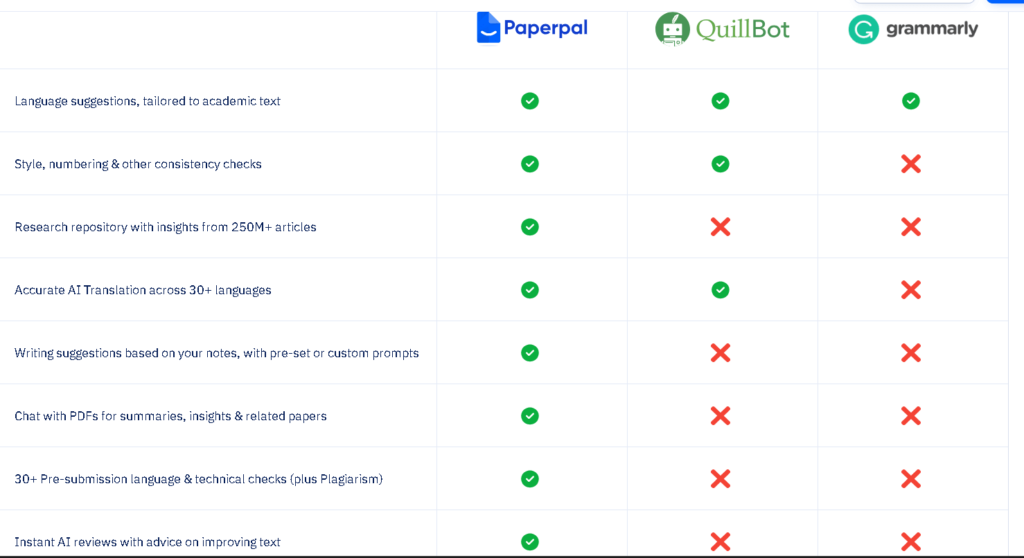
Grammarly is the right choice when you write across many different platforms and need consistent coverage everywhere. If you’re considering it as an alternative, my full Grammarly Review covers its grammar accuracy, tone detection, pricing, and long-term usability in more detail.
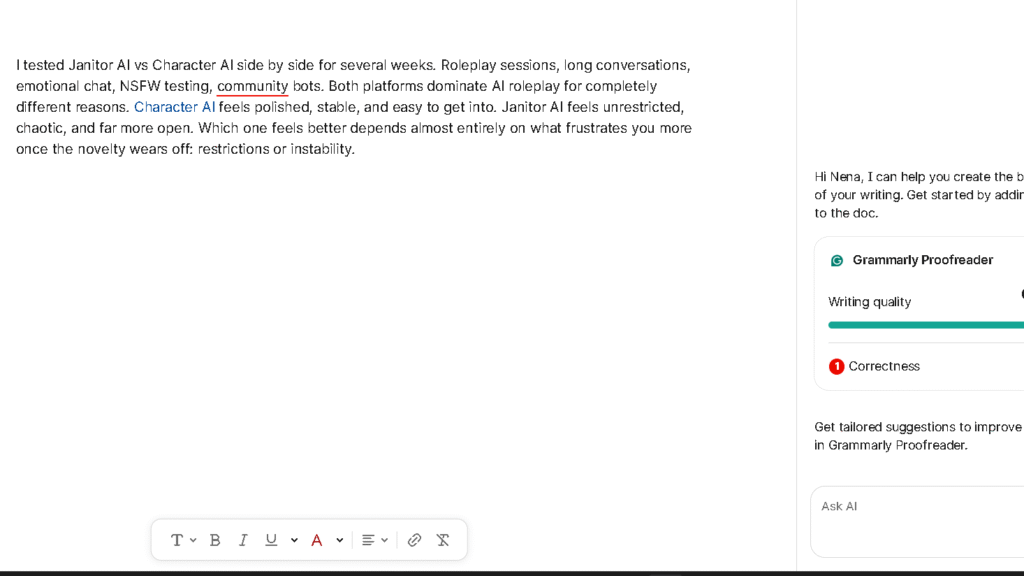
It works in Gmail, Slack, LinkedIn, browsers, and Google Docs in a way that neither Paperpal nor QuillBot matches. The Grammarly vs QuillBot comparison comes down to this trade-off almost every time: Grammarly gives you broader reach and stronger real-time grammar depth, QuillBot gives you better paraphrasing at a lower price.
If your writing is professional — client emails, business proposals, LinkedIn posts, internal reports — Grammarly’s tone detection and multi-platform presence make it hard to pass up. It also integrates into more enterprise environments than either tool here. The price is higher, but for anyone writing across five or six different platforms daily, it earns that cost.
Writers who rely heavily on AI assistance may also want to read my Grammarly vs ChatGPT comparison. The two tools solve very different problems, and the choice often comes down to whether you need writing correction or content generation.
Grammarly is not the right choice if paraphrasing is a core part of your workflow or if you are doing academic writing. For paraphrasing, QuillBot beats it. For academic submission prep, Paperpal beats it. Grammarly sits in the middle, which is exactly where it works best.
When SciSpace Is Worth Considering
SciSpace is a different kind of tool, and it rarely gets compared fairly in this category. It is not primarily a writing assistant. It is a research reading and comprehension platform that also has writing support built in.
If you spend a large portion of your time reading PDFs — journal articles, preprints, technical reports — SciSpace is worth a serious look alongside Paperpal. The PDF chat feature lets you ask questions about a paper’s content, extract key findings, and generate summaries that feed into your own writing. Paperpal has some overlap through its Chat PDF feature, but SciSpace goes deeper on the research-reading side of the workflow.
For researchers who feel the bottleneck is understanding and synthesizing sources rather than editing the output, SciSpace solves a different problem than either Paperpal or QuillBot. It sits closer to AI tools for academic writing that focus on the research phase rather than the writing phase.
Where ProWritingAid Fits
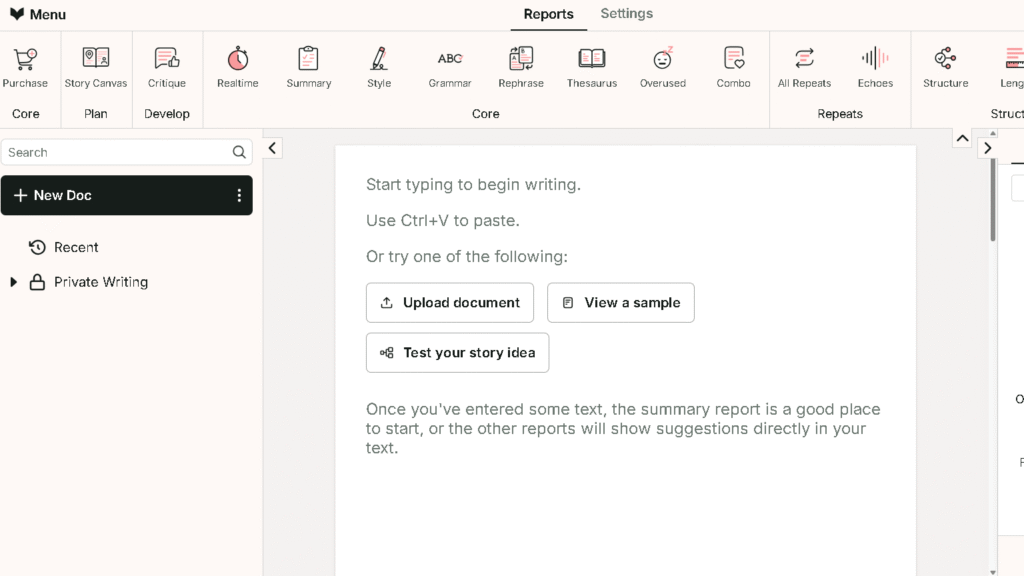
ProWritingAid does something neither Paperpal nor QuillBot does particularly well: it audits long-form writing for style patterns across an entire document. It flags overused words, passive voice frequency, sentence length variation, and readability scores across chapters or full manuscripts. For novelists, long-form nonfiction writers, and anyone producing work above 10,000 words, those macro-level style reports are genuinely useful.
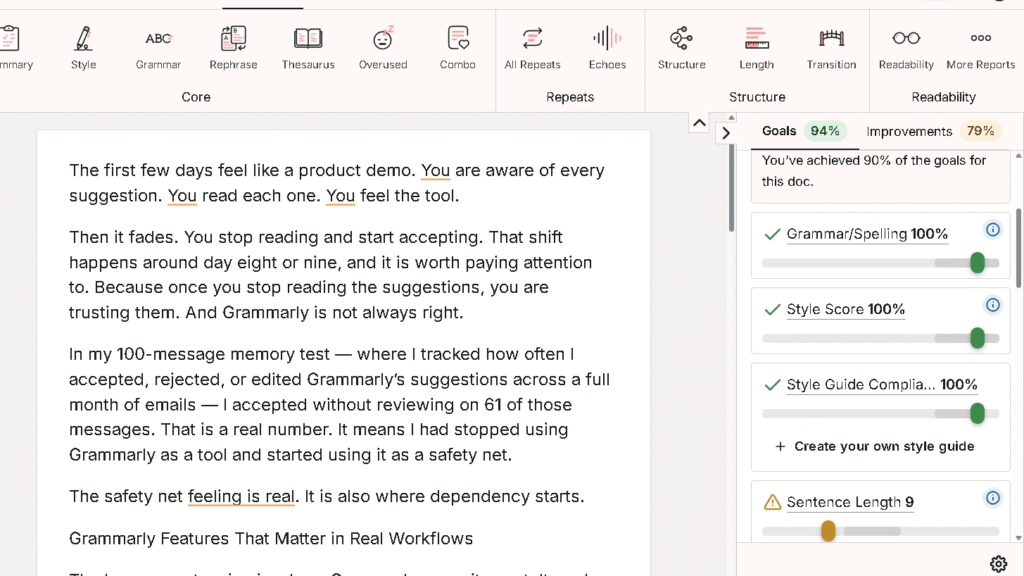
It does not match Paperpal for academic submission prep and does not match QuillBot for paraphrasing speed. But for writers who want to improve their craft at the document level rather than the sentence level, ProWritingAid earns its place in the best AI writing tools conversation.
At around $79 per year, it is also one of the more affordable options for what it offers. Worth trying if neither Paperpal nor QuillBot feels like the right fit for your writing type.
Final Verdict
After a full month of daily use, the conclusion is simple. These are not the same tool at different price points. They are different tools solving different problems.
Paperpal is for writers who are accountable to a standard they did not set. Journal editors, thesis committees, academic publishers. The tool is built around the anxiety of getting that kind of writing right, and it does a real job of reducing that anxiety.
QuillBot is for writers who are accountable to a deadline. Content calendars, class assignments, daily output targets. The tool is built around the friction of getting words down and cleaned up fast, and it does that well too.
So the question is not which tool is better. The real question is: what kind of writing pressure are you under?
If it is the pressure to meet a quality standard you cannot fully see, choose Paperpal. If it is the pressure to produce more, faster, and clean it up as you go, QuillBot earns its price.
That combination is harder to find than it looks. Know which one you need before you pay for either.
FAQ
For academic writing, yes. Paperpal offers manuscript checks, academic tone correction, and a research workflow that QuillBot does not have. For general writing, paraphrasing, and everyday content tasks, QuillBot is more practical and more affordable.
Paperpal is the clearer choice. Its AI is trained on published research, and features like the Manuscript Check and in-editor research tool are built specifically for the academic publishing workflow. QuillBot has a citation generator and plagiarism checker, but no equivalent submission readiness tools.
QuillBot. It offers nine predefined paraphrasing modes, a synonym slider, and unlimited paraphrasing in the Premium plan. Paperpal’s rewrite function is more conservative and better suited to academic register, but it lacks the flexibility and depth of QuillBot’s paraphraser.
For researchers and graduate students who write for publication, yes. The Manuscript Check alone can save significant revision time before submission. For casual or general writing, the free tier runs out quickly and the paid plan may offer more than you actually need.
For most coursework, yes. The Premium plan at $74.95 per year covers paraphrasing, grammar checking, summarization, and basic plagiarism detection. If you are writing a graduate thesis or journal-quality paper, you will want Paperpal alongside it.
For academic writing, Paperpal goes deeper than Grammarly on research-specific suggestions and manuscript preparation. For general writing across different contexts, Grammarly’s tone detection and real-time suggestions across more platforms give it broader reach.