
Most people searching this ChatGPT vs Grammarly comparison are not asking which tool is smarter. They are asking whether they still need to pay for Grammarly. That is a different question, and it deserves a direct answer.
I used both tools daily for 30 days across articles, emails, client documents, and editing passes on other people’s drafts. Here is what I found.
Disclaimer: I may earn a small commission on purchases made through links on this page, at no extra cost to you. This supports honest, independent reviews.
Table of Contents
ChatGPT vs Grammarly: Nena’s Quick Verdict
ChatGPT is a writing partner. Grammarly is a writing editor. Those are different jobs, and the tool you need depends on which job is taking up more of your time.
| ChatGPT | Grammarly | |
|---|---|---|
| Best For | Drafting, rewriting, brainstorming | Proofreading, polishing, grammar checking |
| Biggest Strength | Generates and rewrites full text | Catches errors fast inside your workflow |
| Biggest Weakness | Misses small grammar errors, can over-rewrite | Cannot generate or draft from scratch |
| Pricing | Free / $20 per month (Plus) | Free / $12–$30 per month (Premium) |
| Overall Verdict | Better for writing from scratch | Better for editing what you already wrote |
How I Tested ChatGPT and Grammarly
I ran both tools through the same types of tasks every week. The test set included article introductions, professional emails, 1,000-word blog drafts, rewrite requests, and a proofreading pass on a deliberately flawed 600-word document.
For the proofreading test, I seeded a document with 18 errors. A mix of typos, punctuation mistakes, wrong homophones, and one structural ambiguity. I ran it through both tools and logged which errors each one caught. Grammarly caught 15 of 18. ChatGPT caught 11, missed two punctuation errors entirely, and flagged one sentence as a style issue rather than a mistake. The gap matters if proofreading is part of your daily workflow.
I also tracked rewrite quality across 20 editing tasks. Each task used the same source paragraph. The question was not which rewrite sounded better in isolation. It was which one required less cleanup before I could use it. All testing was on paid plans. ChatGPT Plus and Grammarly Premium.
At a Glance Comparison
| Category | ChatGPT | Grammarly |
|---|---|---|
| Grammar Checking | Moderate — misses subtle errors | Strong — catches most errors |
| Rewriting | Strong — can transform tone and structure | Limited — suggests edits, does not rewrite |
| Drafting from Scratch | Yes | No |
| Proofreading Speed | Slower — requires a separate prompt | Fast — works inline as you type |
| Tone Adjustment | Strong | Moderate |
| Plagiarism Detection | No | Yes (Premium) |
| Browser Integration | Limited | Strong — works inside Gmail, Docs, Notion |
| Hallucination Risk | Present | None |
| Free Plan | Yes, with limits | Yes, with limits |
What Changed After Two Weeks of Daily Use
| Daily Workflow Task | ChatGPT | Grammarly |
|---|---|---|
| Starting a new article | Excellent | Not possible |
| Rewriting weak content | Excellent | Limited |
| Proofreading finished work | Moderate | Excellent |
| Writing professional emails | Good | Excellent |
| Maintaining personal voice | Moderate | Excellent |
| Working across multiple apps | Limited | Excellent |
| Daily workflow convenience | Good | Excellent |
| Overall Winner | Drafting | Editing |
The first week, I leaned on ChatGPT for almost everything. It felt like a more flexible tool. I could ask it to rewrite a paragraph, adjust the tone, or draft a new introduction without switching windows. That felt fast.
By week two, I noticed the cracks. Emails I had run through ChatGPT were going out with small errors I had not caught. A comma splice here. A missing word there. ChatGPT had focused on tone and structure and quietly left grammar problems in place. Grammarly would have caught them in seconds. That is the gap.
The thing is, ChatGPT thinks at the sentence level when you ask it to rewrite. Grammarly reads at the character level when it proofreads. Those are genuinely different modes of attention. By week three, I was using both in sequence without thinking about it.
Writing Quality Comparison
For first-draft writing, ChatGPT is not close. Grammarly cannot generate text from a prompt, full stop. If you need to go from a blank page to a working draft, ChatGPT does the job and Grammarly does not enter the picture.
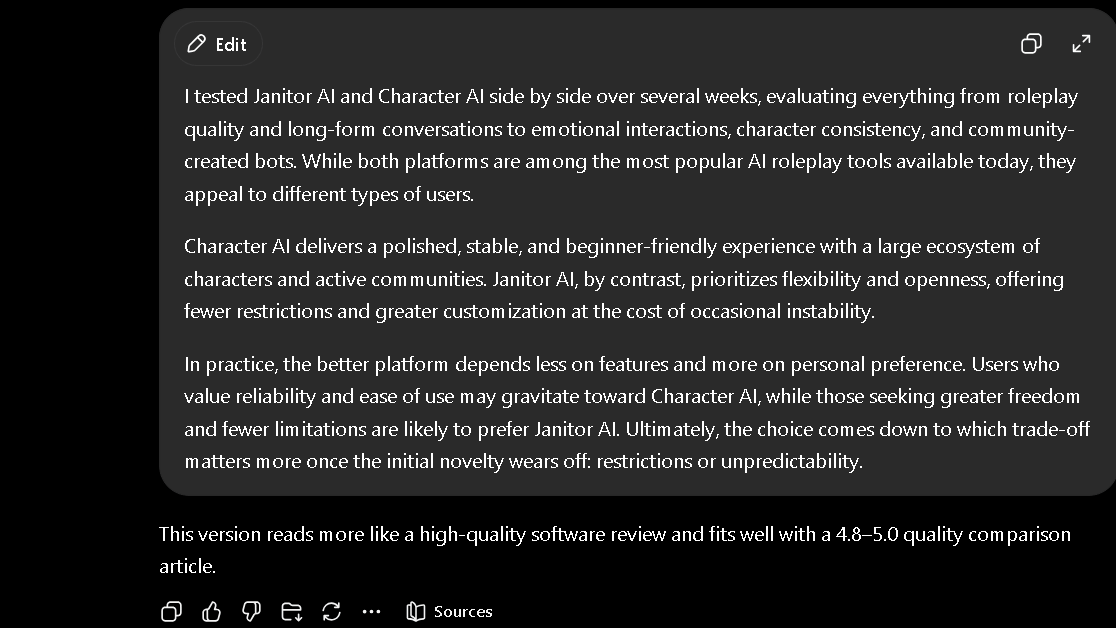
Where it gets interesting is the rewrite task. When I gave both tools a weak paragraph and asked for improvements, ChatGPT rewrote it. Grammarly suggested edits. ChatGPT’s version often read better. Grammarly’s version stayed closer to the original voice. For writers who want to keep their own tone while removing errors, Grammarly’s approach is less disruptive. ChatGPT will give you something new. Those are different things.
| Writing Task | ChatGPT | Grammarly |
|---|---|---|
| First draft from prompt | Strong | Not possible |
| Tone rewrite | Strong | Moderate — suggests, does not transform |
| Grammar cleanup | Moderate | Strong |
| Keeping original voice | Inconsistent | More reliable |
| Sentence restructuring | Strong | Limited |
| Punctuation fixes | Moderate | Strong |
Grammar and Proofreading Accuracy
This is where the comparison shifts clearly in Grammarly’s favor, and it matters more than the feature tables suggest.
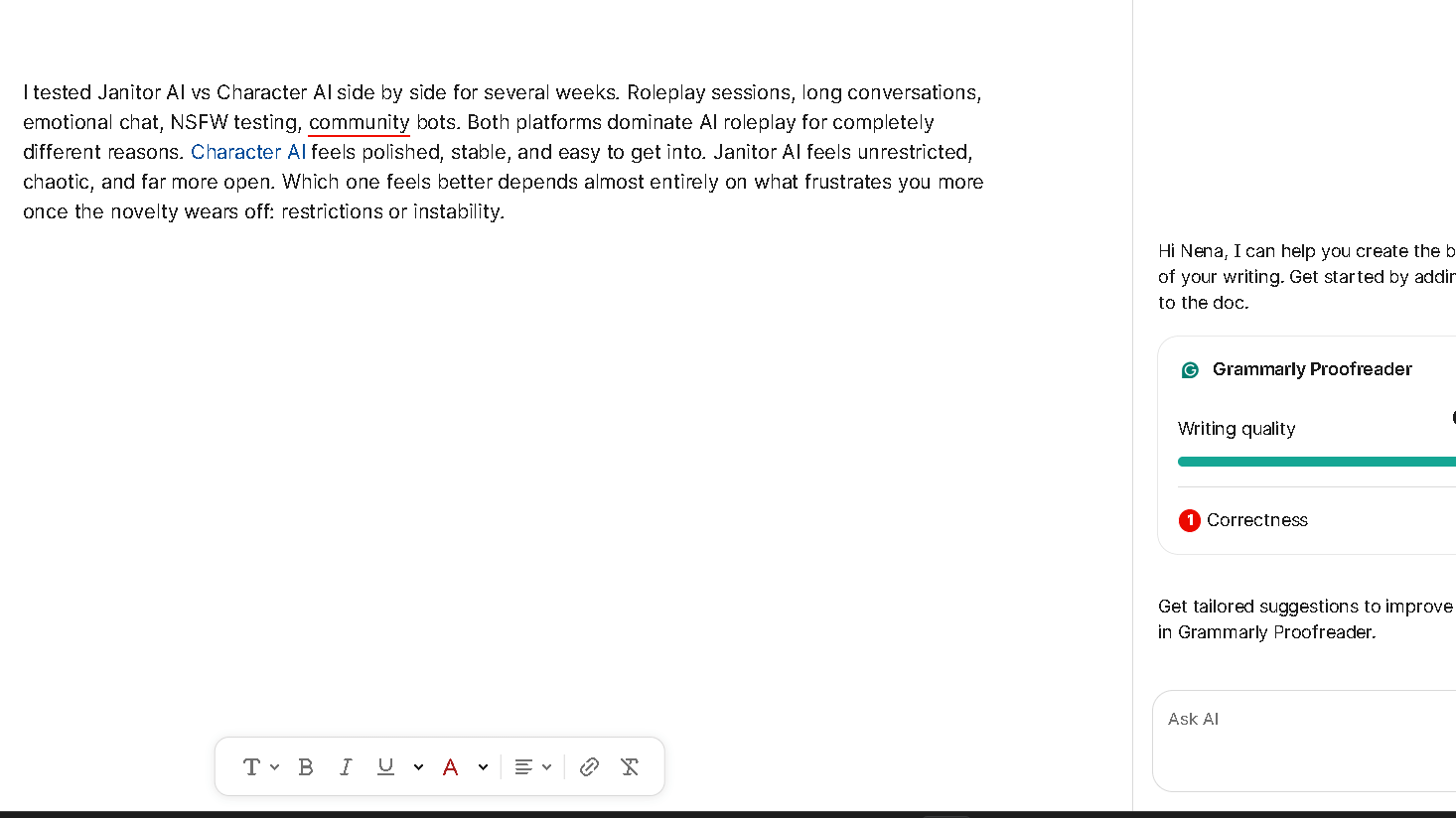
Grammarly lives inside your workflow. It reads your text in Gmail, Google Docs, Notion, LinkedIn, and most writing tools without you doing anything extra. It catches errors as you make them. That speed matters. You do not need to copy text into a new window, write a prompt, wait for a response, and then paste back. Grammarly just flags it. The friction is near zero.
ChatGPT requires you to ask. You paste the text, write the instruction, and read the response. For a single document, that is manageable. For a day of writing across ten tabs, it adds up fast. In my 18-error proofreading test, Grammarly caught 15. ChatGPT caught 11. Grammarly also caught the two punctuation errors that ChatGPT missed entirely. Those errors would have gone out.
Worth noting: Grammarly occasionally flags things that are not wrong. In my 30-day test, I dismissed roughly one in every six Grammarly suggestions because it was a style preference, not an error. That ratio is consistent. It is not a dealbreaker, but it means you still need to read the suggestions rather than accept them all.
Which Tool Creates Less Editing Work?
Here is the honest answer: it depends on which phase of writing you are in.
In the drafting phase, ChatGPT creates less work. It gives you something to edit rather than nothing. Starting from a blank page is slower than starting from a weak draft. ChatGPT handles that gap.
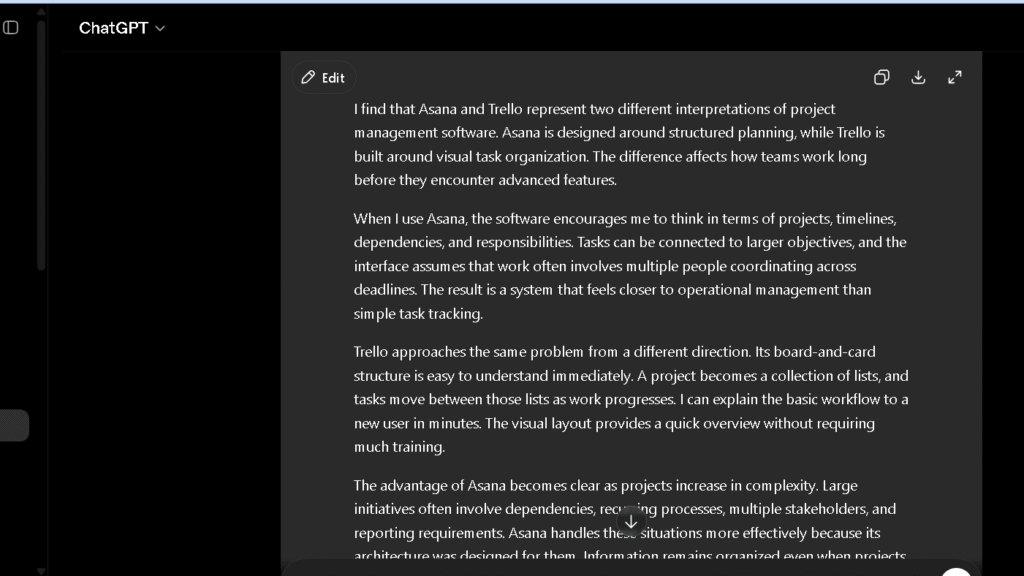
In the polishing phase, Grammarly creates less work. It catches the errors that survive drafting, rewriting, and your own read-through. The errors that feel invisible until someone else sees them. Grammarly is faster at that specific job than any prompt-based tool.
Over 30 days, I found the biggest editing burden came from trying to use only one tool. Using only ChatGPT meant slow proofreading and missed errors. Using only Grammarly meant staring at a blank page without help. The workflow that saved the most time used both. That is not the answer most people want, but it is the accurate one.
Which Tool Do I Trust More After 30 Days?
Trust is not a single question here. It breaks into two parts: do I trust the corrections, and do I trust the content.
For corrections, I trust Grammarly more. Its suggestions are narrow and specific. When it flags a comma, there is usually a reason. When it flags a word as unclear, it usually is. ChatGPT’s grammar corrections are less reliable because grammar is not its primary mode. It is a language model trained to generate text, not to audit it.
[Screenshot: Subtle error test — complex paragraph with a wrong-word error and a missing hyphen. Grammarly catches both. ChatGPT fixes tone but misses the wrong word.]
For content, I trust neither tool blindly. ChatGPT can produce confident-sounding wrong facts. Grammarly does not generate content at all, so that risk does not apply. But Grammarly can suggest word changes that technically work and are still not what you meant. Both require your attention. The question is not which tool to trust. It is knowing which type of attention each one needs.
| Trust Factor | ChatGPT | Grammarly |
|---|---|---|
| Grammar Accuracy | Moderate | High |
| Style Consistency | Good | High |
| Factual Reliability | Needs Verification | Not applicable |
| Workflow Reliability | Moderate | High |
| Over-suggestion Rate | Low | Occasional |
| Overall Trust | Good | Very Good |
The trust gap is real. That gap matters most in high-stakes writing — client work, formal emails, published pieces. Grammarly is the safer tool for the final pass. ChatGPT is the more useful tool for everything that comes before it.
The Frustrations That Appear Over Time
ChatGPT’s main frustration in writing tasks is over-rewriting. Ask it to “clean up” a paragraph and it will sometimes return something that sounds good but is no longer yours. The voice shifts. The specific word choices that made the piece feel personal get smoothed away. I started writing much more specific instructions by week three. “Fix the grammar only. Do not change the structure.” Without that instruction, it will edit more than you asked for.
Grammarly’s main frustration is repetition. By week two, you know which suggestions it will make. Passive voice. Sentence length. Hedging phrases. It flags the same patterns every time, and after a while you start dismissing suggestions on autopilot. That autopilot is when you miss the real errors. Grammarly also has a subscription ceiling problem. Some of its most useful features — plagiarism detection, tone detector, full style suggestions — sit behind the Premium plan. The free version gives you enough to see what you are missing.
| Reason | Move To ChatGPT | Move To Grammarly |
|---|---|---|
| Blank page frustration | ✓ | |
| Need content ideas | ✓ | |
| Need full drafts | ✓ | |
| Too many grammar mistakes | ✓ | |
| Client-facing writing | ✓ | |
| Error-free final output | ✓ | |
| Faster proofreading | ✓ | |
| More creative writing workflow | ✓ |
Why Some Writers Switch From Grammarly to ChatGPT
The switch usually happens for one reason: Grammarly does not help you write. It only helps you fix what you wrote. For writers who are spending more time staring at a blank page than editing a full draft, that ceiling becomes frustrating fast.
ChatGPT removes the blank page problem entirely. You give it a topic and a tone and it gives you something to work with. That is a real shift in where the work happens. Editing a weak draft is faster than building a strong one from scratch. That shift is what pulls people toward ChatGPT. It changes where the work starts.
I noticed a similar pattern when comparing ChatGPT with Jasper. Writers often move toward ChatGPT when they want a tool that can handle brainstorming, drafting, rewriting, and research in a single workflow rather than focusing mainly on content generation.
Why Some Users Return to Grammarly After Trying ChatGPT
The return is quieter than the switch, but it happens often. And it usually starts with one bad moment.
A professional email goes out with a wrong word. A client document comes back with a grammar note. A piece gets published with a typo that your own read-through and ChatGPT both missed. That one moment resets the priority. Accuracy starts to feel more important than speed. Speed is what pulled people toward ChatGPT. Accuracy is what pulls them back.
The other driver is cognitive load. ChatGPT requires active prompting. You have to ask for the edit, read the response, decide if it is right, and paste it back. Grammarly sits in the background and flags issues without interrupting the flow of writing. After weeks of pasting text in and out of ChatGPT windows, that passivity starts to feel like a relief. The apps are solid. It is the friction that wears people down.
Some writers also return because ChatGPT changed their voice too many times. You ask for a cleanup and you get something that sounds cleaner but less like you. Do that enough times on client work and you start to miss the tool that just fixed the comma and left everything else alone.
Why Many Writers Eventually Use Both
So can ChatGPT replace Grammarly? In practice, no. Not for writers who care about error rate on final output.
What I found over 30 days is that they serve different parts of the same workflow. ChatGPT handles the upstream work: drafting, rewriting, brainstorming, tone adjustment. Grammarly handles the downstream work: catching what survives all of that and making sure nothing embarrassing goes out.
The same workflow advantage appeared in my ChatGPT vs Claude testing. Both tools can generate strong drafts, but the larger lesson was that writing quality alone rarely determines which tool people keep using every day.
The writers I know who produce clean, fast output at volume tend to use both without making it complicated. ChatGPT for drafts. Grammarly for the final pass. The total time is less than either tool alone. That combination is harder to find than it looks, but once you build the habit, the gap in your editing burden is real.
Pricing Comparison
| Plan | ChatGPT | Grammarly | Who It Fits |
|---|---|---|---|
| Free | Yes — limited GPT-4o access | Yes — basic grammar checking | Light users, occasional editing |
| Paid Entry | $20/month (Plus) | $12/month (Premium annual) | Regular daily writers |
| Paid Standard | $20/month (Plus) | $30/month (Premium monthly) | Daily users who need full features |
| Team | $30/user/month | $15/user/month (annual) | Small writing teams |
| Enterprise | Custom | Custom | Large orgs |
| Value Verdict | High for drafting and rewriting | High for error-free final output | — |
The pricing gap at the entry level is real. Grammarly Premium on an annual plan is meaningfully cheaper than ChatGPT Plus. If your primary need is proofreading and you do not need AI drafting, Grammarly is the better value. If you write from scratch daily, ChatGPT earns its price faster. Daily users will not last a week before seeing the value of upgrading from either free plan.
Pros and Cons
| ChatGPT | Grammarly | |
|---|---|---|
| Pros | Drafts from scratch, strong rewrites, tone control, flexible prompting | Inline editing, fast proofreading, browser integration, plagiarism check |
| Cons | Misses grammar errors, can over-rewrite, no browser integration for editing | Cannot draft, repetitive suggestions over time, full features behind paywall |
Who Should Use Which Tool?
The right tool depends on the work you actually do, not the work you plan to do.
| User Type | Better Choice | Why |
|---|---|---|
| Students | Grammarly | Error reduction on essays and submissions |
| Bloggers | ChatGPT | Faster drafting, more content output |
| Copywriters | Both | Draft with ChatGPT, polish with Grammarly |
| Marketers | ChatGPT | Content generation at volume |
| Editors | Grammarly | Precision corrections without over-rewriting |
| Professionals (emails, reports) | Grammarly | Low-friction error check inside existing tools |
| Long-form writers | Both | Draft upstream, clean up downstream |
The pattern is consistent. If you generate more than you edit, ChatGPT fits. If you edit more than you generate, Grammarly fits. Most working writers eventually land in the middle.
Who Should Use ChatGPT?
ChatGPT fits writers, marketers, and anyone who generates original content regularly. It fits people who spend more time drafting than polishing, who work with long documents that need structural rethinking, or who use AI as a creative collaborator on briefs, outlines, and angles.
That flexibility is one reason ChatGPT performs well against more specialized tools. I saw the same pattern while comparing Notion AI vs ChatGPT, where broader capabilities often mattered more than individual features.
If your primary bottleneck is the blank page, ChatGPT is the right tool.
Who Should Use Grammarly?
Grammarly fits anyone who writes in multiple places throughout the day and needs a clean, low-friction error check that follows them across tools. It fits people who have a strong voice and want to keep it while removing mistakes. It fits students, professionals, and editors who are polishing other people’s work.
If your primary bottleneck is errors reaching the final output, Grammarly is the right tool.
Best Alternatives
| Tool | Best For | Workflow Style | Strength |
|---|---|---|---|
| Claude | Long-form writing, tone holding | Draft-focused | Cleaner defaults, lower editing burden |
| ProWritingAid | Deep style editing | Document-focused | Detailed style reports |
| LanguageTool | Grammar checking, multilingual | Inline like Grammarly | Strong free plan, open source |
| Microsoft Editor | Office and Teams users | Microsoft-integrated | Native Word and Outlook support |
| Gemini | Google Docs users | Google-integrated | Deep Workspace sync |
Final Verdict: Can ChatGPT Replace Grammarly?
Not for writers who care about error rate on final output. ChatGPT is a better writing tool. Grammarly is a better editing tool. The confusion comes from treating them as the same category.
If you write a lot and edit a lot, both tools earn their cost. If you have to choose one, it depends on where your work slows down. Blank page or final polish. Those are different problems, and they have different tools. Which one you need depends on what your Tuesdays actually look like.
FAQ
For drafting and rewriting, yes. For grammar checking and proofreading, no. They are built for different parts of the writing process, and comparing them directly misses the point.
For most daily writing workflows, not fully. In my 30-day proofreading test, ChatGPT caught 11 of 18 seeded errors. Grammarly caught 15. For writers who need a clean final output, that gap is meaningful.
If you write professionally and errors in your final output carry a real cost, yes. The Premium plan’s inline editing across browsers and apps saves more time than it costs, especially at the annual rate.
Grammarly fits students well for editing essays and catching errors before submission. ChatGPT is useful for understanding and drafting, but over-relying on it for academic writing creates its own problems.
Content writers who produce high volumes of original text benefit most from using both. ChatGPT for drafts, Grammarly for the final pass. Writers who only need to polish existing content can stay with Grammarly alone.
In my experience, the ones producing clean output at volume tend to use both. Not as a deliberate system at first, but as a habit that forms once the limits of each tool become clear. ChatGPT upstream. Grammarly downstream. That is the workflow that sticks.