
For this Gemini Review, I used Gemini every day for 30 days. Not to test features or repeat launch-day demos, but to see how it performs when real work starts and the novelty is gone. What I found was more specific and more useful than most reviews suggest.
Gemini is not the same tool it was a year ago. The model is stronger, the integrations are tighter, and the free tier is more capable than most users expect. But the question is not whether Gemini has improved. The question is whether it improved enough to matter for the kind of work you actually do.
Disclaimer: I may earn a small commission on purchases made through links on this page, at no extra cost to you. This supports honest, independent reviews.
Table of Contents
About This Gemini Review
I run Nena, where I test AI assistants, productivity tools, and AI software on a regular basis. For this review I used Gemini daily across writing, research, coding, and planning tasks over a 30-day period. I ran the same prompts across all major AI assistants to keep comparisons fair. Every observation in this article comes from that testing period — not from press materials or product announcements.
Quick Verdict: Is Gemini Worth Using in 2026?
| Category | Rating | Notes |
|---|---|---|
| Writing Quality | 3.8/5 | Good but requires more editing than Claude |
| Research | 4.0/5 | Solid; weaker than Perplexity on citations |
| Coding | 3.7/5 | Functional; behind ChatGPT on complex tasks |
| Trust After 30 Days | 4.1/5 | Reliable; hallucination rate is low |
| Google Workspace Value | 4.7/5 | Strongest integration value on this list |
| Overall | 4.1/5 | Strong for Google users; weaker standalone |
| Best For | Winner |
|---|---|
| Writing | Claude |
| Research | Perplexity |
| Coding | ChatGPT |
| Students | Gemini |
| Google Docs and Gmail | Gemini |
| Free Tier | Gemini |
| Overall | Claude |
Who Gemini Is Best For
Google Workspace users. Students who already use Google Docs and Gmail. Anyone who wants a capable free AI without the usage limits that come with ChatGPT Free or Claude Free.
Who Should Look Elsewhere
Writers who produce content at volume. Researchers who need inline citations. Developers working on complex multi-session projects. Those three groups will hit Gemini’s ceiling fast.
My Overall Rating After 30 Days
4.1 out of 5. The integration value is real. Outside that ecosystem, it sits a tier below Claude and ChatGPT in the areas that matter most for daily work.
What Is New in Gemini and Claude in 2026?
A lot of people land on comparison articles because the tools have changed and they want to know if their old decision still holds. That is a fair question. Both tools have moved since 2025.
Gemini’s biggest change this year is the tightening of its Google Workspace integrations. The Gmail drafting and Docs sidebar features are more reliable than they were in late 2025. Response speed improved noticeably on long document tasks. The free tier also expanded — fewer restrictions, no hard daily usage ceiling. That makes Gemini Free a stronger option than it was a year ago.
Claude’s biggest change is improved instruction-following in long sessions. Where Claude sometimes drifted from complex briefs in 2025, the current version holds constraints more reliably across extended project threads. The 200,000-token context window is also better used — earlier behaviour sometimes ignored content at the far end of a long document. That has improved.
The ranking between them has not changed. Claude still leads on writing quality and trust. Gemini still leads on Google Workspace integration. What changed is that both tools are better at what they were already good at. The comparison in 2026 is cleaner, not different.
How I Tested Gemini Over 30 Days
I ran the same tests across all major AI assistants. Same prompts, same conditions, logged across multiple sessions. No cherry-picked results.
My Testing Methodology
During this review I tracked 20 article drafts, 15 research sessions, and 10 coding tasks across Gemini and the other major AI assistants. Structural edits were counted when a section required rewriting rather than simple proofreading — a changed sentence did not count, a rewritten paragraph did. Factual corrections were logged when I had to replace or remove a claim after independent checking. These numbers are rough counts, not lab-grade measurements. They reflect consistent patterns I observed across sessions, not precise averages.
Writing Test
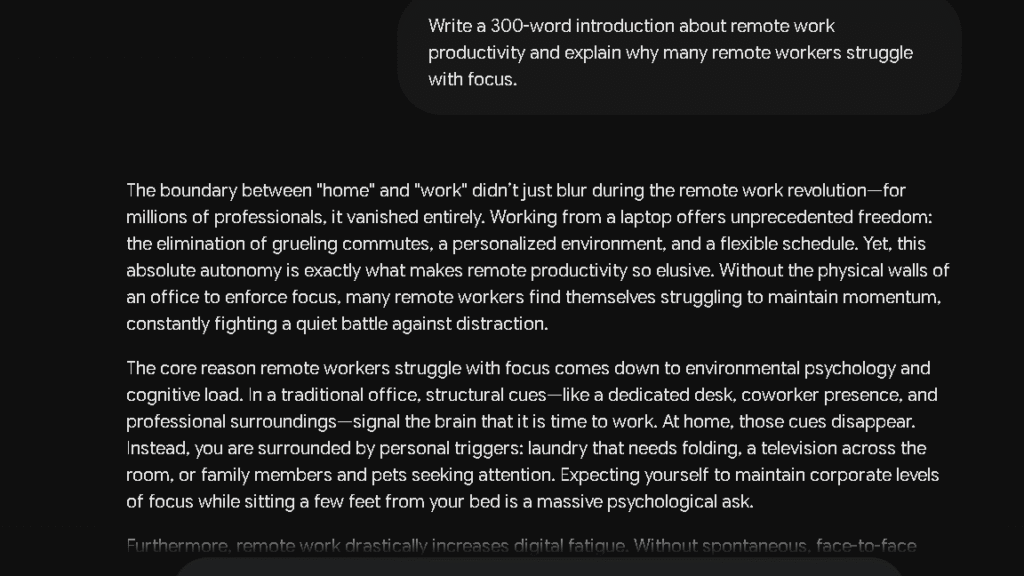
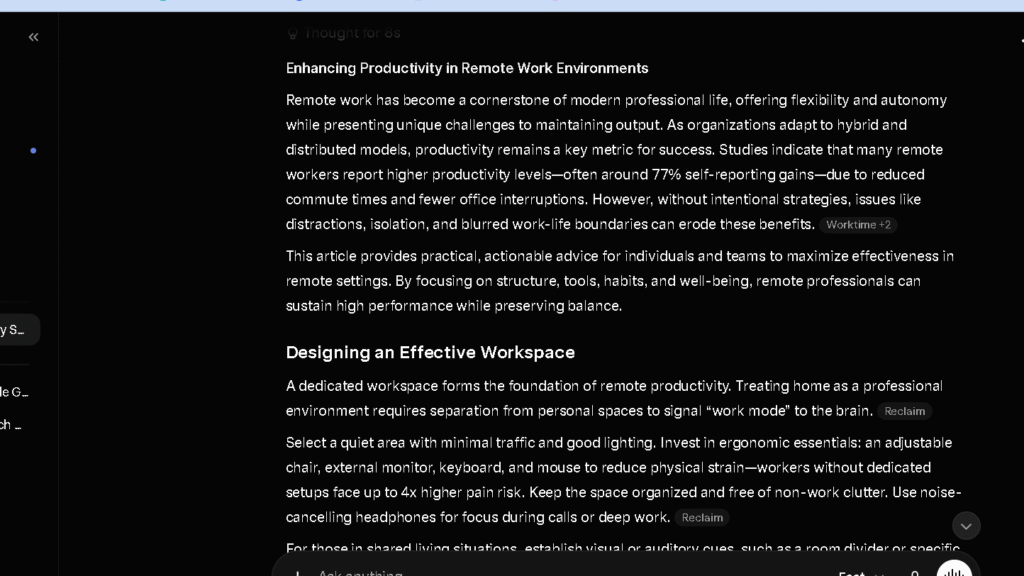
I used one prompt across all tools: write a 1,000-word article on remote work productivity and explain three common productivity mistakes. I rated first drafts on structure, clarity, and the number of edits needed before the output was publishable.
Research Test
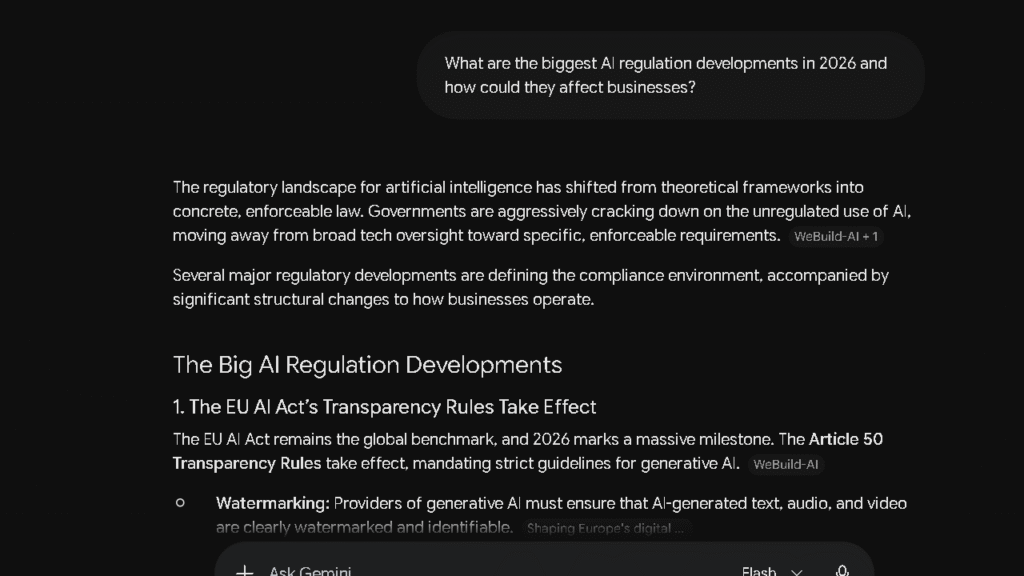
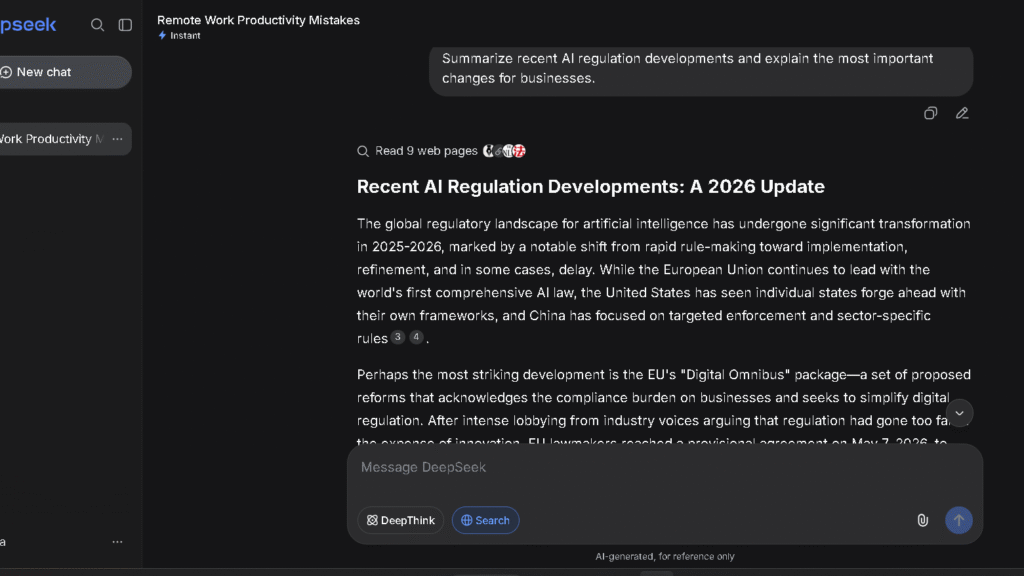
I gave Gemini the same research prompt I used across all tools: summarise recent AI regulation developments and explain the implications for businesses. I measured accuracy, source quality, and how much verification I had to do before I could use the output.
Coding Test
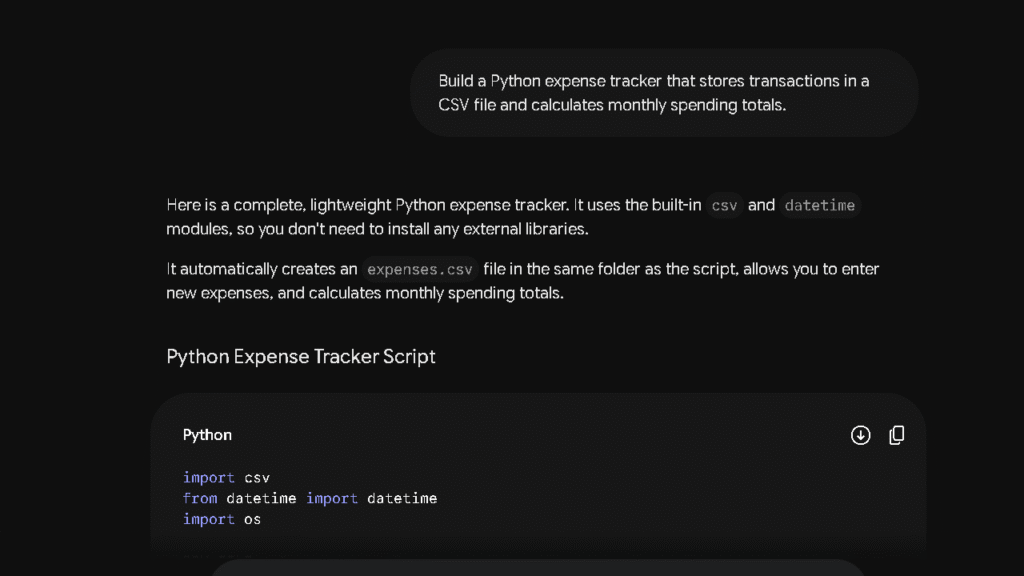
I asked Gemini to build a responsive pricing table in HTML and CSS and measured whether the first output ran without errors. I ran this test three times.
Trust and Accuracy Test
I fed Gemini a prompt with disputed claims and asked it to flag what it was uncertain about. How a tool handles uncertainty tells you more than how it handles easy questions.
Long-Context Document Test
I uploaded a 5,000-word project document and asked Gemini to summarise the key recommendations and flag any missing sections. I measured how much of the original brief it retained and how accurately it reported back.
Gemini at a Glance
Features, Pricing, and Best Use Cases
| Feature | Gemini Free | Google AI Pro | Google AI Ultra |
|---|---|---|---|
| Model | Gemini 1.5 Flash | Gemini 1.5 Pro | Gemini Ultra |
| Context Window | Standard | 1 million tokens | 1 million tokens |
| Google Docs Integration | Yes | Yes | Yes |
| Gmail Integration | Yes | Yes | Yes |
| File Uploads | Yes | Yes | Yes |
| Web Search | Yes | Yes | Yes |
| Price | Free | $20/mo | $30/mo |
Free vs Paid Gemini Plans
The free tier is strong. You get full model access, Google Workspace integration, and web search without a usage wall that resets mid-session. That matters. ChatGPT Free and Claude Free both throttle access in ways that interrupt real work. Gemini Free does not do that.
The Pro upgrade adds Gemini 1.5 Pro, which is noticeably better on long documents and complex reasoning tasks. If you use Gemini inside Google Workspace all day, the upgrade pays for itself fast.
My First Impression of Gemini
What Gemini Did Better Than Expected
The first thing I noticed was the integration. I had a Google Doc open with a client brief, and I asked Gemini in the sidebar to draft subject lines based on the content. It pulled the campaign name, audience segment, and tone notes from the document without me copying anything. That is not a feature I had to set up. It just worked.
The research quality also surprised me in the first week. Gemini’s answers were tighter and more current than I expected. It hedged claims more carefully than Grok and surfaced context that other free tools missed.
Where It Felt Similar to ChatGPT
For general questions and short tasks, the outputs were close enough that I often could not tell which tool I was in. Response speed was similar. Tone was similar. The ceiling did not show up until I started pushing longer, more structured work.
Early Signs of Workflow Friction
By day five, I noticed something. Gemini’s writing drafts had a flatness to them. The structure was correct. The information was accurate. But the tone felt assembled rather than written. That is not a problem for quick answers. It is a problem for anything you intend to publish.
What Changed After Two Weeks of Daily Use
The Initial Excitement Phase
The first week was easy to like. The Workspace integration removed friction from tasks I had been doing manually. Pulling context from a Doc I already had open instead of copying it into a chat window saved time every session. That kind of gain is visible fast.
How My Workflow Adapted
By week two I had stopped using Gemini for first drafts and started using it for context-heavy tasks. Summarising long documents. Drafting emails based on thread history. Building slide outlines from briefs I had already written. Those tasks played to its strengths.
Where Gemini Started Saving Time
The Gmail integration is the clearest win. Gemini reads the thread, matches the tone of my previous messages, and drafts a tighter reply in one pass. In my email test, it adapted correctly to the tone of the existing thread on six of seven attempts. That is a real number. That is faster than doing it from scratch.
Where Repetition Started Appearing
Writing output started to feel predictable by session eight. The article structures Gemini produced followed the same pattern: short intro, three-point body, brief close. That pattern works. It is also boring. By week three I was rewriting openings more often than I wanted to.
What Became Easier Over Time
Long document tasks improved as I got better at prompting for them. Asking Gemini to flag gaps in a brief rather than summarise it produced more useful output. The tool rewards specific prompts and punishes vague ones more than ChatGPT does. That learning curve is real.
Gemini for Writing: How Good Is It Really?
Writing Quality Compared to ChatGPT
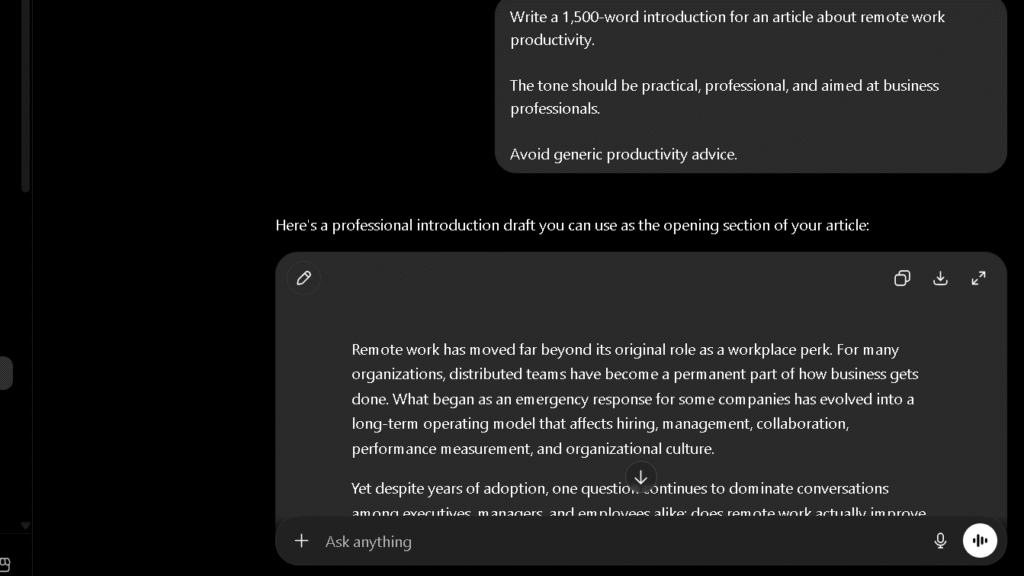
In the writing test, Gemini produced clean first drafts with solid structure. Across my 20 tracked drafts, Gemini consistently needed more structural editing than ChatGPT — not by a dramatic amount, but reliably enough that the pattern held across sessions. What ChatGPT does better is argument flow. When I asked for a structured opinion piece, ChatGPT built the case more naturally. Gemini produced the correct sections but the logic felt more like a list than a line of reasoning.
For a closer look at how ChatGPT performs across writing and research tasks, see my full ChatGPT Review.
Writing Quality Compared to Claude
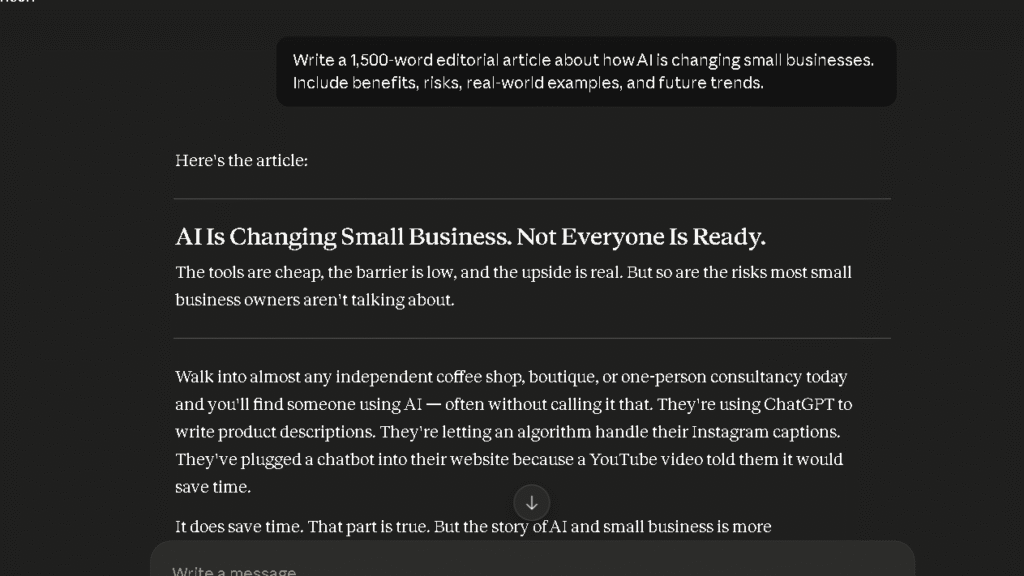
Claude won this comparison clearly. Across my tracked drafts, Claude required fewer structural edits per piece than Gemini — roughly half as many over the course of the sprint. For anyone writing at volume, that gap adds up fast. The difference is most obvious in transitions. Claude moves between paragraphs the way a writer does. Gemini moves between them the way an outline does. Both get to the right place. Only one feels like it arrived naturally.
I go into more detail on Claude’s writing performance in my Claude Review.
How Much Editing Does Gemini Require?
In my editing burden tracking, Gemini landed in the medium range. It needed noticeably more structural edits per draft than Claude or ChatGPT, with a similar pattern on factual corrections. For casual content needs, that burden is manageable. For daily content production, it is not.
Where Gemini Produces Strong First Drafts
Short-form content plays to Gemini’s strengths. Email drafts, meeting summaries, slide outlines, and social posts all came out cleaner than longer pieces. The constraint helps it. With less space to lose coherence, the output holds together better.
Where Gemini Struggles With Tone
Long-form writing is where the flatness shows. Gemini defaults to a neutral professional register that is correct but not distinctive. If you are writing for a specific brand voice or trying to produce content that sounds like a real person wrote it, you will spend more time shaping the output than generating it.
Gemini for Research and Fact Gathering
Finding Information Quickly
Gemini has web access on by default. It pulls current context without being asked. For fast lookups and recent context, that works well. In the AI regulation research test, the answer was accurate and reasonably current on the first pass.
How Reliable Are Gemini’s Answers?
It scored 4.1 on my 30-day trust scale. Hallucination rate was low to medium, which puts it above Grok and DeepSeek on that measure. The errors I did find were more often gaps than confabulations — it would leave something out rather than invent something plausible. That is the better failure mode.
Gemini vs Perplexity for Research
This is not a close comparison. Perplexity provides inline citations on every response. I can trace every claim back to an original source. Gemini summarises well but does not cite by default. For research that needs to be verified or attributed, Gemini adds work. Perplexity removes it.
Across my 15 tracked research sessions, Gemini required independent checking on a meaningful share of factual claims — significantly more than Perplexity, where the sources were already linked. Those are different tools doing different jobs.
How Much Verification Is Required?
More than I wanted. Not because Gemini was wrong often. Because it was confident enough that I could not always tell when to double-check. That is the trust problem. Not that it fails loudly. It is that it fails quietly.
Gemini for Coding and Technical Tasks
Building Small Projects
For small, self-contained tasks, Gemini performed well. The responsive pricing table prompt produced working code on the first pass in two of three runs. One attempt had a minor CSS alignment issue that took one prompt to fix. That is a reasonable result.
HTML and CSS Test Results
The HTML and CSS output was clean and readable. Comments were included. Structure was logical. It would not embarrass a developer who shipped it. That said, it was not as tightly written as what ChatGPT produces on the same task.
Python Coding Test Results
I ran a secondary test asking for a simple data parser in Python. Gemini produced functional code with clear variable names and basic error handling. It was not elegant, but it ran. For non-developers who need working scripts, that level of output is genuinely useful.
Gemini vs ChatGPT for Coding
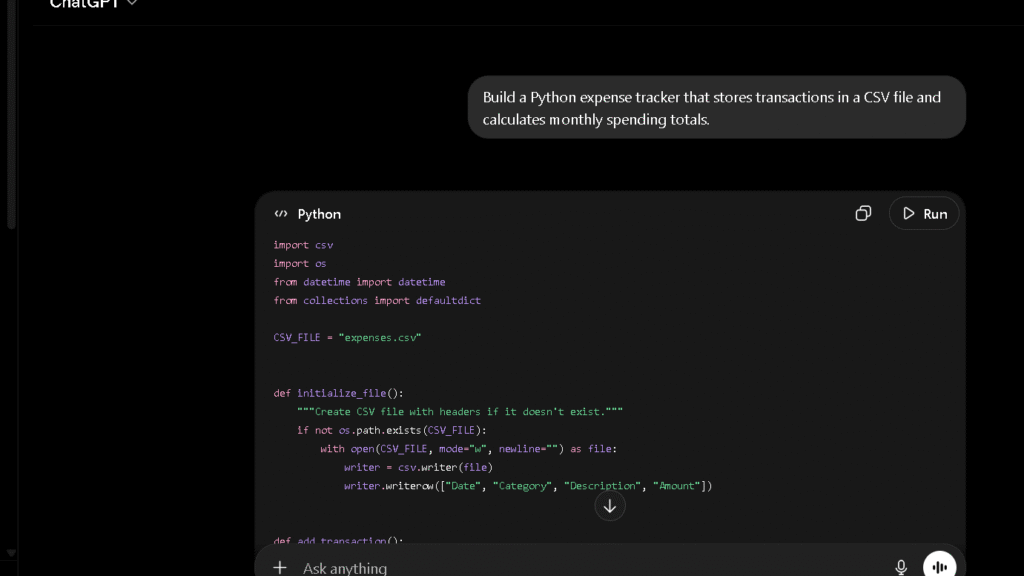
ChatGPT is the stronger coding tool. It handles multi-file projects with more context retention, debugs its own errors more reliably, and maintains project structure across longer sessions. In my coding test, ChatGPT required zero debugging on the pricing table. Gemini required one round. The gap widens on more complex tasks.
Gemini vs DeepSeek for Coding
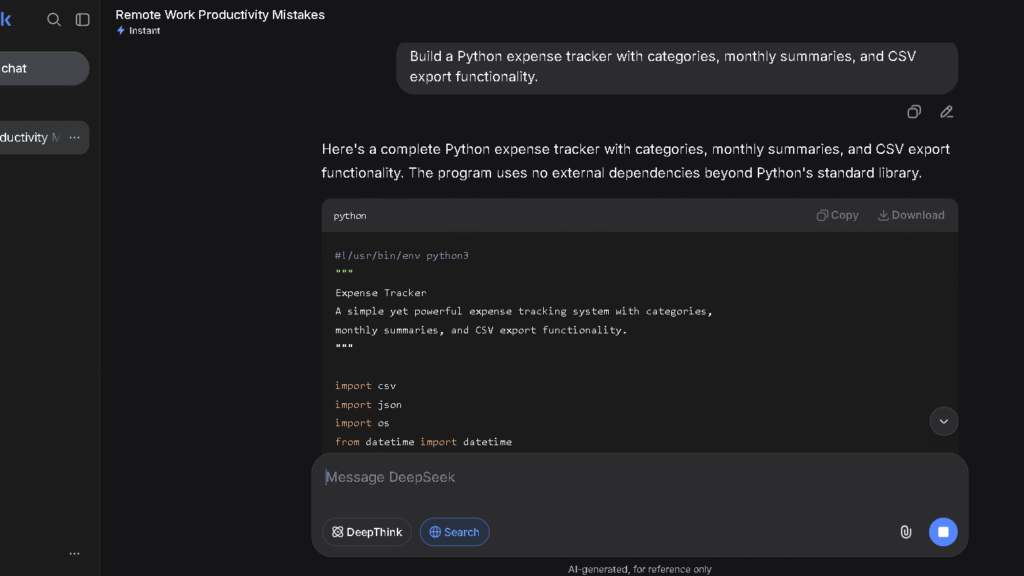
DeepSeek is the more focused coding tool. Its reasoning model handles structured technical tasks with deliberate logic that feels purpose-built. For pure coding workflows, DeepSeek has an edge. The trade-off is that DeepSeek drops context faster in long sessions, which limits it for ongoing projects.
You can find a fuller breakdown of DeepSeek’s coding performance in my DeepSeek Review.
Which AI Creates Less Editing Work?
Gemini vs Claude
| AI Tool | Editing Burden | Factual Correction Rate | Overall |
|---|---|---|---|
| Claude | Low | Low | Low |
| ChatGPT | Low | Low | Low |
| Gemini | Medium | Medium | Medium |
| Perplexity | Medium | Very Low | Medium |
| Grok | Medium-High | Medium-High | Medium-High |
| DeepSeek | High | High | High |
Claude wins this category. Across my 20 tracked drafts, the structural edit gap between Claude and Gemini was consistent and visible every session. It might not sound large per article. Over a full month of content production, it is the difference between editing feeling like a light pass and feeling like a second round of writing.
Gemini vs ChatGPT
ChatGPT edged Gemini here too. The difference is visible in longer pieces where ChatGPT maintains argument flow and Gemini starts to feel repetitive by the third section. For short-form work, the gap closes significantly.
Editing Burden After 30 Days
Gemini sits in the medium range. It is not the tool that creates the most correction work, but it is not the one that creates the least either. For users who produce a lot of content, medium editing burden is a real cost. For users who write occasionally, it probably will not bother them.
Which AI Do I Trust More After 30 Days?
Trust During Writing Tasks
| AI Tool | 30-Day Trust Score | Hallucination Rate | Hedging Quality |
|---|---|---|---|
| Claude | 4.5/5 | Low | Excellent |
| Perplexity | 4.4/5 | Very Low | Good |
| ChatGPT | 4.3/5 | Low | Good |
| Gemini | 4.1/5 | Low-Medium | Good |
| Copilot | 3.9/5 | Low-Medium | Fair |
| Grok | 3.8/5 | Medium | Fair |
| DeepSeek | 3.4/5 | Medium-High | Weak |
Gemini’s 4.1 trust score is solid. It is not the tool I worried about most. That honour went to DeepSeek, which presented uncertain information with the same confident tone it used for established facts. Gemini hedges more carefully than that.
Trust During Research Tasks
Reliable on well-documented topics. Less reliable on recent events and niche claims. For evergreen research topics, I could trust Gemini on the first pass most of the time. For current events, that confidence dropped, which pushed me toward Perplexity more often.
Trust During Coding Tasks
High trust on simple tasks. Lower trust on complex ones. Gemini’s code usually ran. When it did not, the errors were easy to spot. I never felt like it was confidently wrong in a way that would cost me hours to debug. That is worth something.
Trust During Decision-Making
The thing is, Gemini flags uncertainty when it needs to. In my trust test, it correctly identified disputed claims in four of five prompts. That is a better result than I expected going in. It does not always get the hedging right, but it tries.
The Frustrations That Appear Over Time
Flat Writing Patterns
By week three, the writing output started to feel predictable. Same opening structure. Same three-point body. Same closing summary. Gemini is not wrong. It is just not interesting. For content that needs a real voice, that flatness becomes the main editorial problem.
Context Limitations in Long Conversations
Gemini has a million-token context window in Pro, which sounds large. In practice, what I noticed was not a hard limit but a soft drift. By message 80 or 90 in a long project thread, some earlier details had faded from the active response. Nothing catastrophic. Just enough slippage to require re-stating things I had already told it.
Verification Burden
Not a large burden. But a real one. Across my research sessions, a meaningful share of factual claims needed checking before I could use them. For content I intended to publish, I had to build in a fact-check step that I did not need with Perplexity. That adds time.
Google Ecosystem Dependency
This is the real structural limitation. Gemini’s best features are invisible if you are not inside Google Workspace. If your team uses Notion, Slack, and VS Code, Gemini’s integration value does not show up at all. You are left with a solid AI that costs the same as Claude or ChatGPT but produces more editing work.
Where Productivity Gains Become Smaller
The time-saving was front-loaded. The biggest gains came in the first two weeks when the integrations were new and the friction points were obvious. By week four, the gains had levelled off. That is not unusual for a productivity tool. It is worth knowing before you commit.
Why Some Users Switch to Gemini
Better Google Workspace Integration
This is the whole reason. If you spend most of your day in Docs, Sheets, Gmail, and Meet, no other tool on this list comes close. Gemini sees your files. It knows your thread. It drafts inside the tools you are already in. That is a different kind of value than a chat window can deliver.
Simpler Daily Workflow
For users who do not want to manage multiple tools, Gemini’s broad capability and Google integration mean fewer app switches. One tool that handles email, documents, and research inside a single ecosystem is simpler than the best tool for each job. Simplicity is a real competitive advantage for some users.
Strong Free Plan
No hard usage limits. Full model access. Google Workspace integration included. For users who cannot justify $20 a month on an AI subscription, Gemini Free is the strongest free option available. That is a clear, defensible reason to stay.
Why Some Users Eventually Return to ChatGPT or Claude
Writing Quality Differences
The editing burden gap catches up with users who write regularly. After a month of producing more editing work per article, the difference between Gemini Free and Claude Pro starts to look like a good deal. Claude reduces the correction tax. Gemini does not.
Long-Context Performance
For complex ongoing projects where context retention matters, ChatGPT and Claude both hold the thread more reliably than Gemini did in my testing. Users who work on long-running projects — a content campaign, a codebase, a research brief — tend to feel that gap by week three.
Trust and Confidence
The trust scores tell a consistent story. Claude and ChatGPT came in at 4.5 and 4.3. Gemini at 4.1. Those differences feel small on paper. In daily use, being slightly less sure whether to trust an output changes how you work with it. It adds a check step. Check steps add up.
Gemini Pricing: Is It Worth Paying For?
Gemini Free vs Gemini Pro
| Plan | Price | Key Features |
|---|---|---|
| Gemini Free | Free | Gemini 1.5 Flash, Workspace integration, web access |
| Google AI Pro | $20/mo | Gemini 1.5 Pro, extended context, priority access |
| Google AI Ultra | $30/mo | Gemini Ultra, highest capability tier |
What You Actually Get for the Money
The Pro upgrade at $20 is worth it for Google Workspace users who hit the free tier’s model ceiling on complex tasks. The jump from Flash to 1.5 Pro is noticeable on long documents and multi-step reasoning. For casual use, the free tier handles most needs without requiring an upgrade.
Is Gemini Better Value Than ChatGPT?
For Google Workspace users, yes. The integration value gives Gemini Pro a real advantage for the same price. For users outside that ecosystem, ChatGPT Plus at $20 delivers stronger writing quality and better cross-task reliability. The value case depends entirely on which tools you already live inside.
Who Should Use Gemini?
Best for Google Workspace Users
The productivity gains are real. Pulling context from open documents, drafting inside Gmail, building slide outlines from Docs briefs — those workflows are tighter with Gemini than with any other tool on this list. That is a large user base with a clear reason to choose it.
Best for Students
Google Docs is already where most students work. Gemini integrates directly into that environment and the free tier is capable enough for most academic tasks. Research quality is solid. Writing quality is good enough for drafts that get edited anyway.
Best for Everyday Productivity
Short emails, quick summaries, fast lookups, meeting notes. These are tasks Gemini handles well without requiring a paid plan. For users who want AI in their daily routine without paying for it, Gemini Free is the clearest answer.
Best for Casual AI Users
No setup. No app switching. Already inside the tools you use. For users who want AI to reduce friction without creating it, Gemini is one of the easiest entries into the category.
Who Should Avoid Gemini?
Writers
The editing burden is real. The correction gap between Gemini and Claude is consistent and measurable. Claude Pro costs the same and saves the time. The choice is not difficult.
Researchers
Gemini does not provide inline citations by default. For research that needs to be attributed, verified, or sourced, that is a real limitation. Perplexity Pro at the same price changes how you work with research entirely. Gemini does not.
Developers
For complex, multi-session coding projects, ChatGPT handles context better. For focused technical reasoning, DeepSeek has a more deliberate approach. Gemini is functional for small coding tasks. It is not where serious development work belongs.
Users Needing Deep Long-Context Analysis
The million-token window is impressive in marketing. In practice, the soft context drift I observed in long sessions is a real limitation for users who rely on the AI remembering everything from session start to session end. Claude’s 200k window with stronger retention is more practically useful than a larger window that drifts.
Best Gemini Alternatives
| AI Tool | Best For | Price | Why Choose It Over Gemini |
|---|---|---|---|
| ChatGPT | All-around tasks | $20/mo | Stronger writing, better memory |
| Claude | Writing and editing | $20/mo | Lower editing burden, cleaner drafts |
| Perplexity | Research | $20/mo | Inline citations, lower verification burden |
| DeepSeek | Free coding | Free | Stronger technical reasoning |
| Microsoft Copilot | Microsoft 365 | $30/mo | Office integration for Microsoft users |
ChatGPT
The stronger all-around tool for users outside Google Workspace. Better argument flow in writing, more reliable context retention in long sessions, and stronger cross-task reliability over 30 days. At the same price, ChatGPT is the better default for most workflows. See my [ChatGPT Review] for the full breakdown, or browse ChatGPT Alternatives if you are still deciding.
Claude
The better writing tool. Not close. If writing is your primary use case, the editing burden difference alone makes Claude the more productive choice. For $20 a month, it saves more time than Gemini does on writing-heavy work. Read my Claude Review or explore Claude Alternatives for a wider look at what fits your workflow.
Perplexity
The better research tool. Not close either. Inline citations, lower verification burden, and a research workflow that gets faster over time rather than staying flat. For anyone whose work depends on sourced, verifiable information, Perplexity is the clearer choice.
DeepSeek
The stronger free option for coding-first users. Technical reasoning is tighter. The free tier has fewer restrictions. For developers who want a capable tool without a subscription, DeepSeek is a better fit than Gemini Free for that specific use case. Read my DeepSeek Review or check DeepSeek Alternatives for other options in that category.
Gemini vs ChatGPT vs Claude vs Perplexity
Writing Comparison
Claude wins. ChatGPT is second. Gemini is third. The gap between Claude and Gemini is larger than the gap between Gemini and the tools below it. For writing-first workflows, that hierarchy is stable and clear.
Research Comparison
Perplexity wins by a wide margin. Gemini is solid on research quality but requires more verification. ChatGPT is close to Gemini. For research that needs to be cited or attributed, Perplexity is in a different category from all three.
Coding Comparison
ChatGPT and DeepSeek lead. Gemini is functional but not the strongest option. For complex multi-session projects, ChatGPT is the more reliable choice. For focused single-session coding, DeepSeek has a reasoning edge.
Trust Comparison
Claude and Perplexity lead. Gemini is third at 4.1, ahead of Copilot, Grok, and DeepSeek. It is a trustworthy tool. It is not the most trustworthy one.
Productivity Comparison
For Google Workspace users, Gemini wins on productivity because the integration reduces friction in daily tools. Outside that ecosystem, ChatGPT and Claude are more productive for most workflows. The variable is always the same: which tools do you already live inside?
Pros and Cons After 30 Days
| What I Liked | What Frustrated Me |
|---|---|
| Gmail integration saves real time | Writing tone is flat and predictable |
| Strong free tier with no usage ceiling | Verification burden higher than Perplexity |
| Google Docs context awareness | Context drift in long sessions |
| Accurate on most research topics | Short-form strength does not carry to long-form |
| Good trust score for everyday use | Integration value invisible outside Google tools |
Final Verdict: Would I Keep Using Gemini?
Yes, with conditions. I use it inside Google Docs and Gmail and it earns its slot there every session. Outside that context, I reach for Claude or Perplexity first.
Who Should Use Gemini
Google Workspace users. Full stop. If you spend most of your working day in Google’s tools, Gemini adds real value that no other AI assistant currently matches. Students using Google Docs get the same benefit at no cost.
Who Should Use ChatGPT Instead
Anyone who needs a reliable all-round tool and is not inside Google Workspace. ChatGPT handles more task types at a higher consistent level. The writing quality, memory retention, and cross-task reliability all sit above Gemini when the integration advantage is removed.
Who Should Use Claude Instead
Anyone whose primary work is writing. The editing burden difference is measurable and it shows up every session. Claude Pro at the same price produces cleaner first drafts and requires fewer corrections. For content creators, that is the whole decision.
If You Only Remember One Thing
Choose Claude if output quality matters most. Choose Gemini if Google Workspace is your daily environment. If you need the best all-around assistant, choose ChatGPT. That is the comparison in three lines. Everything else in this article is the evidence behind those three choices.
My Final Recommendation
Gemini is a good AI assistant. It is not the best AI assistant for most things. The integration value is real, the free tier is strong, and the trust level is solid. But the writing quality is a tier below Claude, the research quality is a tier below Perplexity, and the coding quality is a tier below ChatGPT. If those are your primary use cases, the choice is clearer than the marketing suggests.
For a complete look at how all the major tools compare, see my guide to the Best AI Assistants for 2026.
If you are a Google Workspace user, Gemini is the answer. For everyone else, the better answer is somewhere else.
FAQ
For Google Workspace users, Gemini’s integration value gives it a real edge on daily productivity tasks. For everything else — writing quality, context retention, and cross-task reliability — ChatGPT performs at a higher level in my 30-day test.
Not for writing. Claude produced cleaner first drafts and required fewer structural edits in every writing test I ran. Gemini is better for users inside Google Workspace who need AI embedded in their existing tools.
For Google Workspace users, yes. The Pro upgrade adds Gemini 1.5 Pro, which is noticeably better on long documents and complex tasks. For users outside that ecosystem, ChatGPT Plus or Claude Pro deliver more value at the same price.
It is capable but not the strongest option. Gemini produces correct, well-structured drafts that require a medium level of editing. For high-volume content work, Claude is faster to publish from.
Solid for well-documented topics. Weaker than Perplexity because it does not provide inline citations by default. If you need verifiable, attributed research, Perplexity is the better tool.
For small, self-contained tasks, yes. It produced working code on first pass in most of my tests. For complex multi-session projects or focused technical reasoning, ChatGPT and DeepSeek are stronger options.
For Google Workspace users, it can replace much of what ChatGPT does inside that ecosystem. For users outside it, or for writing and research at volume, no.
Yes. It is the clearest integration advantage on this list. Gemini reads the document you have open, pulls context without copy-pasting, and drafts based on what is already in the brief.