
Most people start with ChatGPT. That is not a criticism. It is still the most popular AI assistant on the market, and the free version is good enough for many everyday tasks. But after a few weeks of daily use, people often start looking for ChatGPT alternatives.
The reasons are usually the same. The writing needs more editing than expected. Research can require extra fact-checking. Long-form content sometimes feels repetitive or flat. At that point, the question is no longer whether ChatGPT is good. It is whether another AI assistant fits your workflow better.
I tested six of the most popular ChatGPT alternatives for thirty days. Not demos. Daily work. Writing, research, coding, long documents. This is what I found.
Disclaimer: I may earn a small commission on purchases made through links on this page, at no extra cost to you. This supports honest, independent reviews.
Table of Contents
The Best ChatGPT Alternatives at a Glance
If you want the short version before the full breakdown: Claude is the strongest overall alternative, Perplexity is the right choice for research, Gemini fits Google-heavy workflows, and DeepSeek is the best free option for most tasks.
| AI | Best For | Biggest Strength | Biggest Weakness | Free Tier | Paid Plan |
|---|---|---|---|---|---|
| Claude | Writing, long-form, coding | Output quality, long context | No real-time web by default | Yes | $20/month |
| Perplexity | Research, fact-checking | Source citations, multi-model | Not a writing tool | Yes | $20/month |
| Gemini | Google Workspace, research | Context window, integration | Less voice in writing | Yes | $19.99/month |
| DeepSeek | Budget users, coding | Free, open-source, fast | Data privacy concerns, content limits | Yes (free) | Free/API |
| Grok | Real-time news, social context | X/Twitter integration, current events | Inconsistent tone | Yes | $30/month |
| Copilot | Microsoft 365 users | Office integration, Word/Excel | Thin outside Microsoft | Yes | $20/month |
| ChatGPT | General use, image gen, voice | Breadth, plugins, Sora | Needs more editing for long-form | Yes | $20/month |
Try Claude free or start with Perplexity’s free tier before committing to any subscription.
Why People Start Looking for ChatGPT Alternatives
The search usually starts with one of four things.
The first is accuracy fatigue. You stop trusting the output and start fact-checking everything. That is not a sustainable workflow. It defeats the point of having an AI at all.
The second is editing fatigue. The draft comes back and it looks fine. Then you read it and spend forty minutes fixing the structure, the tone, and the sentences that trail off without landing anywhere. You start wondering if you would have been faster just writing it yourself.
The third is research fatigue. You need a source. ChatGPT gives you a confident paragraph with no link, no citation, and — sometimes — a reference that does not exist. That gap shows up fast when the stakes are real.
The fourth is subscription fatigue. You are paying $20 a month for something you do not quite trust. That is an uncomfortable combination. The question becomes: is there something better for the same money, or even free?
Those are the four moments that push people toward alternatives. One of them probably brought you here.
How I Tested These ChatGPT Alternatives
I ran five tests across all tools over thirty days. Writing, research, coding, long-context handling, and what I call the Trust Test.
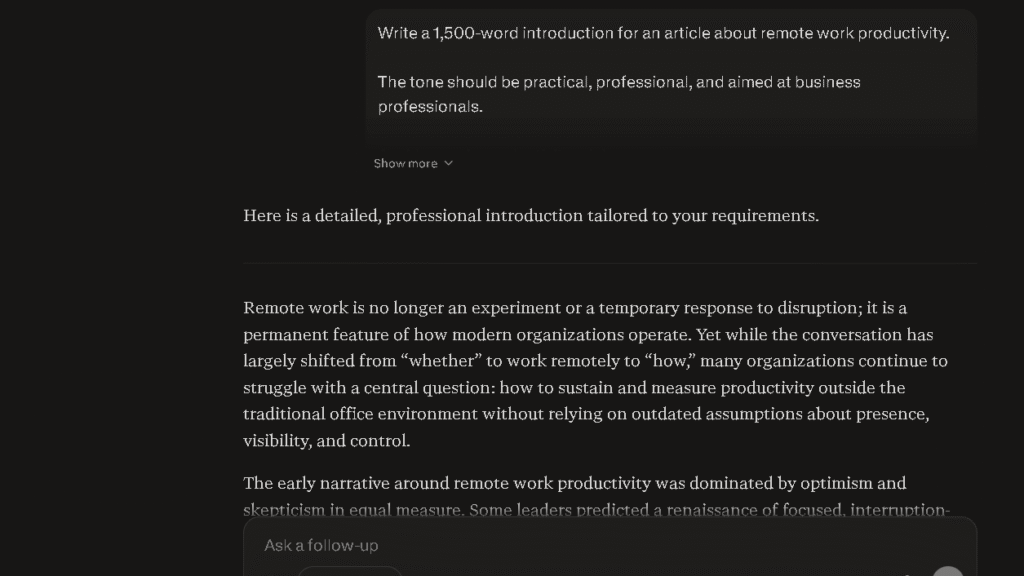
For the Writing Test, I gave each tool the same prompt: write a 1,000-word article on remote work productivity. I scored the output on structure, tone consistency, and how many sentences I had to fix before I would publish it. I call this the Edit-Count Test. I counted every sentence that needed a change.
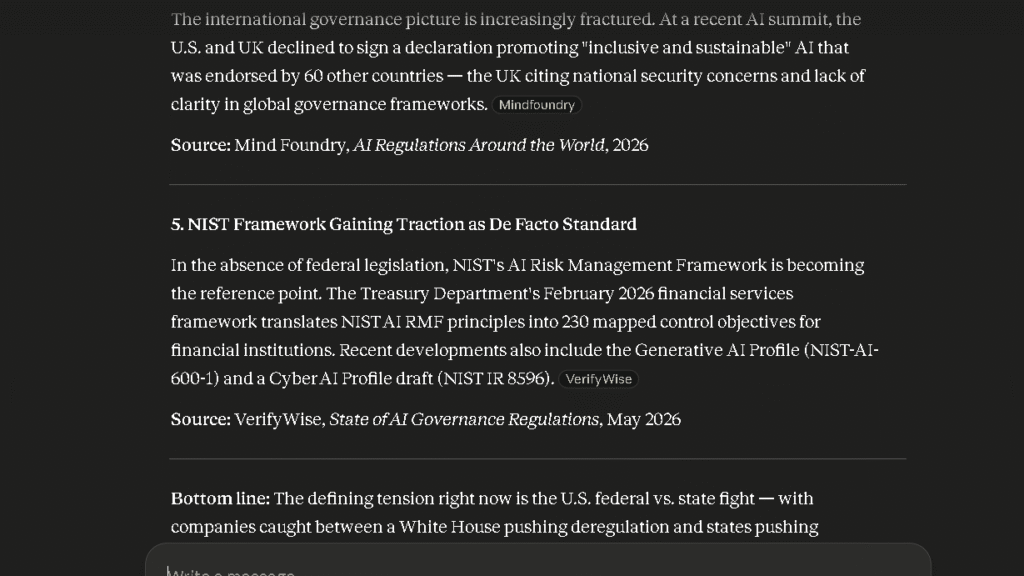
For the Research Test, I asked each tool: summarize the latest developments in AI regulation. I tracked how many claims came with sources, how many I could verify, and how many turned out to be wrong or missing.
For the Coding Test, I asked each tool to build a responsive pricing table in HTML and CSS. I counted the number of bugs in the first output and how many rounds of fixes it took to get a clean result.
For the Long Context Test, I pasted a 5,200-word document and asked for a summary of key themes. I checked whether the output covered material from the end of the document, not just the beginning.
For the Trust Test, I asked each tool for three specific statistics with sources. I verified every claim. I tracked how many were accurate, how many were close, and how many were wrong.
Those tests ran across eight sessions per tool. That is 40 sessions total. The patterns that emerged across eight sessions are what I am reporting here.
What Changed After Two Weeks of Daily Use
The first week with any AI feels impressive. That is the wrong time to judge it.
| AI | Week 1 | Week 3 |
|---|---|---|
| ChatGPT | Impressive | More editing |
| Claude | Strong | Stronger |
| Gemini | Useful | Better in Google workflows |
| Perplexity | Helpful | Research specialist |
| DeepSeek | Surprisingly good | Great value |
Week Two
By week two, the novelty drops and the real workflow starts. Patterns emerge. With ChatGPT, I noticed that my editing load was higher on long-form content than I expected. The structure was good. The sentences were often thin. I kept adding weight to conclusions, breaking up passive constructions, and replacing vague closers.
With Claude, week two felt different. The output required less fixing. Not zero fixing. Less fixing. The tone held across a 2,000-word piece in a way that ChatGPT’s did not, and the endings of sections were stronger. By week three, I stopped checking every paragraph and started reading from the top. That is a shift in trust.
With Perplexity, week two revealed the ceiling fast. It is excellent for research and shallow for everything else. The citations are real, the sources are verifiable, and the answers are short. Ask it to write an article and the result is thin. That is not a flaw. It is a focus.
Gemini surprised me in week two. The context window is enormous. I pasted documents that would have broken other tools and it handled them. The integration with Google Docs is the other thing — it works where I already work, without any copy-pasting.
DeepSeek held up better than I expected for a free tool. The coding output was clean and the reasoning was clear. The writing was serviceable. The ceiling appeared around week three: creative tone and voice are not its strengths, and the content limits on sensitive topics are real.
The thing about week two is that it is when you find out which tool you actually trust. Not which one is fastest. Not which one looks most impressive. Which one you stop double-checking.
Which ChatGPT Alternative Is Best for Writing?
In the Edit-Count Test across eight sessions, Claude required an average of four sentence-level edits per 1,000 words. ChatGPT required nine. Gemini came in at seven. Those numbers held across different content types.
Claude handles long-form writing better than any of the tools I tested. The structure is cleaner, the paragraphs close tighter, and the tone does not drift across a 2,000-word piece. When I gave it a conversational blog post, it stayed conversational. When I gave it something more formal, it held that register without being pushed.
ChatGPT writes faster in the sense that the output arrives with a clear shape quickly. The issue is that the shape needs more work than it looks like it does. Conclusions are often weak. The last sentence of a section often just restates the first one in different words. That is a small thing that adds up across a full article.
Gemini is a decent writer for structured content. Reports, summaries, Docs-style outputs. It is less strong on voice and less strong on pieces where tone matters more than format.
For writing, read the full ChatGPT vs Claude comparison for a deeper look at how the two handle different content types. That comparison goes into more detail on long-context writing specifically.
That said, Claude is the clearest choice here. The edit gap is real.
Which ChatGPT Alternative Is Best for Research?
In the Trust Test, Perplexity returned accurate, verifiable claims on all three prompts. ChatGPT returned two accurate claims and one that was either fabricated or outdated. Gemini returned two accurate and one that needed significant qualification. Those results held across multiple sessions.
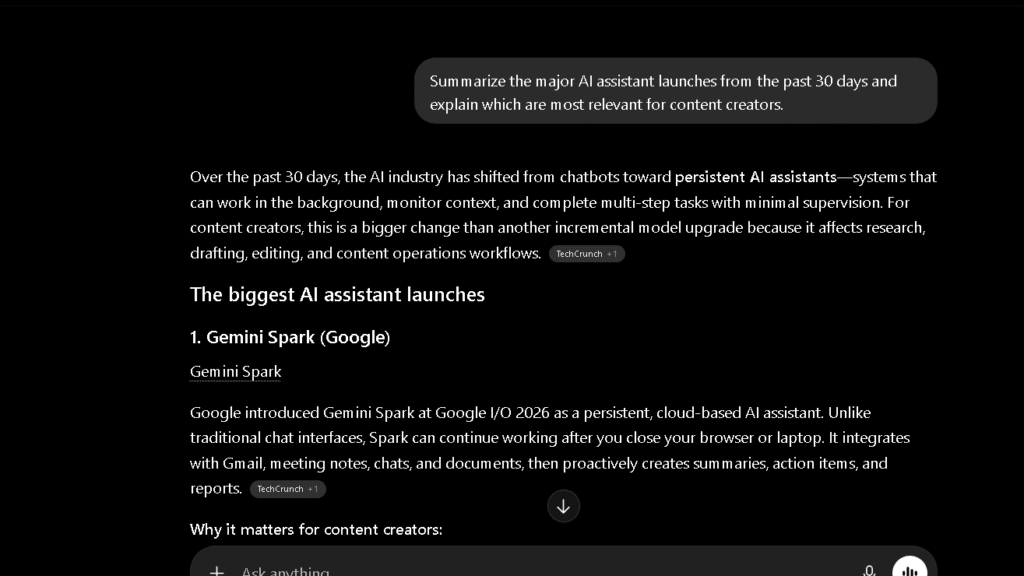
Perplexity is built around citations. Every answer comes with links. You can see where the information came from and verify it in thirty seconds. That changes the workflow for research-heavy tasks. You stop wondering and start checking. The checking gets faster because the sources are right there.
The research modes are also useful. You can direct Perplexity to search academic papers, the full web, Reddit, or specific sources. That targeting matters when you need a specific type of evidence rather than a general summary.
To be fair, Perplexity is not a writing tool. The outputs are short and structured. They are answers, not drafts. If you need to go from research to long-form content, you will still need a second tool. Read ChatGPT vs Perplexity for a direct head-to-head on the research workflow specifically.
Gemini is worth mentioning here too. Its access to real-time Google Search gives it a research advantage over ChatGPT’s default output, and the context window lets you upload large documents for analysis. See the full Gemini Review for how that plays out in practice.
For research, Perplexity is the right tool. Nothing else is close.
Which ChatGPT Alternative Is Best for Coding?
In the Coding Test, Claude produced a working responsive pricing table with one minor CSS bug in the first pass. ChatGPT produced a working table with three bugs. DeepSeek produced a working table with one bug and the cleanest, most readable code structure of the three.
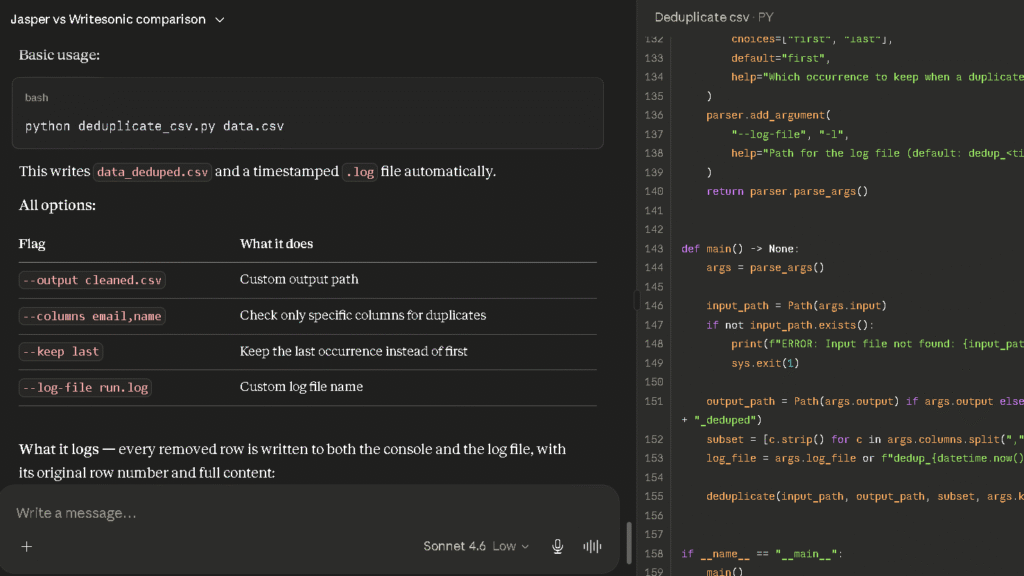
Claude is the strongest option for writing code that reads well and handles edge cases without prompting. It explains what it built and why in a way that helps you learn, not just copy. That matters if you are not a professional developer.
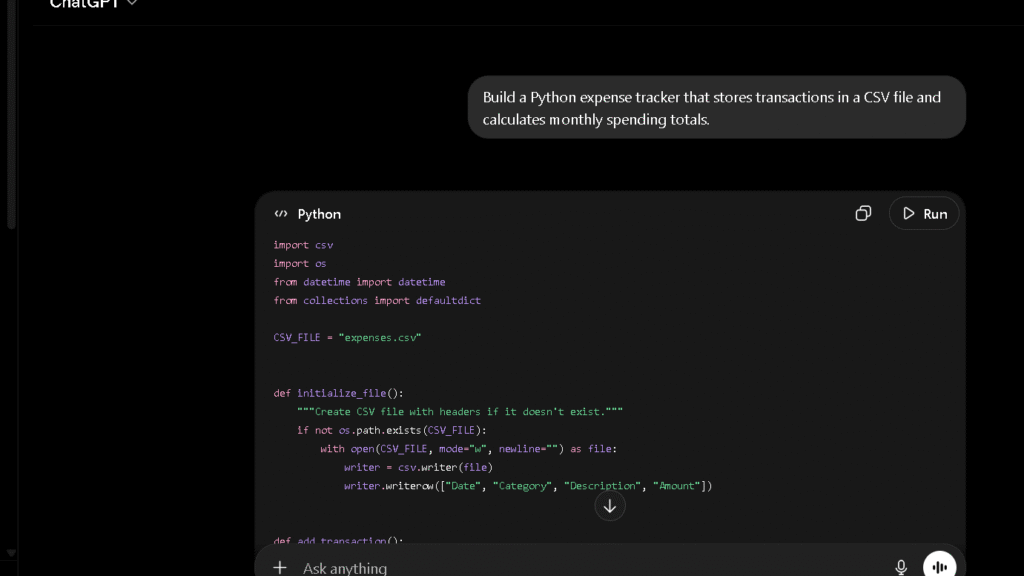
DeepSeek is the surprising option here. The code it produces is clean, well-commented, and often closer to what a developer would actually write than what you get from ChatGPT. The R2 reasoning model handles complex logic tasks well. For developers who do not need enterprise data privacy guarantees, DeepSeek is worth using. It is free and it is good.
ChatGPT remains strong for general coding tasks. The breadth of languages covered is wider. Custom GPTs like Codex add depth for specific workflows. But the first-pass output quality trails Claude on structured projects.
For coding, Claude and DeepSeek are the two tools I kept coming back to. The choice between them depends on how much data privacy matters to you.
Which ChatGPT Alternative Requires the Least Editing?
This is the question most comparison articles skip. It is also the most useful one.
| AI Assistant | Average Edits per 1,000 Words | Most Common Corrections | Editing Effort | Long-Form Performance |
|---|---|---|---|---|
| Claude | 4 | Minor word choice adjustments | Low | Excellent |
| Gemini | 7 | Add warmth, simplify formal structure | Medium | Good |
| ChatGPT | 9 | Fix tone, strengthen conclusions, rewrite endings | High | Good |
In the Edit-Count Test I ran across eight sessions and four content types — blog posts, research summaries, product descriptions, and formal essays — Claude required the fewest corrections every time. The average was four edits per 1,000 words. ChatGPT averaged nine. Gemini averaged seven. The gap between Claude and the others held across all content types.
The editing pattern is different too. With ChatGPT, I was mostly fixing tone and endings. With Gemini, I was mostly adding warmth and breaking up formal structure. With Claude, I was mostly making small word-level choices. That is a much lighter lift.
In practice, that editing gap adds up fast. Over a week of daily writing tasks, the difference between four edits and nine edits per 1,000 words is not trivial. It is the difference between thirty minutes of polish and two hours of structural repair.
Worth noting: the editing gap is smallest on short tasks under 300 words. All three tools perform more similarly on short outputs. The gap widens significantly on anything above 800 words. Long-form is where Claude pulls away.
Which AI Assistant Do I Trust Most After 30 Days?
Trust is not about the first answer. It is about the tenth answer, when you are tired and the deadline is real and you need the output to be right.
After thirty days, here is where I landed.
| AI | Trust for Writing | Trust for Research | Trust for Coding | Trust After 30 Days |
|---|---|---|---|---|
| Claude | High | Medium | High | High |
| Perplexity | Low | Very High | Low | High for research only |
| Gemini | Medium | Medium-High | Medium | Medium |
| ChatGPT | Medium | Medium | Medium | Medium |
| DeepSeek | Medium | Medium | High | Medium (privacy caveat) |
| Grok | Low | Medium | Low | Low-Medium |
| Copilot | Medium | Medium | Medium | Medium (Microsoft users) |
The thing is, trust is task-specific. I trust Perplexity for research more than any other tool. I trust Claude for writing more than any other tool. I do not trust any single AI for everything.
ChatGPT sits in the middle on everything, which is why it has 900 million users. It is good enough for most things most of the time. The alternatives are better for specific things specific people care about.
The pattern that emerged at thirty days: I stopped using ChatGPT as my default and started using Claude for writing tasks and Perplexity for research tasks. ChatGPT stayed in my rotation for image generation and voice mode. Those are things it does that the others do not match.
Free ChatGPT Alternatives Worth Using
The free tier question is real. Not everyone wants to pay $20 a month for an AI tool they are still evaluating.
| If You Need… | Best Free Choice |
|---|---|
| Writing | Claude |
| Research | Gemini |
| Coding | DeepSeek |
| Microsoft 365 | Copilot |
| General Use | ChatGPT Free |
| Best Overall Value | DeepSeek |
DeepSeek is the strongest free option for most tasks. The web interface is free, no subscription required, and the output quality on writing and coding tasks is genuinely competitive with paid tools. The caveats matter: data routes through Chinese servers, which creates privacy concerns for sensitive work, and the content limits on political topics are real. For personal use, non-sensitive tasks, and coding, DeepSeek is hard to beat at the price.
Gemini’s free tier is also strong. It runs on a capable model, integrates with Google Workspace, and handles the research and summarization tasks most people need daily. The context window on the free tier is larger than what ChatGPT’s free tier offers. If you use Google Docs, Gmail, or Drive daily, Gemini’s free tier is the most useful free AI on the market.
Claude’s free tier is limited on message volume but strong on output quality. If you do not need unlimited messages, the free Claude experience is better than the free ChatGPT experience for writing tasks. Daily users will upgrade quickly. That is worth knowing before you start.
Copilot is free within Microsoft Edge and Bing. For Microsoft 365 users, it is already accessible inside Word and Excel. For anyone else, it is a thin product outside its native environment.
For free AI, start with DeepSeek for coding and Gemini for research. They are the two strongest no-cost options.
ChatGPT vs Claude vs Gemini vs Perplexity
These four cover most of the decision space. Here is how they split across the areas that matter.
| Dimension | ChatGPT | Claude | Gemini | Perplexity |
|---|---|---|---|---|
| Writing Quality | Good | Excellent | Good | Weak |
| Research / Citations | Weak | Weak | Medium | Excellent |
| Coding | Good | Excellent | Good | Weak |
| Context Window | Medium | Very Large | Very Large | Medium |
| Real-Time Web | Yes (Plus) | Limited | Yes | Yes |
| Editing Burden | Medium | Low | Medium | High (not a writing tool) |
| Free Tier Quality | Good | Limited | Strong | Good |
| Google Workspace | No | No | Yes | No |
| Microsoft 365 | Limited | No | No | No |
| Voice Mode | Yes | No | Yes | No |
The internal links for direct comparisons: ChatGPT vs Claude, ChatGPT vs Perplexity, ChatGPT vs Grok,Claude vs Perplexity. Each of those goes deeper into the specific workflows where one clearly wins.
The Frustrations That Appear Over Time
Every tool has a ceiling. The ceiling is where the frustration starts.
| AI | Best For | Biggest Weakness |
|---|---|---|
| ChatGPT | Everyday AI tasks | More editing on long articles |
| Claude | Writing and coding | Not as strong for live web research |
| Gemini | Research and Google tools | Less personality in writing |
| Perplexity | Fact-checking and citations | Weak for long-form content |
| DeepSeek | Free coding assistant | Privacy concerns |
ChatGPT’s ceiling, in my experience, is editing burden on long-form content. The structure is good but the sentences need work. The more you use it for long writing tasks, the more you feel it.
Claude’s ceiling is the web. The default Claude experience does not browse the internet, which means anything requiring current information hits a wall. The web search feature exists but it is not as fluid as Perplexity’s experience.
Gemini’s ceiling is voice and personality. The writing is clean but flat. It does not have a point of view. That is fine for reports and summaries and less fine for content where tone drives engagement.
Perplexity’s ceiling is depth. It is an excellent answer machine. It is a weak content machine. Ask it to write an 800-word essay and you will spend more time editing the output than it would have taken to write from scratch.
DeepSeek’s ceiling is creative writing and data privacy. The reasoning is strong, the code is clean, and the writing on factual topics is solid. Ask it for something with personality and the output goes flat. Add any confidential business context and the data routing question becomes real.
Why Some Users Switch Away From ChatGPT
The pattern I see is specific. Users switch when the editing burden crosses a personal threshold.
For writers, that threshold is low. Two or three weeks of fixing weak conclusions and rewriting flat sentences is enough. Claude is where most writers land.
For researchers, the switch happens earlier. The first time a citation turns out to be wrong, the trust breaks. Perplexity is where most researchers land because the citations are verifiable and the answer engine is fast.
For developers, the switch is slower because ChatGPT is genuinely strong on code. But the ones who switch usually go to Claude because the explanations are cleaner and the edge case handling is more reliable.
The common thread is not that ChatGPT is bad. It is that the alternatives are better for specific high-stakes tasks. Those tasks are exactly the ones people care about most.
Why Some Users Eventually Return to ChatGPT
Here is the thing that the alternatives cannot replicate: breadth.
ChatGPT does more things. Voice mode is smooth and fast. Image generation through DALL-E and Sora is built in. Custom GPTs cover specific workflows that no other tool has matched. The plugin and tool ecosystem is wider. If your AI use spans many different task types in a single day, ChatGPT’s surface area is hard to give up.
I returned to ChatGPT for image generation every time. I returned for voice mode. I returned for GPT-5’s Canvas feature when I needed to iterate on a document in a visual interface. Those are things that the alternatives do not offer.
The honest conclusion is that most people who switch do not fully leave. They start using two tools instead of one. Claude or Perplexity for the task they switched for. ChatGPT for everything else. That combination costs more. It also works better.
Pricing Comparison
The market has converged on $20 per month as the standard paid tier. That makes the decision less about price and more about what you get for it.
| AI | Free Tier | Standard Paid | Power Tier |
|---|---|---|---|
| ChatGPT | Yes (GPT-5.3, limited) | $20/month (Plus) | $200/month (Pro) |
| Claude | Yes (limited messages) | $20/month (Pro) | $100–$200/month (Max) |
| Gemini | Yes (capable model) | $19.99/month (AI Pro) | $249.99/month (AI Ultra) |
| Perplexity | Yes | $20/month (Pro) | $200/month (Max) |
| Grok | Yes | $30/month (SuperGrok) | $300/month (SuperGrok Heavy) |
| DeepSeek | Yes (fully free) | Free / API pricing | API from $0.30/M tokens |
| Copilot | Yes (Edge/Bing) | $20/month (Pro) | Part of Microsoft 365 |
The thing to notice: Claude Pro at $20/month now includes Claude Code CLI access for developers, which is an add-on that would cost more elsewhere. Google AI Pro at $19.99/month includes 2TB of cloud storage, which may already justify the cost for people paying for Google storage separately.
For most users, one $20/month subscription is enough. The question is which one.
Which ChatGPT Alternative Is Best for Your Use Case?
For Writers
Claude is the right choice. The editing burden is lower, the tone holds across long pieces, and the output requires fewer structural fixes. Read the full Claude Review for a detailed look at how it handles different writing types.
For Students
Perplexity’s free tier handles most research tasks. Claude’s free tier handles most writing tasks. If you need one paid subscription, Claude Pro at $20/month gives you stronger writing support and a generous context window for long documents. Perplexity’s Education plan at $4.99/month is the best-value paid option for research-heavy coursework.
For Researchers
Perplexity. The citation workflow is the strongest in this category. The ability to target academic sources specifically is a real advantage. Read the Perplexity Review for the full breakdown of how the research modes work.
For Developers
Claude and DeepSeek. Claude for quality and explanation depth. DeepSeek for free access to clean, competitive code output. If you are building with the API, DeepSeek’s pricing is significantly lower than any of the others.
For Marketers
Claude for content and copy. Perplexity for competitor research and trend monitoring. ChatGPT for image generation and ideation variety. The combination of Claude and Perplexity covers most marketing workflows at $40/month.
For Small Businesses
Start with Gemini’s free tier if your team uses Google Workspace. It integrates into Docs, Gmail, and Sheets without any new tools. If you need writing quality above what Gemini provides, add Claude. Read the DeepSeek Review if budget is the primary constraint — it is the most capable fully free option.
Best ChatGPT Alternatives Compared
| AI | Best For | Biggest Strength | Biggest Weakness |
|---|---|---|---|
| Claude | Writing, coding, long-form | Output quality, low editing burden | No real-time web by default |
| Perplexity | Research, fact-checking | Source citations, verifiable answers | Not a writing or coding tool |
| Gemini | Google Workspace, large docs | Context window, integration | Flat writing voice |
| DeepSeek | Budget users, developers | Free, strong coding, open-source | Privacy concerns, content limits |
| Grok | Real-time news, current events | X integration, live web | Inconsistent tone |
| Copilot | Microsoft 365 users | Office integration | Thin outside Microsoft |
| ChatGPT | Breadth, image gen, voice | Widest feature set | Higher editing burden on long-form |
Final Verdict: Which ChatGPT Alternative Is Actually Worth Using?
After thirty days and five structured tests across nine tools, the pattern is clear.
Claude is the strongest single alternative to ChatGPT for most people. The editing burden is lower. The output quality on writing and coding is higher. The context window handles long documents without breaking. If you are paying $20 a month for ChatGPT and spending significant time editing the output, Claude is the switch worth making.
Perplexity is the right choice if research is your primary use case. The citations are real and verifiable. Nothing else at this price point matches the research workflow.
Gemini is the right choice if your work lives inside Google Workspace. The integration is real and the context window is genuinely large. For Google-native workflows, the $19.99/month is easy to justify.
DeepSeek is the right choice if you need a capable free tool. The ceiling exists — creative writing and data privacy are both real concerns — but for most everyday tasks, it punches far above its price.
The honest answer is not that ChatGPT is the wrong tool. It is that it is the right default. Defaults are built for general use, not specific use. If you have a specific use that matters, one of these alternatives does it better.
Which one you want depends on what you are actually here for.
FAQ
Claude is the strongest overall alternative for writing and coding. Perplexity is better for research with verifiable citations. The right choice depends on your primary use case.
For writing and long-form content, yes. In the Edit-Count Test across eight sessions, Claude required an average of four sentence-level edits per 1,000 words versus nine for ChatGPT.
For users inside Google Workspace, yes. Gemini’s context window is larger, the Google Docs integration is real, and the research access through Google Search is more current.
DeepSeek is the strongest free option for most tasks. It is fully free, handles coding well, and produces competitive writing output. Gemini’s free tier is the better choice for Google Workspace users.
Perplexity performs best for source-backed research. It cites every claim and lets you verify them in seconds. For general accuracy on factual questions, Gemini with real-time Google Search access also performs well.
Claude. The editing burden is lower than any other tool I tested, and the output quality on long-form content holds across different content types.
Perplexity. It cites every source inline, lets you filter by source type, and returns answers you can verify without leaving the interface.
Claude, based on the Edit-Count Test I ran across eight sessions and four content types. The average was four sentence-level edits per 1,000 words, compared to nine for ChatGPT and seven for Gemini.