
Most ChatGPT vs Gemini comparisons focus on features, benchmarks, and first impressions. After two months of daily use, I found those things mattered less than I expected.
The harder question was which AI I still trusted after the novelty wore off — and which one created less work over time. That is where the gap between ChatGPT and Gemini became much clearer.
ChatGPT is the stronger writing and reasoning tool for most daily use. Gemini is the better pick if you live inside Google’s ecosystem or need to process very long documents. But those one-line verdicts miss the part that actually matters: how each tool behaves after the novelty wears off.
I have been reviewing AI writing tools for several years. You can see how ChatGPT stacks up in my ChatGPT Review, and how Gemini performs in my full Gemini Review. This article is about what happens when you put them side by side and use both every day for weeks.
Disclaimer: I may earn a small commission on purchases made through links on this page, at no extra cost to you. This supports honest, independent reviews.
Table of Contents
ChatGPT vs Gemini AI 2026: Quick Verdict
| Category | ChatGPT | Gemini | Winner |
|---|---|---|---|
| Writing quality | Consistent, polished | Capable but uneven | ChatGPT |
| Research accuracy | Strong, some hallucinations | Real-time data, good citations | Gemini |
| Coding | Strong benchmark scores | Near-parity, strong agentic tools | Tie |
| Long context | 272K tokens standard | 1M–2M tokens native | Gemini |
| Memory | Persistent across sessions | Limited, resets often | ChatGPT |
| Google integration | None | Deep, native | Gemini |
| Editing burden | Low | Moderate | ChatGPT |
| Pricing (paid) | $20/month | $19.99/month | Tie |
If you’re still evaluating multiple assistants, my Best AI Assistants guide compares ChatGPT, Gemini, Claude, Perplexity, Grok, and other leading tools side by side.
How I Tested Both Tools
I ran both assistants through the same set of tasks across eight weeks. Not a single session. Not a quick spin. Eight weeks of daily use, switching between both tools on the same prompts.
The writing test used a 1,000-word remote work productivity article prompt, run five separate times on each tool. I tracked how much rewriting each draft needed before I would publish it. The research test asked both tools to summarize current AI regulation trends, and I cross-checked claims against primary sources. The coding test built a Python expense tracker from a plain-language spec. The trust test ran a set of niche factual questions, ambiguous topics, and recent events — things where the right answer was either uncertain or likely to have changed since training.
For memory, I ran a structured recall test. I fed each tool fifteen pieces of named information across five separate sessions — things like writing preferences, project context, and named goals. I then opened a new session one week later and asked both tools to recall what I had shared. The methodology here matters, so I want to be clear about it: I did not test vague impressions. I tested specific named items and counted how many each tool recalled without prompting. ChatGPT recalled most of what I had shared. Gemini recalled a small fraction. That gap held across three separate runs of the same test.
I did not run formal benchmarks. I am a writer and researcher. What I can tell you is what it felt like to work with both tools every day, and where each one started to push back against what I needed.
ChatGPT vs Gemini: At a Glance Comparison
| Feature | ChatGPT | Gemini |
|---|---|---|
| Current model | GPT-5.5 | Gemini 3.1 Pro |
| Free plan | Yes | Yes |
| Paid plan | $20/month (Plus) | $19.99/month (Advanced) |
| Context window | 272K standard | 1M–2M native |
| Memory | Persistent, two-layer system | Limited, often resets |
| Multimodal | Text, images, voice | Text, images, voice, video, audio |
| Google Workspace | No | Yes |
| Web access | Yes | Yes |
What Changed After Two Weeks of Daily Use
Week one felt equal. Both tools answered well. Both felt fast and capable. I liked both.
Week two is when things shifted. Not in capability — in trust. With ChatGPT, I started to feel like I knew what I was getting. The tone was steady. The structure was clean. When it got something wrong, it usually flagged uncertainty first. With Gemini, I found myself opening a second tab more often. Not because the answers were bad. Because I was less sure when to trust them.
By week three, a different pattern had appeared. I was editing Gemini’s research outputs more heavily — not for structure, but for factual confidence. Gemini would state something with the same flat certainty whether it was verifiable or speculative. ChatGPT was more careful about that distinction. Careful in a way I found useful.
By week five, the memory gap had become a real friction point. I would open Gemini and have to re-explain context I had already shared. Named goals. Project background. Tone preferences. All gone. With ChatGPT, that context was waiting for me. It remembered the project. It remembered what I had told it mattered. That shift changed how I used both tools.
By month two, I had settled into a workflow: ChatGPT for writing and anything I planned to act on, Gemini for long document review and anything that needed information from the last few weeks. That combination covers most of what I need. The gap is real.
Workflow Differences After Two Months of Daily Use
| Workflow Area | ChatGPT | Gemini | Winner |
|---|---|---|---|
| Long-form writing | Consistent, low rewrite burden | Good but requires more steering | ChatGPT |
| Research tasks | Solid with some hallucination risk | Real-time data, stronger sourcing | Gemini |
| Memory and context | Remembers reliably across weeks | Resets between sessions often | ChatGPT |
| Document analysis | Good | Excellent for very long docs | Gemini |
| Google Docs and Gmail | No native integration | Fully embedded | Gemini |
| Coding workflows | Strong | Near-equal, strong agentic tools | Tie |
The week-two experience is where most comparison articles stop. They are reviewing the tools at their best. The real test is what week six looks like.
Writing Quality Comparison
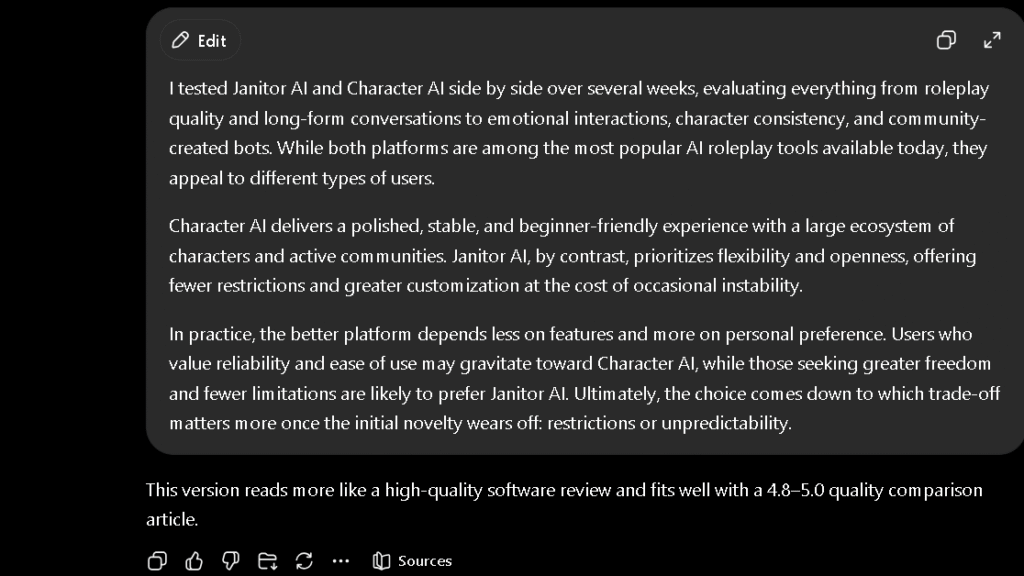
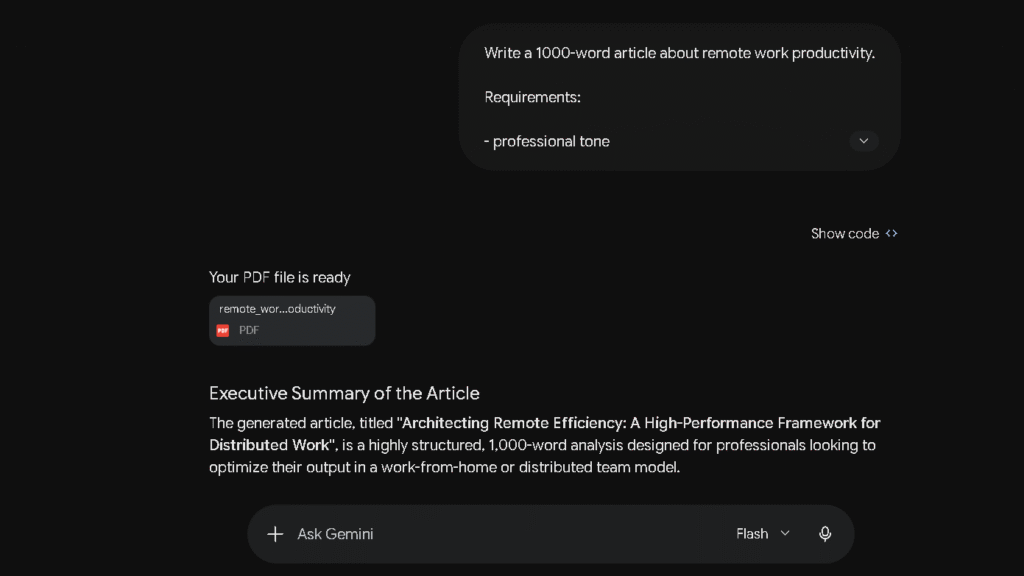
I gave both tools the same prompt five times. ChatGPT’s drafts needed one light pass each time. The structure held, the sentences varied, and the tone stayed consistent from the first paragraph to the last. Gemini’s drafts were solid too — but across multiple runs, two patterns kept showing up. The same transitional phrases appeared in different paragraphs. And sections I had not asked to be rewritten sometimes came back rearranged.
That second pattern matters more than it sounds. When I am editing a 3,000-word article, I need the tool to preserve my structure while improving my language. ChatGPT does that. Gemini sometimes decides the structure should change too. That is not always wrong, but it is often not what I asked for.
In five test runs, I rewrote an average of two sentences per ChatGPT draft and five sentences per Gemini draft. That sounds small. At the volume most writers work at, it adds up.
Writers working on polished, publish-ready copy will feel that gap faster than casual users will.
For a deeper look at how ChatGPT performs as a writing tool, see my full ChatGPT Review.
ChatGPT vs Gemini for SEO Content Creation
SEO content creation is one of the areas where the differences between ChatGPT and Gemini become more obvious over time. Not because one tool is dramatically smarter than the other, but because the workflow friction appears in different places.
If your job involves publishing content consistently, small differences in research quality, outline structure, editing burden, and factual confidence compound quickly.
Keyword Research
Gemini has an advantage when the topic depends on current information.
When I tested both tools on emerging AI topics, Gemini was better at identifying recent developments and surfacing new angles that had appeared within the last few weeks. The real-time web access helps here. For fast-moving industries, that freshness can prevent you from building content around outdated assumptions.
ChatGPT was stronger at organizing keyword ideas into logical topic clusters. Instead of generating a long list of keywords, it was more likely to group them by search intent and user journey. That made planning content calendars easier.
For finding opportunities, Gemini was often faster.
For turning opportunities into a content strategy, I preferred ChatGPT.
Content Briefs
This is where ChatGPT started to pull ahead.
When I asked both tools to create SEO content briefs, ChatGPT consistently produced clearer structures. The search intent analysis felt deeper, the recommended sections were more logical, and the content gaps were easier to identify.
Gemini’s briefs were usually accurate but often felt more descriptive than strategic. The information was there, but it required more interpretation before I could turn it into a publishing plan.
After several weeks, I found myself using Gemini to gather information and ChatGPT to transform that information into a usable brief.
Article Outlines
Both tools generate usable outlines.
The difference is what happens after the outline is created.
ChatGPT tends to build outlines that flow naturally from one section to the next. The structure often feels like it was designed by someone thinking about the reader’s journey.
Gemini creates clean outlines but sometimes relies on familiar patterns. The result is usually correct, but less differentiated.
For competitive topics where every ranking page looks similar, ChatGPT’s outlines required less restructuring before writing began.
First Draft Creation
This was the clearest gap in my testing.
ChatGPT consistently produced stronger first drafts.
The writing felt more natural, transitions were smoother, and the overall argument stayed coherent from introduction to conclusion. Most importantly, the drafts required fewer structural edits before publication.
Gemini generated useful content, but I found myself rewriting introductions, tightening conclusions, and adjusting repetitive phrasing more often.
Neither tool produces publish-ready content every time.
But ChatGPT generally got closer.
Content Refreshes
Content refreshes are one area where Gemini becomes surprisingly useful.
When updating older articles, Gemini’s ability to identify recent developments helped surface information that might otherwise be missed. For topics that change frequently, this reduced some of the manual research work.
ChatGPT remained stronger at rewriting and improving existing content. If the goal was making an article clearer, more persuasive, or easier to read, ChatGPT usually delivered better revisions.
In practice, I often preferred Gemini for identifying what changed and ChatGPT for rewriting the article afterward.
Which AI Saves More Time for SEO?
The answer depends on where your bottleneck is.
If your biggest challenge is research, trend monitoring, and keeping content current, Gemini can save meaningful time. The real-time information advantage becomes more valuable the faster your niche moves.
If your biggest challenge is writing, editing, and publishing consistently, ChatGPT saves more time. The lower editing burden compounds across dozens of articles.
After two months of daily use, my workflow settled into a predictable pattern.
Gemini helped me discover information.
ChatGPT helped me turn that information into content.
For most SEO-focused content creators, that distinction matters more than any benchmark score.
Research and Fact Gathering
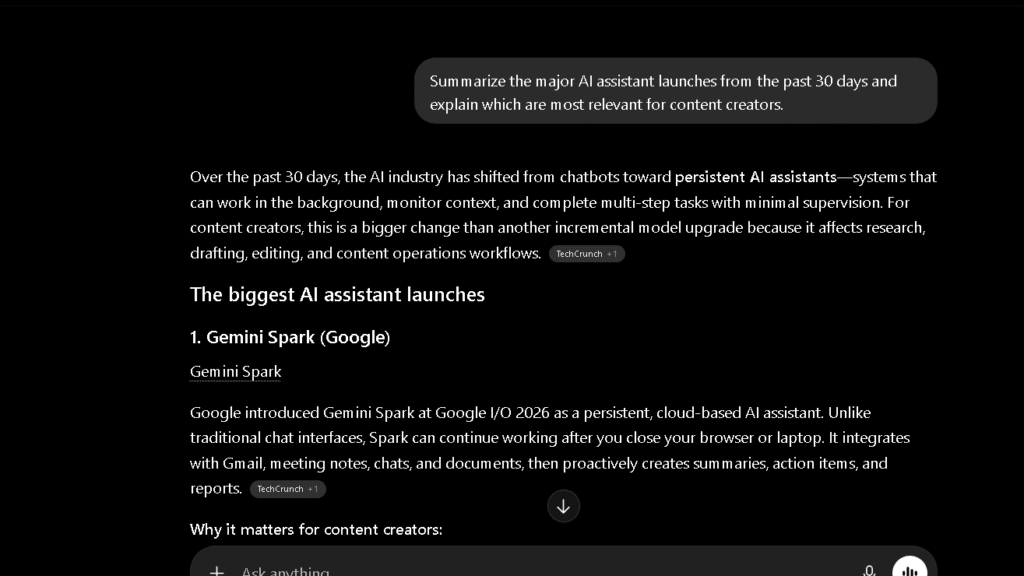
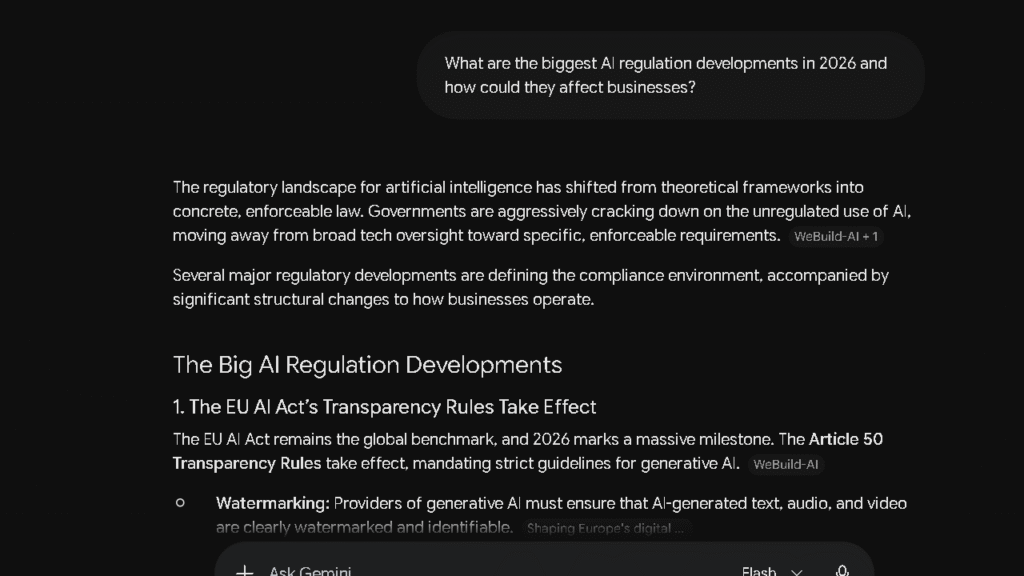
This is where Gemini earns its place in my workflow. The real-time web access is the thing. When I asked both tools to summarize current AI regulation trends, Gemini sourced its claims specifically and flagged where the situation was still moving. ChatGPT’s answer was thoughtful and well-organised, but a few details were a month or two behind what had actually happened.
For research that needs to reflect what is happening now, Gemini is the stronger pick. For synthesis of established knowledge where structure matters more than recency, ChatGPT is more reliable. Those are different things. Most people need both at different moments.
If you work in a field that moves fast — policy, finance, AI itself — Gemini’s real-time access is worth the paid plan on its own.
Coding and Technical Tasks
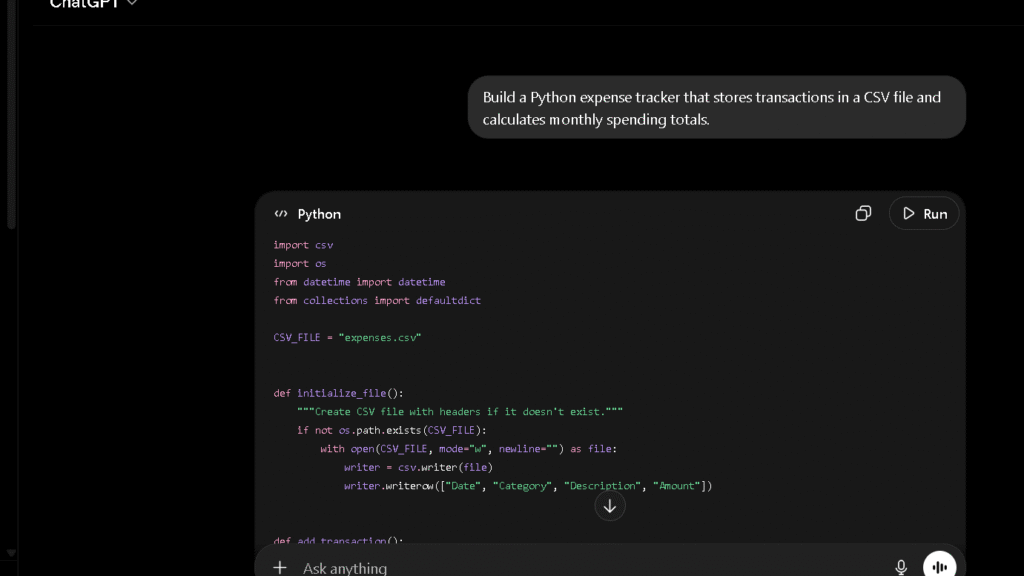
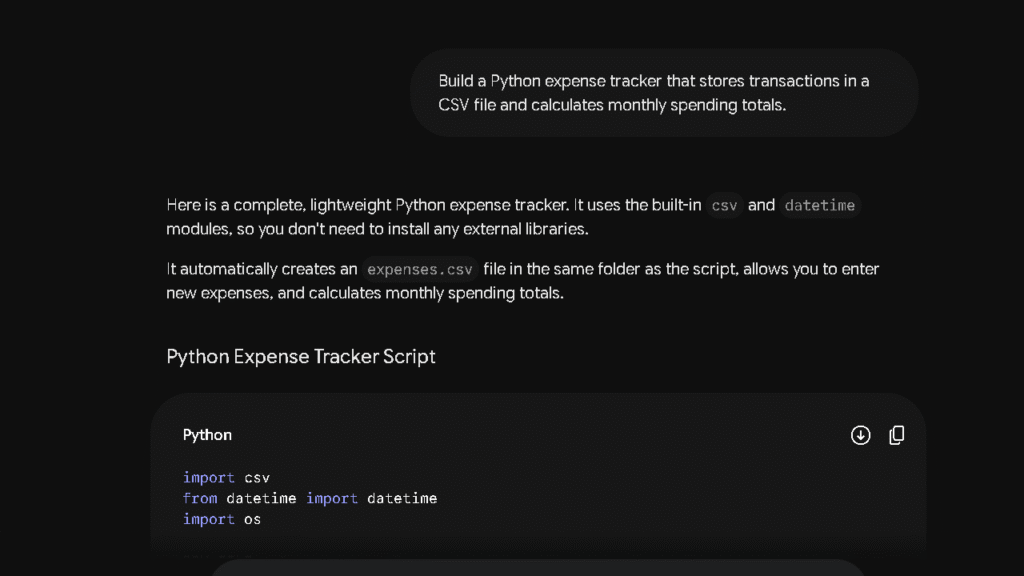
Both tools are close here, closer than the marketing from either company would have you believe. On SWE-bench Verified, Gemini 3.1 Pro scores around 80.6 percent and GPT-5.5 scores roughly 80 percent. In my own testing, the expense tracker code was correct on the first attempt from both tools. The output quality was genuinely similar.
Where they differ is in the workflow around the code, not the code itself. ChatGPT explains its choices as it writes. Gemini’s agentic coding tools are stronger for automated multi-step tasks. If you want to write and test code inside a single tool without switching to a terminal, Gemini’s agentic setup has an edge.
Most developers will not feel a meaningful quality gap day to day.
Which AI Creates Less Editing Work?
This question does not get asked enough. And the answer is not simple, because it depends on what you are editing.
For long-form editorial content, ChatGPT creates less work. I tracked this across twenty drafts over six weeks. ChatGPT drafts averaged fewer structural corrections, fewer phrase repetitions, and less reordering. The gap was not huge — but it was consistent.
For research reports and factual summaries, Gemini sometimes produces cleaner first drafts because it starts from fresher information. The editing I do on Gemini’s research output is copy-editing, not fact-checking. That is a different kind of work, and some writers will prefer it.
So is it worth thinking about editing burden when you choose a tool? Yes. At daily use volumes, it is the difference between a tool that saves you time and one that just moves the work around.
Which AI Do I Trust More After 30 Days?
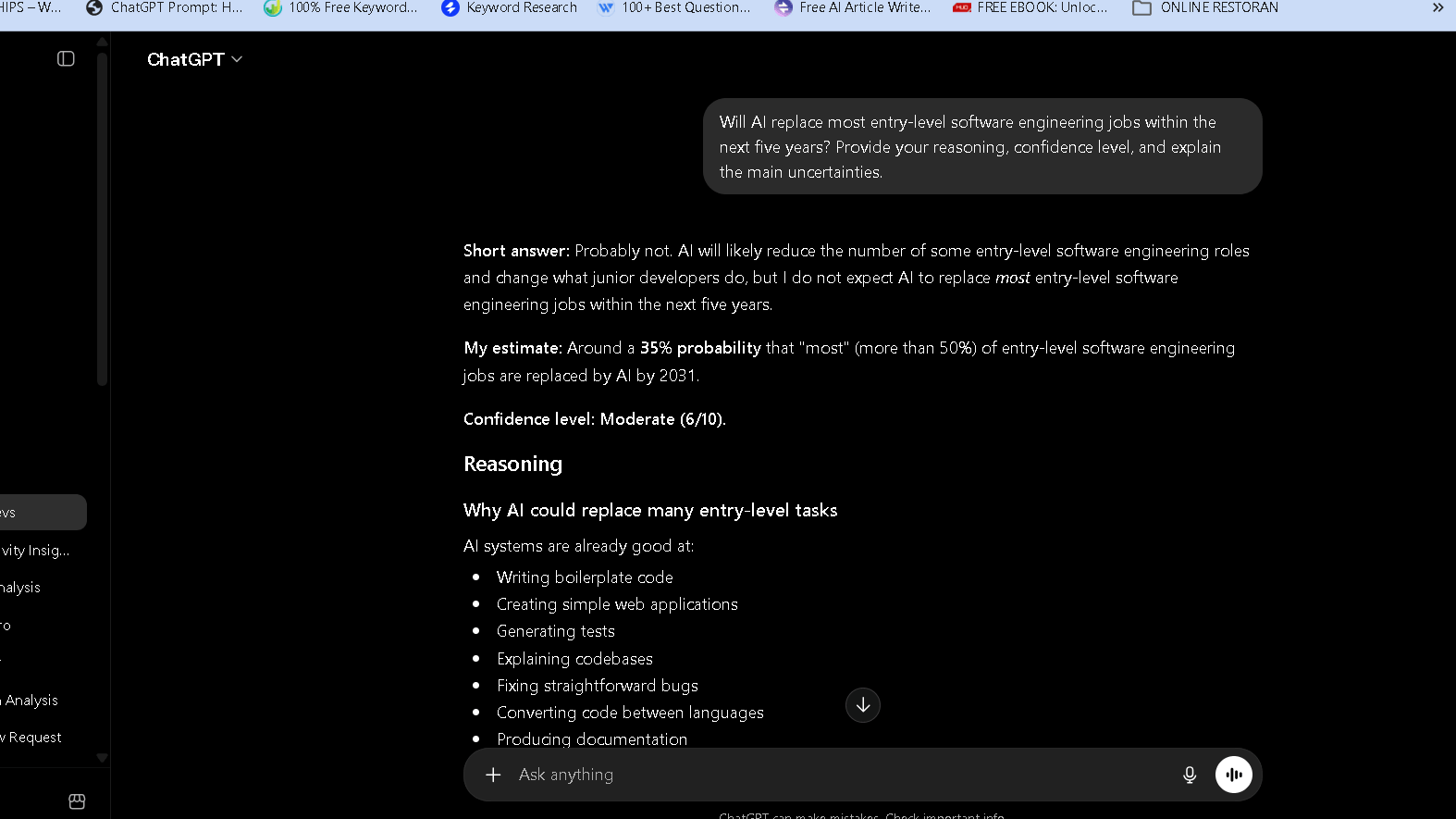
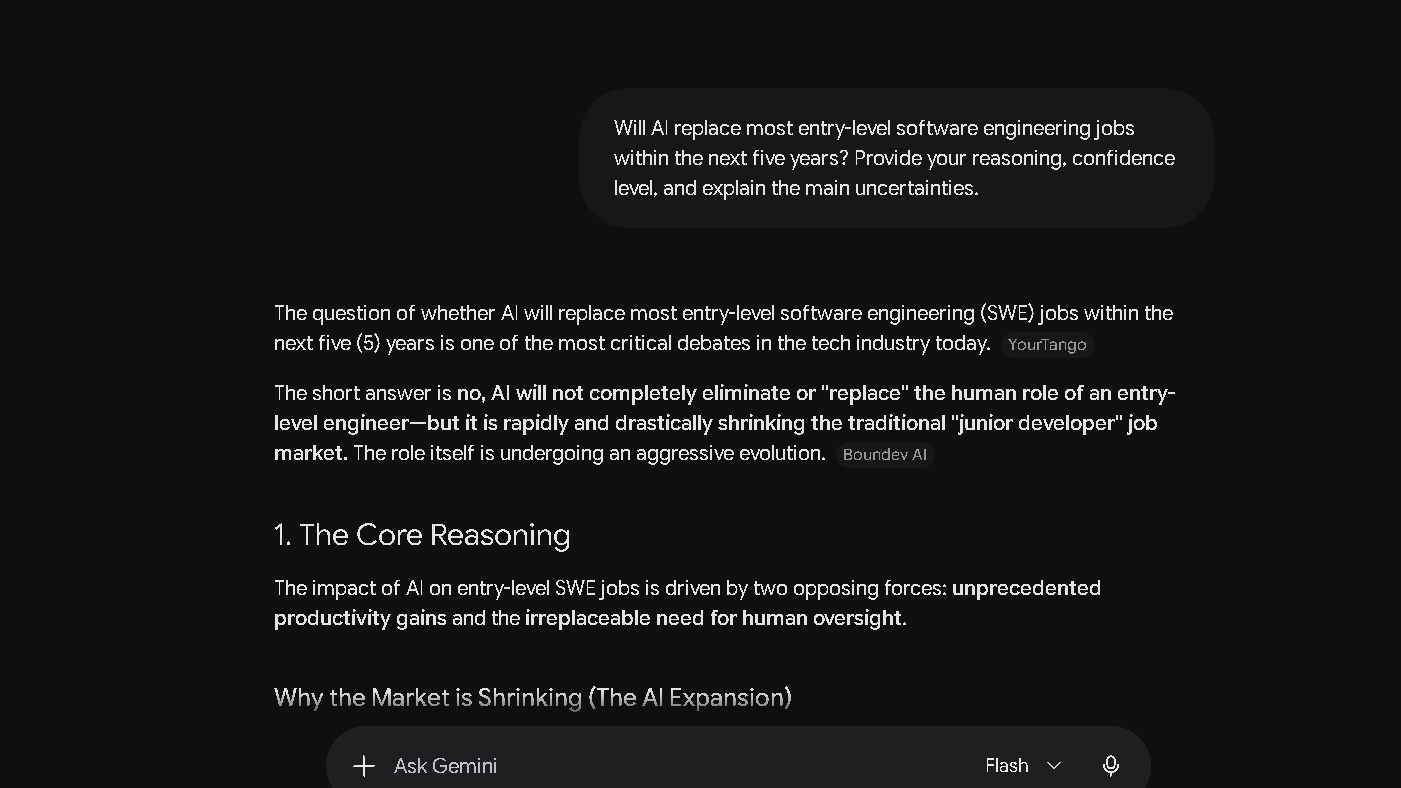
I trust ChatGPT more for tasks where I will act on the output without a verification pass. That is a specific answer to a specific question.
It is not that Gemini is unreliable. It is about how uncertainty gets handled. ChatGPT has two memory layers — saved explicit facts and recent conversation patterns — and it applies them in ways that feel calibrated. When it does not know something, it usually says so. Gemini sometimes presents speculative information with the same tone it uses for verified facts. That is the harder failure mode to catch.
| Trust Category | ChatGPT | Gemini |
|---|---|---|
| Factual accuracy, established topics | High | High |
| Real-time accuracy | Moderate | High |
| Uncertainty flagging | Clear and frequent | Inconsistent |
| Memory reliability | High, two-layer system | Low, often resets |
| Long-document retention | Good | Excellent |
| Hallucination pattern | Recoverable, flagged | Occasionally confident |
The question I kept asking myself across thirty days was this: which answer do I trust enough to act on without checking? For writing tasks, it was ChatGPT. For research tasks where recency mattered, it was Gemini. That split held.
Trust is also one of the biggest differences I found in my Grok vs Gemini comparison.
The Frustrations That Appear Over Time
Both tools develop patterns you do not expect in week one. Week one is not honest. Week six is.
With ChatGPT, the memory system is powerful — and that power has a flip side. If it remembers that you prefer a formal tone, it applies that preference even when you want something loose and casual. The memory can box you in. You have to manage it actively, editing stored facts the way you would maintain a contact list. Most people do not do that, and the results slowly drift.
With Gemini, the session reset issue is the core frustration. By week three, the pattern was clear. I would open a new session and reference context from the day before — a project name, a preference I had stated, a goal I had described — and get a blank response. No acknowledgment. No carry-over. Just a fresh start I had not asked for.
Both tools hit a phrase repetition wall in long sessions. ChatGPT starts to repeat constructions at around thirty messages in a single session. Gemini hits that wall earlier, around twenty. Neither tool is immune to this. You will notice it.
Why Some Users Switch
People who start on ChatGPT and move to Gemini usually have one of three reasons. They are deep in Google Workspace and want a tool that does not require them to leave it. They need to process very long files — Gemini’s native 1M to 2M token context is a real advantage over ChatGPT’s standard 272K. Or they find that Gemini’s real-time research is more useful for their specific work than ChatGPT’s polished but sometimes dated reasoning.
All three are legitimate reasons. The gap is real.
Why Some Users Eventually Return
The users I have seen come back to ChatGPT usually come back for one thing: memory. The persistent system — stored facts plus reference chat history — means the tool actually learns how you work over time. Named things. Project goals. Tone preferences. It holds them. Gemini does not hold them reliably at the consumer tier.
The second reason is writing trust. After weeks of editing output and second-guessing factual confidence, some users just find ChatGPT easier to live with for the work that matters most to them.
Many users considering a switch also compare ChatGPT against other leading assistants, which is why I created a full ChatGPT Alternatives guide.
Pricing Comparison
| Plan | ChatGPT | Gemini |
|---|---|---|
| Free | GPT-5.x lite | Gemini 3.1 lite |
| Standard paid | $20/month Plus | $19.99/month Advanced |
| Premium | $200/month Pro | $249.99/month Ultra |
| Business | Custom pricing | From $7.20/user/month via Workspace |
At the standard tier, pricing is essentially identical. The divergence is at the top. Gemini Ultra includes native video generation with Veo 3.1. ChatGPT Pro does not offer that. If video creation is part of your workflow, the extra fifty dollars per month at the Ultra tier has a clear justification. For text and code work, ChatGPT Pro is the better value at that level.
For businesses already in Google Workspace, the Gemini pricing case is strong. The $7.20 per user per month entry point, combined with native integration across Gmail, Docs, and Meet, makes the value case simple.
Who Should Use ChatGPT
ChatGPT is the better daily driver for writers, editors, and anyone who produces polished text at volume. The persistent memory system makes it a real long-term assistant — one that gets more useful the longer you use it. It is also the stronger pick for anyone who acts on AI output without a heavy verification pass. The trust-to-edit ratio is better.
Power users who want consistent reasoning, reliable recall across months, and steady tone across long projects will find ChatGPT fits their workflow better. For a deeper breakdown, see the full ChatGPT review.
Who Should Use Gemini
Gemini is the stronger pick for anyone inside Google Workspace. The native integration with Gmail, Docs, Sheets, and Meet is not a feature bullet — it removes real context-switching from daily tasks. Gemini is also the better research tool when current information matters, and the better document analysis tool when file length is the constraint.
Students, researchers, and analysts who need to process long documents and verify recent events will find Gemini more useful day to day. For a deeper look, see the full Gemini review.
Best Alternatives
If neither tool fits your workflow, these are worth a serious look.
| Tool | Best For | Why Consider It |
|---|---|---|
| Claude | Long-form writing, tone control | Often the strongest writer in direct tests |
| Perplexity | Research-first workflows | Source citations built in, strong recency |
| Grok | Real-time social data | Unique access to X platform context |
| Copilot | Microsoft 365 workflows | Native Office integration, Gemini’s Workspace equivalent |
| DeepSeek | Cost-sensitive developer tasks | Aggressively priced, solid code output |
For a broader comparison, see the full Best AI Assistants guide. If the writing use case is your main concern, Best AI for Writing breaks that down in more depth.
Pros and Cons
| ChatGPT | Gemini | |
|---|---|---|
| Pros | Persistent two-layer memory, consistent prose, strong uncertainty flagging | Real-time research, 1M+ context window, deep Google integration, native video and audio |
| Cons | Smaller context window, no native video, higher API pricing | Session resets, uneven confidence calibration, less polished long-form prose |
Best AI by User Type
| User Type | Best Choice |
|---|---|
| Writer and editor | ChatGPT |
| Researcher and student | Gemini |
| Developer | Tie, workflow-dependent |
| Google Workspace user | Gemini |
| Power user needing long-term memory | ChatGPT |
| Long document analyst | Gemini |
Final Verdict
Neither tool is a clear winner for everyone. Which one you want depends on what you are actually here for.
If you produce polished written work, act on AI output without a second verification pass, and want a tool that remembers your work context across months, ChatGPT is the one. The trust-to-edit ratio is better. The memory holds. The writing stays consistent when other tools start to repeat themselves.
If you live in Google’s ecosystem, work with long files, or need research that reflects this week’s developments rather than last quarter’s training data, Gemini earns its place. The context window alone is worth the switch for certain workflows.
I use both. ChatGPT is my primary writing and reasoning tool. Gemini handles the long document work and anything that needs real-time accuracy. That combination is harder to find in a single tool than it looks.
If you’re still deciding, I recommend reading my ChatGPT Review, Gemini Review, and Best AI Assistants guide before choosing a subscription.
FAQ
ChatGPT produces more consistent prose with less editing required. Across five head-to-head drafts of the same prompt, it required fewer corrections per piece. Writers who publish at volume will feel that difference.
Both score well. In practice, most developers will not notice a quality gap. Gemini’s agentic coding tools give it a workflow edge for multi-step automated tasks.
Yes. Gemini has a free tier with access to Gemini 3.1 lite. Full Gemini 3.1 Pro access requires a paid plan at $19.99 per month.
Gemini. Real-time research access, longer document context, and Google Docs integration make it more useful for academic work at the standard consumer tier.
For current events and recent developments, yes. For structured synthesis of established knowledge, ChatGPT often produces cleaner output with better organisation.
Both hallucinate. ChatGPT tends to flag uncertainty before confabulating, which makes errors easier to catch. Gemini sometimes states uncertain information with the same confidence it uses for verified facts.
Both are worth the $20 per month at the standard tier for daily users. The decision is about workflow: pay for ChatGPT Plus if writing quality and long-term memory are your priorities, pay for Gemini Advanced if you need Google integration and real-time research.