If you have been watching your Google rankings hold steady while traffic still drops, AI Overviews may be what you are missing. Google now generates AI-written summaries at the top of search results for roughly half of all queries, and those summaries cite sources. Your competitor could be cited in every one of those summaries while your ranking stays the same. That is the gap that makes learning how to track business appearance in AI Overviews one of the most useful things you can do for your site right now.
If you’re new to this topic, start by learning What Is AI Visibility?
The problem is that tracking AI Overview visibility is not as simple as checking a rank tracker. I tested multiple tools to find out what actually works, what falls short, and what workflow makes the most sense in 2026. This guide covers all of it.
Disclaimer: I may earn a small commission on purchases made through links on this page, at no extra cost to you. This supports honest, independent reviews.
Table of Contents
Quick Answer: The Best Way to Track Google AI Overviews
No single tool gives you the full picture. That is the honest starting point. What you need is a small stack of tools that each cover a different layer of the same problem.
| Purpose | Best Tool |
|---|---|
| Official Google AI Overview impressions | Google Search Console |
| AI Overview citation tracking | MorningScore or Authoritas |
| AI chatbot visibility | PromptMonitor |
| Free brand perception check | HubSpot AEO Grader |
| Competitor citation monitoring | PromptMonitor Pro or Profound |
| Affordable broad AI coverage | Otterly or Airefs |
The rest of this guide explains when to use each one and why.
What Are Google AI Overviews?
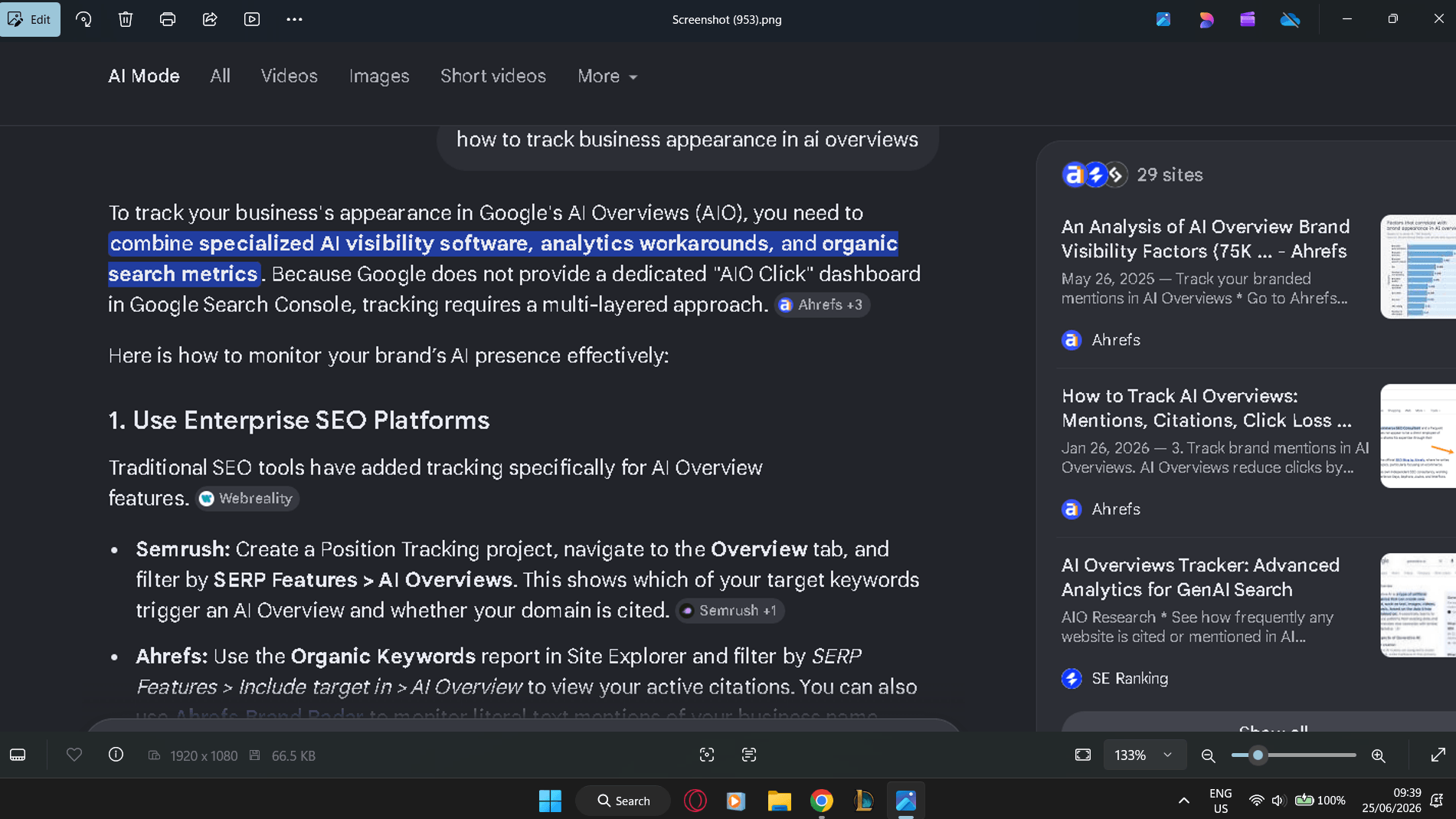
Google AI Overviews are AI-generated summaries that appear at the top of search results for many queries. Google pulls information from multiple sources, cites those sources with links, and presents a synthesized answer before any organic results appear. If your content is cited, you get a link and brand exposure inside that summary. If it is not, you are invisible at the most prominent position on the page.
AI Overviews are not the same as Featured Snippets, and the difference matters for how you track them.
| Factor | AI Overviews | Featured Snippets |
|---|---|---|
| Content type | AI-generated summary from multiple sources | Direct excerpt from one page |
| Sources shown | Multiple cited URLs | Single source |
| How ranking works | Citation-based, not purely rank-based | Tied to top organic rankings |
| Tracking method | Requires dedicated AI tools or GSC Generative AI report | Standard rank trackers |
| Appearance rate | Around 50% of US queries as of 2026 | Much lower frequency |
| User experience | Conversational summary with citations | Pulled quote in a box |
AI Overviews also differ from what ChatGPT or Perplexity show you. Those are AI chatbots that pull from their training data and live web searches. AI Overviews are specifically Google’s product, inside Google Search. Those are different things, and the tools that track them are different too.
What Google Search Console Can Now Measure (And What It Still Cannot)
Here is the update that changes this article compared to anything written before June 2026. Google launched a dedicated Generative AI performance report inside Search Console on June 3, 2026. This is the first time Google has given site owners any direct window into AI Overview visibility. It is useful. It is also incomplete.
Because of these limitations, many businesses now combine Search Console with dedicated AI visibility platforms. I compare the most useful options in my Best Rank Tracking Tools AI Overviews guide.
| Google Search Console Shows | Not Available Yet |
|---|---|
| Impressions from AI Overviews | Clicks |
| Pages appearing in AI Overviews | Click-through rate |
| Countries where AI Overviews triggered | Query data |
| Devices | Average position |
| Date range (hourly to monthly) | API access |
What that means is you can see that your content appeared inside an AI Overview, but you cannot see whether anyone clicked through to your site from it. The traffic side of the equation is still missing. Data only goes back to May 18, 2026, with no historical backfill.
Worth noting: the rollout started in the UK under a regulatory mandate and has been expanding gradually. As of late June 2026, some US, India, and Switzerland properties have access, but many do not. If you do not see a Generative AI view inside your Performance report yet, check back weekly. It is rolling out incrementally.
To find it when you do have access, go to Search Console, open the Performance section, and look for the Generative AI view alongside the Search and Discover views.
The Four Levels of AI Overview Tracking
I think about AI visibility tracking in four levels. Each one answers a different question. You do not need all four at once, but knowing which level you are working at helps you choose the right tool.
Level 1 — Official Google Data
This is Google Search Console’s new Generative AI report. It answers the question: does Google show my content in AI Overviews at all? It is free, authoritative, and the only source of first-party data directly from Google. The weakness is the same weakness that has frustrated SEOs for years with Search Console — limited metric depth. You get impressions. You do not get clicks, queries, or position data.
Use Level 1 as your baseline. It tells you whether you are in the game, not how well you are playing it.
Level 2 — AI Visibility Platforms
This level covers tools like MorningScore, Authoritas, Otterly, and PromptMonitor Pro. These platforms do what Search Console cannot — they actively run queries, capture the full content of AI Overviews, record which URLs are cited, and track how that changes over time. They answer the question: which specific pages are being cited, how often, and by which AI model?
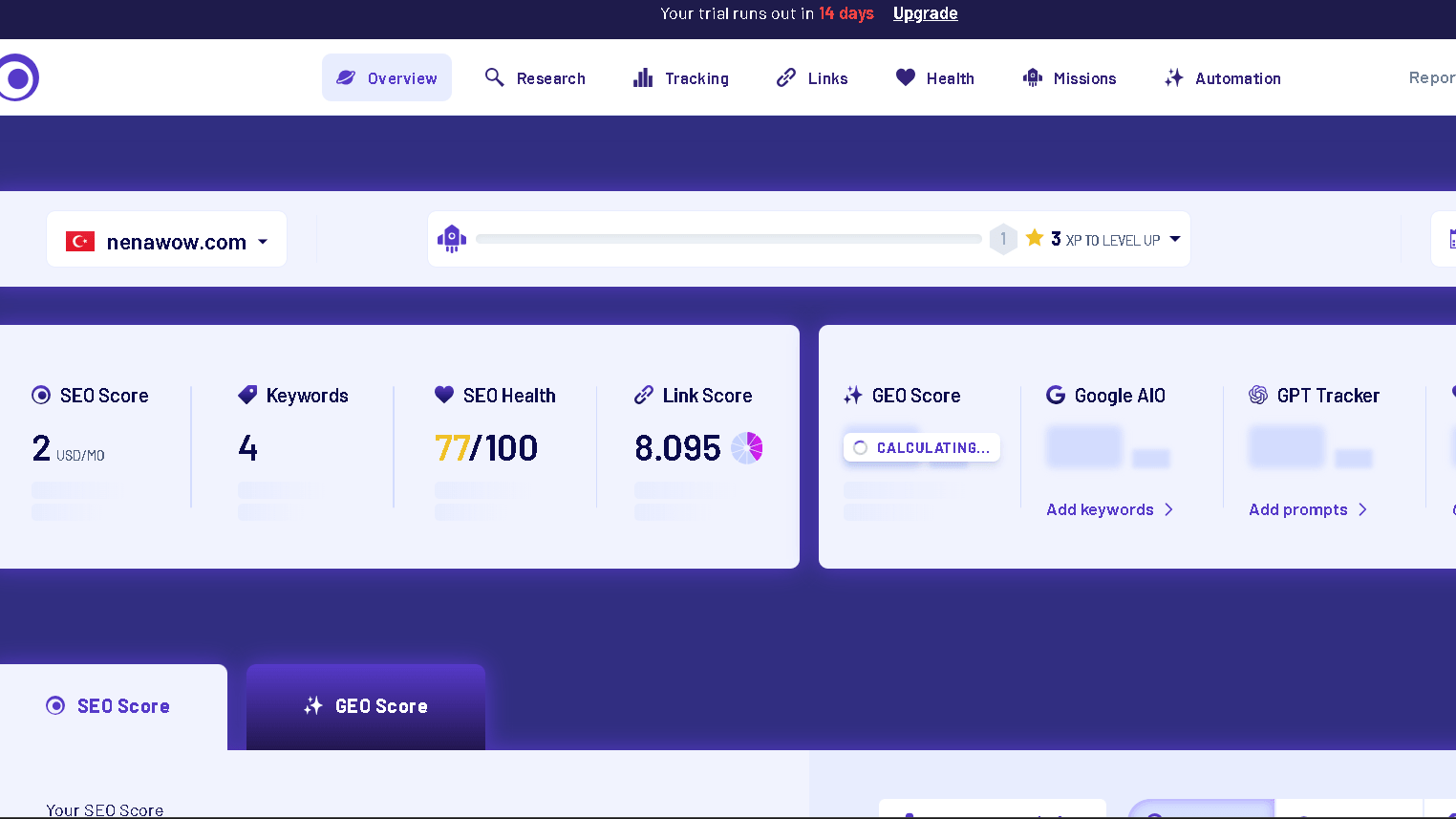
During testing I noticed that MorningScore’s dedicated AIO column — which shows whether your site is being cited or used as a source in Google AI Overviews — is one of the cleaner implementations I have seen at that price point. Authoritas goes deeper still, fully expanding each AI Overview and capturing every citation rather than just detecting that one appeared.
Level 3 — Brand Perception Monitoring
This level answers a different question entirely: how does AI describe my business when someone asks about it? That is what HubSpot’s free AEO Grader does across ChatGPT, Gemini, and Perplexity. That is also what PromptMonitor’s Starter and Growth plans cover.
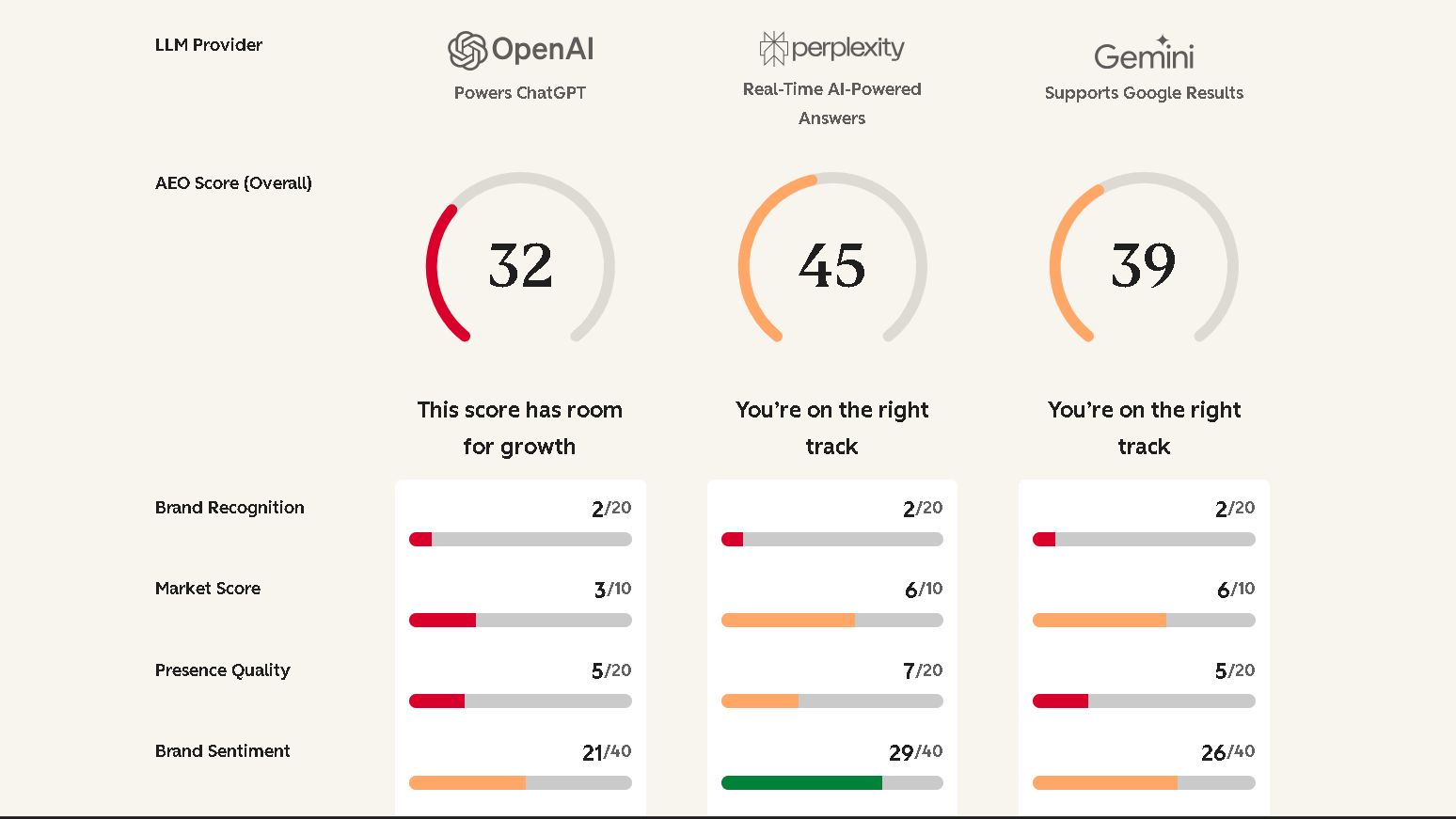
Here is the issue. A lot of site owners assume these tools track Google AI Overviews. They do not. The HubSpot AEO Grader does not touch Google AI Overviews at all.
PromptMonitor’s entry tiers cover ChatGPT, Gemini, Perplexity, DeepSeek, Grok, and Claude — but not Google AI Overviews unless you are on the Pro plan at $129 per month. Brand perception and Google AI Overview visibility are related problems but they require different tools.
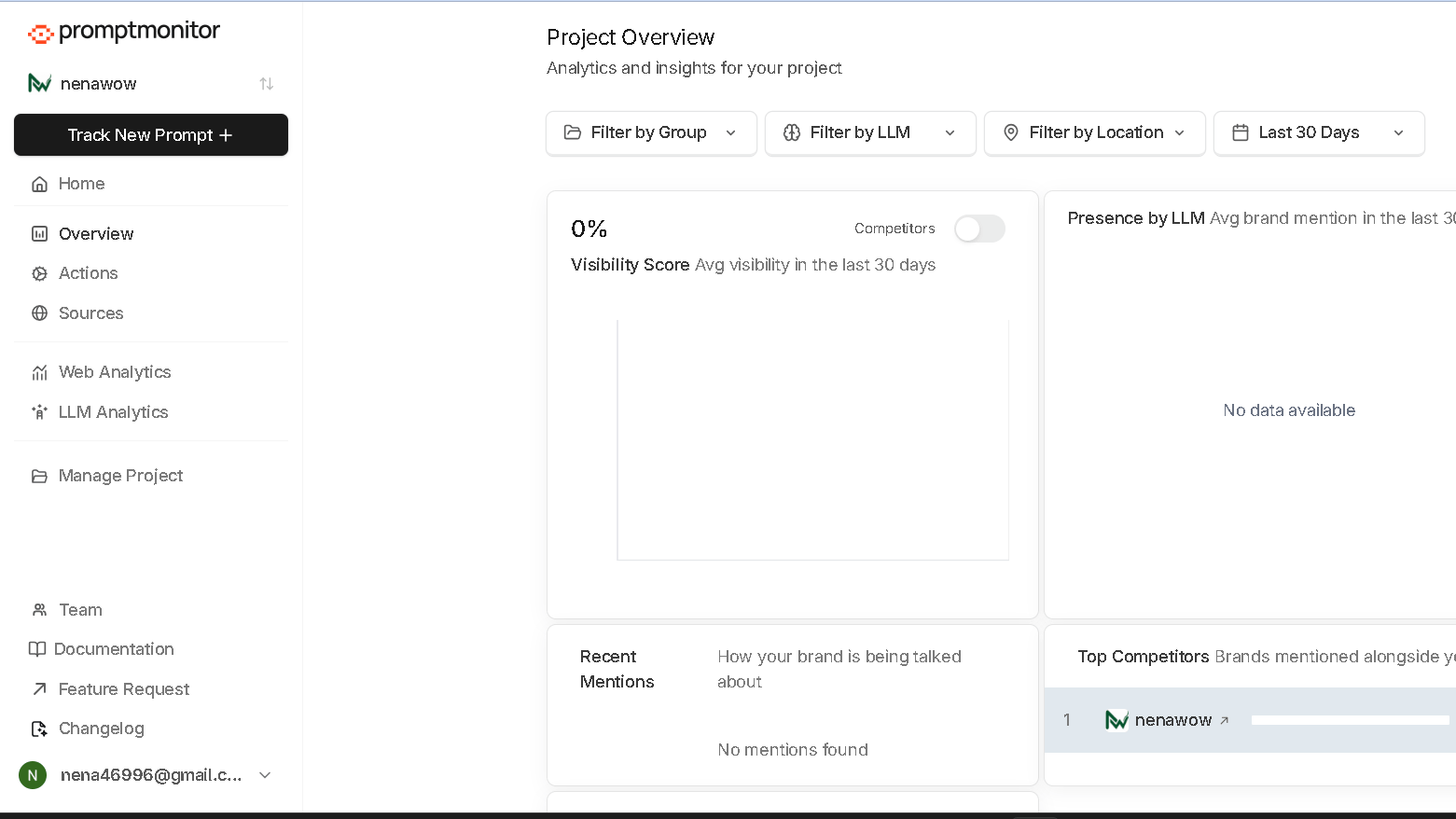
Level 4 — Competitor Monitoring
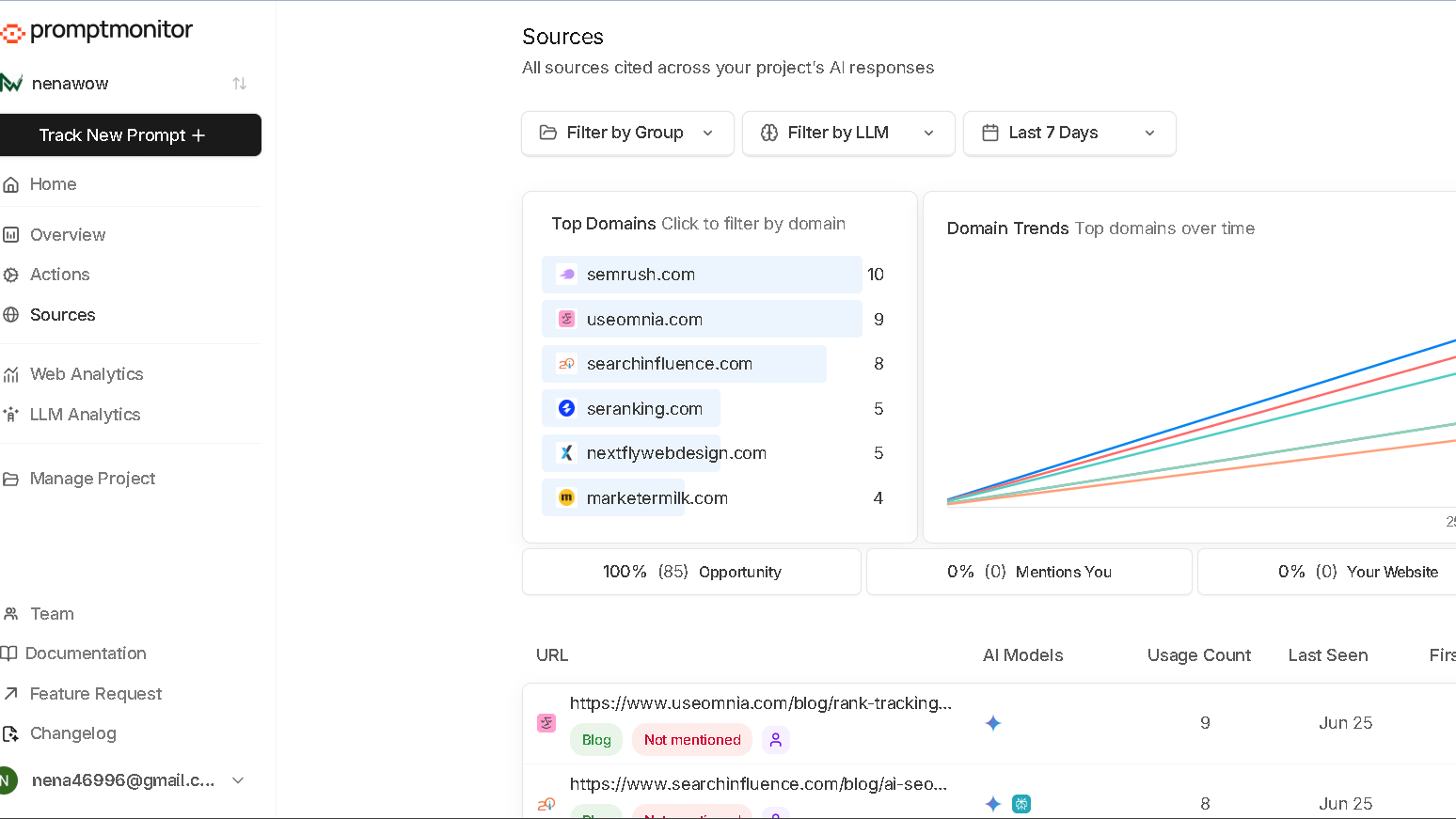
Level 4 answers: who is appearing in AI Overviews instead of me, and what can I learn from their citations? Tools like PromptMonitor Pro, Authoritas, and Profound sit here. During my testing of PromptMonitor, the Sources dashboard showed me exactly which competitor domains were being cited, how many times, and by which model. That is not just tracking — that is a content gap analysis built directly from AI output. The gap between where citations are going and where your site is not — that is actionable data.
How I Tested AI Visibility Tools
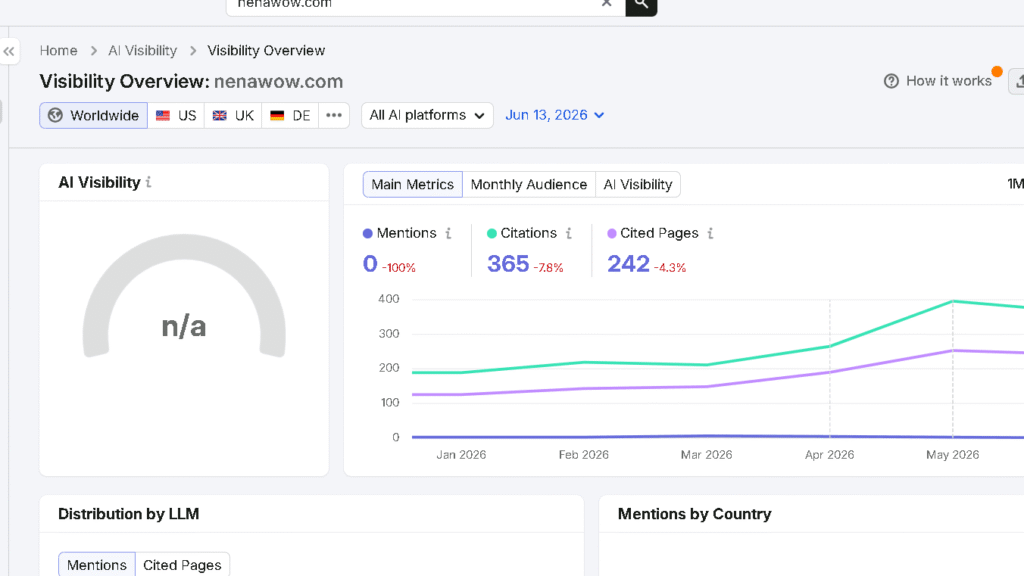
Rather than relying on product demos or marketing pages, I tested each platform using my own website, nenawow.com. During the same week, I created real projects in HubSpot AEO Grader, MorningScore, and PromptMonitor to see how each platform measured AI visibility in practice.
I recorded what every dashboard reported, where the data came from, and which questions each tool could—and could not—answer. To complete the comparison, I also researched platforms such as Authoritas, Otterly, AIClicks, Airefs, Goodie AI, and Profound, focusing on their AI Overview tracking capabilities, pricing, and intended use cases.
PromptMonitor was the quickest platform to set up during my testing. My first project was ready in about a minute, and every dashboard loaded without issues. HubSpot AEO Grader analyzed nenawow.com across ChatGPT, Gemini, and Perplexity without requiring an account, making it the easiest tool to try.
MorningScore stood out for a different reason. Instead of focusing on AI chatbots, it provides a dedicated AI Overview tracking view, making it easier to monitor Google AI citation visibility alongside traditional SEO metrics.
The biggest lesson from my testing was that these platforms are not direct competitors, even though many describe themselves as AI visibility tools. Some focus on Google AI Overviews, others monitor AI assistants such as ChatGPT and Gemini, while enterprise platforms combine citation tracking with competitor intelligence.
Before choosing a tool, decide what you actually want to measure. Tracking AI Overview citations, monitoring AI chatbot mentions, and analyzing competitors are related tasks, but they are not the same thing, and no single platform currently excels at all of them.
Best Tools for Tracking Google AI Overviews
Here is how the main tools compare across the features that matter most for tracking your business in Google AI Overviews.
| Tool | Tracks Google AI Overviews | Tracks AI Chatbots | Citation Tracking | Free Option | Entry Price |
|---|---|---|---|---|---|
| Google Search Console | Yes (impressions only) | No | No | Free | Free |
| MorningScore | Yes | ChatGPT | Yes | 14-day trial | ~$49/mo |
| Authoritas | Yes (full expansion) | Yes | Yes (deep) | Freemium SEO tier | Paid upgrade for AIO |
| PromptMonitor | Pro plan only | Yes (6 models) | Yes (Sources dashboard) | 7-day trial | $29/mo (AIO needs $129 Pro) |
| Otterly | Yes | Yes | Yes (linked vs unlinked) | 14-day trial | $29/mo |
| AIClicks | Yes + AI Mode | Yes | Yes | 3-day trial | $59/mo |
| Airefs | Yes (default) | ChatGPT + others on request | Yes | 7-day trial (Pro) | $24/mo |
| HubSpot AEO Grader | No | ChatGPT, Gemini, Perplexity | No | Fully free | Free |
| Profound | Yes (Growth plan+) | ChatGPT (Starter) | Yes | No — demo only | $99/mo (AIO needs $399) |
| Goodie AI | Yes | Yes | Yes | No — assessment only | ~$495/mo |
A few things stand out from this table. Airefs at $24 per month is the lowest entry point that actually tracks Google AI Overviews. Authoritas has the deepest citation capture. Profound gates AI Overview tracking behind a $399 plan, which is a steep jump. And HubSpot’s AEO Grader — despite being called an AEO tool — does not track Google AI Overviews at all.
Google Search Console vs Third-Party AI Overview Visibility Tools
| Feature | Google Search Console | MorningScore | PromptMonitor Pro | Authoritas |
|---|---|---|---|---|
| Data source | Google’s own data | Simulated queries | Simulated queries | Simulated queries |
| Impressions | Yes | Estimated | Estimated | Estimated |
| Clicks | No | No | No | No |
| Query data | No | Limited | No | Limited |
| Citation source tracking | No | Yes | Yes | Yes (full expansion) |
| Competitor monitoring | No | Limited | Yes | Yes |
| AI chatbot tracking | No | ChatGPT | Yes (6 models) | Yes |
| Free access | Yes (when rolled out) | 14-day trial | 7-day trial | Freemium tier |
| API access | Not yet | Yes (all plans) | Limited | Yes |
The honest summary: Search Console is authoritative but shallow. Third-party tools are deeper but working from simulated queries rather than Google’s own data. You need both.
Manual vs Automated Google AI Overview Tracking
Some site owners start by just searching Google manually and checking whether an AI Overview appears for their target keywords. That works up to a point. Here is how it compares to automated tracking.
| Factor | Manual Searching | Automated Tracking |
|---|---|---|
| Cost | Free | $24–$499/mo |
| Time required | High — hours per week | Low — dashboards update automatically |
| Query coverage | A few keywords at a time | Hundreds of prompts |
| Citation detail | What you see on screen | Full citation capture with usage counts |
| Competitor data | Manual comparison | Automated competitor benchmarking |
| Historical data | None | Tracked over time |
| Accuracy | Affected by personalisation, location, login status | Consistent across controlled test environments |
| Best for | Initial check or one-off research | Ongoing monitoring |
In practice, manual checks are good for a quick sanity check. They are not enough for a real monitoring strategy. The personalisation problem alone makes manual AI Overview data unreliable — what you see logged in as yourself may differ significantly from what a fresh visitor sees.
Automated monitoring becomes even more useful when you’re tracking your overall AI Share of Voice, not just individual AI Overview appearances.
Which Tool Should You Use?
That depends on what question you are actually trying to answer. Here is how I would match tools to goals.
| Goal | Recommended Tool | Reason |
|---|---|---|
| Official Google AI Overview impressions | Google Search Console | Only source of first-party Google data |
| AI Overview citation tracking on a budget | Airefs ($24/mo) or MorningScore (~$49/mo) | Both track AIO with dedicated citation views |
| Deep citation analysis | Authoritas | Fully expands AI Overviews, captures all sources |
| AI chatbot visibility across 6 models | PromptMonitor Starter ($29/mo) | Broadest model coverage at entry price |
| AI chatbot + Google AI Overview tracking | PromptMonitor Pro ($129/mo) | Adds AI Mode and AI Overview to chatbot coverage |
| Competitor citation monitoring | PromptMonitor Pro or Profound | Sources dashboard and competitor benchmarking |
| Enterprise AI brand monitoring | Profound ($399/mo+) or Goodie AI (~$495/mo) | Built for scale; deepest enterprise reporting |
| Free brand perception check | HubSpot AEO Grader | Fully free; covers ChatGPT, Gemini, Perplexity |
Google Search Console
Official Google AI Overview impressions
Continue below
- MorningScore
- Authoritas
- Airefs
Continue below
PromptMonitor
Tracks six major AI assistants
Continue below
- Profound
- Goodie AI
You now know which AI visibility tool best matches your needs.
My Recommended AI Visibility Workflow
This is the section I wish existed when I started testing these tools. Most guides list tools. Very few explain how to combine them into a routine that actually fits into a working week. Here is what I use.
The workflow below summarizes the routine I recommend after testing multiple AI visibility platforms. It combines Google’s own reporting with specialized AI visibility tools, giving you a practical process you can repeat every month.