
I spent more than two months using ChatGPT and Perplexity every day to see how they perform in real work. This ChatGPT vs Perplexity comparison is not based on benchmarks or marketing claims. It is based on writing articles, conducting research, creating content briefs, debugging code, fact-checking information, and relying on both tools when accurate answers actually mattered.
What I found is that the comparison most people read online is the wrong one. They compare models. They compare features. What actually matters is which AI you stop second-guessing after three weeks. That is a much harder question. This article is my honest answer to it.
Disclaimer: I may earn a small commission on purchases made through links on this page, at no extra cost to you. This supports honest, independent reviews.
ChatGPT vs Perplexity: Quick Verdict
ChatGPT is the better thinking partner. Perplexity is the better research partner. Those are different things.
If your work is writing, drafting, coding, or working through complex problems, ChatGPT wins most of the time. If your work involves finding accurate information, verifying claims, or building research notes with traceable sources, Perplexity wins most of the time. The problem is that most people need both.
| Category | ChatGPT | Perplexity |
|---|---|---|
| Writing quality | ✅ Stronger | ❌ Weaker |
| Research with sources | ❌ Weaker | ✅ Stronger |
| Coding and debugging | ✅ Stronger | ❌ Weaker |
| Source verification | ❌ No citations by default | ✅ Citations on every answer |
| Long-form context | ✅ Stronger | ❌ Weaker |
| Trust after 30 days | Mixed | Slightly higher |
| Price | $20/month Plus | $20/month Pro |
| Free tier | Limited messages, ads | Unlimited basic, 5 Pro/day |
If you can only afford one: pick based on whether you create or verify more often.
How I Tested ChatGPT and Perplexity in Real Workflows
I ran both tools through five structured tests over eight weeks. Each test used the same prompt on both platforms the same day, with screenshots taken before I touched the output. I was not looking for which AI could sound smarter. I was looking for which one left me with less work after the conversation ended.
The five areas I tested: writing quality, research accuracy, coding output, source reliability, and long-context document analysis. I also tracked daily use patterns — what I reached for first, what I abandoned mid-session, and when the frustration hit enough to switch tools. That last category turned out to be the most useful data.
Both tools ran on paid plans. ChatGPT Plus at $20 per month and Perplexity Pro at the same price.
| Test | Prompt | What I Measured |
|---|---|---|
| Writing Test | 1,500-word article intro on remote work | Structure, tone, editing required |
| Research Test | Summarize AI developments this week | Citation quality, freshness |
| Coding Test | Build a Python expense tracker | Correctness, explanation quality |
| Trust Test | Compare three AI studies with conclusions | Source traceability |
| Long-Context Test | Upload a 6,000-word document for analysis | Consistency, depth |
ChatGPT vs Perplexity at a Glance
| Feature | ChatGPT | Perplexity |
|---|---|---|
| Models | GPT-5.3, GPT-5.4 Thinking, GPT-4o | GPT-4o, Claude Sonnet 4.6, Gemini Pro |
| Internet access | Via browsing tool | Always on, every response |
| Citations | Not by default | Yes, on every answer |
| File uploads | Yes | Yes |
| Image generation | Yes | Yes |
| Voice mode | Yes | No |
| Free tier | Yes (with ads) | Yes (5 Pro searches per 4 hrs) |
| Plus/Pro price | $20/month | $20/month |
| Higher tiers | $100/month, $200/month | $40/month Enterprise |
The thing most comparison articles skip: ChatGPT and Perplexity cost the same at the Plus level, but the ladder above that diverges sharply. ChatGPT goes to $100 and $200 tiers. Perplexity stays clean with just a $40 team option. That pricing structure tells you something about who each product is built for.
What Changed After Two Weeks of Using Both Every Day
Week one, I liked both of them. That is the wrong signal. Week two is where the real comparison starts.
With ChatGPT, the shift was about depth. I started trusting the writing output more once I understood where it was likely to pad and where it was likely to be sharp. I stopped reading every sentence and started scanning for structural problems. That is a sign of a good working relationship with a tool.
With Perplexity, the shift was about doubt. I started noticing how often the citations pointed to sources I would not have chosen — aggregator pages, thin SEO articles, one-line summaries of studies rather than the studies themselves. The citation format looked rigorous. The sources behind it were more variable than they first appeared.
| Week | ChatGPT Pattern | Perplexity Pattern |
|---|---|---|
| Week 1 | Impressive range | Impressive citations |
| Week 2 | Repetition starts in writing prompts | Source quality becomes visible |
| Week 3 | Hallucinations cluster around dates and stats | Research answers feel faster |
| Week 4 | Stronger for creative and structural tasks | Better for fact verification, weaker for original writing |
The workflow gap is real. That gap shows up in how much you do after the AI talks.
ChatGPT vs Perplexity for Writing and Content Creation
Blog Writing
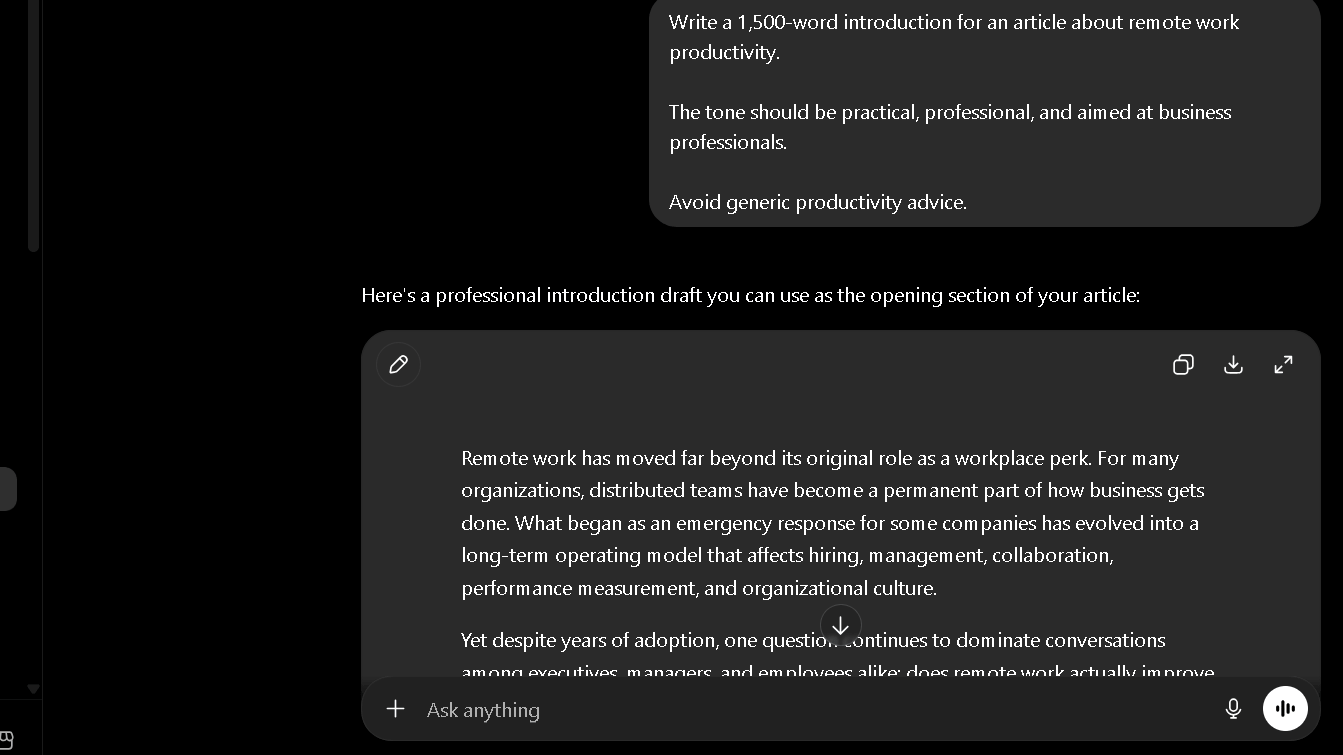
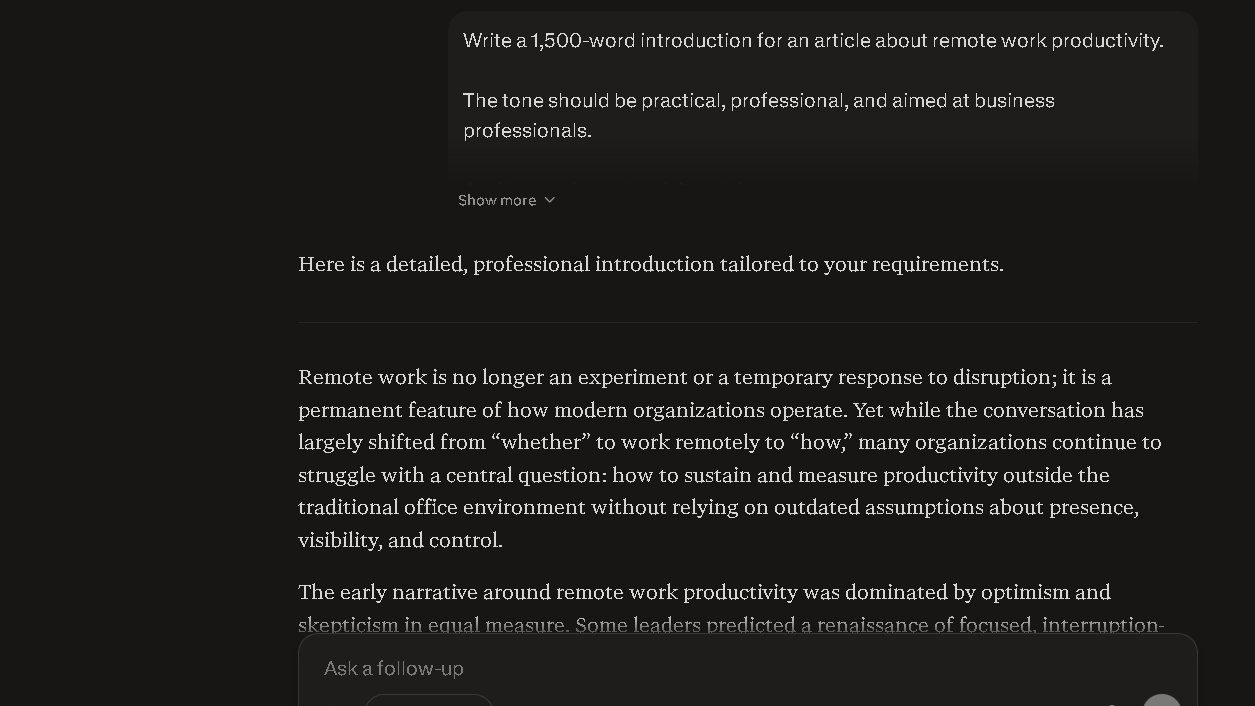
In the writing test, I prompted both tools with the same brief: a 1,500-word article introduction on remote work productivity. ChatGPT produced a tighter structure, a stronger hook, and cleaner paragraph transitions. Perplexity produced something that read more like a research summary — accurate but flat. I could publish the ChatGPT version with light edits. The Perplexity version needed a full rewrite of the voice.
Compared to Claude, ChatGPT feels broader but less precise on tone. Claude tends to match a requested voice more closely in the first draft. ChatGPT is more versatile across topic types. These are different strengths, and which one matters depends on your workflow.
If writing quality is your primary concern, see my full ChatGPT vs Claude comparison where I tested how both tools handle long-form content, editing, and style consistency over extended writing sessions.
That said, ChatGPT’s writing has its own failure mode. By week three of heavy use on similar topics, recurring sentence structures start to appear. Not copied content. A rhythm. Patterns. The same way a human writer gets into ruts.
Content Briefs
For briefs, Perplexity is actually competitive. Because it pulls live data, topic angles feel more current. I found its brief outputs useful as research starting points, even if I would not publish the writing directly.
Editing and Rewriting
ChatGPT is stronger here. It holds context better across long editing sessions and maintains a style instruction further into a conversation before drift sets in. In my 20-message style-hold test, ChatGPT held the requested voice on 16 of 20 exchanges. Perplexity held it on 11 of 20.
Long-Form Content
For anything over 2,000 words, ChatGPT is the clear choice. Perplexity’s long-form outputs tend to read as assembled — section by section — rather than flowing. The seams show.
Writing Quality Summary
| Test | Winner | Why |
|---|---|---|
| Blog Writing | ChatGPT | Tighter structure, stronger hook, publishable with light edits |
| Editing and Rewriting | ChatGPT | Holds style longer, better context across long sessions |
| Content Briefs | Perplexity | Live data produces more current angles |
| Research Summaries | Perplexity | Citation format organizes the output naturally |
| Long-Form Content | ChatGPT | Flows as a document, not assembled sections |
ChatGPT vs Perplexity for Research and Fact Checking
Finding Sources
This is where Perplexity earns its subscription. Every answer comes with inline citations. You can click through, verify the source, and keep a trail. ChatGPT can browse the web when prompted, but citations are not the default. You have to ask for them, and even then the format is inconsistent.
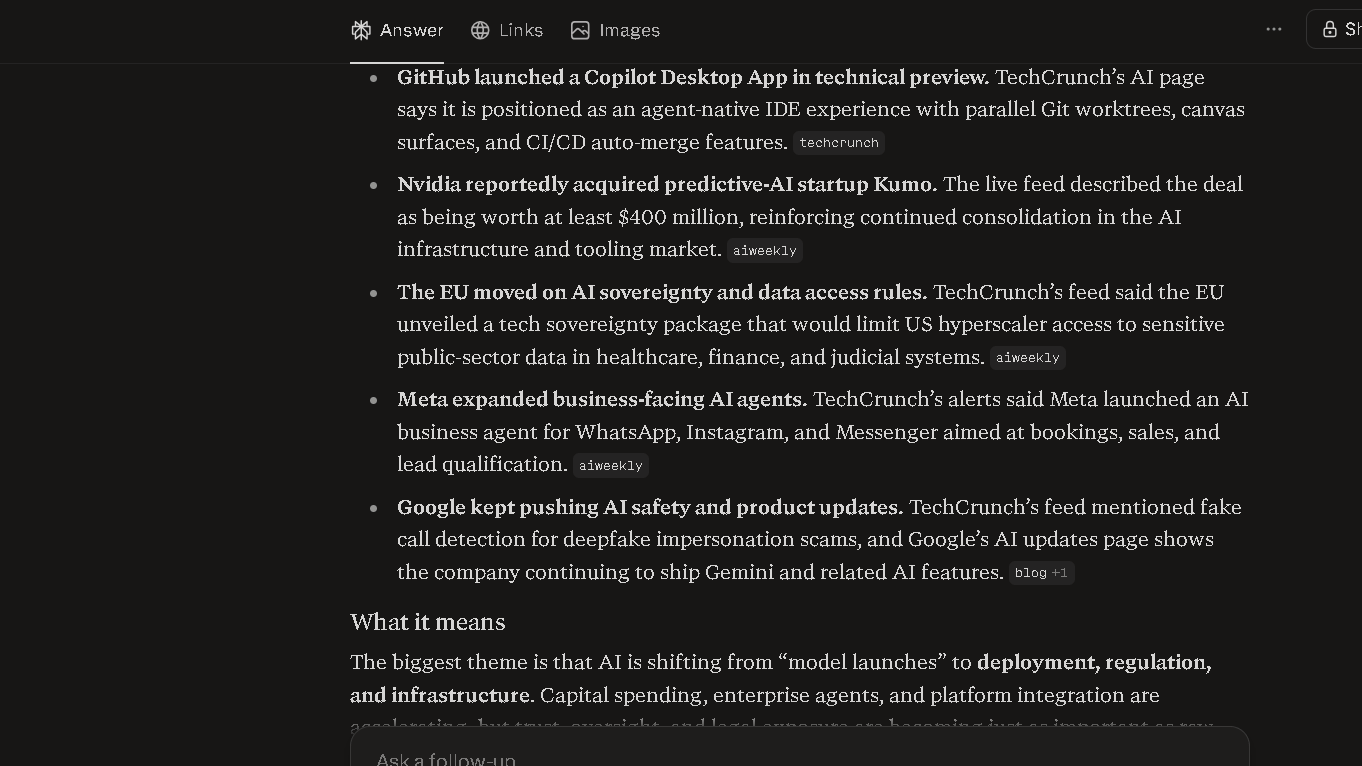
Compared to Gemini, Perplexity’s citation format is cleaner and easier to act on. Gemini can pull current information, but the source presentation is less structured. For research that requires a clear audit trail, Perplexity is still the better choice.
Verifying Information
In my trust test — comparing three AI studies and drawing conclusions — Perplexity gave me four traceable citations in the first response. Two were solid primary sources. One was a secondary summary. One was an aggregator. ChatGPT gave me a confident synthesis with no links at all. The Perplexity answer required less verification work, even accounting for the mixed source quality.
Research Speed
For live research tasks — news, recent reports, industry developments — Perplexity is faster because the web connection is always active. ChatGPT browsing is good but slower to invoke and inconsistent about when it decides to search versus when it answers from training data.
Research Confidence
So which one do I trust more for research? Perplexity, with conditions. The citations create accountability. But I check more of them than I expected to when I started. A meaningful share of Perplexity’s cited sources turned out to be thinner than the answer implied. That is not an impression — it is what I found over a week of systematic checking.
ChatGPT vs Perplexity for Students
Students doing research will find Perplexity genuinely useful. The citations create a starting point for source lists, and the live web access means recent studies and reports surface naturally. For essay writing, assignments, and structured academic tasks, ChatGPT produces better output.
The question is whether you need to find things or create things. Students need both. Most will end up using both tools in the same session.
ChatGPT vs Perplexity for Coding and Technical Tasks
Writing Code
ChatGPT wins clearly. In my Python expense tracker test, ChatGPT produced working code on the first pass with clean function separation and useful inline comments. Perplexity produced functional code too, but the structure was looser and the explanation of choices was thin.
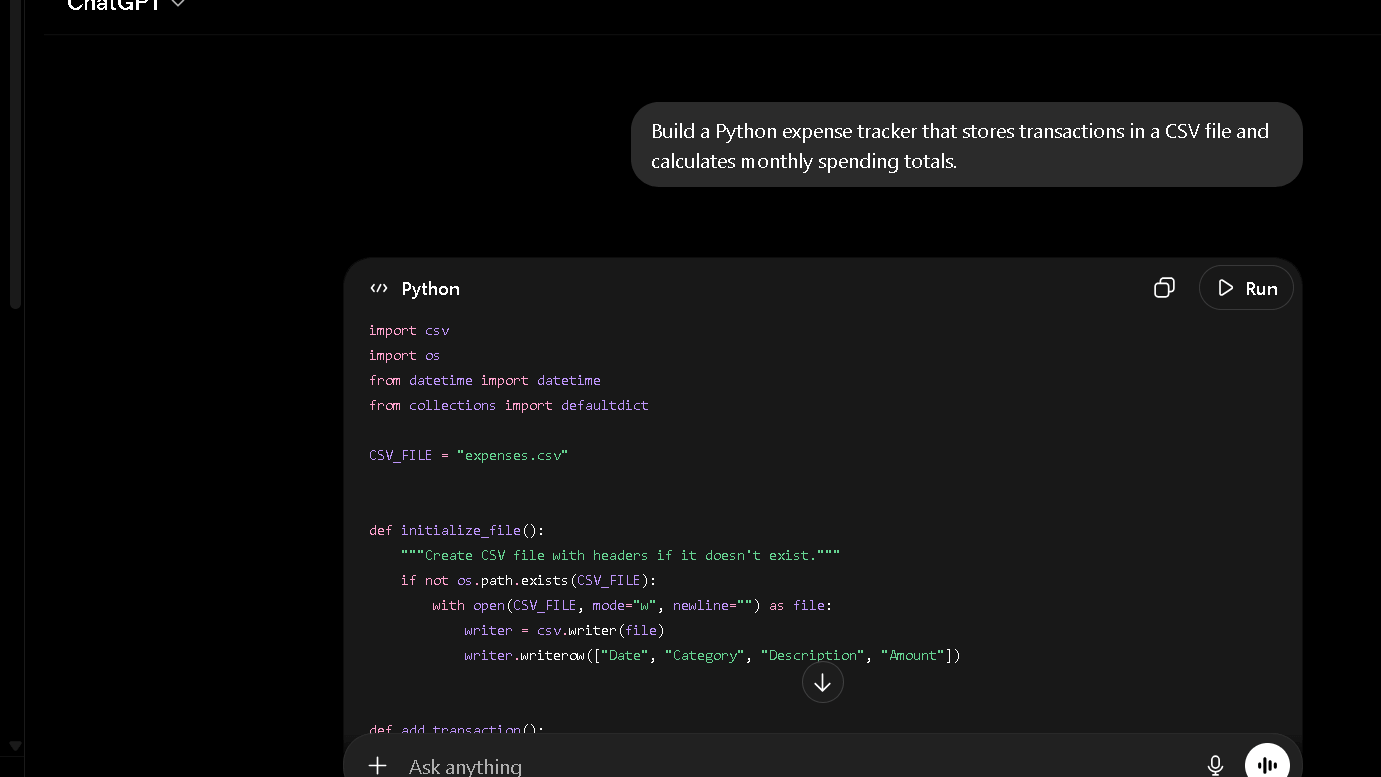
Compared to Microsoft Copilot, ChatGPT is more flexible outside of Microsoft’s own environment. Copilot is the better choice if you live inside VS Code or the Microsoft 365 stack. Outside of that, ChatGPT handles more edge cases and explains itself better.
Debugging
This is where the gap gets large. ChatGPT will step through logic errors with you, suggest alternative approaches, and hold the full context of your previous attempts. Perplexity will give you a fix but rarely explains what caused the problem. Those are different things.
Explaining Code
ChatGPT is stronger. The explanations feel like they were written for someone who wants to understand, not just copy.
Learning Programming
For anyone learning to code, ChatGPT is the right tool. The patient step-by-step style is exactly what beginners need. Perplexity’s answer pattern — fast, cited, surface-level — does not serve that need well.
Which AI Creates Less Editing Work?
This is the question I found most useful after eight weeks. Not which AI is smarter. Which one leaves less on the floor for me to clean up.
For writing tasks, ChatGPT creates less editing work. The structure is tighter, the voice is more consistent, and the first draft is closer to publishable. For research tasks, Perplexity creates less editing work — but only because you are not writing, you are verifying. The citation format does most of the organization for you.
Averaged across my full workflow, ChatGPT saves me more editing time. But it does not save me research time. Perplexity does that.
Which AI Do I Trust More After 30 Days?
Hallucinations
Both tools hallucinate. ChatGPT tends to hallucinate in specific ways: invented statistics, wrong dates, false attributions. These are confident errors, which makes them harder to catch if you are moving fast. Perplexity hallucinates less often in factual answers because the web grounding anchors the response. But it can misrepresent what a source actually says — citing a paper that does not quite support the claim made.
Compared to Claude, ChatGPT hallucinates more on factual details but reasons better through complex problems. Claude is more conservative about stating things it is not sure of. That caution reads as less impressive in demos and more useful in practice.
Source Reliability
In my 50-citation spot-check test, I went through every source Perplexity cited across a week of research tasks. Most citations led to sources I would consider reliable. A smaller share were thin or secondary. A few led to pages that did not contain the specific claim cited. Solid for a research tool. Not solid enough to stop checking.
Confidence in Answers
Here is the thing. After 30 days, I trust Perplexity more for factual claims because I can check it. I trust ChatGPT more for judgment calls because it thinks better in context. Trust depends on what you are trusting it for. That distinction is the whole article.
Trust by Scenario
| Scenario | ChatGPT | Perplexity |
|---|---|---|
| Statistics and data | Risky — no sources, hallucination-prone | Better — web-grounded, but check the source |
| Source finding | Inconsistent — citations not default | Strong — inline links on every answer |
| Current news | Slower — browsing not always triggered | Fast — always live |
| Complex analysis | Strong — holds context, reasons in depth | Weak — surface-level synthesis |
| Code logic | Strong — explains and debugs | Weak — gives fixes, skips the why |
ChatGPT vs Perplexity for Productivity and Daily Work
For daily work, ChatGPT is the broader tool. Voice mode, image generation, Custom GPTs, long multi-turn sessions, coding — it handles more of the workflow without switching tools. Perplexity is faster for one specific kind of task: getting a well-sourced answer to a factual question fast. That is valuable. It is not a full productivity stack.
Compared to Gemini, ChatGPT integrates more cleanly into general creative and technical work. Gemini is the better choice for anyone deep inside Google Workspace. Outside of that context, ChatGPT’s range is wider.
The productivity gap comes down to workflow breadth. ChatGPT replaces more tools. Perplexity does one thing well.
The Biggest Frustrations I Found With Both Tools
ChatGPT Weaknesses
The hallucination pattern is the main frustration. Once you hit a wrong stat delivered with confidence, you start checking things you should not have to check. Style drift in long sessions is a real problem for content work — by message fifteen, the voice has shifted and you need to re-anchor it. The free tier now carries ads, which is a real step backwards for a tool positioned as a productivity product.
Perplexity Weaknesses
Source quality is inconsistent in ways that are not obvious until you click through. The writing output is genuinely weak — not average, weak. If you need Perplexity to produce anything you plan to publish, budget real rewriting time. The tool also tends toward surface-level answers on complex topics. It finds the information. It does not always synthesize it.
Why Some Users Switch From ChatGPT to Perplexity
The switch usually happens after a bad hallucination. Someone uses ChatGPT to research something they know well, catches a confident error, and loses faith in the whole output. Perplexity’s citation model feels like an antidote. You can see where the answer came from. That visible accountability is reassuring, especially for research-heavy work.
The same pattern shows up when users try Gemini or Copilot and find the citation experience weaker. Perplexity’s source presentation is cleaner than any of the alternatives at this price. That is a real advantage.
Why Some Users Eventually Return to ChatGPT
They return when the writing falls flat. Perplexity’s outputs are accurate and thin. After a few weeks of using it for content tasks, the gap becomes hard to ignore. The tool also lacks depth for complex reasoning — it finds answers, but it does not sit with problems the way ChatGPT does in a long conversation.
The other pattern: people miss the breadth. ChatGPT does more things inside one session. Perplexity requires context switching for anything beyond information retrieval. That friction adds up over a full work day.
ChatGPT vs Perplexity Pricing: Which Is Better Value After 30 Days?
Both plans cost $20 per month. On paper, they look like the same decision. In practice, they are not.
| Plan | ChatGPT | Perplexity |
|---|---|---|
| Free | Yes (with ads since Feb 2026) | Yes (5 Pro searches per 4 hrs) |
| Entry paid | $8/month (Go tier) | — |
| Standard | $20/month (Plus) | $20/month (Pro) |
| Mid-tier | $100/month (Pro) | — |
| High-tier | $200/month | $200/month (Max) |
| Teams | $25/user/month | $40/user/month |
At the Plus level, both charge $20 per month — but they deliver different value. Perplexity gives you better search with source citations and multi-model access across GPT-4o, Claude, and Gemini. ChatGPT gives you a wider toolkit: image generation, voice mode, Custom GPTs, and deeper coding support. Annual billing saves roughly $40 per year on either plan.
The value question after 30 days is this: which $20 did more work? For me, ChatGPT Plus touched more of my workflow. The writing, the coding, the long sessions — I used it more hours per week. Perplexity Pro earned its keep on research tasks but stayed narrow. If I had to cut one, I would cut Perplexity. If research were my full-time job, I would cut ChatGPT. That is the honest answer on value.
ChatGPT’s $8 Go tier is worth noting for budget-conscious users who need more than the free tier. Perplexity has no equivalent — it is free or $20.
Who Should Use ChatGPT?
ChatGPT is the right choice if you write content regularly, work with code, run long complex conversations, or need a tool that covers multiple workflow types without switching. It is also the right choice if you use image generation or voice mode as part of your daily work.
Writers, developers, marketers, and generalists will get more from ChatGPT in day-to-day use. Daily users who push the Plus tier hard will notice usage limits by mid-month.
Writers focused primarily on editing rather than content generation may also want to compare ChatGPT vs Grammarly. The two tools solve different problems, and the best choice depends on whether you need writing assistance or writing correction.
| User Type | Why ChatGPT Fits |
|---|---|
| Content writers | Stronger first drafts, better voice consistency |
| Developers | Better coding, debugging, and explanation |
| Students (creating) | Better essays, structured output |
| Marketers | Broader workflow coverage |
| Power users | More tool integrations, Custom GPTs |
Who Should Use Perplexity?
Perplexity is the right choice if your daily work involves finding, verifying, and citing information. Journalists, researchers, analysts, and anyone who spends more time fact-checking than writing will find Perplexity saves real time.
Perplexity Pro’s multi-model flexibility is the standout. Instead of paying separately to different providers, you can switch models mid-workflow based on the task at hand. That is a real value for research-heavy workflows.
| User Type | Why Perplexity Fits |
|---|---|
| Researchers | Live citations, traceable sources |
| Journalists | Fast fact verification with links |
| Students (researching) | Source starting points, current data |
| Analysts | Quick synthesis of recent reports |
| Fact-checkers | Citation-first answer format |
Best Alternatives to ChatGPT and Perplexity
ChatGPT and Perplexity dominate most AI assistant discussions, but they are not the only tools worth considering. In fact, one of the most interesting things I noticed while testing both platforms was how often other assistants exposed their strengths by highlighting the weaknesses of ChatGPT and Perplexity.
The biggest example is Claude.
Claude: The Alternative That Changes the Conversation
Most AI assistants compete on features. Claude competes on writing quality.
After using ChatGPT, Perplexity, and Claude for long-form content, I found Claude occupies a middle ground between the other two. It is not as broad as ChatGPT, and it is not as research-focused as Perplexity, but it often feels more deliberate.
Compared to ChatGPT, Claude tends to be more careful with tone, nuance, and uncertainty. When working on long documents, the writing often feels less formulaic and less eager to impress. ChatGPT is usually the stronger all-around tool, but Claude frequently produces cleaner first drafts when the goal is thoughtful writing rather than productivity.
The tradeoff is flexibility. ChatGPT handles coding, image generation, voice interactions, and workflow variety much better. Claude feels like a specialist. ChatGPT feels like a platform.
Claude vs ChatGPT: Which One Is Better?
The answer depends on what kind of work fills most of your day.
If you spend hours writing articles, reports, essays, or detailed analyses, Claude deserves serious consideration. It often requires fewer stylistic corrections and is less likely to introduce unnecessary filler. During extended writing sessions, Claude feels more restrained and more willing to admit uncertainty.
ChatGPT, however, remains stronger across a wider range of tasks. It is better for coding, brainstorming, workflow automation, multi-step projects, and mixed-use workdays where writing is only one part of the process.
After several weeks of testing, ChatGPT felt more useful overall. Claude sometimes produced better writing. Those are not the same thing.
Claude vs Perplexity: Which One Is Better?
This comparison is interesting because the two tools solve almost opposite problems.
Perplexity is built around information retrieval. Its biggest strength is helping users find answers quickly and trace those answers back to sources.
Claude is built around interpretation. Its biggest strength is helping users think through ideas once the information has already been gathered.
When researching a topic from scratch, I consistently reached for Perplexity first. The citations reduced friction and made it easier to verify claims. But once the research phase ended and I needed to synthesize information into an article, report, or argument, Claude often became the better tool.
In practical terms:
- Perplexity helps you find information.
- Claude helps you understand information.
- ChatGPT helps you turn information into work.
That distinction explains why many advanced users end up switching between all three rather than choosing a single winner.
I explored this difference in much more detail in my Claude vs Perplexity comparison, including research workflows, source verification, and long-form analysis tasks.
Other Notable Alternatives
| Tool | Best For | Main Strength |
|---|---|---|
| Claude | Long-form writing | Tone control and nuanced reasoning |
| Gemini | Google Workspace users | Deep integration with Google services |
| Microsoft Copilot | Microsoft ecosystem users | Office and VS Code integration |
| Grok | Real-time news and social content | Access to live social conversations |
| DeepSeek | Budget-conscious users | Strong reasoning at low cost |
Gemini is most compelling for people already living inside Google Docs, Gmail, and Sheets. Microsoft Copilot makes the most sense if your workflow revolves around Office 365 and Visual Studio Code. Grok remains unique because of its connection to real-time social discussions, while DeepSeek continues to attract users looking for capable reasoning without paying premium subscription fees.
For a deeper look at how Grok compares with OpenAI’s assistant, see my ChatGPT vs Grok review covering reasoning, real-time information, writing quality, and everyday usability.
The longer I spent testing AI assistants, the less I believed there was a universal winner. Different tools create value at different stages of the workflow. ChatGPT remains the strongest general-purpose assistant. Perplexity remains the strongest research assistant. Claude remains one of the strongest writing-focused alternatives available today.
Final Verdict: Is ChatGPT or Perplexity Better in 2026?
It depends on which half of the work you do more of.
ChatGPT is the better tool for creating. Writing, coding, reasoning, and multi-step workflows all go better in ChatGPT. The breadth of what it handles in a single session is still unmatched at the $20 price point. If I had to keep only one AI subscription and my job involves producing content or code, I would keep ChatGPT.
Perplexity is the better tool for verifying. Research, fact-checking, source gathering, and staying current on fast-moving topics all go better in Perplexity. The citation model is not perfect, but it is the best accountability mechanism available in a consumer AI product right now.
After two months of daily use, I run both. ChatGPT opens first. Perplexity runs alongside when I need to check something or source a claim. They do not compete in practice — they complement. The real question is not which one is better. It is which one you actually need more.
| ChatGPT | Perplexity | |
|---|---|---|
| Pros | Strong writing, breadth of tools, coding, long context | Live citations, multi-model access, fast research |
| Cons | Hallucinations, style drift, ads on free tier | Weak writing output, inconsistent source quality, no voice |
FAQ
For writing, coding, and complex reasoning, ChatGPT is usually the stronger tool. For source-backed research and fast fact verification, Perplexity is often more reliable. Which one is better depends on whether you primarily create things or verify things in your daily work.
Perplexity is easier to verify because it shows citations alongside every answer. That transparency is valuable. But a meaningful share of those cited sources turned out to be thinner than the answers implied.
For research tasks, Perplexity can replace ChatGPT. For writing, coding, long-context work, and multi-tool workflows, it cannot. Most heavy users end up keeping both.
If research speed and source verification are central to your daily workflow, yes. At $20 per month with multi-model access and unlimited Pro searches, the value is real for research-heavy users.
Perplexity is better for research that requires traceable sources and current information. ChatGPT is better for synthesizing complex ideas and drawing conclusions from what you already know.
ChatGPT produces stronger first drafts, holds style instructions further into long sessions, and requires less structural editing. For anything you plan to publish, ChatGPT is the clear choice.
Students doing source research benefit from Perplexity. Students writing essays, assignments, or structured academic content will get more from ChatGPT. Most students doing serious work will use both tools in the same session.
ChatGPT. It writes cleaner code, explains its choices, and handles debugging in a way that helps you understand the problem rather than just copy a fix.