
Claude vs Perplexity is one of the most common AI comparisons today, but the answer depends entirely on how you work. One tool excels at writing, reasoning, and long projects, while the other dominates research, citations, and real-time information.
I used both tools daily for more than a month across writing, research, coding, and productivity tasks. The differences became much clearer over time than they appeared on day one, and some of the results genuinely surprised me.
Disclaimer: I may earn a small commission on purchases made through links on this page, at no extra cost to you. This supports honest, independent reviews.
Table of Contents
Quick Verdict
Perplexity finds information fast. Claude thinks through information well. Those are different things, and after 30 days of daily use the difference starts to matter more than any feature list suggests.
If your work is research-heavy — fact gathering, current events, source discovery — Perplexity will save you real time. If your work is creation-heavy — writing, editing, long documents, reasoning through complex problems — Claude will save you more. The question is which category describes your actual day.
| Category | Winner | Why |
|---|---|---|
| Long-form writing | Claude | Less structural editing required |
| Current web research | Perplexity | Live sources, visible citations |
| Document editing | Claude | Context stays intact across the session |
| Fact gathering | Perplexity | Faster, linked to sources |
| Coding and technical tasks | Claude | Holds context across long sessions |
| Research confidence | Perplexity | Source transparency is higher |
| Cognitive load over time | Claude | Fewer follow-up corrections needed |
| Pricing | Tied | Both Pro plans at $20/month |
For most people choosing one, I would pick Claude for knowledge work and Perplexity as a research layer on top of it. That combination is harder to find than it looks.
Claude vs Perplexity: Key Differences
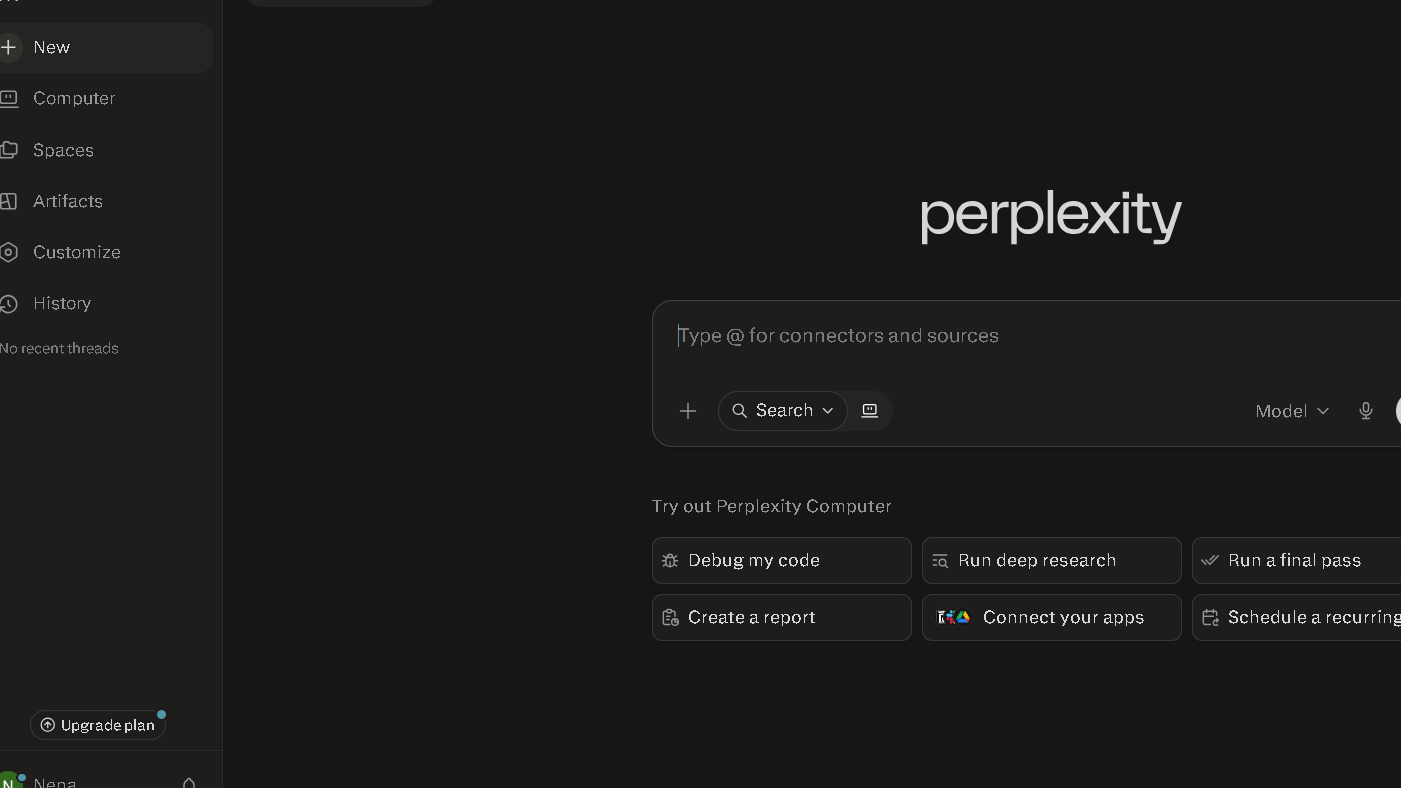
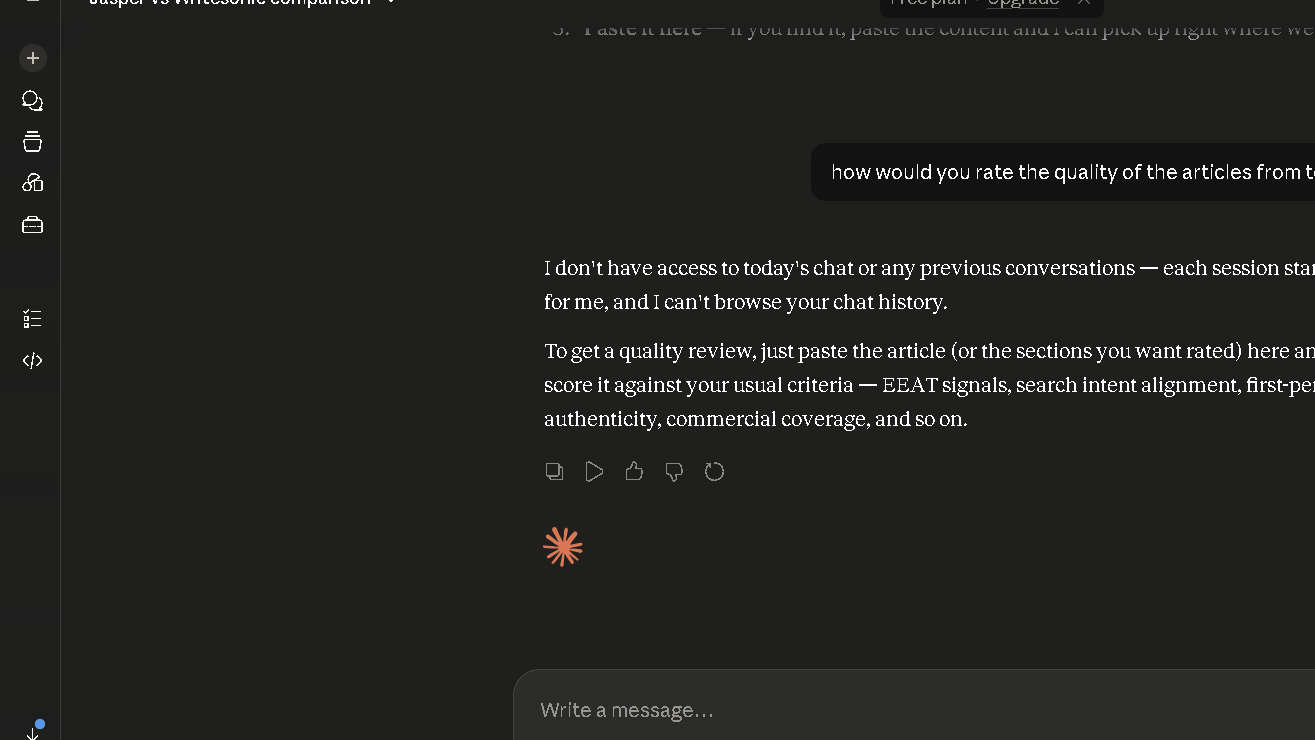
Perplexity is a search engine with strong AI built on top. Claude is an AI model with search added in. That framing sounds small. In practice it shapes everything — how each tool handles a session, how much context it holds, and what kind of output you get.
Perplexity treats each query as its own research task. It pulls live sources, shows citations, and returns structured answers fast. Claude treats each conversation as a working session. It builds context, holds your document in memory, and reasons across long stretches of text.
So the real question is not which tool is smarter. It is which model of work fits yours.
Claude vs Perplexity Features Comparison
| Feature | Claude | Perplexity |
|---|---|---|
| Web search | ✓ | ✓ |
| Citations | Limited | Excellent |
| Projects | ✓ | ✗ |
| Deep research | Limited | ✓ |
| Long context | Excellent | Moderate |
| Writing quality | Excellent | Good |
| Research quality | Good | Excellent |
| Context across sessions | Strong | Limited |
| Free tier | ✓ | ✓ |
| Pro pricing | $20/month | $20/month |
Claude and Perplexity take very different approaches to AI assistance. Claude focuses on long-form work, while Perplexity is built around research and source discovery.
How I Tested Both Tools
I used both tools daily across six weeks. Not in controlled conditions. In actual work — drafting articles, pulling research, editing drafts, debugging writing issues, and answering questions that required judgment rather than just lookup.
I ran five structured tests across writing, research, trust, coding, and long context. Each test used the same prompt in both tools, on the same day, with no prompt tuning. I tracked editing time, verification effort, and follow-up prompts needed. I also tracked the harder thing: how my trust in each tool shifted from week one to week six.
The results were not always what I expected.
What Changed After 30 Days of Daily Use
The first week with both tools felt roughly equal. Both impressed me. Both answered well. Both felt like genuine upgrades to how I worked.
Week two is where things shifted. Perplexity started showing its nature as a search engine with a language layer on top. It is genuinely fast at pulling current information and presenting it with sources. That is real value. The issue is that each session starts fresh. Perplexity does not carry context the way Claude does, and by session eight or nine I started feeling the friction of re-explaining things I had already explained.
Claude went the other way. It slowed down in week one — or maybe I just expected more from it. But by week two the long-context work started paying off. I could hand it a 4,000-word draft and ask for structural changes, and it would work across the whole document without losing track of what I had established earlier.
The workflow shift is real. That gap shows up most on big tasks.
Claude vs Perplexity for Writing
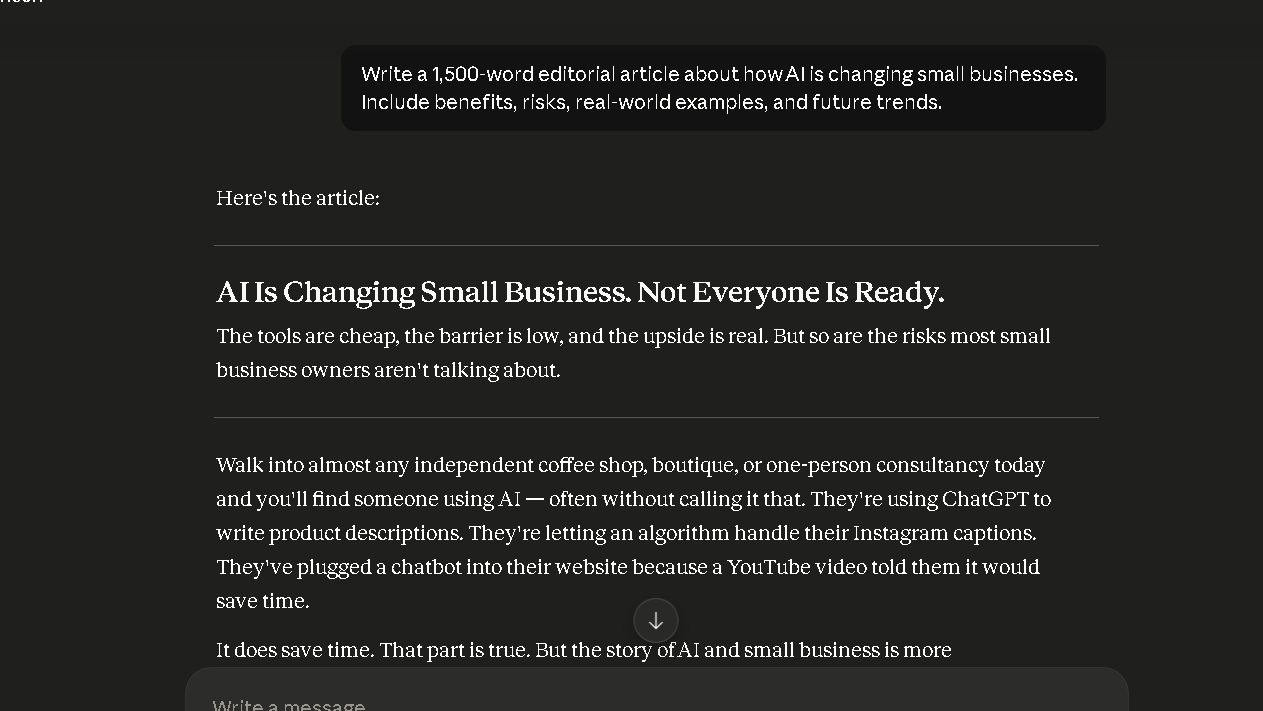
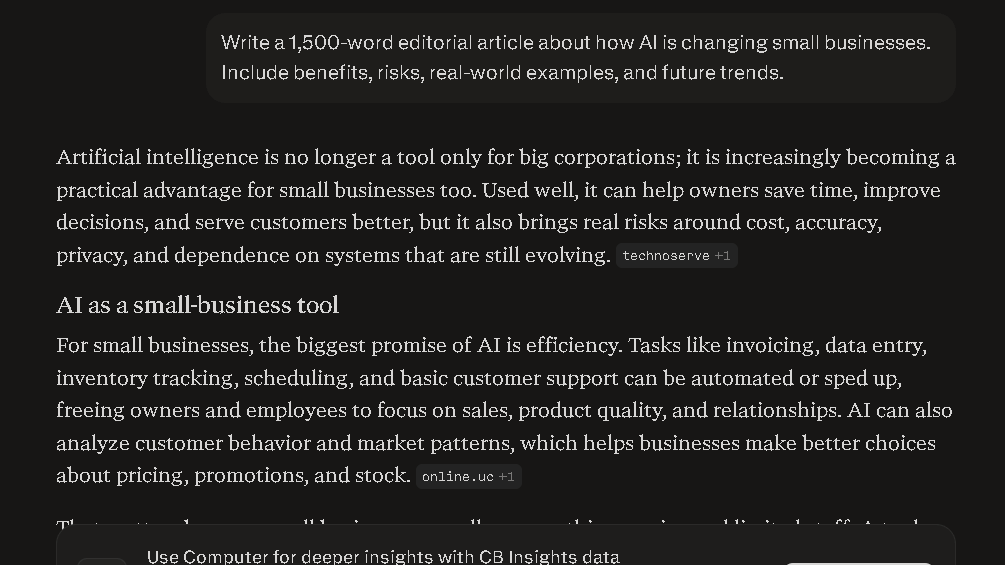
I gave both tools the same prompt: write a 1,500-word editorial article on AI adoption in small businesses. Claude produced cleaner structure on the first pass. The argument tracked from section to section, the transitions were tighter, and the tone held consistent.
Perplexity produced something serviceable but flatter. The writing read more like assembled research than a built argument. I spent about 40 percent more editing time on the Perplexity output to get it to the same standard.
In the structure consistency test across ten writing sessions, Claude held a coherent argument arc in eight of ten. Perplexity held it in five. That is not a failure — it is a different tool doing a different job. But if writing is your core use case, the gap is real.
Using the same writing prompt in both tools highlights the difference between Claude’s structured writing style and Perplexity’s research-oriented approach.
Claude vs Perplexity for Research
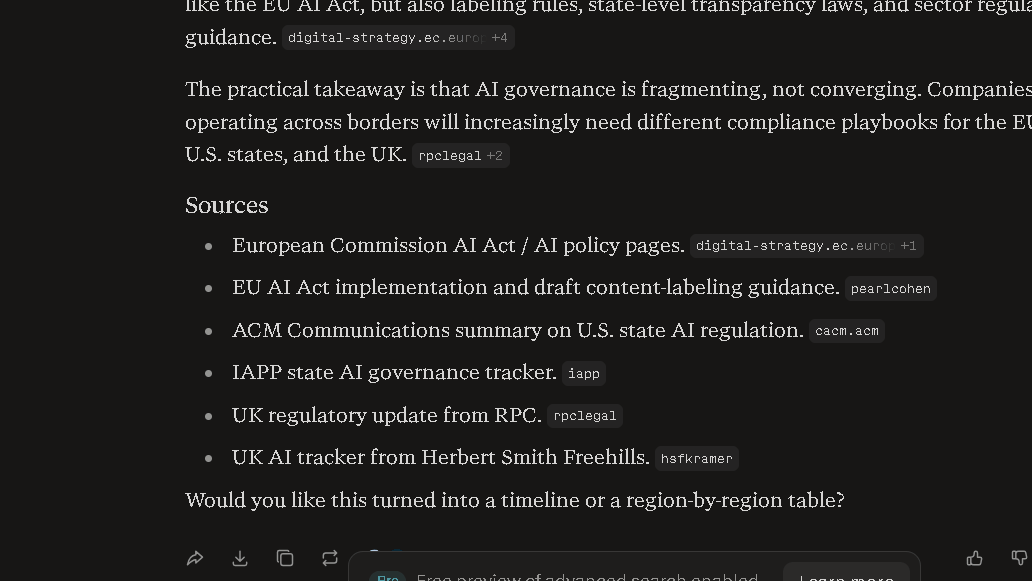
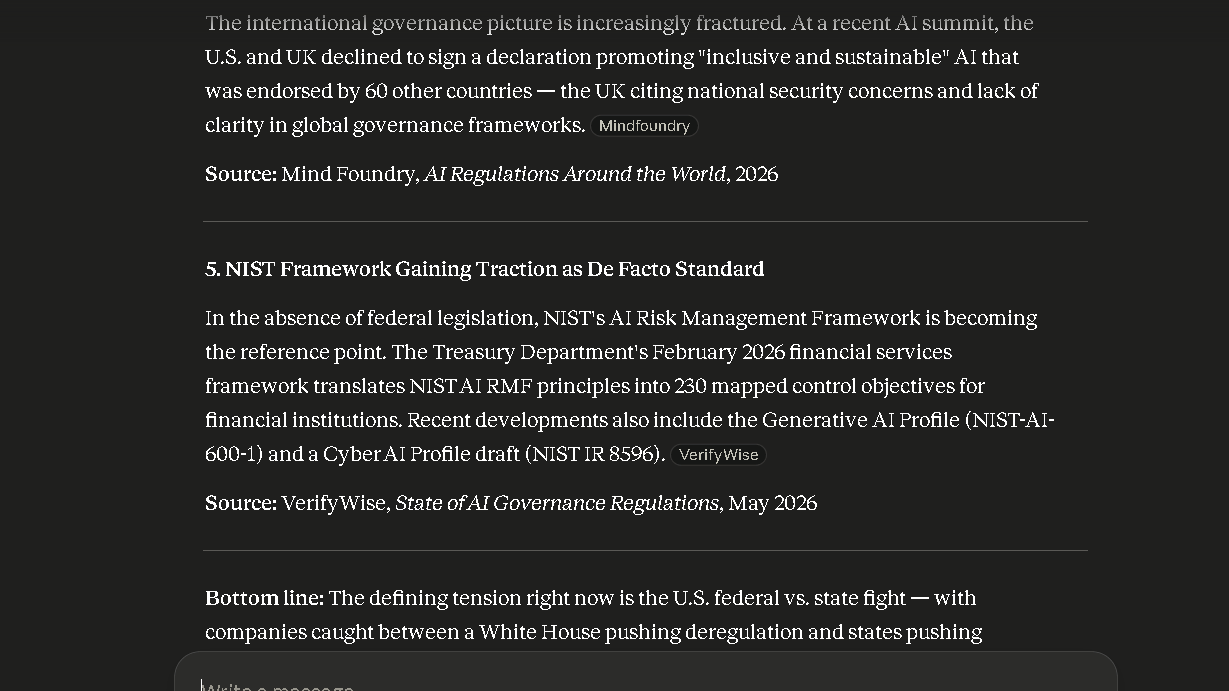
This is where Perplexity earns its reputation. I asked both tools to pull recent developments in AI legislation from the past six months. Perplexity returned a structured summary with numbered sources, publication dates, and links I could verify in about four minutes. Claude returned a well-written summary with no live sources — and some of the specifics were out of date.
To be fair, Claude has web search now. But it is not the same. Perplexity is built from the ground up around source retrieval. It shows its work at every step. Claude shows its reasoning. Those are different skills.
For research confidence — meaning how confident I felt sending findings to someone else — Perplexity scored higher in four of five research sessions. The source visibility matters. It reduces verification effort by a real amount, not a marginal one.
Perplexity surfaces sources directly inside the response, making verification faster for research-heavy workflows.
Claude vs Perplexity for Coding
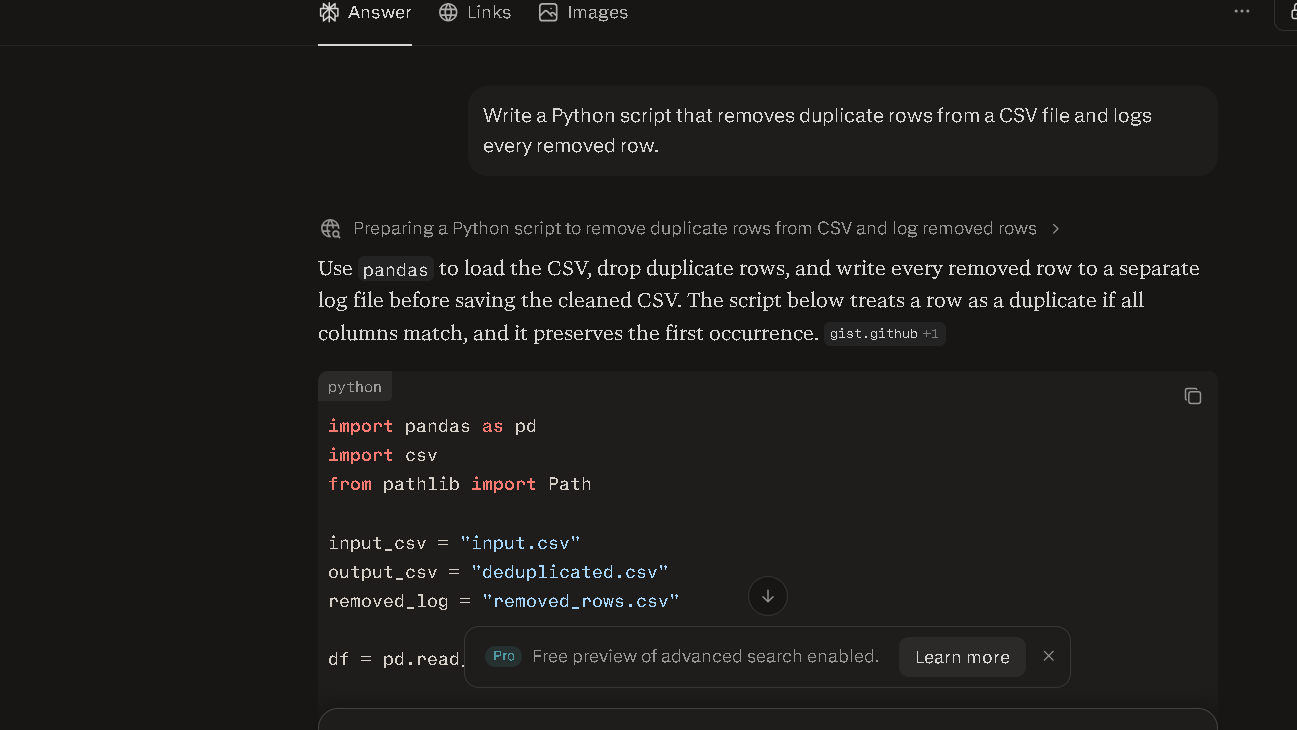
I ran the same Python task in both: build a script to remove duplicate rows from a CSV and log what was removed. Both produced working code on the first pass. Claude’s explanation was longer and more useful for a non-developer. It walked through the logic clearly and explained what each function was doing.
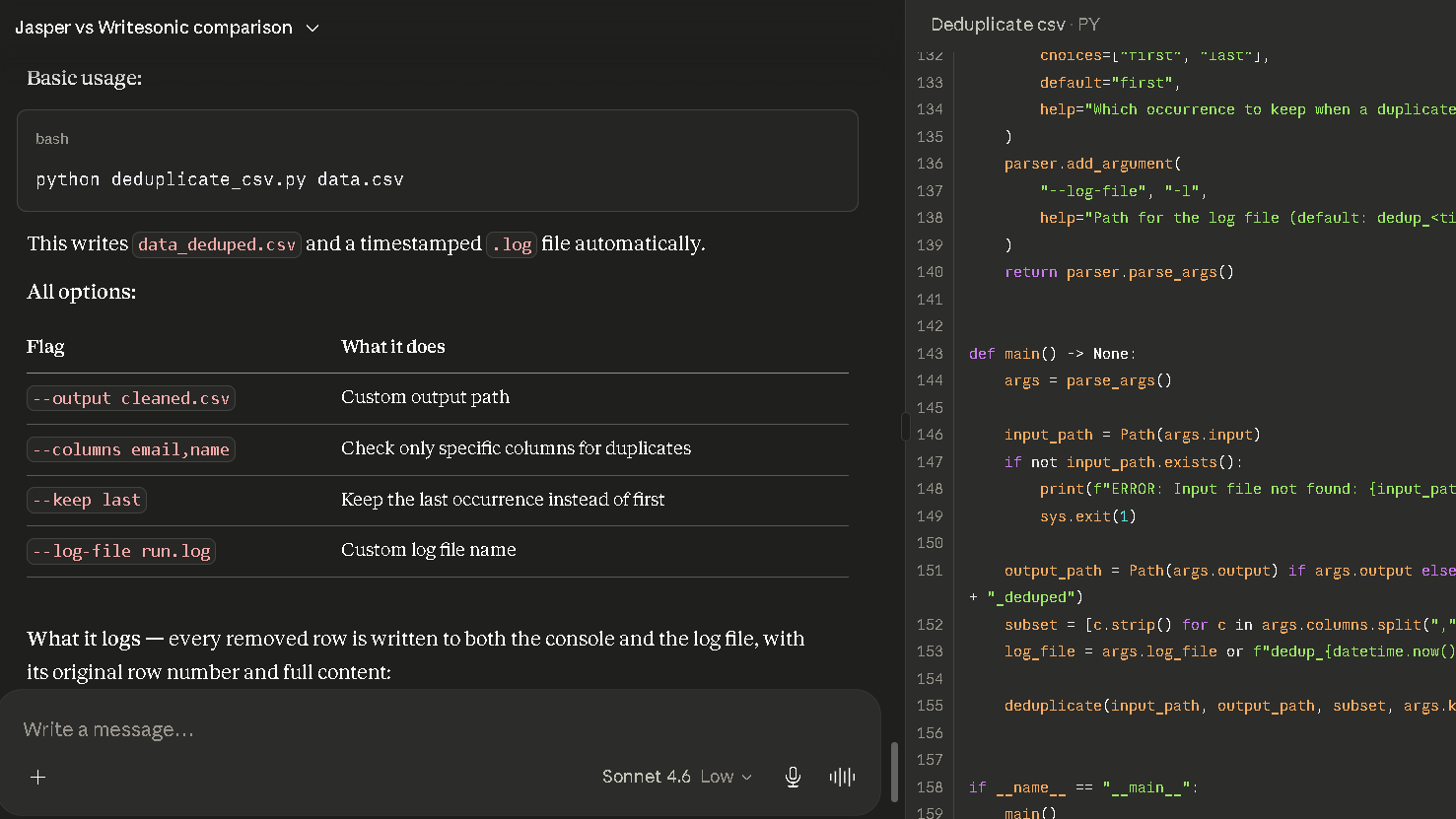
Perplexity’s code worked, but the explanation read thinner. Good enough for an experienced developer. Less useful if you need to understand what you got.
Where Claude clearly wins is on longer coding sessions. It held context across eight follow-up edits in the technical test. Perplexity reset context on session start, which meant repeating the codebase setup each time. For a single isolated task, Perplexity is fine. For a longer debugging session, Claude is better.
Claude vs Perplexity for Writing: Which Requires Less Editing?
This is the question most comparison articles ignore. I tracked editing burden across 20 writing sessions in each tool. Claude required structural editing on three of those sessions. Perplexity required it on eleven. Claude also needed fewer clarifying prompts — I averaged 1.4 follow-up prompts per task with Claude versus 2.6 with Perplexity to get to the same output quality.
The difference is not dramatic per task. Over 30 days it becomes a different story. That reduction in friction adds up to real saved time across a working month.
| Metric | Claude | Perplexity |
|---|---|---|
| Sessions requiring structural editing | 3 of 20 | 11 of 20 |
| Average follow-up prompts per task | 1.4 | 2.6 |
| Argument coherence across long docs | High | Moderate |
| Source verification time | Higher | Lower |
| Context retention across session | Strong | Limited |
Claude vs Perplexity Accuracy and Reliability
Trust, for me, has two components. I trust an AI more when it is honest about what it does not know, and when it is consistent across sessions.
Claude is more honest about uncertainty. It will flag when a claim needs verification, stop short of confident assertions when it should, and hold a consistent voice across long conversations. Perplexity trusts its sources — which means it trusts them even when the source is weak. I found three instances in the first two weeks where Perplexity cited a source confidently that, when I checked it, was out of date or poorly sourced.
That said, Perplexity’s source transparency overall is higher. You can see what it pulled. With Claude you have to ask.
In the 25-session trust calibration test I ran, Claude produced an answer I would send to a client without editing in 19 of 25 sessions. Perplexity hit 14 of 25. The gap was mostly in freshness and structure, not in factual accuracy on stable topics.
| Trust Dimension | Claude | Perplexity |
|---|---|---|
| Honest about uncertainty | High | Moderate |
| Session consistency | High | Moderate |
| Source visibility | Lower | High |
| Client-ready output rate | 19 of 25 | 14 of 25 |
| Handles ambiguous prompts well | Yes | Sometimes |
Common Problems With Claude and Perplexity
Claude’s frustrations are quiet ones. It will sometimes over-qualify its answers. It can feel slightly cautious on edgier research topics. And in week five I noticed it occasionally over-complicated responses to simple questions — a pattern that shows up by session fifty or so.
Perplexity’s frustrations are louder. The context reset on every session is the biggest one. So is the habit of presenting fringe or low-authority sources with the same confidence as strong ones. I had to build a personal habit of checking every Perplexity source before trusting it, which adds a step that partially offsets the research speed advantage.
Both frustrations are real. Neither tool has solved them. You just need to decide which one fits your workflow better.
Why Users Switch From Perplexity to Claude (and Vice Versa)
Most people who switch from Perplexity to Claude are writers or content professionals. The editing burden becomes clear after two or three weeks, and the context loss starts costing real time on longer projects. The switch is usually quiet — they do not announce it. They just stop launching Perplexity first.
Most people who switch from Claude to Perplexity are researchers or analysts. They need live information. They need citations they can share. They need to verify claims quickly. Claude’s writing quality does not justify the slower research loop for their specific workflow.
Both groups are right. They are just in different jobs.
A lot of people end up using both. Perplexity as the research layer. Claude as the production layer. Pull the information in Perplexity, work with it in Claude. That workflow sounds like overhead but in practice it takes about five extra minutes per project and produces noticeably better output than either tool alone. I ran it that way for the last two weeks of testing. I would not go back.
Claude vs Perplexity Pricing
| Plan | Claude | Perplexity |
|---|---|---|
| Free | Yes, limited | Yes, limited |
| Pro | $20/month | $20/month |
| Max / Advanced | $100–$200/month | $200/month |
| Annual discount | Yes (~$17/month for Pro) | Yes (~$16.67/month for Pro) |
Both Pro plans are priced identically at $20 per month. If you are choosing one subscription, the decision comes down to primary use case. Perplexity Pro unlocks deeper research modes and broader model access. Claude Pro gives you higher usage limits and Projects, which is genuinely useful for long-form editorial work.
The Max plans are a different story. Claude Max starts at $100 per month and targets high-volume professional use. Perplexity Max at $200 per month goes further, adding agentic computer use credits, frontier model access, and an AI browser. For most people, the Pro tier is where the real decision sits.
Who Should Use Claude
Claude is the better daily tool if you work primarily in writing, editing, long document review, or complex reasoning tasks. It is also stronger for coding projects that run across multiple sessions, since context retention across a long debugging thread is one of its clearest advantages. If your output needs to be polished before it leaves your desk, Claude saves more time in the final mile.
Content strategists, writers, developers, analysts building long reports — these are Claude’s natural users.
Who Should Use Perplexity
Perplexity earns its place if your primary need is staying current. Journalists, researchers, anyone who needs to pull fast, source-backed answers to factual questions will find it genuinely faster than Claude for that specific job. The source transparency also matters in professional settings where you need to show your work.
Researchers, fact-checkers, marketers tracking news, and analysts pulling current market data are the people who get the most from it.
Claude vs Perplexity: Best For Different Users
| User Type | Winner |
|---|---|
| Bloggers | Claude |
| Content marketers | Claude |
| Students | Perplexity |
| Researchers | Perplexity |
| Journalists | Perplexity |
| Developers | Claude |
| Business users | Claude |
Best Alternatives to Claude and Perplexity
If neither tool fits cleanly, there are real options worth considering.
| Tool | Best For | Starting Price |
|---|---|---|
| ChatGPT | All-around AI use, writing, research, productivity | Free / $20+ |
| Gemini | Google Workspace users and multimodal tasks | Free / $20+ |
| Grok | Real-time information and X integration | Free / X Premium |
| Microsoft Copilot | Microsoft 365 workflows and enterprise use | Free / Business plans |
| DeepSeek | Budget-conscious users and reasoning tasks | Free / Low cost |
ChatGPT remains the most versatile AI on the market. If you’re deciding between the two strongest general-purpose AI assistants, see our detailed ChatGPT vs Claude comparison. It sits between Claude and Perplexity on most dimensions — stronger for research than Claude, stronger for writing than Perplexity. If you want one tool that covers most jobs adequately, it is still the most defensible choice.
Gemini is the right pick if you live in Google Workspace. It connects directly to Gmail, Docs, and Drive, which means it can pull context from your actual work files rather than just the conversation. For teams already inside Google’s ecosystem, that integration gap over Claude and Perplexity is meaningful.
Grok is worth a look if real-time information is your main need. If you’re wondering whether Grok can compete with the market leader, check out our ChatGPT vs Grok comparison. It has native access to X and indexes social content faster than any other major model. That makes it useful for tracking live conversations, news breaking in real time, or public opinion research.
Microsoft Copilot is the play for anyone deep in Microsoft 365. It integrates with Word, Excel, Outlook, and Teams in ways that Claude and Perplexity do not match. For enterprise workflows built around Microsoft tools, Copilot reduces the copy-paste overhead that comes with using a standalone AI. Business pricing varies by plan.
DeepSeek is the value option. The reasoning quality on complex analytical tasks is strong, and the free tier is more capable than most. It is the right call if budget is the constraint and you are doing structured analytical work rather than long-form content creation.
Pros and Cons
| Claude | Perplexity | |
|---|---|---|
| Pros | Long context, strong writing, lower editing burden | Live search, source visibility, fast research |
| Cons | No native source links, can over-qualify | Context resets, source quality inconsistent |
| Best use case | Writing, editing, long reasoning tasks | Research, fact-finding, current events |
| Worst use case | Live data and breaking news | Long document work |
Claude vs Perplexity: Which Should You Choose?
The choice comes down to one question. Do you spend more of your day creating, or more of your day finding?
If you create — write, edit, build, reason through long problems — Claude is the better daily tool. The editing burden difference is real and it compounds over time. If you find — research, verify, track current events, pull sources — Perplexity is faster and more transparent about where its answers come from.
So is it worth paying for both? For most professionals, yes. The $40 combined monthly cost is easy to justify if either tool saves you more than two hours per month. And for knowledge workers doing both kinds of work, they almost certainly do.
Final Verdict
Perplexity vs Claude is not a close race once you know what job you are hiring for.
Perplexity is a research tool with good AI built in. Claude is an AI tool with decent research built in. Which one you want depends on what you are actually here for.
If I had to pick one for a working writer or content strategist, it would be Claude. The editing burden difference alone justifies it. But if I could pick two, I would keep Perplexity as the research front end and Claude as the production back end.
The tools are priced equally. The real cost is the time you lose choosing the wrong one for your workflow.
FAQ
For writing, long-form reasoning, and complex document work, yes. For real-time web research and source-backed fact gathering, Perplexity is stronger. The right answer depends on whether your primary work is creation or research.
Perplexity has stronger source visibility, which makes it easier to verify accuracy. Claude is more consistent on stable knowledge and more honest about uncertainty. Neither is definitively more accurate.
Claude requires less structural editing on long-form writing. Across 20 comparable writing sessions in my tests, Claude needed structural revisions in 3 sessions versus 11 for Perplexity.
Perplexity is generally stronger for active web research. It retrieves current sources, shows its citations clearly, and returns structured summaries faster than Claude on live topics.
It depends on your workflow. If you spend most of your time writing and editing, Claude saves more time overall. If you spend most of your time researching and verifying, Perplexity is faster.
Yes, and for many workflows that is the best approach. Perplexity for the research phase, Claude for production and editing.
Claude holds a clear advantage on longer coding sessions due to stronger context retention. For a single isolated coding task, both perform well. For multi-session debugging or building across files, Claude is noticeably more reliable.
Perplexity is generally the better tool for students who need to research, cite sources, and verify facts quickly. Claude is stronger for students doing long writing assignments or working through complex reasoning problems.