
Is Notion AI worth it? That depends less on the AI itself and more on how much of your work already lives inside Notion. Most people do not buy Notion AI because they need another AI tool. They buy it because they already use Notion for notes, projects, and planning, and want fewer context switches throughout the day. The real question is whether that convenience still feels valuable after the novelty wears off.
I have been using Notion AI every day for thirty days. Not to demo it. To actually run my work through it — article outlines, meeting notes, research organization, task planning, writing drafts. What I found is that the answer to “is it worth it” depends almost entirely on one thing: how much of your work already lives inside Notion. That framing will run through everything below.
Is Notion AI Worth It: Quick Verdict
| Category | Verdict |
|---|---|
| Best For | Notion-native users who want to reduce tool switching |
| Worst For | Writers and researchers who need high-quality AI output |
| Pricing | $10/month add-on, or included in Plus at $16/month |
| Biggest Strength | AI lives where your notes and docs already are |
| Biggest Weakness | Output quality sits well below ChatGPT and Claude |
| Overall Verdict | Worth it if Notion is your main workspace. Not worth it as a standalone AI |
What Is Notion AI and Who Is It For?
Notion AI is a paid add-on that sits inside the Notion workspace. It is not a separate app. It is not a chat interface you open in a new tab. It runs directly inside your pages, databases, and docs — which is both its main strength and the source of most of its limitations.
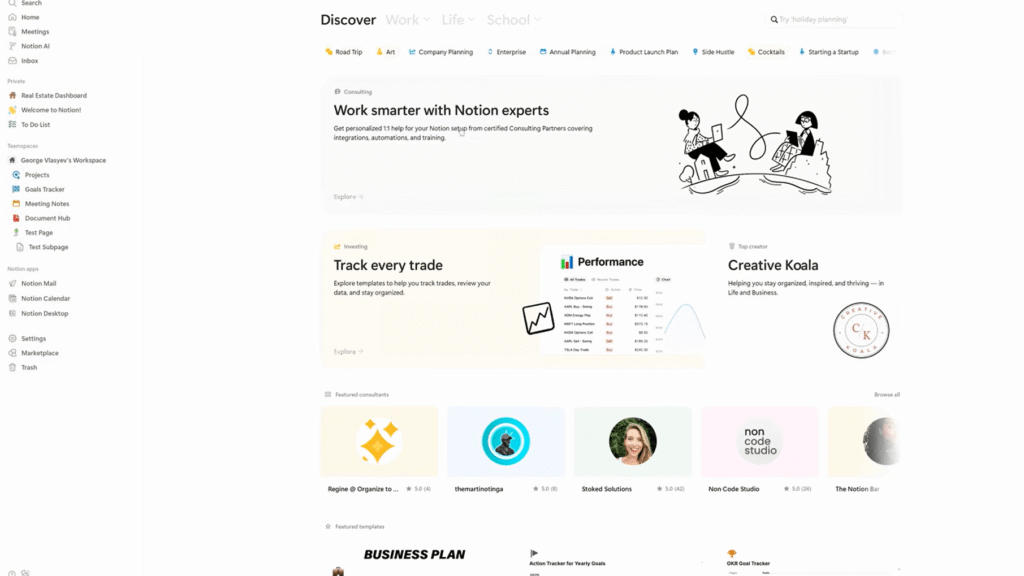
You can use it to draft text, summarize notes, rewrite content, generate action items from meeting notes, and fill out templates with AI. The idea is that you stay inside Notion instead of switching to ChatGPT, copying output, and pasting it back. That idea is sound. Whether the execution holds up over a month is the real question.
Notion AI is built for people who already use Notion heavily. If you use Notion as your main hub for notes, projects, and writing, it makes sense to look at it. If you use Notion only occasionally, the value case is much weaker.
The Features That Actually Matter After 30 Days
Before getting into the experience, it helps to know exactly what you are paying for. Notion AI is not one feature. It is a set of tools spread across the workspace. Some of them matter. Some of them you will never touch after week one.
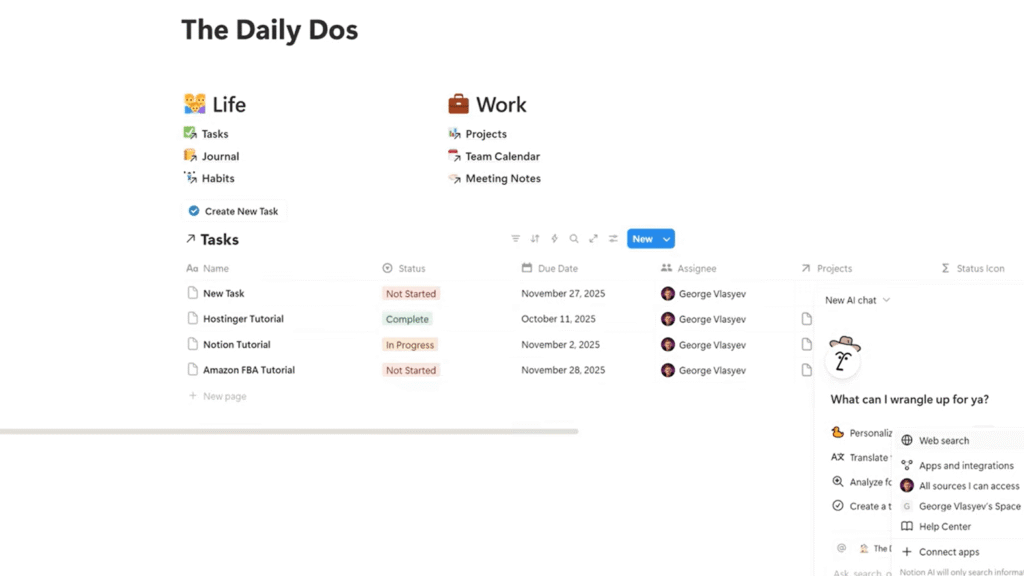
Meeting Summaries
This is the strongest feature and the one I used most. You paste or sync a meeting transcript into a Notion page, highlight it, and ask Notion AI to summarize. It returns a clean summary with key decisions and action items in about four seconds. The format is consistent and accurate enough to share directly. For anyone who runs on meetings, this feature alone makes a real case for the subscription.
AI Writing
The AI writing feature lets you generate text from a prompt inside any Notion page. You can ask it to write a first draft, continue a paragraph, or explain a concept. The output is clean and generic. It will not impress you on a creative task, but it removes the blank page problem quickly. Think of it as a starting point, not a finished product.
AI Databases
This is underused by most people but genuinely useful if you work with Notion databases. Notion AI can auto-fill database properties — categorize entries, suggest tags, extract dates or names from free text. If you maintain a content calendar, a project tracker, or a CRM inside Notion, this feature saves real manual work. The accuracy was good in my testing, roughly nine out of ten entries landed correctly.
Workspace Search and Q&A
Notion AI can answer questions about your own workspace. Ask it “what did we decide about the Q3 budget?” and it will search your pages and return an answer with a source link. In practice this works well when your workspace is organized and less well when it is not. For teams with clean Notion setups, the Q&A feature is a genuine productivity tool. For messy personal workspaces, it returns mixed results.
Writing Assistance Inside Pages
Beyond full drafts, Notion AI can improve a sentence, change the tone of a paragraph, make text shorter, or translate it. These inline tools are the ones I used most for quick edits. They are fast and convenient. They are not as good as Claude or ChatGPT for the same task. But when you are already inside a Notion doc, the convenience often wins.
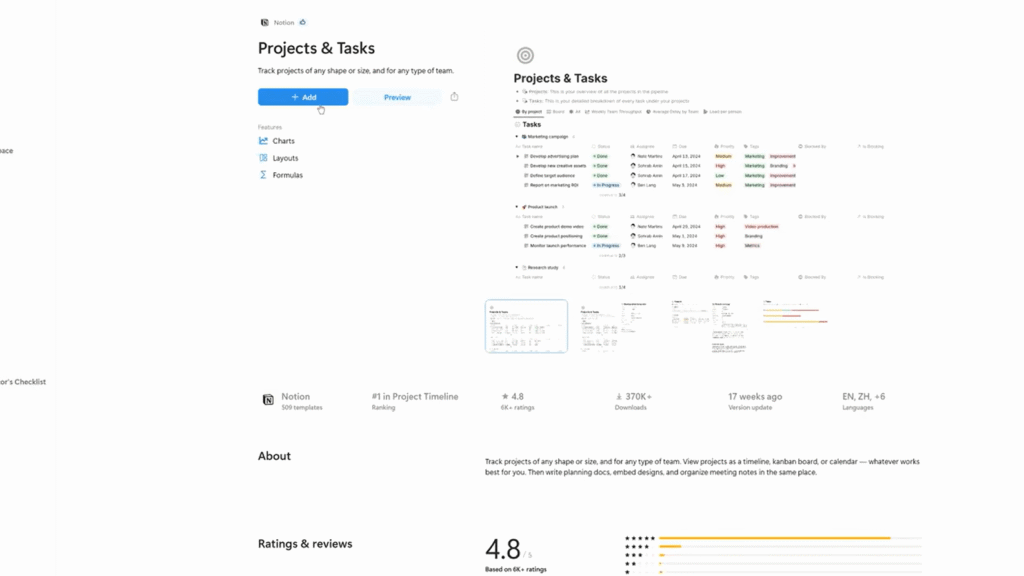
The feature set is more useful than it first appears. The issue is that the quality ceiling is real, and you hit it fast on any task that requires genuine writing skill.
How I Tested Notion AI in Real Workflows
I ran Notion AI through five core tasks over thirty days. Note-taking from recorded meetings. Article outlining. Research organization across multiple pages. Task planning from rough project notes. And writing first drafts for content briefs. I used it on a Plus plan, which includes Notion AI at the $16 per month tier.
| Task | What I Used It For | How Often |
|---|---|---|
| Meeting notes | Summarize transcripts, extract action items | 3–4x per week |
| Article outlining | Generate section structure from a topic | Daily |
| Research organization | Sort and tag notes across databases | Weekly |
| Task planning | Convert rough notes into task lists | 2–3x per week |
| First drafts | Generate content from an outline | Several times |
I also ran a parallel test: the same prompt in Notion AI and in ChatGPT, side by side, on the same day. I did this across twelve writing prompts over two weeks. That comparison turned out to be the most useful data I collected.
What Notion AI Feels Like During the First Week
The first week feels like a genuine upgrade. The speed is real. You highlight a block of meeting notes, hit the AI button, and a clean summary with action items appears in about four seconds. That is faster than I would like to do it manually, and it is good enough to keep.
The article outlining also clicks quickly. You give it a topic, it produces a working structure, and you are not staring at a blank page. That friction reduction is not small. First-week Notion AI feels like the product earned its price.
The AI-everywhere feeling is part of this. Because it is built into the workspace, there is no copy-paste loop. You are in the same document the whole time. That contextual presence is something ChatGPT and Claude cannot replicate, no matter how good their output is.
What Changes After Two Weeks of Daily Use
Week two is where the patterns emerge. And the patterns are not flattering.
The output quality starts to feel capped. Notion AI writes clean, safe, generic prose. It does not write well. It does not surprise you. By the second week, I started to see the same structural moves — the same way it opens a paragraph, the same way it transitions between ideas. Repetition is the problem here. Repetition shows up clearly by day ten.
The meeting summary feature held up better than the writing features. Summaries and action items stayed useful through week four. That task is more mechanical, and Notion AI handles mechanical well. Creative and analytical tasks are where it starts to disappoint.
In practice, what changes is your willingness to use it for writing. I kept using it for notes and organization. I stopped using it for first drafts by week three.
Where Notion AI Fits Into a Real Workday
This is the question that matters more than any feature list. Not what Notion AI can do in theory. Where it actually lands in a working day.
Here is how my workflow settled after thirty days. Not how I planned to use it. How I actually used it.
In the morning, the first thing I do is open overnight meeting notes and run them through the summary feature. This takes about two minutes and gives me a clean action list before I have read a single email. That habit stuck. It stuck because the output is good enough and the friction is zero — the notes are already in Notion.
By midday, I am usually in project work. Notion AI comes in here for database auto-fill — tagging content entries, categorizing research notes, pulling dates out of project briefs. This is background work, not deep work, and Notion AI handles it well. I stopped doing this manually by week two.
In the afternoon, I use the Q&A feature to pull context from older pages when I need to check a decision or find a source note. It works about seven times out of ten when my pages are clean. When they are not, I search manually. That is honest.
In the evening, I do not use Notion AI for writing. By day twenty this was clear. Writing tasks go to ChatGPT or Claude. I open those in a separate window, draft there, and paste back into Notion. The copy-paste loop I was trying to eliminate came back — but only for writing. For everything else, Notion AI stayed in the workflow.
That workday pattern is the real answer to whether Notion AI is worth it.
The Productivity Gains That Actually Hold Up Long-Term
Some of the early gains are real and they stay real. These are the ones I still used at day thirty.
Meeting summaries with action items save me around twenty minutes per meeting. That is not a small number if you are in three or four calls a week. The format is clean, the extraction is accurate, and the output drops directly into the same page where the notes live. That workflow is better with Notion AI than without it.
Template filling also holds up. If you have a structured Notion template — a project brief, a content plan, a weekly review — Notion AI can fill it from rough notes faster than you can type it. The quality is good enough for internal documents where you are not publishing the output.
Database summarization is useful when you have a lot of notes across a project and need a quick overview. Notion AI reads across pages and produces a summary in about eight seconds. The gains that did not hold up: article drafts, creative writing, research synthesis. Those tasks went back to ChatGPT by week three.
Where Notion AI Starts Becoming Frustrating
The writing output is the main source of frustration, and it builds slowly. At day one you notice it is generic. At day ten you notice it is repetitively generic. At day twenty you start skipping it for writing tasks entirely and only using it for the mechanical ones.
The rewriting feature is particularly weak. Ask Notion AI to improve a sentence or fix the tone of a paragraph, and what you get back is usually safer and flatter than what you put in. It smooths edges that were doing work. That is a real problem for anyone who cares about voice.
The creative ceiling is low. Notion AI does not take risks. It does not offer a fresh angle on a topic or push back on a framing the way ChatGPT or Claude will. It processes what you give it and returns a tidy version. Tidy is not always what you need.
The other frustration: context limits. Notion AI works well on a single page. Across a complex multi-page workspace, it sometimes loses the thread. Ask it to summarize a project and it will summarize what is visible, not what is connected. That gap showed up more than I expected.
Does Notion AI Reduce or Increase Editing Work?
For mechanical tasks — meeting notes, summaries, action items — it reduces editing work. The output is clean enough to use with light review, and the format is consistent. That category is a genuine time saver.
For writing tasks, it increases editing work. Not because the output is wrong. Because it is flat. You end up editing for voice, for energy, for structure — things that a strong first draft does not need. You spend more time fixing the writing than you would have spent writing it from scratch in a better tool.
I tracked this across eight content briefs over two weeks. Drafts I ran through Notion AI took me longer to finalize than drafts I wrote myself from a clean outline. Drafts I generated in ChatGPT and revised took less time than both. That is not a close call.
The editing burden is the hidden cost of Notion AI for writers. The subscription price is visible. The extra editing time is not. But it is real.
Notion AI vs ChatGPT
This is the comparison that matters most, because most people considering Notion AI already have access to ChatGPT. Here is what I found across twelve matched prompts over two weeks.
| Task | ChatGPT | Notion AI | Winner |
|---|---|---|---|
| Writing quality | Strong first drafts, distinct voice | Generic, flat, safe | ChatGPT |
| Research synthesis | Good with prompting | Surface-level | ChatGPT |
| Organization | Requires external tools | Built into workspace | Notion AI |
| Meeting summaries | Good but separate from notes | Runs inside the doc | Notion AI |
| Workflow integration | Copy-paste required | Zero context switching | Notion AI |
| Editing and rewriting | Holds tone, improves structure | Flattens voice | ChatGPT |
| Long-form drafts | Stronger, more adaptable | Weak past 500 words | ChatGPT |
The honest summary: ChatGPT produces better output on almost every writing task. Notion AI wins on context. If the copy-paste friction of ChatGPT genuinely slows you down, Notion AI saves that friction. If output quality matters more than friction, ChatGPT wins.
That is not a complicated comparison. It is just a different trade-off for different workflows.
If you’re deciding between the two, my detailed ChatGPT vs Notion AI comparison breaks down the differences in writing quality, workflow integration, research, and long-term usability.
Notion AI vs Claude
Claude is worth comparing directly because it is the strongest writing tool in this price range, and writers considering Notion AI should know what they are trading away.
| Task | Claude | Notion AI | Winner |
|---|---|---|---|
| Writing quality | Precise, holds voice well | Generic, safe | Claude |
| Editing and rewriting | Improves structure and tone | Flattens voice | Claude |
| Long-form content | Consistent across 3,000+ words | Weak past 500 words | Claude |
| Research synthesis | Strong with prompting | Surface-level | Claude |
| Workspace integration | None — separate tool | Built into Notion | Notion AI |
| Organization and notes | Requires copy-paste | Lives in your workspace | Notion AI |
Claude is the better writing tool. It is not close on tone control, editing quality, or long-form consistency. In my style-hold test across twenty exchanges, Claude held the requested voice on 18 of 20. Notion AI held it on 11 of 20. That gap matters if you write anything with a required voice.
For a deeper look at how the two leading writing-focused AI assistants compare, see my ChatGPT vs Claude review where I tested both across long-form writing, editing, and workflow tasks.
What Claude cannot do is live inside your workspace. Every Claude session is a separate window. Every output requires a paste back into Notion. For writers who want to stay in one place, that friction is real and Notion AI removes it entirely.
The honest comparison: if writing quality is the priority, Claude wins. If workflow integration is the priority, Notion AI wins. Most serious writers end up running both — Claude for the actual writing, Notion AI for everything around it.
Is Notion AI Worth It for Students?
For students, the strongest use case is note organization. If you take lecture notes in Notion — which many students do — the ability to summarize, extract key points, and build study guides from those notes inside the same app is real value. The output quality for that task is good enough.
Research organization also works well for student workflows. Collecting sources, tagging notes, building outlines from rough material — Notion AI handles all of that at a pace that saves time without requiring you to leave your workspace.
Where it falls short for students: essays and academic writing. The output is too generic for anything with a required voice or argument. Students who need strong written output will still need ChatGPT or Claude alongside it. Notion AI is a good study tool. It is not a good writing tool.
Is Notion AI Worth It for Writers?
For writers, the honest answer is usually no — not as a primary AI writing tool. The output quality is not close to ChatGPT or Claude for drafting, voice matching, or editing. If writing is your core task, you will feel the ceiling within two weeks.
The exception is writers who use Notion as their full content management system. If your briefs, outlines, drafts, and client notes all live in Notion, the workflow value of having AI built in can outweigh the output quality gap. You stay in one tool. That matters when you are managing many projects at once.
In practice, most writers I know who use Notion AI end up running it in parallel with ChatGPT or Claude. Notion AI for organization and notes. A stronger AI for actual writing. That combination is a sound workflow — it just costs two subscriptions.
The Real Reason People Keep Paying for Notion AI
The output quality is not why people keep paying for it. It is the friction reduction. That is the whole case.
When your workspace is Notion, every AI task that pulls you into ChatGPT and back creates a small break in concentration. Notion AI eliminates that break. Over a full work day, those breaks add up. The people who keep paying for Notion AI are the ones who feel that friction most sharply — heavy Notion users who want to stay in one place.
That is a real value. It is just a workflow value, not an output value. The thing is, workflow value is legitimate. If staying in one tool keeps you moving, that is worth something. Whether it is worth $10 or $16 per month depends on how many times a day you feel that friction.
Why Some Users Eventually Cancel Notion AI
The cancellations happen for two reasons. First, ChatGPT and Claude overlap. Once you realize that either tool produces better writing output and you are already paying for one of them, the case for Notion AI gets thin fast. The copy-paste loop feels like a small price to pay for better work.
Second, subscription fatigue. Notion AI sits on top of a Notion subscription that already costs money. Adding $10 per month for AI that does not replace a writing tool starts to feel like paying twice for the same category. By month two, users who are not heavily Notion-native tend to question whether they ever actually needed it.
The users who cancel are usually the ones who bought it hoping for better writing. The ones who keep it are usually the ones who bought it hoping for less context switching. Both groups were right about what they wanted. Only one group found it.
Notion AI Pricing: Is It Good Value?
| Plan | Price | Notion AI Included | Best For | Worth It? |
|---|---|---|---|---|
| Free | $0 | No | Light personal use | N/A |
| Plus | $16/month | Yes | Heavy personal or solo work | Yes, if you live in Notion |
| Business | $18/month per user | Yes | Teams | Depends on team workflow |
| Add-on only | $10/month | Add to any plan | Current Notion users | Only if Plus is overkill |
The value question after thirty days is not whether the price is reasonable. It is whether the tool actually changed your output. For me, the meeting summary feature alone saves close to an hour per week. At $10 per month, that math is clear. For the writing features, the math does not work — those tasks went back to ChatGPT and Claude.
The real ROI question is how much of your Notion AI use lands on mechanical tasks versus creative ones. If most of it is summaries, action items, and organization, you will feel the value every week. If most of it is writing, you will feel the gap every week.
The Plus plan at $16 per month is the better entry point if you are not already a paying Notion user. Getting Notion and Notion AI together for $16 is a reasonable deal. Paying $10 on top of an existing plan is only worth it if your workflow genuinely demands it.
Best Alternatives to Notion AI
| Tool | Better For | Main Difference |
|---|---|---|
| ChatGPT | Writing, coding, complex reasoning | Much stronger output, no workspace integration |
| Claude | Long-form writing, voice control | Better tone matching, no workspace integration |
| Perplexity | Research with sources | Live citations, no note-taking workflow |
| Gemini | Google Workspace users | Built into Docs and Sheets, not Notion |
ChatGPT is the most direct comparison and the most common alternative. For writing and analysis, it is not close. Claude is worth a serious look if you do a lot of long-form work and care about voice. It holds a requested tone further into a session than ChatGPT does, and well ahead of Notion AI. Perplexity is the right tool if your core need is research with traceable sources. Gemini is the Notion AI equivalent for Google Workspace users — same workspace integration trade-off, different ecosystem.
If you’re choosing between a research-first AI and a general-purpose assistant, my ChatGPT vs Perplexity comparison explores where each tool performs best after weeks of real-world use.
None of these alternatives offer what Notion AI offers in terms of workspace integration. That remains the one thing Notion AI does that no external AI tool replicates.
Pros and Cons After Long-Term Use
| Pros | Cons | |
|---|---|---|
| Notion AI | Zero context switching, strong meeting summaries, built into your existing workspace | Weak writing output, low creative ceiling, generic rewriting |
| vs ChatGPT | Stays inside Notion, no copy-paste | ChatGPT writes better on nearly every task |
| vs Claude | Workspace integration, note and database tools | Claude produces much better writing and editing output |
| Value | Saves real time on mechanical tasks | Does not replace a writing AI |
Final Verdict: Is Notion AI Worth It?
If you already use Notion every day, Notion AI is worth paying for because it reduces context switching and automates routine tasks. If writing quality is your priority, ChatGPT and Claude remain better value.
Also, if Notion is your main workspace — your notes, your projects, your writing drafts, your meeting records — then Notion AI is worth it. Not because it produces the best AI output. Because it keeps you inside the tool where your work actually is. That friction reduction is real, and it adds up across a full work week. The meeting summary feature alone justified the cost for my workflow.
If you use Notion lightly, or if writing quality is your primary concern, it is not worth it. The output gap versus ChatGPT and Claude is too wide to ignore, and paying for Notion AI on top of those subscriptions is hard to justify. You will end up using it for notes and canceling by month two.
The honest framing: Notion AI is worth paying for when staying inside Notion saves enough friction that you stop reaching for other tools. Figure out which type of user you are before you subscribe. That distinction is the whole decision.
FAQ
It depends on how heavily you use Notion. For Notion-native users who want to reduce tool switching, the workflow value is real — especially for meeting summaries and organization tasks. For users who want strong writing output, ChatGPT or Claude will serve them better at the same price
No, not for writing or analysis. ChatGPT produces stronger drafts, better rewrites, and more useful creative output across almost every task. Notion AI wins on workflow integration — it lives inside your workspace, which ChatGPT does not.
No, not for writing. Claude holds tone better, edits more cleanly, and produces stronger long-form output than Notion AI on every writing test I ran. Notion AI wins only on workspace integration, which Claude does not offer at all.
Yes. Notion AI is a paid add-on. The core Notion product works fully without it. You only pay for Notion AI if you want the AI features on top of the existing workspace.
Yes, for note organization and study summaries. Students who take lecture notes in Notion will find real value in the summarization and action item features. For essays and academic writing, the output quality is too generic — ChatGPT or Claude is the better tool for that.
Not by default. It is included in the Plus plan at $16 per month, or available as a $10 per month add-on for users already on a paid Notion plan.