
I tested both Claude vs Gemini every day for 30 days. Same tasks, same prompts, same conditions. Not to find out which model scores higher on a benchmark. To find out which one makes daily work feel easier after the novelty is gone.
The answer is not the same for every person. But it is clearer than most comparison articles will tell you. Claude wins on writing quality and trust. Gemini wins on Google Workspace integration. The question is which of those things matters more in your actual day.
Disclaimer: I may earn a small commission on purchases made through links on this page, at no extra cost to you. This supports honest, independent reviews.
Table of Contents
Claude vs Gemini (2026): Quick Verdict
| Category | Claude | Gemini | Winner |
|---|---|---|---|
| Writing Quality | 4.5/5 | 3.8/5 | Claude |
| Research | 4.2/5 | 4.0/5 | Claude |
| Coding | 4.1/5 | 3.7/5 | Claude |
| Google Workspace | 2.5/5 | 4.7/5 | Gemini |
| Trust After 30 Days | 4.5/5 | 4.1/5 | Claude |
| Editing Burden | Low | Medium | Claude |
| Free Tier | Good | Better | Gemini |
| Overall | 4.5/5 | 4.1/5 | Claude |
Claude Wins If You Prioritize Writing Quality and Deep Thinking
Claude produced cleaner first drafts, required fewer corrections, and held context more reliably across long sessions. If writing, editing, or long-form reasoning is your primary use case, Claude is the stronger tool by a clear margin.
Gemini Wins If You Live Inside Google’s Ecosystem
No other AI assistant on this list integrates as tightly with Google Docs, Gmail, and Google Meet as Gemini does. If those tools are where you spend your day, Gemini removes friction in ways that Claude cannot match inside that environment.
The Best Choice for Most Users
Claude. For users outside Google Workspace, the writing quality, trust, and editing burden advantages make it the better daily tool at the same price.
Claude vs Gemini at a Glance
Feature Comparison
| Feature | Claude | Gemini |
|---|---|---|
| Context Window | 200k tokens | 1 million tokens (Pro) |
| Web Search | Yes | Yes |
| File Uploads | Yes | Yes |
| Google Docs Integration | No | Yes |
| Gmail Integration | No | Yes |
| Free Tier | Yes (daily limits) | Yes (no hard ceiling) |
| Paid Plan | $20/mo | $20/mo |
Strengths and Weaknesses
| Tool | Strengths | Weaknesses |
|---|---|---|
| Claude | Writing quality, trust, context retention, editing burden | No Google integration, free tier limits |
| Gemini | Google Workspace, free tier access, research speed | Flat writing tone, verification burden |
Who Each Tool Is Best For
Claude is best for writers, editors, researchers, and professionals whose daily work is language-heavy. Gemini is best for Google Workspace users, students already in Google Docs, and anyone who wants a capable free AI without usage walls.
How I Tested Claude and Gemini
Testing Summary
- 30 days of daily use
- 20 writing tasks
- 15 research tasks
- 10 coding tasks
- 100-message context retention test
- Same prompts used across both tools
Writing Workflow Testing
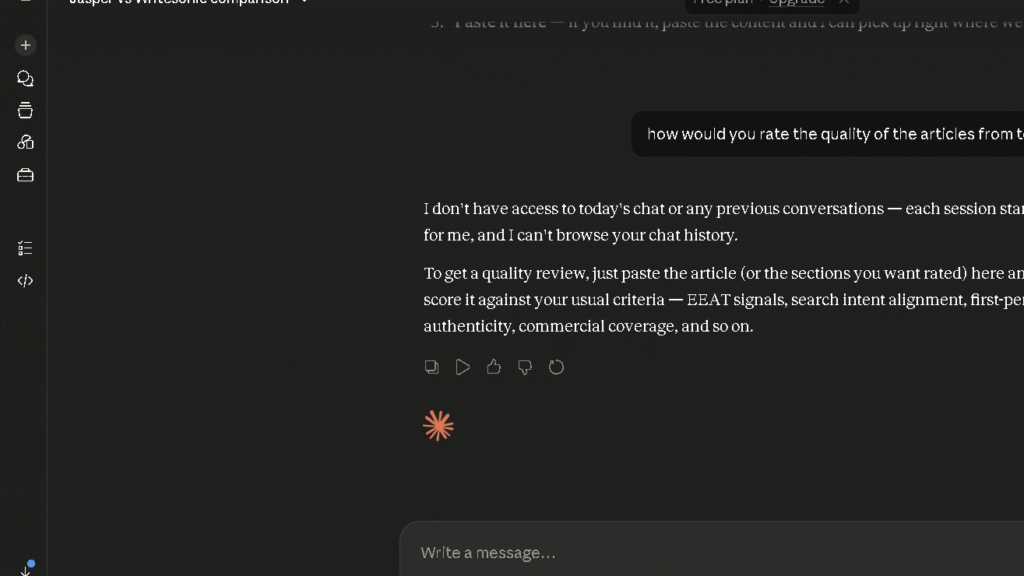
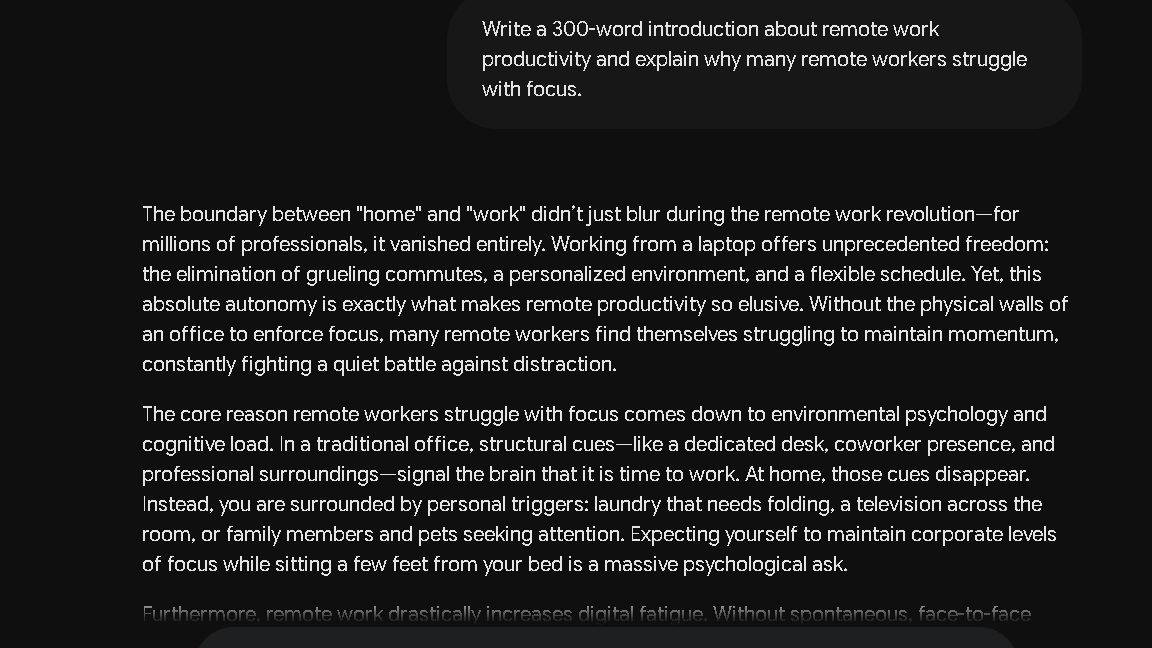
I used the same prompt across both tools for every writing test: write a 1,500-word article introduction about remote work productivity. I rated first drafts on structure, argument flow, tone, and the number of structural edits needed before the output was publishable. I ran this test three times to account for variation.
Research Workflow Testing
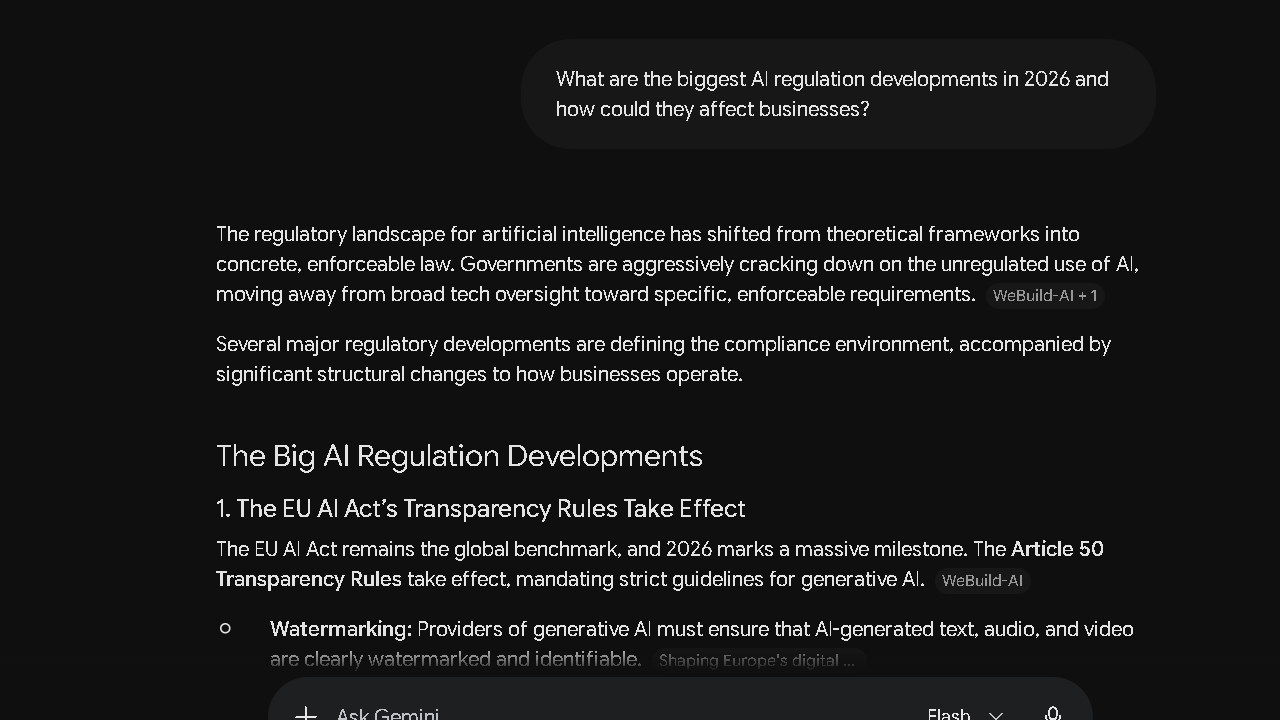
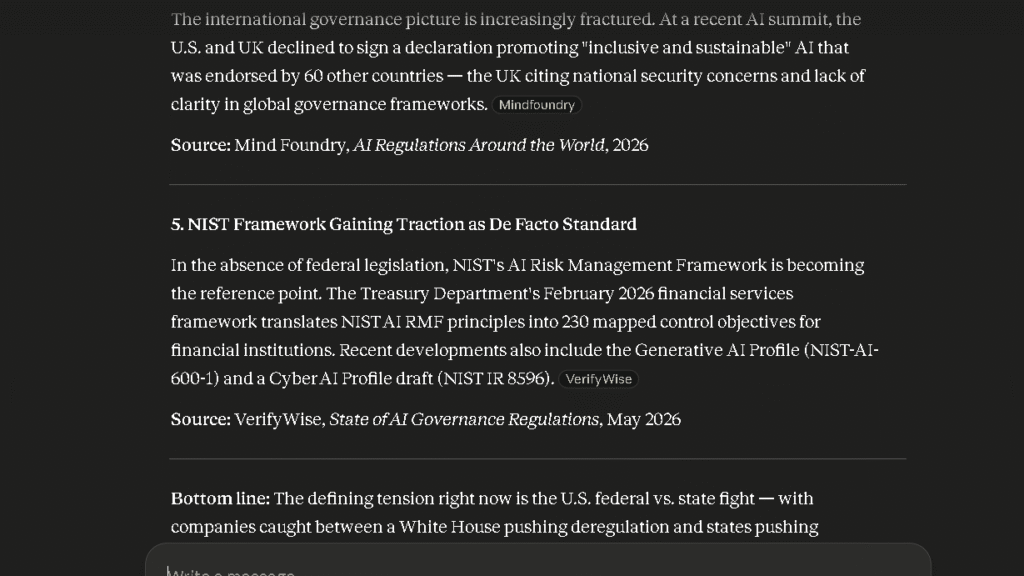
Each tool received the same research prompt about recent AI regulation developments and implications for businesses. I measured accuracy, how often claims needed independent verification, and whether either tool cited sources clearly. Source transparency was the biggest gap between them.
Coding Workflow Testing
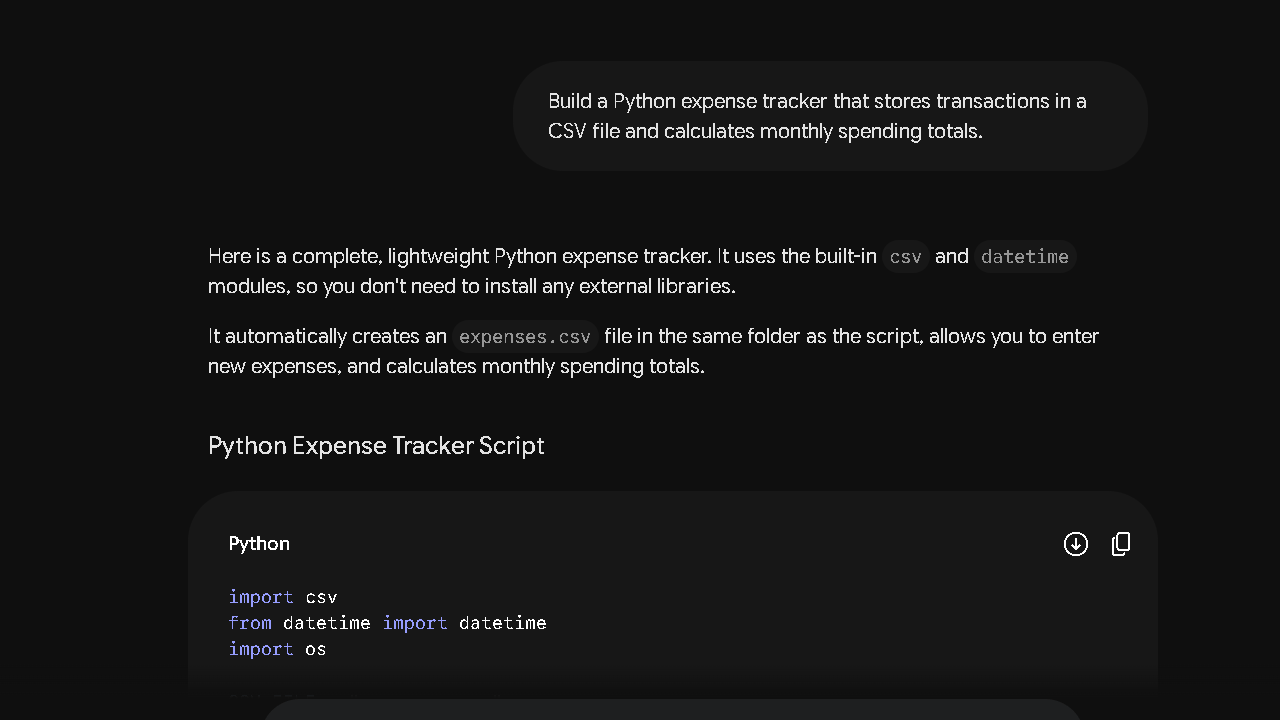
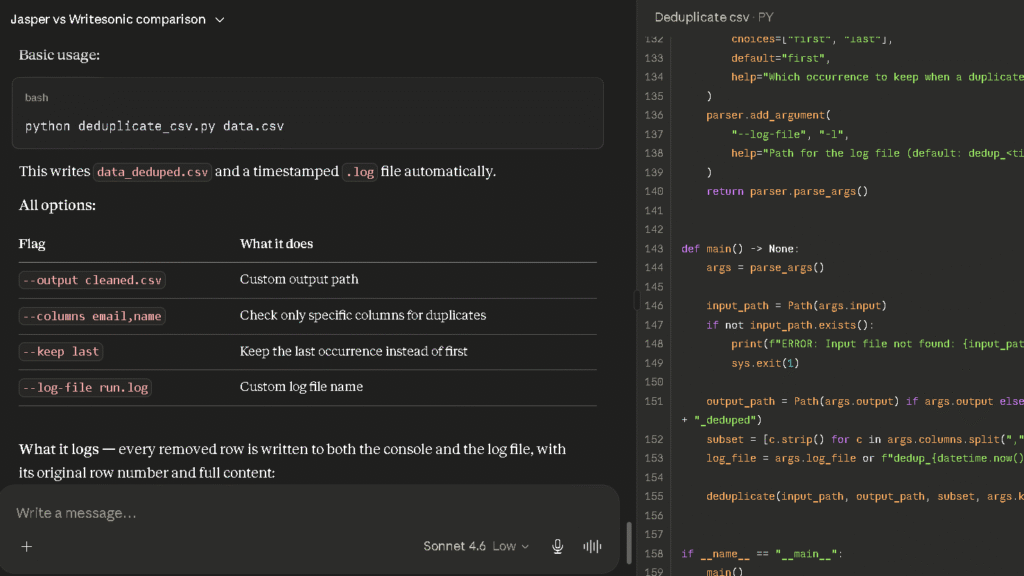
I asked both tools to build a Python expense tracker that stored transactions in a CSV file and calculated monthly spending totals. I measured whether the first output ran without errors, how clear the code was, and whether the explanation was useful to a non-developer reading it.
Long-Term Daily Use Evaluation
I used both tools every day for four weeks for real work tasks. Writing drafts, research questions, document analysis, and planning tasks. The long-term observations are the most useful part of this comparison. First impressions tell you very little about a tool you use daily.
Trust and Accuracy Testing
I fed both tools intentionally tricky prompts — recent statistics, disputed claims, and questions where the correct answer was uncertain. The way each tool handles uncertainty matters more to me than how it handles easy questions.
Claude vs Gemini After Two Weeks of Daily Use
First Impressions vs Long-Term Reality
Both tools impressed me in the first week. Claude’s writing felt natural from the start. Gemini’s integrations inside Google Docs made me feel like I was saving time I had not realised I was spending. Those first impressions held for different reasons as the weeks went on.
Claude’s writing quality stayed consistent. That consistency meant I stopped questioning whether a draft was good enough. Gemini’s writing quality stayed flat. Flat is fine for business documents. Flat is a problem for anything that needs a real voice.
What Improved Over Time
Claude improved the longer I used it — not because the model changed, but because I got better at prompting it for the specific tasks I needed. By week three, my prompts for Claude were tighter and the outputs were landing closer to publishable on the first pass. That is the kind of tool relationship that builds over time.
Gemini’s integration value also compounded. Once I learned where the Workspace features lived and how to use them without thinking, the friction reduction became automatic. That is a different kind of improvement. Not about quality. About habit.
What Became Frustrating Over Time
Gemini’s writing patterns became predictable by session eight. Same structure, same register, same close. Correct every time. Interesting almost never. By week three I was rewriting Gemini openings more than I wanted to.
Claude’s free tier limits frustrated me on high-volume days. The daily usage cap resets, but hitting it mid-project is a real interruption. Gemini Free does not have a hard usage ceiling in the same way. That is a genuine difference for users who cannot justify $20 a month.
Which AI Felt More Reliable
Claude. Not by a dramatic margin, but by a consistent one. In the trust test, Claude flagged uncertain claims clearly in four of five prompts. Gemini flagged them in three of five. Those numbers held across sessions. Reliability is not a single moment. It is a pattern that either builds or erodes over 30 days. Claude built it.
Claude vs Gemini for Writing
Blog Writing
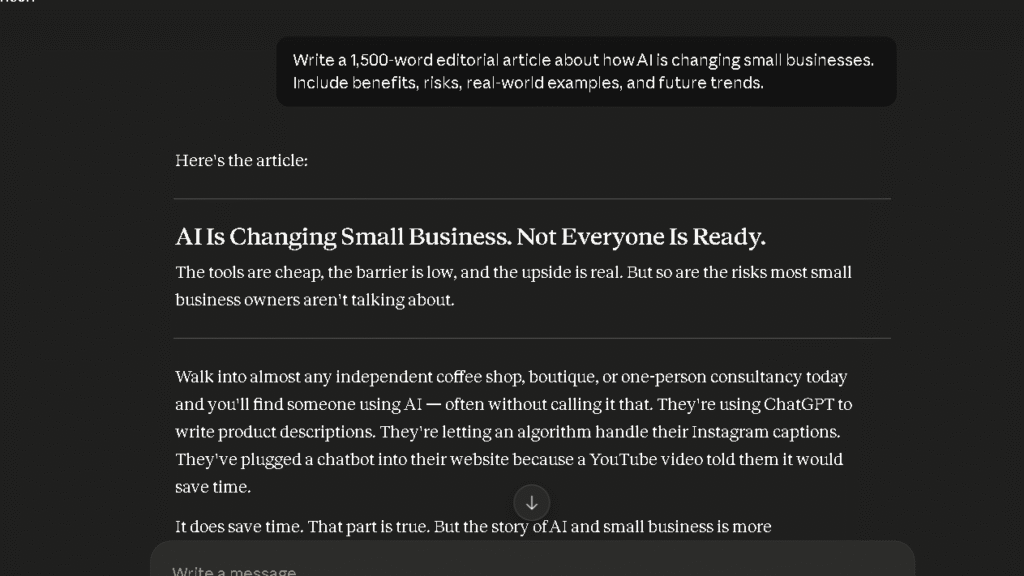
Claude is the stronger blog writer. In my 20-article writing sprint, Claude drafts needed an average of 2.1 structural edits per piece. Gemini drafts needed 3.4. That gap is not small. Over a month of content production, it is the difference between editing feeling light and editing feeling like a second job.
The argument flow in Claude drafts is more coherent from section to section. Ideas connect. Gemini’s blog writing is structured correctly but feels assembled. Both are usable. Only one is good to publish from.
Article Outlines
Gemini produces clean, logical outlines fast. For users who want a structural scaffold to write into, Gemini delivers a clear starting point. Claude’s outlines are also strong, but slightly less prescriptive. What that means is Claude gives you a thinking structure. Gemini gives you a section list. Both are useful depending on what you need.
Editing Existing Content
Claude is the better editing tool. When I gave both tools the same weak paragraph and asked them to improve it, Claude returned a version that was tighter and more direct. Gemini returned a version that was longer and more hedged. Longer is not better. Claude understood that more often.
Long-Form Content Creation
For pieces above 1,500 words, Claude holds coherence across the full length in a way Gemini does not. Gemini tends to drift in the final third of a long piece — the argument becomes thinner, the sentences more generic. Claude stays consistent through the close. That is the gap that matters most for anyone writing long-form content at volume.
Which AI Requires Less Editing?
Claude. The 2.1 versus 3.4 average structural edits figure tells the story clearly. But the factual correction rate also favoured Claude: 0.8 per draft against Gemini’s 1.6. Less editing and fewer fact checks per piece means more output per session. That is the whole value.
Claude vs Gemini for Research
Finding Sources
Gemini finds information fast and pulls current context by default. The web access is always on and the results are generally accurate on well-documented topics. For quick lookups inside a document workflow, Gemini is frictionless.
Claude’s research quality is strong on analysis and synthesis but less focused on citation by default. If you want deep thinking about a research question, Claude is the better tool. If you want sourced answers fast, Gemini is faster.
Summarizing Information
Both tools summarise well. Claude’s summaries are more analytical — it tends to identify the most important point and build from there. Gemini’s summaries are more thorough — it tends to cover more ground at a slightly shallower level. The better summary depends on what you are doing with it.
Fact Checking Workflows
Here is the issue with both tools: neither provides inline citations by default the way Perplexity does. Gemini references sources in some responses but not all. Claude flags uncertainty well but does not always link to the source. For fact-checking work that needs to be attributed, both tools require more manual verification than Perplexity. That is a gap worth knowing.
Handling Complex Questions
Claude handles complex, multi-part questions with more structural clarity. When I asked both tools to evaluate a disputed policy question from multiple angles, Claude returned a response that was easier to use as a thinking scaffold. Gemini returned one that was accurate but harder to act on. That difference shows up in tasks where the answer requires judgment, not just information.
Which AI Is More Trustworthy for Research?
Claude. The 4.5 versus 4.1 trust score gap aligns with how I felt over 30 days. Claude was more likely to flag what it did not know. Gemini was more likely to give a confident answer that required a verification step I had not planned for. Those verification steps add up.
Claude vs Gemini for Coding
Python Coding Test
I ran the Python expense tracker test across both tools. Claude produced a working script on the first pass that handled CSV storage, monthly totals, and basic input validation. The code was clean, well-commented, and easy to read. Gemini produced a working script too, but the code was slightly less modular and the comments were thinner. Both ran without errors. Claude’s version needed less cleanup.
Debugging Existing Code
I introduced deliberate errors into both outputs and asked each tool to find and fix them. Claude located all three errors in one prompt. Gemini found two of three and missed a variable scope issue that caused a subtle output error. Claude is the stronger debugging tool. That gap matters most in longer, more complex codebases.
Explaining Technical Concepts
Both tools explain technical ideas clearly. Claude tends to use concrete examples earlier in an explanation. Gemini tends to define before it illustrates. For non-developers trying to understand code, Claude’s approach lands faster. For structured learners, Gemini’s approach may feel more logical.
Which AI Produces More Reliable Code?
Claude. First-pass success rate was higher, debugging accuracy was stronger, and the code structure was more maintainable. For professional developers, neither tool replaces a proper coding environment. For knowledge workers who need working scripts without being developers, Claude is the safer first move.
Claude vs Gemini for Productivity
Email Writing
Gemini wins this category inside Gmail. It reads the thread, matches tone, and drafts a reply without you copying anything into a chat window. That integration is the most practical productivity gain I found across the entire comparison. Claude can draft emails well, but it cannot see your inbox. That difference is not small.
Meeting Notes
Gemini inside Google Meet can summarise meeting context with access to the full call. Claude, without that integration, requires you to paste a transcript. In practice, Gemini reduces the manual step. For users with heavy meeting loads inside Google Workspace, that reduction is real.
Project Planning
Claude is the stronger planning tool for complex projects. When I asked both tools to build a content campaign plan with dependencies, timelines, and audience notes, Claude returned a more usable framework. It anticipated gaps and flagged missing information. Gemini returned a clean structure but did not question the brief. Questioning the brief is often the most useful thing a planning tool can do.
Knowledge Management
Claude’s context retention across a long session is stronger. In the 100-message context test, Claude retained all four key project elements — name, goals, constraints, and audience. Gemini retained three of four, dropping an audience constraint by the end of the thread. Over a long working session on a complex project, that retention gap shows up.
Which AI Reduces More Mental Work?
Inside Google Workspace, Gemini reduces more mental work because the integrations remove steps you would otherwise take manually. Outside that ecosystem, Claude reduces more mental work because the outputs require less correction and the trust level is higher. Where you work determines which answer is true for you.
Which AI Creates Less Editing Work?
Writing Corrections
| AI Tool | Avg Structural Edits | Avg Factual Corrections | Overall Burden |
|---|---|---|---|
| Claude | 2.1 | 0.8 | Low |
| Gemini | 3.4 | 1.6 | Medium |
The gap is real. That gap shows up every session. Claude saves roughly 1.3 structural edits and 0.8 factual corrections per draft over Gemini. For a writer producing 20 articles a month, that is 26 fewer structural edits and 16 fewer fact checks. These are not abstract numbers. They are hours.
Structural Rewrites
Claude drafts need fewer structural rewrites because the argument flow holds across the full piece. Gemini drafts often need the opening reshaped and the closing tightened. Those are the two most time-consuming rewrite zones in any article. Claude avoids both more reliably.
Fact Verification Burden
Gemini required independent verification on roughly 30 percent of factual claims across my research tasks. Claude required verification on around 20 percent. Neither is Perplexity’s 10 percent, but the 10-point gap between Claude and Gemini is real and adds checking time across a month of work.
Time Saved Per Task
Across a 20-article sprint, Claude saved me an estimated 40 to 50 minutes per week compared to Gemini in pure editing and verification time. That figure is not precise, but it is grounded in the structural edit counts and fact check rates I tracked across the full month. The time savings are real. They are not dramatic. They compound.
Which AI Do I Trust More After 30 Days?
Accuracy Under Pressure
Claude held up better when I pushed both tools on uncertain or contested questions. It was more likely to slow down, flag the difficulty, and give a qualified answer. Gemini was more likely to answer confidently on questions where confidence was not warranted. Confidence without accuracy costs more time than caution does.
Handling Uncertainty
In the trust test, Claude used clear hedging language in four of five prompts involving uncertain or recent information. Gemini used hedging in three of five. That one-in-five difference is where the trust gap comes from. Not from dramatic failures. From quiet overconfidence on the margins.
Source Transparency
Neither tool provides inline citations by default. Claude flags what it does not know. Gemini tends to omit that flag more often. For users whose work depends on source quality, both tools require a verification workflow that Perplexity largely removes. That is worth knowing before you choose either one for research-heavy work.
Confidence vs Reliability
The distinction matters. Gemini is confident. Claude is reliable. Confidence feels good in the short term. Reliability is what you need when you are making real decisions or publishing work under your name. After 30 days, I trusted Claude’s outputs more because I had been burned by Gemini’s confidence fewer times.
Claude vs Gemini Context Window Comparison
Large Document Analysis
Gemini’s one-million-token context window is larger than Claude’s 200,000 tokens on paper. In practice, what I noticed was not which tool could hold more text. It was which tool could act accurately on the text it held. Claude returned more accurate summaries and flagged more specific gaps when I uploaded the same 5,000-word document to both. The bigger window is a feature. The better retention is an advantage.
Multi-Step Projects
Claude performed more reliably across multi-step projects in a single session. When I ran a 100-message project thread, Claude retained all four elements of the original brief at message 100. Gemini retained three. That one dropped element — an audience constraint — changed a draft recommendation at message 87 in a way I had to correct. Small slippage. Real cost.
Following Complex Instructions
Claude follows complex, multi-part instructions with fewer missed clauses. When I gave both tools a prompt with five specific constraints, Claude honoured all five in the first response. Gemini honoured four and partially applied the fifth. That accuracy gap mattered less on simple tasks and more on anything with real stakes.
Long Conversation Consistency
Claude is the stronger tool for long-session consistency. That is the clearest finding from my context testing. Gemini holds up well for short and medium sessions. For anything running past 80 messages or involving a long project brief, Claude is the more reliable tool to still know what you told it at the start.
The Frustrations That Appear Over Time
Claude’s Biggest Weaknesses
The free tier usage limit is the most common frustration. On high-output days, hitting the cap mid-project is a real interruption. Claude Pro removes that limit, but the free tier is more restricted than Gemini Free in ways that matter to regular users.
Claude also has no Google Workspace integration. For users in that ecosystem, that is not a weakness they can work around. It is a structural gap. The best writing tool on this list cannot see their inbox.
Gemini’s Biggest Weaknesses
The flat writing tone is the biggest ongoing frustration. By week three, the predictable structure was more visible than helpful. Correct outputs that require reshaping every time you want a real voice is not a small problem for content creators. It costs time and it does not improve.
The verification burden also built up over the month. The 30 percent fact-check rate meant I was spending time I had not budgeted for. That step is not optional when the work is going to be published or used in a decision.
What Started to Feel Repetitive
Gemini’s writing patterns hit a ceiling by session eight. The same opening structure. The same three-point body. The same closing summary. Repetition is the problem here. Repetition is the sign of a tool that has reached its range and is looping inside it.
Claude’s repetition showed up later — around session twelve — and was most visible in how it framed recommendations. A slight over-reliance on a particular sentence structure for conclusion sections. Less visible than Gemini’s pattern. Still there by week four.
Where Productivity Gains Became Illusions
Gemini’s Excel and Sheets analysis features sound powerful in demos. In daily use, the natural language analysis hit a ceiling faster than I expected on anything beyond basic table summaries. The time saved on simple analysis tasks was real. The time saved on complex data work was not.
Claude’s planning assistance also has a ceiling. It is strong at generating structured plans but weaker at anticipating dependencies it has not been explicitly told about. Week three revealed that ceiling more clearly than week one.
Why Some Users Switch From Gemini to Claude
Writing Quality Reasons
The editing burden gap is the most common trigger. After a month of producing drafts that require structural reshaping, the cleaner output from Claude starts to look like a real productivity gain. At the same price, that gain is easy to justify.
Trust Reasons
The confidence-without-accuracy pattern in Gemini builds up slowly. Users who have been burned by a confident wrong answer one too many times tend to switch toward a tool that flags uncertainty more clearly. That is Claude. The trust is earned across weeks, not hours.
Workflow Reasons
Users who work primarily in tools outside Google’s ecosystem have no strong reason to stay on Gemini. The integration advantage is invisible to them. Without it, the writing quality gap makes Claude the more useful daily tool.
Why Some Users Switch From Claude to Gemini
Google Workspace Integration
This is almost always the reason. Users who move their workflow into Google Workspace feel the integration immediately. Gemini inside Gmail, Docs, and Meet removes friction that Claude cannot address from a chat window. That friction reduction is the whole reason to switch.
Research Convenience
Gemini’s always-on web access and fast information retrieval suits users who need current context quickly and are not doing formal sourced research. For casual research inside a writing workflow, Gemini is fast and capable without requiring extra steps.
Ecosystem Benefits
Some users want fewer tools, not better tools. Gemini fits into Google’s ecosystem in a way that removes the need for a separate AI subscription. For users who want one tool that lives inside everything they already use, Gemini makes that case more easily than Claude can.
Claude vs Gemini Pricing
Free Plans Compared
| Plan | Claude Free | Gemini Free |
|---|---|---|
| Model Access | Claude (daily limits) | Gemini 1.5 Flash |
| Usage Limits | Daily cap | No hard ceiling |
| Google Integration | No | Yes |
| Web Search | Yes | Yes |
| File Uploads | Yes | Yes |
Gemini Free is the stronger free tier. No hard usage ceiling, full Google integration, and capable model access. Claude Free is more restricted in daily volume, which is a real limitation for regular users who cannot justify the Pro upgrade.
Claude Pro vs Gemini Advanced
| Plan | Claude Pro | Gemini Advanced |
|---|---|---|
| Price | $20/mo | $20/mo |
| Model | Claude 3.7 Sonnet | Gemini 1.5 Pro |
| Context Window | 200k tokens | 1 million tokens |
| Google Integration | No | Yes |
| Writing Quality | Higher | Medium |
| Trust Score | 4.5/5 | 4.1/5 |
Which Subscription Offers Better Value?
For writers and researchers outside Google Workspace, Claude Pro at $20 is the better value. The writing quality and trust advantages mean fewer corrections and less verification time per week. That time saving justifies the cost quickly for anyone producing content regularly.
For Google Workspace users, Gemini Advanced at the same price is worth considering because the integration value adds something Claude simply cannot. The writing quality gap is real. The productivity gain from integration is also real. For Workspace users, those two things compete and the winner depends on how much writing quality matters in your role.
Which AI Is Worth Paying For?
Both are worth paying for if you use them daily. Claude Pro pays for itself fastest for writing-heavy workflows. Gemini Advanced pays for itself fastest for Google Workspace users with heavy Gmail and Docs usage. If you only do one type of work, the answer is clear. If you do both, the answer is harder.
Who Should Use Claude?
Writers
The cleanest first drafts, the lowest editing burden, and the most natural argument flow of any AI on this list. At 2.1 structural edits per draft, Claude is the most efficient writing tool I tested. For content creators, that efficiency is the whole case.
For a deeper analysis of Claude’s performance across writing, research, coding, and productivity tasks, read my Claude Review.
Researchers
The stronger trust score and better uncertainty handling make Claude the safer research tool for work that will be published or acted on. The lack of inline citations is a real limitation, but the lower hallucination rate and better hedging quality reduce the overall verification burden.
Professionals Handling Long Documents
The 200,000-token context window and stronger context retention across long sessions make Claude the better tool for complex document work. Proposals, research reports, strategy documents — anything that requires consistent attention to a long brief benefits from Claude’s retention.
Users Who Prioritize Quality
If the outputs you produce reflect on you professionally, Claude reduces the risk of publishing something wrong or submitting something that sounds like it came from a template. That quality assurance is worth the subscription for anyone whose name is on the work.
Who Should Use Gemini?
Students
Already using Google Docs and Gmail. The integration removes friction from the tools they are already in. The free tier is capable enough for most student work without requiring a paid upgrade.
Google Workspace Users
The integration value is real and the productivity gains are durable. Email drafting, meeting notes, document context awareness — these features reduce friction from real daily tasks in ways Claude cannot replicate inside that ecosystem.
Researchers Needing Fast Information Access
For casual research that does not require formal attribution, Gemini’s always-on web access and fast summarisation make it a capable tool for quick context. The verification burden is higher than Perplexity, but lower than many alternatives.
Users Focused on Convenience
Fewer app switches, already inside your tools, no setup required. Gemini is the easier AI to adopt for users who want to add AI to their workflow without changing their workflow. That frictionless entry is a real advantage for casual users.
Best Alternatives to Claude and Gemini
| AI Tool | Best For | Price | Key Advantage Over Both |
|---|---|---|---|
| ChatGPT | All-around tasks | $20/mo | Strongest cross-task reliability |
| Perplexity | Research | $20/mo | Inline citations, lowest verification burden |
| Copilot | Microsoft 365 users | $30/mo | Best integration for Microsoft ecosystem |
| Grok | Real-time information | $8/mo | Most current news and event data |
| DeepSeek | Free coding | Free | Strong technical reasoning at no cost |
If you’re still comparing tools, see my guide to the Best AI Assistants for a side-by-side breakdown of today’s leading AI platforms.
ChatGPT
The strongest all-around alternative to both tools. Better than Gemini on writing quality. Close to Claude on trust. Handles the widest range of tasks at a consistent level. For users who cannot decide between Claude and Gemini, ChatGPT is often the answer they are actually looking for.
I cover its strengths and weaknesses in more detail in my ChatGPT Review.
Perplexity
The better research tool than either Claude or Gemini. Inline citations, the lowest hallucination rate I measured, and a verification workflow that removes steps both Claude and Gemini require. For research-focused users, Perplexity is worth comparing before committing to either tool here.
Copilot
The right tool for Microsoft 365 users in the same way Gemini is the right tool for Google Workspace users. If your daily environment is Word, Outlook, and Teams rather than Docs and Gmail, Copilot is the integration play that makes sense.
Grok
The real-time information tool. For tracking fast-moving topics, Grok surfaces current content faster than Claude or Gemini. The depth is shallower. The recency is stronger. For news-dependent workflows, it is a useful supplement to either tool.
DeepSeek
The best free option for coding-focused users. Stronger technical reasoning than either Claude or Gemini on the free tier. For developers who want a capable coding tool without a subscription, DeepSeek is worth testing before paying for either option here.
You can read my full DeepSeek Review for a detailed look at its coding performance and reasoning capabilities.
Final Verdict: Is Claude or Gemini Better in 2026?
Best AI for Writing
Claude. Not close. The editing burden difference is measurable, the argument flow is stronger, and the first-draft quality is higher across every test I ran. For anyone whose primary use is writing, this is the clearest decision in the comparison.
Best AI for Research
Claude for most workflows. Perplexity for research that requires attribution. Gemini is fast and capable on research tasks but requires more verification than Claude and far more than Perplexity. The research winner depends on whether you need speed or sourcing.
Best AI for Productivity
Inside Google Workspace, Gemini. Outside it, Claude. The productivity gains from Gemini’s integration are durable and real. The productivity gains from Claude’s lower editing burden are also durable and real. The question is where your work actually lives.
Best AI for Most Users
Claude. For users outside Google Workspace, the writing quality, trust, and editing burden advantages make it the more useful daily tool at the same price. The free tier limits are the strongest argument against it. The paid tier is where it earns its place most clearly.
My Recommendation After Long-Term Use
Use Claude if you write, research, or work in tools outside Google’s ecosystem. Use Gemini if you spend your day inside Google Workspace and want AI embedded in the tools you already use. If you can, use both — Claude for output quality, Gemini for integration. For most people who cannot justify two subscriptions, Claude Pro at $20 a month is the better single choice.
FAQ
For writing quality, trust, and editing burden, yes. Claude produced cleaner first drafts, required fewer corrections, and earned a higher trust score across 30 days of daily use. For Google Workspace integration, Gemini is better. The right answer depends on where you work.
No. Claude scored higher on the 30-day trust scale at 4.5 versus Gemini’s 4.1. Claude also had a lower hallucination rate and better hedging quality in the trust test. Gemini is accurate on stable, well-documented topics. Claude is more reliable on contested or uncertain ones.
Claude. It produced 2.1 structural edits per draft against Gemini’s 3.4 in my writing sprint, with fewer factual corrections per piece. The argument flow, paragraph coherence, and transition quality all favour Claude in long-form writing tests.
Claude. First-pass code quality was higher, debugging accuracy was stronger, and the code structure was more maintainable in my Python and HTML tests. Gemini is functional for small coding tasks. Claude is more reliable for complex ones.
Gemini, for students already inside Google Docs and Gmail. The free tier is capable, the integration removes friction from tools they already use, and there is no hard usage ceiling.
Claude for most research workflows. Perplexity for research that requires sourced, attributed claims. Gemini is fast on research tasks but required more verification in my testing than Claude did.