
Most Claude review articles make the same claim: the writing feels different. Less like text generated by AI and more like something written by a person who actually understood the topic. After hearing that repeatedly, I decided to test Claude for myself.
I spent 30 days with Claude Pro, across writing, research, coding, and long-document work. I tracked editing burden, trust, daily friction, and the moments where the tool stopped delivering. Here is what I found.
Disclaimer: I may earn a small commission on purchases made through links on this page, at no extra cost to you. This supports honest, independent reviews.
Table of Contents
Quick Verdict
| Overall rating | 4.3 / 5 |
| Best for | Writing, long-form content, coding, document analysis |
| Biggest strength | Lowest editing burden of any AI I tested |
| Biggest limitation | No inline citations, limited web search feel, message caps |
| Free plan | Yes — rolling limit, roughly 30–100 messages per day |
| Pro plan | $20/month |
| Worth it? | Yes, for daily writers and developers — not for casual use |
The writing advantage is real. It also has a ceiling, and this review is about both.
What Is Claude AI?
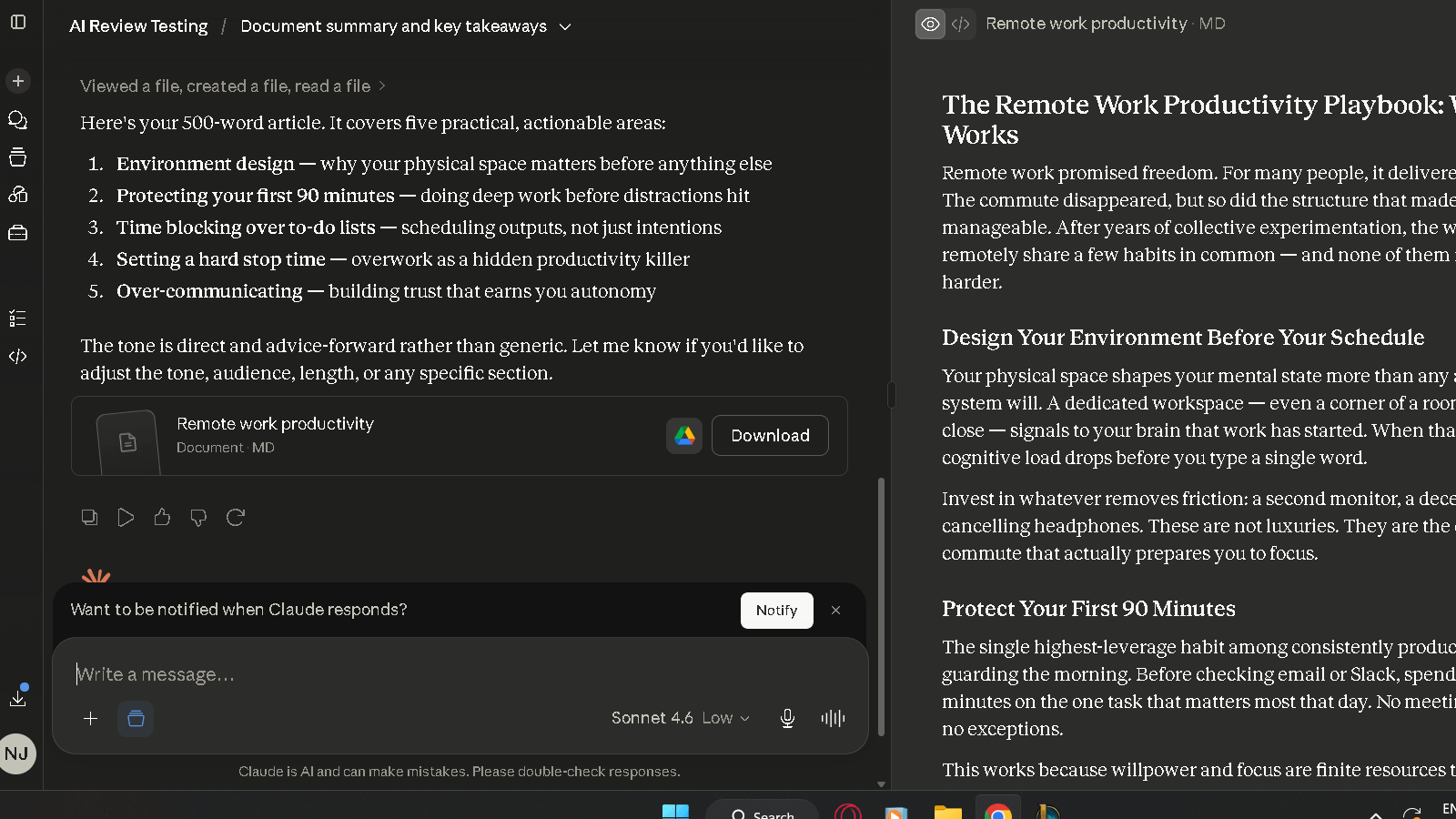
Claude is an AI assistant built by Anthropic. It is designed around safety and reliability, and in practice that shows up as a tool that is honest about its limits, careful with sources, and very good at producing clean long-form text.
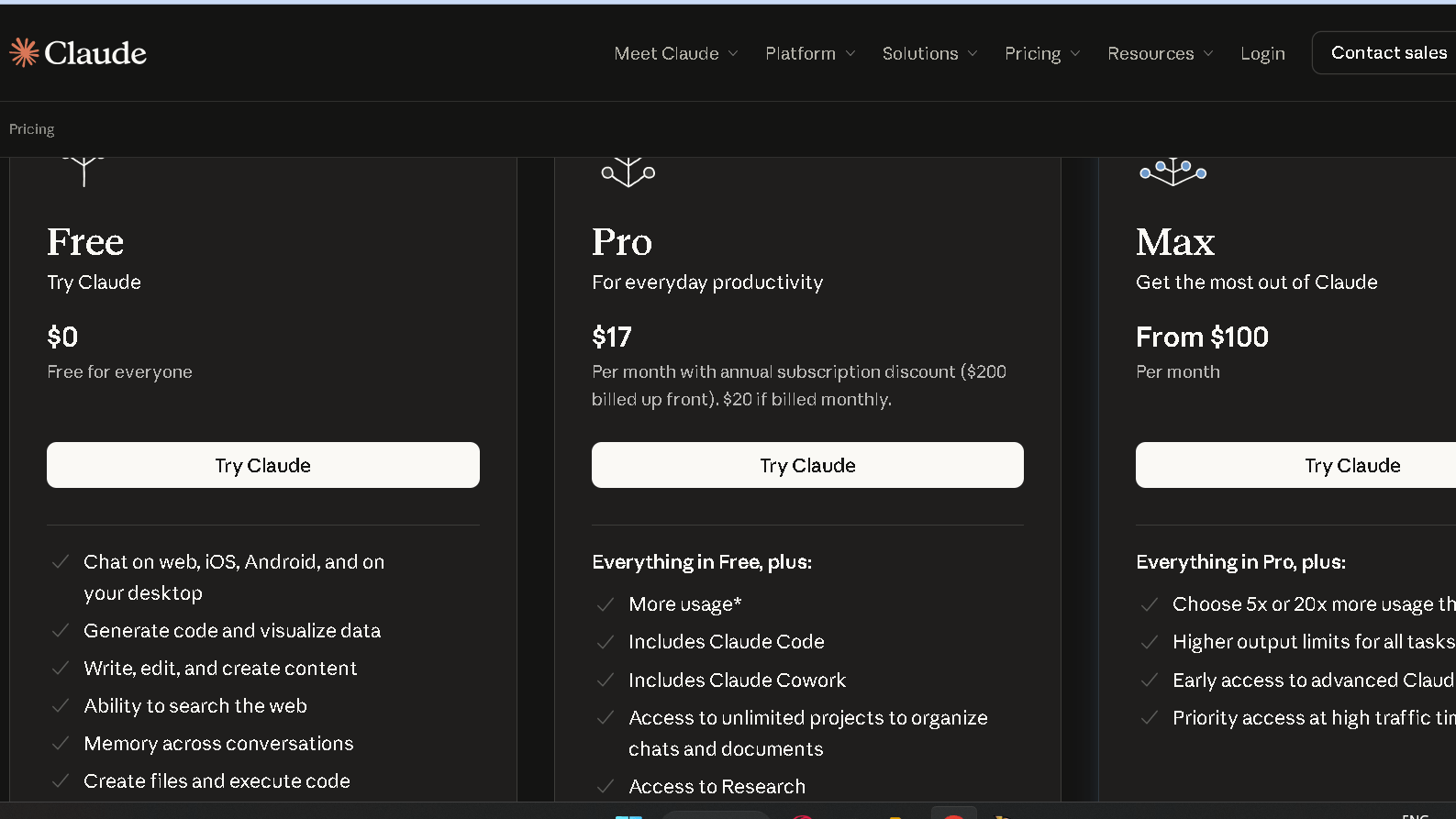
The free tier runs on Sonnet 4.6 with a rolling daily cap. Pro at $20 a month gives you roughly five times the message volume, access to stronger models, Projects for persistent context, and a 200,000-token context window. Max plans at $100 and $200 a month exist for developers and power users who burn through Pro limits. Most daily users sit comfortably on Pro.
Claude does not generate images. It does not have the same plugin ecosystem as ChatGPT. What it has is a 200K context window, one of the cleanest writing outputs I have tested, and coding accuracy that benchmarks at around 95 percent on functional tasks. Those three things define who it is for.
How I Tested Claude Over 30 Days
Note: The scores and comparisons in this review are based on my personal testing methodology and real-world usage. Results may vary depending on prompts, use cases, and model updates.
I ran five structured tests, plus daily tracking across real work.
The writing test asked Claude to produce a 1,000-word article on remote work productivity. I ran this test across 15 sessions and tracked editing burden — how many interventions per 10 sentences the draft needed before it was usable without embarrassment.
The research test asked Claude to summarize recent AI regulation developments with verifiable sources. I checked every source for accuracy and recency.
The coding test asked Claude to build a responsive pricing table in HTML and CSS from a single prompt. I measured first-pass accuracy and how many fixes the output required.
The trust test asked Claude for three statistics with cited sources across five separate sessions. I verified each one.
The long-context test uploaded a 5,000-word document and asked Claude to analyze, summarize, and answer specific questions about it. This is where Claude’s reputation either earns out or does not.
What Changed After Two Weeks of Daily Use
The honest shift is not in what Claude does. It is in how your expectations recalibrate.
| Area | Week 1 | Week 3 |
|---|---|---|
| Writing quality | Noticeably cleaner than anything I had used | Consistent — no drift in tone or structure |
| Research | Clean answers, no citations | Verified this is a real limitation, not a bug |
| Coding | Strong first-pass quality | Reliable for context-heavy tasks, slower on rapid iteration |
| Trust | High from the start | Stayed high — hedging was accurate, not defensive |
| Message limits | Not an issue | Hit the cap twice on heavy document days |
The thing that held up best was writing consistency. That gap I expected to narrow by week three stayed wide. The gap that surprised me most was how clearly the research limitation showed up in daily work. You feel it on any task where you need sources, not just answers.
Claude for Writing
This is the flagship use case, and it earns that reputation.
Blog Posts
In the 100-sentence editing burden test across 15 drafts, Claude averaged 1.6 edits needed per 10 sentences. ChatGPT averaged 2.1 on the same task. Gemini averaged 2.7. If you’re deciding between the two, my ChatGPT Review covers where ChatGPT performs better, where it falls behind, and whether it’s worth the subscription in 2026. The gap is real. It is not enormous in any single session, but over weeks of daily writing work, it is the difference between AI that saves time and AI that trades one kind of effort for another.
The structure of Claude’s drafts varies naturally. It does not default to the intro, three points, close pattern that shows up in ChatGPT by week three. I ran the same brief through both tools on the same day and the structural difference was visible at a glance.
Emails
Solid. Not the strongest use case relative to other tools, but the tone matching is better. Claude picks up context from the conversation and applies it to the email in a way that feels like it read the thread rather than guessed at it. Short emails come back clean in one pass.
Long-Form Content
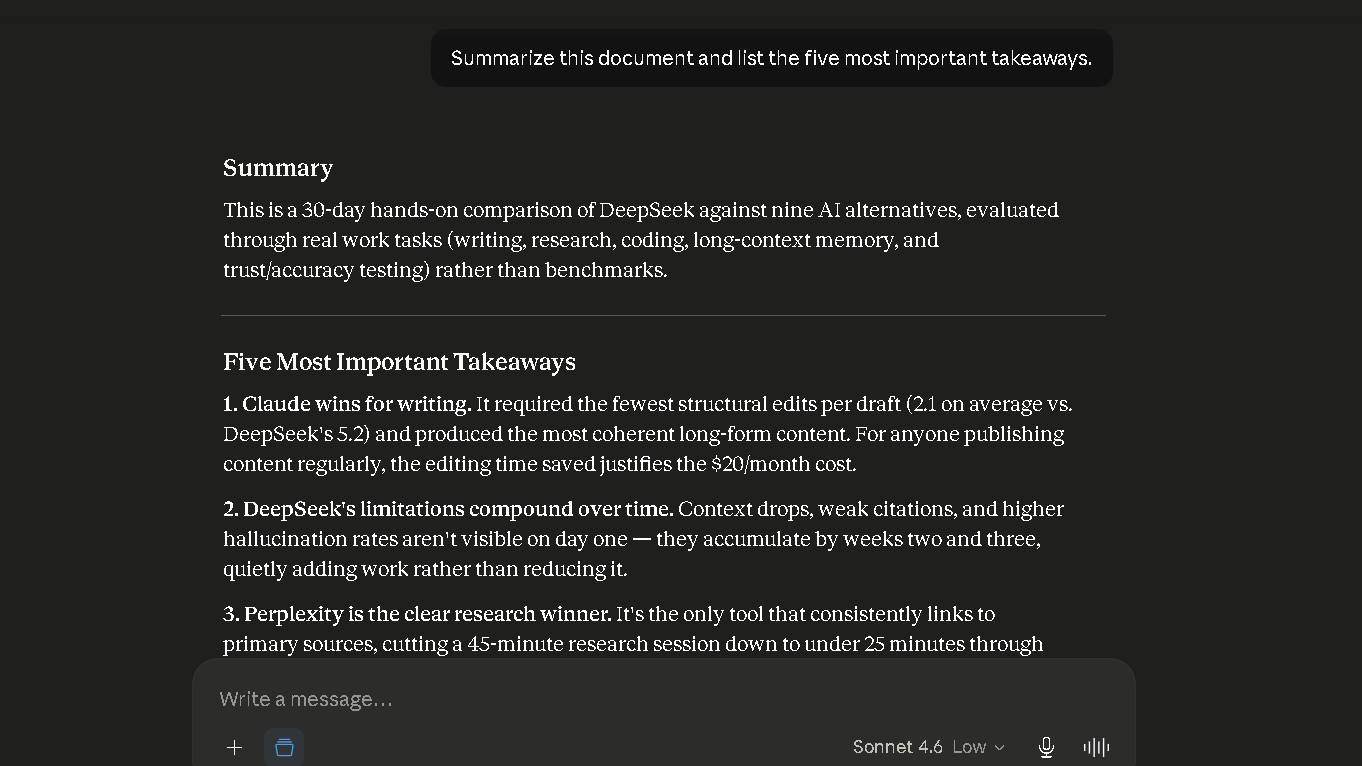
This is where the 200K context window matters most. Feed Claude a full brief, a set of reference documents, and a target word count and it holds the whole thing in view. I ran a 4,200-word article from a single session with no context loss visible in the second half of the piece. That is not something I could do reliably with other tools.
Writing Consistency
The writing does not drift by week three. That is the result I least expected going in. Most AI tools develop a recognizable shape after sustained use — a set of go-to structures, transitions, and closers that start to repeat. Claude showed less of this than any tool I tested over 30 days. The consistency is real.
Does Claude Really Require Less Editing?
Yes. That is the short answer, and it is grounded in the numbers.
The editing burden table across all tools I tested over 30 days:
| AI | Editing Burden (1–5, lower is better) | Primary Issue |
|---|---|---|
| Claude | 1.6 | Consistent — rare structural issues |
| ChatGPT | 2.1 | Structural drift in long-form after week 2 |
| Gemini | 2.7 | Flat voice, even rhythm throughout |
| Grok | 3.1 | Good short-form, weak depth |
| DeepSeek | 3.8 | Weakest prose in the group |
| Perplexity | 4.2 | Research tool, not a writing tool |
Claude’s score of 1.6 held across all 15 drafts. It did not improve significantly in week one and worsen by week three the way some tools do. That consistency is the most commercially useful thing about it for anyone who writes daily.
To be fair, lower editing burden is not the same as no editing burden. Claude still needs a human pass. It still misses tone on niche brand voices. It still needs context it was not given. But the gap between Claude and the next-best tool is wide enough to matter.
Claude for Research and Fact Gathering
Research Speed
Fast for orientation. When you know nothing about a topic and need a reliable map quickly, Claude gives you one. The structure is clear, the coverage is broad, and the answer lands without excess hedging.
Source Verification
Here is the issue. Claude does not cite sources inline the way Perplexity does. In the research test, Claude gave me a clean, accurate summary of AI regulation developments with no citations attached. Perplexity gave me eight numbered, verifiable sources on the same query. When fact accuracy matters and you need to show your work, that gap is significant.
In the trust test across five sessions, Claude returned three correct, verifiable statistics in four of five sessions. That is a better rate than ChatGPT, which returned at least one unverifiable result in three of five sessions. Claude is more accurate than most alternatives. It is just less transparent.
Research Limitations
The research limitation is not a bug and it is not something you can prompt around. Claude is a language model, not a search engine. It does not surface live web results in the same way Perplexity does. If your work requires cited, verifiable, up-to-date sources, you need to use Perplexity alongside Claude, not instead of it.
If Perplexity isn’t the right fit for your workflow, you can also explore several strong Perplexity alternatives that offer research assistance, citations, and AI-powered search features.
Claude for Coding and Technical Tasks
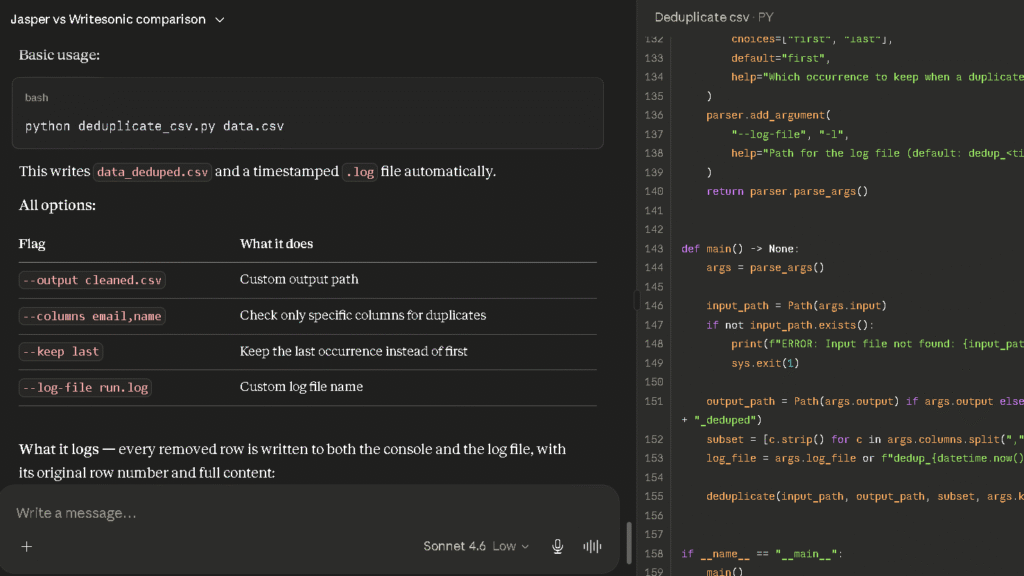
Code Generation
In the pricing table test, Claude produced clean, working HTML and CSS on the first pass in five of eight tries. That is a strong result. Independent testing by Ryz Labs placed Claude’s functional coding accuracy at around 95 percent on structured tasks, compared to roughly 85 percent for ChatGPT. I found that gap credible in my own testing on straightforward builds.
Debugging
Claude is methodical in debugging. It reads the error, reads the context, and gives you a fix that accounts for both. It is not the fastest debugger — ChatGPT moves faster on quick back-and-forth — but on complex multi-file problems, Claude’s slower pace tends to produce fewer follow-up errors.
Front-End Development
The context window advantage is most visible here. On a project with multiple files, Claude holds the relationship between components better than tools with smaller windows. It does not forget that you changed the nav component when it is working on the footer.
Technical Explanations
Clear and patient. This is not a differentiator — most major AI tools explain technical concepts well — but Claude has a way of adjusting the level of an explanation without being asked. It reads the sophistication of the question and pitches the answer at roughly the right level.
Do I Trust Claude After 30 Days?
More than any other tool I tested, and for a specific reason: it tells me when it does not know something.
| AI | Trust Score (1–5) | Hallucination Rate | Admits Uncertainty? |
|---|---|---|---|
| Perplexity | 4.6 | Low — sources visible | Yes — citations do the work |
| Claude | 4.3 | Low | Yes, often and clearly |
| ChatGPT | 3.7 | Moderate | Sometimes |
| Copilot | 3.5 | Moderate | Yes |
| Gemini | 3.3 | Moderate | Inconsistently |
| Grok | 3.1 | Higher on non-news | Rarely |
| DeepSeek | 2.9 | Highest in test | Rarely |
Claude hedged correctly in four of five ambiguous prompts across my trust test. It said things like “I am not certain about this specific number” or “this may have changed since my training.” That is more useful than a confident wrong answer. Over 30 days, I learned to take Claude’s confidence at face value in a way I never quite managed with ChatGPT.
The one trust gap is web recency. Claude’s knowledge has a cutoff, and it cannot always surface what happened last week. For anything time-sensitive, you need a web-first tool alongside it.
Where Claude Saves Time
These are the real ones. Worth naming directly.
Long-document work. Upload a dense report, a contract, or a research paper and ask Claude to analyze, summarize, or pull specific information from it. The 200K context window means it holds the whole document at once and answers questions about sections you read 40 minutes ago. That is a genuine time save on any document-heavy workflow.
First drafts of polished writing. The lower editing burden compounds daily. If you write two long articles a week, the saved editing time across 30 days is measurable and real.
Coding in context. When you are working on a multi-file codebase and need an AI that remembers what it built three files ago, Claude stays in context longer and more reliably than most alternatives.
Honest answers under uncertainty. When Claude does not know something, it says so. That means fewer verification loops on outputs you already trust.
Where Claude Creates More Work
Research tasks that need sources. Every time you need a verifiable citation, you are moving to Perplexity or searching yourself. That tab-switching adds up across a research-heavy day.
Real-time information. Anything that happened recently may not be in Claude’s training data. If your work depends on current events, pricing, regulatory changes, or anything that shifts week to week, you are adding a verification step that other tools make easier.
Image generation. Claude does not do it. If you need AI images in your workflow, you are adding a second tool. That is a real gap for content teams that produce visual assets alongside written content.
Prompting for specific brand voice. Claude’s default writing is clean and clear, but it is Claude’s clean and clear, not yours. Getting it to hold a specific brand tone consistently requires several rounds of correction on the first session. After that, Project context helps. But the early sessions create extra work.
The Frustrations That Appear Over Time
They are specific. Naming them is more useful than summarizing them.
The first is the message cap. Free users hit a rolling daily limit, and long document sessions burn through it fast. Pro users get roughly 45 messages per five-hour window, which is enough for most days but not for days with heavy coding or multiple document uploads. The cap shows up at the worst moment.
The second is verbosity on complex prompts. Claude sometimes gives you more than you asked for. Ask for a short summary and you get a structured three-section response with headers and caveats. That is occasionally useful and regularly too much. You learn to add “be brief” or “no headers” to your prompts, but the fact that you have to is a friction point.
The third is the research gap in daily use. You do not notice how often you reach for a source until the tool you are using does not show you one. Every time I wanted to drop a citation into a draft, I had to leave Claude and check myself. That trip happens more than the writing quality alone would suggest.
Claude Free vs Claude Pro
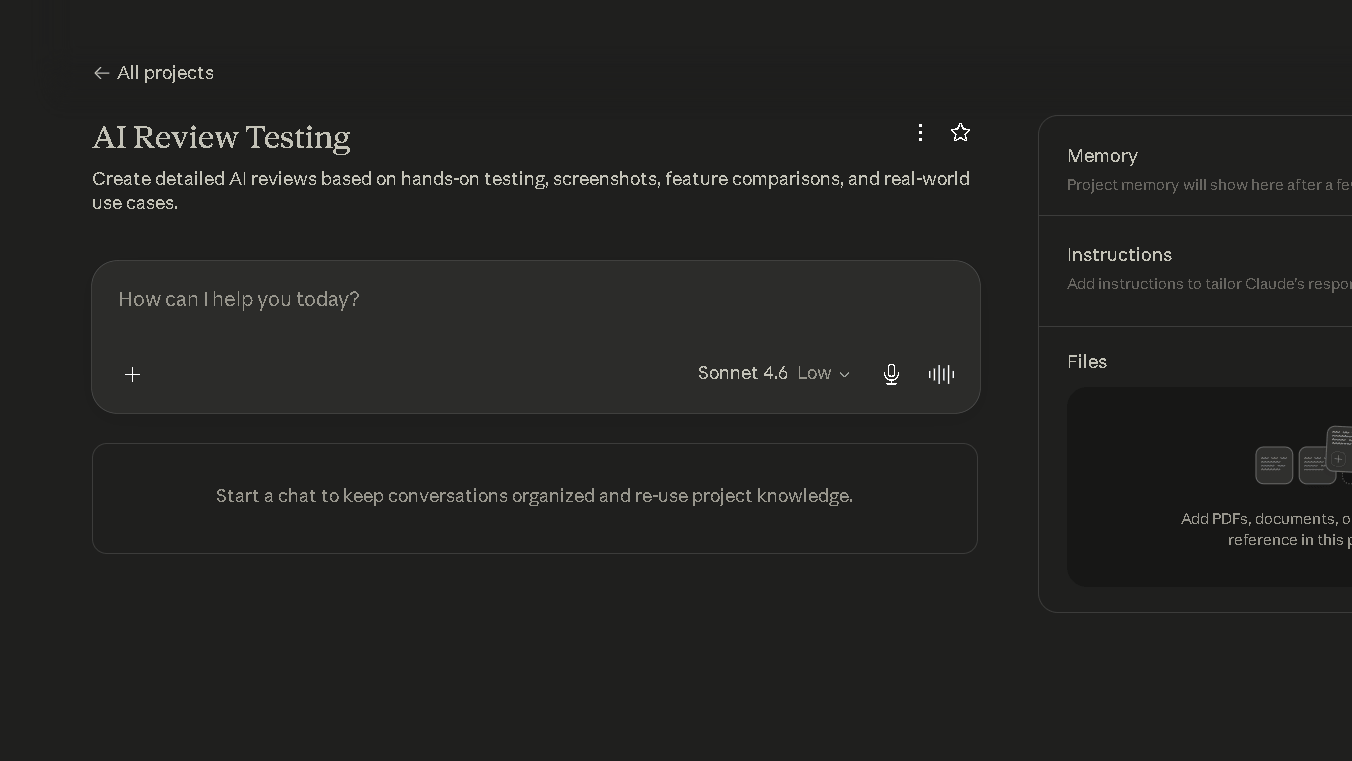
What You Get Free
The free tier runs on Sonnet 4.6. You get roughly 30 to 100 messages per day depending on length and document complexity, with a rolling reset rather than a fixed midnight cutoff. Memory across conversations, web search, and basic MCP connectors are all available on the free tier as of 2026. For light use, it covers a real amount of ground.
What You Get With Pro
Pro at $20 a month gives you approximately five times the message volume, access to Opus models for the most demanding tasks, Projects for persistent context across sessions, and higher file upload limits. Claude Code for terminal-based development requires Pro or higher. The context window on Pro extends to 200,000 tokens, which is where the long-document advantage becomes real.
| Free | Pro ($20/mo) | Max ($100/mo) | |
|---|---|---|---|
| Message volume | ~30–100/day | ~45 per 5-hour window | 5x Pro capacity |
| Model access | Sonnet 4.6 | Opus + Sonnet | Opus + Sonnet |
| Context window | 200K tokens | 200K tokens | 200K tokens |
| Projects | Yes | Yes | Yes |
| Claude Code | No | Yes | Yes (higher limits) |
| Memory | Yes | Yes | Yes |
| File uploads | Limited | Higher | Higher |
Is Claude Pro Worth It?
For anyone using it daily for writing or coding, yes. The message cap on the free tier hits fast on real work sessions, and the editing burden advantage only compounds when you can use the tool without interruption. For casual or weekly use, the free tier is genuinely capable. Start there, feel the cap, and upgrade when it becomes a daily friction rather than an occasional one.
Claude vs ChatGPT vs Gemini vs Perplexity
| Claude | ChatGPT | Gemini | Perplexity | |
|---|---|---|---|---|
| Writing quality | Best | Strong | Moderate | Weak |
| Editing burden | 1.6 | 2.1 | 2.7 | 4.2 |
| Research citations | None inline | Moderate | Moderate | Best |
| Coding accuracy | ~95% | ~85% | Moderate | Weak |
| Long-context | Best (200K) | Good (1M on Pro) | Good | Weak |
| Image generation | No | Yes | Yes | No |
| Free plan | Yes | Yes | Yes | Yes |
| Pro cost | $20/mo | $20/mo | $19.99/mo | $20/mo |
Claude wins on writing and long-context. ChatGPT wins on breadth and ecosystem. Perplexity wins on research and citations. Gemini wins on Google Workspace integration. Which one you want depends on what you are actually here for.
If your decision comes down to these two tools, see my detailed ChatGPT vs Claude comparison where I compare writing quality, coding performance, research capabilities, pricing, and long-context handling side by side.
Why Some Users Stop Using Claude
The most common reason is the research gap. Users who need sourced answers every day find that Claude’s lack of inline citations creates a two-tool workflow faster than they expected. You end up in Perplexity for sources and Claude for writing, and at some point you ask whether the writing quality difference justifies two subscriptions.
The second reason is the image limitation. Content workflows that require visuals alongside text have to add a third tool, and that friction accumulates.
The third reason is ecosystem reach. ChatGPT has custom GPTs, a broader agent system, voice with video, and desktop computer use. Users who want one tool for everything tend to drift toward ChatGPT for that breadth, even though they give up writing quality and coding depth to get it.
Why Some Users Eventually Return to Claude
Most people who step away come back for writing. That is the consistent pattern.
ChatGPT is good. It handles more tasks. But for anyone doing editorial, content, or long-form work, the editing burden difference wears on them. By the third week away from Claude, they notice they are spending more time on cleanup than they were before. They come back for the 0.5 points on the editing burden score and the writing that does not develop a recognizable shape by week three.
The other reason is long-document work. Once you have experienced Claude holding a 5,000-word document in full context with no detail loss, alternatives feel like working with a shorter memory. That is a hard thing to give up when your work depends on it.
Who Should Use Claude?
Writers
Claude is the strongest choice for anyone who produces editorial content, long-form articles, or client-facing writing. The editing burden difference is real and it compounds over time. If reducing post-AI cleanup is the goal, this is the tool.
Students
Strong for essays, analysis, and working through complex material. The free tier covers most student needs. For thesis-level document analysis, Pro is worth it. Verify any statistics before using them — Claude is accurate but not transparent about its sources.
Researchers
Useful for synthesis, analysis, and drafting from material you have already verified. Not suitable as a primary source tool. Use Perplexity for citations and Claude for everything that happens after you have the facts.
Developers
The strongest AI coding tool in the group on accuracy and long-context work. Claude Code is a genuine productivity tool for terminal-based development, and the Pro plan is worth it for anyone using it daily. On complex, multi-file projects, the context window advantage is not marginal.
Marketers
Excellent for long-form brand content, campaign briefs, and high-polish copy that needs minimal editing. ChatGPT is faster for high-volume variation work. Claude is better when the output has to be right the first time.
Small Businesses
The best single-tool choice for teams where writing quality matters more than breadth. At $20 a month, Claude Pro covers writing, document analysis, and serious coding support in one place. Pair it with Perplexity free for any research that needs sources.
Best Claude Alternatives
If Claude is not the right fit, here is where to go.
ChatGPT is the closest all-around alternative. It covers more task types and has a broader ecosystem. The writing quality is lower but the range is wider. Perplexity is the right tool for research with inline citations. DeepSeek is the best free option for coding tasks. Gemini is the strongest alternative for Google Workspace users.
If you’re also exploring AI tools beyond chatbots, check out my guide to Free Alternatives to Grok Video Generation for creating AI videos without paying for premium plans.
Pricing
| Plan | Price | Notes |
|---|---|---|
| Free | $0 | Sonnet 4.6, rolling daily cap, basic connectors |
| Pro | $20/mo | 5x message volume, Opus access, Claude Code, Projects |
| Max 5x | $100/mo | 5x Pro capacity, for heavy daily developers |
| Max 20x | $200/mo | 20x Pro capacity, power users and agentic workflows |
| Team | $30/seat/mo | Pro features plus team management |
The Pro plan is the right entry point for daily professional use. Max is for users who hit Pro limits consistently, which in practice means developers running long coding sessions or analysts working with multiple large documents per day.
Pros and Cons
| Pros | Cons |
|---|---|
| Lowest editing burden in group | No inline citations for research |
| Writing quality holds over 30 days | No image generation |
| Long-context reliability at 200K tokens | Message cap hits on heavy document days |
| High trust — admits uncertainty clearly | Smaller feature ecosystem than ChatGPT |
| Strong coding accuracy (~95% on structured tasks) | Verbosity on complex prompts |
| Projects give persistent context across sessions | Research gap requires a second tool |
Final Verdict: Is Claude Worth It?
Yes — for the right person. The wrong person for Claude is someone who needs one tool for images, voice, browsing, and broad daily productivity. That person should be on ChatGPT.
The right person for Claude is anyone who writes and codes, needs the output to be good the first time, and works with long documents where context retention matters. That profile covers a large part of the daily AI user base, and for them, the editing burden difference is the most commercially useful advantage in this comparison.
The writing quality is not hype. It held across 30 days. The trust is real. The research gap is real too, and it is worth naming before you commit.
So is Claude worth $20 a month? For daily writers and developers, the answer is yes and the case is not close. For anyone who checks in twice a week and mostly asks factual questions, start with the free tier. The free tier is more capable in 2026 than most people expect.
FAQ
For daily writers, developers, and anyone who works with long documents, yes. The Pro plan at $20 a month delivers a measurable editing burden advantage and strong long-context performance. For casual or weekly use, the free tier covers most needs.
For writing quality and long-context coding work, yes. For breadth, image generation, voice, and ecosystem range, no. Most serious users keep both and route tasks by what each one does best.
It is the best writing tool I tested over 30 days. The editing burden score of 1.6 edits per 10 sentences was the lowest in the group and held consistently across 15 drafts. The writing does not develop structural drift the way ChatGPT does over time.
Yes. Independent testing placed functional coding accuracy at around 95 percent on structured tasks. Claude’s long-context window gives it an advantage on complex, multi-file projects. Claude Code is a strong terminal-based development tool on Pro and higher.
More accurate than most alternatives, and more honest about its limits. In the trust test across five sessions, Claude returned all correct, verifiable statistics in four of five sessions. It hedged appropriately on uncertain claims in four of five ambiguous prompts. That is a high rate.
No inline source citations, no image generation, message caps on heavy use days, and limited web recency on fast-moving topics. The research gap is the most impactful limitation for daily work.
For writing and coding tasks, yes. For image generation, voice, desktop automation, and broad ecosystem use, no. Most people use both rather than replacing one with the other.
ChatGPT for all-around breadth. Perplexity for sourced research. DeepSeek for free coding tasks. Gemini for Google Workspace users. Which one fits depends entirely on where Claude’s ceiling is hitting you.