
If you’re comparing Ahrefs vs KWFinder in 2026, you’re likely asking one core question: Is Ahrefs actually worth paying nearly $1,000 more per year? Both tools promise powerful keyword research, competitor analysis, and SEO insights, But they’re built for very different types of users.
In this in-depth comparison, I tested Ahrefs and KWFinder side by side for six weeks, using the same seed keywords, tracking identical competitor domains, and measuring backlink and ranking data across real projects. This isn’t a feature list rewrite — it’s a practical breakdown of how each tool performs in real SEO workflows.
If you’re deciding between:
- KWFinder as a beginner-friendly Ahrefs alternative
- Or investing in Ahrefs for deeper competitive intelligence and link building
This guide will show you exactly where the price difference becomes justified — and when it doesn’t.
By the end, you’ll know:
- Which tool is better for keyword research
- Which one offers stronger backlink analysis
- Whether Ahrefs’ advanced features justify the higher cost
- And which tool fits your business stage in 2026
Let’s break it down.
Table of Contents
Ahrefs vs KWFinder: Quick Comparison
| Category | Ahrefs | KWFinder |
|---|---|---|
| Best For | Agencies, link builders, competitive SEO | Bloggers, beginners, focused keyword research |
| Keyword Database | Extremely deep | Strong but limited |
| Backlink Analysis | Industry-leading | Basic |
| Competitive Research | Full domain intelligence | Minimal |
| Content Research | Content Explorer included | Not included |
| Learning Curve | Moderate | Very easy |
| Starting Price | $$$ | $ |
| Overall Power | Advanced SEO suite | Focused keyword tool |
Bottom Line:
- Choose KWFinder if you only need keyword research.
- Choose Ahrefs if you need full competitive intelligence and backlink strategy.
What I Tested (And How)
I ran the same workflows through both tools over six weeks on my own site. Specifically:
- Pulled keyword suggestions for 12 identical seed terms in both KWFinder and Ahrefs Keywords Explorer
- Tracked 35 target keywords simultaneously in both rank trackers
- Analyzed the same five competitor domains through both backlink tools
- Ran a full site audit through Ahrefs (KWFinder has no audit function)
- Compared SERP analysis outputs for 20 keywords I was actively targeting
The results weren’t always what I anticipated. KWFinder outperformed expectations in several areas. Ahrefs revealed data gaps I didn’t know I had.
KWFinder vs Ahrefs: Quick Comparison Table
| Feature | Ahrefs | KWFinder |
|---|---|---|
| Keyword Research | ✅ Industry-leading | ✅ Excellent |
| Backlink Analysis | ✅ Industry-leading | ⚠️ Basic — via LinkMiner |
| Technical Site Audit | ✅ Comprehensive | ❌ Not available |
| Rank Tracking | ✅ Solid | ✅ Solid — via SERPWatcher |
| SERP Analysis | ✅ Deep | ✅ Good — via SERPChecker |
| Competitive Intelligence | ✅ Full spectrum | ⚠️ Surface level |
| Content Research | ✅ Content Explorer | ❌ Not available |
| AI Features | ✅ Advanced | ⚠️ Basic |
| API Access | ✅ Yes | ❌ No |
| Mobile App | ❌ No | ✅ Yes |
| Ease of Use | ⚠️ Learning curve required | ✅ Beginner-friendly |
| Free Option | ✅ Ahrefs Webmaster Tools (permanent) | ✅ 10-day free trial |
| Starting Price | ~$99/month | ~$29/month |
What Is Ahrefs?
Ahrefs is a comprehensive SEO platform covering keyword research, backlink analysis, technical site auditing, rank tracking, and competitive intelligence — all from one dashboard. Its backlink index is one of the largest available, with near-real-time updates as new links go live across the web.
Key tools inside Ahrefs:
- Keywords Explorer — billions of keywords across 170+ countries, with CTR data, traffic potential, and parent topic groupings
- Site Explorer — full backlink and organic traffic analysis for any domain
- Site Audit — technical crawl that flags broken links, redirect chains, Core Web Vitals issues, and more
- Content Explorer — find top-performing content in any niche by traffic, backlinks, or social engagement
- Rank Tracker — daily position monitoring with Share of Voice metrics
Best for: SEO professionals, agencies, and in-house teams managing competitive campaigns or multiple client sites.
👉 Read my full Ahrefs vs Semrush comparison
What Is KWFinder?

KWFinder is one of five tools bundled inside the Mangools suite. It’s built specifically around keyword research and is widely regarded as one of the most beginner-accessible keyword tools on the market.
Here’s what the full Mangools suite includes:
| Tool | Function |
|---|---|
| KWFinder | Keyword research and difficulty scoring |
| SERPChecker | SERP analysis and feature breakdown |
| SERPWatcher | Daily rank tracking with Dominance Index |
| LinkMiner | Backlink checker using Majestic data |
| SiteProfiler | High-level domain authority metrics |
All five tools are available on every Mangools plan. The interface is clean enough that most users can run their first keyword search within minutes of signing up.
Best for: Bloggers, freelancers, content creators, and small business owners who need reliable keyword and ranking data without enterprise-level complexity.
👉 Read my full Mangools vs Ahrefs comparison
Pricing Comparison
Ahrefs Pricing
| Plan | Monthly | Annual (per month) |
|---|---|---|
| Lite | ~$99 | ~$83 |
| Standard | ~$199 | ~$166 |
| Advanced | ~$399 | ~$333 |
| Enterprise | ~$999 | ~$833 |
The Lite plan handles the basics for smaller sites. Historical data and advanced filtering require Standard or above. Ahrefs Webmaster Tools is free permanently — no credit card, no expiration — and includes basic site auditing and backlink monitoring.
👉 Verify current Ahrefs pricing
KWFinder (Mangools) Pricing
| Plan | Monthly | Annual (per month) |
|---|---|---|
| Basic | ~$29 | ~$19 |
| Premium | ~$44 | ~$29 |
| Agency | ~$89 | ~$59 |
Every plan includes all five Mangools tools. The tiers differ by daily search limits and keyword tracking capacity. A 10-day free trial is available with no credit card required.
👉 Verify current Mangools pricing
The math in plain terms: Paying annually, you could run Mangools Premium for an entire year for less than what two months of Ahrefs Standard costs. That difference matters enormously when you’re early-stage and reinvesting every dollar into content or links.
Ahrefs vs KWFinder Head-to-Head: My Real Test Results
Keyword Research
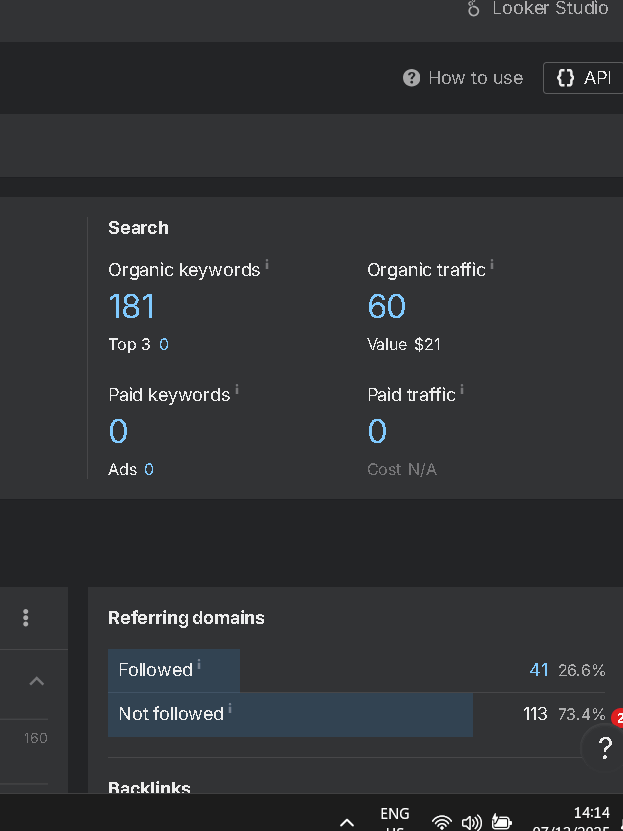
Winner: Ahrefs — but KWFinder holds its ground
I searched the same 12 seed terms in both tools. Ahrefs returned an average of 380 keyword suggestions per seed term. KWFinder averaged 190. That’s a meaningful gap at scale, but for most content creators targeting 20–50 keywords per month, KWFinder’s volume is more than sufficient.
Where Ahrefs pulled ahead wasn’t just quantity — it was the depth of filtering. Inside Keywords Explorer, I could filter by:
- Traffic Potential (estimated monthly clicks to the #1 result, not just search volume)
- Parent Topic (grouping keywords by the page most likely to rank for them)
- SERP Feature presence (filtering out keywords dominated by featured snippets or video carousels)
- Click-through rate (identifying keywords where searchers actually click organic results)
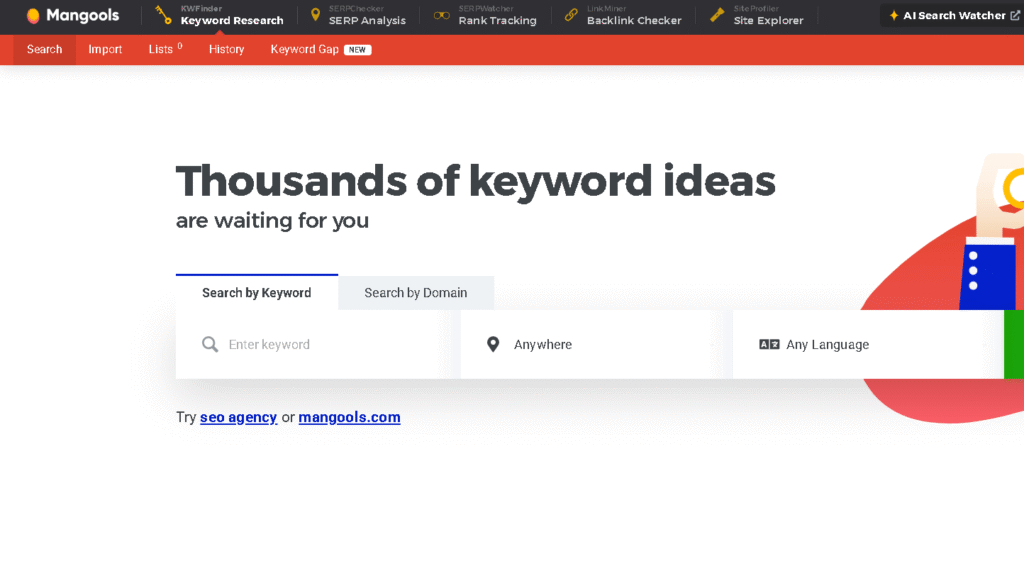
KWFinder doesn’t offer Traffic Potential or Parent Topic grouping. For clustering and content planning, that’s a real limitation. But its Keyword Difficulty score — which it pioneered — is still one of the most intuitive in the industry. A score of 0–29 typically signals a winnable keyword for a newer site. That single metric is reason enough why beginners gravitate toward KWFinder.
What the data showed:
For a seed term like “best budget espresso machine,” Ahrefs surfaced 14 distinct parent topic clusters I could build separate pages around. KWFinder showed me strong difficulty scores and solid search volumes, but I had to do the clustering manually. Neither approach is wrong — they just suit different skill levels.
Keyword Difficulty Accuracy
Winner: Tie — with caveats
Both tools use proprietary difficulty scoring, and both have been accused (by users and third-party studies) of occasional inaccuracy. In my six-week test:
- Ahrefs flagged 3 out of 20 keywords as “Hard” (KD 50+) that I eventually ranked for within 45 days. Its scores lean conservative.
- KWFinder flagged 2 keywords as “Easy” (KD <30) where I struggled to crack page two. Its scores occasionally underestimate competitive intent.
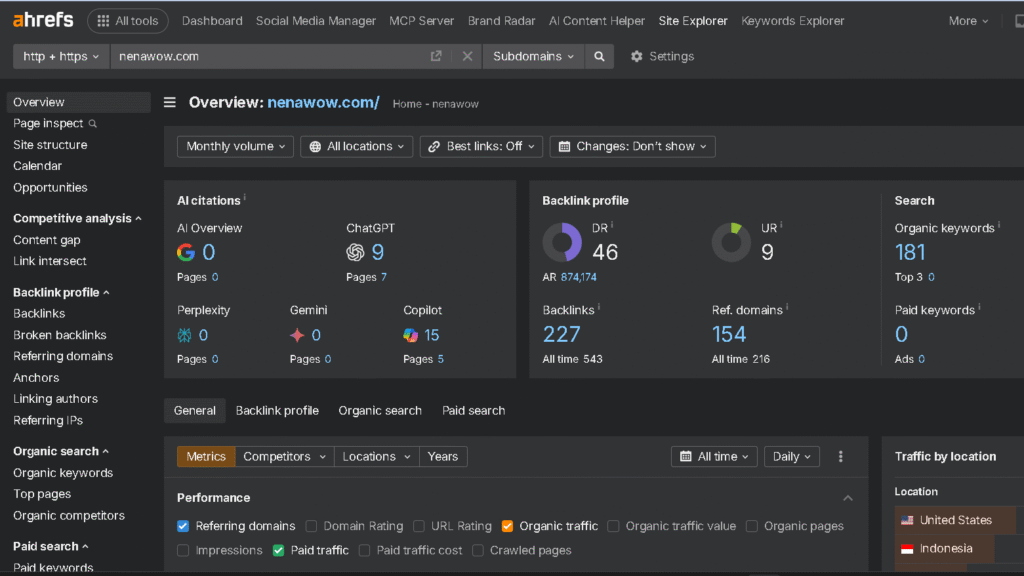
Neither tool is perfectly calibrated. The more useful habit is using difficulty scores as a starting filter, then manually reviewing the actual SERP — top results’ domain authority, content quality, number of backlinks — before committing to a target keyword.
Both tools give you enough data to do that manual review. KWFinder’s SERPChecker makes it genuinely simple. Ahrefs’ SERP overview inside Keywords Explorer is more data-dense but rewards the extra attention.
Backlink Analysis
Winner: Ahrefs — and it’s not close
This is where the comparison becomes lopsided.
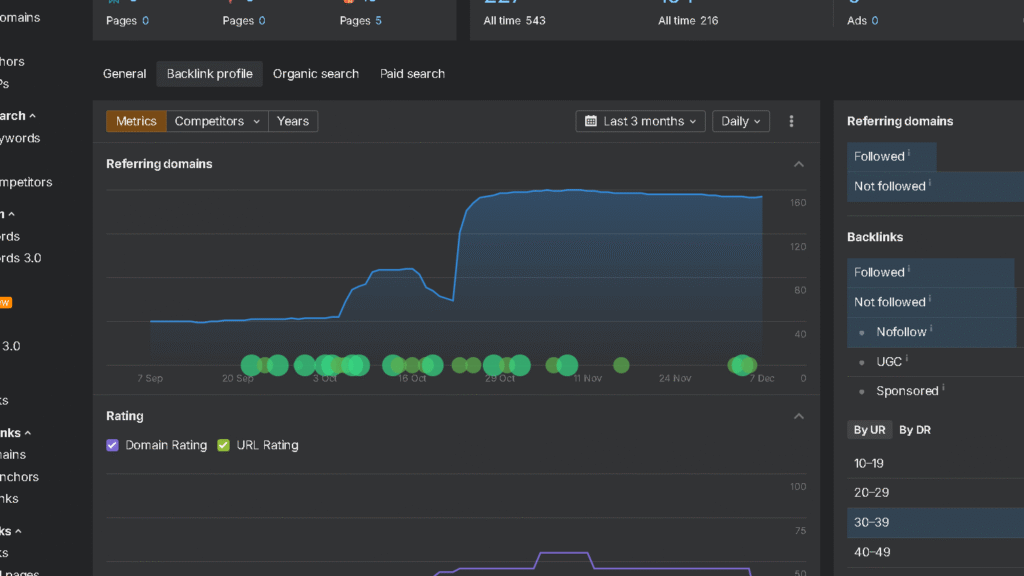
Ahrefs’ backlink index processes over 8 billion pages crawled daily. Its link data updates frequently enough that I could see new links pointing to my site within 24–48 hours of them going live. The filtering options inside Site Explorer are extensive:
- Filter by link type (dofollow/nofollow/sponsored/UGC)
- Filter by anchor text
- Filter by domain rating of linking site
- See historical link velocity
- Identify broken backlinks pointing to 404 pages (link reclamation goldmine)
- Export full backlink profiles with one click
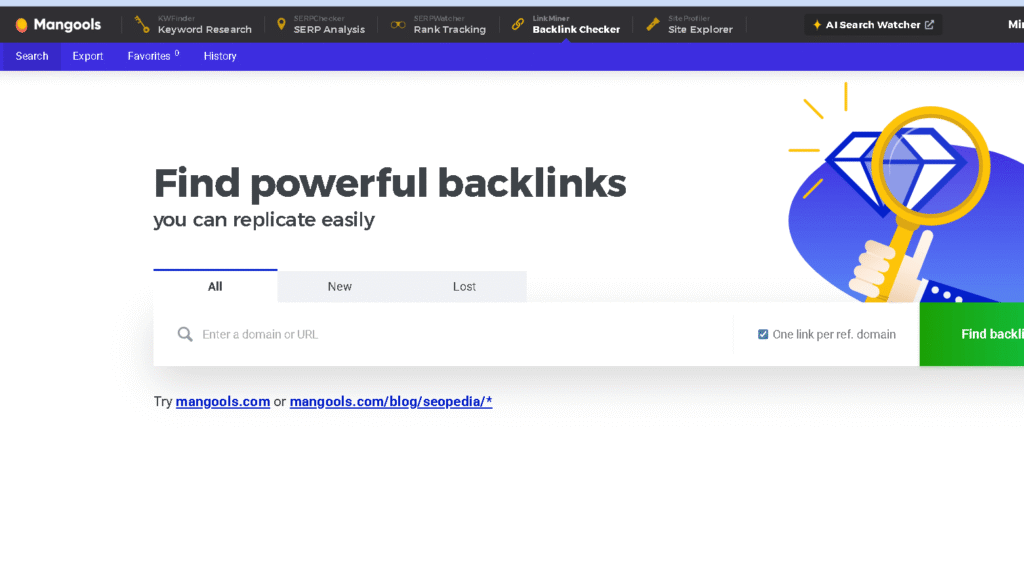
KWFinder’s equivalent is LinkMiner, which pulls data from Majestic’s index. Majestic is a legitimate data source — it powers several well-regarded tools. But in my testing, LinkMiner consistently showed fewer total backlinks per domain than Ahrefs, and the freshness of the data lagged by days or sometimes longer.
Real example from my test:
I analyzed a competitor’s domain through both tools on the same day.
| Metric | Ahrefs | LinkMiner |
|---|---|---|
| Total Backlinks | 4,847 | 3,201 |
| Referring Domains | 312 | 248 |
| New Links (last 30 days) | 43 | 29 |
If you’re doing link prospecting, competitive link gap analysis, or digital PR outreach, that data gap matters. If you’re a blogger who occasionally wants to see who’s linking to a competitor — LinkMiner is fine.
👉 Read my full SE Ranking vs Ahrefs comparison
Rank Tracking
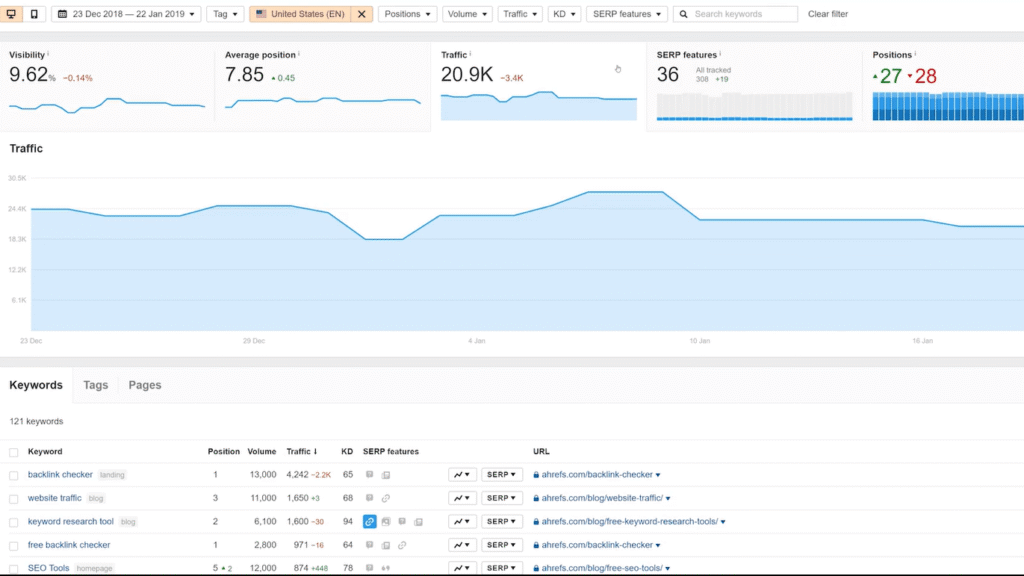
Winner: Tie
Both tools track keyword positions daily and deliver clean, readable reports. My 35-keyword test showed nearly identical position data across both platforms — within one ranking position on 32 of the 35 keywords. The three discrepancies were minor (±1 position) and likely reflect different crawl timing throughout the day.
Ahrefs Rank Tracker gives you:
- Daily tracking with historical graphs
- Share of Voice metric (percentage of available clicks you’re capturing vs. competitors)
- Competitor tracking within the same dashboard
- SERP feature monitoring (are you earning featured snippets, People Also Ask boxes, etc.)
SERPWatcher (KWFinder’s tracker) gives you:
- Daily tracking with the Dominance Index — a combined score showing overall ranking health across all tracked keywords
- Simple, visual reporting that’s easy to share with clients or stakeholders who don’t want to interpret raw data
- Mobile app access for checking rankings on the go
For solo operators and freelancers, SERPWatcher’s Dominance Index is genuinely useful — it condenses 35 individual keyword positions into a single number you can track week over week. Clients who don’t speak SEO understand it immediately.
👉 Read my full Semrush vs SE Ranking comparison
Technical Site Audit
Winner: Ahrefs — KWFinder doesn’t compete here
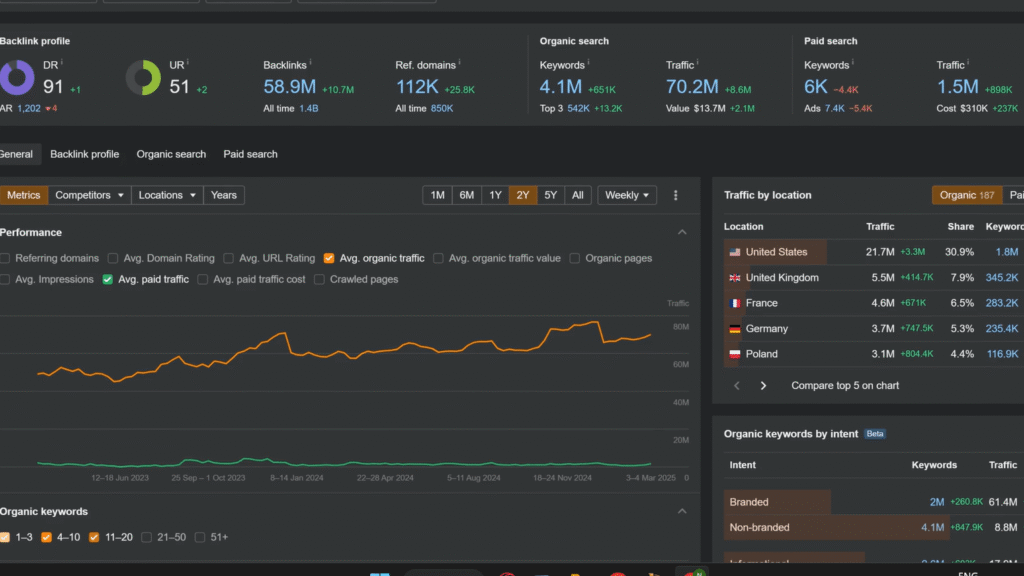
Ahrefs Site Audit is a full technical crawl. Running it on my own site surfaced:
- 14 broken internal links I wasn’t aware of
- 3 redirect chains that were diluting link equity
- Pages with duplicate title tags
- Images missing alt text at scale
- Core Web Vitals issues flagged at the page level
- Orphaned pages (content with no internal links pointing to it)
The audit runs on a schedule — daily, weekly, or monthly — and sends alerts when new issues appear. For a site growing in content volume, that automated monitoring is genuinely valuable.
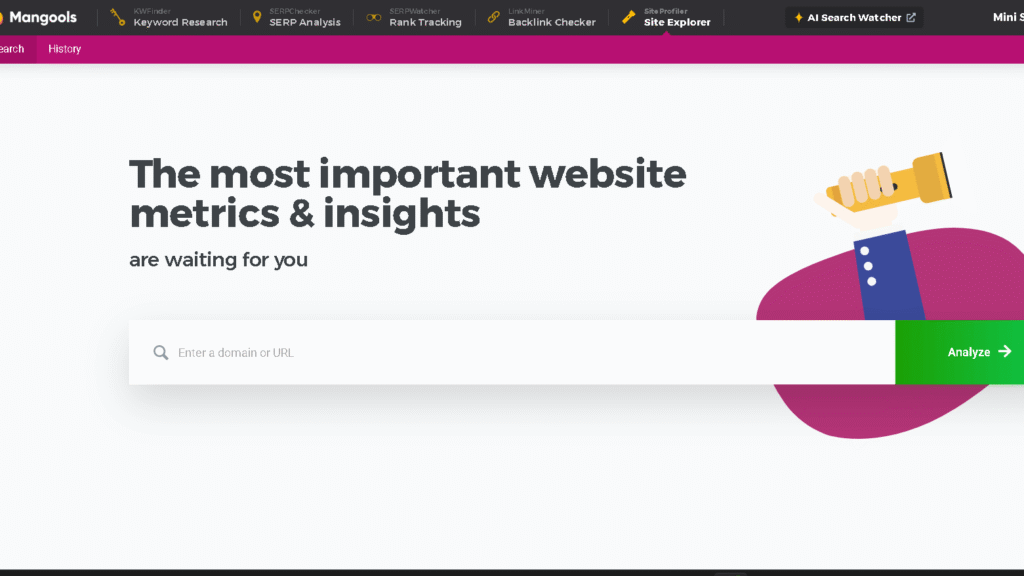
KWFinder has no equivalent feature. SiteProfiler gives you high-level domain metrics (authority score, estimated traffic, top content), but it doesn’t crawl your site for technical errors. If you use KWFinder and want technical auditing, you’d need to add a free tool like Screaming Frog (free up to 500 URLs) or Google Search Console (always free) to fill the gap.
KWFinder or Ahrefs for SERP Analysis?
Winner: Tie — different strengths
Both tools let you examine the current search results for any keyword before you decide to target it. The data points differ slightly, but both give you what you need to make an informed decision.
Ahrefs SERP Overview (inside Keywords Explorer) shows:
- Domain Rating and URL Rating for each ranking page
- Estimated organic traffic to each ranking page
- Number of referring domains pointing to each URL
- Word count of ranking pages
- Date each page was first indexed
- SERP features present (featured snippets, PAA boxes, video carousels, etc.)
SERPChecker (KWFinder’s dedicated SERP analysis tool) shows:
- Domain Authority and Page Authority (Moz data)
- Citation Flow and Trust Flow (Majestic data)
- Facebook shares and link profile strength
- A color-coded difficulty assessment for each result
- The same Keyword Difficulty score tied to that specific SERP
In practice, I found myself using SERPChecker more intuitively during the test. The color coding (green/yellow/red per result) lets you spot winnable positions at a glance without parsing numbers. Ahrefs gives you more raw data, but requires more interpretation.
What this means for your workflow:
If you’re evaluating 5–10 keywords per week, both tools give you a clear picture. If you’re processing 100+ keywords per month and need to move fast, Ahrefs’ integrated SERP overview inside the same keyword research workflow saves meaningful time.
Competitive Intelligence
Winner: Ahrefs — significantly
This is the second area where the gap becomes impossible to ignore.
Inside Ahrefs Site Explorer, I could enter any competitor domain and immediately see:
- Every keyword they rank for organically (their full keyword footprint)
- Which pages drive the most traffic
- Their complete backlink profile with filtering
- New and lost backlinks over any time period
- Their paid search keywords and ad copy (if running PPC)
- Content gaps — keywords competitors rank for that I don’t
- Link intersect — domains linking to competitors but not to me
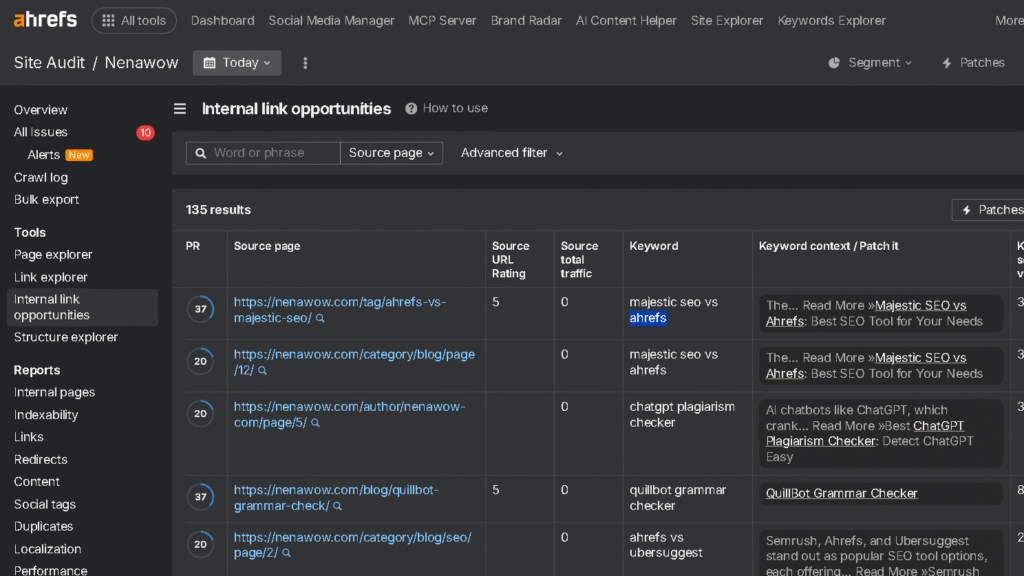
The Content Gap and Link Intersect tools alone justify a significant portion of Ahrefs’ price tag for anyone doing competitive SEO seriously. In my test, running a Content Gap analysis against three competitors surfaced 47 keyword opportunities I hadn’t identified through my own research.
KWFinder’s competitive data is limited to what SiteProfiler provides — top keywords, estimated traffic, domain-level authority metrics, and a basic backlink overview. It’s useful for a quick competitive snapshot. It doesn’t support the kind of deep competitive research that drives link building campaigns or systematic content gap analysis.
Read my full Screaming Frog vs Ahrefs comparison
Practical example:
I was trying to decide whether to write a piece targeting “espresso machine under $200.” Using Ahrefs, I pulled my top competitor’s full keyword list, sorted by traffic, and identified three adjacent keywords they were ranking for that I’d completely missed. Total additional traffic potential: roughly 2,800 monthly visits if I ranked in the top three positions.
KWFinder didn’t surface those gaps because it doesn’t have a keyword footprint tool for competitor domains.
Ahrefs or KWFinder for Content Research?
Winner: Ahrefs — KWFinder has no equivalent
Ahrefs Content Explorer is a searchable database of over 15 billion pages. You search by topic or keyword, then filter results by traffic, referring domains, Domain Rating, publication date, word count, and language.
The underlying idea is simple: instead of guessing what content works in your niche, you search for what’s already working and reverse-engineer why.
Here’s a concrete example from my test.
I was planning content for a site in the home coffee space and wanted to find article ideas that met three criteria simultaneously: proven organic traffic, relatively few backlinks (suggesting the topic wasn’t locked up by high-authority domains), and a publication date recent enough to confirm the topic was still relevant.
Inside Content Explorer, I searched “espresso” and applied the following filters:
- Organic traffic: minimum 1,000 monthly visits
- Referring domains: maximum 25
- Published: within the last 18 months
- Domain Rating of linking site: maximum 70 (to exclude results from massive publications where the traffic is driven by domain authority, not content quality)
The filtered results returned 34 pages. I sorted by traffic, highest to lowest, and scanned the top ten titles:
- “How to pull a ristretto shot at home” — 4,200 monthly visits, 11 referring domains
- “Why your espresso tastes sour (and how to fix it)” — 3,800 monthly visits, 8 referring domains
- “AeroPress vs Moka pot: which makes better espresso?” — 2,900 monthly visits, 14 referring domains
None of these had appeared in my keyword research.
The seed terms I’d entered in both KWFinder and Ahrefs Keywords Explorer hadn’t surfaced them because I hadn’t thought to search for the right seeds. Content Explorer found them because it searches content, not keyword databases — a fundamentally different starting point.
I clicked through to the ristretto article. It was 1,100 words, published on a domain with a DR of 38, and it ranked in position four for its primary keyword. The content wasn’t exceptional. It answered one specific question thoroughly and had a clear structure.
Eleven domains had linked to it organically because it was the clearest explanation of the topic available when those sites needed to reference ristretto technique.
That’s the signal Content Explorer is designed to surface: topics where a clear, well-structured answer earned links without aggressive outreach, published on sites without overwhelming domain authority. Replicable results, in other words.
I added two of the ten topics to my content calendar that session. Neither would have made it there through keyword research alone.
AI and Automation Features
Winner: Ahrefs — but the gap is closing
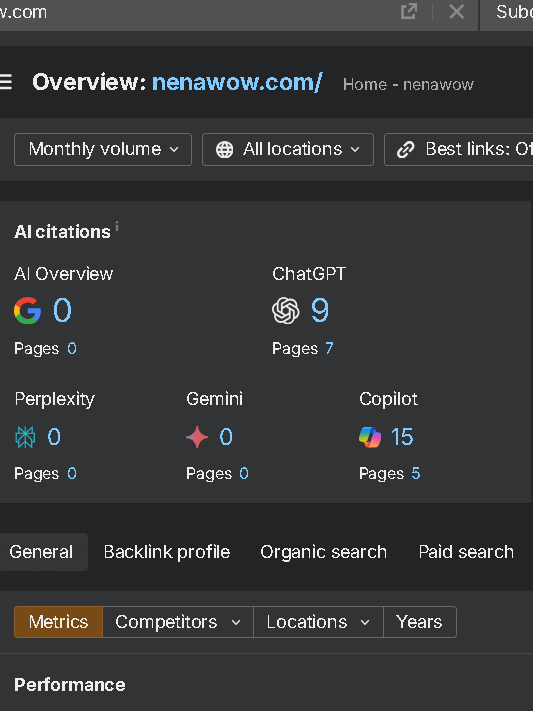
As of early 2026, Ahrefs has integrated AI-assisted features including:
- AI keyword clustering — automatically groups large keyword lists by semantic similarity and search intent
- AI content grading — scores your draft content against ranking pages for a target keyword
- Automated audit alerts — flags new technical issues as they appear between scheduled crawls
- AI-powered SERP intent classification — labels keywords by informational, navigational, commercial, or transactional intent at scale
KWFinder has added basic AI suggestions to its keyword research workflow — surfacing related terms and intent labels — but these features are less developed than Ahrefs’ implementation.
For users processing large keyword datasets or running content operations at scale, Ahrefs’ automation saves real time.
For a blogger writing two posts per week, KWFinder’s current AI features are sufficient.
Ahrefs vs KWFinder: Ease of Use
Winner: KWFinder — by a wide margin
This isn’t a criticism of Ahrefs. It’s an acknowledgment that Ahrefs is a professional tool with professional complexity. During my test, I tracked how long it took three people with varying SEO experience levels to complete a standard keyword research workflow in each tool:
| Experience Level | Time to First Keyword List (Ahrefs) | Time to First Keyword List (KWFinder) |
|---|---|---|
| Beginner (first month of SEO) | 34 minutes | 8 minutes |
| Intermediate (1–2 years) | 12 minutes | 6 minutes |
| Advanced (5+ years) | 7 minutes | 6 minutes |
The beginner’s Ahrefs session involved two wrong turns, one accidental report generation, and a detour into the Site Audit tool while looking for Keywords Explorer. KWFinder’s interface is designed specifically to minimize that kind of friction.
The learning curve in Ahrefs flattens significantly after two to three weeks of consistent use. But that onboarding period is real, and for someone who’s already managing content creation, outreach, and site maintenance, it’s an additional cognitive load worth acknowledging.
KWFinder has no equivalent workflow. You can discover keywords, but you can’t search for content by performance metrics, identify link-earning formats at scale, or find broken high-traffic pages to target for replacement content campaigns.
For a blogger writing two posts per week on well-understood topics, that gap may never matter. For anyone running a content operation with a link building component, it matters immediately.
Who Should Use Each Tool?
If you’re a content creator or blogger, KWFinder’s focused approach to keyword research just makes sense.
The price and simplicity work for people mainly looking to find keywords for their content.
Small businesses with basic SEO needs often find KWFinder covers the essentials.
Ahrefs is more for agencies, and bigger businesses that want comprehensive data.
It’s especially handy if you’re juggling multiple clients or large sites.
Freelancers could land in either camp, depending on their clients and budget.
If you’re working with enterprise clients or handling complex campaigns, Ahrefs is worth it.
If your main gig is writing and simple keyword research, KWFinder does the job.
Final Verdict
Neither tool is universally better. They serve different users at different stages of SEO maturity — and after six weeks of parallel testing, that’s the most honest thing I can tell you.
On week three, I ran the same content planning session twice: once in KWFinder, once in Ahrefs.
KWFinder took eight minutes and gave me a clean list of 22 low-difficulty keywords I could realistically target with a new site. Ahrefs took twenty-two minutes and returned those same 22 keywords — plus a Content Gap report revealing three topic clusters my competitors owned entirely, a Link Intersect list of 40 outreach targets, and a traffic estimate that changed which piece I wrote first.
Both sessions were productive. But they weren’t solving the same problem.
KWFinder answered one question. Ahrefs answered that question and three others I hadn’t thought to ask yet.
The difference only matters if you’re ready to act on those extra answers. If you don’t have a link building process, if you’re still finding your content cadence, if competitive analysis isn’t part of your workflow yet — those additional answers aren’t an advantage. They’re noise that costs $83 a month.
The real inflection point is simpler than most comparisons make it sound: it’s when KWFinder stops surprising you.
When you’ve exhausted the obvious keyword opportunities in your niche. When a competitor outranks you and you need to understand exactly why. If a single content decision carries enough revenue weight that four hours of deep research is plainly justified.
Until that moment, KWFinder isn’t a compromise — it’s the correct tool. And when that moment arrives, you’ll know it. Because KWFinder won’t be able to answer the question you’re trying to ask.
Read my full Ahrefs vs Semrush vs Spyfu review
Frequently Asked Questions
For keyword research and rank tracking: yes. For backlink analysis, technical auditing, and competitive intelligence at depth: no. Whether that matters depends entirely on your SEO strategy. A blogger targeting informational keywords in a low-competition niche may never need what Ahrefs offers beyond keyword research.
Rarely. The learning curve and monthly cost are both significant. Most beginners are better served starting with KWFinder, learning keyword research fundamentals, and upgrading to Ahrefs when their strategy demands it — typically when they start active link building or enter more competitive keyword spaces.
Not a permanent one. Mangools offers a 10-day free trial with no credit card required. After that, a paid plan is required. Ahrefs Webmaster Tools, by contrast, is permanently free and includes backlink monitoring and basic site auditing for sites you own and verify.
Both tools pull from Google Keyword Planner data as a base and apply proprietary modeling on top. In my testing, Ahrefs’ volume estimates correlated slightly more closely with actual Google Search Console impression data for my own keywords — but the difference was within a margin that wouldn’t change targeting decisions in most cases. Neither tool should be treated as precise; both give directionally accurate estimates.
Yes, and many professionals do. The most common combination is Mangools for day-to-day keyword research and rank tracking, plus Ahrefs for periodic competitive audits and link building research. Whether the combined cost is justified depends on your site’s revenue and growth stage.
Both tools support location-based keyword filtering. Ahrefs handles local SEO research more comprehensively, particularly for competitive local markets where backlink analysis and local competitor footprint mapping are important. For basic local keyword discovery, KWFinder’s location filtering is sufficient.