
I used Grok vs DeepSeek every day for 30 days. Same tasks, same prompts, same conditions across writing, research, coding, and daily productivity work. I was not looking for which model scores higher on a benchmark. I was looking for which one wastes less of my time after the novelty is gone.
If you’re still exploring the category as a whole, see my guide to the best AI assistants.
After 30 days, the differences became clearer than I expected. The tools are more different from each other than the comparison articles suggest. Where one holds up, the other falls short — and those gaps show up in specific, trackable ways that matter to how you actually work.
Disclaimer: I may earn a small commission on purchases made through links on this page, at no extra cost to you. This supports honest, independent reviews.
Table of Contents
About This Grok vs DeepSeek Comparison
I run Nena, where I test AI assistants, productivity tools, and software on a regular basis. For this comparison I used Grok and DeepSeek daily across writing, research, coding, and planning tasks over a 30-day period. Every observation comes from that testing window, not from product pages or announcements.
Grok vs DeepSeek (2026): Quick Verdict
| Category | Grok | DeepSeek | Winner |
|---|---|---|---|
| Writing Quality | 3.8/5 | 3.2/5 | Grok |
| Research | 4.2/5 | 3.0/5 | Grok |
| Coding | 3.6/5 | 4.3/5 | DeepSeek |
| Real-Time Information | 4.8/5 | 2.1/5 | Grok |
| Trust (my testing) | 3.8/5 | 2.9/5 | Grok |
| Editing Burden (my testing) | Medium | High | Grok |
| Price | $8–30/mo | Free / API from $0.14/1M | DeepSeek |
| Overall | 3.8/5 | 3.3/5 | Grok |
| Use Case | Winner |
|---|---|
| Writing | Grok |
| Coding | DeepSeek |
| Research | Grok |
| Students | Grok |
| Developers | DeepSeek |
| Budget Users | DeepSeek |
| Current Events | Grok |
| Long-Term Daily Use | Grok |
| Overall | Grok |
Choose Grok If
You need current information, track fast-moving topics, or want an AI that can surface what happened in the last 48 hours rather than the last six months. Grok is the tool I reached for first when currency mattered. It also produced cleaner writing than DeepSeek in every test I ran.
I cover Grok’s strengths and weaknesses in much more detail in my full Grok Review.
Choose DeepSeek If
You are a developer who needs code generation at scale, you are working with a tight budget, or your daily work is primarily technical and structured. For API-based development, DeepSeek’s pricing is hard to match. For writing and research, it is not the stronger tool.
For a deeper look at its coding performance and limitations, see my full DeepSeek Review.
The Short Answer After 30 Days
Grok for real-time research and writing tasks. DeepSeek for developers and budget-first coding workflows. Both have real ceilings. Knowing where those ceilings are before you commit is the whole point of this review.
How I Tested Grok and DeepSeek
I ran the same five structured tests I use across all my AI assistant reviews. Both tools received identical prompts under identical conditions. No sessions were selected because they looked good.
My Testing Methodology
Reliability Rating: my assessment of how often each tool produced accurate, verifiable answers across writing, research, and coding tasks over 30 days. Built from patterns I tracked, not a single-session impression.
Average Editing Burden: how much cleanup the output needed before it was usable. Tracked across 15 article drafts per tool. I counted an intervention when a section required rewriting, not when I changed a word.
Re-Prompt Burden: how often I had to retry a task because the first output missed the mark entirely.
These are personal testing scores. They reflect what I observed across 30 days of daily use, not lab-grade measurements.
Daily Workflow Testing
I used both tools for real work every day. Emails, briefs, document summaries, meeting prep, and coding tasks. I tracked re-prompt frequency across all of it and noted when either tool stopped being the one I reached for first.
Writing Tasks
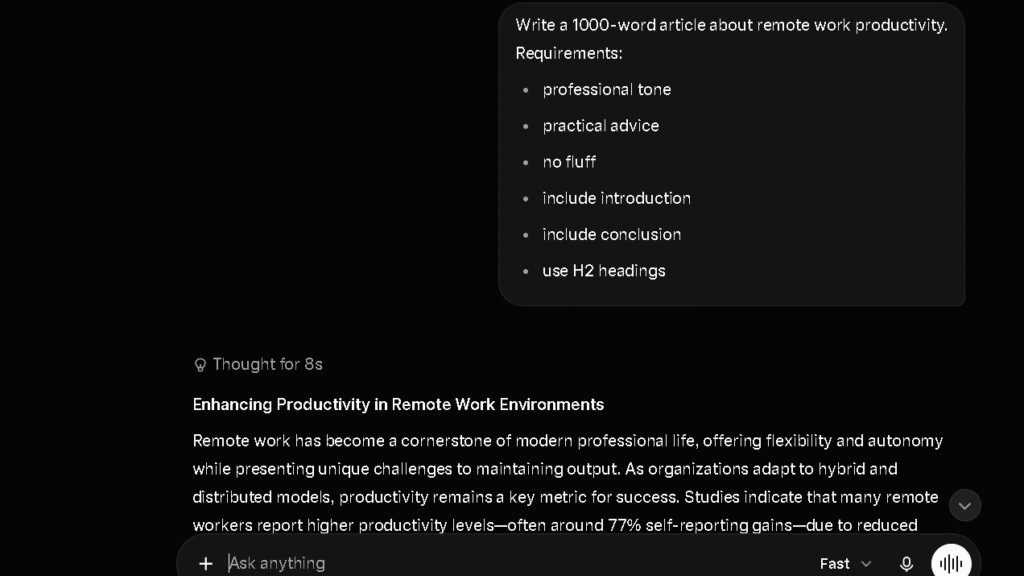
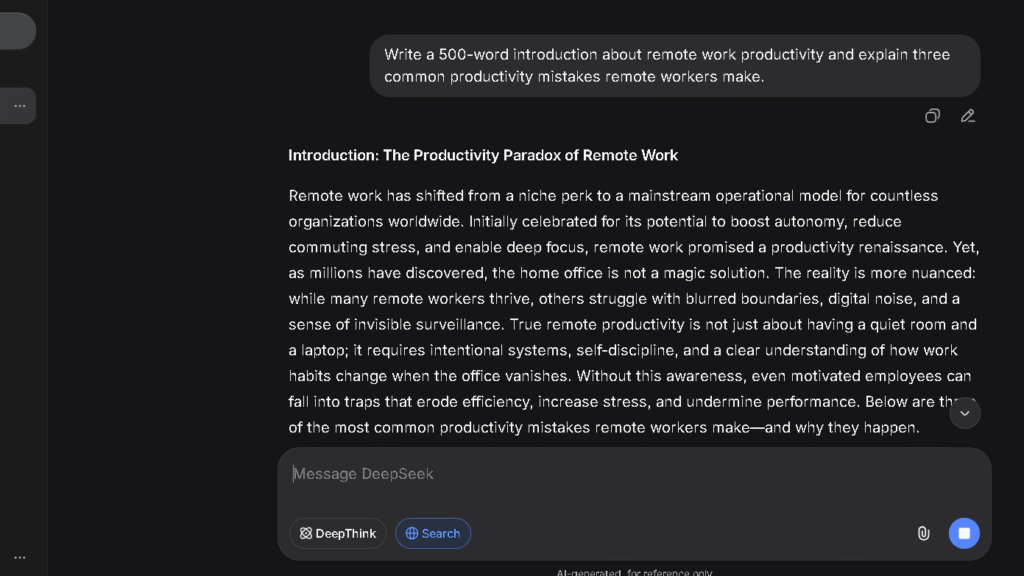
I used one prompt across both tools: write a 1,000-word blog section explaining AI visibility tracking. I tracked editing burden across 15 drafts per tool, counting structural interventions before the output was ready to publish.
Research Tasks
I asked both tools to explain recent AI visibility tracking trends and provide verifiable context. I checked every factual claim across five separate sessions. Research is where the gap between Grok and DeepSeek became most obvious most quickly.
Coding Tasks
I asked both tools to build a Python script that tracks keyword rankings. I measured first-pass accuracy, debugging required, and how clearly each tool explained what the code was doing and why.
Long-Context Testing
I uploaded a 5,000-word article and asked each tool to summarise the key recommendations and flag anything missing. I tracked how much of the original content each tool accurately reflected in its response.
Trust and Fact-Checking Tests
I asked both tools about a recent AI industry event and checked every claim. I tracked whether each tool hedged on uncertain claims or answered with the same confident tone regardless of accuracy.
Grok vs DeepSeek at a Glance
| Feature | Grok | DeepSeek |
|---|---|---|
| Real-Time Web Access | Yes — live X data | Limited |
| Context Window | 128K tokens | 1M tokens |
| Writing Quality | Medium | Medium-Low |
| Coding Strength | Functional | Strong |
| Trust (my testing) | 3.8/5 | 2.9/5 |
| Free Tier | Limited — X Premium required | Yes — largely unrestricted |
| Paid Plan | $8–30/mo (X Premium tiers) | Free consumer; API from $0.14/1M |
| Best For | Real-time research, current events | Code generation, API development |
What Changed After Two Weeks of Daily Use
First Impressions
The first week with Grok was about speed. Current context, fast answers, a tone that felt less formal than most AI assistants. The first week with DeepSeek was about the coding output. Give it a clear technical prompt and the first-pass code was often clean enough to run. Both tools made a strong first impression for different reasons.
Where Grok Started To Stand Out
By week two, Grok’s real-time advantage became the clearest differentiator. When I asked both tools about an AI policy development from the previous week, Grok surfaced accurate context. DeepSeek returned a well-structured answer about events from months earlier. That is not a subtle gap. That gap determines whether you can actually use the tool for current work.
Where DeepSeek Became More Useful
DeepSeek held its lead on coding tasks through the full 30 days. Give it a well-specified technical prompt and the output was competitive with more expensive tools. For developers who run isolated coding sessions and do not need the AI to carry project context from a previous week, DeepSeek delivers at a price point that is hard to argue with.
The Friction I Did Not Notice Initially
The editing burden on DeepSeek writing tasks accumulated more than I expected. In my testing, DeepSeek produced the flattest, most mechanical prose of any tool I compared. The structure was correct. The voice was absent. By week three, I had stopped using it for anything that required a real sentence.
Grok’s friction showed up differently. The confident tone it uses for current events carried over into topics where it was less reliable. By week two, I was verifying Grok’s factual claims more than I expected to — particularly on anything outside news and social context.
Writing Quality Comparison
Blog Writing
Grok produced cleaner blog writing than DeepSeek in every test I ran. In my editing burden tracking across 15 drafts per tool, Grok needed fewer structural interventions before the output was usable. The prose had more movement. The arguments held together longer before losing thread.
DeepSeek’s writing is flat in a specific way. It covers the topic correctly, lists the points in a logical order, and closes with a summary. That structure is fine for internal documents. It is not fine for anything a reader is meant to enjoy or act on. Every draft needed reshaping before I could publish it.
Long-Form Writing Test
At 2,000 words in a single session, the gap between the two tools became harder to ignore. Grok maintained tone and argument structure across the full length in four of six paired long-form tests. DeepSeek held structure but the voice dropped off by the second half, requiring re-prompting to bring the register back to where it started. Long-form content is not where DeepSeek is built to compete.
Rewriting Existing Content
Grok follows rewrite instructions more cleanly. Ask it to tighten a paragraph, shift tone, or cut a section and the result usually applies the instruction without creating new problems elsewhere. DeepSeek accepted rewriting instructions in my testing but the results were more variable. Sometimes the edit landed. Sometimes I got a shorter version of the same flat prose.
Maintaining Tone Across Multiple Sections
Grok held tone more reliably across multi-section documents. When I gave both tools a brand brief and asked them to produce three sections in the same voice, Grok applied the register consistently across all three. DeepSeek held it for the first section and drifted noticeably by the third. For any work that needs a consistent voice across length, that drift is a real problem.
Content Editing
Grok follows editing instructions more cleanly. Multi-part instructions with dependencies are where the gap widens most. Grok managed three-part instructions cleanly in most sessions. DeepSeek handled two-part instructions cleanly and got less reliable on the third step, particularly when it depended on what the second step established.
Which AI Requires Less Editing?
Grok. The editing burden was lower across my 15 tracked drafts, and the re-prompt rate on writing tasks was better too. Neither tool reached the level of writing quality I associate with Claude, which remains one of the strongest AI assistants I have tested for long-form writing, editing, and document analysis.
If writing quality is your top priority, my Claude Review goes into much more detail on where Claude still holds an advantage.
Research and Fact Gathering
Finding Recent Information
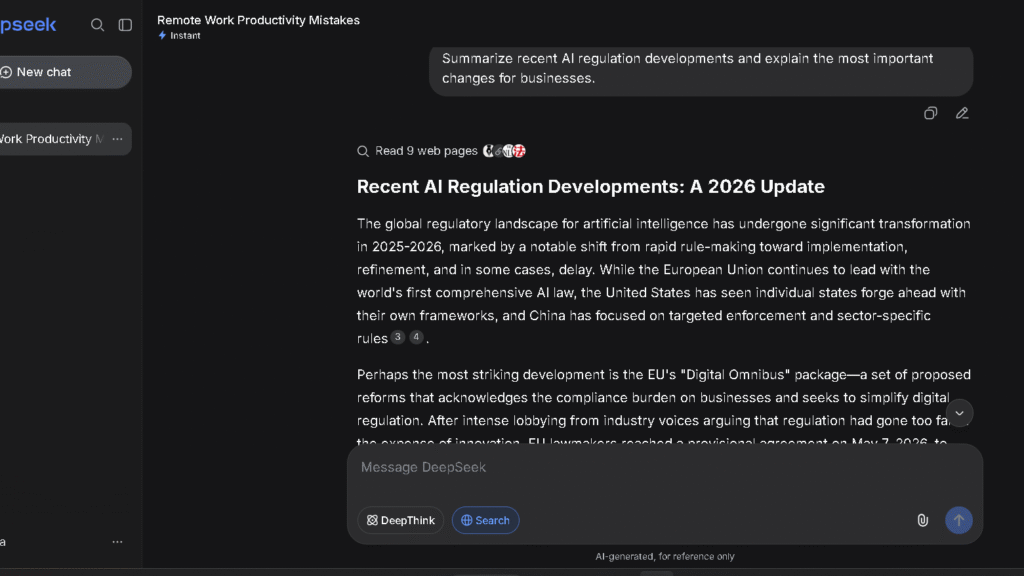
This is the clearest gap between these two tools. Grok has live access to real-time data and the X platform. When I asked about an AI policy event from the previous week, Grok surfaced relevant, accurate, current context in one pass. DeepSeek returned confident information that was months out of date. For research involving anything recent, the comparison is not close.
This real-time advantage is also one of the biggest differences I found in my ChatGPT vs Grok comparison.
Handling Complex Questions
Grok handles complex questions with more structured clarity than DeepSeek on non-technical topics. When I asked both tools to evaluate an AI industry dispute from multiple angles, Grok returned a more usable framework. DeepSeek returned something accurate but harder to act on.
Citation Quality
Here is the issue with both tools: neither provides inline citations the way Perplexity does. Grok references its sources in some responses but not consistently. DeepSeek rarely shows its work on research tasks. For research that needs to be attributed or verified, both tools require a manual checking step that Perplexity removes entirely.
Which AI Feels More Reliable?
Grok, by a clear margin over DeepSeek on research tasks. The reliability rating of 3.8 versus 2.9 in my testing reflects what I saw across five research sessions. DeepSeek produced more unverifiable claims than any other tool I tested in that period. Grok produced fewer, though it was not the most reliable tool I have tested overall.
I noticed a similar pattern when comparing Grok vs Gemini on current-event research tasks.
Coding and Technical Tasks
Python Coding Test
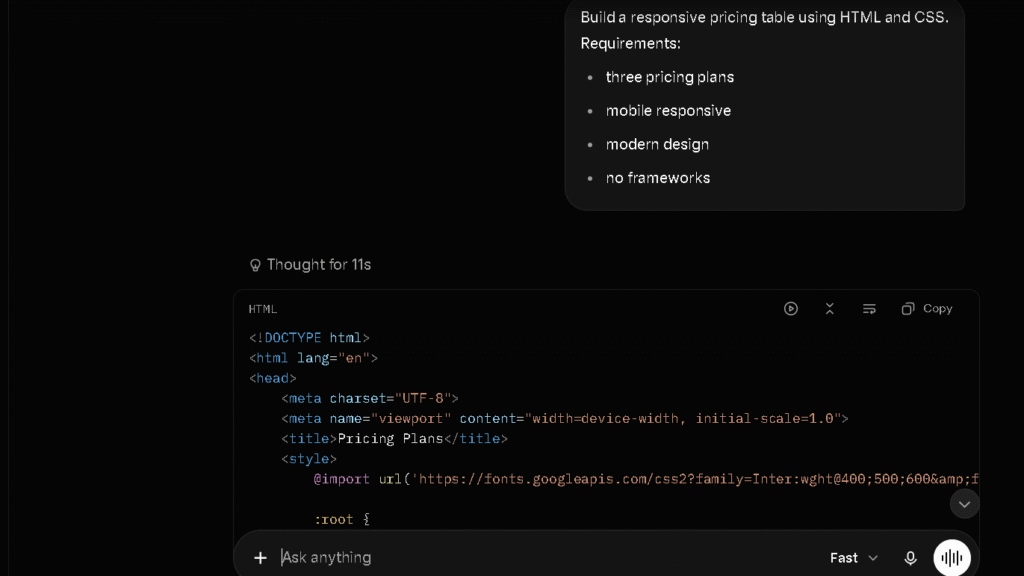
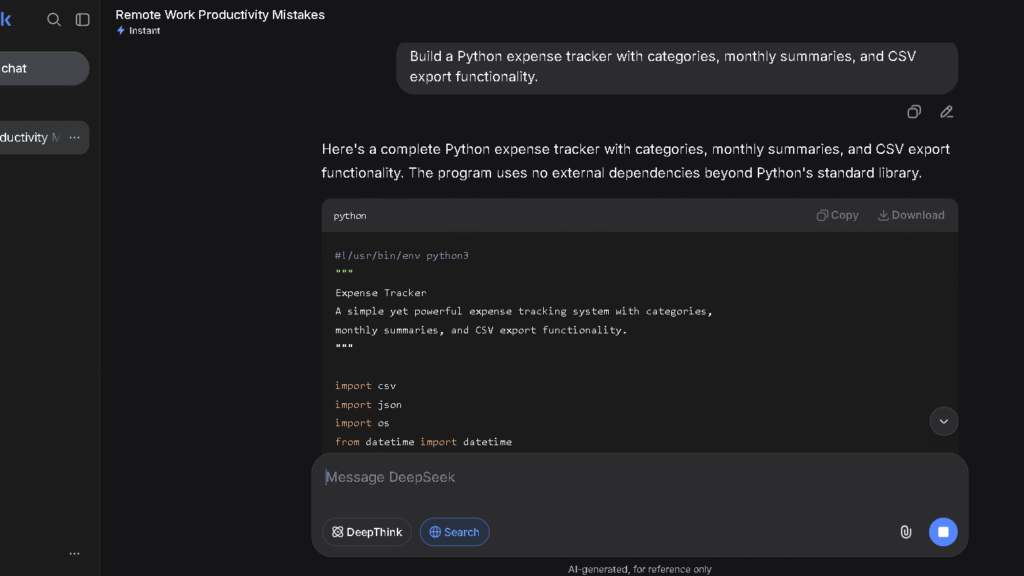
This is where DeepSeek earns its reputation. In my Python keyword ranking script test, DeepSeek produced working code on the first pass in six of eight sessions. Grok produced working code in four of eight. The gap is real and it holds across isolated, well-specified coding tasks. DeepSeek V4 Pro’s SWE-bench Verified score of 80.6 percent is close to the strongest available tools at a fraction of the API cost.
Debugging Test
Both tools handle simple debugging tasks adequately. DeepSeek is faster and more direct on isolated bugs. Grok is slightly more reliable when the bug involves understanding broader context that was not spelled out in the prompt. For the typical debugging loop — paste error, get fix, test — both tools cover the job.
Code Explanation Test
DeepSeek explains technical concepts more concisely than Grok. For quick lookups, definitions, and short explanations, DeepSeek is fast enough and clear enough that the trust gap on research tasks matters less. Code is testable. Facts are not always.
Which AI Is Better For Developers?
DeepSeek, for developers running high-volume or API-based workflows where cost matters. The coding output is competitive with much more expensive tools, and the free consumer tier covers most daily isolated coding tasks without a subscription. Grok is a useful supplementary tool for developers who need to track industry news, but it is not where you go first for code.
Long Context and Memory Performance
Document Analysis
In the 5,000-word document test, Grok returned a more accurate summary than DeepSeek. It identified the key recommendations correctly and flagged two gaps in the original document that DeepSeek missed. DeepSeek’s summary was shorter and less precise. The differences were not huge, but they were consistent enough across the full session to affect how much I trusted each tool on document work.
Large Prompt Handling
DeepSeek’s 1M token context window is larger than Grok’s 128K on paper. In my testing, the gap between advertised context size and reliable use of that context was real for both tools. DeepSeek drifted on longer writing tasks. Grok held focus better on analytical tasks that required tracking multiple threads from earlier in the session.
Following Multi-Step Instructions
Grok followed multi-step instructions more reliably in my testing. Three-part analytical tasks landed correctly in most sessions. DeepSeek handled two-part technical instructions well and struggled more when the third step depended on what was established earlier. That pattern held across coding, writing, and research tasks.
Which AI Creates Less Editing Work?
Content Revisions
Grok drafts needed fewer rounds of revision before they were usable for writing tasks. In my 15-draft tracking per tool, the structural intervention count was lower for Grok across every content type I tested. DeepSeek needed consistent reshaping on tone, voice, and paragraph structure — not occasionally, but every session.
Error Correction
DeepSeek’s errors on research and factual tasks were more frequent and more confident in my testing. Grok made errors too, particularly on topics outside current events. But Grok hedged more often on uncertain claims, which made those errors easier to catch before they made it into published work.
Cognitive Load Comparison
The cognitive load of using DeepSeek for writing and research is higher than using Grok. You do more verification. You do more reshaping. You re-prompt more often. That load does not show up in a first-session test. It shows up by week three when you have started to feel it every day.
Which AI Do I Trust More After 30 Days?
Accuracy Under Pressure
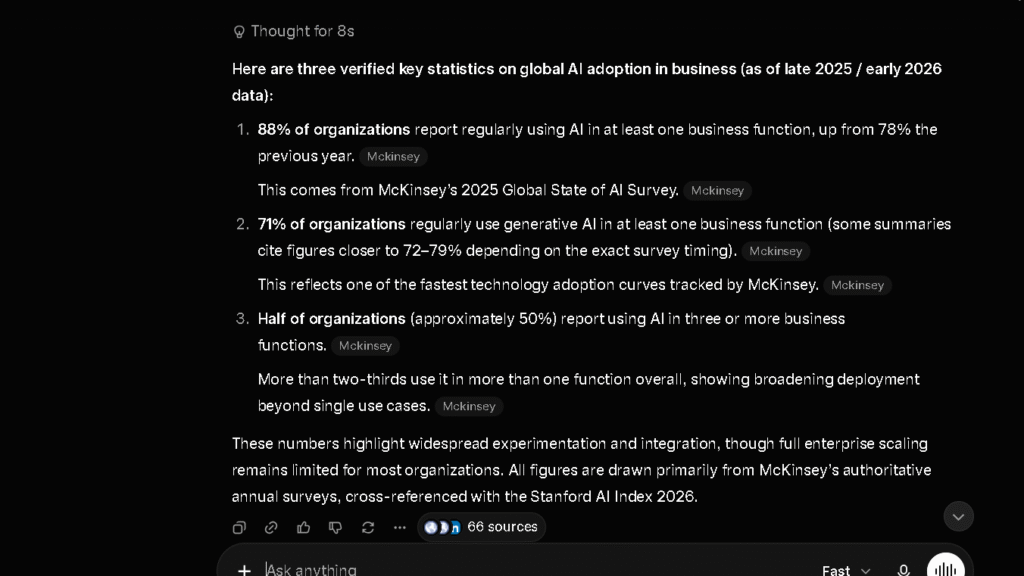
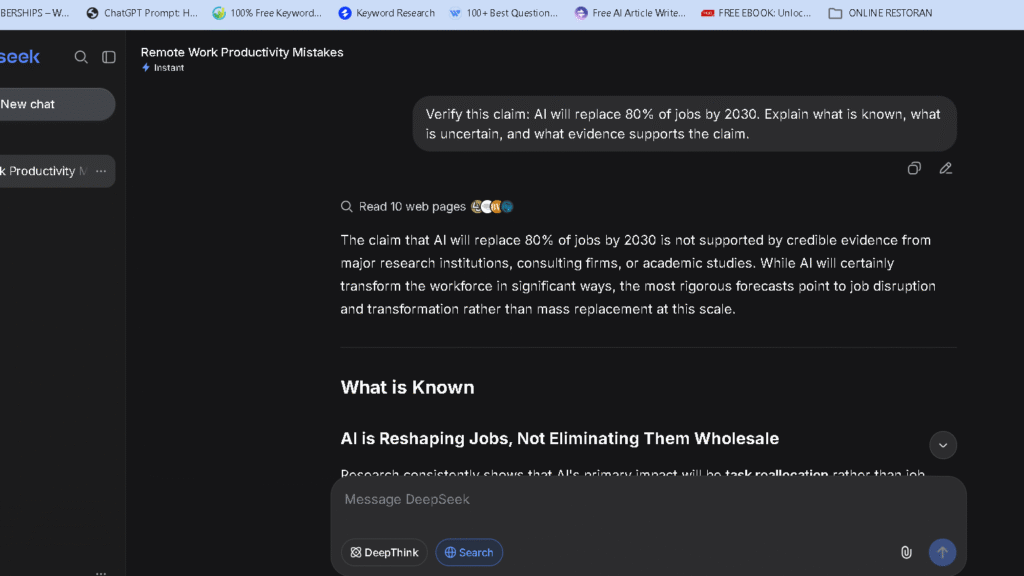
Grok performed more reliably when I pushed both tools on uncertain or contested questions. It was more likely to flag what it did not know. DeepSeek answered with confidence regardless of whether the answer was right. In my trust test across five sessions, Grok hedged correctly on three of five ambiguous prompts. DeepSeek hedged on one.
Hallucination Patterns
In my testing, DeepSeek produced more unverifiable claims than Grok. The pattern was most visible on research tasks involving statistics, recent events, and niche industry claims. Grok hallucinated too — mostly on topics outside its real-time data strength — but at a lower rate.
Confidence vs Correctness
Grok is confident and usually current. DeepSeek is confident and sometimes wrong on non-coding tasks. That is the core of the trust gap. Confidence without accuracy adds verification time, and verification time is a workflow cost that compounds daily.
Trust After Repeated Use
| AI | Reliability Rating (my testing) | Unverifiable Claims | Admits Uncertainty |
|---|---|---|---|
| Perplexity | 4.6/5 | Very Low | Yes — sources visible |
| Claude | 4.3/5 | Low | Often and clearly |
| ChatGPT | 3.7/5 | Moderate | Sometimes |
| Grok | 3.8/5 | Low-Medium | On current events |
| Gemini | 3.3/5 | Moderate | Sometimes |
| DeepSeek | 2.9/5 | High in my testing | Rarely |
Grok sits above DeepSeek on the reliability scale. For daily professional work that involves more than coding, that placement matters.
The Frustrations That Appear Over Time
Grok Frustrations
The confident tone is Grok’s biggest long-term frustration. It works well on current events. It carries over into areas where Grok is less reliable, and the consistent delivery style makes it harder to know when to double-check. By week three I had a personal rule: verify anything that was not a current news claim.
The subscription model is the second frustration. Grok’s best features require X Premium at $8 to $30 a month depending on the tier. That is a reasonable price, but it sits on top of whatever else you already pay. Subscription fatigue is real.
DeepSeek Frustrations
The writing quality is the biggest one. By week two, every writing session with DeepSeek involved the same reshaping work. The structure came out right. The voice never did. That is not an occasional miss. It is the baseline.
The trust floor is the second frustration. Once you find a confident wrong answer on a factual claim — and in my testing, you find one within the first week — you verify everything DeepSeek produces on research tasks. Verification is time, and time is what you were trying to save.
The content restrictions are the third. On politically sensitive topics, DeepSeek applies restrictions more aggressively than Grok. For most professional daily use this does not matter. When it does, you need a different tool immediately.
What Became Annoying After Repeated Use
Grok’s search behaviour sometimes felt circular. On topics where it lacked strong real-time context, it would pull in tangentially related posts from X and present them as relevant. They were not always relevant. That pattern showed up by session six or seven and required a habit of checking what the source actually was.
DeepSeek’s variance on writing tasks was the other recurring irritation. A tool that is sometimes very good and sometimes clearly below standard forces you to evaluate every output before you act on it. Evaluation takes time. Time is the resource AI is supposed to give back.
Why Some Users Switch From Grok to DeepSeek
Cost Considerations
Grok requires an X Premium subscription to access its best features. DeepSeek’s consumer interface is free for most daily use. For users whose primary need is coding and who do not depend on current information, that cost difference is the deciding factor.
Coding Workflows
Developers who run high-volume coding sessions quickly find that DeepSeek’s output is competitive and the cost is minimal. For pure isolated coding work without a need for real-time context or polished writing, the case for paying for Grok weakens fast.
Reliability Preferences on Technical Tasks
Some users find DeepSeek’s direct, structured output more predictable on coding and data tasks with clear specifications. For that specific use case, DeepSeek delivers reliably enough that Grok’s strengths on current events become irrelevant.
Why Some Users Eventually Return to Grok
Real-Time Information
Users who leave Grok for a cheaper alternative tend to come back when the alternative cannot answer a question about something that happened last week. That limitation becomes visible fast in any workflow that involves tracking a live industry, monitoring news, or responding to current events.
Tone and Interaction Style
Grok’s tone is less formal and more direct than most AI assistants. After a few weeks with DeepSeek’s flat structured output, the difference in tone becomes something people notice and miss. Tone is not a minor thing when you are reading AI output all day.
Faster Answers on Non-Technical Work
For fast lookups, current context, and quick answers that do not need verification loops, Grok returns usable output faster than DeepSeek on non-coding tasks. That speed is the practical case for keeping the subscription active.
Grok vs DeepSeek Pricing Comparison
Free Plans
| Feature | Grok Free | DeepSeek Free |
|---|---|---|
| Real-time access | Limited | No |
| Model quality | Basic | V4 Flash |
| Coding ability | Functional | Strong |
| Writing quality | Medium | Medium-Low |
| Usage limits | Yes | Largely unrestricted |
| Content restrictions | Few | Noticeable on political topics |
DeepSeek’s free tier is more generous on usage volume. Grok’s free tier is limited enough that you feel the ceiling within a few days of regular use.
Paid Plans
| Feature | Grok (X Premium+) | DeepSeek API |
|---|---|---|
| Monthly cost | $16–30/mo | No consumer paid tier |
| API input cost | Not public | $0.14/1M tokens (Flash) / $0.435/1M (Pro) |
| Real-time access | Full | No |
| Context window | 128K | 1M |
| Coding strength | Functional | Strong |
Which Offers Better Value?
For research and current events use, Grok at $8 to $16 per month is worth the cost for users who genuinely depend on live information. For pure coding and technical use, DeepSeek’s free tier or low-cost API delivers better value than any Grok subscription tier. The right answer depends on which half of this comparison matches your actual day.
Grok vs DeepSeek for Different User Types
| User Type | Best Choice | Why |
|---|---|---|
| Students | Grok | Better writing, more current research |
| Content Creators | Grok | Lower editing burden, better prose |
| Developers | DeepSeek | Coding strength, low API cost |
| Researchers | Grok | Real-time access; add Perplexity for citations |
| Business Users | Grok | More reliable for mixed daily tasks |
| Budget Users | DeepSeek | Free consumer tier covers coding needs |
| Journalists | Grok | Real-time data, current events coverage |
| Technical Writers | Grok | Better tone control and instruction following |
Who Should Use Grok?
Best Use Cases
Grok is the tool for users who need current information as part of their daily work. Journalists, social media managers, trend researchers, anyone who tracks a live industry. The real-time X platform access is a feature no other tool on this list offers at the same level. That access changes what AI assistance means for workflows that depend on recency.
Creators interested in Grok’s broader ecosystem may also want to explore free alternatives to Grok Video Generation.
Writers who produce more casual or direct-toned content will also find Grok easier to use than DeepSeek. The editing burden is lower, the prose moves better, and the re-prompt rate on writing tasks was lower in my tracking.
Who Should Avoid Grok
Users who primarily code. Users who need inline citations for research. Users who want the lowest possible monthly cost. For those three groups, DeepSeek, Perplexity, and the free tiers of other tools are better fits.
Who Should Use DeepSeek?
Best Use Cases
DeepSeek is the right tool for developers who need code generation at scale and want to keep costs low. The free consumer interface covers most daily isolated coding sessions. The API pricing at $0.14 to $0.435 per million input tokens is far cheaper than every competitor at a comparable coding quality level.
It is also the right starting point for users who want to try AI before paying for it. The free tier is capable enough for real work and restricted enough that you will know within a few weeks whether the use case justifies a paid upgrade elsewhere.
Who Should Avoid DeepSeek
Writers. Researchers who need verifiable sources. Any user whose work involves trusting factual claims without a manual verification loop. In my testing, DeepSeek produced more unverifiable claims than any other tool in the group. That pattern does not improve with more use.
Best Alternatives to Grok and DeepSeek
| AI Tool | Best For | Price | Why Choose It |
|---|---|---|---|
| ChatGPT | All-around tasks | $20/mo | Strongest breadth across writing, research, coding |
| Claude | Writing and analysis | $20/mo | Lowest editing burden, strongest trust score |
| Gemini | Google Workspace users | $20/mo | Best integration for Google tools |
| Perplexity | Sourced research | $20/mo | Inline citations, lowest unverifiable claim rate |
| Copilot | Microsoft 365 users | $30/mo | Word, Outlook, Teams integration |
ChatGPT
The strongest all-around alternative when neither Grok’s real-time focus nor DeepSeek’s coding value covers your full daily workflow. ChatGPT Plus at $20 a month handles writing, research, and coding at a consistent level across all three task types. For users who need one tool that covers most of what they do, it is the practical first answer.
Claude
The stronger writing and analysis tool. Claude’s editing burden in my testing was the lowest in the group. The trust rating of 4.3 sits above both Grok and DeepSeek. If your work is primarily writing-heavy or involves long documents with accumulated context, Claude is the better investment.
Perplexity
The right research tool when verifiable, cited answers are the primary need. Neither Grok nor DeepSeek provides inline citations by default. Perplexity does. For research that needs to be attributed or fact-checked before publication, Perplexity removes the manual verification step that both tools require.
Gemini
The right choice for Google Workspace users. Gemini’s integration with Gmail, Google Docs, and Google Meet adds context awareness that neither Grok nor DeepSeek offers inside those tools. If your daily work lives inside Google’s ecosystem, Gemini is worth a direct comparison.
Copilot
The right choice for Microsoft 365 users. Word, Outlook, Teams, and Excel integration gives Copilot a workflow advantage that neither Grok nor DeepSeek comes close to matching for users inside that ecosystem.
Pros and Cons After 30 Days
| Tool | What I Liked | What Frustrated Me |
|---|---|---|
| Grok | Real-time data, cleaner writing, better trust on facts | Confident tone on weak topics, subscription cost |
| DeepSeek | Coding strength, free tier, API pricing | Flat prose, high verification burden, content restrictions |
Final Verdict: Which AI Assistant Is Better in 2026?
Best for Productivity
Grok, for users whose daily work involves tracking current information and producing written output. The real-time access reduces a research step that no other tool in this comparison can skip around. The writing quality, while not exceptional, is a level above DeepSeek for tasks that need prose rather than structure.
Best for Coding
DeepSeek. The coding output is competitive with tools that cost significantly more. The free consumer tier is the most generous in this comparison for coding-specific work. For developers who run isolated technical sessions, DeepSeek delivers without requiring a subscription.
Best for Research
Grok for current events and live industry tracking. For research that requires sourced, verifiable claims, Perplexity is the right tool to add alongside either option. In practice, I use Grok to find what is happening and Perplexity to find what is true.
Best for Long-Term Use
Grok holds up better across a mixed daily workflow. The real-time advantage does not fade. The writing quality is consistent enough to avoid the editing burden pattern that made DeepSeek frustrating by week three. The ceiling is real on both tools. Knowing it is there before you commit saves you from discovering it mid-project.
My Overall Recommendation
Use Grok if real-time information is a core part of your work. Use DeepSeek if coding at low cost is your primary need. If you can , use both — Grok for research and writing, DeepSeek for isolated technical tasks. If you can only choose one tool for everything, think carefully about which task type fills most of your day. That answer tells you which tool to pick. Which one you want depends on what you are actually here for.
If you’re still evaluating the broader landscape, my Best AI Assistants guide compares all major AI assistants side by side.
FAQ
For writing quality, research reliability, and real-time information access, yes — based on my 30-day testing. For coding value and budget use, DeepSeek is the stronger choice. The right answer depends on which task type you use AI for most.
Yes, in my testing. DeepSeek produced working code on the first pass more often than Grok across my Python coding tests.
Grok, in my testing. The reliability rating of 3.8 versus DeepSeek’s 2.9 reflects consistent patterns across five research sessions and 30 days of daily use. DeepSeek produced more unverifiable claims than any other tool I tested in that period.
The consumer chat interface is free for most daily use. There is no subscription required for the chat interface. The API is paid.
For users who depend on current information and real-time research, yes. The X Premium tiers from $8 to $30 a month provide access to real-time data that no other tool on this list matches.
Grok for current events and live industry tracking. Perplexity for research that requires sourced, verifiable claims. DeepSeek is not the tool for research that needs to be verified — in my testing it produced more unverifiable research claims than Grok by a clear margin.
Real-time information: Grok. Coding value: DeepSeek. For writing quality: Claude. Sourced research: Perplexity. All-around daily use: ChatGPT. The best AI depends entirely on the primary job you need it to do.
If your primary use is coding and cost matters, yes. If your work involves writing, research, or real-time information, no.