
Moz Keyword Explorer is one of the cleanest keyword research tools available. Not the biggest database. Not the most complex interface. But if you’re doing keyword research with Moz, you get accurate-enough data, a beginner-friendly layout, and a Priority score that makes decision-making faster than most competing tools.
This guide covers how to use it from scratch — seed keywords, metrics, filtering, and building a list you can actually act on.
Table of Contents
What Is Moz Keyword Explorer?
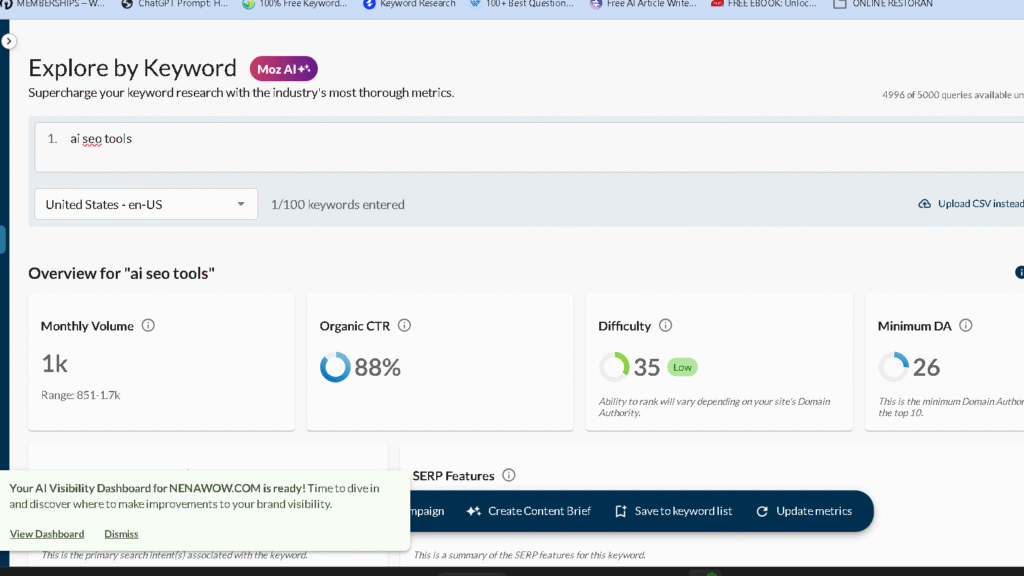
It’s Moz’s built-in keyword research tool, available inside Moz Pro. You enter a keyword, and it returns search volume, keyword difficulty, organic click-through rate estimates, and a combined Priority score. It also suggests related keywords, questions, and broader topic clusters.
Simple by design. The metrics it gives you are useful, and — unlike some tools — it explains what they mean right in the interface. That matters more than people give it credit for when you’re building a content strategy.
Who it’s for: Beginners learning keyword research, mid-market SEOs who want fast data without a steep learning curve, content teams who need a quick Priority score to triage a list.
Moz Keyword Explorer: Core Metrics Explained
Before you start pulling keywords, understand what you’re looking at.
| Metric | What It Measures | Range |
|---|---|---|
| Monthly Volume | Estimated search volume range | Bucketed (e.g., 101–250) |
| Keyword Difficulty (KD) | How hard it is to rank on page 1 | 0–100 |
| Organic CTR | % of searchers likely to click organic results | 0–100% |
| Priority Score | Combined score of volume, KD, and CTR | 0–100 |
Monthly Volume
Moz shows volume in ranges rather than exact numbers — so “1,001–2,000” instead of “1,400.” This is intentional. Search volume estimates from any tool are approximations, and bucketing them reduces false precision. For content planning purposes, ranges are usually enough.
Moz Keyword Difficulty Explained
This is the most important metric to understand — and the most debated.
Moz Keyword Difficulty is calculated based on the Page Authority (PA) of pages currently ranking on page 1 for that keyword. The stronger those pages, the higher the KD. It runs from 0 (essentially no competition) to 100 (extremely competitive).
One important note: Moz KD scores tend to be more optimistic than Ahrefs or Semrush for the same keyword. A keyword that Moz scores at 35 might score 55–60 on Ahrefs because Ahrefs also factors in the raw backlink counts of ranking pages, not just their PA. This doesn’t make Moz wrong — it’s a different methodology. But it does mean you should verify high-stakes keyword targets against the actual SERP before committing.
You can read my Semrush review for more information about this SEO tool.
Rough benchmarks for Moz KD:
| KD Score | What It Means | Who Can Compete |
|---|---|---|
| 1–30 | Low competition | New sites, low-authority domains |
| 31–50 | Moderate competition | Sites with some backlink history |
| 51–70 | Competitive | Established sites with strong link profiles |
| 71–100 | Very competitive | High-DA domains, large publications |
Organic CTR
This estimates the percentage of searchers who actually click organic results — as opposed to clicking ads, featured snippets, or zero-click searches. A keyword with high volume but low CTR (say, 20%) might not drive as much traffic as a lower-volume keyword with 60% CTR. Always factor this in before targeting a keyword purely based on volume.
The Priority Score
This is Moz’s most useful shortcut. It combines volume, keyword difficulty, and CTR into a single 0–100 score, weighted by the domain authority of your site. The closer your DA matches the sites ranking for a keyword, the higher the Priority score.
It won’t replace manual judgment. But for triaging a list of 50 keyword candidates, it gives you a fast first filter.
How to Use Moz Keyword Explorer: Step by Step
Step 1: Enter Your Seed Keyword
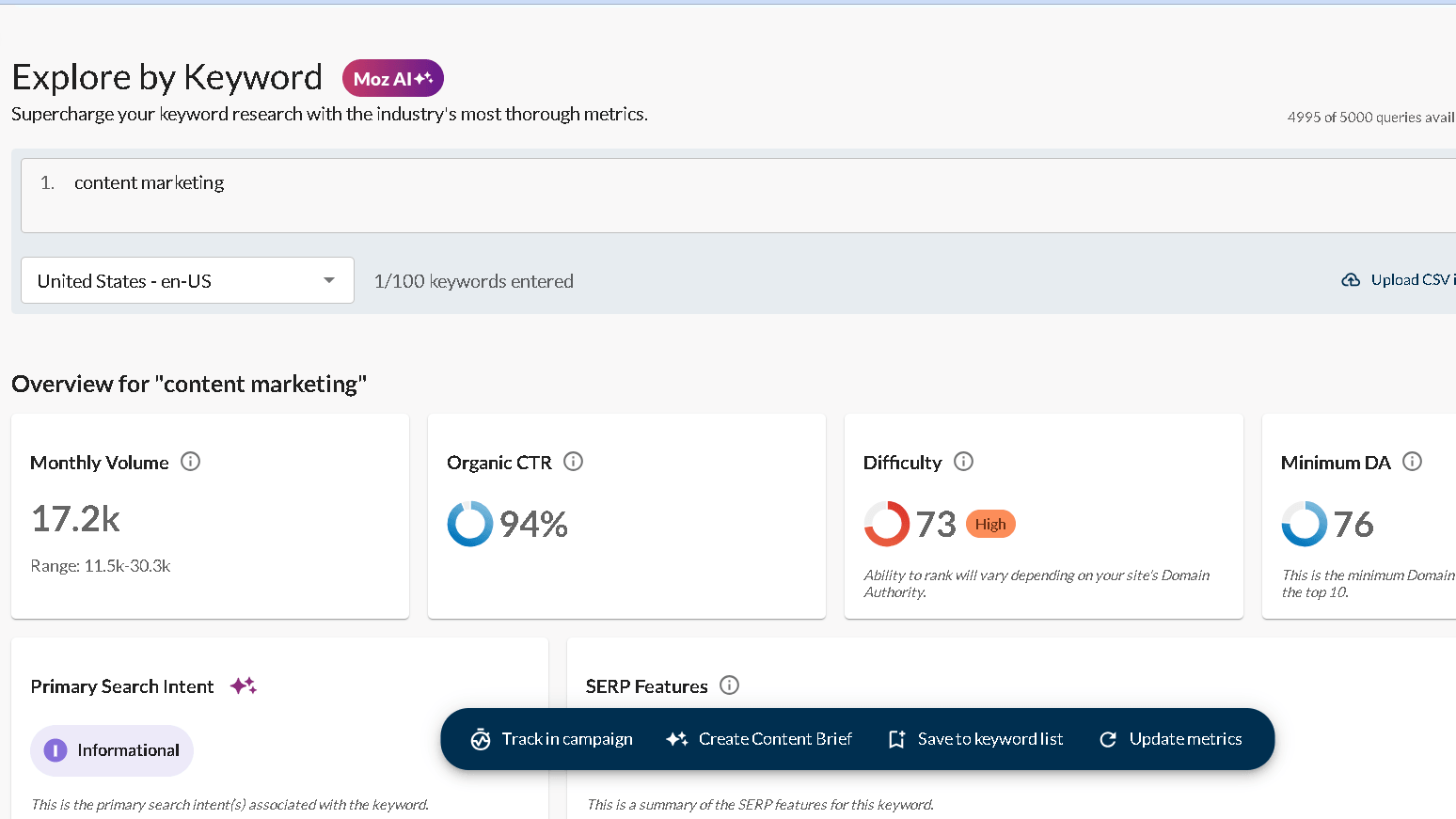
Log into Moz Pro and navigate to Keyword Explorer from the top menu. Enter your seed keyword — start broad. “Content marketing” rather than “content marketing strategies for B2B SaaS companies.” You’ll narrow later.
Hit search. The tool returns your primary keyword with all four core metrics at the top, plus a list of keyword suggestions below.
Step 2: Read the SERP Analysis
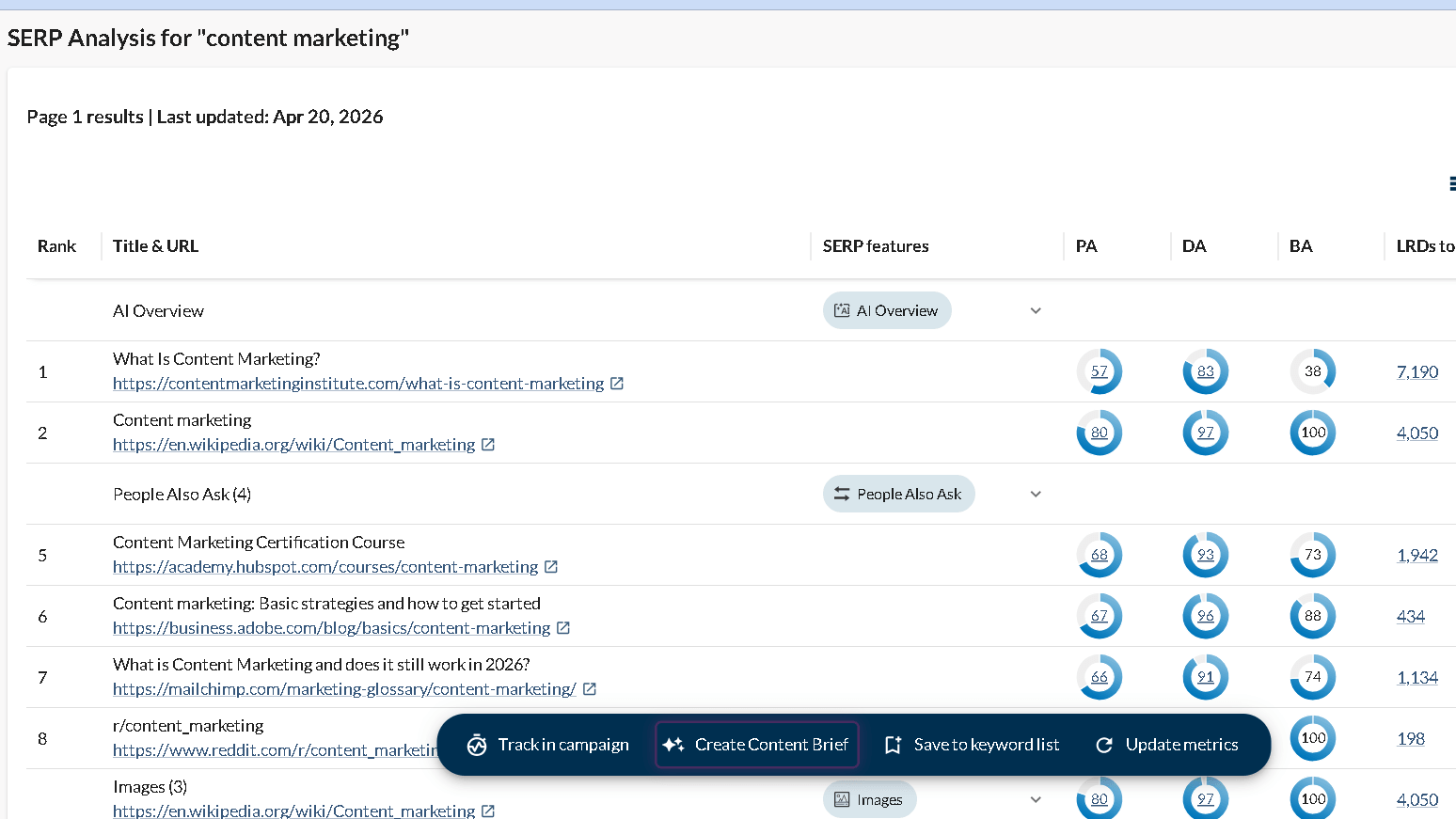
Before diving into suggestions, look at the SERP analysis panel on the right. It shows the top-ranking pages for your keyword with their Page Authority and Domain Authority. This tells you at a glance who you’re up against. If the top 10 results are all DA 70+ sites, a KD of 42 might still be unrealistic for a newer domain.
This is where manual SERP verification earns its keep. The metrics give you a signal — the actual SERP gives you the full picture.
Step 3: Explore Keyword Suggestions
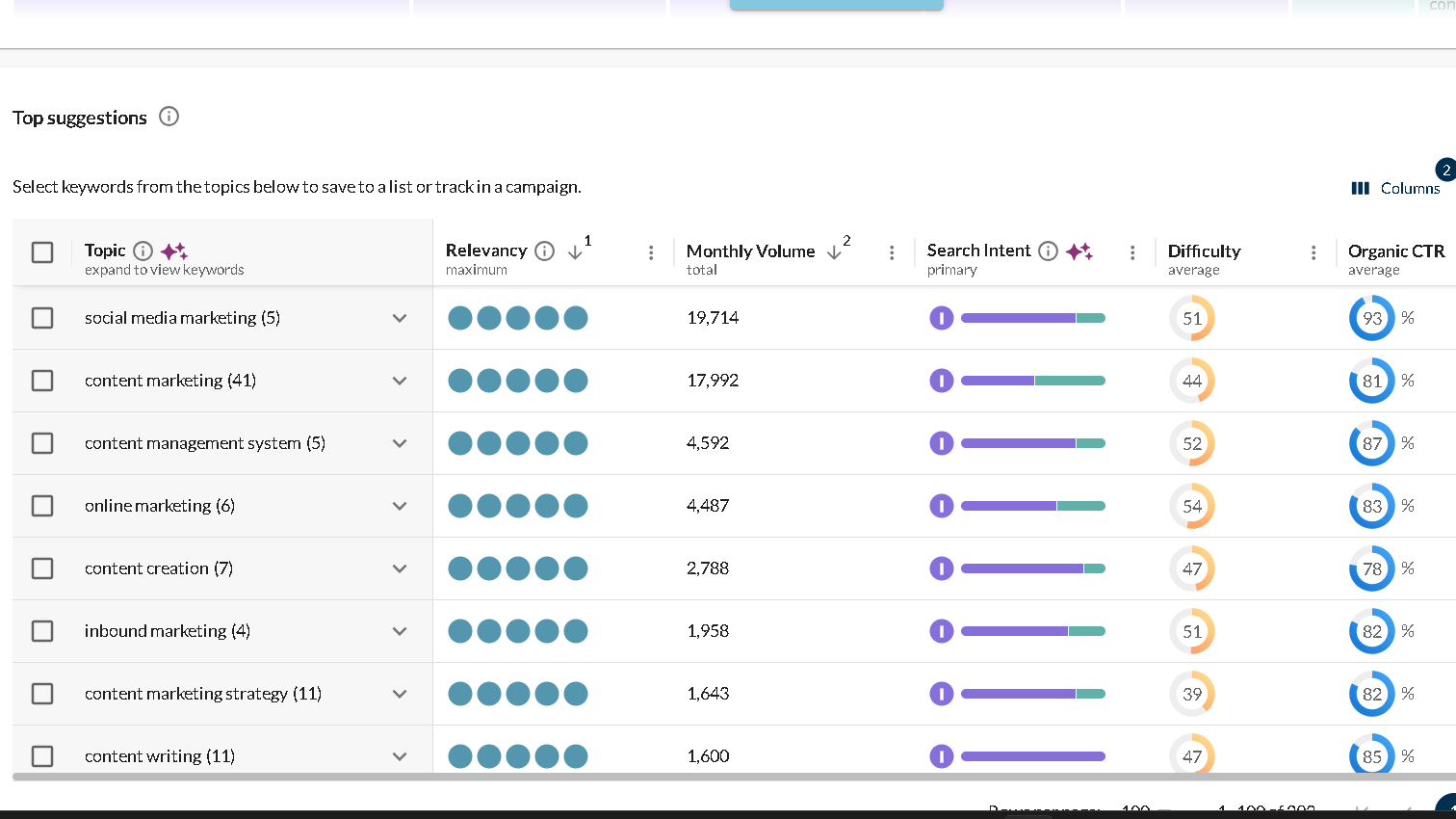
Below your primary keyword, Moz surfaces keyword suggestions in four tabs:
- Broadly Related — keywords sharing similar themes
- Are Questions — question-based queries (great for FAQ sections and featured snippet targeting)
- Also Rank For — keywords that pages ranking for your seed keyword also rank for
- Suggestions — general related terms
Switch between tabs. The “Are Questions” tab is underused — it surfaces long-tail intent that often converts better than head terms and can be structured directly into blog sections or FAQ content.
Step 4: Filter by Priority Score and Difficulty
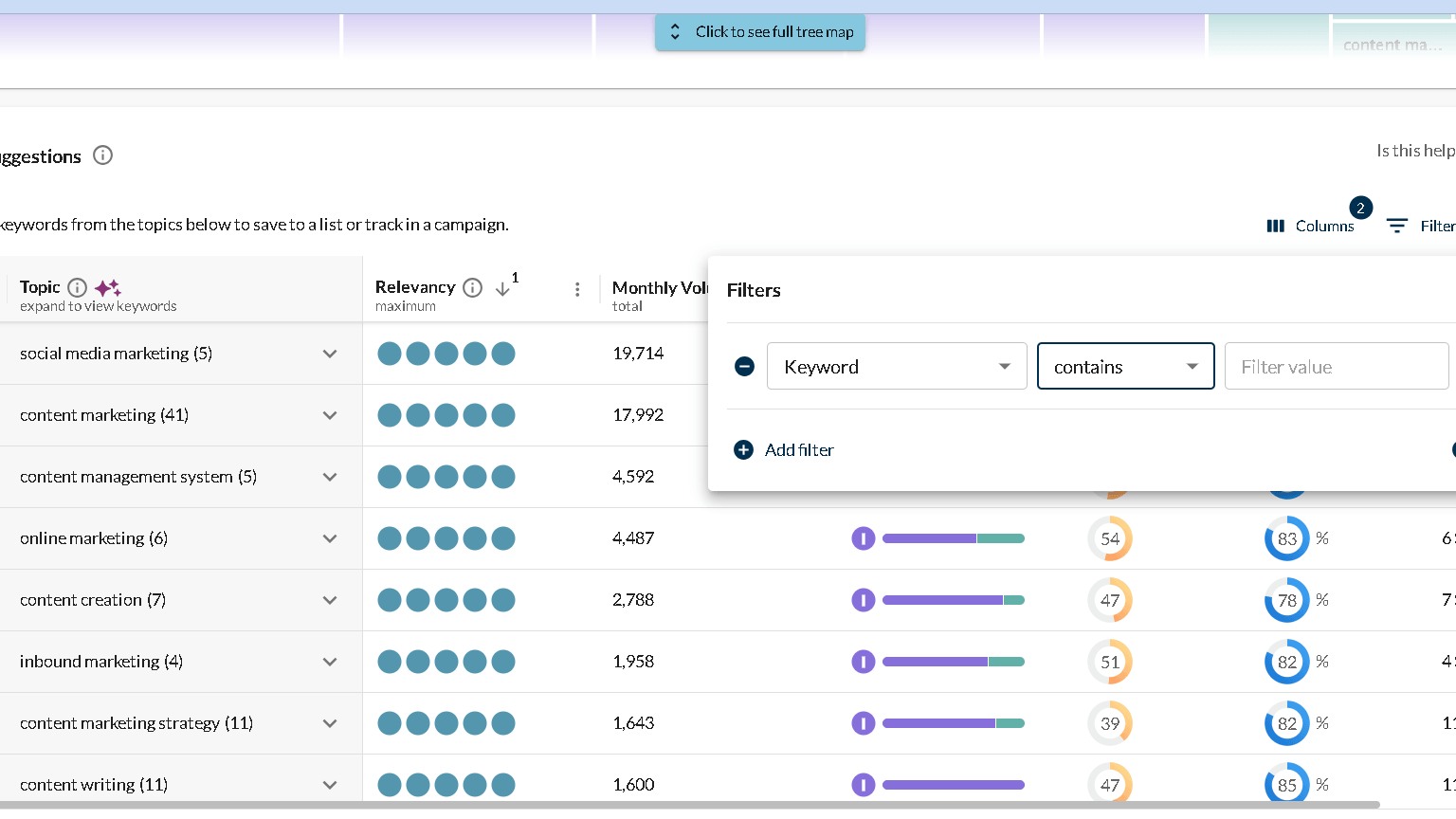
Once you have a list of suggestions, apply filters:
- Set a maximum KD based on your domain’s authority. If your DA is 30, filtering for KD under 35–40 keeps you realistic.
- Set a minimum volume to avoid keywords with negligible traffic potential.
- Sort by Priority score to surface the best balance of opportunity and competition.
Don’t ignore low-volume keywords with high Priority scores. A keyword with 200 monthly searches, a KD of 20, and 70% organic CTR might drive more real traffic than a 2,000-volume keyword where AI Overviews and ads eat most of the clicks.
Step 5: Use the Keyword Lists Feature
Select keywords you want to keep and add them to a Keyword List inside Moz. This saves them to a dedicated workspace where you can track movement, group by topic, and revisit without re-running the same searches.
For content planning: group keywords by topic cluster, not just individual target terms. One pillar page targeting a head term, supported by several cluster posts targeting related long-tails, works better than treating every keyword as a standalone target.
Step 6: Use Prompt Suggestions for Content
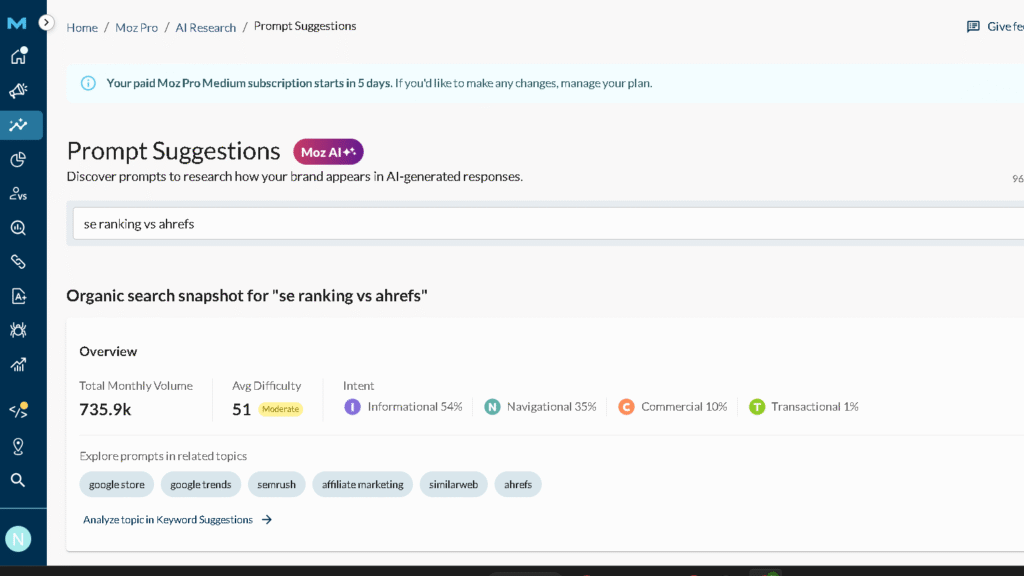
This is a 2026 addition most users don’t know about. When you open a keyword inside Keyword Explorer, Moz now generates a list of topic prompts — specific questions and subtopics your content should address based on what’s ranking. It’s not AI-generated copy. Think of it as a content brief built from SERP data.
Enter your target keyword, review the prompts, and use them to structure your article outline before writing. It saves the manual work of scanning the top 10 results to figure out what topics to cover.
Moz Keyword Research: Building a Usable List
Here’s the process in practice:
1. Start with 3–5 seed keywords covering your main topic. Run each through Keyword Explorer.
2. Export to a spreadsheet. Filter out anything with KD significantly above your domain’s DA. Cut volume outliers that look attractive but have CTR below 30%.
3. Group by intent. Informational (“how to use Moz keyword explorer”), commercial (“best keyword research tools”), and transactional (“Moz Pro pricing”) shouldn’t compete with each other — they need separate pages.
4. Assign Priority. Use Moz’s Priority score as a starting point, then apply judgment based on your site’s actual authority and the SERP reality.
5. Map to content. Each keyword gets assigned to either an existing page to optimize or a new page to create.
Is Moz Good for Keyword Research?
Depends on what you need.
Moz is good for:
- Beginners who need clean, explained metrics without information overload
- Content teams wanting a fast Priority score for decision-making
- Sites targeting low-to-mid competition keywords
- Anyone who values the CTR metric as part of keyword selection (Semrush and Ahrefs don’t surface this as prominently)
- Teams optimizing existing content using the prompt suggestion feature
Moz has limitations:
- Keyword database is smaller than Ahrefs and Semrush — fewer long-tail suggestions for niche topics
- KD scores are more optimistic than competitors, which requires SERP verification before acting on scores in competitive niches
- No native PPC data alongside organic metrics (you’d need a separate tool for CPC and ad competition)
- Volume shown in ranges rather than exact numbers — fine for most use cases, occasionally limiting for detailed forecasting
For pure organic keyword research at a beginner-to-mid level, it does the job well. If you’re in a highly competitive niche where difficulty calibration is critical — finance, health, SaaS, legal — run your targets through Ahrefs or Semrush as a second opinion before investing content resources.
Can I use Moz Keyword Explorer for free?
Moz offers a 30-day free trial on all paid plans, which gives full access to Keyword Explorer. The free MozBar browser extension provides DA and PA data while browsing but doesn’t include the full Keyword Explorer interface. There’s no permanent free tier for keyword research the way Ahrefs Webmaster Tools offers for backlinks.
How accurate is Moz Keyword Explorer?
Volume data is directionally accurate — good enough for content planning. Keyword difficulty tends to be more optimistic than Ahrefs or Semrush, particularly for competitive queries. Always cross-check KD against the actual SERP before making significant content investments based on a single tool’s score.
Is Moz Keyword Explorer good for long-tail keywords?
Reasonably good. The “Are Questions” tab and “Also Rank For” suggestions surface useful long-tails. The database is smaller than Ahrefs or Semrush, so very niche long-tail queries may not appear — or may show limited data. For mainstream topics with enough search volume, it covers the essential long-tail landscape well.
Moz Keyword Explorer vs. Competitors: Quick Comparison
| Feature | Moz Keyword Explorer | Ahrefs Keywords Explorer | Semrush Keyword Magic |
|---|---|---|---|
| Keyword Database Size | Medium | Largest | Large |
| KD Accuracy | Optimistic | Most accurate | Accurate |
| Volume Data | Ranges | Exact estimates | Exact estimates |
| CTR Metric | ✅ Prominent | ✅ Available | ⚠️ Less prominent |
| Priority/Combined Score | ✅ Priority Score | ❌ | ❌ |
| PPC Data | ❌ | ❌ | ✅ |
| Question Keywords Tab | ✅ | ✅ | ✅ |
| Content Prompt Suggestions | ✅ | ❌ | ❌ |
| Beginner-Friendly | ✅ Best in class | ❌ Steep curve | ⚠️ Moderate |
| Starting Price | $99/mo | $129/mo | $139.95/mo |
FAQ
Moz KD is based on the Page Authority of pages ranking in the top 10. Ahrefs KD factors in the raw number of referring domains pointing to those pages. Because backlink counts are a stronger signal of true competitiveness, Ahrefs tends to score keywords harder — and more accurately — in competitive niches.
Depends on your plan. Starter allows 150 keyword queries per month. Standard gives 5,000. Medium and Large plans increase this significantly. If you’re building large keyword lists regularly, the Starter plan will feel limiting quickly.
A combined metric that weighs monthly volume, keyword difficulty, and organic CTR against your site’s Domain Authority. A score of 70+ suggests a strong opportunity relative to your site’s current authority. It’s a useful first filter for triaging keyword lists, not a replacement for manual SERP analysis.
A 2026 addition. When you research a keyword, Moz generates specific topic prompts — questions and subtopics your content should address based on what’s currently ranking. It functions as a structured content brief, not AI-generated writing. Useful for outlining articles before writing without manually scanning the top 10 results yourself.
Not explicitly as a labeled metric. You can infer intent from the keyword phrasing, the SERP analysis panel (which shows whether results skew toward informational or commercial pages), and the question keyword tab. But unlike some tools, Moz doesn’t tag keywords with intent labels by default.
Moz Pro pricing and features subject to change — verify current plans at moz.com before purchasing.