Finding the most effective SEO tools, both paid and free, is crucial if you’re looking to improve your rankings. I’ll discuss how on-page SEO, content optimization, and competitor analysis can be integrated into your everyday SEO workflow.
We will go over which SEO tools are free and provide the best results in terms of keyword research, reliable SEO audits, and rank monitoring. I’ll also discuss the paid options that are worth it when you’re serious about boosting organic traffic.
The majority of people achieve the best results when mixing some of the best free tools with a couple of paid services to fill the gaps that you cannot cover with free.
Yoast SEO or Rank Math can handle many of the on-page basics for you. If you incorporate automatic rank tracking or a keyword tracker, it’s easier to monitor your progress through different search engines. Utilizing a trusted SEO plugin can make managing these technical issues easier.
These picks are based on the results of hands-on experience and of running SEO at scale. The guide will provide practical suggestions on content, technical audits, competitor research, and automation.
Look forward to quick comparisons as well as detailed breakdowns of features. I’ve provided real-world use cases to help you match the software to your goals and budget.
Best SEO Tools: A Quick Glance
| Tool Category | Recommended Platforms | Pricing Model |
|---|---|---|
| Performance & Indexing | Google Search Console | Free |
| User Behavior Data | Google Analytics 4 | Free |
| Competitor & Backlinks | Ahrefs, SEMrush, SE Ranking | Paid |
| Technical Site Audits | Screaming Frog, PageSpeed Insights, Woorank | Free / Paid |
| Content Creation & Optimization | Surfer, Clearscope, ChatGPT, Claude | Paid |
Quick Comparison: Free vs. Paid SEO Tools
Concentrate on the key factors in deciding on a trade-off in terms of cost, data depth, and time saved. You should seek out tools that make local SEO easier to analyze on-page and give precise scores for the difficulty of keywords. The ideal mix will depend on the size of your website and budget.
When to Choose Free SEO Tools
You use free SEO tools whenever you need to check SEO quickly or when you are on limited funds. They’re ideal for basic on-page tasks such as reviewing meta tags for a couple of pages.
Google Search Console and Google Analytics offer real-time SEO performance as well as search statistics for no cost. These platforms address index issues as well as impressions, clicks, and the basic performance of queries.
For quick keyword suggestions I’ll go with Google Keyword Planner or AnswerThePublic. The free version of Screaming Frog can crawl as many as 500 URLs, which is sufficient for smaller websites.
Free Chrome extensions allow me to spot issues on-page right inside the browser. These extensions help save money and provide the basics of SEO.
They don’t provide huge crawl budgets, detailed historical data, or even advanced competitor tracking. I generally use these for blogs with small amounts of traffic and local SEO, particularly when the emphasis is on the map pack ranking and Google Business Profiles.
Benefits and Limitations of Paid Tools
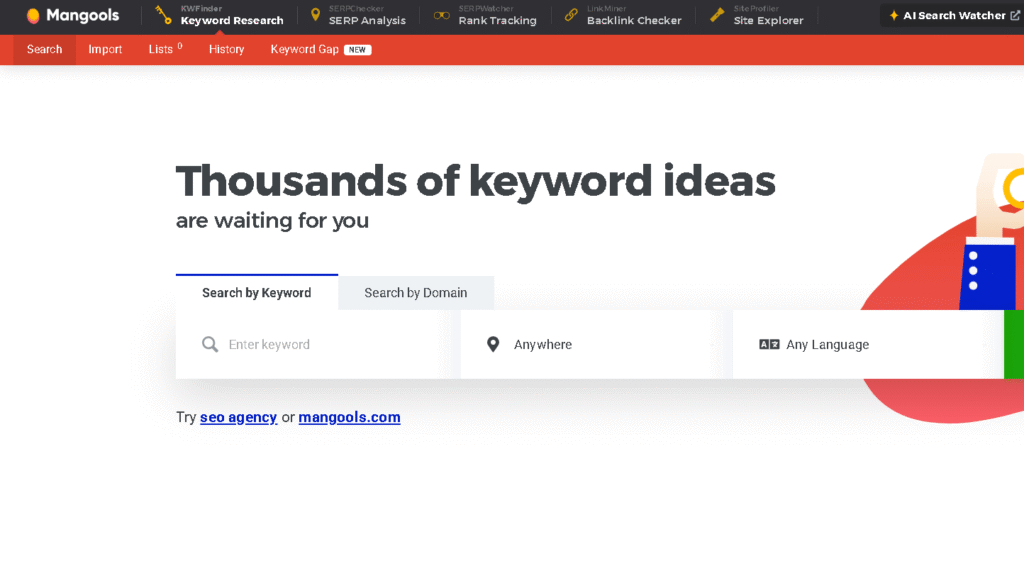
Purchase SEO tools whenever you need to get faster speeds, or access more information. The KWFinder tool is among my favorites because it’s simple to use and the scores for difficulty are reliable.
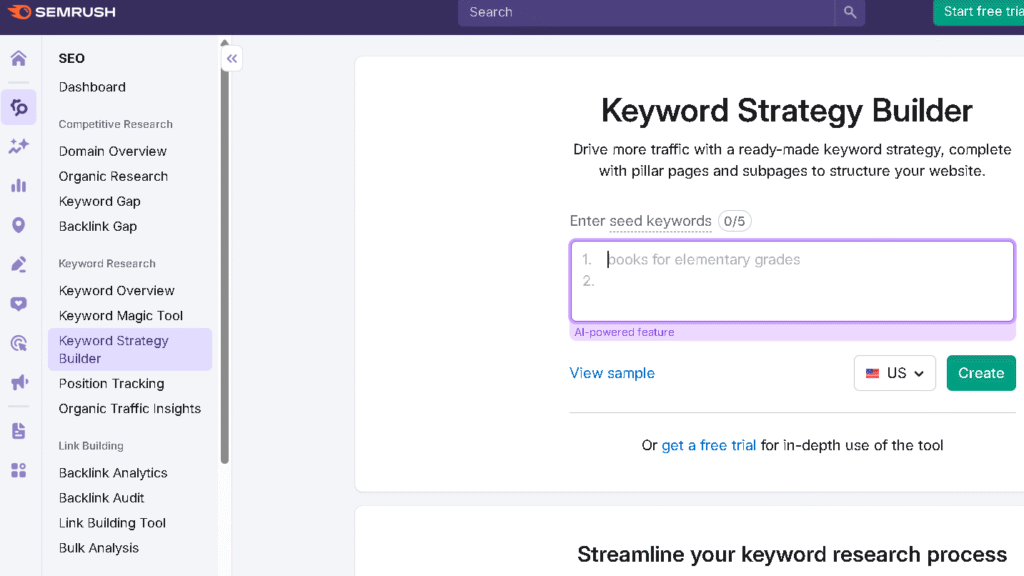
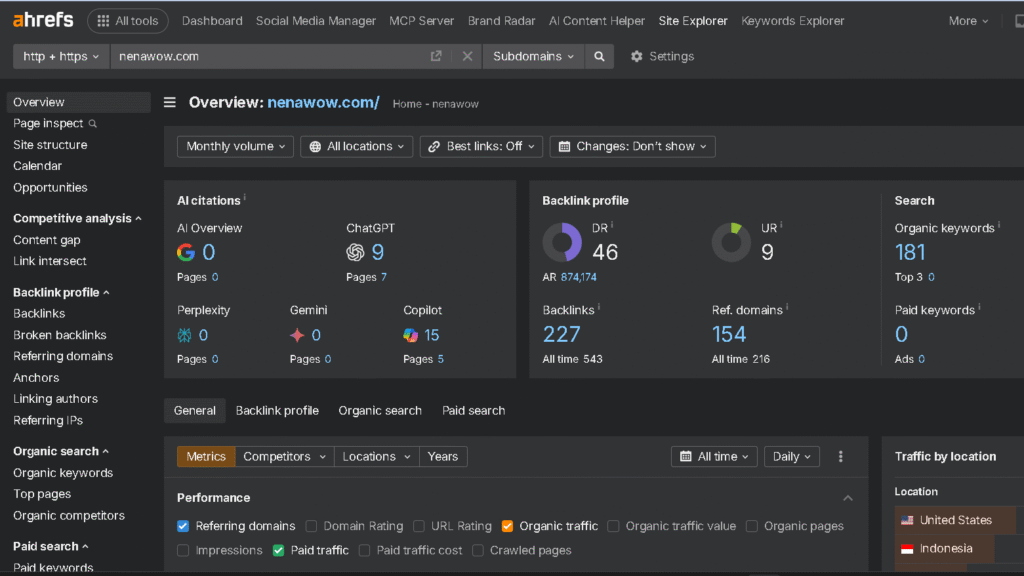
Platforms such as Ahrefs, Semrush, and Moz offer massive keyword databases as well as backlink history. They can crawl websites and identify technical issues over many pages.
Paid tools also provide automatized reports and notifications along with API access. This saves me time every week and allows me to test ideas more quickly.
Deep competitor analysis becomes much simpler with access to historical domain trends. They aid in identifying strategies used by competitors, missing keywords, and content gaps that I would overlook otherwise.
Of course, paid tools cost money and require time to master. You make sure to stay clear of overlapping features and generally choose one principal paid platform, such as SE Ranking, plus a handful of specialists.
Hybrid Tool Stacks for Maximum Impact
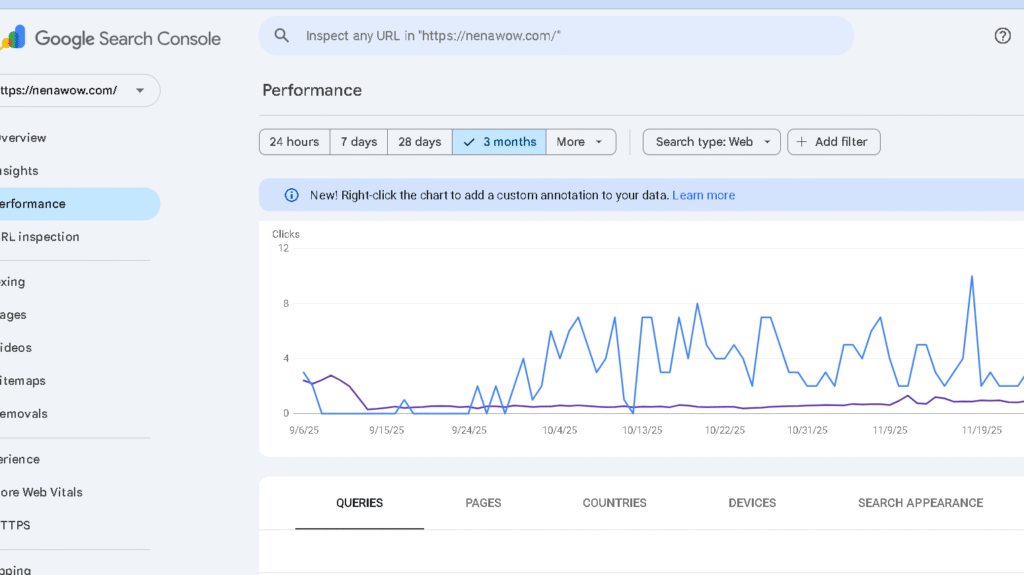
I like mixing the most effective SEO tools that are both paid and free to cut costs and still have the features I require. My preferred collection is Google Search Console and one paid-for suite to conduct competitor research.
Add Screaming Frog for deep technical audits. The Google PageSpeed Insights tool provides you with the information you require to improve the speed of pages and mobile performance across my entire website.
This approach is a hybrid one that ensures your data is reliable and workflows productive without overspending a budget. Make an effort to review the data every now and then to eliminate any redundant data.
Core Features to Look For in the Best SEO Tools
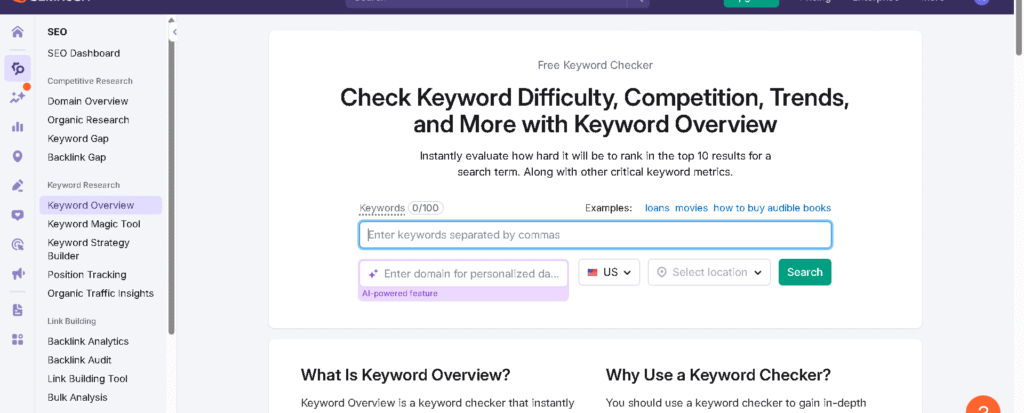
I’m looking for tools that provide me actionable, clear data quickly. Regular SEO audits allow me to spot problems with the technology before they affect rankings.
This makes it simpler to locate keywords and monitor backlinks with accuracy.
Keyword Research and Analysis Capabilities
The most effective tools for keyword research should display search volume and intent as well as the competition in the creation of content. These tools help you come up with new content ideas that your competitors may have overlooked. Look for monthly search volumes, CPC, and keyword suggestions that provide information about the intent behind a search.
When you conduct the keyword study, you are creating an effective content strategy for each phase in the buying process. The difficulty scores help determine whether you are able to rank or go for long-tail keywords over. Examining the difficulty of keywords across various platforms allows you to confirm your list of keywords.
Finding long-tail keywords with low competition is a way for smaller websites to be competitive with the giants. These particular keywords provide specific keyword insight into the intent of users.
Keyword grouping and clustering options are essential. If a tool can show SERP features such as snippets of People Also Asked, I can tell what type of content I should make.
Export keyword lists in order to make briefs for content. The trend data is important to help you spot seasonal shifts and fresh ideas before they become too obvious. Employ specific tools for research on keywords to collect keyword information that helps explain why certain phrases are getting more attention.
Integration with Google Search Console and Analytics allows to match keywords to pages on a site. This way you are working with actual data, not speculations. The built-in rank and keyword tracking let you know the extent to which your keywords will actually move the needle.
Competitor and Backlink Analysis
I employ competitive analysis to identify opportunities I can capitalize on quickly. A thorough analysis of competitors lets me determine exactly where my rivals are gaining their attention. SpyFu is a great tool to look up the history of ads from competitors and for analyzing keyword overlap.
It will reveal which organic keywords my competition ranks for as well as their most successful pages. This way you can take advantage of successful topics and pages that I am confident I will beat.
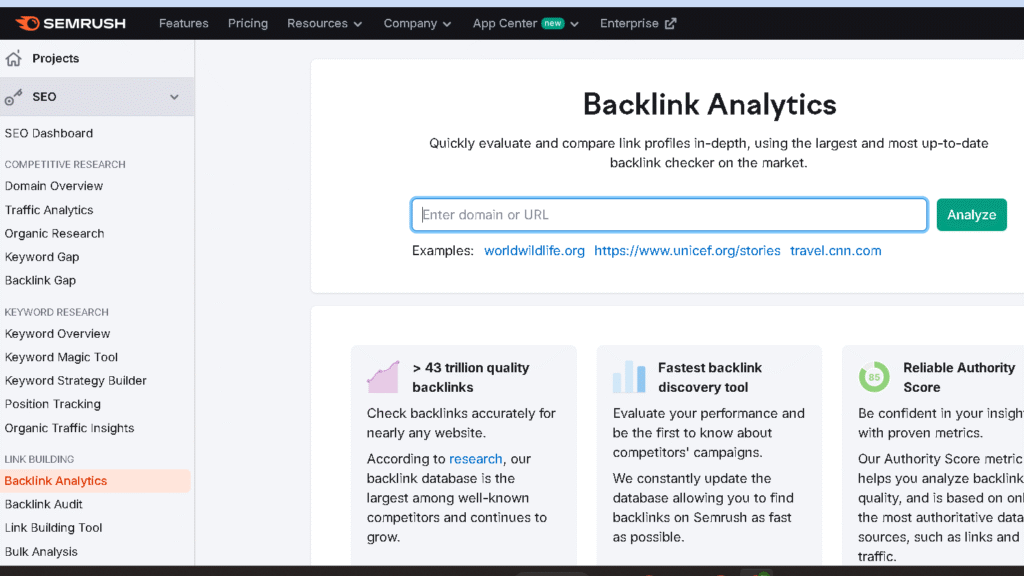
Backlink analysis must identify the domains that are referred to as well as anchor text and quality of links. I’m more interested in quality, relevant links over a large number of low-quality ones.
Link intersect is a great feature. They display domains that are linking to multiple competitors, but they do not link to me.
Solid link building involves identifying which sites are where competitors can get the most authority signals. The key is to find relevant websites that can boost your authority.
A deep analysis of your backlinks can reveal the quality and the quantity of your links. Always look at whether your links are dofollow or nofollow to determine your goals.
Technical SEO and Site Audit Tools
My technical SEO checklist begins with indexing and crawlability. I’m in need of tools like the Screaming Frog SEO spider, which can identify blocked pages as well as robots.txt hiccups. A thorough site crawl is the most effective way to find hidden technical obstacles.
Utilizing an SEO spider allows you to see the site in the exact way an engine would see it during its journey. Maintaining your XML sitemaps in order will help search engines locate your most relevant content first.
Bing Webmaster Tools is a useful tool to monitor indexing and performance of Microsoft’s search engine. It detects broken links and helps to manage redirects to ensure that you don’t lose your link equity when you make changes to your site.
The tool also provides a different perspective on the performance of keywords and indexing. The creation of an accurate XML sitemap is an essential step for any audit of technical quality.
Speed of page and the Core Web Vitals are not negotiable. Utilize Lighthouse for specific suggestions for fixing slow assets as well as improving mobile speed. A lot of the top SEO tools, both paid and free, incorporate Lighthouse information directly into their reports.
Site audits are a good way to spot damaged links, redundant content, and schema markup issues.
Making sure that schema markups are correct is a proven method to boost click-through rates. This sophisticated SEO strategy on your page will make your website stand out.
Woorank is a great tool for taking an easy review of mobile and technical health. A tool such as Woorank can provide instant reports that reveal important site issues. The mobile-friendly check is crucial if you’re aiming for an international public.
Content Optimization and On-Page Analysis
Content tools will provide me with information on the topic, analysis of pages, and ideas for content to create an outline. The most reliable ones analyze my site against top-ranked ones and identify what’s not doing. Arranging the content creation process on these points guarantees more relevancy.
Effective on-page SEO begins with clear keywords and clear descriptions. I look over meta tags to find the most important keywords and also for a clear call to action. Thorough on-page SEO ensures that both bots and users understand the purpose of your site.
A better metadata structure can improve the click-through rate from searches. On-page inspections should include meta descriptions, title tags, and internal hyperlinks.
Optimizing the length of titles and images’ alt text is an important part of a solid page-to-page strategy. I prefer tools that evaluate the content on the quality of its content in addition to clarity. only keyword stuffing.
Checks for readability help ensure that all readers can comprehend the message. AI draft assistants can be fantastic for speed, but I would like to ensure that my voice is within the text.
Monitoring the content’s ranking after editing is crucial. Yoast SEO simplifies this by giving instant feedback on the content’s quality.
Integration with CMS as well as Google Docs saves a ton of time when it comes to creating content. A consistent workflow can help me to publish high-quality pages in a consistent manner.
A high level of engagement typically means that users are having a good experience. I’d also like features that alert me to changes in search results so that I can change content prior to it getting stale.
Top Free SEO Tools: Essential Picks and Use Cases
I prefer tools that offer accurate, actionable data without cost. Each tool covers the performance of users, user behavior, keyword management, and technical health.
Google Search Console for Website Performance
Utilize Google Search Console to spot websites that are already ranking and search for easy wins. GSC provides clicks, impressions, CTR, and average rank for each query.
This allows me to monitor the performance of keywords over time and determine which keywords result in clicks. I’ll sort them by impressions and search for pages that have low CTR but high positions. These are prime for tweaking metadata.
Index coverage issues are reported to flag crawling or indexing issues. Google Search Console also lets me submit a fresh XML sitemap in order to speed indexing up for new content.
I fix things such as redirect chains that are broken and damaged redirects quickly to get them back up and running. A properly managed redirect can stop users from visiting pages that are 404. The URL Inspection tool reveals the way Google interprets a webpage in relation to schema tags and whether they are functioning.
Google Analytics 4 for Data Analysis
GA4 connects clicks to actual users’ behavior and also converts. It reveals the landing pages that drive session engagement, goals, and completes.
This lets me know the best pages to improve for traffic and revenue. Making event tracking available for forms, downloads, or button clicks is simple in GA4.
I look at metrics of engagement to discover websites that are popular but aren’t converting. When bounce rate is high, then the content isn’t what users expected.
Connecting GA4 together with Search Console gives a fuller image of organic impressions as compared to real-time sessions. This combination can help me avoid the trap of chasing false statistics.
Google Keyword Planner & Google Trends for Keyword Ideas
Google Keyword Planner gives me search volume ranges as well as related keywords. It’s fantastic for estimating monthly search volume and CPC for paid advertisements.
I categorize keywords by intent and then focus on phrases with high intent for pages that are converting. This is especially useful in planning a PPC campaign in conjunction with organic efforts. Google Trends is my preferred method for identifying rising queries as well as seasonal shifts. I use Google Trends to assess the search popularity of various topics prior to creating content.
I employ Trends to find out the extent to which a topic’s increase is real or merely one-off fluctuations. It also reveals the regions that are most engaged, which means I can target content to specific regions.
All in one, Planner and Trends provide useful keyword information and provide context. Utilizing these tools for keyword research can help me identify concepts for content that will increase organic traffic.
PageSpeed Insights & Screaming Frog for Technical SEO
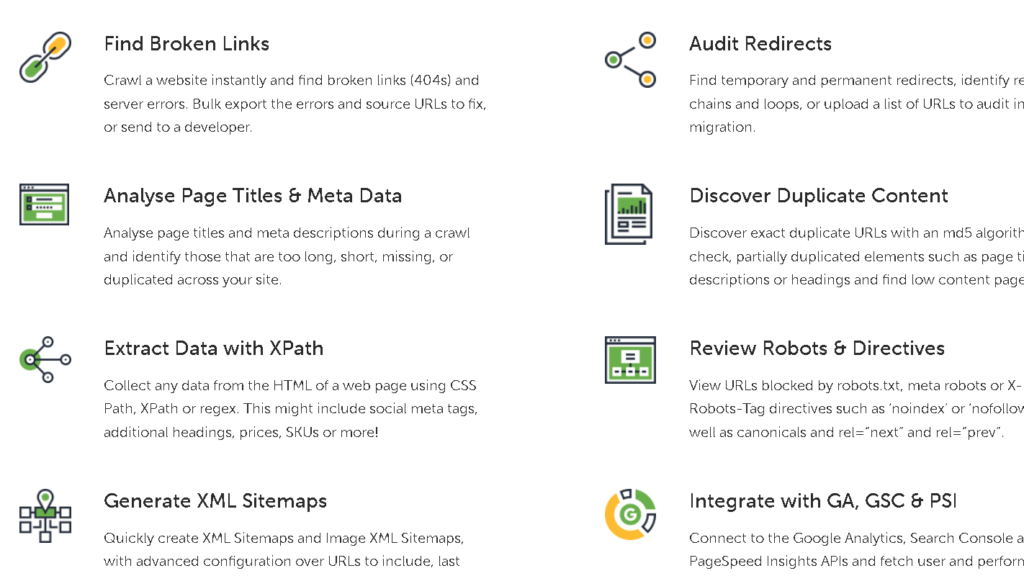
I manage Google PageSpeed Insights, which measures the actual Core Web Vitals of your visitors. It is a great tool to maintain the mobile experience for your entire audience.
When LCP as well as CLS is slow, if it is lagging, I consider those changes as urgent. Screaming Frog scans the entire site to conduct extensive technical audits.
It helps me find broken links, duplicate content, and insufficient meta descriptions, as well as poor canonical tags. Exportable reports are an absolute necessity for sites with larger audiences.
Combining PageSpeed Insights with Screaming Frog assists me in tackling both structure and performance. This is how I ensure that the foundation of my technical work is solid.
Top Paid SEO Tools: Market Leaders and Niche Solutions
Paid tools help speed up audits, track the rankings, and assist you in creating better web pages. I am looking for platforms that offer clear data and help you avoid repetitive tasks.
All-in-One Suites: SEMrush, Ahrefs, and Moz
SEMrush, Ahrefs, and Moz all come with audits and keyword research, as well as a rank tracker. I generally use SEMrush when I need competitive analysis or gap reports.
Ahrefs is a standout for its backlink analysis as well as its Site Explorer. I rely on its massive index to find links that are worth pursuing. The Screaming Frog SEO Spider paid version is excellent for identifying internal link issues in a massive way.
Moz offers helpful keyword difficulty scores as well as web-based suggestions. The Link Explorer works well for checking domain authority as well as linking research.
If you require PPC along with SEO workflows or deep competitor analysis, SEMrush is a solid choice. If you’re looking for deep link information and identifying gaps in your content, Ahrefs is the way to take. Mangools, along with KWFinder, can also be useful for those who are looking for an easy method of digging out niches that are not competitive.
Rank Tracking, SERP Analysis, and Competitor Research

A precise keyword tracking system and rank tracking transform random guesses into actions. I regularly track keywords using tools such as SE Ranking to watch for fluctuations and highlighted excerpts.
I keep track of my results on YouTube too, as the traffic from YouTube is an essential element of optimizing search engines. Monitoring how videos appear in search results can help me modify my video strategy. Small businesses need local SEO tracking, which is as crucial as global ranking.
SERP analysis shows that searches shift in their intent. Sometimes searches suddenly favor videos or lists. I’ll modify my content’s format whenever I see that it’s happening.
To conduct research on competitors, I look at domains and pages with the highest ranking, in addition to backlink overlap. I make sure to check desktop and mobile rankings. SpyFu and Ahrefs assist me in finding pay-per-click keywords and backlink sources that my competitors are using.
I set up an alert system for any new backlinks, as well as sudden drops in rank. So, I am able to respond quickly when I lose links or see opportunities that aren’t being offered by the competition.
Content Optimization and AI-Enhanced Tools
Content tools aid in matching the intent of search and help get SERP features. I rely on Surfer as well as Clearscope to design clusters of keywords and determine suggested word counts.
These tools analyze the most popular pages and provide specific suggestions regarding headings and keyword density. To draft, I utilize ChatGPT, Claude, and Perplexity to speed up the creation of content and outline. Utilizing ChatGPT lets me rapidly experiment with different titles and content structure.
Understanding the ways in which AI search and analysis of competitive factors impact visibility is a key element of my current strategy. I will always revisit and make changes to AI output to ensure accuracy and to include personal experiences.
Claude is particularly skilled in summarizing lengthy documents or generating technical meta-descriptions. These tools can help me create new pages that are in line with what’s currently showing up in results of searches.
SEO Plugins and Chrome Extensions
Browser tools offer rapid checks as you browse or look around websites of your competition. I typically use Yoast SEO and Rank Math running as a WordPress plugin to monitor on-page signals.
Selecting a reliable WordPress plugin ensures that your sitemaps and metadata are current. Yoast SEO automates technical things like Canonical Tags and Breadcrumbs. A lot of plugins offer the ability to integrate schema markup settings into their plugins to make it easier to implement.
Link building can benefit by implementing extensions that demonstrate the authority of a website in a matter of minutes. Rank Math handles structured data on your website and makes SEO on the web easier to manage.
SEOquake and MozBar offer instant domain metrics, and also display on-page elements directly in the toolbar. I enjoy using SEOquake for a quick glance at issues on the page as well as internal links right out of the SERP.
These extensions allow you to look up items quickly, and you don’t have to launch your complete SEO software. Chrome extensions by Mangools and Ahrefs provide search volume information and previews in a nigh-on-no delay.
Keyword Planner still comes in handy to check the search volume when you’re planning campaigns for paid advertising. I’m not saying that they replace more thorough investigation, but they’re helpful to spot problems before you get into.