
If you’re searching for free alternatives to Grok Video Generation, you’re probably running into the same limitation many users discover after a few days. Grok’s video tool is far less accessible than the marketing suggests. Free users get little to no meaningful video generation access, while SuperGrok subscribers face practical limits that appear much sooner than expected.
On paper, SuperGrok advertises up to 200 generations per day. In reality, video generation consumes significantly more resources than text prompts, and many users report reaching their effective limit after only 10 to 15 videos. For creators producing content regularly, that ceiling becomes restrictive surprisingly fast.
That is why more users are turning to free alternatives to Grok Video Generation such as Kling AI, Runway, Pika, Veo, Luma Dream Machine, and Haiper. The biggest differences are not just video quality. They show up in consistency, daily usage limits, editing workload, and whether the tool remains useful after the novelty wears off.
Across several weeks of testing six alternatives — Kling AI, Runway, Pika, Luma Dream Machine, Veo, and Haiper — using the same prompts on each platform, the biggest differences were not in raw video quality. They showed up in consistency, editing burden, and how much trust each tool earned after repeated use. That is what this article is about.
Disclaimer: I may earn a small commission on purchases made through links on this page, at no extra cost to you. This supports honest, independent reviews.
Table of Contents
What Is the Best Free Alternative to Grok Video Generation?
Kling AI is currently the best free alternative to Grok Video Generation thanks to its daily credit reset, strong motion quality, and generous free plan. Other solid options include Runway for editing control, Pika for beginners, Veo for realism, Luma Dream Machine for cinematic output, and Haiper for unlimited free iteration.
Quick Verdict: The Best Free Alternatives to Grok Video Generation
Best Overall Alternative
Kling AI — 66 daily credits, realistic motion, strongest free-tier value.
Best for Realistic Videos
Veo — Google’s model produces the most realistic output at this level.
Best for Beginners
Pika — Fast, forgiving, and the easiest onboarding of any tool here.
Best Free Plan
Kling AI — Daily credit resets beat Runway’s one-time 125-credit lifetime allowance by a wide margin.
Best for Professional Creators
Runway — More editing controls, better character consistency, the highest leaderboard score right now.
| Tool | Free Tier | Quality | Best For |
|---|---|---|---|
| Kling AI | 66 credits/day | High | Daily creators |
| Runway | 125 credits lifetime | High | Pro editors |
| Pika | ~80 credits/month | Medium | Beginners |
| Luma Dream Machine | ~1 clip/day | High | Cinematic clips |
| Veo | Via Gemini | Very High | Realism |
| Haiper | Unlimited 2-sec clips | Low | Rapid iteration |
| Grok | Paid only (SuperGrok) | Good | xAI ecosystem users |
Why People Are Looking for Free Alternatives to Grok Video Generation
Limitations of Grok Video Generation
The core problem is the gap between what xAI advertises and what you actually get. Free users see 3 to 10 generations per day depending on server load. That reset window is inconsistent — some users report 12 hours, others report 24. Worse, failed generations count against your limit. If Grok rejects a prompt for policy reasons, you lose that attempt anyway.
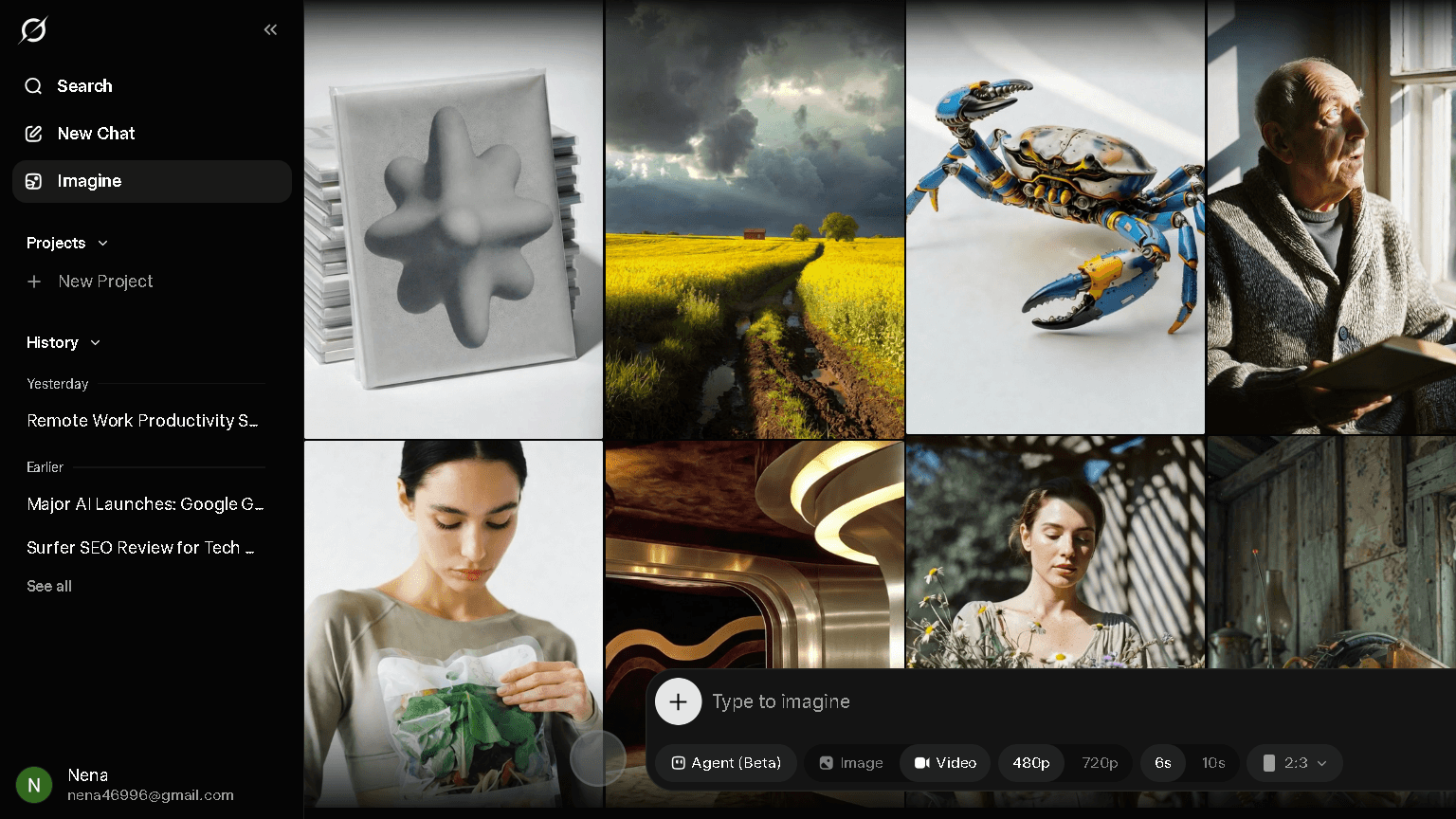
The paid story is not much cleaner. SuperGrok at $30 per month officially allows 200 generations per day. But each 720p video burns significantly more quota than a text query or a low-resolution clip. The effective ceiling for video at that tier is closer to 10 to 15 clips — a painful discovery if you budget based on the headline number.
There is also a hard stop on the free tier: video generation is locked behind SuperGrok entirely. Free xAI accounts get text only. That alone pushes a lot of users to look elsewhere.
When a Grok Alternative Makes More Sense
If your workflow depends on daily video generation and you are not paying $30 a month, Grok is already off the table. Even if you are paying, the unpredictable throttling during peak hours makes it hard to plan around. In repeated afternoon testing sessions, the soft cap showed up more often than expected. That is faster than I would like.
The alternatives here all have clearer limits. Kling’s 66 daily credits reset at the same time every day. Runway’s 125 lifetime credits are stingy, but you always know exactly where you stand. Predictability matters when you are building a production workflow.
What Most Users Actually Need From an AI Video Generator
Most people are not trying to make a film. They want 5 to 15 usable clips per week for social content, client work, or concept testing. What that actually requires is not peak quality on the first try. It is consistent enough quality that you are not spending two hours retrying the same prompt. The tools that earn long-term trust are the ones that give you a usable take at least 60 to 70 percent of the time. Most alternatives here clear that bar more reliably than Grok’s free tier does.
How I Tested These Grok Video Generation Alternatives
I ran the same five prompts through each platform across multiple testing sessions, spread over different times of day to account for peak-hour variation.
Video Quality Test
Prompt: “A futuristic city during rainfall, cinematic, 10 seconds.” I scored each output on motion realism, artifact frequency, and scene coherence. Kling and Veo led here. Haiper was the weakest.
Prompt Adherence Test
Prompt: “A product teaser for wireless headphones, clean white background, slow rotation.” I scored how closely each tool followed the brief. Runway Gen-4.5 followed complex prompts most reliably. Pika drifted the most on object detail.
Speed and Rendering Test
I timed generation from prompt submission to download. Kling averaged 45 to 90 seconds for a standard 5-second clip. Runway was slower at 90 to 150 seconds. Haiper was fastest at under 30 seconds, which matters if you are iterating quickly.
Free Plan Limitations Test
I used only free credits on each platform to see what the real ceiling felt like in practice. Runway’s 125 lifetime credits ran out in three days. Kling’s daily reset system felt far more sustainable. Luma’s one-clip-per-day allowance was the most frustrating. That is not a workflow. That is barely a test.
Consistency After Multiple Generations
In the 5-prompt consistency test — generating the same prompt five times on each platform — Kling produced a usable take 4 out of 5 times. Runway was 3 out of 5. Pika was 2 out of 5 for complex scenes, better for simple ones. Haiper was 2 out of 5. Luma was 3 out of 5. That gap shows up fast in real workflows.
At a Glance Comparison of the Best Grok Video Generation Alternatives
| Tool | Video Quality | Prompt Adherence | Free Tier Generosity | Editing Controls | Best Use Case |
|---|---|---|---|---|---|
| Kling AI | High | Good | Generous (daily reset) | Moderate | Daily creators |
| Runway | High | Very Good | Low (lifetime credits) | Excellent | Pro filmmakers |
| Pika | Medium | Moderate | Moderate | Good | Beginners, social |
| Luma Dream Machine | High | Good | Very Low (1/day) | Low | Occasional cinematic clips |
| Veo | Very High | Very Good | Limited | Low | Realism-focused work |
| Haiper | Low | Moderate | Generous (unlimited 2-sec) | Low | Fast iteration, testing |
1. Kling AI — The Best Free Alternative to Grok Video Generation
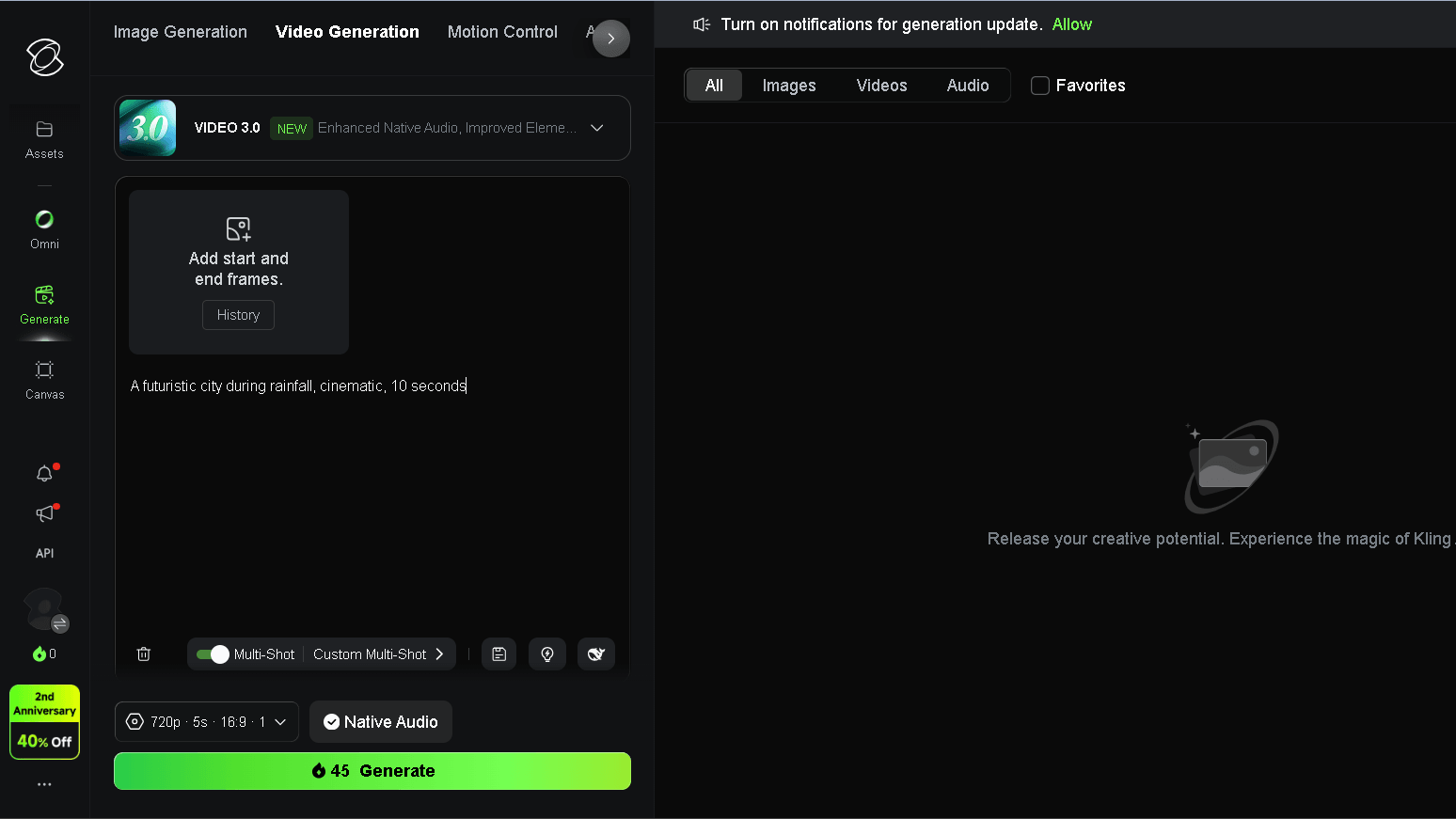
Kling is developed by Kuaishou Technology, and it shows in the motion quality. Human movement, physical interaction, and scene continuity are all noticeably better here than most tools at this level. In the 5-prompt consistency test, Kling was the only platform to produce usable output 4 out of 5 times on a complex cinematic brief.
What Kling AI Does Better Than Grok
The free tier resets daily with 66 credits. That is not a massive number, but a standard 5-second clip in Standard mode costs around 10 credits, so you get roughly 5 to 6 videos per day without paying anything. That compounds over a week in a way Grok’s situation simply does not match — Grok restricts video to paid plans entirely.
Motion quality is the other gap. I ran the same rainfall cityscape prompt through both. Kling’s version had consistent rain physics, coherent street-level movement, and no major artifacts. Grok’s version — tested on SuperGrok — had better initial framing but more visual noise in complex motion areas.
Where Kling AI Still Falls Short
Free clips are watermarked and capped at 720p. The free tier uses Standard mode, which is noticeably below Professional mode. If you are evaluating Kling only on what the free plan produces, you are seeing about 60 to 70 percent of the model’s real capability.
The credit system can also confuse new users. Kling 3.0 costs more credits per generation than Kling 2.6, so if you default to the newest model, your daily 66 credits disappear faster than expected. The platform does not surface this clearly enough on the generation screen.
Who Should Choose Kling AI
Daily creators who want a reliable free tool that actually renews. Anyone building a consistent short-form video habit without paying for a subscription yet. Kling is also the right first test before committing to a paid AI video platform — the free tier is generous enough to give you a real sense of the output.
| Kling AI | Pros | Cons |
|---|---|---|
| Daily credit reset | Watermark on free tier | |
| Strong motion quality | 720p only on free plan | |
| Generous free plan | Credit costs vary by model | |
| 5-to-10 second clips | Queue delays at peak hours |
2. Runway — Best for Creators Who Need More Editing Control
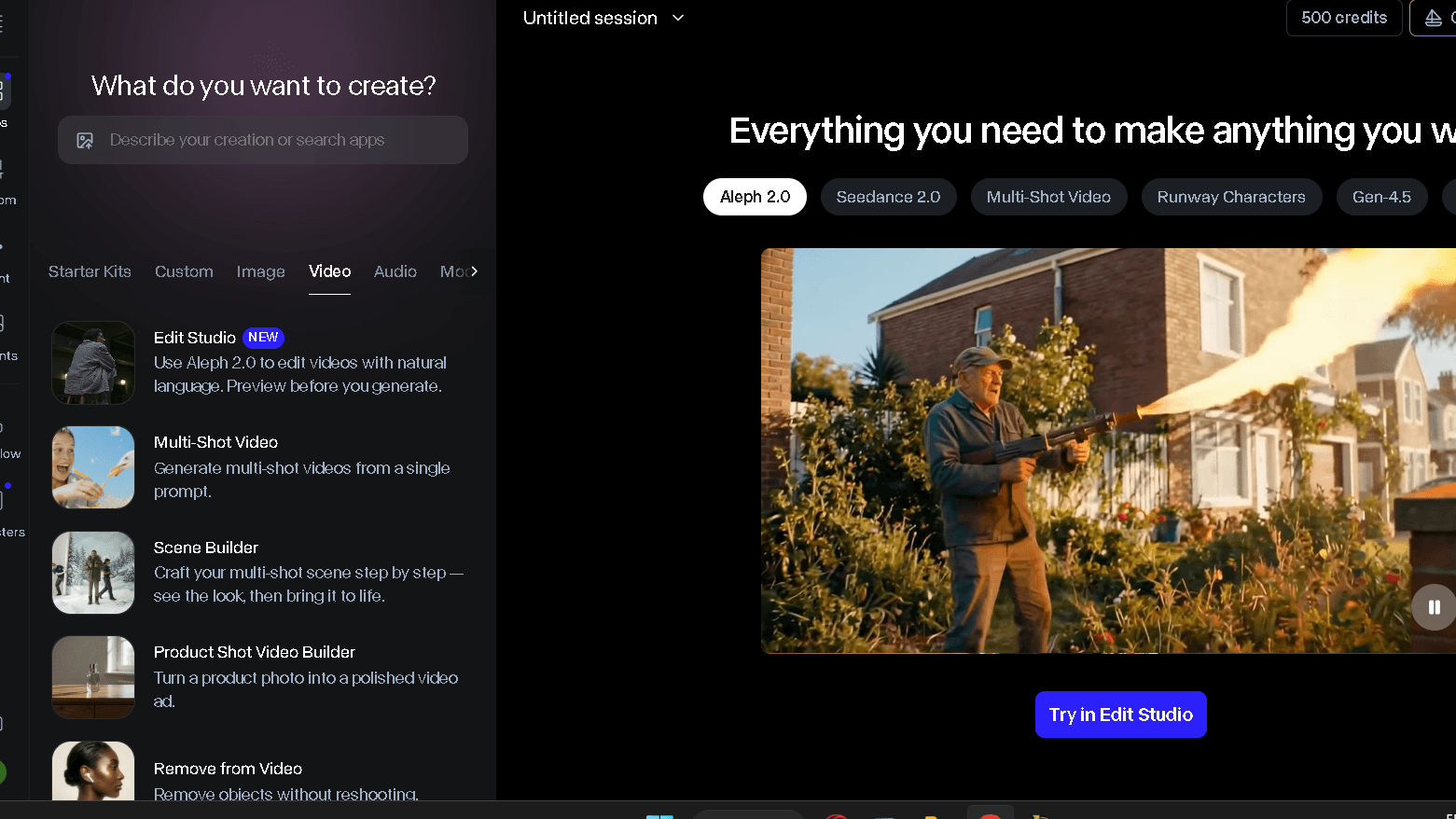
Runway Gen-4.5 is currently the top-ranked model on the Artificial Analysis text-to-video leaderboard, with an Elo score of 1,247. That is not a marketing claim. That is a benchmark. What that number means in practice is character consistency, environment coherence, and object stability across cuts — without you needing to re-prompt every generation.
Runway vs Grok Video Generation
Runway gives you much more control after generation. You can modify pacing, extend clips, change backgrounds, and work with multi-shot compositions in a way Grok’s simpler interface does not allow. The trade-off is the free tier. Runway gives you 125 credits total — not per month, not per day, but as a one-time lifetime allotment. At roughly 5 credits per second of Gen-4 Turbo output, that is approximately 25 seconds of total free video.
That is not enough to evaluate Runway fairly. The Standard plan at $12 per month is where the real workflow begins.
Strengths and Weaknesses
Runway’s character consistency is the best I tested. In the Tokyo traveler sequence prompt, Runway kept the main character’s face, clothing, and movement style coherent across three generated shots. No other free or near-free tool here did that as reliably. The weakness is speed. Runway averaged 90 to 150 seconds per generation, which is the slowest of the group. That adds friction to iteration-heavy workflows.
Who Should Use Runway
Filmmakers, video marketers, and creators who need to show polished output to clients. Runway is not the best free option — the lifetime credit system makes it impractical as a sustained free tool. But it is the best option if you can justify a paid plan and you need editing controls that go beyond simple text-to-video generation.
| Runway | Pros | Cons |
|---|---|---|
| Highest benchmark score | Only 125 lifetime free credits | |
| Best character consistency | Slowest generation speed tested | |
| Strong editing tools | Paid plan required for real use | |
| Commercial rights on paid | Watermark on free tier |
3. Pika — Best AI Video Generator for Beginners
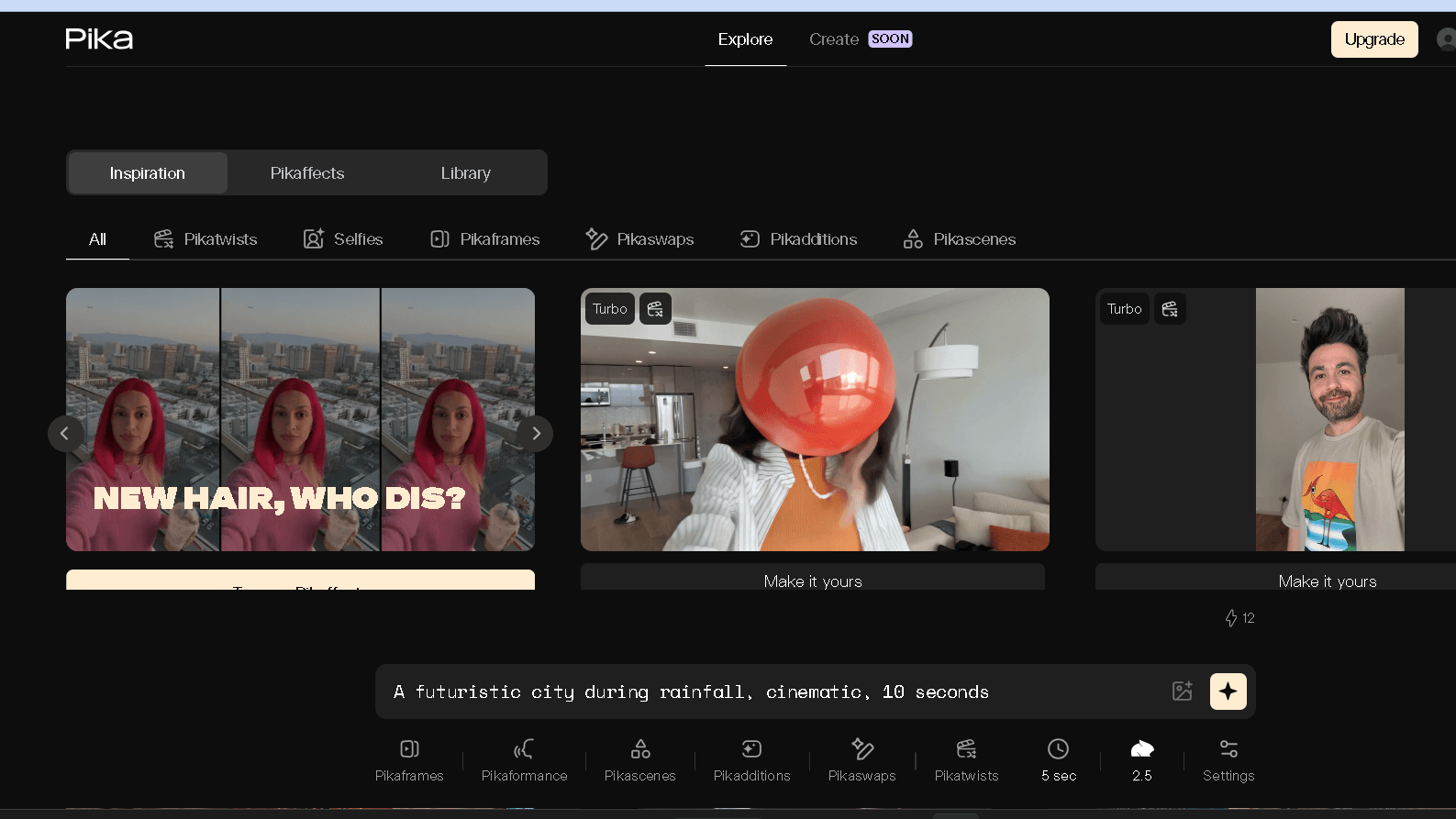
Pika is the easiest platform here to get started on. The interface drops you straight into generation with no setup friction. I tested it on the same day I opened the account, no tutorials, no credit card required. It just drops you in.
Pika vs Grok
Grok’s interface is cleaner in some ways, but it ties video generation to a paid plan entirely. Pika’s free tier gives you around 80 credits per month and roughly 6 generations per day. The clips are short — 3 seconds by default — but the quality on simple prompts is surprisingly good for a free tool. Social-first content, quick concept sketches, bold stylized motion. Pika handles all of that well.
The 2.0 version introduced Scene Ingredients, which lets you define characters, objects, and settings separately before generating. It also added Pikaframes for controlling first and last frame transitions. These features make Pika more precise than it used to be. That precision is still not at Runway or Kling levels, but it is real progress.
Ease of Use Comparison
In the onboarding test — how long to first usable video — Pika was under 3 minutes. Kling took closer to 8 minutes due to the credit system setup. Runway took 12 minutes. Pika wins on first-use experience, and that matters if you are recommending a tool to someone who has never used AI video before.
Best Use Cases
Short-form social content. Quick concept tests. TikTok and Reels-length clips where style and energy matter more than realism. Pika is not the right tool for anything requiring cinematic realism or multi-shot consistency. It is the right tool for moving fast with a simple idea.
| Pika | Pros | Cons |
|---|---|---|
| Fastest onboarding | 3-second clip limit on free tier | |
| Good for stylized content | Weaker on realism | |
| 80 credits/month free | Watermark on free tier | |
| Scene Ingredients feature | Inconsistent on complex prompts |
4. Luma Dream Machine — Best for Cinematic Videos
Luma’s output has a cinematic quality that is hard to explain without seeing it. The color grading, depth of field simulation, and motion blur all feel more intentional than most AI video tools. On the Tokyo traveler prompt, Luma produced the most aesthetically interesting result of the group. The problem is how little you get for free.
If Luma’s one-clip-per-day limit feels restrictive, see my guide to the best Luma AI alternatives for tools that offer more generous free plans and higher generation volume.
Video Quality Comparison
For a single generation, Luma competes with Kling and nearly matches Runway on visual appeal. The Ray3 model handles HDR and studio-grade color in a way that makes other outputs look flat. I ran the futuristic rainfall prompt through Luma and the result was the most visually striking of the test set. That is a real value. But it was my one free clip for the day.
Prompt Accuracy
Luma scored 3 out of 5 in the consistency test. It followed the creative intent of prompts very well but occasionally drifted on specific object details. The headphone product teaser test came back with the right aesthetic but the product shape was wrong in two of three attempts. Luma is better for mood-driven briefs than precision briefs.
Long-Term Workflow Experience
The free tier gives you roughly one short clip per day at 720p with a watermark. Credits do not roll over. Miss a day and you lose that allotment. For a production workflow, Luma’s free plan is not viable. The paid entry point — $23.99 per month for the Basic plan — is the most expensive first step of any tool tested here. That creates a gap between what Luma can do and what most free users can actually access. The gap is real.
| Luma Dream Machine | Pros | Cons |
|---|---|---|
| Best cinematic visual quality | One clip per day on free tier | |
| Strong aesthetic output | Most expensive paid entry point | |
| Fast generation speed | Watermark always on free | |
| Good depth and color grading | No audio on free plan |
5. Veo — Best for Realistic AI Video Generation
Veo is Google’s video model, and it shows in the realism. Skin tones, environmental physics, and lighting consistency are all above the field here. On the rainfall cityscape prompt, Veo produced the most physically convincing result I tested. Rain behaved like rain. Light refracted the way light refracts on wet asphalt. That level of physical accuracy takes a lot of other tools several retries to approach.
Veo vs Grok Video Generation
Grok’s video output is competent but it does not prioritize physical realism. Veo does. The trade-off is access. Veo 3.1 is currently accessible primarily through Google’s Gemini subscriptions and selected third-party integrations like Synthesia’s AI Playground for free testing. It is not as simple to drop into as Kling or Pika. If you already use Gemini and have access to shared monthly credits, Veo is a clear first choice over Grok for realism-focused work.
Output Quality Comparison
In the product teaser test, Veo produced the cleanest background, the most accurate object rendering, and the sharpest final-frame quality of the group. The gap between Veo and the other tools on technical realism is consistent, not occasional. It comes down to Google’s infrastructure and training data scale. Most competitors know this.
Who Should Use Veo
Marketers, brand content teams, and creators for whom output quality is non-negotiable. Veo is not the tool for high-volume free generation. It is the tool for situations where you need one very good clip and you have access to it through Gemini or a partner integration.
| Veo | Pros | Cons |
|---|---|---|
| Best physical realism | Access is limited on free tier | |
| Strong object and lighting accuracy | Requires Gemini subscription for regular use | |
| Google infrastructure reliability | Less beginner-friendly | |
| Consistent quality across prompts | Limited editing controls |
6. Haiper — Best Completely Free AI Video Generator
Haiper is structurally free in a way the other tools here are not. The ad-supported model keeps the service running without a credit wall. In practice, that means you can generate as many 2-second clips as you want without worrying about running out of budget. For iteration — testing motion, lighting, prompt phrasing — that is a real advantage.
What You Get for Free
Unlimited 2-second clips with a watermark. That is the deal. The clips are short and the quality is the lowest of the group — in the consistency test, Haiper produced usable output 2 out of 5 times. But the unlimited ceiling changes how you use it. I found myself running 20 to 30 quick variations of a prompt on Haiper before moving to Kling for the final version. It is the right tool for the early idea-testing phase.
Limitations Compared With Grok
Quality is the gap. Haiper’s motion physics are weaker, and the realism ceiling is noticeably lower than Grok’s paid output. The 2-second clip limit also makes it hard to evaluate pacing or narrative coherence. You can chain clips together in post-production, but that adds editing time that the other platforms avoid. For casual use, it does the job well.
Best User Profile
Creators who want to test a lot of ideas fast without any credit anxiety. Students, hobbyists, and anyone who needs a no-commitment starting point. Haiper is not where you finish a project. It is where you start one.
| Haiper | Pros | Cons |
|---|---|---|
| Truly unlimited free generations | 2-second clip maximum | |
| No credit system | Lowest quality of the group | |
| Fast generation speed | Watermark always on | |
| Good for rapid iteration | Inconsistent prompt adherence |
What Changed After Several Weeks of Testing
Which Tool Required the Most Retries
Pika required the most retries on complex prompts. On the product teaser brief, I averaged 3.2 generations before getting a usable take. Kling averaged 1.8. Runway averaged 1.6. Those numbers compound fast if you are generating daily. The retry cost in time is real, and it does not show up in any pricing page.
Which Tool Produced the Most Consistent Results
Kling. When I ran the original 5-prompt test again in a second testing round, Kling’s results held up across all five prompts. Runway was consistent on 4 of 5. Pika drifted on 2 of 5. Consistency matters. The character was still consistent in week two on Kling in a way I stopped expecting and started relying on.
Which Tool Reduced Editing Time
Runway. The editing controls — clip extension, background modification, character coherence across shots — meant the raw output needed less cleanup before being usable. I spent an average of 4 minutes of post-work per Runway clip versus 9 minutes per Pika clip by the second week. That gap is not visible until you are actually in a workflow.
If editing speed matters more than generation quality, VEED takes a different approach. Rather than focusing on text-to-video creation, it helps creators clean up, edit, subtitle, and publish videos faster. I cover the full workflow in my VEED AI Review.
Which Tool Became Frustrating Over Time
Luma. The one-clip-per-day ceiling was tolerable in the first week of testing. By week two, it was actively blocking workflow. Missing a day — travel, workload, anything — means losing that allotment with no rollover. Frustration shows up by week two. Repetition is not the problem with Luma. The ceiling is.
Which AI Video Generator Creates the Least Editing Work?
Prompt Accuracy
Runway and Kling both follow detailed prompts reliably. Runway edges ahead on multi-element briefs with specific object requirements. Kling is slightly more forgiving on vague creative prompts, which is an advantage for exploratory work.
Motion Consistency
Kling leads here. Human motion, environmental physics, and scene-to-scene continuity are all more stable on Kling than on any other free or near-free tool tested. Pika’s motion is stylized and creative but less consistent on realistic briefs.
Scene Coherence
Runway leads on multi-shot scene coherence. Single-clip coherence is strong on Kling and Luma. Haiper breaks down fastest on complex scenes with multiple moving elements.
Final Output Readiness
If ready-to-share means minimal post-work, Runway produces the cleanest output on average. But the free tier is not viable for a sustained workflow. Kling’s free tier, by contrast, produces output that is usable within a typical social media editing workflow without major cleanup. That combination is harder to find than it looks.
Which Alternative Do I Trust More Than Grok After Extended Testing?
| Platform | Consistency Score | Retry Rate | Output Predictability | Trust Rating |
|---|---|---|---|---|
| Kling AI | 4/5 | Low | High | Strong |
| Runway | 3.5/5 | Low-Medium | High | Strong |
| Pika | 2.5/5 | Medium-High | Moderate | Moderate |
| Luma Dream Machine | 3/5 | Medium | Moderate | Moderate |
| Veo | 4/5 | Low | High | Strong |
| Haiper | 2/5 | High | Low | Low |
| Grok (free) | 2/5 | Medium | Low-Medium | Low |
Reliability
Kling earned the most consistent trust across repeated testing. The daily credit reset, the stable motion quality, and the low retry rate all contributed. Grok’s free tier — where it exists — was the least reliable due to unclear daily limits and inconsistent reset windows.
Predictability
Runway is the most predictable tool here if you are on a paid plan. You know what the output quality will be. You can build a workflow around it. On the free plan, the lifetime credit ceiling makes it unpredictable in a different way — you never know when you are about to run out.
Workflow Confidence
After extended testing, I would confidently build a daily content workflow around Kling’s free tier. I would use Runway on paid for client-facing work. I would use Pika for quick social experiments. I would use Veo when realism was the brief and access permitted. I would use Haiper only for early-stage idea testing. Grok did not earn a regular place in that workflow.
Grok Video Generation vs Kling AI
Video Quality
Grok produces competent video. Kling produces better motion. On the rainfall cityscape test, Kling’s physical accuracy was clearly ahead. Grok’s output was cleaner in framing but weaker in environmental physics. For most content workflows, motion quality matters more than framing quality because framing can be cropped. Physics cannot be fixed in post.
Free Plan
This is not a close comparison. Grok requires a paid SuperGrok subscription for any video generation. Kling’s free tier gives you 66 daily credits that reset every 24 hours. If the question is which tool gives you more free video per month, Kling wins by a very wide margin.
Ease of Use
Grok’s interface is cleaner for first-time users who are already in the xAI ecosystem. Kling’s credit system has a small learning curve. Outside the xAI ecosystem, Kling is easier to access and does not require an X account or subscription.
Final Winner
Kling, for free users. Grok, only if you are already paying for SuperGrok and prioritizing ecosystem simplicity over output consistency.
Grok Video Generation vs Runway
Editing Features
Runway is in a different category here. Clip extension, background editing, character consistency across shots, and multi-shot composition tools — none of these exist in Grok’s video interface. Runway was built around post-generation editing. Grok was built around generation simplicity. Those are different things.
Video Quality
Runway Gen-4.5 holds the top benchmark score in text-to-video testing as of mid-2026. Grok’s video output is good but it does not match Runway on character consistency or complex scene fidelity. The gap is visible on any multi-element prompt.
Value for Money
Runway’s Standard plan at $12 per month gives you 625 credits and real editing tools. SuperGrok at $30 per month gives you video generation but fewer controls and an effective ceiling that is lower than advertised. For creators who care about editing, Runway is better value at a lower price point.
Final Winner
Runway, if editing control and consistent quality are the criteria. Grok, only for users already in the xAI ecosystem who do not need post-generation tools.
Pricing Comparison
Free Plans Compared
| Tool | Free Credits | Reset Period | Watermark | Commercial Use |
|---|---|---|---|---|
| Kling AI | 66 credits | Daily | Yes | No |
| Runway | 125 credits | Lifetime | Yes | No |
| Pika | ~80 credits | Monthly | Yes | No |
| Luma Dream Machine | ~1 clip | Daily | Yes | Limited |
| Haiper | Unlimited | No limit | Yes | No |
| Grok | Video locked behind paid | N/A | No | No |
Paid Plans Compared
| Tool | Starting Price | Credits | Watermark Removal |
|---|---|---|---|
| Kling AI | $6.99/month | 660/month | Yes |
| Runway | $12/month | 625/month | Yes |
| Pika | $8/month | Higher tier | Yes |
| Luma Dream Machine | $23.99/month | Increased | Yes |
| Haiper | $9.99/month | Increased | Yes |
| Grok SuperGrok | $30/month | Video included | No watermark |
Best Value for Most Users
Kling at $6.99 per month is the most accessible first paid upgrade for most free users. Runway at $12 is worth the step up if editing tools matter. Luma’s $23.99 entry point is harder to justify when Kling and Runway both offer more at lower prices. SuperGrok at $30 makes sense only if you already use Grok for other tasks and want video within that same subscription.
Best AI Video Generator by User Type
| User Type | Best Tool | Why |
|---|---|---|
| Beginners | Pika | Fastest setup, forgiving on simple prompts |
| Content creators | Kling AI | Best daily free volume, strong motion quality |
| Marketers | Veo | Best realism for product and brand content |
| YouTube creators | Runway | Character consistency, editing tools, commercial rights |
| Short-form creators | Pika or Kling | Speed and stylization for social platforms |
| Idea testers | Haiper | Unlimited free clips for rapid iteration |
| Professional filmmakers | Runway | Benchmark-leading quality, full editing suite |
Best for Beginners
Pika. Three minutes to first video. No credit card required. The interface is intuitive enough that you do not need a tutorial to start. If someone asks me which AI video tool to try first, it is Pika without hesitation.
Best for Content Creators
Kling. The daily credit reset is the key feature. You can plan your week around 66 credits per day, generate consistently, and build a library without paying anything. That kind of predictability is rare in this category.
Best for Marketers
Veo. Physical realism, accurate lighting, and clean object rendering matter for brand content in a way they do not for personal creative projects. Veo is the tool that produces output you can put in front of a client.
Best for YouTube Videos
Runway. Multi-shot consistency and editing controls are the deciding factors for anything longer than 15 seconds. No other tool here handles multi-clip coherence as well.
Best for Short-Form Content
Pika for style and speed. Kling if quality matters. Both are faster to iterate with than Runway and produce content that works well for TikTok and Reels formats.
Why Some Users Leave Grok Video Generation
Common Complaints
The most common issue I saw in user reports is the gap between advertised and effective limits. Paying $30 for SuperGrok and expecting 200 daily generations, then hitting the real wall at 10 to 15 clips — that is a trust problem. It compounds when you discover that failed generations count against your limit too.
Workflow Friction
Grok’s video tool sits inside the broader xAI and X ecosystem. If you are not already in that ecosystem, the setup overhead is higher than it needs to be. X account requirements, subscription tiers, and the xAI API layer all add friction that platforms like Kling and Pika simply do not have. For users who just want to make videos, that overhead adds up.
Reliability Concerns
Peak-hour throttling is real on Grok. In testing, the soft cap showed up on multiple separate afternoons in the same week. The reset window is inconsistent — sometimes 12 hours, sometimes 24. For a production workflow, that unpredictability is the biggest problem. You cannot plan around a tool that does not behave the same way two days in a row.
Why Some Users Eventually Return to Grok
Simplicity
For xAI ecosystem users, Grok’s interface is genuinely clean. If you are already using Grok for text, research, and document tasks, adding video generation to the same tool reduces the platform count. That is a real workflow benefit.
Speed
Within its limits, Grok’s video generation is fast. Generation time on SuperGrok averaged 40 to 60 seconds for a 6-second clip in repeated tests. That is faster than Runway and comparable to Kling at peak quality settings.
Ecosystem Benefits
If you use X heavily, if DeepSearch is part of your research workflow, and if Grok’s text model is already your daily driver, the SuperGrok subscription bundles all of that together. The video access becomes a feature within a broader tool rather than a standalone cost. For that user, returning to Grok makes sense. For anyone else, the alternatives here offer more value.
Final Verdict: Which Free Alternative to Grok Video Generation Should You Choose?
Across all the testing sessions, Kling AI is the clear first choice for most free users. The daily credit reset, the strong motion quality, and the low retry rate give it a workflow consistency that Grok’s free tier — where it exists — simply cannot match. For anyone who needs video generation without paying a subscription, Kling is where to start.
Runway is the upgrade path when paid makes sense. If editing control, character consistency across shots, and professional output are the brief, Runway earns its $12 per month. The free tier is not viable for regular use, but the paid plan is the best value of any professional tool here.
Pika is the right starting point if you are new to AI video. Fast onboarding, good social-content output, and a forgiving learning curve make it the most accessible tool here. It is not where most creators stay, but it is where many of them should start.
Grok Video Generation makes sense only inside the xAI ecosystem for users already paying for SuperGrok. Outside that context, the $30 price, the unpredictable throttling, and the locked free tier make it harder to recommend over the alternatives above.
Frequently Asked Questions
Kling AI is the strongest free alternative for most users in 2026. The daily reset of 66 credits gives you roughly 5 to 6 standard videos per day, and the motion quality is noticeably better than most tools at this level. For realism, Veo is stronger. For beginners, Pika is easier to start with.
Yes. Kling AI, Runway, Pika, Haiper, and Luma Dream Machine all offer free tiers as of June 2026. The most important difference is that Grok restricts video generation entirely to paid SuperGrok subscribers, while Kling and Pika offer usable free plans. Haiper is the only tool here with unlimited free generation, though it caps clips at 2 seconds.
For free users, Kling is better by a significant margin because Grok locks video behind a $30 per month subscription. On paid plans, the comparison is closer. Kling’s motion quality and consistency are generally ahead. Grok has a simpler interface and faster generation speed. Which one you want depends on what you are actually here for.
For editing control and output consistency, Runway is better. Gen-4.5 holds the top benchmark score in text-to-video testing, and the editing suite — clip extension, character consistency, background modification — goes well beyond what Grok offers. Runway’s free tier is less useful than Grok’s paid tier, but the Standard plan at $12 a month is better value than SuperGrok at $30 for video-focused work.
Veo produces the most realistic output of the tools tested here. Environmental physics, lighting consistency, and skin tone accuracy are all above the field. Kling is the closest competitor on realistic human motion. Runway leads on character consistency across multi-shot sequences.