

You work entirely in Notion, for projects, notes, and work. Notion AI will eventually hasten this process by allowing typing of drafts, summaries, and context right in your workspace.
Plus for those who are already using Notion, the AI add-on more than covers its costs in time spent writing, meeting notes, and basic research. If you are not using Notion very frequently then it’s a lesser possibility that it’s justifies the added cost.
In this piece I look into the details that do matter – features, pricing, and limitations. You’ll receive obvious examples of where Notion AI excels, where it struggles and how to determine if it is a good match for your workflow.
Is Notion AI Worth It?
Notion AI offers text writing, auto-summarizes meetings, auto-contextualizes from your workspace. The question becomes what you save in time versus accuracy, ability to format, and how your team actually will use Notion on a daily basis.
Who Benefits Most from Notion AI
If you already use Notion as your primary workspace and you’re looking for even speedier content work, then you will probably benefit the most from Notion AI. They allow writers and content creators to generate ideas, create outlines, produce first drafts and brainstorm ideas directly within the pages that they are publishing to.
Their product managers and project leads see the direct correlation to tasks and databases of AI meeting notes and action-item extraction . ROI is compelling for small teams and solo founders who’s find value in the AI’s reduction in “writing the same things over and over” and post-meeting items.
For knowledge workers maintaining structured docs in Notion, the context-based suggestions will be more relevant or helpful than in standalones. How you connect docs to tasks, calendars, or relational databases in your workflow, is where Notion AI unleashes the power of collaboration, without having to drag and drop content in and out of different apps.
When Notion AI Is Not Ideal
Notion AI can miss the mark if you are seeking perfect facts or exact citations. The AI will occasionally make up details or provide general web summaries that you will need to verify.
The output may take a longer time to verify for those analysts, legal teams, and researchers who need a traceable source. It gives trouble with codes, tables and more esoteric forms of formatting.
Manual control could be preferred by designers and engineers that follow very precise templates or technical specifications. For Organizations with very tight data governance, or not hosted on Notion’s enterprise plan, data sharing and other limits to integration could become a concern.
Weighing the Value Against Cost
Pair characteristics with tasks you wish to accelerate – perhaps meeting summaries, email drafts, blog outlines. Look at the monthly price ranges versus daily number of people utilizing AI and estimate, per person, how many hours will be saved.
If for instance the add-on, or Pro plan allows each user to save two hours of work per week, the subscription can be cost effective quickly. Also be sure to consider the costs that find themselves “hidden:” the time required to edit the outputs of AI, time to coach the research team on how to prompt, and additional cleanup in order to ensure the work is accurate.
Ensure that the integrations you require, such as Google Drive or Slack, are part of your plan. If you already are paying for several tools because they each have a specialty, the Notion AI can make your billing and work processes more streamlined and so do much more than just provide features.
Core Features of Notion AI
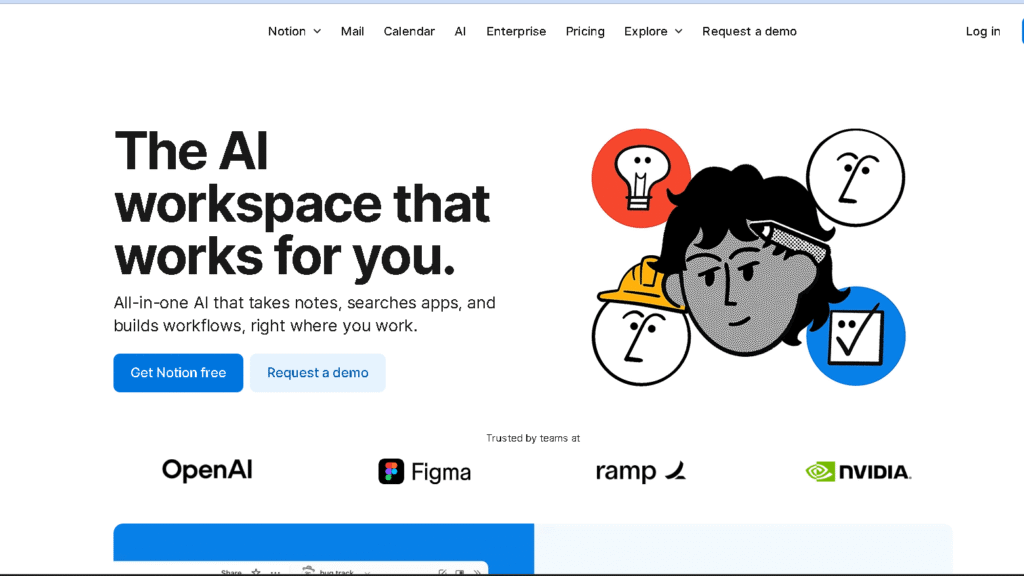
Notion AI combines writing assistance with database automation, integrated search, and chat functionality. These are designed to help you get through your content work faster, organize your data around your project and keep your team working in one workspace.
AI Writing and Content Generation
You is writing clearer and faster with Notion AI. Start using it to write blog posts, meeting notes, emails, or even shorter social media captions.
Feel free to request outlines, tweaks to tone, or bulleted summaries. It can help in developing ideas into longer drafts or cutting extended text into manageable pieces.
Prompts reside within the pages, so you remain in context as you write. You can combine your own edits with AI recommendations, and also save AI prompts you like as reusable AI Blocks.
Notion Mail hooks in, allowing you to create and develop email drafts right from the same space. This is useful if you want to have everything in a single place .
AI Database Properties and Automation
The AI Database Properties will place the metadata generated in the database entries. Notion can automatically generate summaries, highlight key words, tag, and even make recommendations for the status of a task.
This reduces the need for manual tagging and helps with project planning. For example, you can even have AI generate a new database schema given an abstraction over a particular one, which could save time in terms of setting up trackers or knowledge bases.
Paired with programming to automate status or ‘to do’ item changes, the AI can help keep you on task and your databases in sync.
Connected App Search and Integrations
Connected App Search enables searching of connected peripherals like Google Drive or Slack without exiting Notion. It collects the central files, posts, and references which cuts down on app-hopping time.
Integrations provide Notion with further functionality for teams and businesses. Research, documents, or discussions can be dragged onto pages and indexed or summarized by the AI.
This is helpful for workflows that require enterprise search and/or cross-app context to make decisions.
Native Chat Integration and AI Blocks
Native Chat Integration is a workspace chat that functions through Nolan or other GPT-4 / Claude models, right inside Notion. Open chat via the Shift+Cmd+J shortcut (or the equivalent) from anywhere for summaries, task lists, or research help.
The chat does not retain context from the page you are on. You can save custom prompts and templates to be reused in the future with AI Blocks.
Drop an AI Block into a page or template so the request for the AI to deliver you meeting notes or content briefs can be standardized amongst your teams. It does this to keep itself even across projects and to make the AI feel more like a legitimate productivity assistant.
Pricing, Plans, and Value for Money
The price for Notion AI varies based on the plan you choose and if you signed up before May 2025. Free and Plus have some basic AI functionality but the full offering is reserved for the Business and Enterprise packages.
Free Plan and Limitations
The Free plan allows you to use basic Notion features as well as a single, one-time “AI trial” of roughly 20 responses per workspace. This will allow you to try basic prompts, summaries and short drafts in trial and passes up AI Meeting Notes, Research Mode, and PDF intelligence.
If you depend on AI heavily the Free plan becomes limited quickly. You have unlimited pages and basic Collaboration but need to upgrade to get access to advanced AI action; long form generation, transcript summaries, cross-tool search.
Plus, Business, and Enterprise Options
Plus is roughly $10/user/month billed annually and includes more collaboration and storage. Though Plus is not available for the AI trial, old Plus users who are grandfathered in with the old AI add-on may still be able to use it.
Business is $20/user/month billed annually includes everything in Notion AI. This includes AI Meeting Notes, research mode, enterprise search, and unrestricted AI usage within the workspace.
Enterprise has custom pricing and includes security, compliance (HIPAA/SOC2 set up), advanced connectors, priority support for large o rganizations.
Plus- better for small teams that do not need full AI.
Business: ideal for ongoing AI functionalities and admin controls.
Enterprise: Compliant and Large Scale operation.
Cost vs. Alternative AI Tools
Notion AI’s Business plans are frequently at a lower price point than the collective monthly costs for writing AI as well as a workspace tool. Other writing services and independent AI tools such as ChatGPT (for which paid accounts start at around $20 per month) may have better text models or more unique features, but they do not integrate directly with your Notion workspace.
It might be cost efficient for you if Notion is your workflow, since workspace and AI would be bundled in their Business plan. If you don’t want the heavier Editor help or if you are using the advanced language models for independent projects, you could do a Notion free plan and paid ChatGPT subscription which may cost you less but you won’t get the integrated meeting transcriptions and Research Mode.
Pros, Cons, and Final Thoughts
Notion AI accelerates processes within your workspace and links AI results to your real notes and projects. It is useful in summarizing meetings, in writing emails, in formatting content outlines, and in searching within and between tools – but not for accuracy, formatting, or deep data extraction.
Notion AI Strengths
It’s an application that lives right in your workspace so you can create drafts, brainstorm ideas, and action items without juggling content between applications. It definitely cuts down on the time it takes to transform notes from a meeting into a to-do list or a research document into a project brief .
It enables AI-generated outputs to be put into shared documents and databases, aiding in teambased work. You can designate assignments created by AI, provide feedback, and version control so your team can remain in sync.
Its Notion Mail and meeting-notes processes minimize manual labor by creating outreach and pulling action items out of calls. If your team maintains its work completely in Notion, the Research Mode and enterprise search can extract context from your workspace and connected services to expedite decision-making.
Main Drawbacks and Limitations
Note that Notion AI can in some cases hallucinate facts, or provide weak citations, and so be sure to check numbers, dates and claims before sharing them. Do not rely blindly on this for legal, financial, or technical correctness without double checking it .
It does often require manual cleaning. The AI outputs necessarily won’t have the same format as your page style, your database schema, if you have one, or your company templates, and you’ll have to make some manual modifications to get clean documents.
It can be sluggish with lengthy documents or complicated queries, and it can feel slower than non-Federated LLMs in some respects. Support for outside software is improving, but support it may not allow access to the most recent or deepest web data useful for research that requires “real time” information.
Choosing the Right AI Productivity Assistant
Consider where do you work. If you are already using Notion for projects, notes, or information, the optional AI plugin allows you to rapidly begin performing work by consolidating context into one tool.
If you require specific citations, detailed code explanations, or complex analyses, use Notion AI in conjunction with focused LLMs or analytics tools and programs. Drafts, summaries, or workflow automation could be handled by Notion AI, that could also be integrated and switched with other tools whenever higher focus on accuracy and very specialized output is needed instead.
Please take in account costs and admin related features for teams. Business plans include these and more options for SSO, admin controls, and other integrations, which is important if you need to address security or compliance requirements at scale.
Frequently Asked Questions
Notion AI adds writing help, meeting summaries, and workspace-aware search directly inside Notion. Here are some answers about how it stacks up against other AIs, when it can replace tools like ChatGPT, and where it helps most for projects, students, and productivity.
What advantages does Notion AI offer over other AI tools like ChatGPT or Claude?
Notion AI lives inside your workspace, so it can use your pages, databases, and project context when generating text. That saves time copying content between apps and keeps outputs linked to the right project.
It also includes features built for workflows: meeting-note summaries, Notion Mail drafts, and Research Mode that pulls together internal notes and web summaries. Those features make routine tasks faster than using a separate chat model plus manual integrations.
Can Notion AI effectively substitute ChatGPT for professional tasks?
You can swap in Notion AI for many day-to-day tasks like drafting emails, creating outlines, or summarizing meeting notes. Notion AI covers those well, especially when workspace context matters.
For deep technical work, advanced reasoning, or complex code debugging, ChatGPT and similar models still often perform better. Use Notion AI for workflow-focused jobs and keep a general-purpose model for heavy research or specialized prompts.
How beneficial is Notion AI for personal project management?
Notion AI speeds up planning by turning brief notes into outlines, task lists, and drafts. It can auto-generate action items from meeting transcripts and suggest next steps for a project page.
You save time on repetitive writing and on linking related pages. That makes small projects move faster and reduces friction when you juggle several personal goals.
What distinct features make Notion AI valuable for student users?
Students get quick study aids: summarized lecture notes, flashcard-style questions, and essay outlines based on your class pages. Notion AI can also rephrase text into simpler language and suggest citation checks.
Because it works inside your class workspace, you keep study materials, research, and drafts organized in one place. That cuts down on manual copy-paste and helps you track revisions for assignments.
In what ways is Notion AI more useful than traditional organizational tools?
Traditional tools store notes and tasks but rarely generate content or summarize automatically. Notion AI adds automated writing, summaries, and context-aware search on top of standard databases and pages.
This reduces manual editing and makes it easier to turn raw notes into shareable documents. You get both structure and content generation without switching apps.
Does the investment in Notion AI provide a significant productivity boost for its users?
If you’re in Notion every day—jotting notes, managing projects, or working with a team—the AI tools really do save time. Drafting, summarizing, and linking content gets a lot quicker.
That usually means you’ll spend less time on repetitive tasks. But if you only use Notion now and then, or you need super technical precision, the impact feels smaller.
Honestly, it comes down to how much you rely on writing and meeting workflows inside Notion. For some folks, it’s a game changer. For others, maybe not so much.


