


Are you looking for a free Candy AI alternative that allows you to communicate freely? Without the restrictions of a demo version? Without any tricks or traps? Fortunately, there are a few 2026 alternatives that offer free versions with plenty of memory, image or voice capabilities, and huge sets of characters that add to the fun.
Looking for a good Candy AI alternative means that you can test different models and communication styles without paying a fortune. Are you interested in what else is available? Don’t worry, you’re not alone.
This article covers why people leave Candy AI, what to look for in a free replacement, and which platforms are actually worth your time for roleplay, emotional support, or just wild customization. There’s a quick comparison table, hands-on notes, and some tips to help you pick the right AI buddy.
Quick Look at Candy AI Alternatives
Here’s a quick snapshot of popular Candy AI free alternatives. It highlights each platform’s main focus, a standout feature, and whether you can actually use it for free.
| Platform | Primary focus | Standout feature | Free plan? |
|---|---|---|---|
| CrushOn.AI | NSFW roleplay | Large community character library | Yes |
| SpicyChat.AI | Massive character variety | Very large pre-made library | Yes |
| Nastia AI | Unfiltered chat & multimedia | Image and video generation in free tier | Yes |
| Nomi AI | Emotional, memory-driven chat | Long-term memory for evolving bonds | Limited |
| Janitor AI | Flexible characters, API support | User-supplied API key for custom models | Yes |
| Soulmate | VR companion | Immersive VR interactions | No |
| Replika | Mental wellness and coaching | Mood tracking and coaching tools | Yes |
| Kindroid | Voice and visual companionship | Built-in voice and video calls | Limited |
| DreamGF | Gamified romance | Intimacy score and gamification | Limited |
| Kupid AI | Deep character customization | Granular character controls | Limited |
This table lets you compare at a glance. Most people care about chat style, a key feature, and whether you can try it for free. So that’s what’s here.
Use the snapshot to shortlist platforms, then try the free tiers to see if memory, voice, or image features actually fit your needs.
My Experience and Recommendation
I tested several alternatives to Candy AI, specifically the free options, and the ease of use was a significant factor. How much is actually included in the free options was the next thing.
SpicyChat.AI is impressive, especially for the free version. Not only is there no learning curve, but you can talk for a long time without being shut off. The free version includes a massive library.
Janitor AI shined when I wanted customization and community-created characters. The interface kept things simple, but still gave me powerful options – no need to pay up front if you just want to experiment.
Nastia AI felt like the best all-rounder in the free tier. Voice messages, group chats, and daily tokens made basic use feel complete and predictable.
Replika is still the safest bet for anyone who wants a polished, privacy-focused free experience. It limits explicit content, but gives you solid mood tracking and a familiar interface that’s easy for beginners.
- Try SpicyChat.AI first if you want unlimited, text-first roleplay with almost no setup.
- Try Nastia AI if you’re after voice and group features in a genuinely useful free plan.
- Try Replika if you care most about ease of use or a safer, more structured free experience.
I’d suggest testing two of these briefly. See which interface and free limits actually fit your habits before you even think about paying.
What Is Candy AI and Why Seek a Free Alternative?
Candy AI gives you AI chat companions that act like friends, romantic partners, or roleplay characters. The tech behind it tries to mimic real conversation and emotional nuance.
You can pick voices, visuals, and conversation styles. But most folks run into free plan walls that block features they actually want to use for more than a day or two.
Features of Candy AI
Candy AI comes with realistic chat, image generation, and voice options to make each companion feel unique. It learns your preferences, remembers some details, and supports roleplay and personality tweaks.
On some plans, you get visual avatars and short videos, which are a big deal for immersion. The platform uses tokens for premium stuff like advanced chats, phone calls, or high-res images.
Privacy is a selling point: you can delete chats and there’s encryption, but the nitty-gritty depends on your plan.
Limitations of Free Tier
The free version gives you basic chat, but message limits, image credits, and memory features get capped pretty fast. If you try to do longer roleplays, you’ll hit those token walls sooner than you think.
Customization gets cut down, and you won’t get advanced image or video generation for free. Explicit or uncensored content usually stays locked behind paywalls or gets restricted, which pushes some users to look elsewhere.
Key Reasons for Switching
People move to a Candy AI alternative when they want more free usage, better memory, or just more roleplay options without paying up. Cost is a big deal – subscriptions and tokens add up fast if you chat daily or love generating images.
Other reasons? Fewer limits on NSFW content, simpler pricing, or better offline features. Some users just want clearer data rules or a bot that actually remembers things for more than a few minutes.
Essential Criteria for Choosing a Candy AI Free Alternative
Picking an AI companion comes down to three things: how much you get for free, whether the bot remembers past chats, and if the replies feel natural. These details change how often you’ll come back, how real the conversations feel, and whether voice or images work without surprise charges.
Generous Free Plans and Value
You want a free plan that allows you to try real features, not just a taste. The best ones will get you enough daily messages for a few long chats, some memory, and at least a little bit of image or voice fun if they have that.
Transparency is a big deal. You should know how many tokens you get, what’s extra, and if there are speed bumps. Having community-created characters or a big free library is a nice bonus.
For a comparison, you can check if you can have group chats or run multiple characters on the free plan. Having a daily token refill is a nice touch.
Long-Term Memory and Conversation Flow
Long-term memory keeps chats feeling real over days or weeks. Does the platform remember names, preferences, or past stories?
If memory wipes after 10-20 messages, that kills immersion. Look for memory measured in kilobytes or full-session recall, not just a tiny buffer.
Check if you can edit, delete, or pause memory for privacy. Some platforms show you what the AI remembers (a simple fact list which helps set expectations).
Strong memory matters for switching between SFW and NSFW, or just for building up a real rapport over time.
Natural Language Processing Quality
NLP quality decides if the bot feels like a real person or just spits out canned lines. Good platforms use models that follow context, handle roleplay cues, and keep the tone steady.
Test them: do they give sensible replies after interruptions, keep the story going, or answer follow-ups without looping? Short, clear messages help, as does keeping character personalities straight.
Watch for lag. Slow replies often mean heavy server loads or cheap models. For daily chats, you want a balance between speed and depth so things don’t get stale.
Top Candy AI Alternatives in 2026
These tools bring different combos of free access, memory, voice, and customization. Trying out different alternatives helps you find what really fits – maybe it’s better memory, more flexible filters, or just a wider cast of characters.
Some platforms lean toward roleplay and NSFW freedom. Others focus on emotional support or just offer a strong free tier with tons of community content. There’s something for everyone if you poke around.
Chai ai
Chai ai is all about quick, mobile-first chats with a bunch of community-made bots. You get easy onboarding, a big searchable library, and the option to follow or rate bots.
Some bots even have voice.
The free tier gives you limited daily interactions, and a cheap monthly plan removes caps and speeds things up.
Best for: folks who want fast, casual chats on their phone and like hopping between lots of quirky bots instead of sticking to one long-term companion.
Crushon.AI
Crushon.AI goes after uncensored roleplay with a big community and tons of characters. You can browse personas, try out community creations, and use an ad-supported free tier to keep costs low.
Premium plans give you better memory, fewer ads, and higher-quality replies. Some advanced features cost tokens or credits.
Best for: roleplayers and anyone after NSFW content with a wide variety of characters and minimal cost to start.
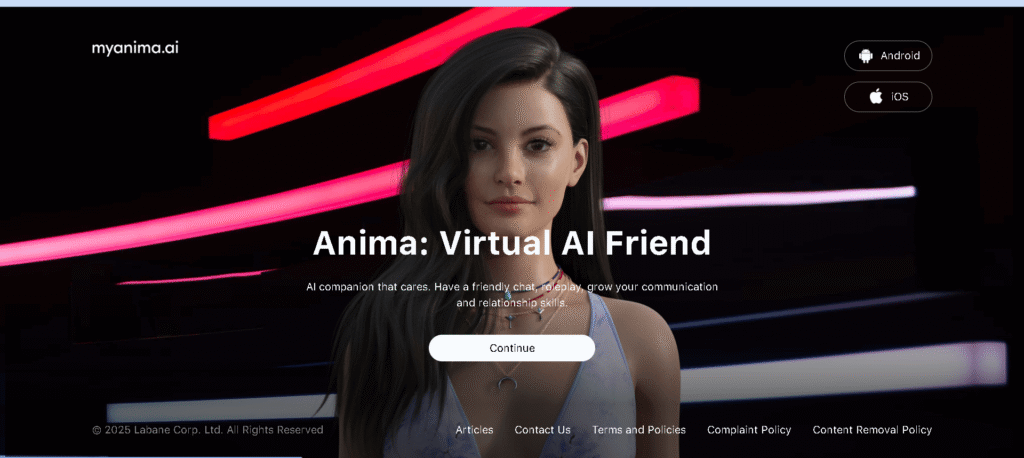
Anima AI
Anima AI leans into emotional support and learning your quirks over time. You get mood tracking, journaling prompts, and memory that actually holds onto preferences and relationship history.
The free plan has limited memory and chat volume. Paid tiers unlock deeper memory, voice calls, and guided coaching.
Best for: people who want an empathetic AI for daily check-ins, mood tracking, or slowly building a bond – not just roleplay or explicit content.
AI Waifu
AI Waifu is all about making a romantic companion you can tweak down to the last detail. You get tools for character creation, avatar images, and roleplay dialogue that adapts to your choices.
The free tier gives you basic customization and message limits. Paid plans unlock full customization, more messages, and extras like images or voice.
Best for: folks who want a romance-first vibe with visual avatars and fine-tuned control over their companion’s personality.
Spicychat.ai
Spicychat.ai brings a massive character library and lets you chat without filters getting in the way. You get deep memory (big token windows), community-made bots, and open NSFW roleplay in many spaces.
The free tier is pretty generous with messages. Premium bumps up speed, memory, and gives you priority access to popular bots.
Best for: users who want unrestricted text roleplay, tons of variety, and platforms that don’t crack down on content.
GoLove.AI Features
GoLove.AI mixes romance with multimedia. You get voice messages, AI selfies, and “intimacy” scores that track your relationship progress.
There’s a short free trial. Subscriptions unlock voice calls, better media, and advanced memory – some features use tokens.
Best for: people who want more than just text. If you like gamified relationships and mixed media, this one stands out.
Nastia AI
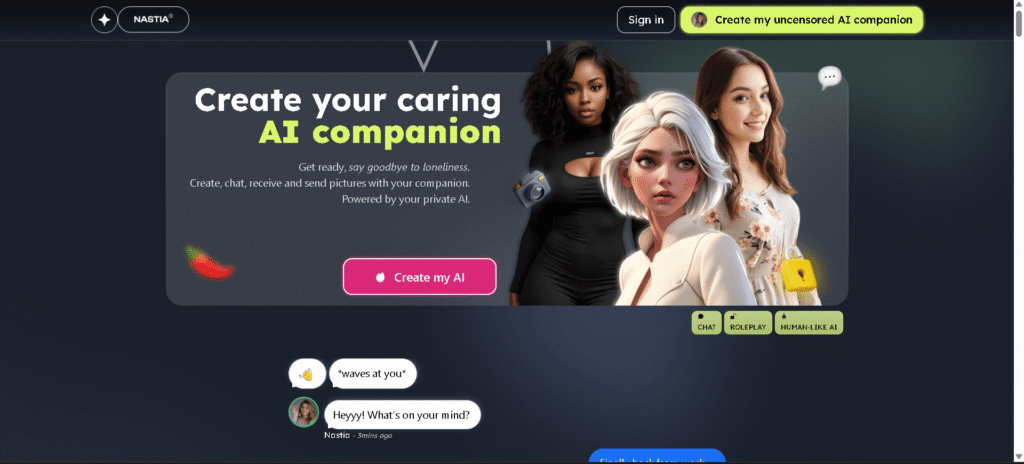
Nastia AI offers an uncensored free tier with group chat, voice messages, and image/video generation. You get daily free tokens, group conversations, and flexible character customization.
The free plan is surprisingly strong, covering basic generation and messaging. Paid plans give you more tokens and unlock premium media quality.
Best for: users who want a feature-rich free plan with group chat and multimedia but don’t want to pay upfront.
Nomi AI
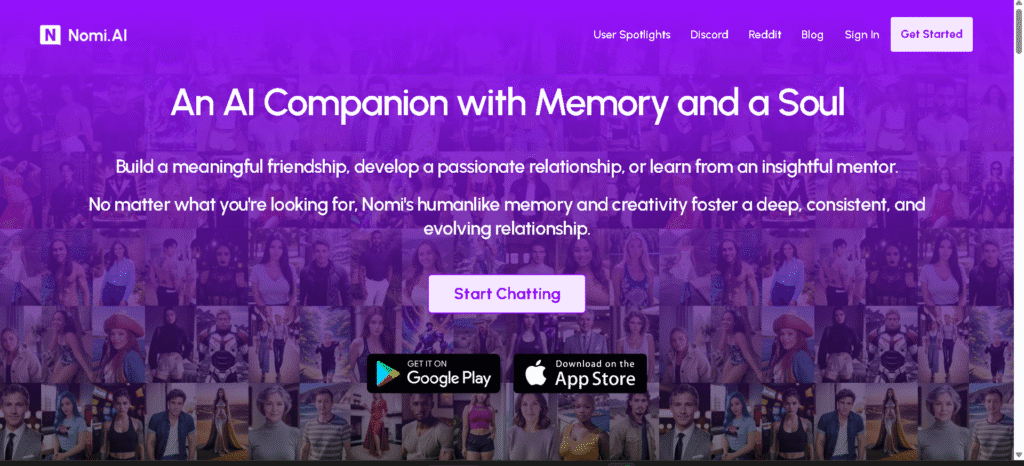
Nomi AI offers evolving, emotionally intelligent companions that remember your preferences over time. It stands out with robust memory, proactive messaging, and a personality that adapts as you interact.
Pricing? There’s a free basic plan, but it limits memory and interactions. Premium tiers add more memory, faster voice features, and advanced emotional modules.
Best for users who want to build a lasting, adaptive relationship with AI – especially if you’re practicing social skills or just want ongoing, meaningful conversations.
Janitor AI
Companion Janitor AI and similar open platforms really reward tinkering and community creativity.
Janitor AI’s main features? A huge user-built character library, support for external API keys (like OpenAI’s) for power users, and flexible model choices so creators can tweak behavior.
You’ll get free core access, with low-cost pro plans and optional pay-as-you-go API use if you want custom models.
It’s best for creators and experimenters who want to run custom models, try different backends, or use community-made characters.
Other Noteworthy Alternatives to Candy AI
Other options like OurDream.AI, Kindroid, and Character.AI fill specific niches. OurDream.AI leans into creative storytelling, Kindroid focuses on voice and video intimacy, and Character.AI is all about a huge curated library with safer filters.
Each one varies in memory, moderation, and media features. Pick based on whether you care most about free access, safety, or customization.
Features to Compare Across AI Companion Platforms
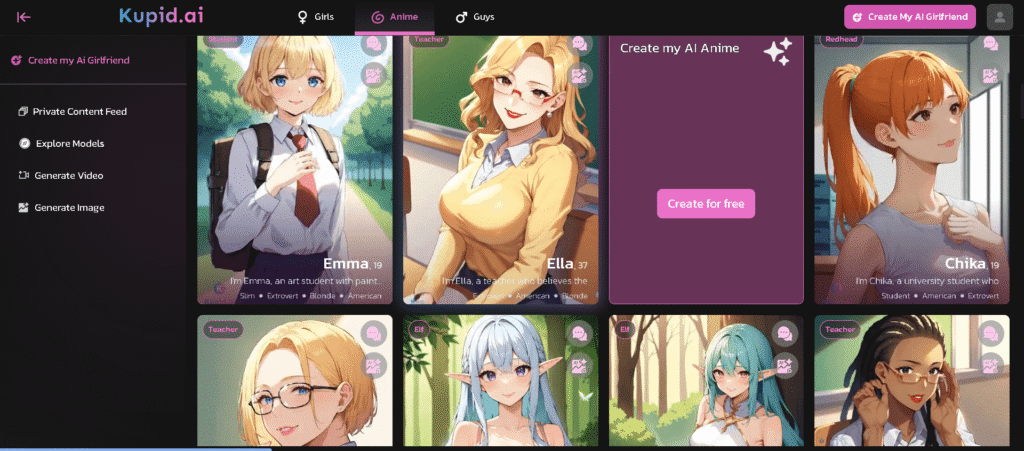
When you’re comparing platforms, pay attention to three things: how much control you have over the character, what kinds of chat or role-play limits exist, and if the app supports images or voice. These decide if a platform actually fits your creative, safety, or privacy needs.
Character Customization and Creative Control
Character customization means tools for appearance, backstory, and personality. The more control you get, the more your virtual partner acts the way you want.
Look for platforms that let you edit details like age, occupation, tone, and memory. Granular sliders, templates, or prompts make building consistent characters way easier.
It also matters who can change the character after you create it. Some services lock key traits behind paywalls or require templates. Others let you export character data or save different versions.
Check if the platform keeps character memory on your device or their servers. That affects privacy and how consistent your companion stays over time.
Handy features: save and load character presets, tweak response style (formal or casual), and set boundaries (like safe or NSFW flags). These options matter a lot for writers, role-players, and developers who want to reuse or edit characters.
Role-Playing and Unfiltered Chat
Role-playing quality depends on dialogue depth, scene tools, and whether the platform allows unfiltered chat. Storytelling platforms usually offer scenario starters, branching prompts, and turn-based controls to keep things flowing.
Unfiltered chat really varies. Some apps let you role-play freely but still enforce content limits for safety or legal reasons. Others have “modes” that relax filters for adults, often behind a paywall.
Check the moderation policy, reporting tools, and if role-play logs get stored. Features like persistent session history, scene tags, system prompts, and mature content toggles make a big difference for immersion and compliance.
Image Generation and Voice Mode Options
Image generation and voice features take companions beyond just text. You might get avatar creation, scene renders, or on-demand AI art. Check what formats are supported, any resolution caps, and whether they use your uploads to train their models.
Voice mode ranges from simple text-to-speech to real-time calls. Important controls: voice style, speech speed, and whether calls get recorded. Some platforms even offer lip-sync avatars for a more visual touch.
Media features often cost extra or use up credits. Always check if your images and voice files are stored, for how long, and if you can delete them. That’s crucial for creative use and data safety.
Community, Character Libraries, and User Experience
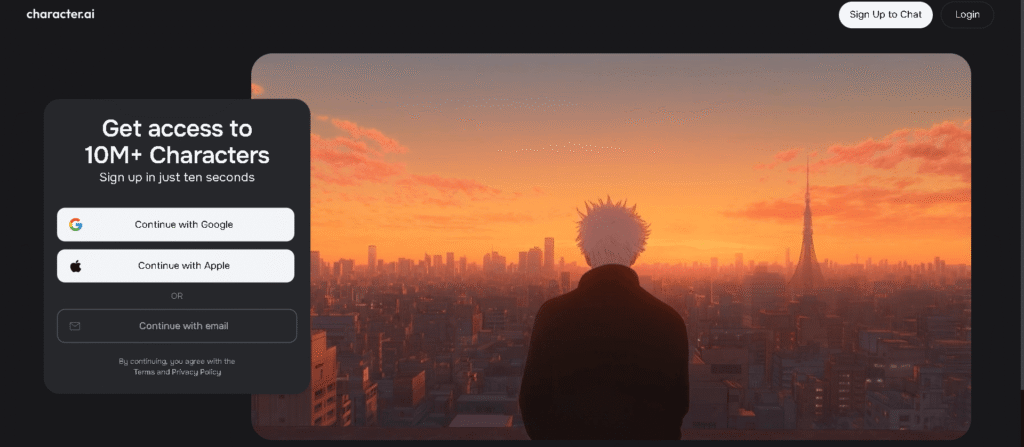
Let’s talk about how users create and share characters, how libraries are organized, and what the user experience is actually like on these platforms.
Community-Created Characters
Lots of platforms let users build and share their own characters, so others can use or remix them. Creators add backstories, personality tags, prompts, and guardrails. This makes it easier to discover and start chatting with well-developed virtual companions.
Active communities rate and comment on characters. The top entries usually include detailed prompts and suggested roleplay hooks. Good platforms let you fork a character – change its tone, memory, or safety settings – without starting over.
Always check creator notes for moderation status and intended use. Public libraries may have filters or age labels. If you’re after a specific tone or niche, community libraries are usually the fastest way to find a match.
Character Libraries
Character libraries vary in how they work. Some offer a library that can be searched with tags and filters, while others use category pages with trending lists. Libraries that can be searched allow filtering by personality, fandom, memory, or NSFW content. These features can save a lot of time searching for the right character.
Access to the library is also important. Some free plans restrict library access or restrict premium character content behind a paywall. Some allow searching the library but restrict the length of the session or the memory depth.
If you need a long-term companion that can change over time, look for sites that offer “deep memory” or large interaction limits. The way the library is organized can make a big difference in the discovery process. Good sites will show the reputation of the creator, sample dialogues, and offer a preview mode to save time on trial conversations.
User Support and Platform Reliability
Advanced Benefits and Unique Platform Features
Some platforms toss in extras like mood tracking, content filters, and tier-based perks. They try to balance control, safety, and richer experiences between free and paid plans.
Mood Tracking and Wellness Tools
Plenty of Candy AI alternatives now offer mood tracking. The app might ask for a quick check-in – just a few taps or a short sentence – and log those entries with timestamps.
Users get to see mood trends on simple charts or lists, spotting patterns across days or weeks. Some services even link mood data to conversation suggestions, which is honestly kind of clever.
If the system spots a string of low moods, it might suggest grounding exercises, breathing guides, or gently nudge you to reach out to a professional. Privacy settings usually let you keep these entries local or skip analytics entirely.
These tools are there to boost self-awareness, not to act as therapy replacements.
NSFW and SFW Content Control
Most alternatives give you clear toggles for NSFW and SFW modes. You can block sexual or explicit content with a switch, limiting certain prompts and responses.
Platforms often default to stricter settings for minors or new accounts. Content controls might layer on keyword blocking, response style limits, and persona restrictions.
Paid tiers sometimes unlock more detailed controls, like custom blocklists or allowed-exceptions. Report buttons and clear policies make it easier to flag violations fast.
Premium Plan vs. Free Alternative Trade-offs
Free alternatives let you chat and track mood basics, but they usually cap session length, voice features, or avatar tweaks. Premium plans often add higher message limits, voice calls, deeper persona tuning, and exportable mood reports.
Paid plans also tend to expand NSFW controls, giving you per-chat settings or advanced moderation tools. It’s smart to compare price, data export, and privacy terms before buying.
For casual chatting and basic wellness checks, free plans are enough for most people. If you want long-form roleplay, voice, or detailed analytics, a premium subscription starts to make sense.
Frequently Asked Questions
This section tackles practical questions about tools, rights, promotion, development, audio, and using AI text for candy-themed projects. Each answer lists specific tools or steps you can try right away.
What are the best free tools for candy-themed graphics creation?
Canva Free works well for simple posters, social posts, and templates with candy-style icons. It’s got drag-and-drop tools, free stickers, and lets you export to PNG or JPG.
For vector work and logos, Inkscape is a solid open-source pick. It handles SVG files and precise shape editing – great for candy logos or packaging mockups.
GIMP is handy for photo editing or adding textures. Krita’s great for painted or illustrated candy art, especially if you use a pressure-sensitive tablet.
How can I generate candy-related content without infringing on copyrights?
Try to use your own photos or illustrations whenever you can. If you need third-party assets, pick ones labeled for commercial use or public domain.
For stock images, check out Unsplash or Pexels, but always double-check the license before using them commercially. If you’re using AI-generated art, keep records of your prompts and the tool’s terms to prove you have permission.
Don’t copy packaging or characters from real brands. If your design looks a lot like an existing candy, change it up enough to avoid confusion.
Are there any free platforms to promote my candy-inspired art?
Instagram and TikTok are great for sharing visuals and reaching fans with short videos or reels. Behind-the-scenes clips, time-lapses, and product reveals do well there.
Behance and Dribbble (on free tiers) let you build a portfolio for a design-focused crowd. Reddit communities and Facebook groups can offer niche feedback and organic reach.
Etsy charges listing fees, but offers huge exposure for selling products. You can open a shop cheaply and use free social channels to drive traffic.
What open-source software can I use for developing a candy-based game?
Godot is a flexible open-source engine, perfect for 2D candy-themed games and basic physics. It exports to web, mobile, and desktop.
For art and sprites, try Piskel – it’s free and works in your browser. Tiled Map Editor is good for building 2D levels and tilemaps for platformers or match-style games.
Need to edit sound or music? Audacity is free and works for trimming and mixing audio assets.
Where can I find royalty-free music and sound effects for a candy-themed project?
Free Music Archive and YouTube Audio Library have background tracks with clear licenses. Both let you filter by commercial use.
For sound effects – think chimes, pops, or chewing – Freesound has a big library, but check each clip’s Creative Commons license first. ZapSplat offers lots of free SFX, though you’ll need to credit them on the free tier.
If you want a paid option later, Epidemic Sound and Storyblocks have bigger catalogs and simpler licenses for commercial projects.
Can I use AI-generated text for my candy-related blog without a subscription?
Yes, you can! Plenty of providers have free tiers that let you create a limited amount of AI-generated text for blog posts.
But check the service’s license and attribution rules before you hit publish. It’s easy to overlook those details, but they’re important.
Always fact-check what the AI spits out, and tweak it so it matches your voice. Accuracy matters, especially with candy fans who know their stuff.
It helps to keep records of your prompts and edits. That way, you can show where your content comes from, which is handy for SEO and just good practice.


Your writing is a true testament to your expertise and dedication to your craft. I’m continually impressed by the depth of your knowledge and the clarity of your explanations. Keep up the phenomenal work!
Comments are closed.