


QuillBot is a popular AI writing tool that helps with paraphrasing, grammar checking, and content improvement. Lots of writers, students, and content creators use it every day. Still, it might not fit everyone’s needs or budget.
Other AI writing tools offer similar features to QuillBot, though each has its own strengths, pricing, and quirks. Some tools lean more toward grammar correction, while others really shine at paraphrasing or SEO work. Depending on your writing style or goals, you might find something that suits you better.
This guide rounds up a bunch of options you can try instead of QuillBot. There are free tools, premium ones, and everything in between, so you can pick what works for your writing and your wallet.
Quillbot Alternatives Quick Overview
AI Writing Tools Overview
| Tool | Main Purpose | Key Features | Best For | Pricing |
|---|---|---|---|---|
| KoalaWriter | Long-form content creation | SEO-focused, keyword targeting, automated research, multiple writing modes | Bloggers and content marketers | Free and paid plans |
| Grammarly | Writing assistant & grammar checker | Real-time grammar/spelling/punctuation checks, tone feedback, plagiarism detection (premium), cross-platform integration | Students, professionals, general writing | Free basic; premium available |
| Jasper | AI content generation | Brand voice training, templates, Boss Mode for long documents, integrates with Grammarly & Copyscape | Long-form content, marketing copy | Subscription (higher price point) |
| Wordtune | Sentence rewriting & polishing | Real-time rewrite suggestions, tone adjustment, browser extension, simple interface | Quick rewrites and refining | Free basic; paid plans available |
| Frase | SEO-focused content creation | Search research, competitor analysis, content briefs, keyword ideas, paraphrasing | SEO-driven blog posts and web pages | Starts at ~$15/month |
| Spinbot | Basic paraphrasing | Quick automatic rewrites, no account needed, simple interface | Quick, basic text rewrites | Free (with character limits) |
| Slick Write | Grammar & style checking | Browser-based proofreading, catches grammar and style issues, lightweight | Quick grammar checks | Free |
| Ginger Software | Grammar & sentence improvement | Context-based checking, sentence rewrites, cross-platform, error correction | Fluent writing for work/school | Paid |
| Paraphraser.io | Content rewriting | Multiple writing modes, grammar checking, quick processing, maintains original meaning | Academic papers, professional docs | Free basic; paid plans available |
| SmallSEOTools Paraphrasing Tool | Basic paraphrasing | Built-in thesaurus, grammar checker, multiple modes, simple interface | Academic writing, blog posts, social media | Free |
1) KoalaWriter
KoalaWriter is your own personal robot friend, created to improve and increase your ability to generate long-form ideas and content quickly. You can use it for blog posts, articles, whatever content you need on your site.
This tool is very much put together for SEO. It provides you with tools to make your writing more visible in search. From the outset you can identify keywords and topics you want to focus on.
In other words, KoalaWriter does the research work for you, so that you are not sucked into a black hole of Google searches for hours. It allows you to write very detailed articles with relatively low manual hands-on approach.
You also get different writing modes to fiddle with. The beauty of these modes is you can adjust the style and tone of voice until it’s just how you like it.
There is also a free and paid option. Paid subscriptions offer additional features and increases in word count as well, so you can start low and increase as necessary.
This makes KoalaWriter a good choice for bloggers and content marketers. Even if you can write better than the software can, it does allow you to get multiple articles drafted very quickly, and it does the grunt work so you can focus on fine tuning the content.
2) Grammarly
Grammarly is one of the best writing assistants out there. It’s far more than a grammar check.
It makes you instant suggestions on grammar, spelling, and punctuation that you type in real time. And you get feedback on clarity, tone, and engagement which is a nice addition.
Grammarly is available on many platforms and plugs into any of your favorite apps. You can search for it in your browser, Microsoft Word, or even email client.
The free version has the basics, such as grammar and spelling. If you want more, the premium version includes sentence rephrasing, vocabulary tips, and plagiarism checks.
Depending upon audience, formality, and intent, you can specify writing goals. Grammarly adjusts its suggestions according to those preferences.
Most people use Grammarly for that very reason. It is for students, professionals, and anyone who wants reliable writing support. While Grammarly does not offer paraphrasing, its larger set of tools can be a significant advantage.
3) Jasper
Jasper is an AI writing platform that will help you write great content in minutes. It’s also great for longer writing, such as for blog posts, articles, or marketing copy.
You can teach Jasper to match your brand voice and style. It learns how you want things to sound, and that’s good if you care about consistency.
Jasper includes templates for everything from social posts to product descriptions and emails. Pick a template, fill in everything you need and you’re good to go.
Boss Mode is an interesting feature. It gives you more control and lets you produce longer documents. Simple commands can tell Jasper exactly what to write.
It comes with Grammarly and Copyscape which will check for grammar mistakes and plagiarism. Jasper is a subscription-based writing program and costs a bit more than other AI writing tools.
4) Wordtune

Wordtune is an AI writing app that allows you to write and rewrite. It’s about making your sentences clearer and more effective.
It provides real time suggestions as you type. You can select where to phrase something, which is great for when you are stuck or when you want to make a change in your tone.
Wordtune is useful when paraphrasing and perfecting your text. It has options for all of the sentences so you can choose what sounds best. It also aids with grammar and style, though in a less serious way.
Wordtune can be used as a browser extension or web app. That’s great for accessing while you’re preparing to send email, docs or whatever else. It is a simple and user-friendly interface.
Plans are available for both free and paid versions. The free version offers basics, but the paid versions offer more rewrites and features. Wordtune is the best thing you can get for rewriting.
5) Frase
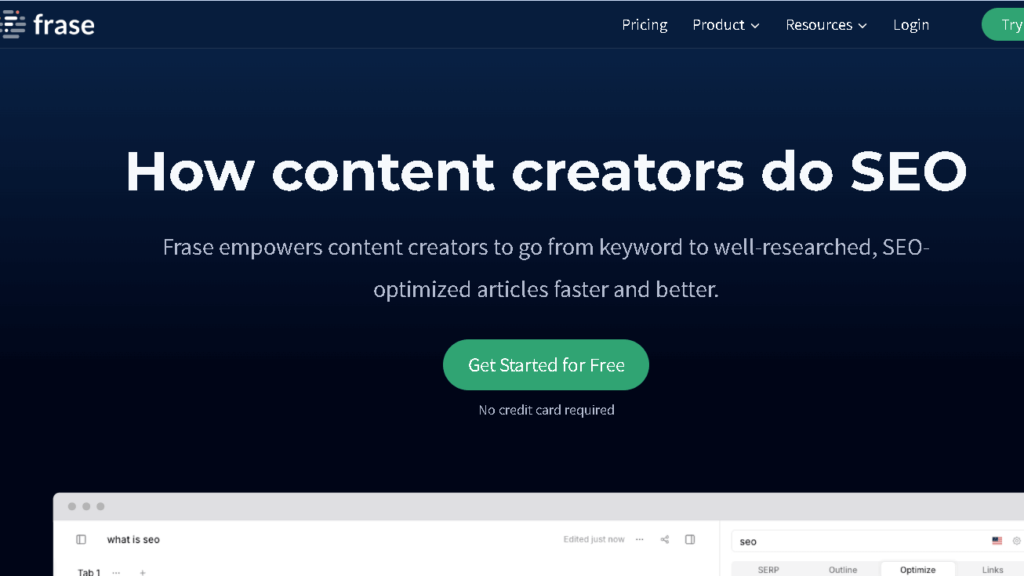
Frase is an AI tool that allows you to create content from search research. It looks for top-ranked pages on your topic and indicates what information you may want to add.
It’s paraphrasing, like QuillBot. You can rewrite an entire sentence or paragraph while still maintaining your meaning. Frase also has a content editor where you can compare your writing to other writers.
Frase is more of a researcher and a optimizationist than paraphrasing. You get topic briefs and keyword ideas; the tool takes questions and headings from search results to help you organize content.
It’s good for blog posts, articles, or web pages. Frase is written help, SEO tools at once. Its cost is a bit more, about $15 a month.
The interface is a little tricky to learn and you will gain the most from it if you know some SEO basics. If you write for sites often, then the research tools can really save you time.
6) Spinbot

Spinbot is a free paraphrasing utility that writes your text automatically. Copy and paste your content in and you can have a fresh version in minutes.
It is best for basic rewrites and quick changes. You don’t need a subscription – you can start using it right away.
The interface is simply a click away. Paste your text, hit the button, and you will see your content rewritten. Free users can only use one character, though.
But, the original text can be a hit or miss. Short, simple sentences are usually better. You might have to tweak the output to make it sound natural.
Some extras, such as grammar or tone corrections, are not available for Spinbot. It just rewrites text, for the moment. It’s a simple option over more full-featured tools.
This free version limits the number of lines of text you can process at a time, so you’ll have to sort through extended documents.
7) Slick Write
Slick Write is a browser-based proofreading service that finds grammar and style issues. It will be available for you right in your browser, no downloadables required.
It looks for sentence-level errors and awkward phrasing. It’s quick and easy, so you can check your work quickly.
Slick Write is the lightweight option if you need only basic grammar and style checking. It’s clean, with fewer options than the big tools, but you have quick checks too.
This tool is free to use in your browser. Slick Write may be useful to students, bloggers, or for anyone who wants to fine tune their writing without paying expensive software. It gives you feedback to help you write better and easier.
8) Ginger Software

Ginger Software is an AI writing assistant that helps you with grammar, spelling, and sentence structure. It works on a number of apps and devices, so you can use it wherever you write.
Ginger reads your sentences context-wise, not word for word. This produces more specific suggestions.
It suggests creative rewrites for your sentences. Ginger can help you break the sentences down to get to the point if you tend to write long or complicated sentences.
It corrects contextually specific writing errors of all kinds. Use it for emails, documents, and other writing tasks to save time on editing.
Ginger is for those who want to write more fluently. It gives you tools, whether they are for work or school, to communicate better.
9) Paraphraser.io

Paraphraser.io is an AI-powered rewriting platform that allows you to write clearly, uniquely. It’s good for academic writing, creative writing, and professional docs.
It paraphrases quickly and is relatively easy to learn. Copy the text and you’ll get rewritten versions in a matter of minutes.
Paraphraser.io has many writing modes. You can focus on fluency, standard rewrites, or be creative with the wording. It also checks grammar as you go.
The free version provides a chance to test the stuff. Paying plans are available if you want more features or if you want more word limits.
It’s easy to understand, even if you’re not tech-savvy. The tool retains your original meaning but changes the wording to prevent repetition.
Paraphraser.io handle all kinds of industry content. It’s particularly useful when you want to avoid repetitive phrasing and to polish up your writing.
10) SmallSEOTools Paraphrasing Tool
SmallSEOTools has a paraphrasing tool that will parse your content using advanced algorithms. It wants to keep your meaning intact and to prevent plagiarism.
There’s a thesaurus to let you find new words, and grammar checker to correct errors. All of these features are good at improving your content.
The interface is simple. Paste your text, choose your settings, and create content in minutes.
The best use of this tool is for very basic paraphrasing. You can use it to write educational essays, blogs and even post on social media. The free version includes everything you need without paying.
You can choose paraphrasing modes that best fit your style. You can do small tweaks or complete rewrites.
How QuillBot Alternatives Differ From Each Other
QuillBot alternatives are far more diverse in features, price, and ease of use. Some focus on paraphrasing, and some offer more general writing suites with grammar checks and optimization tools.
Features Comparison
Each of these alternatives has its own potential. Grammarly is all about grammar, spelling, and clarity, giving you ideas on how to make your writing sharper and more engaging.
SpinRewriter is for bulk article rewriting. You can post a lot of articles in a single frame and get 1,000 variations – handy if you have lots of versions at once.
Some programs, like HyperWrite and Spiral AI, can make your first draft a lot easier. Other SEO or content scoring services help your writing rank higher on the search engines.
Microsoft Editor is a popular editor for Microsoft users because it gives you grammar and style recommendations and plugs into Word and Outlook.
Pricing Models
QuillBot alternatives have a number of different pricing schemes. Some offer a free version with all the basic stuff and then cost you lots of money if you want all the bells and whistles.
Others stick to a price point of only a month or yearly fee. Free versions of iOS generally limit how much text you can read and/or lock premium features behind a paywall.
The cost of paid tools will range from $10 to $30 a month, depending on what you get. And a few companies even allow you to buy lifetime access for a fixed price, which in truth is good news if you hate subscriptions.
Business and team plans are usually more expensive but offer many extra features and user accounts. It’s not something everyone needs, but if you’re in a group, this is worth considering.
User Experience and Accessibility
The way you use these tools is all over the map. Some are a browser extension that works while you type on any site.
Others hand you copy and paste your text into their own platform, which can be a bit cumbersome. Integration is also important; if you plug the tool in to Google Docs, Word or your email, you will save a lot of time.
Apps for checking your writing on the go are useful. Interface design can affect the experience; some tools have suggestions in a sidebar, while others focus on your text.
The learning curve varies. Simple tools are fine, but the more complex ones take some getting used to.
You can read more about users reviews.
Choosing the Right QuillBot Alternative
It really depends on what you are writing about and whether or not you care more about paraphrasing, grammar, or even plagiarism checks. Your budget and what type of writing you do most will probably be driving the ship here.
Assessing Your Writing Needs
First, figure out what particulars are important to your work. If you are constantly rewriting content, look for tools that have powerful paraphrasing and tone options.
If you care more about grammar and style, look for specific recommendations. Think about how much you write a month, too—some programs do a lot free, others cost you if you use them heavy.
Free tools such as Rytr may be useful if you only write occasionally. But if you’re churning out content daily, then you’ll want something which you can access easily.
Not forgetting integrations. If you work with Google Docs or Word, check if your tool has plugins or extensions for those platforms.
Quality matters as much as features. If a tool says it needs to do some weird phrasing, you’ll be spending more time editing. Test a few with your own writing before you buy.
Considerations for Academic vs. Professional Use
But academic writing is about accuracy and originality. Students should be able to use plagiarism-checkers, or even help with citations.
Some alternatives for scholars try to keep technical terms accurate and make meaning when paraphrasing. Professional content is a different animal, but business writers and marketers need SEO optimization and tone adaptation for different audiences.
Generally, business related tools include content creation and standard document templates. Privacy regulations on the various tools used in schools are usually more stringent, as student work is a protected work.
Professional software could offer collaboration or brand voice rework. Sometimes, you have rules in your school or business regarding which AI tools you can use.
Pricing is different, too. Business needs a business plan with more user seats and students may get discount.
Frequently Asked Questions
People have a lot of questions about paraphrasing tools—what’s free, what’s legal, and how features stack up. It’s a crowded space, so it’s no wonder there’s confusion.
What free tools are available for paraphrasing similar to QuillBot?
There are a handful of free paraphrasing tools out there if you don’t want to pay. Grammarly’s free plan gives you some basic paraphrasing and grammar help.
ChatGPT’s free tier can also rewrite your text in different ways if you just ask it. Wordtune has a free version, too, but you only get a set number of daily rewrites.
The free plans usually cover basic needs but don’t expect endless features. For light users, that might be enough.
Which paraphrasing tools offer features comparable to QuillBot but free of charge?
ChatGPT is a very good free solution. You paste the text, you ask to have a rewritten, and it will paraphrase, sum up, or change the tone.
Grammarly’s free plan offers sentence rewrites and clarity boosts but not as many paraphrasing modes as QuillBot. While each has limits or features for the day on the free plan, for students or for casual writers, they do what they say.
How does Wordtune compare to QuillBot in terms of paraphrasing capabilities?
Wordtune zeroes in on making your sentences clearer and more natural. You can shift tone from casual to formal or trim down wordy sentences.
It works right in your browser and plays nicely with other writing platforms. QuillBot, on the other hand, gives you multiple paraphrasing modes and can handle bigger chunks of text at once.
If you want your writing to sound more conversational, Wordtune’s great. But if you want more control over how much you change the original, QuillBot’s synonym slider is hard to beat.
What is the difference between Grammarly and QuillBot’s feature set?
Grammarly is the grammar checker and writing assistant first. It’ll find spelling, punctuation, style and suggestions for clarification of your writing.
Grammarly does a small amount of paraphrasing. QuillBot, but, is built around paraphrasing and rewording text with additional features like summarizing and simple grammar checking.
If you’re looking for general writing support, Grammarly’s probably better. QuillBot is the way to go if you’re primarily doing content rewriting. In both paid versions, plagiarism checks are available.
Are there any legal issues associated with using automated paraphrasing tools?
It’s no illegal to use paraphrasing tools, but it’s how you use them. These tools are fine to rewrite your own work, or to clean up your writing.
Problems arise when you paraphrase someone else’s work and pretend that it’s all your own. There are always rules: some schools do not allow paraphrasing tools for assignments, others are OK with it if you’re transparent.
Check your school’s policy on academic integrity before utilizing these tools in coursework. Even when a tool does the rewriting, you can still get in trouble for paraphrasing unauthorized copyright content. You’ll need to credit sources and use fair use.
How does the functionality of ChatGPT differ from that of QuillBot when it comes to paraphrasing text?
ChatGPT is a conversational AI that paraphrases text when you ask. You tell it what you want your content rewritten, and it delivers a new version based on what you said.
This arrangement allows you to ask for a specific tone, length or style —there’s a little flexibility. Sometimes you need that.
QuillBot, on the other hand, has preset paraphrasing modes and a pretty laid back interface. You type in your text, you select a mode, and you get results immediately.
There’s even an option to adjust the amount of editing QuillBot does on your writing, which I must say is really good for the quick changes.
ChatGPT can have longer conversations and sometimes even explain why it changed if you ask. It can blend paraphrasing and other stuff like research or formatting.
QuillBot is just in time—short and nimble paraphrasing, no chat or explanations. Sometimes that’s all you want.


