


You ever feel like writer’s block is just staring at a page? Online AI paragraph generators can also assist in writing quickly and getting the flow going, and still keeping your own voice involved.
These are great for generating clean, on-message paragraphs that you can massage into your own style, ultimately saving you time and focusing your lines of argument.
Perhaps you have experimented with an AI paragraph generator, and observed how it blends seamlessly into your authorial practice, spanning rough drafts through finished prose.
In this article I dwell on how to really work with these tools, how to calibrate tone and structure, and what features make what difference if you want useful, reliable output.
What Is an AI Paragraph Generator?
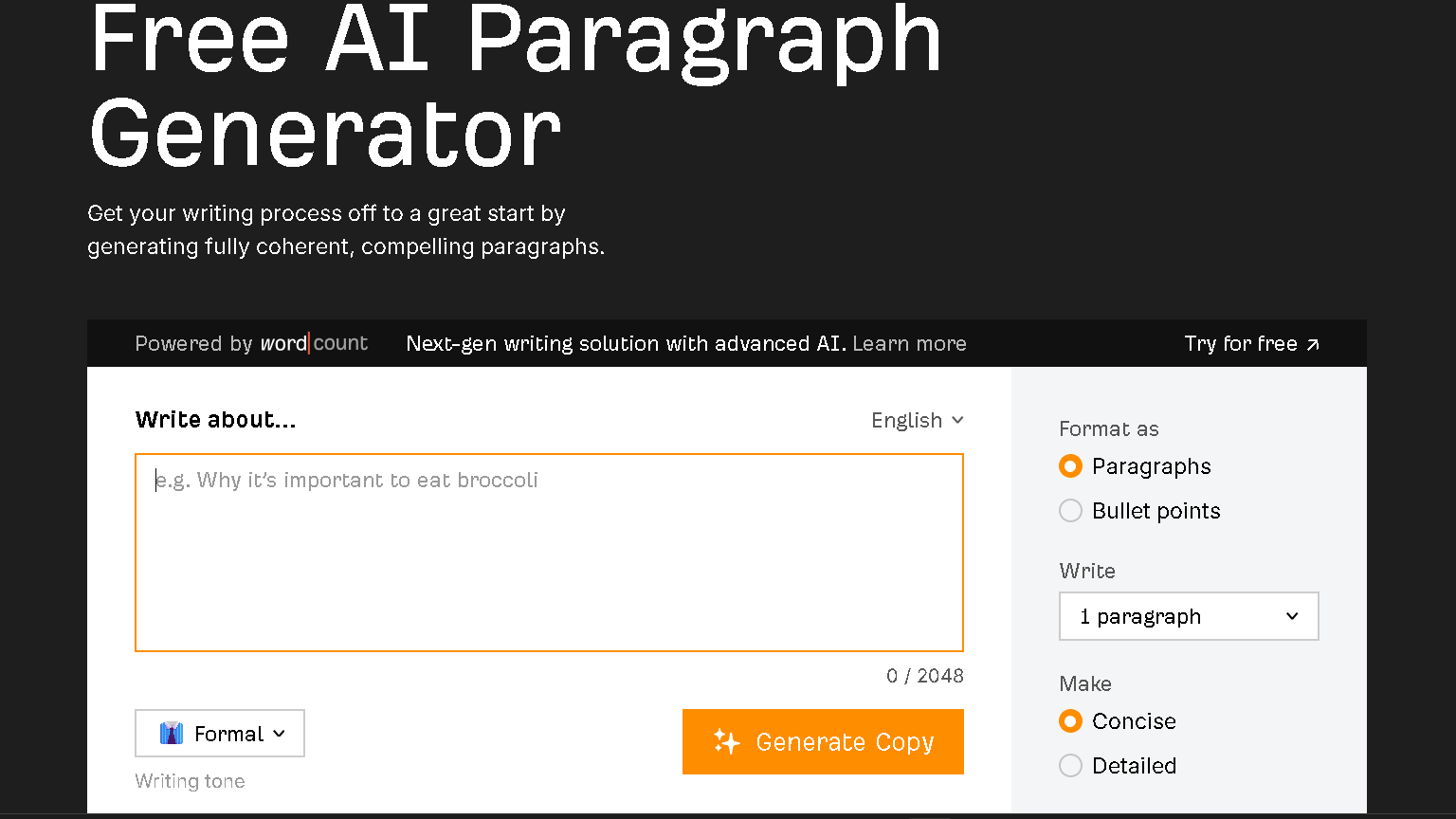
An AI paragraph generator begins with a short prompt and generates a coherent and useful paragraph.
It will save you time, give you control over tone and length, and allow you to create text, or to expand or rewrite text, having already made your meaning evident.
Definition and Core Functionality
Think of a device that changes your prompt or keywords into a pre- formed paragraph.
You input a topic, and set the tone and length, and a coherent paragraph is generated, which you can either use, or edit as you see fit.
I endeavor to produce grammatically correct and logical output so you likely won’t want to completely rework it.
Key functions:
- Generate text from a quick prompt.
- Rewrite or paraphrase sentences you provide.
- Expand (add detail) or condense (make text shorter) as needed.
You can control the style, tone and length. This makes these tools useful for emails, blog intros, or study notes even.
How AI Paragraph Generators Differ From Traditional Writing Tools
While options such as spellcheck or grammar check are traditional tools, they merely correct errors in text that already exists.
In fact, true AI paragraph generators actually will write new text for you.
They highlight, not only flag mistakes, these things can even spit out entire paragraphs in seconds.
Quick comparison:
-Input: short prompt vs. full draft.
-Output: new paragraph vs. corrections or suggestions.
-Use cases: brainstorming, rough drafts, rewrites vs. proofreading and formatting.
AI paragraph generators can help start the writing process and you can use the grammar tools for the final edits .
Key Technologies: Natural Language Processing and Machine Learning
Paragraphs generated by AI are determined by the ability of language models using NLP and machine learning.
NLP assist the system in understanding your query and the surrounding context.
The latter allow the model to guess what comes next and to construct meaningful sentences, and these are based on machine learning.
Technical bits:
- Token-based prediction for more natural sentences.
- Training on big text datasets so the model picks up common phrasing.
- Fine-tuning options to nudge output toward formal, casual, or persuasive styles.
These pieces let the tool handle rewriting, expanding, and generating paragraphs with barely any effort on your part.
How AI Paragraph Generators Streamline the Writing Process
They will reduce the time you have to be stuck, and output relatively clear and working text at a fairly rapid rate.
They provide focused prompts, inspirational fragments, and paragraphs you can ‘modify’ to suit various tones and contexts.
Overcoming Writer’s Block With AI Assistance
When you are stumped by writer’s block, an AI- powered paragraph generator is the tool that may help keep you moving forward.
Just enter a brief prompt – a topic, a tone, some bulleted points – and the tool will spit out a draft paragraph that you can then modify but you need to.
Experiment with many different openings, or blow up one sentence into a whole paragraph. Its also a shortcut to finding your voice and structure without having to start from scratch.
You can test out different angles quickly as well by even asking for a shorter, more simple, or more formal version.
Consider the output as scaffolding.
Go ahead, re- edit for content and add a couple examples, twist the phrasing until it sounds like you.
In this way your work remains original but AI can serve as a creative jump starter.
Enhancing Productivity and Saving Time
An AI writing assistant takes care of the boring writing to allow more time for the interesting stuff.
Generate multiple paragraphs in seconds rather than writing each one from scratch.
You will spend minimal time on outlines, intros, or painful, awkward transitions.
Control the generator to produce text cuts of your desired length and character, to help simulate your article, email, or social post.
Such consistency minimizes editing later on.
If you like, you can write paragraphs that can be mass produced for similar topics and then individualize them as necessary.
Exchange prompts and rules for editing and reread to make the text coherent.
Having AI write other repetitive portions for you – CTAs, product blurbs, conclusions – allows you to spend more time on strategy and research, rather than simply writing.
Generating Well-Structured and High-Quality Paragraphs
A good paragraph generator provides you with explicit topic sentences, specifics, and easy transitions.
“Can I get a paragraph with a claim, a couple of facts, and an ‘ending sentence’”.
Usually the generator does get that structure right and hands you a good building block.
This can be benificial for increasing accuracy and relevance, as you can instruct the tool to include specific references of a particular style.
If the facts matter, cross-reference what the generator spits out and substitute any general statements with your own facts or sources.
Do a “use generated paragraphs as templates: keep most of the good stuff, plug in real examples and tighten it up for clarity” .
It also helps you produce polished, readable text faster and all the while you maintain control of the content.
Customization, Creativity, and Writing Style
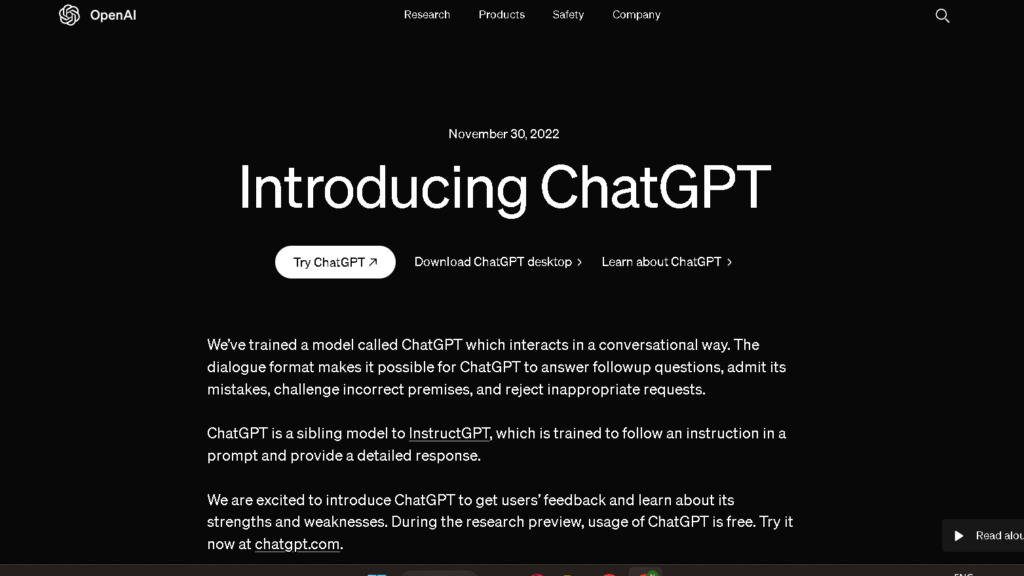
AI paragraph tools let you adjust tone, length.
Now, your work matches the audience and stays true to your voice.
They also throw out content suggestions that can spark fresh ideas without taking over.
Adapting Tone and Voice for Different Audiences
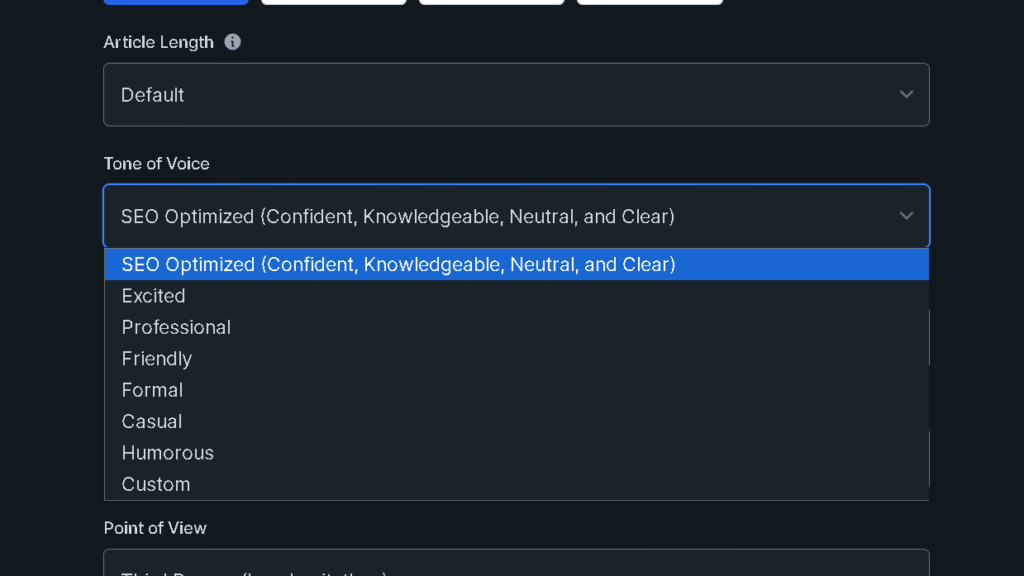
You can select your tone setting—formal, casual, persuasive, etc. based on who you are writing for – professionals, teenagers, clients, etc.
For example, if you input text samples from your previous works, the AI will analyze and imitate the sentence structure and word selection of yours so that the output text will sound more like you.
Try “friendly product blurb, 40-60 words” or “academic summary, passive voice” for down and dirty consistency.
Vocabulary should be adjusted in terms of both age and expertise- from simple where general readers are concerned, to technical where specialists are concerned.
Try a few samples and pick the one that works for your audience.
Saves you editing time and keeps your msg on brand.
Personalization and Customization Options
You can also fine-tune the model or save a style-prompt for your preferences, in order to be able to use them later.
Perhaps you desire a specific sentence length, favorite connectors, or banned words.
Program this, to avoid off-brand phrases.
Some will allow you to upload writing samples so the AI can get a sense of your cadence and of your unique usages of punctuation.
Which means less rewriting for you.
Tweak the output as you like by using toggles for tone, level of discourse, and style of output based on the SEO keywords you input or the format you conclude you’d like it in.
Whatever your must-haves turn out to be – call-to-action, data point, citation – make a list and ensure the prompts contain one of them for a regular output.
Boosting Human Creativity With AI Suggestions
AI provides content nudges, opening lines, better transitions, conversational alternatives that knock you out of a rut but still lets your voice shine.
If you don’t like what you see, ask for more than one: 3 hook sentences, 2 closing lines, 5 keyword-rich phrases.
Combine as you wish.
Use AI like a brainstorming buddy: ask for topic angles, counterarguments, metaphors, and then choose, and refine the best ones.
View the recommendations as a resource.
Edit for factual accuracy, clarity, and incorporate them into your voice so the end product is still your own.
Applications and Use Cases
AI paragraph generators can assist you with churning out faster, more consistent and more “on-brand” text, with cutting time on technical and creative section draft rewrites, and in modifying tone and length for different platforms.
Content Creation for Bloggers and Marketers
Teach AI to write blog posts, landing pages, or product descriptions that sound like you , by giving AI a title, word count, and intended audience.
The tool will then produce an article or introduction that you may need to edit.
Use AI for:
- Topic outlines and H2/H3 groupings to speed up planning.
- Headline and meta description options for A/B testing.
- Turning long-form blog content into short social captions or email copy.
Your content creators and marketers maintain brand voice because AI never wavers in tone and style from post to post.
The time to draft is cut and you get a few different versions to choose – not completed articles – but a good place to start.
Academic Writing and Research Articles
Some portions of academic labor can be expedited by AI, but you are still the expert.
Use it when authoring literature reviews, when condensing methods or when simplifying a sentence.
Tips to keep in mind:
- Provide explicit cues and reference main sources yourself.
- Start with drafts written by an AI but be sure to vet for accuracy and include references.
- Get peers and editors to review the methodology and results.
AI assists non-native English writers in “cleaning” up grammar and readability while maintaining technicality.
See also an analysis of AI in relation to manuscript quality here.
Social Media and Business Communication
Need to create social posts, captions, or newsletters at a rapid pace?
The platform (Twitter/X, Instagram, LinkedIn), the CTA, and the intended audience should also be shared with the AI .
You will have a short list of options.
Here are a couple useful applications:
-Batch producing daily posts with consistent branding.
-Rewriting a message to different lengths and in different tones.
-Writing internal updates, customer replies, FAQ entries.
AI accelerates content for social teams and allows small businesses to afford to keep posting.
Be sure to fact-check and ensure your post aligns with your brand before hitting publish.
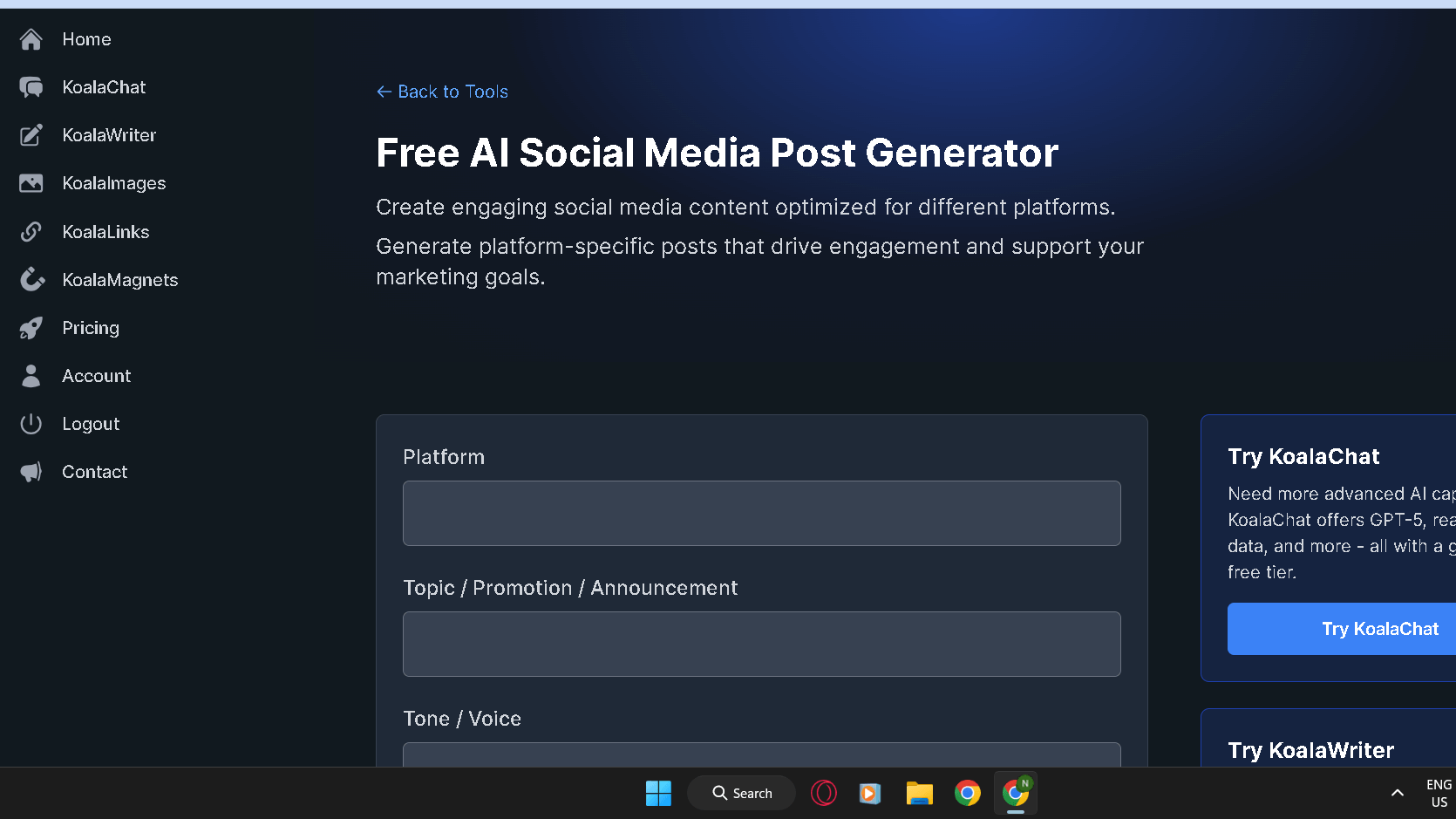
I use the Koala AI Free AI Social Media Post Generator the most.
Here you have the possibility to personalize each of your posts.
You can choose the platform, topic, and tone of voice.
Creative Writing and Overcoming Writer’s Block
Employ AI to start scenes, propose character quirks, or even provide alternate wordings of paragraphs.
Ask for alternatives – an exciting beginning, a humorous paragraph, or a piece of dialogue.
Also, try AI for:
-Creating three distinct paragraph openers.
-Taking a one sentence idea and expanding it to a scene draft.
-Varying phrasing to play with voice and pacing.
The blank page is less intimidating and difficult to approach because AI provides instantaneous alternatives.
Use what it provides you as clay for molding with your own thoughts.
Features and Tools of Leading AI Paragraph Generators
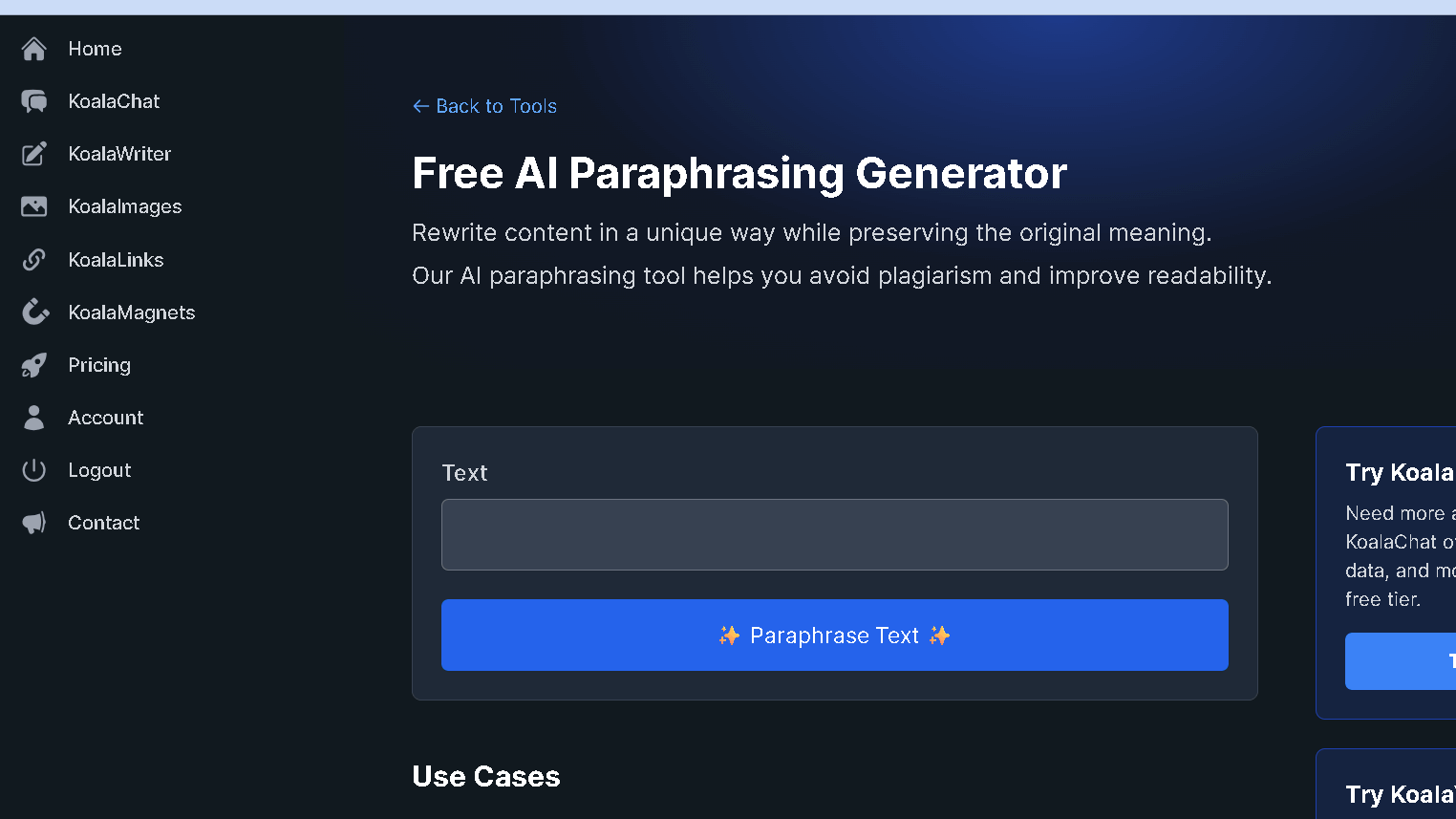
They are useful for spelling, grammar, copying and pasting, language support, and SEO checks which make writing faster .
The itinerary of benefits is clear: better sentences, safer content, a good chance at getting into search .
Grammar and Clarity Enhancement
These AI paragraph generators give you suggestions for editing style or individual sentences.
They point out hiccups in grammar, repeating punctuation errors, and awkward phrasing then they allow a one- click rewrite.
Applications such as Grammarly will even make tone and clarity adjustments, suggesting the readability level of your paragraph according to the audience or purpose.
You choose the reading level, length of sentences, and formality. It will often tell you in plain English, why it thought the change appropriate.
This is extremely beneficial as it will help you learn.
Most of them function directly in Google Docs or as browser extensions, making it so you can edit without having to open a new tab .
Some incorporate a reading level score or propose lower-level vocabulary or shorter sentences.
In practice this helps ensure that your writing does not jump around in grade level and provides greater understanding for all readers.
Plagiarism Checking and Paraphrasing
Integrate content- level plagiarism-checkers in this workflow that analyze uploaded files against websites and academic materials.
It will point out these exact and almost duplicates so that you can add references as necessary.
Tools always display paired snippets and original URL’s.
You can select conservative rewrites for accuracy, or more complex rewrites for variation.
This is useful when you do not want to commit self-plagiarism or when you want to reproduce research in another paragraph.
Several platforms use plagiarism detection and citation reminders in conjunction.
If the checker picks up a match, the editor will make recommendations on re-wording and pointing out where to include a citation in your document in order to keep it within compliance.
Multi-Language Support and User-Friendly Interface
Top generators work with multiple languages.
They know the local idioms and grammar, and honestly that’s pretty useful.
In the editor you can just switch languages.
Suggestions can be customized to Spanish, French, chinese or whatever you need.
Then it’s less difficult to attempt to translate ideas in a way that doesn’t feel too stilted in the English or Nahuatl .
Those of us who don’t have it have the struggle with clunky awkward phrasing.
A straightforward user friendly interface helps prevent frustration.
Pay special attention to their toolbars and do they provide a word count that’s in plain sight so you don’t have to go hunting for basic information.
You can easily toggle on the fly for tone, length, and reading level.
If you’re doing a lot of blog or product updates, drag and drop upload and templates eliminate some of the drudgery of the same intro each time.
Keyboard shortcuts and undo history are pretty much always freebies with any service .
You can also view the original and rewritten text side-by-side without having to click backwards.
Integration options like Google Docs add-ons, or browser extensions, keep the tool where you already work.
This is a great time saver, as it avoids jumping back and forth from different apps.
SEO Analysis and Optimization Features
AI paragraph generators also now include SEO checks at the time of writing.
It will check your keyword density and recommend you semantically related phrases or headers.
Some will even perform live SERP checks, where they’ll show you competing snippets and commonly asked questions.
That’s pretty helpful when you’re ready to see what’s out there before you publish.
Content brief generation lists meta descriptions, paragraph length and keywords to be targeted.
The editor points out where to add forced-sounding keywords.
It’s the trade-off to keep your content natural but also searchable. It’s small, but it means something.
These more sophisticated platforms also do readabilit.
The recommend internal linking, headers and a FAQ section to improve on-page SEO.
It is compatible with SEO tools that can provide you the data on your keywords performance.
You can see for yourself what your changes might do to ranking.
Choosing the Best AI Paragraph Generator
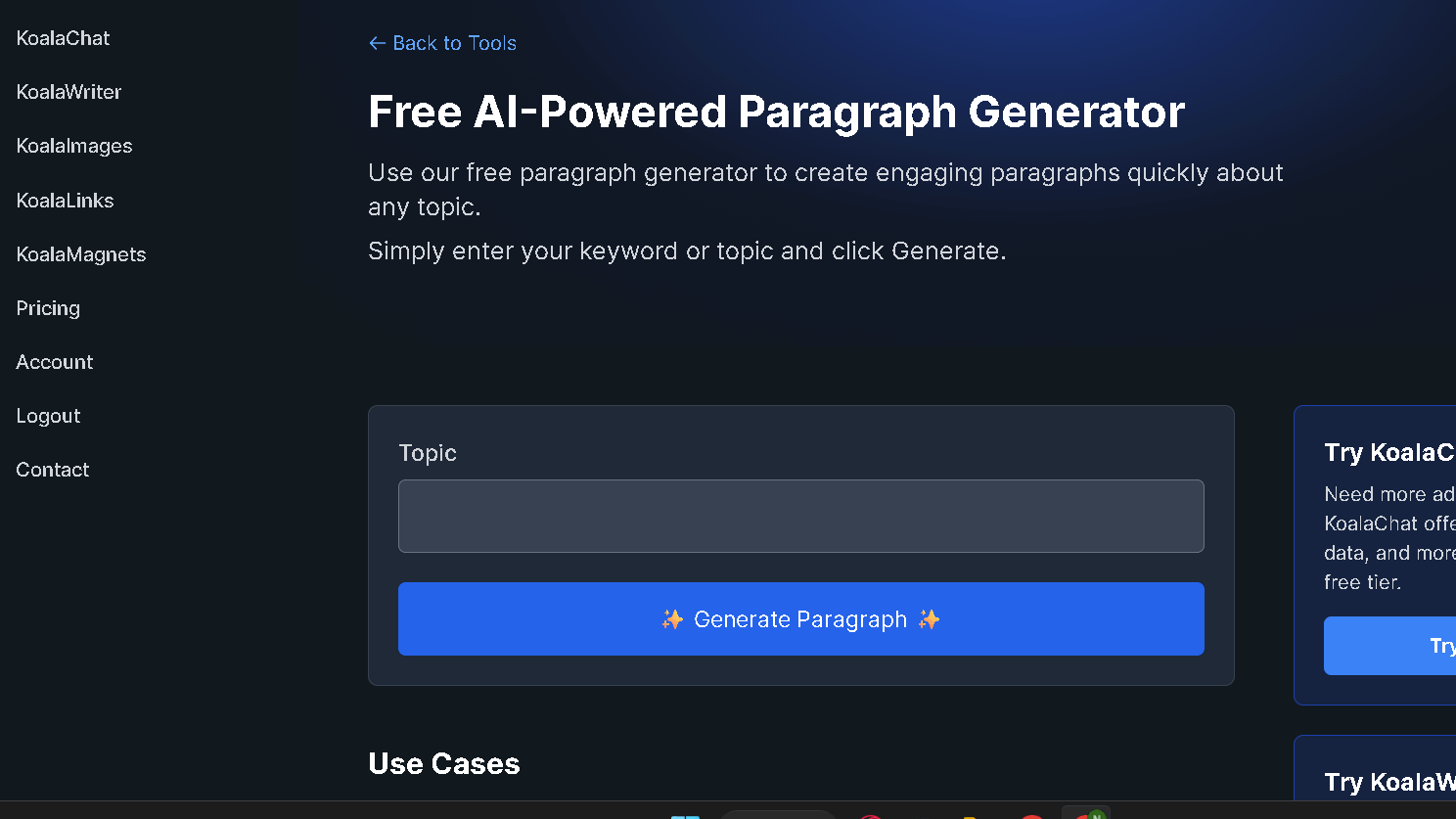
What you require is a clear, accurate paragraph writing device that is cost effective and integrates with your process.
What then are the features that matter?
Let’s get started.
Key Criteria: Quality, Affordability, and Integration
Let’s begin with output quality.
Is the generator based on a recent model of the GPT-4 or GPT-4o type?
This typically results in more natural writing.
Factual accuracy and tone test.
Fire the same prompt into a couple of tools and see which one feels good.
Next, consider price.
Free plans and trials allow you to see actual results before you decide.
See the monthly cap, word quota, and pay-as-you-go credits.
Higher levels should perhaps open access to model upgrades or priority support, but not everyone needs that.
Daily use has a lot to do with integration.
If you automate stuff, look for plugins for Google Docs or WordPress or API access .
Test it exporting in HTML or DOCX. If you care about rankings, built-in SEO options would be a plus.
Popular Tools: ChatGPT, Koala AI, Rytr, Ahrefs, and Alternatives
Flexible prompts and long-form drafting are taken care of by ChatGPT (OpenAI).
The free tier is probably sufficient for sporadic use, but you can purchase premium plans to receive more rapid responses as well as access to more up-to-date models.
Rytr is good for fast marketing copy or small paragraphs.
It has tone presets and is moderately priced for freelancers.
Use the free credits and test the results for yourself, especially for blog intros or product blurbs.
Ahrefs has a paragraph level feature which maps directly onto SEO tools. If you care about keyword structure or SERP relevance you might as well give it a try.
Also, take a look at some of the other next-generation generators and free alternatives.
Do at least three with the same prompt, sometimes it is surprisingly different.
Koala AI Paragraph Generator
I personally have been using Koala AI for more than a year, and I am very satisfied.
The best thing is that you can use it completely free of charge.
Koala AI has many free tools on their website.
However, I will now write more about AI paragraph generators.
In addition to the free AI-powered paragraph generator, you have other options.
In particular, you can use the Free AI Blog Post Introduction Generator to help you write interesting introductions for your article.
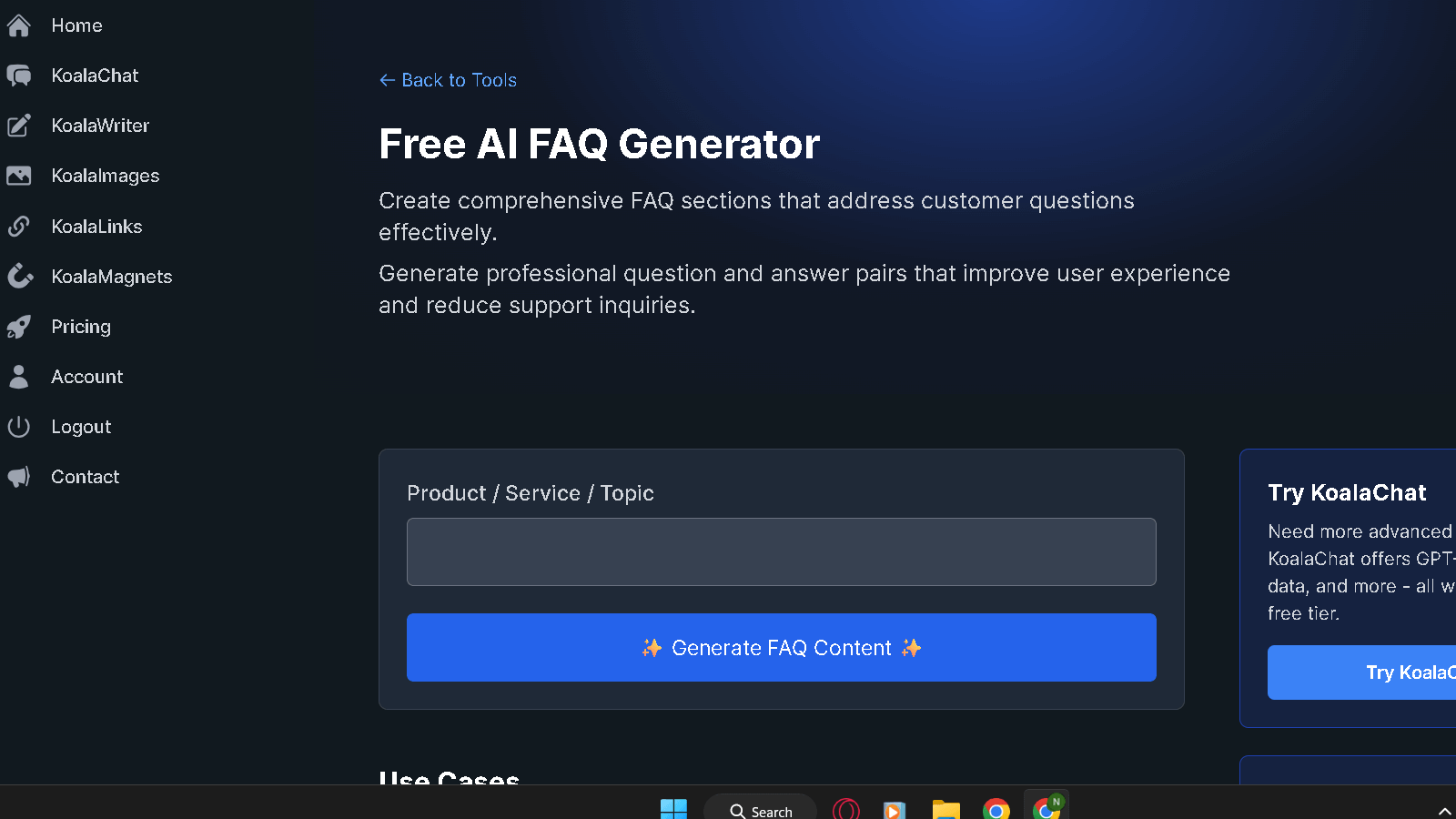
Also, there is a free AI FAQ generator.
You only need to enter the topic you are writing about, and you will receive a list of questions.
Here is the link for all free tools.
You can check them out.
It is free!
Ethical Considerations and Future Trends
Issues of authorship, accuracy, and control are raised by AI paragraph generators.
You should have a policy on how to use these that’s unambiguous, and you’d be wise to keep an eye on them as they develop.
Originality and Plagiarism in AI-Generated Content
Be sure to monitor outputs from AI tools for strings or ideas of text which follow a little too closely on published work.
Because these models are trained by large amounts of text, repetition occurs.
Plagiarism checks do help but you should also use compare suspicious text to important sources.
It’s not much, but it’s something.
Record your prompts and edits.
If you give an AI proprietary content, you might have a re-use problem later on.
Make all AI contributions in drafts and mark in some way if there were AI contributions so reviewers can understand what has been changed.
It’s just common sense.
Clear attribution.
Reference that source if the AI is relying heavily on one source. If your revisions are extensive, keep clear notes to defend authorship.
Maintaining Human Oversight and Creativity
But you can still control the facts, the tone and the ethical decisions.
Always verify accuracy and context when publishing AI text.
Always double-check names, dates and assertions with reputable sources.
AI can hallucinate stuff, and that’s on you to catch.
Consider AI as a tool, not an author.
Use it to help the writing process, or to help you think through unwieldy sentences -. your writing should emerge with your own voice and judgment.
Establish ground team policies on reviewing AI drafts and what checks they will make.
Teach people how to see things like the problem with bias or over- generalization.
Emerging Trends in AI Writing Tools
Your ability to work humanely and productively is consistently found by AI tools .
New platforms will include built-in plagiarism scanners, and editable provenance trails, or even bias detection.
There are now some models which provide more controls over the training data and allow you to fine tune on annotated documents.
AI and editors are beginning to combine- inline suggestions, tone sliders, citation assistants, you name it.
Choose tools which allow you to export histories of prompts and logs of revisions.
This transparency will help you comply with institutional or legal requirements.
Frequently Asked Questions
AI speeds up drafting, tightens sentence structure, and suggests clearer organization. It can generate tone options, research prompts, and flag grammar or repetition.
What improvements can AI provide in text composition and structure?
AI smooths out choppy sentences for improved clarity and flow. It will advise you on how to make your topic sentences and transitions more apparent.
You may request it to shorten long sentences, or to combine short snippets into longer ideas. It identifies passive voice and suggests other wordings that do not risk the charge of the passive voice – which, let’s be honest, is a relief.
AI assists in paragraph structure by prompting an opening claim and support. This helps eliminate bad or unfocused paragraphs and eases the revision process.
Are there specific writing tasks where AI tools excel?
Artificial intelligence is not so bad for a first pass on introductions, summaries, and short explanations. It thrives on such formulaic pattern.
Use it to come up with potential headlines, social media blurbs, or email subject lines quickly. It is also a good way to summarize long docs using brief bullets.
As research tool, AI can produce lists of questions or sections. Just don’t use it for original research or information that requires serious verification.
How does AI-assisted writing differ from traditional writing processes?
AI provides immediate alternatives rather than waiting for inspiration. You can see and select what sounds good in your own voice in seconds.
The traditional way of writing is to start from zero and advance, in line. In terms of for rapidity, with AI you can jump-start sections or even ideas much faster.
But then you must trust your judgment as well, as AI can’t do it for you. You also need to fact check and set the tone.
In what ways can AI contribute to creative writing?
AI will even come up with starting plot beats, character information, and sensory description ideas. It will generate alternative beginnings, or pieces of dialogue that you can adjust.
It can be a tool, and you can even encourage it to write in a specific style – perhaps terse noir, or lyrical third person- and then edit for uniqueness. Consider it like raw material, not the final product.
Occasionally, asking AI to write to a constraint – 150 words, or from an odd perspective – can produce novel outcomes you never would have thought to produce yourself.
Can AI writing tools help overcome writer’s block?
Yes. AI is good for starter sentences, prompts for scenes, or a few possible directions to go . It provides some momentum when you are stuck.
Request several introductions and combine or alter them. Short, editable units allow one to more easily reenter the process.
Be as specific in your prompts as possible. The more clear your brief is, the more useful the output will be for bursting through the block.
How do AI writing aids adapt to different styles and tones?
You can get AI to replicate formal, friendly jargon, technical, doom and gloom, casual and so on, if you un-tell it what you don’t want in the prompt. Just include the intended audience, reading category or emotional tone and it will generally be an even closer match.
You can also sprinkle in a couple of your own sentences as examples for the program to mimic. Some have advanced so as to allow you to request a slate of many different tone options for you to select or compare from.
You may want to make some minor adjustments yourself to the generated text, but. This will help you keep your voice solid and on the mark.


