

Ranktracker vs Ahrefs : I will help you to figure out which one actually fits your needs and your budget.
Picking the right SEO tool can absolutely change how your website performs in search results. I’ve spent a fair amount of time using and testing them.
Ranktracker starts at $14 per month and focuses on affordable rank tracking and keyword research. Ahrefs starts at $108 per month and offers more advanced backlink analysis and competitive research tools. The pricing difference between these two platforms really says a lot about what each tool does best.
Let me walk you through how these tools stack up for tracking rankings, analyzing backlinks, doing keyword research, and auditing your site.
You’ll get a sense of which features matter most for you.
How to pick between a budget tool and a more all-in-one platform?
Overview Table: Ranktracker vs Ahrefs
| Category | Ranktracker | Ahrefs |
|---|---|---|
| Core Focus | Straightforward rank tracking and basic SEO audits | Comprehensive backlink analysis and deep SEO data |
| Best For | Freelancers, small businesses, marketing professionals seeking simple reporting | SEO professionals, agencies, content teams needing detailed competitive research |
| Backlink Index | ~2 trillion URLs | 30+ trillion URLs |
| Update Frequency | Daily | Every 15-30 minutes |
| JavaScript Crawling | No | Yes |
| Rank Tracking Updates | Daily (manual refresh on Pro plan) | Every 12-24 hours (automatic) |
| Local Tracking | Available but less reliable | Highly accurate with geo-specific results |
| SERP Feature Detection | Partial | Full (snippets, knowledge panels, site links) |
| Keyword Suggestions | Fewer options, cleaner interface | Thousands of suggestions per seed keyword |
| Keyword Difficulty | 0-100 scale (often lower estimates) | 0-100 scale (conservative, backlink-based) |
| Site Audit Quality | Basic, surface-level technical audits | Advanced crawling with JavaScript rendering |
| User Score | 4.2 | 8.7 |
| API Access | Basic (rank tracking and domain stats) | Comprehensive enterprise API |
| White-Label Reports | Higher plans only | Available with full customization |
| Learning Curve | Minimal – beginner-friendly | Steeper – requires training |
| Pricing | Lower cost, budget-friendly | Higher cost reflecting data infrastructure |
| Launch Year | 2014 | 2011 |
| Interface | Clean, uncluttered, simple navigation | Feature-rich, can feel overwhelming initially |
Key Differences Ranktracker vs Ahrefs
Ranktracker and Ahrefs take pretty different approaches in how they deliver SEO data.
Core Functionality and Approach
Ahrefs built its name on backlink analysis with over 30 trillion URLs in its index.
They update data every 15 to 30 minutes, which is honestly kind of wild—it’s one of the fastest-crawling SEO tools out there.
Ranktracker focuses on straightforward rank tracking and basic SEO audits.
You get daily updates for keyword positions and a cleaner interface with less clutter.
The functional differences between these platforms show up fast when you look at backlinks.
Ahrefs tracks millions of new links daily, while Ranktracker only picks up about 50,000 to 200,000.
Plus, Ahrefs handles JavaScript rendering for modern sites.
Ranktracker doesn’t touch that.
Key feature comparison:
| Feature | Ranktracker | Ahrefs |
|---|---|---|
| Backlink index size | ~2 trillion URLs | 30+ trillion URLs |
| Update frequency | Daily | 15-30 minutes |
| JavaScript crawling | No | Yes |
Target Users and Use Cases
I’ve noticed Ranktracker works best for freelancers, small businesses, and marketing folks who just want simple reporting.
The platform launched in 2014.
Ranktracker is removing overwhelming complexity from SEO tracking.
Ahrefs, meanwhile, targets SEO pros, agencies, and content teams who live and breathe data.
Since 2011, it’s become the go-to for people needing deep competitive research and detailed backlink audits.
There’s a big difference in scalability here.
Ahrefs handles massive campaigns with tons of keywords and competitors.
Ranktracker feels lighter and is easier for smaller projects.
There is no steep learning curve like with Ahrefs.
Pricing and Subscription Options
Ranktracker keeps prices low for beginners.
Basic plans cover rank tracking, SERP monitoring, and light SEO audits.
Ahrefs charges more.
That’s because of its huge data infrastructure.
If you want the full API and all features, you’ll need those pricier subscriptions.
Both offer a free trial, so you can poke around before paying.
The pricing structure differences really reflect who they’re built for and how deep the data goes.
Ranktracker vs Ahrefs-Rank Tracking Capabilities
Both tools keep an eye on keyword rankings.
They don’t match up on update speed or tracking depth.
Ranktracker is all about simple position tracking.
Ahrefs, though, delivers more detailed SERP data and updates faster.
Accuracy and Update Frequency
I noticed Ahrefs gives almost real-time updates for high-volume keywords, usually every 12 to 24 hours.
Ranktracker sticks to daily updates.
When I tested the same keywords in both, Ahrefs matched my manual Google checks more often.
It spotted SERP changes faster.
Ranktracker did great with long-tail keywords and less competitive terms.
For smaller sites, its tracker was spot-on.
But it lagged when tracking volatile keywords in tough niches.
Update Speed Comparison:
| Tool | Standard Frequency | Real-Time Options | SERP Feature Detection |
|---|---|---|---|
| Ranktracker | Daily | Manual (Pro only) | Partial |
| Ahrefs | 12-24 hours | Automatic | Full |
Local and Mobile Keyword Tracking
Ahrefs nails local keyword tracking with super accurate geo-specific results.
I can track rankings in specific cities, regions, or even countries with precise targeting.
It also catches local pack listings and map results, which is a big deal for businesses chasing local search spots.
Ranktracker does offer local tracking, but with less reliability for local pack listings. Both do mobile tracking, but Ahrefs separates mobile and desktop data way more clearly.
I found Ahrefs gave more detailed mobile ranking data. It shows different positions for mobile and desktop, which really helps if you’re optimizing for specific devices.
SERP Monitoring and Features
Ahrefs automatically spots SERP features like featured snippets, knowledge panels, and site links. That gives me a fuller picture of the search results—way beyond just organic rankings.
The SERP checker in Ahrefs even includes a visibility trend score, estimating actual traffic from rankings—not just the position itself.
Ranktracker has a SERP preview tool that shows cached snapshots of how pages look in Google. It’s handy for quick checks, but doesn’t go as deep as Ahrefs.
I often use Ranktracker’s visual timeline to see rank movement over time. The interface is cleaner and easier to read at a glance. Ahrefs just has more data, but honestly, it takes more effort to interpret everything.
Backlink Analysis and Link Building Tools
Ahrefs has one of the biggest backlink databases in SEO, while Ranktracker only offers basic link monitoring. The difference in index size and how quickly they find new links really affects how well you can analyze competitors or spot new link-building chances.
Backlink Database and Index Size
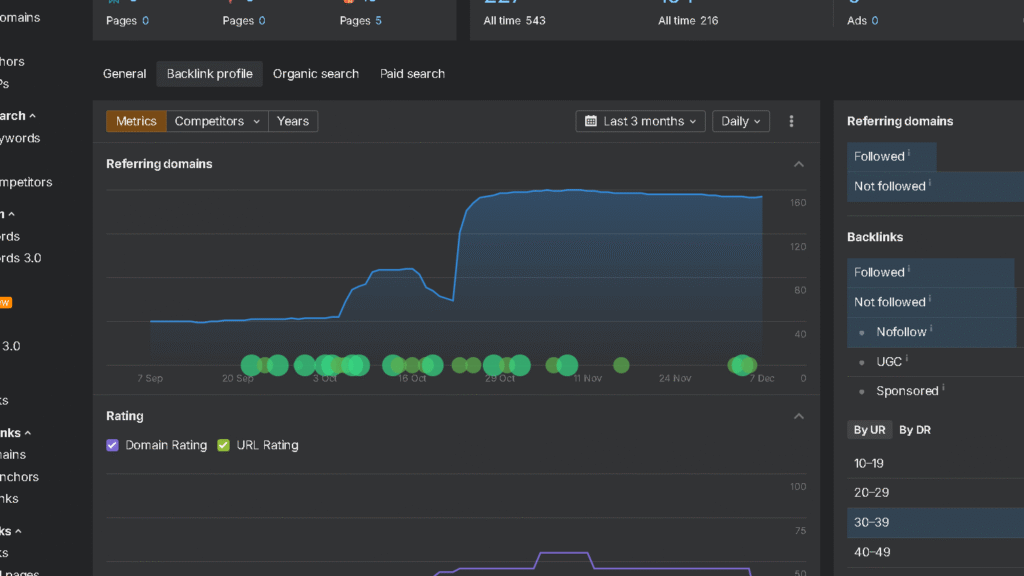
Ahrefs runs a backlink index with over 30 trillion URLs. They refresh link data every 15 to 30 minutes, which is just about as fast as it gets (outside Googlebot itself).
Ranktracker’s backlink database is much smaller—about 2 trillion URLs. Updates happen weekly, not constantly.
| Feature | Ranktracker | Ahrefs |
|---|---|---|
| Index Size | ~2 trillion URLs | 30+ trillion URLs |
| Update Speed | Weekly | 15-30 minutes |
| Historical Data | Limited | 10+ years |
| New Links Per Day | 50K-200K | Millions |
For small business sites that just need basic link monitoring, Ranktracker does the job. But if you’re running aggressive link-building campaigns or need fresh data daily, Ahrefs is just way more comprehensive.
Backlink Checker and Reporting
Both tools have backlink checker features, though the detail level is different. Ranktracker’s Backlink Monitor tracks new and lost links with color-coded indicators, so reporting is straightforward.
Ahrefs lets you filter backlink data by all sorts of things—dofollow/nofollow, anchor text, link type, platform. It even shows referring domains and gives you a visibility trend score.
Ranktracker strengths:
- Clean visual timeline of link changes
- Basic anchor text distribution
- Simple broken links detection
Ahrefs strengths:
- Deep link filtering by multiple criteria
- Comprehensive referring domains analysis
- Full link profile breakdown with historical trends
Neither tool has built-in outreach management, but Ahrefs does integrate with third-party platforms if you need that.
Competitor Link Analysis
Ahrefs is fantastic for competitor link analysis using its Link Intersect tool. It finds sites that link to your competitors but not to you, showing you new link-building opportunities.
Ranktracker gives you link opportunity suggestions based on competitor analysis. It works fine for basic prospecting, but doesn’t have the advanced filters you’d want for bigger campaigns.
In Ahrefs, I can dig into competitor backlink profiles and see which domains link to several rivals. That helps me spot industry sites that might be open to linking to my stuff too.
Ranktracker’s competitor tools are okay if you just want a quick overview of where competitors get links. For deep gap analysis and strategic link building, Ahrefs definitely has the depth to support real data-driven outreach.
Keyword Research Features
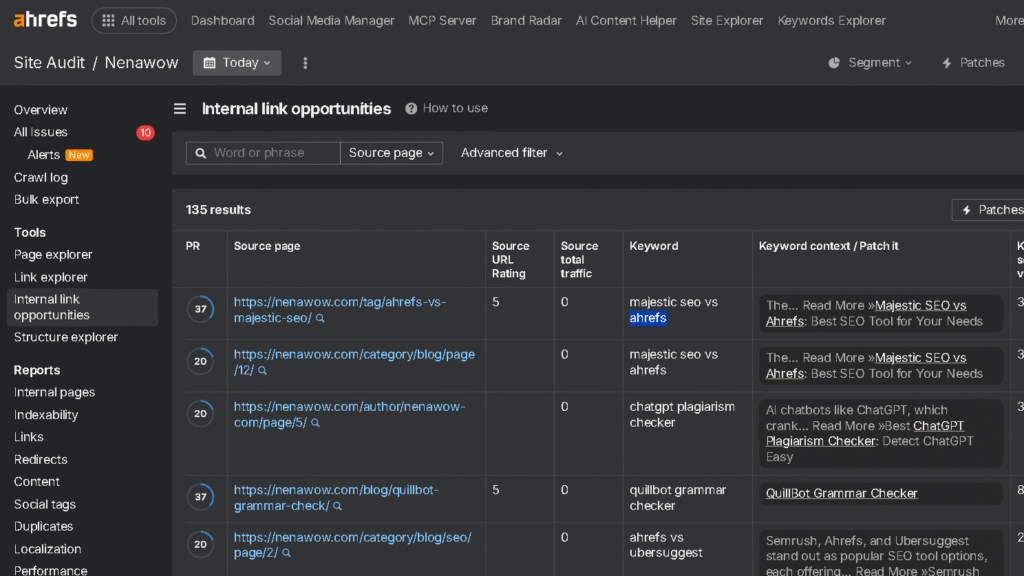
Both tools give you keyword data, but Ahrefs just has way more suggestions and deeper metrics. Ranktracker keeps it simple and sticks to the basics.
Keyword Suggestions and Difficulty
When I tried keyword ideas in both, Ahrefs Keywords Explorer gave me way more suggestions. For a single seed keyword, Ahrefs usually spits out thousands of related terms, phrase matches, and question-based keywords. Ranktracker shows fewer options, but the interface is less cluttered.
Their keyword difficulty scores aren’t calculated the same way. Ahrefs uses a 0-100 scale that looks at backlink profiles of the top-ranking pages. Ranktracker also uses 0-100, but its estimates are often lower for the same keywords. I trust Ahrefs’ numbers a bit more—they’re conservative, which keeps me from chasing keywords that only look easy on paper.
Both platforms color-code difficulty: green for easy, yellow for medium, red for tough. It’s a quick way to scan for good targets, but I always double-check with my own judgment too.
Search Volume and CPC Metrics
Accurate search volume matters when you’re building a content strategy. Ahrefs pulls its data from clickstream sources and updates more often than Ranktracker.
Ranktracker uses similar sources, but its updates just aren’t as frequent. I also noticed Ahrefs covers more countries and languages for search volume, which is handy if you work internationally.
CPC data shows up in both tools and gives you the average cost per click for paid ads. Ahrefs displays CPC right next to organic difficulty, so it’s easier to spot keywords with commercial potential.
Ranktracker includes CPC too, but it doesn’t have as much historical data. Sometimes you want that longer view, but you can’t always get it here.
Ahrefs shows monthly search trends with little graphs beside each keyword. That helps me catch seasonal patterns at a glance.
Ranktracker only shows annual trends, and they’re not as detailed visually. It’s not as easy to spot quick shifts in interest.
Long-Tail and Content Opportunities
Long-tail keywords usually bring in more targeted traffic with less competition. Ahrefs Content Explorer helps me find gaps by checking what competitors already rank for.
I can filter by word count, domain rating, or even social shares. The parent topics feature groups related keywords, so I know which broader term makes sense to chase.
Ranktracker lets you filter for long-tail keywords, but the research tools feel basic. I can’t dig into competitor content as thoroughly or uncover content gaps as quickly.
Ahrefs also suggests question-based keywords automatically, which is perfect for FAQs or blog inspiration. Ranktracker makes you filter manually to find those, so it takes more time.
Technical SEO and Site Audit Tools

Ahrefs and Ranktracker handle technical SEO in different ways. Ahrefs leans into advanced crawling, while Ranktracker keeps things simple for basic audits.
Website Audit and On-Page SEO
Ahrefs’ site audit tool crawls your site and flags critical issues. It finds broken links, missing meta descriptions, duplicate content, and indexing problems. Ahrefs really stands out in SEO auditing with a user score of 8.7, much higher than Ranktracker’s 4.2.
Ranktracker’s web audit is more straightforward. It scans your site and highlights issues like slow loading or missing H1 tags, using color codes to show urgency.
For on-page SEO, Ahrefs breaks down internal links and content optimization chances. Ranktracker gives simple suggestions, which work for small sites but don’t go deep enough for complex technical work.
Technical SEO Auditing
Ahrefs uses a headless Chromium crawler that actually renders JavaScript. This makes it better for analyzing modern, JavaScript-heavy sites.
The platform assigns a Health Score, weighing each issue by its impact on rankings. It catches redirect chains, canonical tag problems, and page speed issues with full Core Web Vitals analysis.
Ahrefs also finds problems like noindex pages with backlinks and gives you the technical details you need to fix them.
Ranktracker does more surface-level technical SEO audits. It spots basic issues but doesn’t handle JavaScript rendering or complicated indexing problems. The recommendations feel generic compared to what you’d get from Ahrefs or Screaming Frog.
Usability and Mobile Audit
Both tools check mobile usability, but the depth varies. Ahrefs pulls page speed insights right into its audit reports, so you can see which mobile elements slow things down.
Ranktracker checks mobile usability using API connections. It’ll tell you if pages have mobile issues, but doesn’t go as deep. Ranktracker’s audit tool feels simple and effective for folks just starting out.
When you need serious technical SEO, Ahrefs gives you more actionable data about mobile performance and user experience factors.
Reporting, Integrations, and Platform Usability
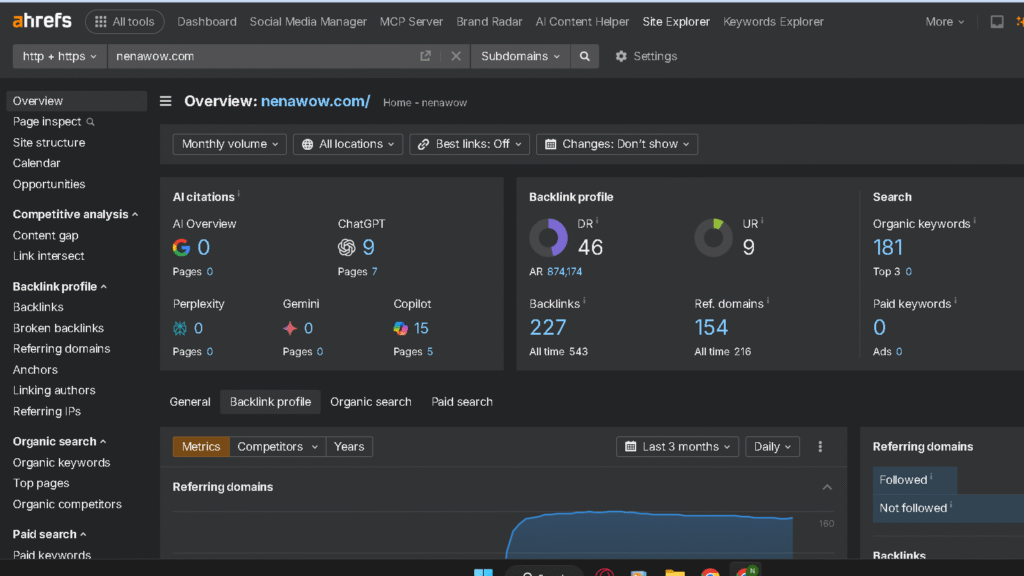
Ranktracker keeps reporting simple, which works for small teams. Ahrefs, on the other hand, provides detailed exports for power users. Both tools connect with Google Search Console, but their customization and usability really aren’t the same.
Customizable Reports and PDF Export
Ranktracker has basic customizable reports with clean layouts. I can export PDFs showing keyword rankings, audits, and competitor data, all with color-coded charts for quick trend spotting.
Ahrefs lets you go further with custom dashboards that pull from tools like Site Explorer and Keywords Explorer. PDF exports come with more filtering options, so you can pick metrics, date ranges, and competitors.
Agencies can white-label reports in Ahrefs, swapping out branding for their own. Ranktracker supports white-labeling too, but only on higher plans.
Both let you schedule automated reports, sending weekly or monthly emails with fresh data. Saves me time compared to manual reports for every client.
Data Integrations and Third-Party Tools
Both platforms hook into Google Search Console, so I can see which queries drive traffic and how rankings shift. Linking Google Analytics lets me compare organic traffic with ranking positions.
Ahrefs provides a comprehensive API for enterprise teams, great for building custom dashboards or automating data pulls. Ranktracker’s API is more basic, covering rank tracking and domain stats.
No native Zapier integration for either, but you can use their APIs for custom workflows. Ahrefs supports more webmaster tools with its advanced integrations.
Ahrefs exports data in formats like CSV and JSON, making it easier to use with other tools. Ranktracker sticks to simpler CSV exports.
User Experience and Interface
Ranktracker uses a clean, uncluttered dashboard. Navigation is easy, and I didn’t need much training to get started. It’s a good fit for beginners or small business owners.
Ahrefs packs a lot into its interface, which can feel overwhelming at first. But there’s a massive knowledge base with tutorials and case studies if you get stuck.
Both platforms offer hover tooltips for key metrics. Ranktracker has an onboarding checklist to guide you, while Ahrefs expects you to learn through docs and videos.
Honestly, usability depends on your experience. Ranktracker is all about simplicity. Ahrefs gives power users more control and options, but you’ll need to spend more time learning the ropes.
Frequently Asked Questions
Ranktracker focuses on simplicity and affordable pricing. Ahrefs brings a huge backlink index and advanced research features. Each platform serves a different crowd, from budget beginners to data-driven pros.
What are the main differences in feature set between Ranktracker and Ahrefs?
Ranktracker covers basic keyword tracking, site audits, and SERP monitoring in a simple interface. It’s aimed at freelancers and small businesses who want straightforward tools.
Ahrefs offers deep backlink analysis with over 30 trillion URLs in its index. You get detailed competitor research, content gap analysis, and JavaScript rendering for technical audits.
I found that Ranktracker is lean and accessible while Ahrefs is powerful and expansive. Ahrefs updates backlink data every 15 to 30 minutes, while Ranktracker does it weekly.
Keyword tracking accuracy stands out. Ahrefs updates high-volume keywords almost in real time and spots SERP features like featured snippets. Ranktracker updates daily, which works for low-competition or long-tail keywords.
How do pricing models for Ranktracker and Ahrefs compare?
Ranktracker’s lower pricing works for beginners and small budgets. It’s positioned as an affordable all-in-one tool.
Ahrefs costs more, reflecting its massive data infrastructure and link database. It’s really meant for agencies, enterprises, and SEO pros who rely on fresh, deep data.
I noticed that Ranktracker offers a free trial, while Ahrefs doesn’t. That makes Ranktracker easier to test before you commit.
Can Ranktracker match the keyword research capabilities of Ahrefs?
Ranktracker’s keyword research tools are basic but work for small projects. It tracks keywords well, but lacks the depth for big campaigns.
Ahrefs keeps a much larger keyword database with more detailed metrics. You see search volume, keyword difficulty, and traffic potential with better accuracy.
I’ve seen Ahrefs excel at high-volume keyword tracking, updating every 12 to 24 hours. Ranktracker is reliable for long-tail keywords but doesn’t keep up with fast-moving competitive terms.
The visibility trend score in Ahrefs estimates actual traffic from rankings. Ranktracker sticks to simple rank tracking without advanced projections.
Which platform, Ranktracker or Ahrefs, provides better analytics for local SEO?
Ahrefs is stronger for local SEO, with more accurate localized results. It detects local pack listings and gives detailed, location-specific data.
Ranktracker isn’t as reliable for local pack listings. It tracks local keywords but doesn’t show the full picture of local search.
Ahrefs also identifies SERP features more thoroughly, including map pack spots. That’s a big deal for businesses targeting certain areas.
Is there a significant performance difference between Ranktracker’s Falcon Rank AI and Ahrefs’ tools?
I haven’t found much info about Falcon Rank AI in Ranktracker. The platform mainly markets itself as user-friendly with simple tracking.
Ahrefs uses AhrefsBot, which is one of the most active web crawlers after Googlebot. It finds new links faster than most competitors.
The technical gap is pretty big. Ahrefs uses headless Chromium for JavaScript rendering, while Ranktracker sticks to surface-level analysis.
What are the alternative tools to Ranktracker and Ahrefs for tracking local search rankings?
SEMrush brings some solid local tracking features, letting you check positions across cities and regions. It also comes with local pack monitoring and competitor analysis for specific geographic markets.
BrightLocal really leans into local SEO, focusing on citation tracking and review management. If you’re an agency working mostly with local business clients, I’d say this tool feels like a natural fit.
Moz Local tracks rankings by location and handles listing management across a bunch of directories. It helps businesses keep their NAP info consistent on the web, which honestly can be a headache otherwise.
Google Search Console is still free and gives you real performance data for local searches. You can see which queries show your business in certain locations—straight from the source.


