You can use Fetch.ai Wallet to manage tokens, stake, vote in governance, and connect to apps across the Fetch.ai and Cosmos ecosystems with a non-custodial, multi-network wallet.
You keep full control of your private keys while using a single wallet to send, receive, stake, and interact with decentralized apps across Fetch.ai and compatible Cosmos networks.
This post walks you through the wallet’s core features and how it protects your keys. You’ll also find practical tips so you can set up the wallet, move funds, and use its features with confidence.
Core Features and Capabilities
This wallet places native FET at the center of your crypto activity. You can also manage other tokens, stake, automate, or move assets across chains.
It supports asset management, AI-driven automation and easy cross-chain transfers using standard blockchain protocols. That’s a lot in one place, really.
Native FET and Multi-Asset Support
Redeem native FET on Fetch.ai Wallet with other tokens. The wallet functions to support FET as a reserve for fees, stakes, and governance activities in the Fetch.ai ecosystem.
You can also import or create accounts with a mnemonic seed and view balances, transaction history and price changes from the main dashboard. The wallet supports multiple token types from compatible networks as well.
That means you can take ERC20 tokens and other assets, track portfolio value, and give or receive tokens through QR code or address. Security features protect private keys on the phone and desktop, so that you can now handle crypto assets easier.
Automation and AI Integration
You can control, or interact with, your own agents and automations from inside the wallet. The Fetch.ai Wallet sends you to agents who do bidding in marketplaces, setting price triggers, or claiming staking rewards without leaving the app.
Automation tools can allow you to specify the rules and time for actions such as periodic transfers or conditional trades that are connected to price events or on chain events. These features use Fetch.ai’s machine learning and agent orchestration to simplify manual steps.
You can manage permissions and approvals, so automations only perform with your permission. That’s good, isn’t it?
Cross-Chain Interoperability
The wallet is able to support cross-chain transactions, based on common interoperability principles where available. Fetch.ai uses CosmosSDK and IBC transfers to move assets between IBC-supported chains, offering fast, native-style transfers without wrapping when both chains support IBC.
In the case of nonIBC assets, the wallet is connected to bridges and DApp APIs for exchange or change. You can see the routing options and estimated charges before you make a transfer.
Connectivity of the target network varies from cross-chain staking and governance participation. The wallet contains a list of supported locations and the steps for each transfer, so you don’t have to guess.
User-Friendly Interface and Accessibility
You interact with a clean, mobile-first interface that allows you to access portfolio and staking control in easy reach. This dashboard shows your FET balance, recent transactions, and staking or governance information.
Menus and QR scanning make sending and receiving crypto a bit less daunting. Accessibility includes the mobile app on Android, iOS, and a browser extension with the same UI/UX.
The wallet allows for guided flows to import wallets, create accounts, and claim rewards. Security alerts and clear confirmations help prevent errors during transfers and agent setup.
Security and Private Key Management
This section explains how to protect your private key keys, prevent access by PIN, recover mnemonic seeds, and use hardware wallets like Ledger to save Fetch.ai funds.
Non-Custodial Approach
When you don’t have custody of the keys, your private keys are unlocked by the wallet. You are responsible only for the keys that sign transactions in the Fetch.ai network.
The private keys are cash. If someone gets your private key, they can take FET tokens. Never share keys, private JSON files or secret phrases in messages, email, or screenshots.
Use the Fetch.ai wallet app only from the official download link, and check app signatures if possible. Limit the online exposure by relying on the wallet for everyday transactions and moving large balances to safer storage.
Record who has access and discard keys. Split funds among accounts to limit risks if one key is lost.
Hardware Wallet Compatibility
Hardware wallets are much harder to steal as they hold private keys offline and sign transactions in a secure box. Ledger devices such as Ledger Nano and Ledger Nano S Plus are widely supported and can be used with Ledger Live and compatible apps to transfer Fetch.ai tokens.
When you sign with a Ledger on the Fetch.ai wallet, this signing happens on the Ledger device. The wallet app sends signed transactions to the Ledger; you confirm on the device; and the Ledger returns a signed transaction.
In this way, malware on your phone or PC cannot fetched keys. Always purchase Ledger or other hardware wallets at the authorized store or reseller.
Setup the device by yourself and check the display of your device. Keep the firmware on, and only connect your hardware wallet to reputable software like Ledger Live or verified wallet integrations.
Mnemonic Seed and Backup
The mnemonic seed is a language that can be 12, 18, or 24 words long, which is the best recovery phrase for your wallet. Write this seed on paper or a metal backup and keep it safe offline.
Never store the seed in your computer in a cloud, email, or plain text file. The Fetch.ai wallet, or a hardware wallet like Ledger will show your seed once per setup.
Copy the words in the correct order and test recovery if possible on a spare device. If you accumulate large volumes of FET, then go for a waterproof and fireproof backup.
Did you lose the device but keep the seed? You can regain access to a new Ledger, Ledger Live, or another compatible wallet. If you lose the seed and device, there’s no way to get the keys or funds back.
Think about using a stable, distributed storage system for seeds to avoid one point failure. It’s not fun, but it’s safer.
PIN Code and Access Controls
A PIN code identifies the local account with your wallet app and with hardware devices, like Ledger Nano S Plus. Choose a non-guessable PIN, and avoid common sequences.
The PIN is used on Ledger devices to prevent physical spies from accessing the device’s contents without knowing the correct code. Use any other access controls available in the Fetch.ai wallet such as biometric unlocking on mobile or passphrase support on hardware wallets.
Passphrases add a second word to the mnemonic seed and create a separate account; treat the passphrase as another secret. If your PIN is not entered correctly, then it may wipe itself from the hardware wallet.
Keep your seed and PIN separately so you can easily recover if the device resets. Review access to the device in regular intervals, unneeded sessions, and change PINs when you suspect something is compromised.
Staking, Governance, and Incentives
This section describes the rewards, validators, voting, and staking. It summarizes the main actions you can undertake in the Fetch.ai Wallet and what each choice means for your tokens and network impact.
Earning Staking Rewards
You earn points by delegating your FET tokens to a validator. Rewards are paid in the form of block inflation and transaction fees split between validators and delegaters.
In your wallet you see AY and total reward to help you assess the expected income and real payouts. Unstaking (undelegating) has a cooling off period set by the network.
That is when your tokens have no reward and can’t be exchanged. Rewards can be redeemed automatically in the wallet, and some wallets make it automatic to reclaim or compound rewards by reclaiming them for extra cash to increase the yield over time.
Make sure you pay validator commissions. Higher commission means lower net rewards.
Check validator uptime and performance; missed blocks reduce reward shares. These are measures are provided in the Fetch.ai Wallet so you can compare expected returns and risk before delegating.
Validator Selection and Insights
In the wallet, scan the on-chain data to identify validators. Expect good uptime, low slash history, and a good commission.
It can also connect to FetchStation for transaction details and full validation history. Divide your stake between multiple validators to avoid slashing or downtime.
I would also suggest small validators to support network decentralization complemented by performance metrics. The wallet often displays the size and distribution of stakes, which allows you to veer between centralization risk and reward potential.
You can change your delegation at any time but you lose the undelegated cooldown and may miss rewards for doing so. Check each validater’s self-bonded stake level and community reputation.
Use those indicators to identify committed operators vs. temporary actors. Some are, for the long haul.
Governance Participation
You vote on governance proposals with your staked FET, either directly or through the governance UI in the wallet. Voting options include Yes, No, No with Veto, and Abstain.
Your voting power equals your staked amount at the snapshot of the proposal. The wallet records all of the proposals that are open and transaction details for you to explore: proposal status, quorum, and current vote totals.
Some proposals may require on-chain deposits or have reached thresholds before voting opens. Participate early and then influence protocol parameters like inflation, upgrades or treasury spends.
If you don’t want to vote manually, you can assign a delegation of voting power to a representative or validator but that has no impact or responsibility. Recall your voting or presenting ideas in the wallet activity tab to follow your governance history.
Automation of Staking Actions
The Fetch.ai Wallet includes tools for automated staking. You can also auto-claim rewards or schedule compounding to reclaim rewards.
These options save time and increase the compound return of choice. Automation helps to rebalance across validators as well.
Some wallets offer suggested delegations based on performance data and extension integrations can do that for you. When establishing automation rules, think about the transaction fee and delegated cooldowns.
Security matters – automaticity requires permissioning. Protection against automated flow is provided via Google Auth, or a wallet specific security.
Check your automated rules regularly to ensure that they are still meeting your risk tolerance and yield goals. It’s easy to set and forget, but don’t forget.
Asset Management and Advanced Functionality
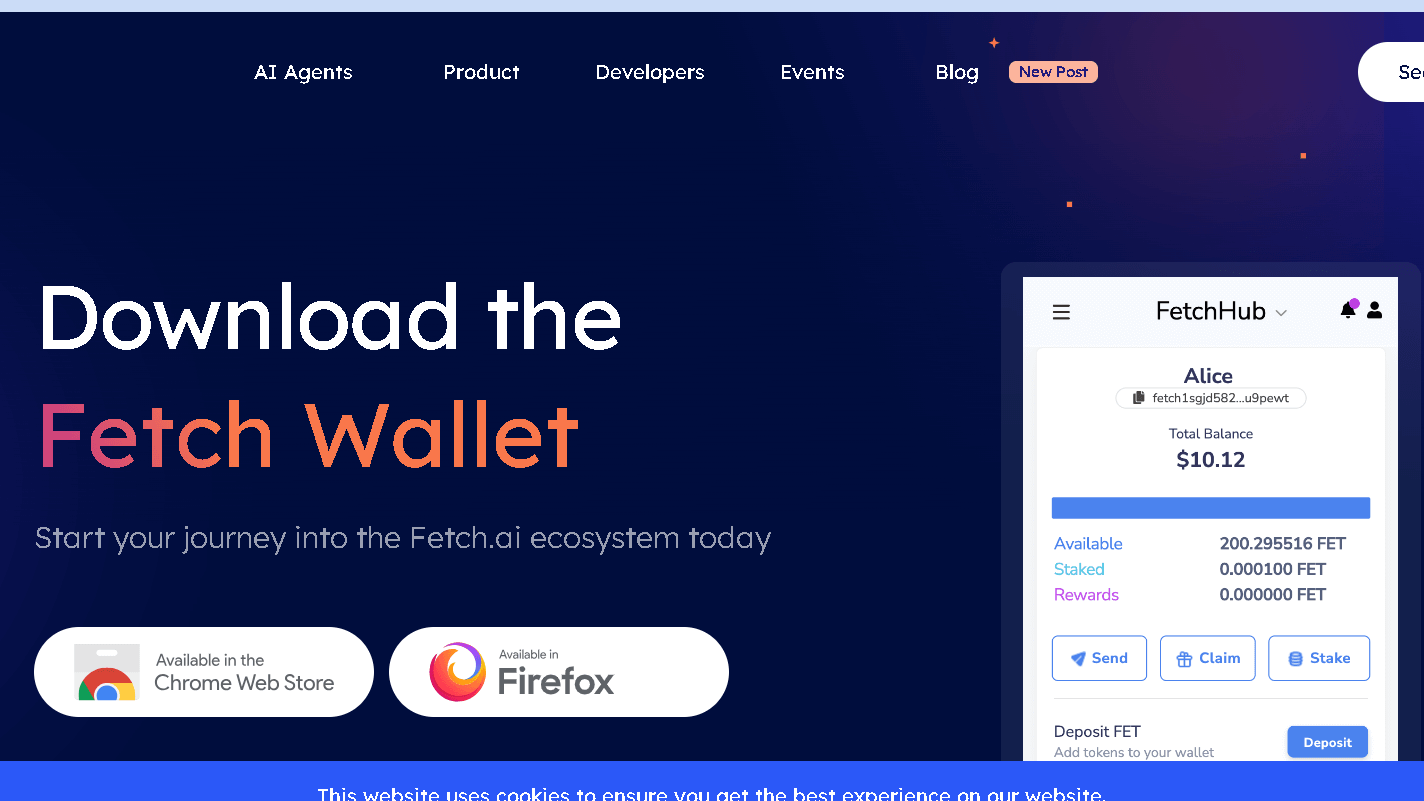
You can control tokens, stake rewards, and move assets across chains without looking at fees or performance. This wallet accepts native Fetch.ai tokens and is connected to other networks allowing you to send, receive, and stake money without incurring unnecessary transaction fees or confirmations.
Multi-Chain Asset Transfers
You can trade FET and assets on Ethereum and Bitcoin and on Cosmos tokens. The wallet supports IBC transfers for chains in the Cosmos ecosystem, so you can move Cosmos native tokens without wrapping.
For both Ethereum and Bitcoin, you’ll have native transfer flows; cross-chain swaps may need bridges or wrapped tokens based on destination. Check supported chains before sending.
If you use an IBC route, double check the channel and gas token. To avoid lost funds, verify the address format and the network used by the sender (mainnet vs testnet) for Ethereum transfers.
Always test small amounts when crossing or taking a new route. A typo takes a lot of tokens.
Transaction Fees and Performance
Fees vary by network and by operation. Ethereum transactions use gas, which is in gwei; they are more complex and congestion increases the cost.
Bitcoin fees are based on the size of a byte and the amount of mempools. For both Cosmos and Fetch.ai, fees are in their own token and tend to be lower than Ethereum if load is normal.
You can adjust the gas level to faster confirmation or at a lower cost, but too much gas can cause errors and additional fees. During transfer of large sums, monitor the network status in the wallet.
The wallet provides estimated fees and expected times of confirmation, so you can make a good decision. Sometimes it’s worth it for some peace of mind.
Mobile and Extension Setup
Get the mobile app from Apple App Store or Google Play. You can also install the extension in Chrome.
Both ways are an option of making a new wallet, importing via mnemonic, or using hardware such as Ledger to add security. The interface organizes the assets, staking, and transaction history into separate tabs. It’s pretty intuitive.
Activate biometric unlock on mobile for easier access. In case of the extension, don’t forget to unlock the wallet when done and check DApp permissions before doing anything.
Be on top of your app. Updates add APIs to dApps or tweak the security and staking dashboards.
Importing and Migrating Wallets
You can either add a new wallet with a 12- or 24-word mnemonic, or you can use a compatible hardware wallet. Alternatively, if you are upgrading from another Fetch.ai or ASI Wallet, use the same seed phrase to keep your addresses and token balances on supported chains.
You should only export your wallet from a safe place. Check your addresses after you import, especially if you import networks like Ethereum and Cosmos.
Never share your seed phrase or private keys. Labeling a wallet keeps assets at the right place, especially if you carry a lot of cash.
Frequently Asked Questions
This section covers setting up and accessing your Fetch.ai wallet, where to find the official apps, which wallets support ASI Alliance tokens, what you get with Ledger integration, and where to check live FET prices.
How do I create an account on the Fetch.ai wallet app?
Download the official Fetch.ai mobile app for Android or iOS. Open it up, tap “Create new account,” and follow the steps to set a wallet name and password.
The app gives you a mnemonic seed phrase—write it down and keep it somewhere safe and offline. Don’t share your seed phrase or private keys, ever.
What steps are required to log in to my Fetch.ai wallet?
Open the mobile app or browser extension, then choose “Import account” or “Unlock.” Enter your password, or import using your mnemonic seed or private key if that’s what it’s asking for.
If you use a hardware wallet, connect it and approve prompts on your device. Make sure your app and device software are up to date for a smoother login and better security.
Where can I download the official Fetch.ai wallet application?
Grab the mobile wallet from the Apple App Store for iOS or Google Play Store for Android. The browser extension is available on the Fetch.ai official website or the Chrome Web Store.
Double-check the publisher and look for the official Fetch.ai domain before you install. Seriously, don’t grab wallets from random links or third-party stores.
Which wallets are compatible with ASI Alliance tokens?
Wallets that follow Cosmos and IBC-compatible standards usually support ASI Alliance tokens. Check compatibility lists on the ASI Alliance or token project pages to see which wallets are good to go.
Hardware wallets that work with the Fetch.ai ecosystem might also support ASI tokens through the wallet interface. Always confirm token support before sending your funds.
What features does the Fetch AI Ledger wallet offer?
Ledger integration lets you store FET keys on a hardware device, adding a layer of security. You’ll need to connect the Ledger device and approve transactions right on the device itself.
You can use Ledger with the Fetch.ai extension or supported apps to check balances and sign transactions. This setup keeps your keys offline, but you can still stake and transfer tokens without much hassle.
How can I track the live Fetch AI token price?
Check major crypto price aggregators like CoinGecko or CoinMarketCap. Both sites show real-time FET quotes, and they’re usually pretty reliable.
You can also see FET price and portfolio updates inside some wallet apps that offer price feeds. Handy, right?
Set price alerts on exchanges or tracking apps if you want a heads-up when things move fast.
Always check timestamps and market pairs when you compare prices across different sources. Sometimes, numbers just don’t quite line up.