
Jasper AI vs Writesonic: Which One is Better for You?
If you want a quick answer: Jasper lets you shape a precise brand voice and gives you tight control over long-form content. Writesonic leans into built-in SEO tools and cheaper entry plans.
Go with Jasper if you need deep brand control and flexible long-form writing. If you care more about strong built-in SEO and lower starting costs, Writesonic is probably your best bet.
I’ll walk through how each tool handles core writing tasks, brand voice, SEO workflows, pricing, and integrations. You’ll see clear comparisons of content quality, usability, and when one tool just fits better than the other.
Table of Contents
Jasper AI vs Writesonic: Overview Table
| Category | Jasper AI | Writesonic |
|---|---|---|
| Target Users | Teams, agencies, enterprises, content creators needing brand control | Solo marketers, small businesses, freelancers, budget-conscious users |
| Pricing | Higher starting price; premium positioning | Budget-friendly |
| Best For | Long-form content, brand consistency, team collaboration | Short-form content, SEO-focused posts, high-volume output |
| Content Approach | Co-writing tool with iterative editing and creative control | Auto-generation with template-driven, SEO-optimized workflows |
| Templates | 100+ marketing-focused templates | Fewer templates but SEO-focused options included |
| Brand Voice | Advanced Brand IQ system with detailed voice profiles and Boss Mode | Quick presets with simple tone/audience fields |
| Long-Form Content | Strong editor with outlines, iterative drafting, in-document commands | Fast article generation with SEO checks; may need manual refinement |
| Short-Form Content | Solid output with tone/length control | Generates multiple options quickly; great for A/B testing |
| AI Models | GPT-4 + proprietary Brand IQ layer | GPT-family models + other engines with SEO focus |
| SEO Features | Requires paid integrations (e.g., Surfer SEO) | Built-in SEO tools, keyword suggestions, internal linking, Semrush integration |
| SEO Integrations | Surfer SEO (separate subscription required) | Native SEO workflows, Ahrefs, Google Search Console, Semrush |
| Automation & API | API available; some features need higher tiers or sales contact | API access on all plans; easy automation setup |
| Editing & Optimization | In-app structure controls, rewrite commands, complex instructions | Short-form polishing, SEO workflows, punchy headlines/meta descriptions |
| Plagiarism Checking | Not built-in; external tools recommended | Built-in checks and flags |
| User Interface | Structured for long projects; organized folders and menus | Speed-focused; one-shot tools and template grid |
| Learning Curve | Steeper; Boss Mode and workflows need time to master | Quick and intuitive; easy onboarding |
| Content Volume | Better for quality over quantity | Better for quantity over deep customization |
| Ideal Use Cases | Long-form SEO content, case studies, white papers, multi-channel campaigns | Ad copy, product descriptions, social media posts, email drafts |
| Key Strengths | Brand consistency, long-form quality, team controls, advanced workflows | Affordability, speed, built-in SEO, template variety |
| Key Weaknesses | Higher price, requires third-party SEO tools | Less brand memory, more editing needed for long-form |
Overview of Jasper AI vs Writesonic
I am testing two popular AI writing platforms which are highly respected for speed, quality, and SEO. I will also briefly discuss what each tool does — who it is appropriate to — and which differences really matter in terms of cost and process.
What Is Jasper AI?
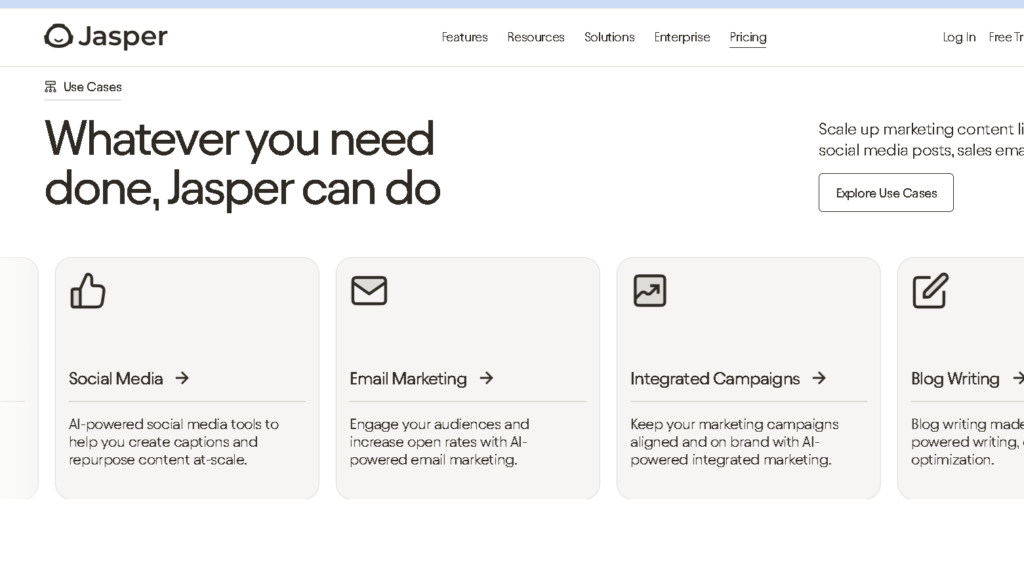
Jasper sounds like an AI writing engine designed specifically for teams and designers who desire quality, consistent content. It focuses on creative control using freestyle commands and the Brand Voice system that learns from your sample to keep tone steady across pages and campaigns.
You can co-write longform content – feed it background, pause and edit as you go, and improve output step by step. If you want to improve on-page SEO with Jasper, you’ll need a subscription. It also offers Image-Generation (Jasper Art) and enterprise options like collaboration, style guides, knowledge assets that are designed for larger teams.
What Is Writesonic?
Writesonic is an AI writing platform aimed at affordable cost, speed and built in SEO. You get tons of ads, product descriptions and blog post templates and a free tier for small teams or solo contributors who are just starting out.
Its Article Writer and Photosonic image editor allows you to develop simple, SEO-related content and images that leave your account. Writesonic also includes native SEO functions such as automated internal linking, topic suggestions and Semrush integration. It also shows workflow automations in Zapier on most plans so you can publish straight to WordPress or connect to other apps without upgrading.
Key Differences at a Glance
- Pricing and access: Writesonic is more budget-friendly with a lower starting price. Jasper goes after users willing to pay more for advanced control and enterprise features.
- Content approach: Jasper acts as a co-writer for careful editing and brand tone control. Writesonic auto-generates SEO-optimized posts faster using template-driven flows.
- SEO and integrations: Writesonic has native SEO tools and broad Zapier access. Jasper relies on paid integrations like Surfer SEO for deeper optimization.
- Team features: Jasper offers richer brand voice and knowledge assets for enterprise teams. Writesonic scales with flexible seat and project purchases at lower incremental cost.
- Extras: Both have image generation. Jasper Art emphasizes quality and control, while Writesonic’s Photosonic is included on standard plans for cost-conscious users.
Core Features and Writing Capabilities
I’m interested in how each of these tools handles actual writing, what kind of templates you get, and the AI tech that controls output quality and control.
Content Creation and Templates
A good template library saves time and maintains tone. Jasper has 100+ marketing templates for blog outlines, ads copy, email drips. These templates are connected to Brand IQ so I can add a brand voice and reuse styles across projects.
There are less templates for Writesonic but AI Article Writer comes with SEO-focused options for keywords, meta tags and internal linking. Both platforms allow you to start from scratch.
Jasper’s editor is more flexible for manual editing and stepwise drafting. Writesonic’s templates save time by automating more steps – great when you want to have a nearly finished draft in minutes.
Long-Form and Short-Form Content
I have tested on short ads and long blog posts. For writing in the short form – headlines, social posts, product blurbs – Writesonic sends out options all at once. That’s useful for A/B testing. Jasper also builds good short copy that I can tone down and length before I hit publish.
For long-form content, Jasper’s editor and workflow support outline, iterative drafting, and in-document commands such as “continue writing” or “rewrite this section.” That makes co-writing long posts a breeze.
Writesonic’s AI Article Writer enables you to write a whole article in minutes and works well with check on SEO, though sometimes you have to change the flow or add dimension by hand. It does have headings, intros, and end points, though, which makes it a good jump start.
AI Models and Technology
Model choice is important for accuracy and style. Both tools use OpenAI models such as GPT-4 and other large language models. Jasper brings OpenAI together with its own Brand IQ layer, in order to customize outputs to your style and needs. Writesonic also utilizes GPT-family models and brings in other engines, but its focus has been on the use of built-in SEO tooling and agent workflows that can take data outside of the system, like Ahrefs.
Real things are model switching and agent selection here. Jasper gives full brand control and in-editor steering. Writesonic offers agents-driven workflows for SEO research and automated checks. Jasper has Jasper Art for images and Writesonic has Photosonic for visuals with your text if you need.
Content Quality and Brand Voice

I’m considering the way in which each of these tools creates clear, useable content that is personal to the brand. Voice controls, editing controls, and optimization tools all influence what you get out of the other side.
Brand Voice Customization
Brand voice is vital so I evaluate how well each platform learns and uses it. Jasper will generate more detailed voice profiles and “Boss Mode” controls for tone, formality, and even sample paragraphs to mimic. That’s great for long plays that need to feel real.
Writesonic gives you quick presets and simple fields to tweak tone and audience. It’s simple to set up, but needs more manual examples for tricky voices.
Both tools allow you to save your own templates for reuse. Jasper does a better job of keeping the soft stuff going after a few edits; Writesonic nails are long, punchy marketing tones a bit faster.
Here’s what I usually do:
- Upload sample copy or paste style lines.
- Save voice presets for reuse.
- Test with 3–5 prompts to check fidelity.
Consistency and Style Guides
I want platforms to enforce a style guide across docs. Jasper supports persistent style settings, and is useful when I need the same phrasing and brand terms throughout a campaign. I can lock terms, spellings and formatting that stick through more than one output.
Writesonic’s approach is lighter: it applies tones per document and uses saved templates rather than a global style engine. It’s fine for one-off campaigns but will require more manual checks of big content sets. Both of these allow me to export drafts for my editor to use with an external style guide, but Jasper eliminates repetitive edits by making voice steady at scale.
What I usually do:
- Define key terms and forbidden words.
- Apply the guide to one draft and review three outputs.
- Use saved templates to reduce drift.
Editing and Content Optimization
SEO and edit tools can really lift a draft. Jasper provides in-app controls for structure, rewrite commands and can handle more complex instructions. I have a faster time editing long articles or adding branded stories.
Writesonic is focused on short-form polishing and some plans include SEO workflows with SurferSEO.
It makes a lot of punchy headlines and meta descriptions with less vigor. I always run my outputs through a human editor to ensure it is accurate, correct factual errors, and to ensure proper brand language. Targeted prompts and a quick editor pass before publication give both platforms a boost.
My usual editing checklist:
- Run a rewrite for clarity and brevity.
- Verify brand terms and tone.
- Optimize headings, meta tags, and CTAs for SEO.
SEO Functionality and Optimization Tools
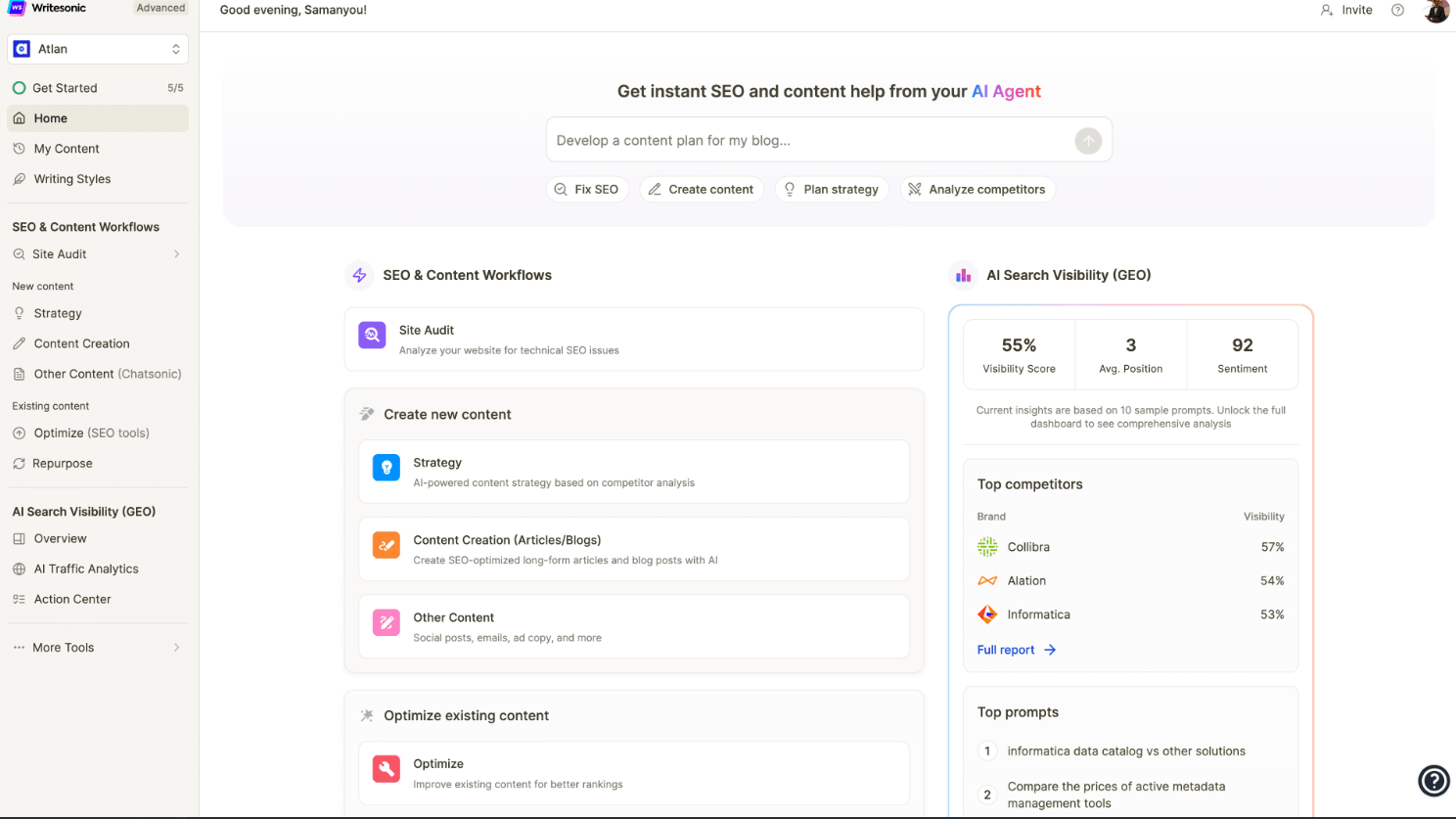
I’m comparing how each platform builds SEO-ready content, connects to popular SEO services, maps topic clusters, and checks for plagiarism or gaps. I care about features that actually impact ranking, workflow, and quality.
SEO-Optimized Content Generation
I want tools to organize the content for search: headings, meta tags, using keywords. Writesonic comes with SEO article templates and basic keyword suggestions, so I can quickly draw briefs and outline. Jasper favors shorter forms of consistency and supports SEO prompts to maintain the brand voice throughout the 1,000+ word article.
Both of them enable me to define target keywords and to create titles and meta descriptions. Writesonic’s templates also typically indicate H2/H3 units and insertion of keywords on the page. Jasper’s drafts tend to be less truncated for flow and readability, making them useful when distributing SEO content across large pages.
I evaluate drafts for SERP relevancy based on headings and intent and top-ranking pages. Integration with specific SEO tools is the answer when I need my on-page optimization done correctly.
For a deeper understanding of how search engines evaluate content, check out Moz’s Beginner’s Guide to SEO and Google’s Search Quality Guidelines
SEO Integrations and Automation
I like platforms that build relationships with vetted SEO tools and automate busywork. Writesonic also includes SEO workflows and can be synchronized with Semrush for keyword research and competitor data. Jasper can also directly use Surfer SEO for detailed scoring of content and alignment of structure, so I can better match pages with top-ranking pages.
Both are supported by API and Zapier integration; I can push drafts into my CMS, see changes in Google Analytics, or create tickets in my workflow. I automate meta descriptions, run bulk outline forms, and send drafts to editors automatically.
I use Search Console and Analytics in my audit and reporting efforts. These also allow me to keep track of my keywords and adjust content based on actual SEO data.
Content Strategy and Topic Clusters
I construct topic clusters by grouping pillar pages and supporting articles around the keywords I want to focus on and search for. The Writesonic templates make it easy to generate many short cluster pieces—FAQs, product pages, posts for internal links. This is a great strength of Jasper’s for a consistent brand voice across all cluster content, particularly useful when linking between pages.
Keyword research from Semrush or native tools helps me to find clusters and assign main and secondary keywords to each page. Such internal linking suggestions are worth considering: platforms that promote anchors and related posts save me time and make crawling paths easier for search engines.
I also check for alignment of search intent and SERP features when planning clusters (“people also ask” snippets). I focus on pages that can pull information from multiple SERP features, and I select the content types that suit them.
Plagiarism and Content Gaps
I also check all AI drafts for plagiarism before publishing. Writesonic also comes with checks and flags to speed up approvals for short form work. I use the external plagiarism tools only for longer pieces.
Content gap analysis is when my site keywords are compared to competition’s. I use Semrush or site: queries to find questions that are missing and have the AI write them down. So since Jasper has better long-form coherence, I need less rewrites after finding a gap.
I also check uniqueness at the level of the paragraph and for factual slacks by cross-referencing Search Console questions and Google Analytics pages with low dwell time. That tells me which articles need more depth, fresher data, or better internal links.
User Experience and Ease of Use
I care about how quickly I can move from idea to finished content. Tools that keep my drafts tidy and easy to find always win me over.
Clear layouts, practical templates, and smooth navigation really help me avoid unnecessary friction during content creation.
User Interface and Workflow
Jasper’s interface is eminently designed for long-term projects. Menus and folders help me to keep a few articles and prompts together without messing up.
The workflow guides take me through keyword research, outline, draft, and edit. I can stay with a process I can do without going between apps.
The Speed is the buzz of Writesonic’s interface. Its one-shot article tool and template grid allow me to produce quick short or mid-length articles.
With WordPress and Google Docs I can drag drafts into publishing software without any additional steps. Jasper makes me look bigger and Writesonic exchanges some of that for something quite speedy.
Learning Curve and Onboarding
It took a bit longer for me to get started with Jasper. Boss Mode commands and workflow setup were not immediately obvious, but Jasper’s Academy and sample workflows helped me understand it after a few attempts.
Writesonic was so intuitive immediately. The free trial and the basic templates will help me to make useful copy fast.
Support was on the phone quickly and troubleshooting was easier. If you want quick wins, Writesonic is easy to pick up, if you want structured content and don’t mind a learning curve, Jasper is worth the wait.
Integrations and Collaboration Features
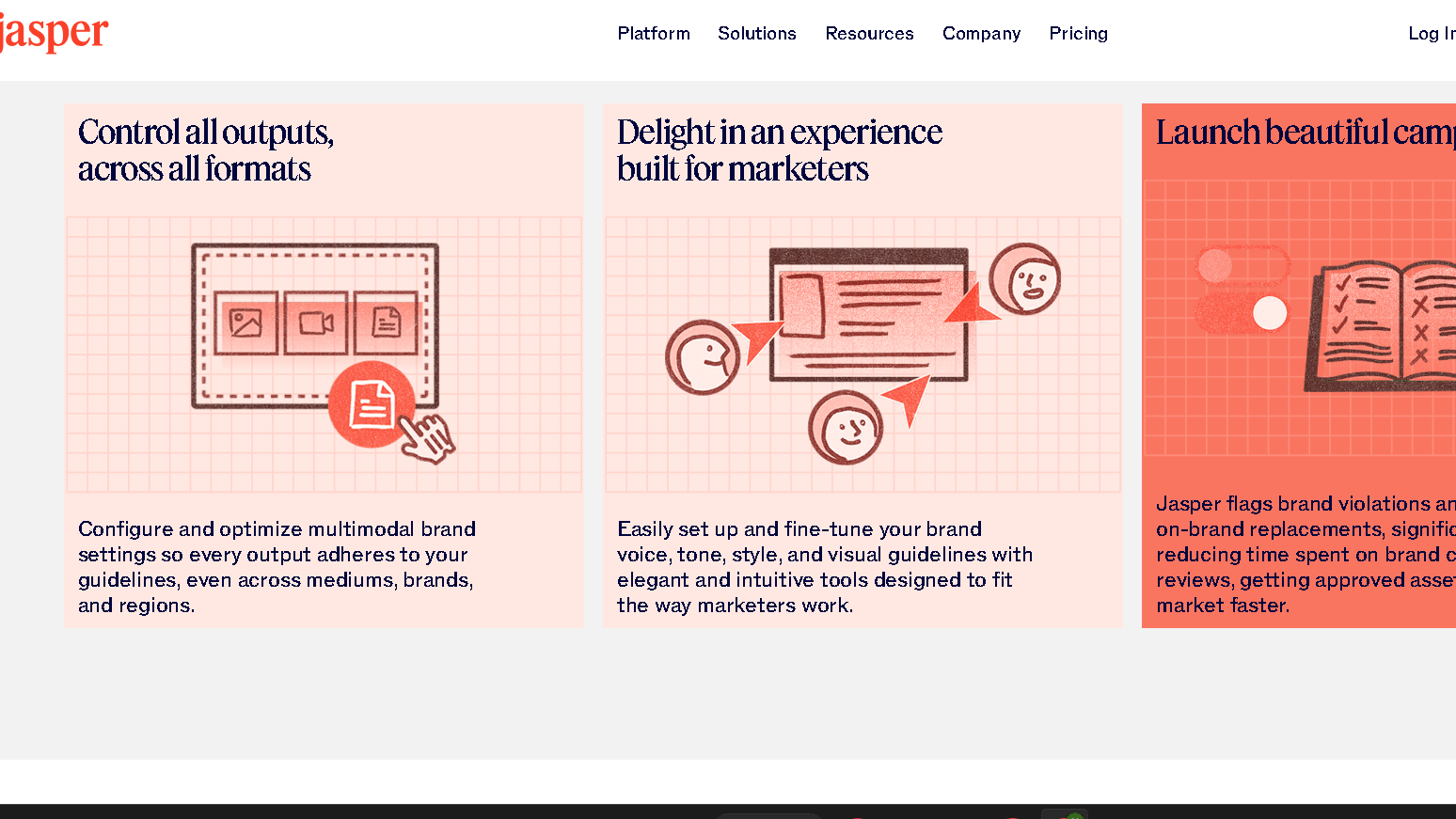
I care about the way each tool fit in my content stack and how teams actually work together within the app. Here’s what I’ve observed about integrations, automations, and collaboration features that you’ll probably be using often.
Third-Party Integrations
I always look for native connections to CMS, SEO, and automation services. Writesonic integrates with SEO tools such as Ahrefs, Google Search Console, and Zapier for automations, and Webflow and WordPress.
Jasper is available on SurferSEO, but requires a separate subscription, Google Docs, and Webflow and it’s integrated with Zapier if you’re on a higher plan.
If it’s important to publish to your CMS, check if it supports one-click posting to WordPress or Webflow. I also ensure that the editor is readable when pushing to CMS.
Zapier fills the void for automation. I use it to trigger content creation from forms or spreadsheets and to send drafts to CMS or Slack.
Team Collaboration and Permissions
I want to control a role, have assets shared, and make edits in real time. Jasper is clearly targeting big teams with Brand IQ, shared style guides, user groups and detailed permissions.
Its collaboration features are helpful when coordinating with reviewers or writers who need different access. Writesonic features several seats plans and shared projects with simple role assignments.
It’s more suitable for small agencies or solo marketers who are looking for quick handoffs. Both editors give you the ability to comment and track versions, but Jasper has a lot more complex review cycles with team features.
I check if editors allow concurrent editing, inline comments, and exportable audit trail for client reviews. Jasper does, Writesonic is a bit simpler.
Automation and API Access
I always want open API and automation tools. Writesonic offers API access for all plans and allows you to quickly integrate AI generation into your CMS or marketing stack.
The API can be used to automate content creation via server, webhook, or Zapier to push drafts to WordPress, update Webflow, or post to Slack.
Jasper offers API and automation, but some of these advanced integrations require higher-tier plans or a sales call. I check rate limits, token controls, and if the API supports brand assets.
API access allows me to create templates that represent brand voice and connect generation to editorial pipeline so editors are not forced to take manual steps.
Pricing, Plans, and Value for Money
I compare costs, trial options, and expected value so you can match each platform to your actual needs and budget. I look at trial access, paid tiers, and how pricing lines up for small businesses and teams.
Free Trials and Entry-Level Plans
There is no permanent free plan for Jasper, although there may be a 7 day trial for new clients that has access to core templates and some long-form tools.
I am extremely sensitive to borders. Free tiers have the most word limits and limited brand voice or collaboration features. The free option is good for testing or occasionally content for small businesses, but quickly tire of it if you need regular output.
Jasper AI vs Writesonic Paid Plans and Business Options
I break current paid tiers down by actual cost and features. Writesonic offers an entry paid package (sometimes called Creator or Pro) for the solo creators who pay a lower monthly fee and have higher word quotas.
It generally opens up more templates, SEO tools, and multi-language support. Their Business or Team plan adds users seats, basic collaboration, and priority support for slightly more per month.
Jasper’s paid plans start at a higher rate. The Creator or Basic plan provides more word quotas and long-form workflows. Boss Mode or Pro unlocks advanced commands and document context.
The Business plan is for teams — multi-seat management, stronger brand voice controls, and SSO—something agencies and enterprises really care about.
Jasper’s Creator plan starts at $49/month ($39/month billed annually). For current pricing and plan details, visit Jasper’s official pricing page
I weigh fees against what I really need. If I do only short-form or am running a budget on large volumes, Writesonic is usually cheaper per word. If I want better long-form quality, Jasper’s higher price can be just as convenient because it saves editing time and produces stronger drafts.
Return on Investment (ROI)
I measure ROI by time saved, editing required and traffic or conversions. Writesonic is usually faster to return on investment for the small businesses, because I can create more ads and social posts for my clients at a low monthly rate.
That speeds testing and is less costly per idea. Jasper does have higher ROI even at higher costs for long-term SEO/client teams.
Its context handling and collaboration helped to cut the number of revision cycles. I track when to publish, how many edits to make per article, and who engages—these numbers tell me if the higher subscription really is worth it.
Take your subscription according to monthly word needs and content type. I always compare subscription price to hours saved and revenue impact before making a decision.
Use Cases and Ideal Users
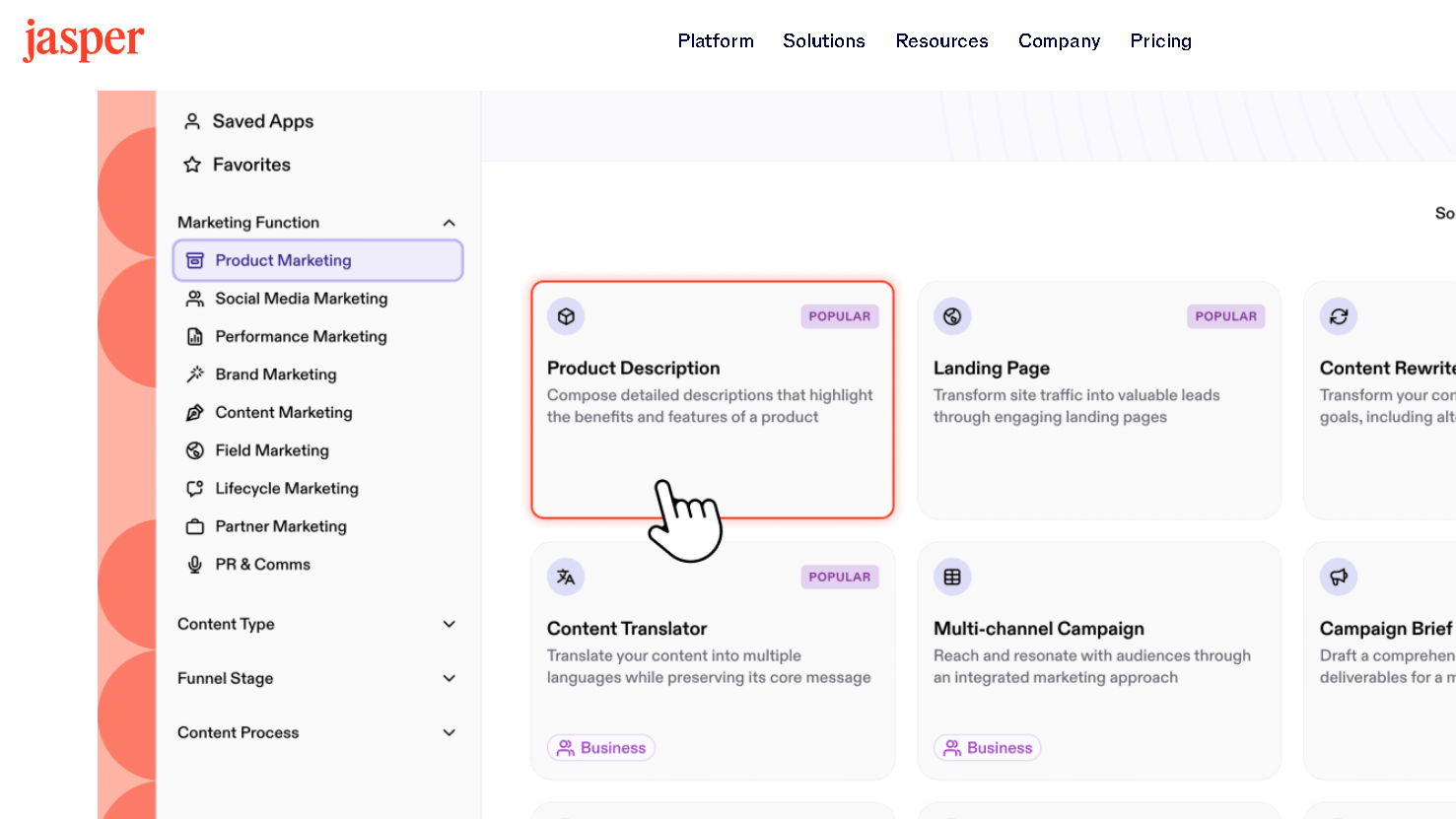
I compare the strengths of practice so that you can match each tool to real world purposes. Here’s some quick info on which platform to use for ad copy, blog SEO, or multi-user campaigns.
Best for Marketers and SEO Professionals
I would go with Jasper if your priority is long-form SEO content and tight editorial control. Its workflows allow for briefs in multiple steps and SEO integration, which allows me to produce complex blog posts and content related to specific keywords.
Boss Mode provides context in long drafts and detailed outline lists where keywords are placed. Writesonic is my go-to for bulk marketing copy and fast campaigns.
I use it in ad copy, product descriptions, and thousands of posts on social media. The template library and low cost make A/B testing headlines and captions quick and easy, with little editing.
Writesonic saves me time for short-form ads and landing page text.
Content Creators and Agencies
For agencies with polished and consistent deliverables, I use Jasper. It helps me keep my tone and style consistent when I write long-form articles, case studies, and white papers.
When more than one writer and editor is working on the same work, collaboration and editing tools will lead to fewer changes. Writesonic is my choice when I have short deadlines or if I need lots of short content quickly.
It produces quick copy of product descriptions, social media calendars, and newsletters. Freelancers with hundreds of small accounts can grow content marketing affordably through Writesonic’s templates.
Fast and plentiful are more important than deep research.
Business and Team Use
I also use Jasper’s brand voice and team controls for structivities. It promotes role-based access, shared style guides, and improved long-form collaboration.
Jasper’s features, when I oversee multi-channel campaigns, bring fewer back and forth between writers, editors, and managers. Writesonic is for small business and solo marketers that need quick, fast outputs and have fewer users.
I use it for everyday social posts, email drafts and product page updates. The interface is easy to navigate for teams without an editor full time.
If I’m working on multiple jobs, some long and mostly short, I’ll use both tools as needed.
Final Comparison: Jasper AI vs Writesonic
I compare the tools on practical points: content quality, SEO features, team controls, and cost. Here’s a quick summary of where each tool fits best.
Strengths and Weaknesses
Jasper excels in creating long-form, brand conscious content. I use the voice of a brand and the knowledge features to keep my big projects organized.
Workflows and rules that work for agencies and firms are role based control systems for teams. The price and need for third-party SEO tools are the trade-offs.
Writesonic is perfect for short-form and SEO-driven tasks. It offers SEO agents in-built and web access in real time for keeping track of product information or ads.
It’s cheaper and faster for independent creators. But for long-form work, I think it needs more editing and has less brand memory than Jasper.
Which AI Writing Tool Should You Use?
I would say Jasper if you have a content department, want tight brand control, or publish long guides and whitepapers. Jasper is the ideal choice if you want to make professional drafts that require less rewriting and where collaboration is important.
I’d use Writesonic if you are solo, need quick SEO snippets or want to keep the cost down. It’s great for product listings, short ads, and social posts where speed and integrated SEO are more important than deep brand training.
For more detailed comparisons, check out Jasper and Writesonic side-by-side on GeeksforGeeks, and Zapier.
Frequently Asked Questions
I’ve listed clear, specific differences in features, pricing, content quality, integrations, and user experience so you can quickly compare Jasper AI and Writesonic. Each question gets a direct answer with real details.
What are the distinguishing features between Jasper AI and Writesonic?
Jasper is more focused on brand control, flexible template use, and a cleaner editor that supports direct editing of brands and setting voice. Its Brand IQ and style guide tools make it easier to maintain tone consistency and reuse assets.
Writesonic also employs inbuilt SEO workflows, automated checks, and more automation options for agents. Besides, you get keyword tools, keyword checking, and internal linking automation without extra add-ons.
How does the pricing of Jasper AI compare to Writesonic?
Jasper starts higher and doesn’t offer a permanent free tier. Entry plans are mid-range monthly and scale up for business features and integrations.
You’ll need higher tiers or custom quotes for enterprise-level stuff. Writesonic has a freemium option and lower entry prices, with paid plans that scale from solo to team, and some advanced SEO features behind higher tiers.
Which platform, Jasper AI or Writesonic, offers better content generation for marketing purposes?
I choose Jasper when I want precise brand voice, customization, and collaborative processes. I use its brand tools and editor to produce consistent long-form marketing content that can be co-written in a way that teams can then refine step by step.
Writesonic is my choice if SEO-first content and faster, guided workflows are more important than deep customization. Its built in SEO tools and agents-driven workflows help ideation and on-page optimization for search driven content.
What have user reviews indicated as the main differences in user experience between Jasper AI and Writesonic?
Users often say Jasper feels cleaner and easier to navigate, especially for writers who want more control. Reviews highlight the editor’s simplicity and better brand management.
Writesonic can feel a bit cluttered but is powerful for SEO and automation. Many reviewers mention a steeper learning curve but appreciate the SEO toolset and agent options.
Are there any significant performance differences between Jasper AI and Writesonic in generating long-form content?
If you give good prompts, these two platforms provide similar baseline quality. They use advanced LLMs and model mixes, so there are straightforward articles about the same.
When you’re looking for iterative edits, the sound of a brand, or practical skills to improve long-form drafts, Jasper usually does better. Writesonic can print large manuscripts in minutes and add checks on SEO inline to reduce the post-editing for search engine optimization.
Can Jasper AI provide a more seamless integration with other tools compared to Writesonic?
Jasper offers tons of native integrations. Collaboration is quite smooth, especially if you have a team already using popular tools.
But here’s the problem: some of those integrations are behind cheaper, more expensive plans. Zapier and document integrations are there, but much of the good stuff seems to be closed down for business subscribers.
Writesonic supports Zapier as well. It includes plenty of SEO integrations, some of which you can use even on lower-tier plans.
If you want SEO-related tools like Ahrefs or if you just want them but don’t want to pay extra for those added features, Writesonic can save you from having to check with the other apps.